本教程演示如何使用 REST API 获取天气数据。
使用场景
假设你需要获取某个资产所在地的当前天气。天气信息既可用于特定的数据处理逻辑,也可用于历史追踪并在 dashboard 中可视化展示。
本教程将配置 ThingsBoard Rule Engine,通过 REST API 自动获取天气信息。 你可以基于本教程扩展更复杂的场景。
前置条件
请确保已完成以下指南并阅读所列文章:
1
* [Getting Started](/docs/getting-started-guides/helloworld/) 指南。   * [Rule Engine Overview](/docs/user-guide/rule-engine-2-0/overview/).   * [External rule nodes](/docs/user-guide/rule-engine-2-0/nodes/external/).
添加资产
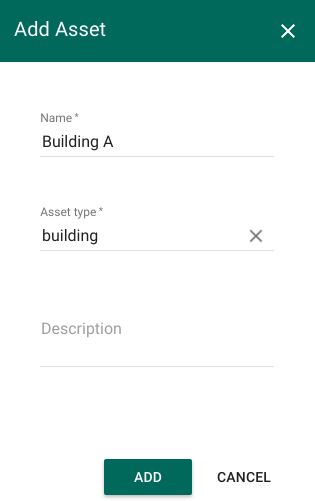
在 ThingsBoard 中添加 Asset 实体,名称为 Building A,类型为 building。
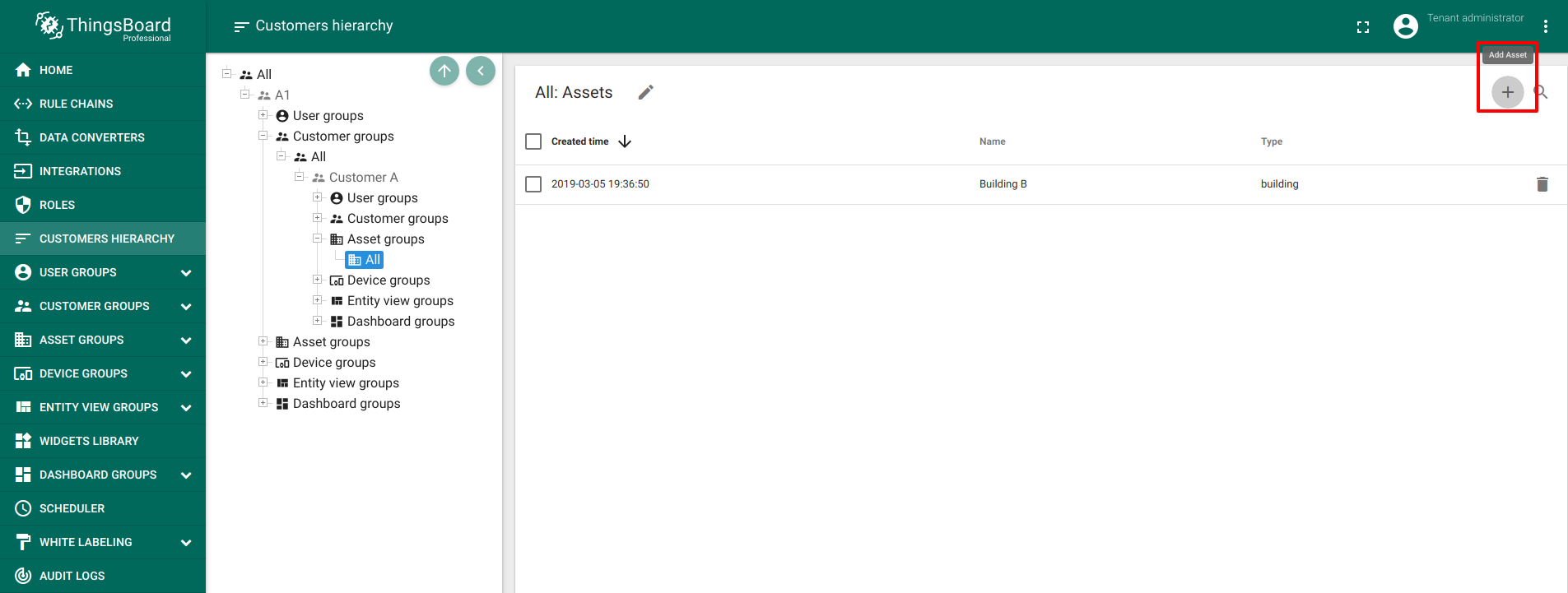
说明:如果你使用 Professional Edition,需要通过 Customer Hierarchy 按以下路径将 asset 添加到 customer:
- Go to Customers Hierarchy -> All -> (Current tenant) -> Customer groups -> (Your customer group) -> (Your customer) -> Asset groups -> (Your asset group) -> Add asset
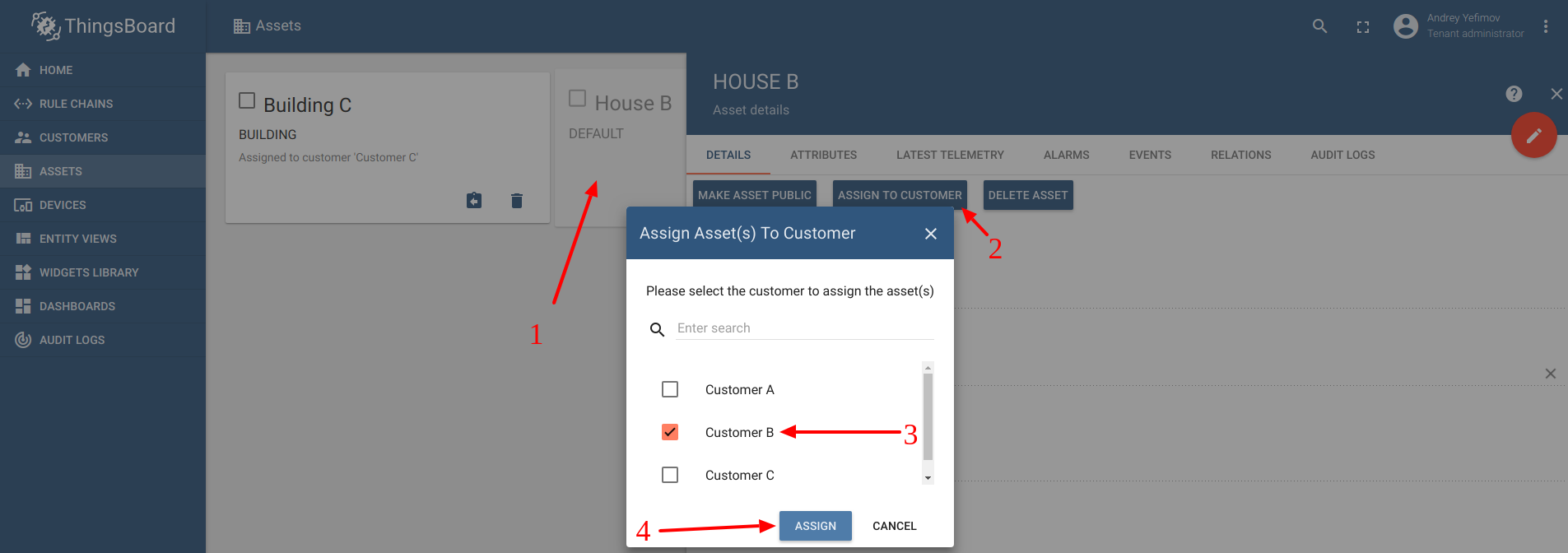
在 Community edition 中将资产分配给客户
- Go to Assets -> Assign to customer -> (Your Customer) -> Assign
在数据提供网站注册
为获取天气数据,你需要在提供该数据的网站注册账号。本示例使用 OpenWeatherMap。
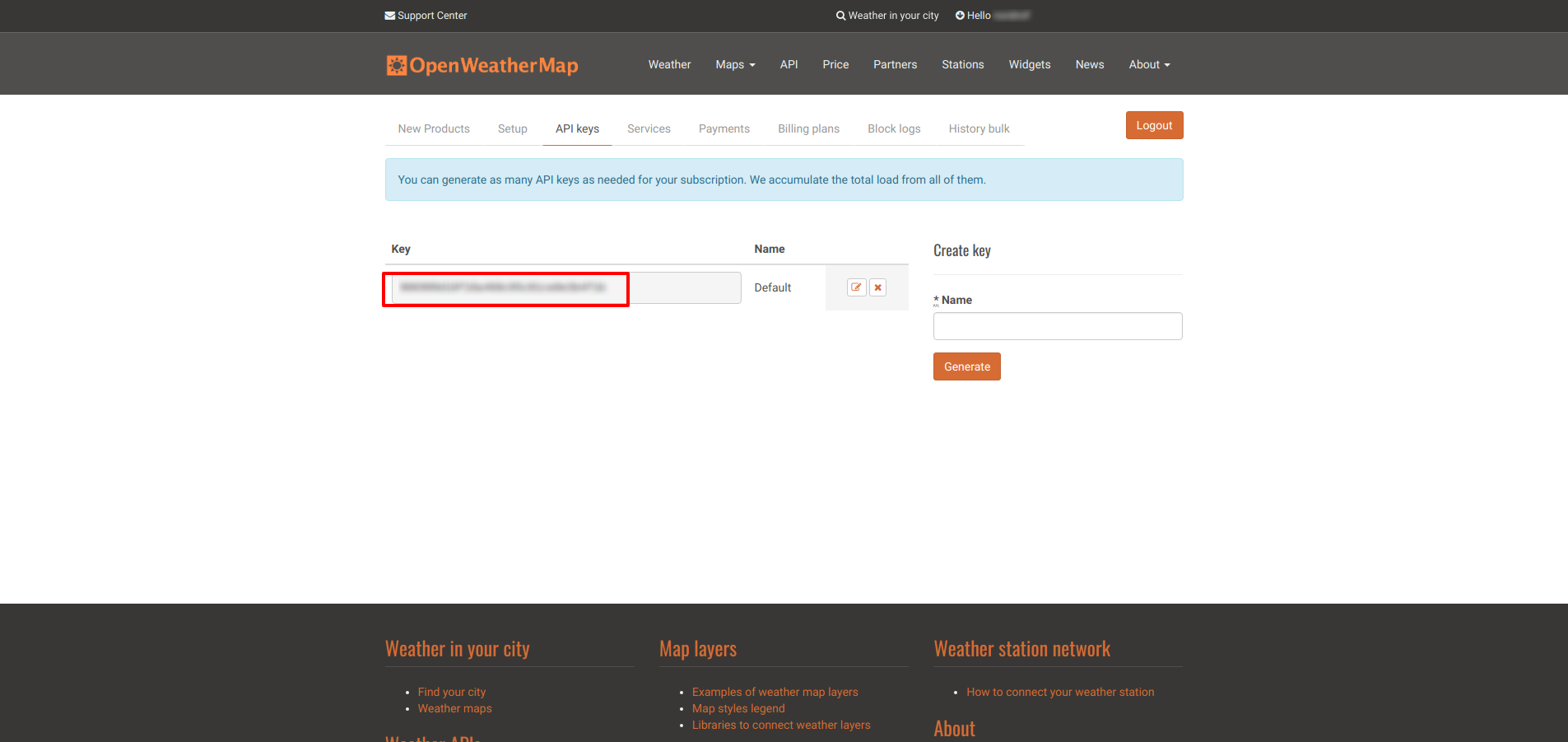
注册完成后,前往 this 页面获取 API key。
创建属性
执行 REST API 调用需要以下 URL 参数: API key、经度、纬度和计量单位。
建议将 API key 放在 customer 的 server-side attribute 中,其余参数放在 asset 的 server-side attributes 中。
Customer 属性可按如下配置:
- Go to (Assigned customer) -> Attributes -> Add
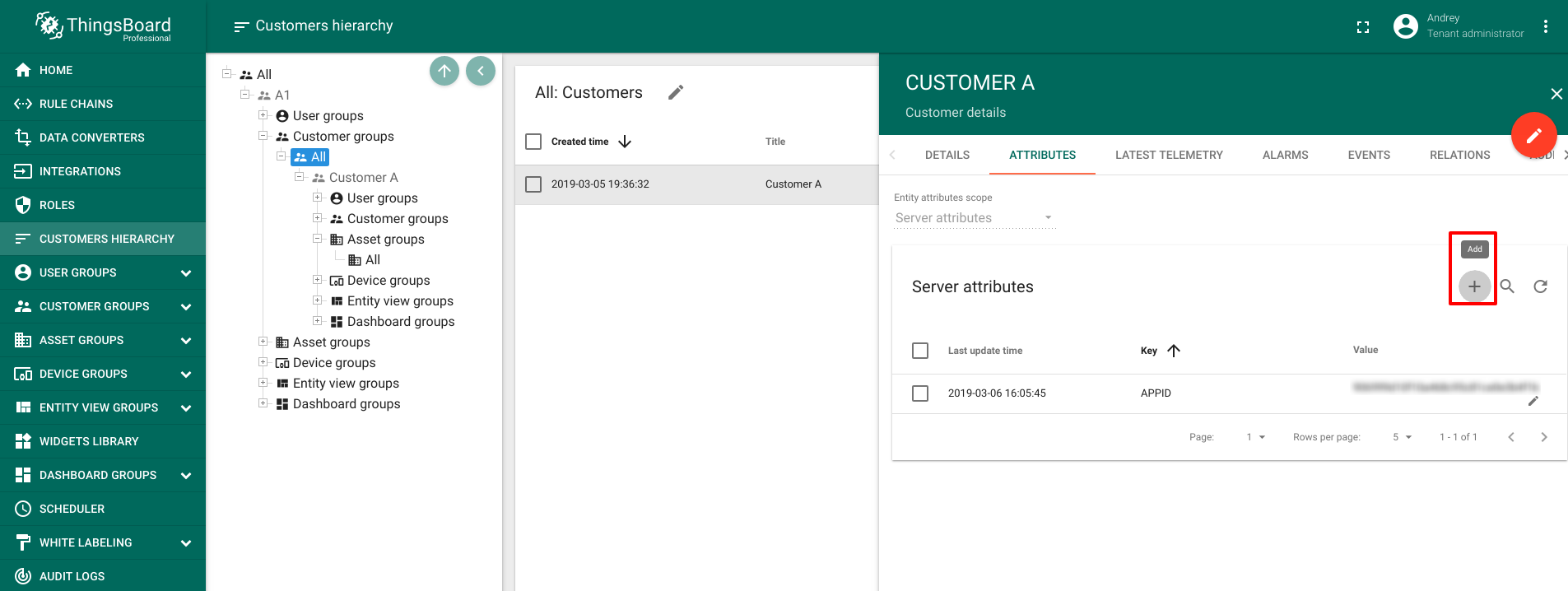
按如下方式添加属性:
| Field | Data Type | Input Data |
| APPID | String | (你从 OpenWeatherMap 获取的 API key) |
Asset 属性可按如下配置:
- Go to Building A -> Attributes -> Add
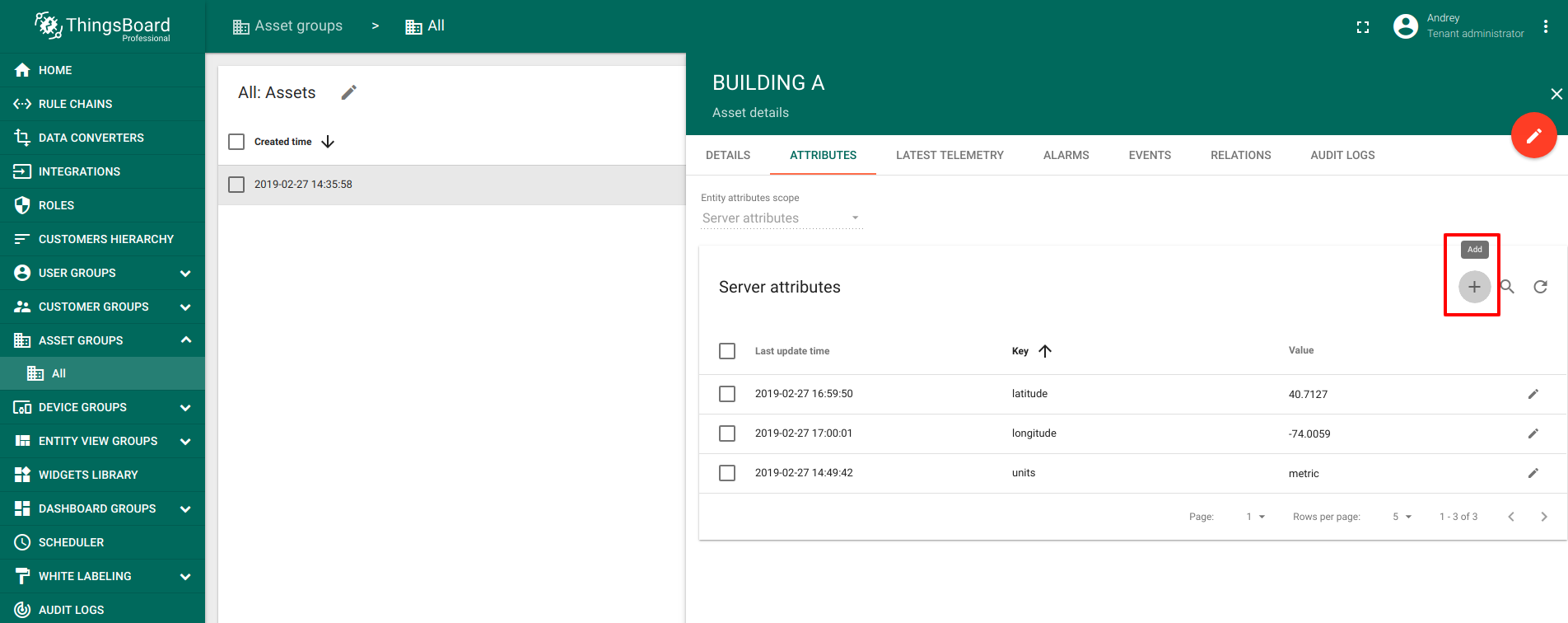
- 按下表填写属性:
| Field | Data Type | Input Data |
| latitude | Double | latitude of an asset |
| longitude | Double | longitude of an asset |
| units | String | "metric" 表示风速为米/秒、温度为摄氏度;"imperial" 表示风速为英里/小时、温度为华氏度;留空表示风速为米/秒、温度为开尔文 |
本示例使用纽约市坐标,并采用 metric 单位。
Message flow
本节说明本教程中各节点的作用。这里会用到 1 条 rule chain:
1
- **Outside Temperature/Humidity** - 该 rule chain 每 15 秒向 OpenWeatherMap 发起一次 API 调用,并将湿度和温度数据发送到指定 asset。
下图展示了该 Rule Chain 的样例结构:
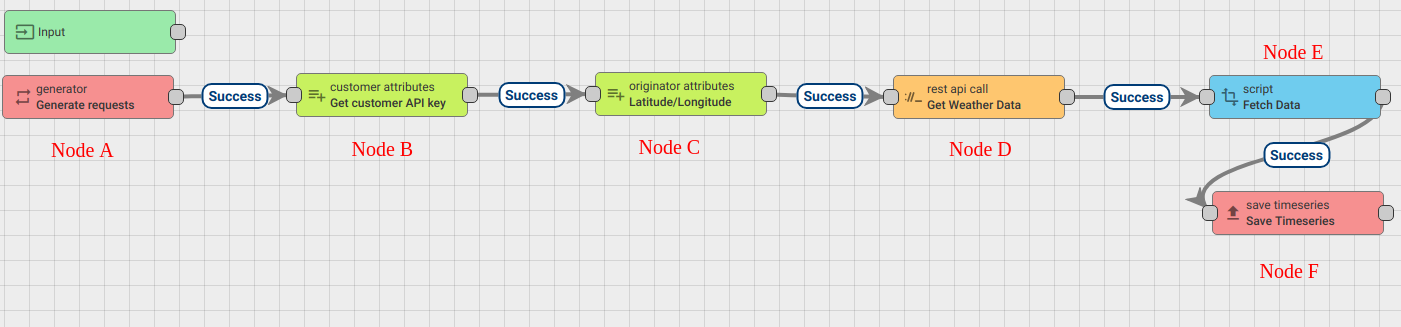
下载并 import 本教程附带的 rule chain json file。 注意:需要在最左侧 generator 节点中,将最初创建的 asset 设为 originator。
下文将介绍如何从零创建该 rule chain。
新建 Rule Chain(Outside Temperature/Humidity)
进入 Rule Chains -> Add new Rule Chain
配置如下:
- Name : Outside Temperature/Humidity
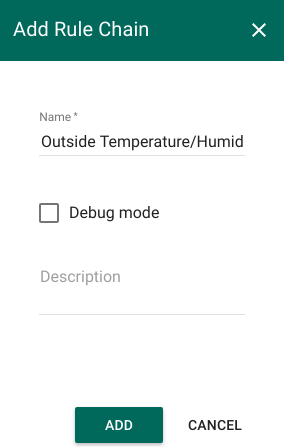
新 Rule Chain 创建完成后,点击 Edit 按钮进行配置。
添加所需节点
在该 rule chain 中,你将创建 5 个节点,具体如下:
Node A: Generator node
1
2
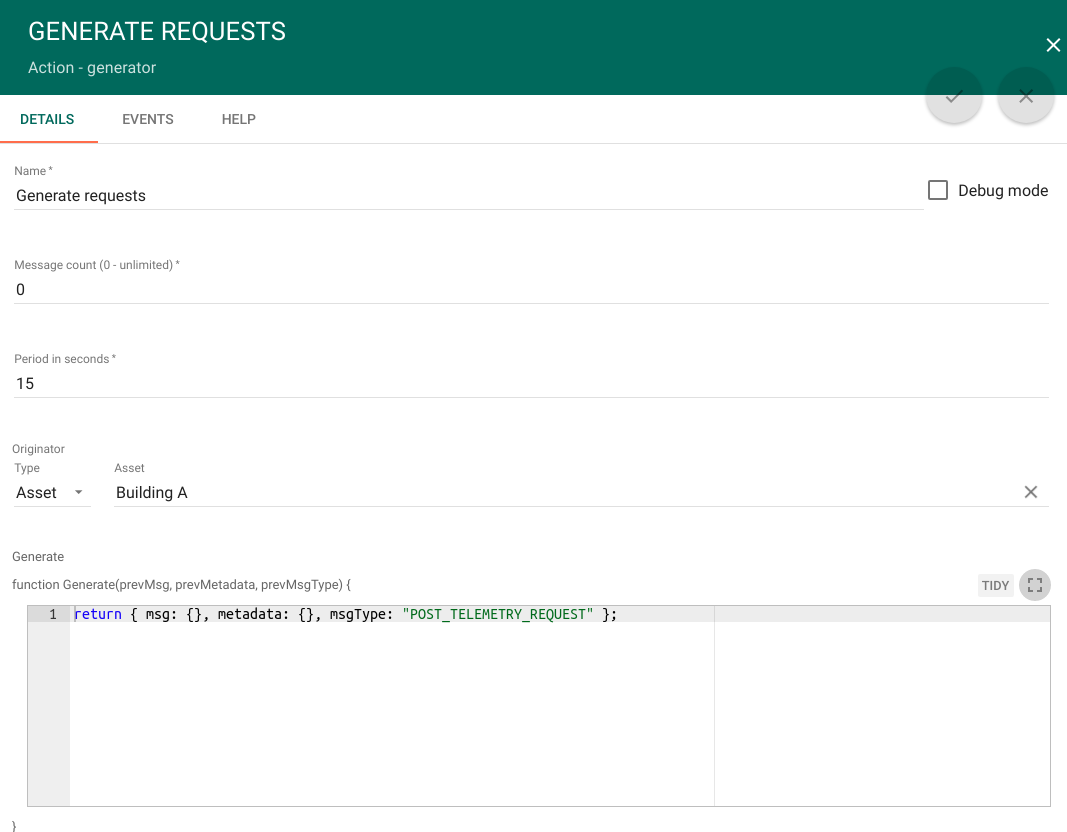
- 添加 **Generator** 节点。该节点生成空消息以触发 REST API 调用。
- 字段按如下填写:
| Field | Value |
| Name | Generate requests |
| Message count | 0 |
| Period in seconds | 15 |
| Originator type | Asset |
| Asset | Building A |
| Generate function | return { msg: {}, metadata: {}, msgType: "POST_TELEMETRY_REQUEST" }; |
Node B: Customer attributes enrichment node
1
2
3
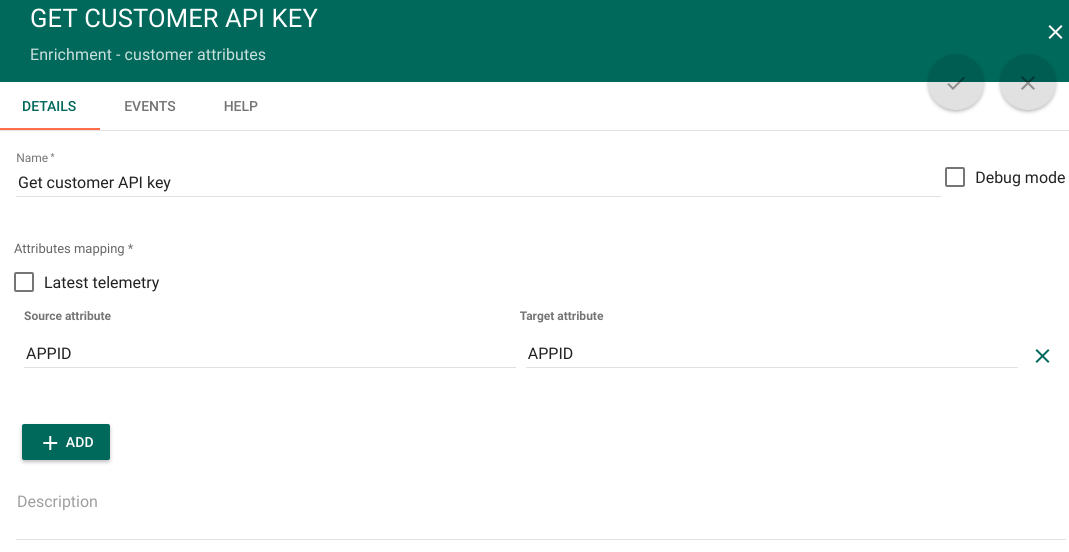
- 添加 **Customer attributes node**,并通过关系类型 **Success** 连接到 **Generator node**。
该节点会将 customer 的 APPID 属性写入消息 metadata。
- 字段按如下填写:
| Field | Value |
| Name | Get customer API key |
| Latest telemetry | False |
| Source attribute | APPID |
| Target attribute | APPID |
Node C: Originator attributes enrichment node
1
2
3
4
5
6
7
8
9
10
11
12
13
14
15
16
17
18
19
20
- 添加 **Originator attributes enrichment node**,并通过关系类型 **Success** 连接到 **Customer attributes node**。
该节点会将 **Generator** 节点中 originator 的 server attributes(latitude、longitude、units)读取到 metadata。
- 字段按如下填写:
<table style="width: 50%">
<thead>
<tr>
<td><b>Field</b></td><td><b>Value</b></td>
</tr>
</thead>
<tbody>
<tr>
<td>Name</td>
<td>Latitude/Longitude</td>
</tr>
<tr>
<td>Server attributes</td>
<td>latitude, longitude, units</td>
</tr>
</tbody>
</table> 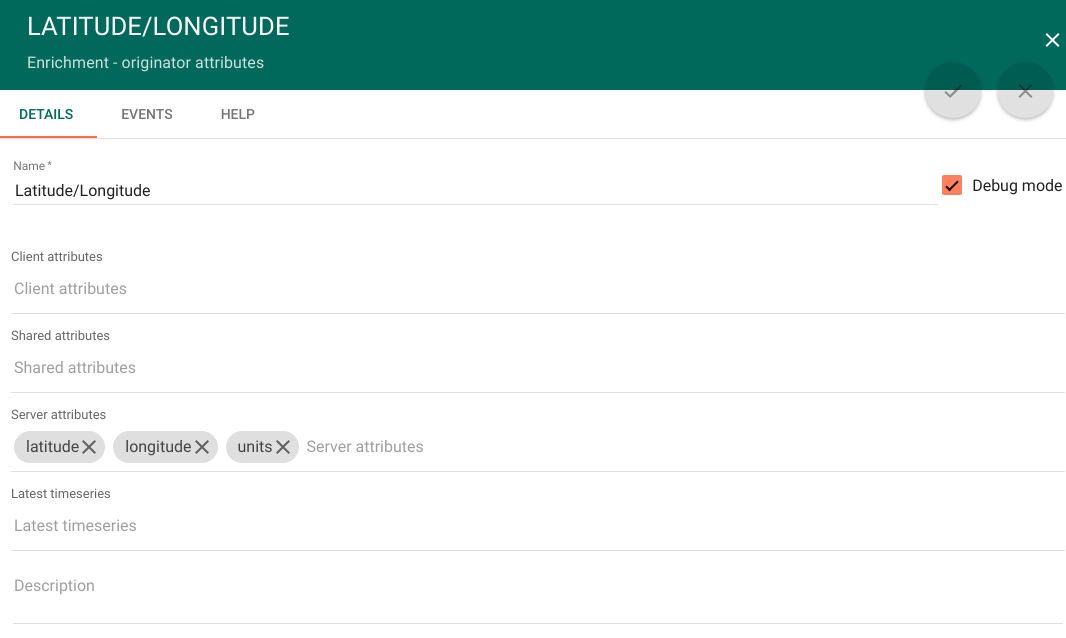
Node D:External REST API call 节点
1
2
3
4
5
6
7
8
9
10
11
12
13
14
15
16
17
18
19
20
21
22
23
24
25
26
27
28
29
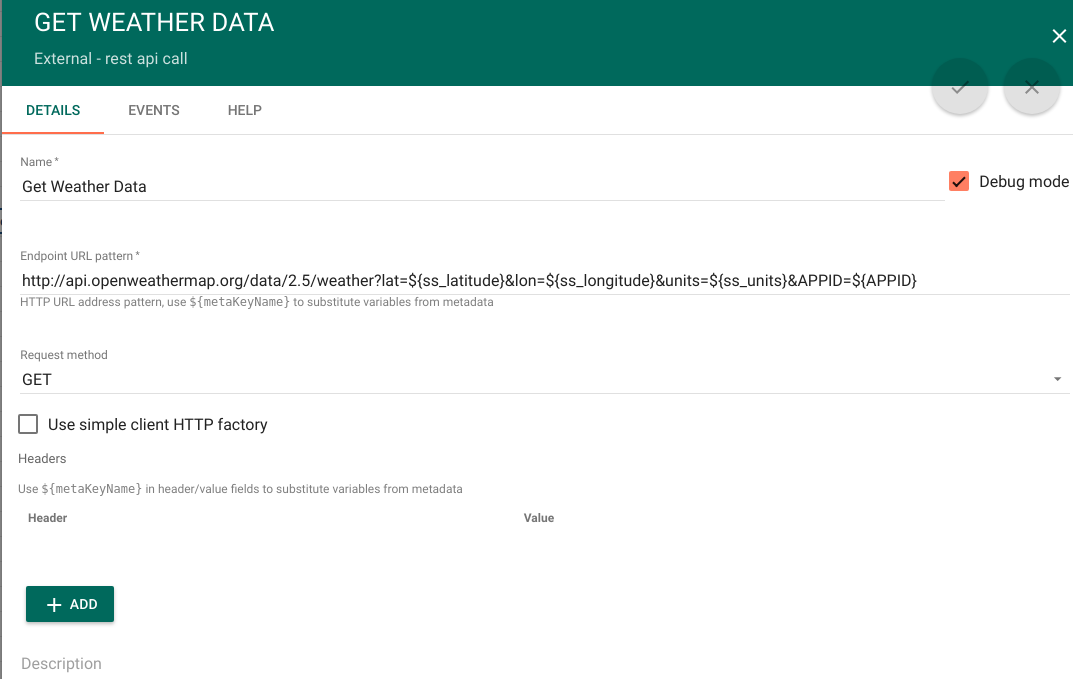
- 添加 **External REST API call** 节点,并通过关系类型 **Success** 连接到 **Originator attributes enrichment** 节点。
该节点会调用 OpenWeatherMap REST API。
- 字段按如下填写:
  <table style="width: 50%">
         <thead>
            <tr>
                <td><b>Field</b></td><td><b>Value</b></td>
            </tr>
         </thead>
         <tbody>
            <tr>
                <td>Name</td>
                <td>Get Weather Data</td>
            </tr>
            <tr>
                <td>Endpoint URL pattern</td>
                <td>http://api.openweathermap.org/data/2.5/weather?lat=${ss_latitude}&lon=${ss_longitude}&units=${ss_units}&APPID=${APPID}</td>
            </tr>
            <tr>
                <td>Request method</td>
                <td>GET</td>
            </tr>
            <tr>
                <td>使用简易客户端 HTTP 工厂</td>
                <td>False</td>
            </tr>
         </tbody>
  </table>
- ss_latitude、ss_longitude、ss_units、ss_APPID 来自 metadata,由 **Originator attributes enrichment node** 写入。
Node E:Script transformation 节点
1
2
3
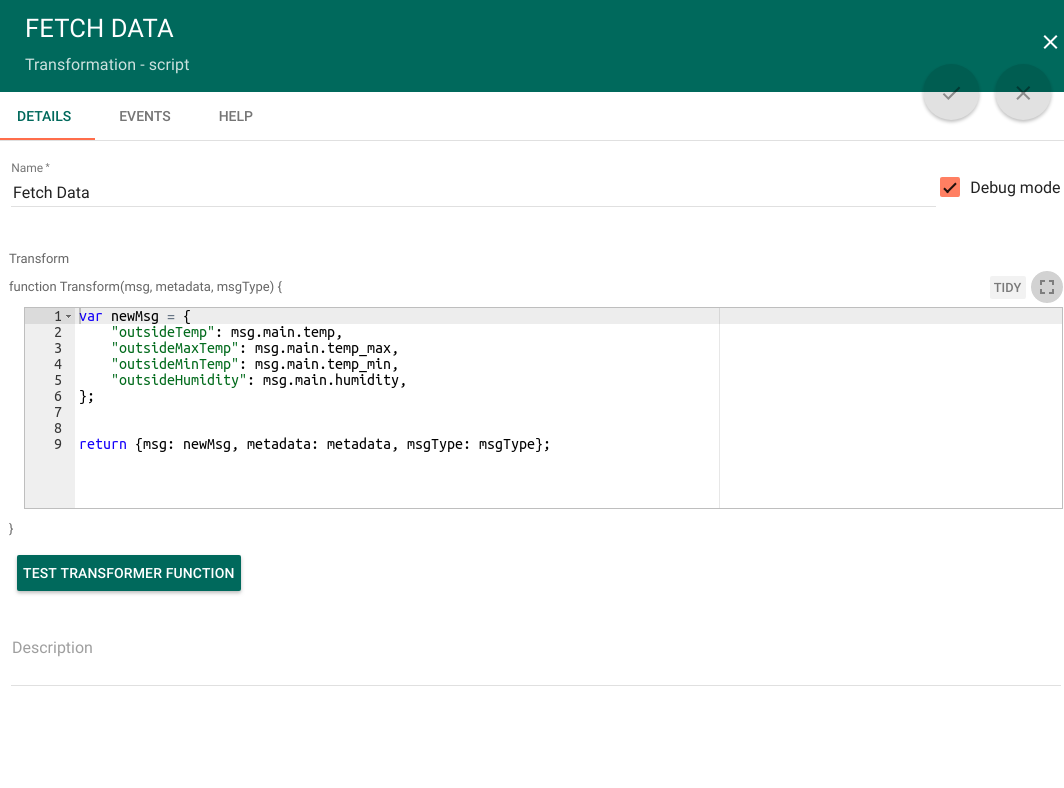
- 添加 **Script transformation** 节点,并通过关系类型 **Success** 连接到 **External REST API call** 节点。
该节点会将室外温度、最高温、最低温和湿度写入消息。
- Transform function 可按如下填写:
1
2
3
4
5
6
7
8
    var newMsg = {
        "outsideTemp": msg.main.temp,
        "outsideMaxTemp": msg.main.temp_max,
        "outsideMinTemp": msg.main.temp_min,
        "outsideHumidity": msg.main.humidity,
    };

    return {msg: newMsg, metadata: metadata, msgType: msgType};
Node F: Save timeseries node
1
2
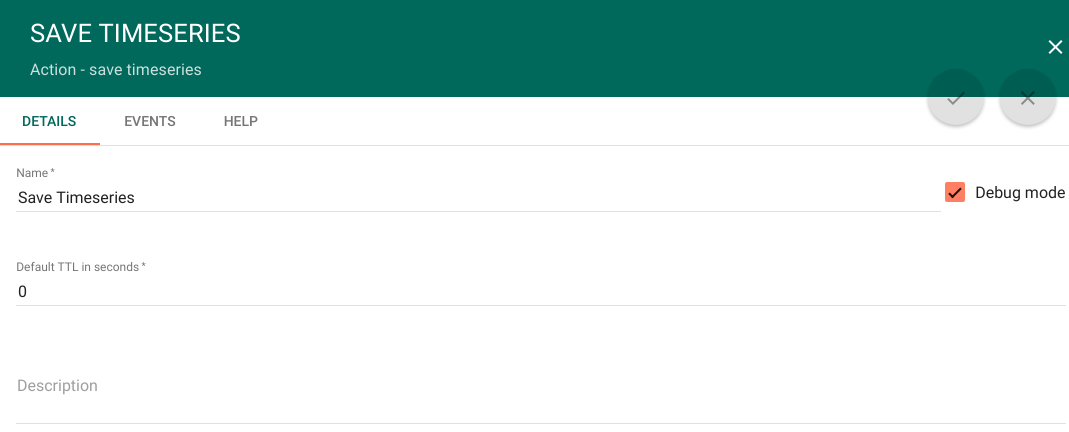
- 添加 **Save timeseries node**,并通过关系类型 **Success** 连接到前一节点。
  该节点会将消息保存为 telemetry。
配置 dashboard
Download and import attached json file with a dashboard for this tutorial.
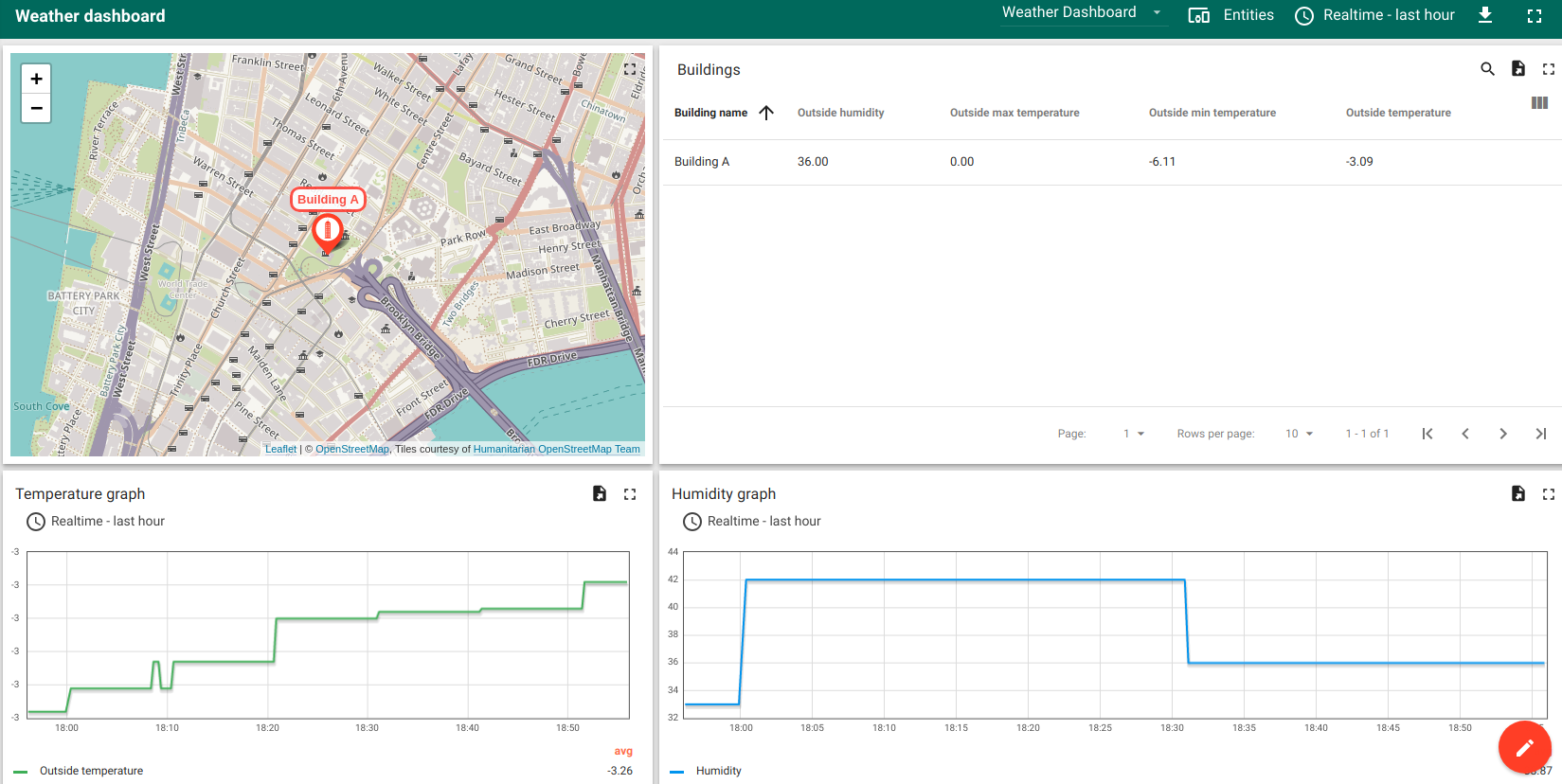
dashboard 效果应类似下图: