ThingsBoard 支持从服务端向设备发送远程过程调用 RPC,反之亦可。
本教程演示如何使用 Rule Engine 向关联设备发送 RPC 请求。
使用场景
假设有如下场景:
- 你有如下设备接入 ThingsBoard:
- Wind Direction Sensor.
- Rotating System.
- 同时还有一个资产:
- Wind Turbine.
- 你希望向 Rotating System 发起 RPC request,并根据风向调整 Wind Turbine 的方向。
- 该 RPC 调用包含两个属性:
- method: spinLeft or spinRight.
- params: value.
| Note: |
|
将 Rotating System 向左或向右旋转时,需要选择更快且更优的方向,以确保风向与风机方向之间的夹角不超过 5 度。 |
前置条件
请确保已完成以下指南并阅读所列文章:
模型定义
Wind Turbine 上安装了两个设备:Wind Direction Sensor 和 Rotating System。
- Wind turbine 表示为一个 Asset,名称 Wind Turbine,类型 Wind turbine。
- Wind Direction Sensor 表示为一个 Device,名称 Wind Direction Sensor,类型 Direction Sensor。
- Rotating System 表示为一个 Device,名称 Rotating System,类型 Rotating System。
- 创建类型为 Contains 的关系:
- 从 Wind Turbine 到 Wind Direction Sensor;
- 从 Wind Turbine 到 Rotating System。
- 创建类型为 Uses 的关系:
- 从 Rotating System 到 Wind Direction Sensor。
消息流
本节说明本教程中各节点的作用:
- Node A: message type switch node.
- 按消息类型路由入站消息。
- Node B: save time series node.
- 将来自 Wind Direction Sensor 与 Rotating System 的 telemetry 存入数据库。
- Node C: related device attributes.
- 读取关联设备 Wind Direction Sensor 的源 telemetry windDirection,并以 windDirection 写入 Message metadata。
- Node D: change originator node.
- 将 originator 从设备 Wind Direction Sensor 与 Rotating System 切换为关联 Asset Wind Turbine,后续消息按来自 Asset 处理。
- Node E: save time series node.
- 将来自 Asset Wind Turbine 的 telemetry 存入数据库。
- Node F: transformation script.
- 将原始消息转换为 RPC request 消息。
- Node G: filter script node.
- 检查入站消息的 msgType 是否为 RPC message。
- Node H: rpc call request node.
- 读取消息 payload,并将其作为请求发送给 Rotating System。
配置 Rule Chain
下图展示了 Tutorial of RPC Call Request Rule Chain 的结构:
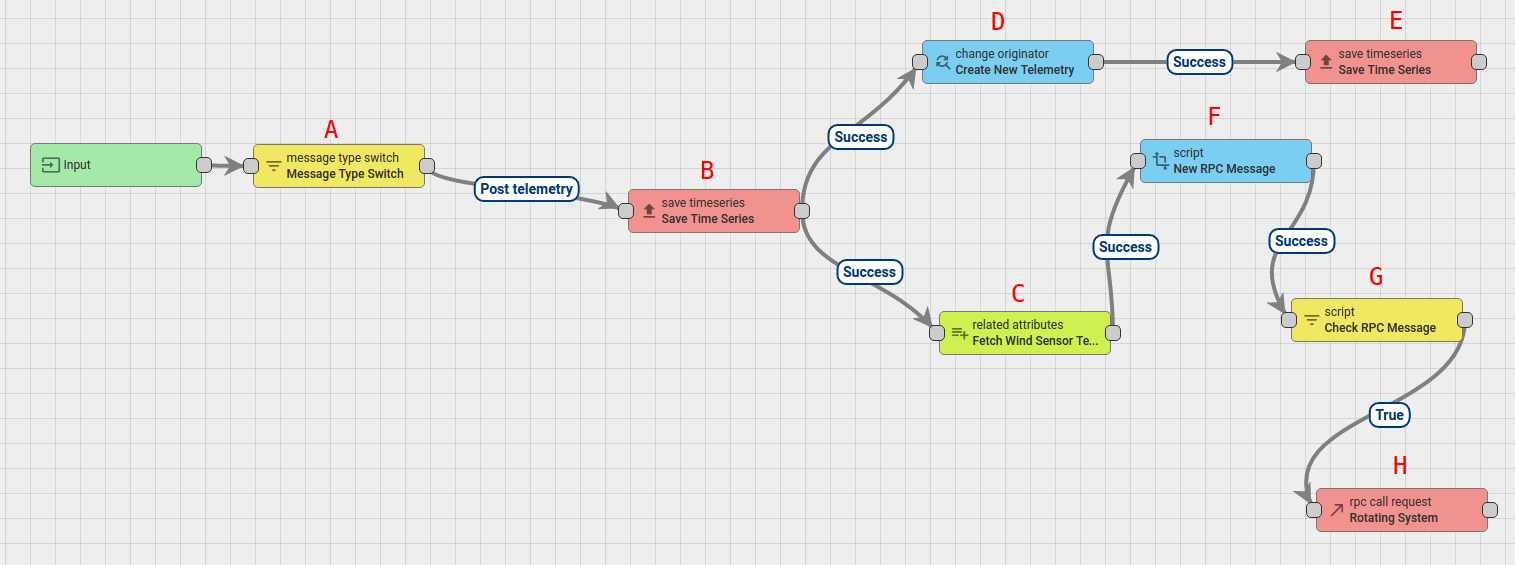
- 下载并导入上述 rule chain 对应的 json file。
- 不要忘记将新 rule chain 标记为 “root”。
你也可以从零创建该 Rule Chain,下文将说明具体步骤。
新建 Rule Chain(Tutorial of RPC Call Request)
- Go to Rule Chains -> Add new Rule Chain
- Enter the Name field as Tutorial of RPC Call Request, then click the ADD button.
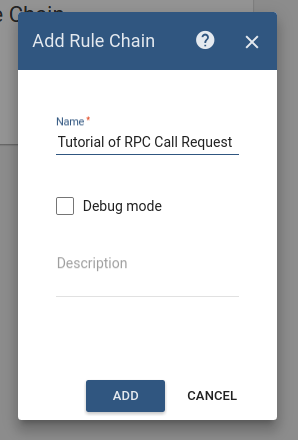
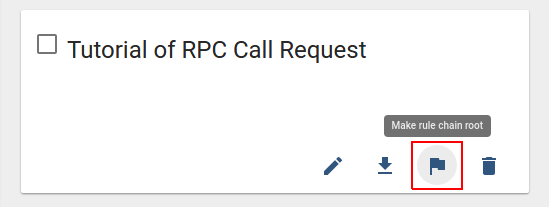
- 新 Rule Chain 创建完成后,不要忘记标记为 “root”。
添加所需节点
在本教程中,你需要创建 8 个节点,具体如下:
Node A: Message Type Switch
-
Add the Message Type Switch node and connect it to the Input node.
该节点会按消息类型路由入站消息,本教程中为 POST_TELEMETRY_REQUEST。 -
Enter the Name field as Message Type Switch.
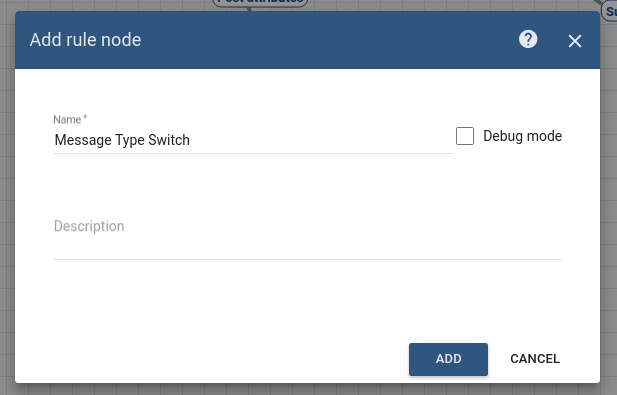
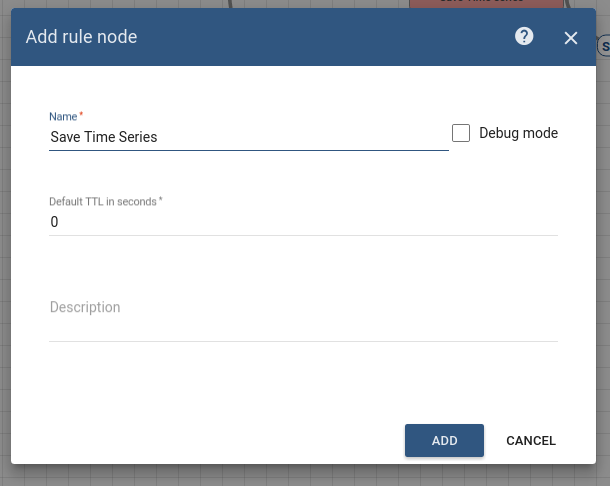
Node B: Save TimeSeries
-
Add the Save TimeSeries node and connect it to the Message Type Switch node with a relation type Post telemetry.
该节点会将入站消息 payload 的 TimeSeries 数据存入数据库,并关联到 Message Originator 标识的设备,即 Wind Direction Sensor 和 Rotating System。 -
Enter the Name field as Save Time Series.
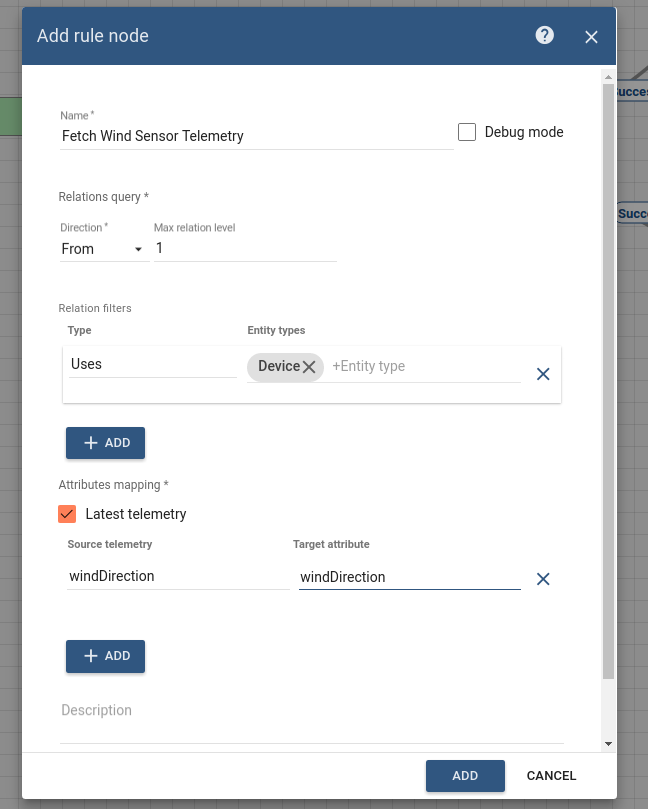
Node C: Related attributes
- Add the Related attributes node and connect it to the Save TimeSeries node with a relation type Success.
该节点会从与 Rotating System 关联的 Wind Direction Sensor 读取源 telemetry windDirection,并以 windDirection 写入 Message metadata。 - 按下表填写字段:
| Field | Input Data |
| Name | Fetch Wind Sensor Telemetry |
| Direction | From |
| Max relationship level | 1 |
| Relationship type | Uses |
| Entity type | Device |
| Latest telemetry | true |
| Source telemetry | windDirection |
| Target telemetry | windDirection |
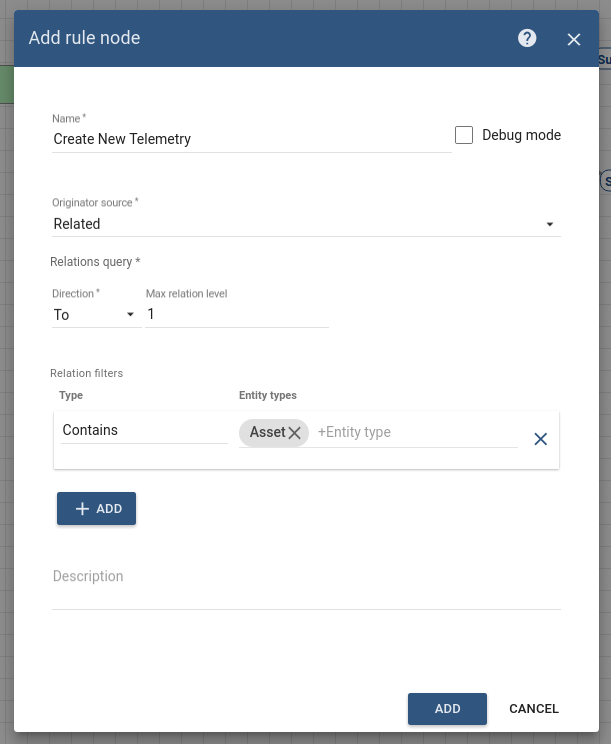
Node D: Change Originator
- Add the Change Originator node and connect it to the Save TimeSeries node with a relation type Success.
该节点会将 originator 从设备 Wind Direction Sensor 与 Rotating System 切换为它们通过 Contains 关系关联到的 Asset Wind Turbine。
因此,后续消息将按该实体的消息进行处理。 - 按下表填写字段:
| Field | Input Data |
| Name | Create New Telemetry |
| Originator source | Related |
| Direction | To |
| Max relationship level | 1 |
| Relationship type | Contains |
| Entity type | Asset |
Node E: Save TimeSeries
- Add the Save TimeSeries node and connect it to the Change Orignator node with a relation type Success.
该节点会将入站消息 payload 的 TimeSeries 数据以 Asset Wind Turbine(消息源)身份写入数据库。 - Enter the Name field as Save Time Series.
Node F: Transform Script
- Add the Transform Script node and connect it to the Related attributes node with a relation type Success.
该节点会将原始消息转换为 RPC request 消息。 - 该 RPC 调用包含 2 个属性:
- method: spinLeft or spinRight.
- params: value.

- Enter the Name field as New RPC Message.
- Add the following Script:
1
2
3
4
5
6
7
8
9
10
11
12
13
14
15
 var newMsg = {};
 var value = Math.abs(msg.turbineDirection - metadata.windDirection);
 if ((value < 180 && msg.turbineDirection < metadata.windDirection)||
     (value > 180 && msg.turbineDirection > metadata.windDirection)) {
     newMsg.method = 'spinLeft';
 }
 if ((value <= 180 && msg.turbineDirection > metadata.windDirection)||
     (value >= 180 && msg.turbineDirection < metadata.windDirection)) {
     newMsg.method = 'spinRight';
 }
 if(newMsg.method == 'spinLeft' || 'spinRight'){
     msgType = 'RPC message';
 }
 newMsg.params = Math.round(value * 100) / 100;
 return {msg: newMsg, metadata: metadata, msgType: msgType};
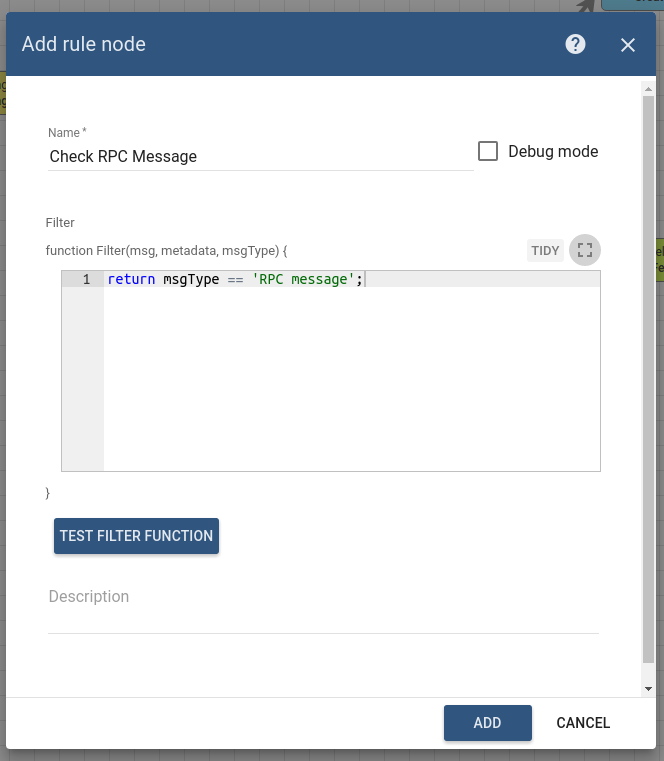
Node G: Filter Script
-
Add the the Filter Script node and connect it to the Transform Script node with a relation type Success.
该节点会检查入站消息的 msgType 是否为 RPC message。 - Enter the Name field as Check RPC Message.
- Add the following Script:
1
: return msgType == 'RPC message';
Node H: RPC call request
- Add the RPC call request node and connect it to the Filter Script node with a relation type True.
该节点会读取消息 payload,并将其作为请求发送给 Message Originator。 - Enter the Name field as Rotating System.
- Enter the Timeout value as 60 seconds.
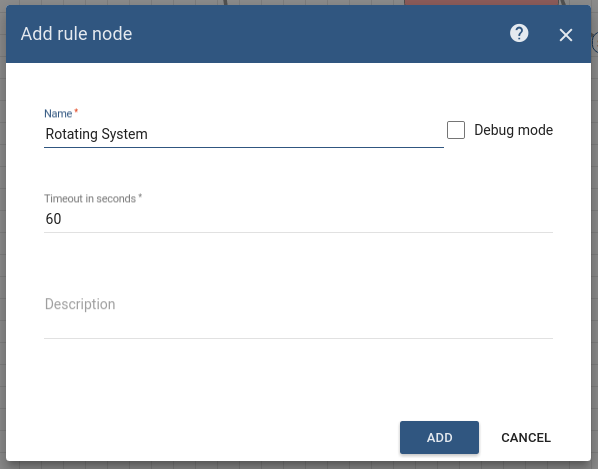
该 Rule chain 配置完成后请保存。
如何验证 Rule Chain
- 使用以下 javascript 代码模拟 Wind Direction Sensor 设备。
- 同时,使用以下 javascript 代码模拟 Rotating System 设备。
该代码包含一个方法,用于根据入站 RPC 消息模拟风机方向变化。
运行脚本前,请完成以下步骤:
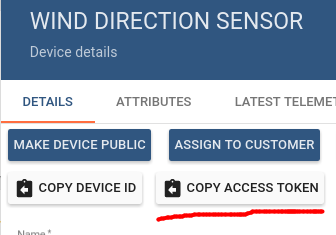
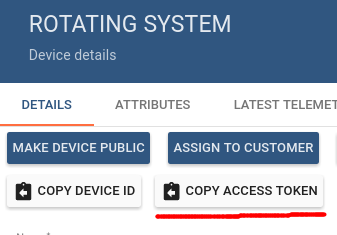
- 复制 Wind Direction Sensor 与 Rotating System 的设备 access token,并粘贴到脚本中。
你可以在 Device 页面复制 access token。
在本教程中,- the Wind Direction Sensor device access token is Z61K03FAGSziW9b0nKsm
- the Rotating System device access token is jSuvzrURCbw7q4LGtygc
但这些 access token 具有唯一性,你需要使用自己设备的 token。
- 打开终端并进入存放模拟脚本的目录,执行以下命令:
- node WindDirectionEmulator.js
- node RotatingSystemEmulator.js
配置 Dashboards
下图展示了 Wind Turbine Dashboard 的效果:
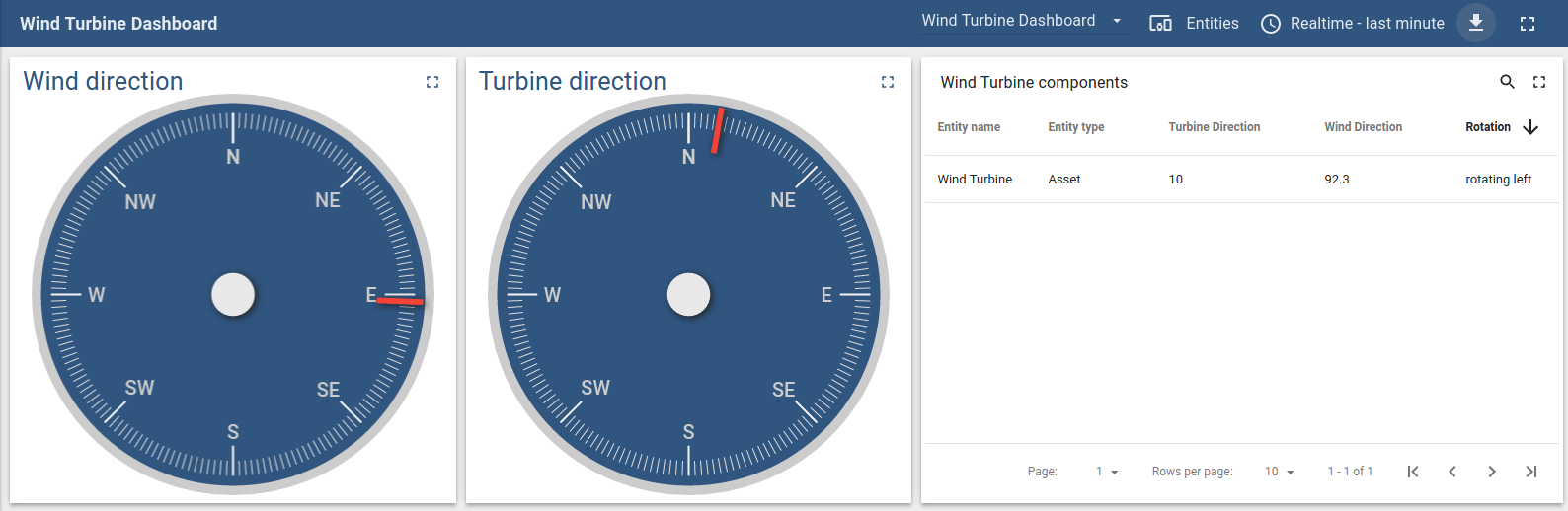
下载并导入上述 dashboard 对应的 json file。
- 进入 Dashboards -> Add new Dashboard -> Import Dashboard,拖拽导入下载的 json 文件。
下一步是配置导入后 dashboard 使用的 aliases。
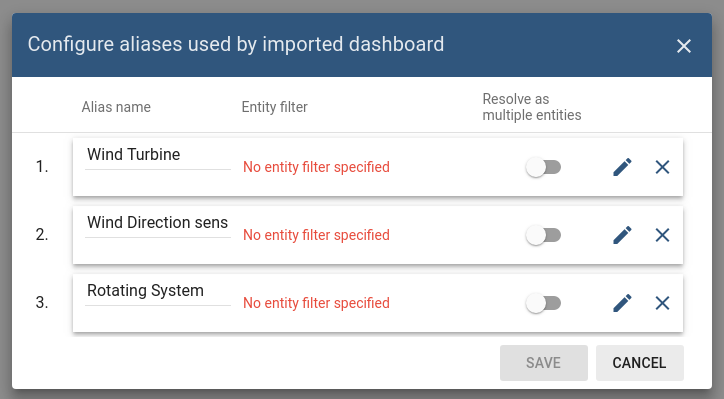
点击 Edit alias 按钮,并按下表输入配置数据:
| Alias | Field | Input Data |
| Wind Turbine | Filter type | Single entity |
| Type | Asset | |
| Asset | Wind Turbine | |
| Wind Direction Sensor | Filter type | Single entity |
| Type | Device | |
| Device | Wind Direction Sensor | |
| Rotating System | Filter type | Single entity |
| Type | Device | |
| Device | Rotating System |
完成以上配置后,即可验证 dashboard 是否按预期工作。
此外,你还可以了解:
- 如何使用 RPC call reply Rule Node
具体可参考 See Also 小节中的第二个链接。
另请参阅
-
若需了解 RPC 在 Thignsboard 中的工作机制,请参阅 RPC capabilities 指南。