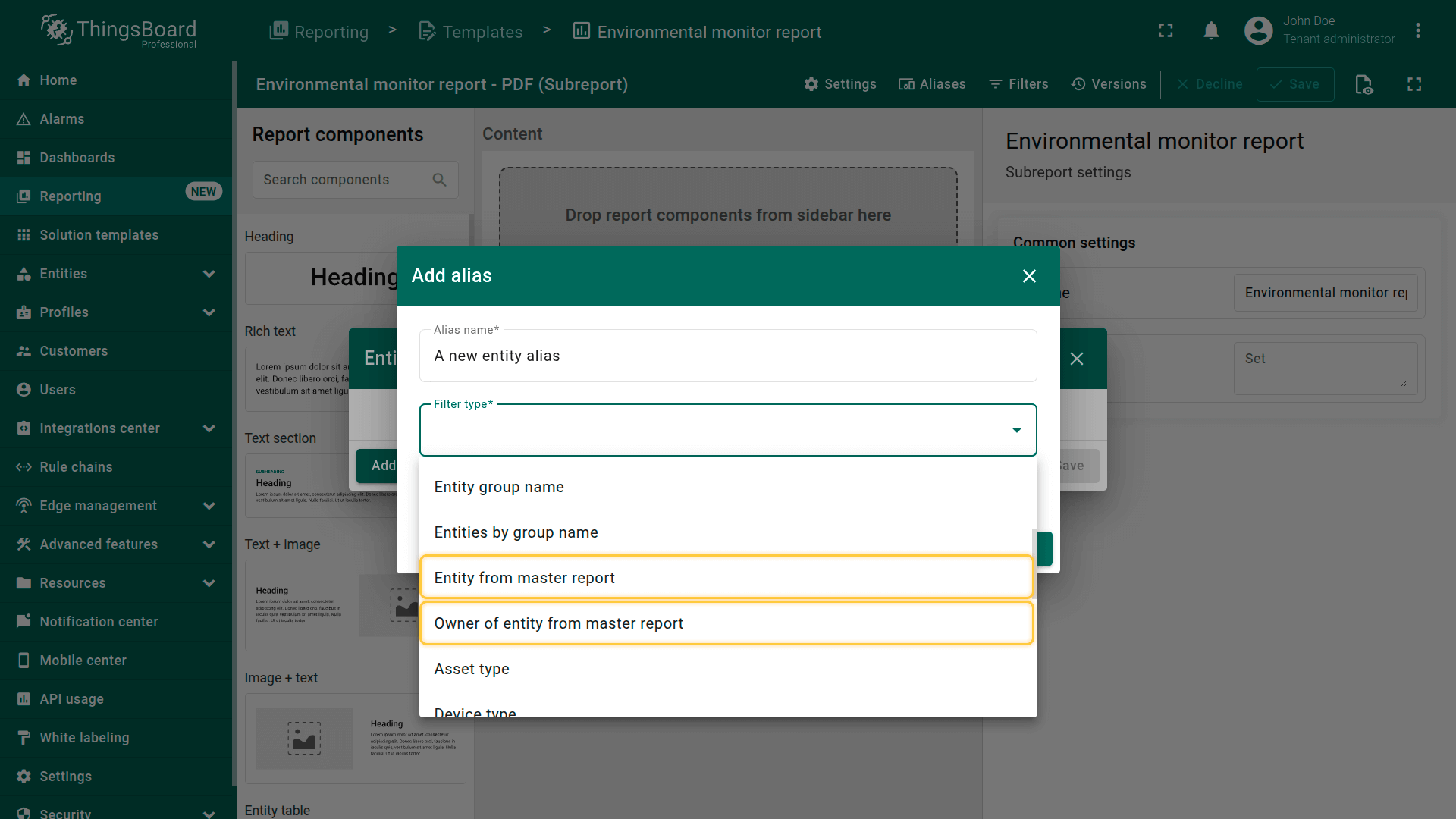
- Entity from master report - the entity retrieved from the data source configured for the subreport component. If multiple entities are present, a separate subreport component will be generated for each entity. - Owner of entity from master report - the owner of entity retrieved from the data source configured for the subreport component. If multiple entities are present, a separate subreport component will be generated for each entity.
创建子报表模板
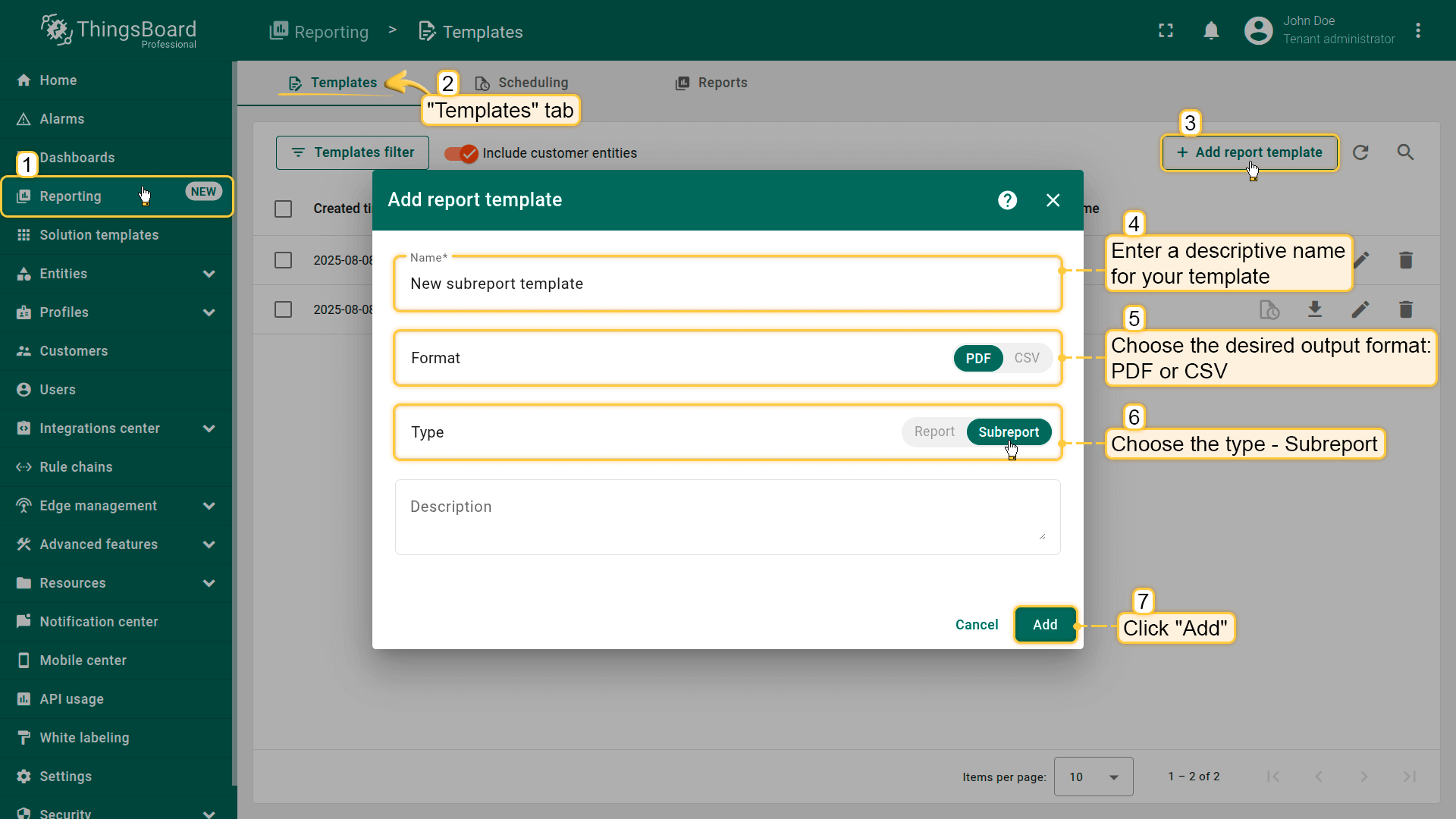
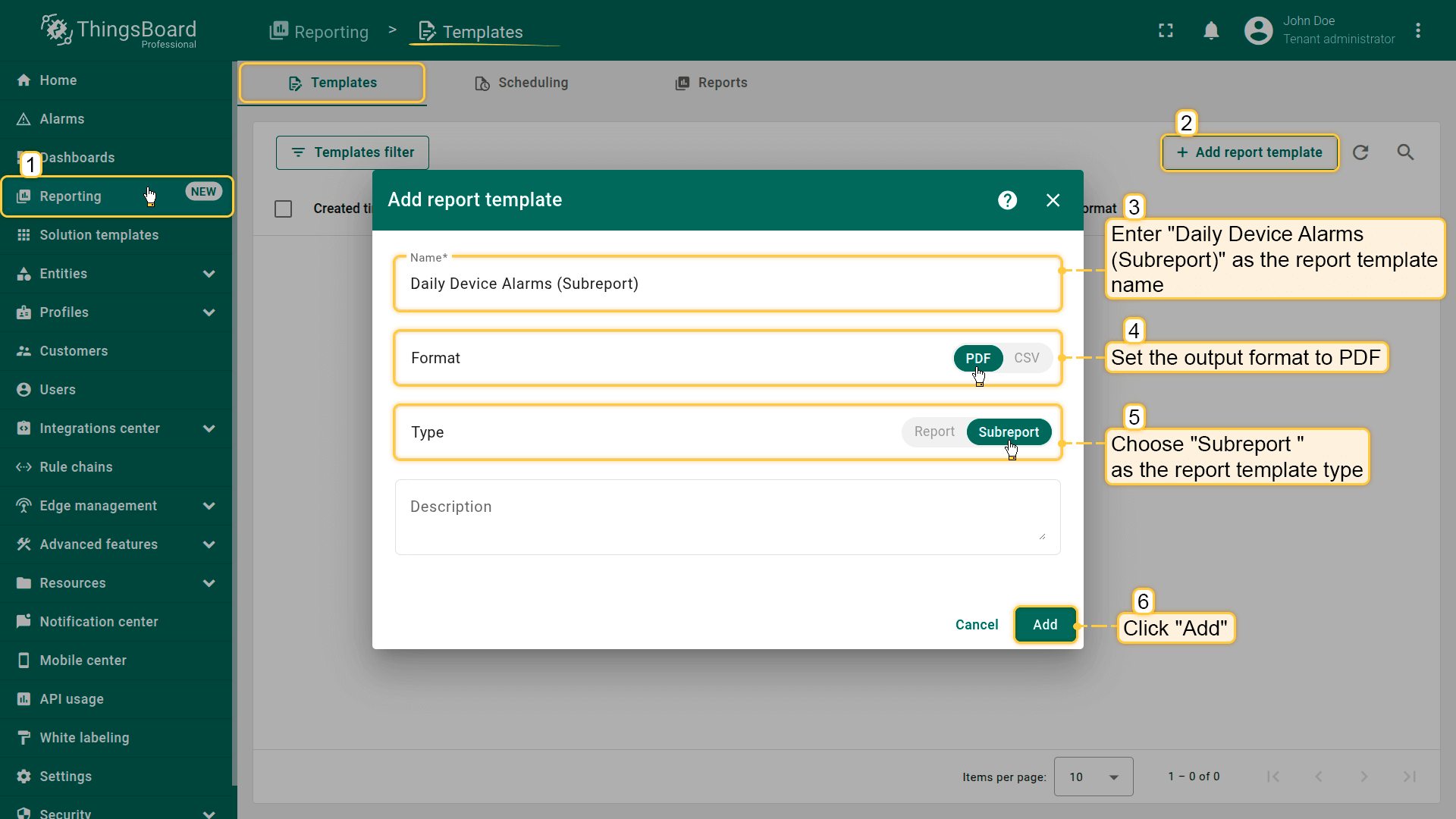
从左侧边栏打开”报表“页面。您将自动进入”模板“标签页。
点击右上角的”+ 添加报表模板“按钮,从下拉菜单中选择”创建新报表模板“。
在弹窗中填写以下内容:
为模板输入描述性名称。
选择报表格式:PDF或CSV。
选择子报表作为报表模板类型。
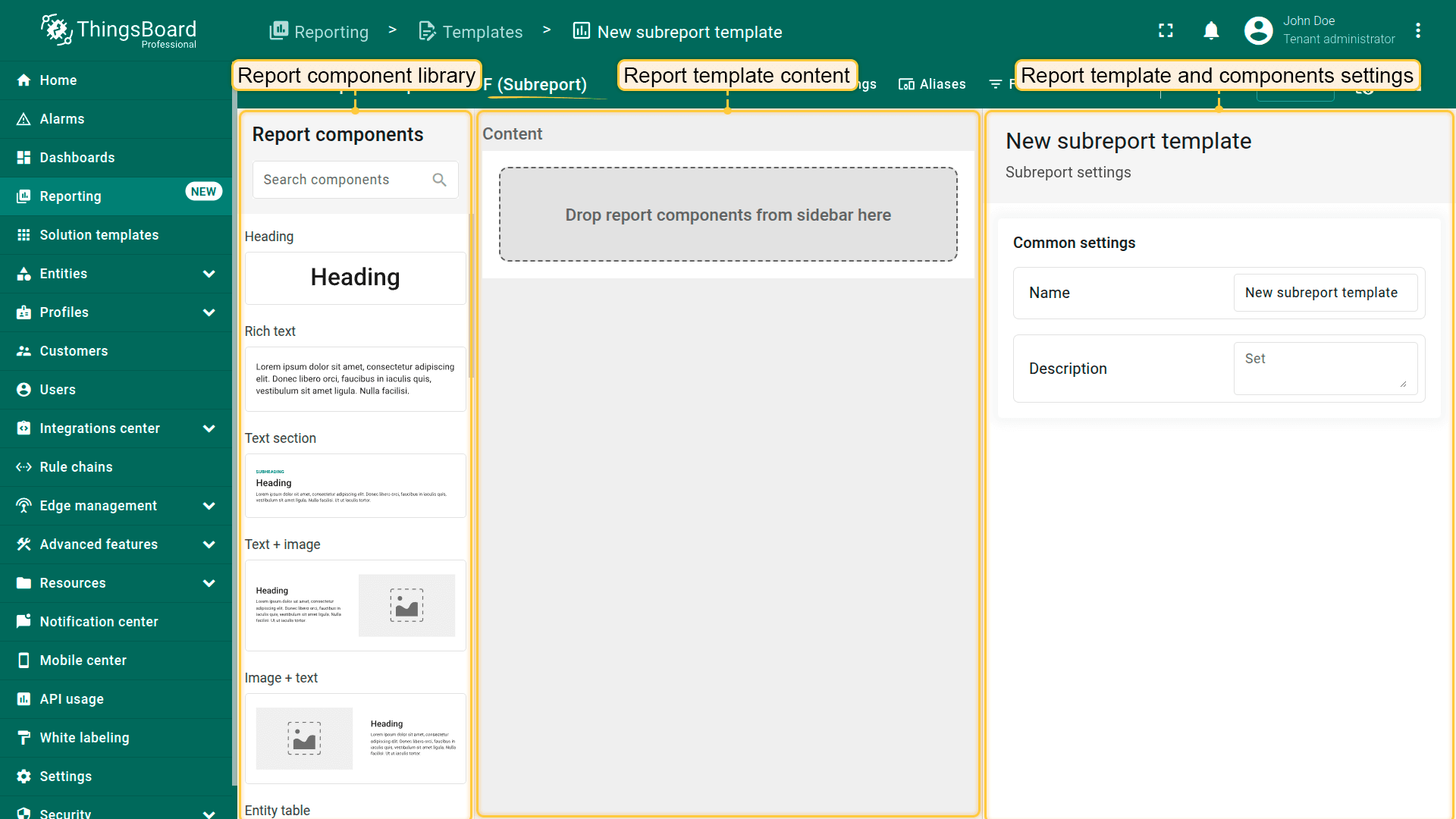
点击”添加“以打开报表构建器界面。
Fill out the following fields: Enter a descriptive name for your template; Choose the desired output format: PDF or CSV; Select the type - Subreport; Then, click "Add" to proceed. Once added, the subreport builder interface will open automatically.
Just like regular reports, subreports can contain components such as tables, text blocks, images, dashboards, etc., and they fully support dynamic entity aliases and data filtering. However, subreports are not scheduled or generated independently — they are included as part of a main report.
子报表构建器
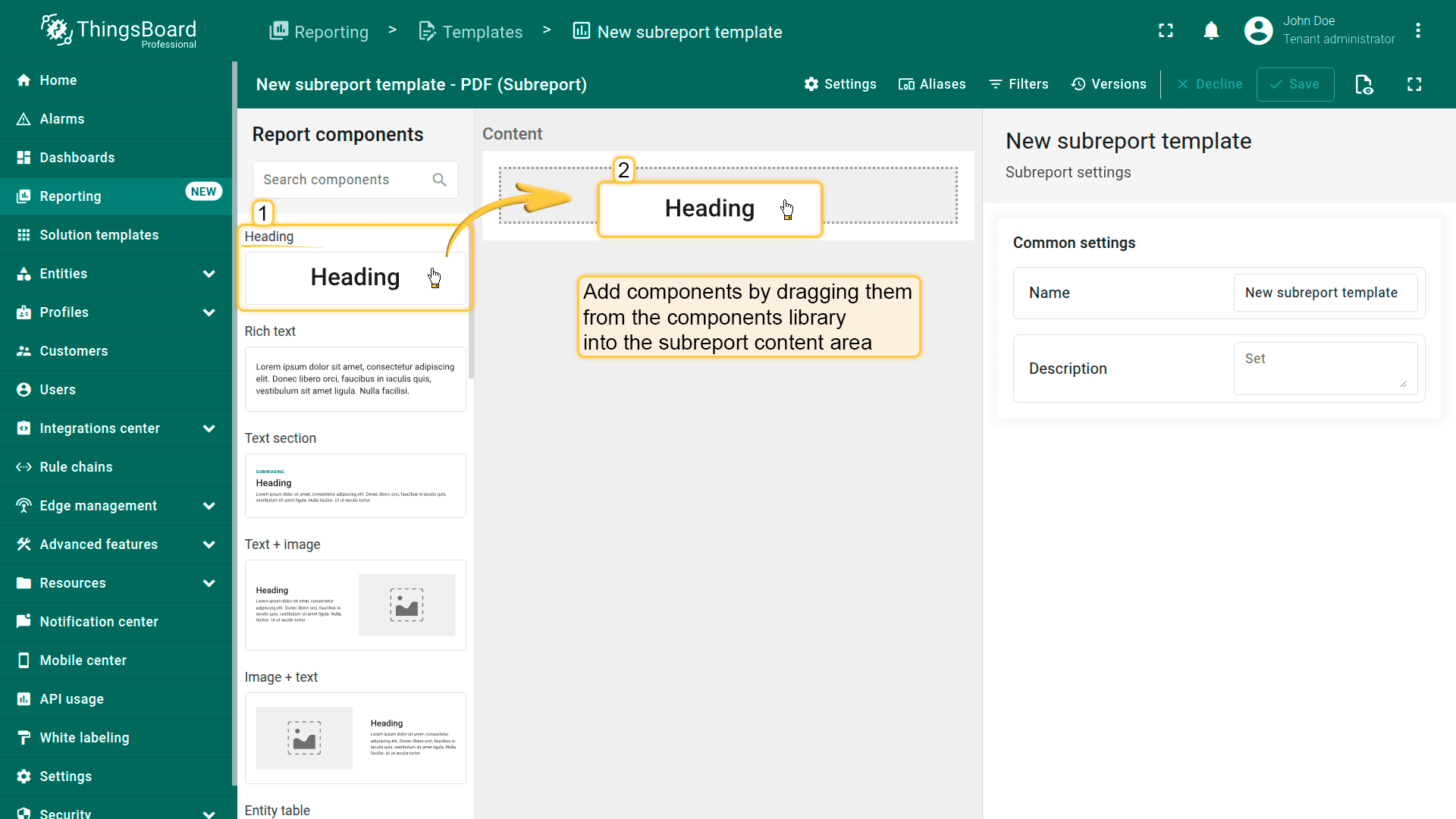
在子报表构建器中,通过拖放操作从组件库将组件添加到子报表内容区域。
添加并配置所需元素,如表格、文本块、图像、图表及其他可用组件。
以与常规报表相同的方式配置每个组件的数据源。
将子报表添加到主报表
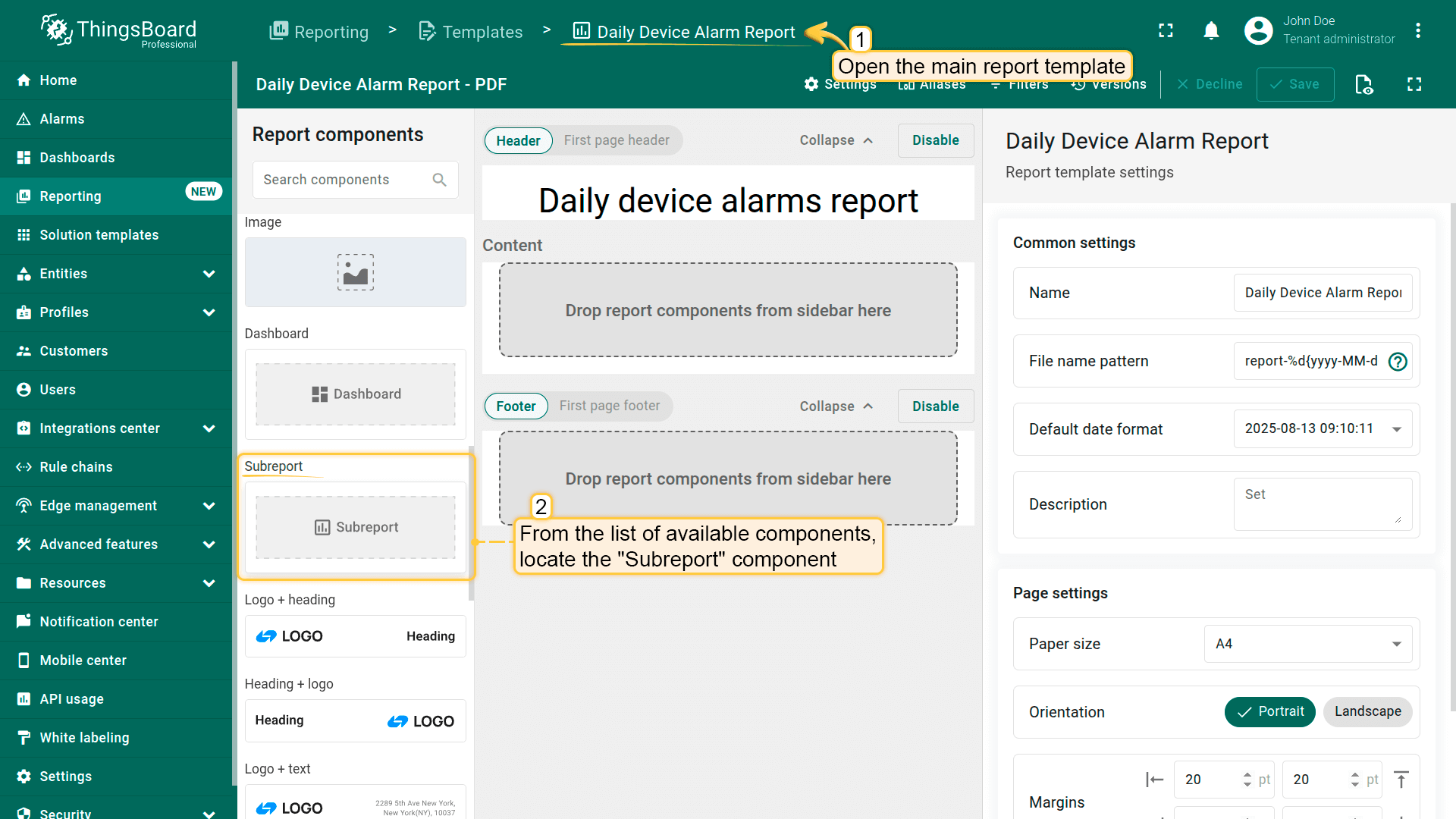
打开或创建主报表模板。
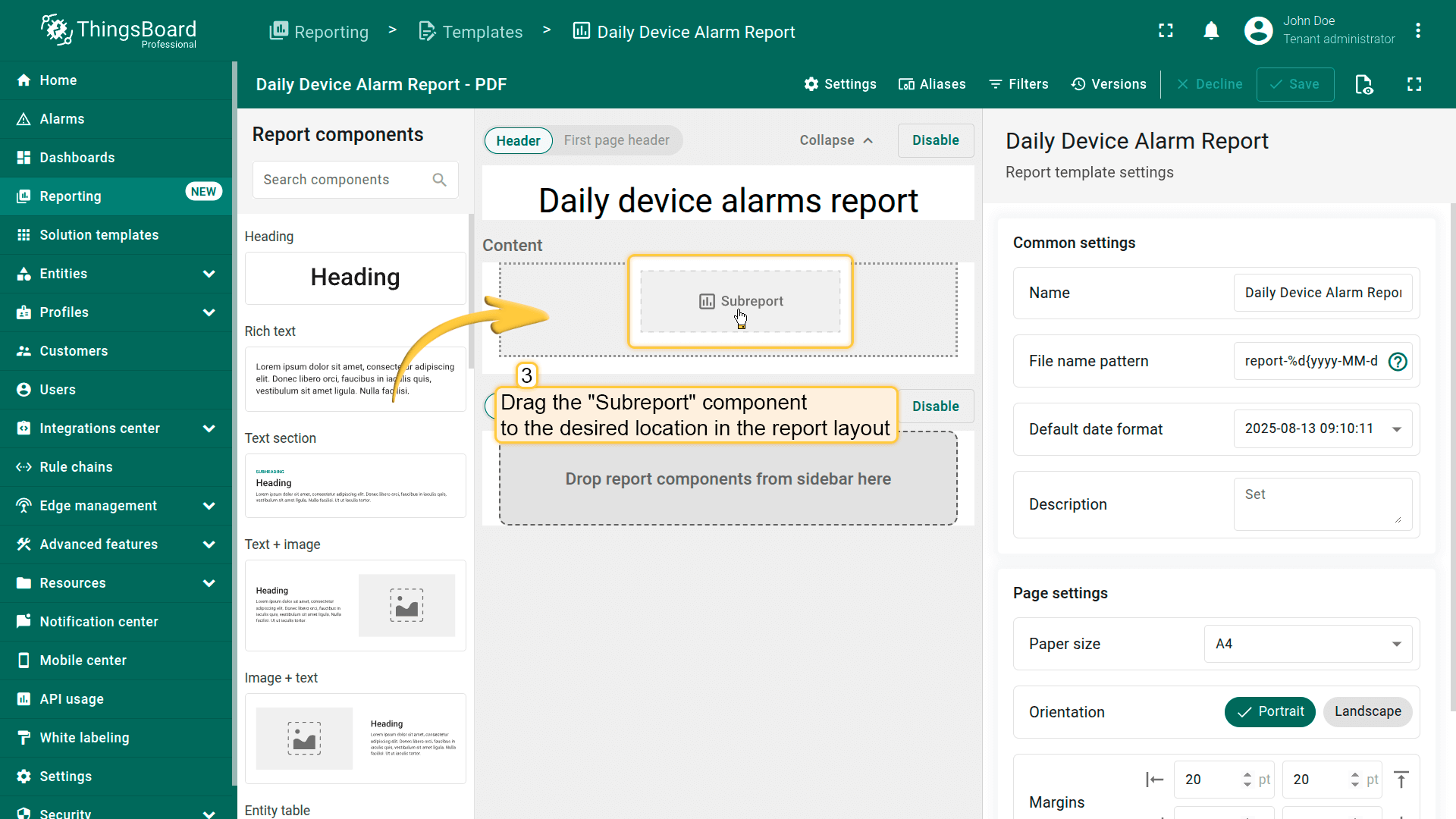
从可用组件列表中选择子报表并拖拽到报表布局中的所需位置。
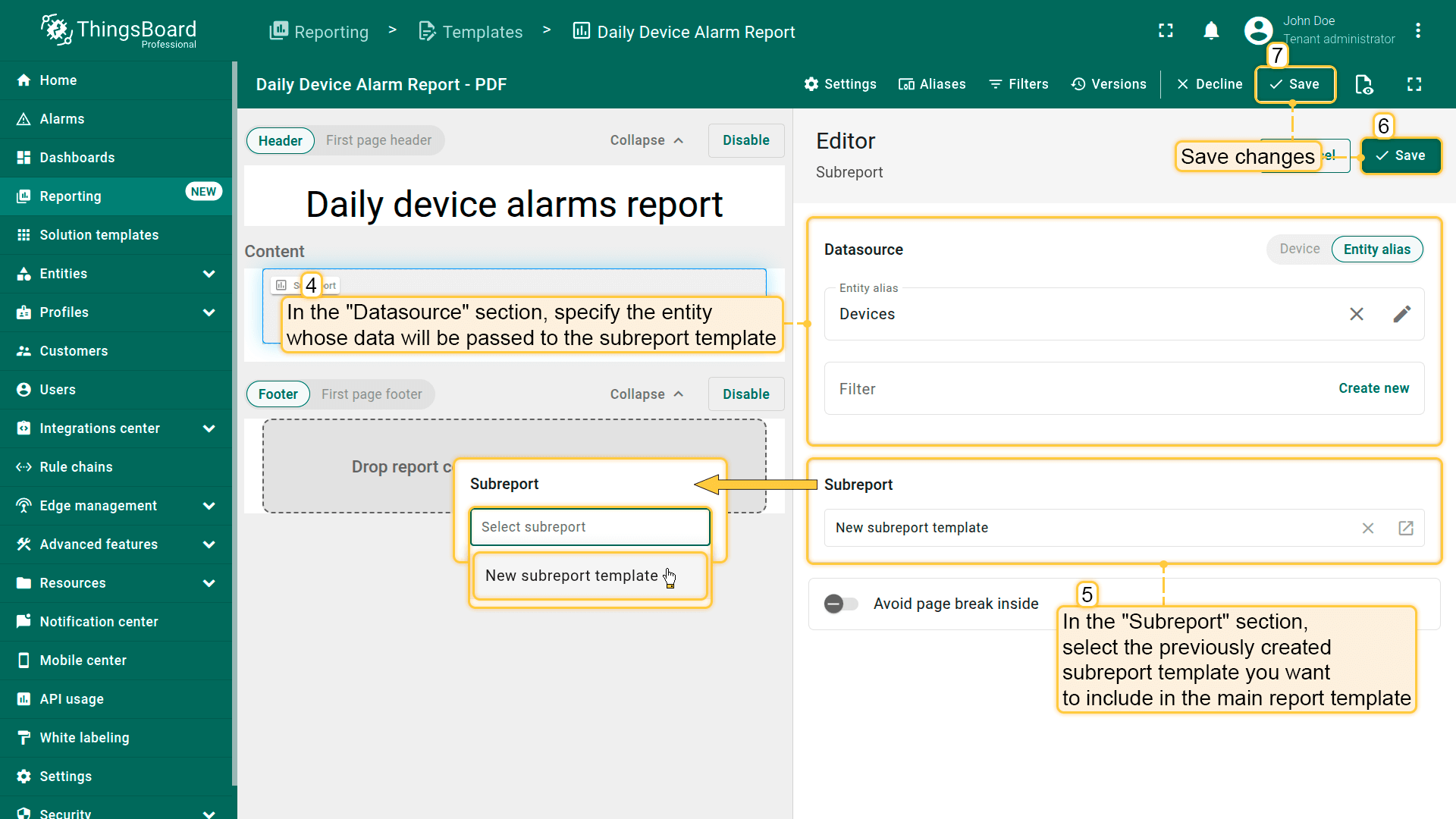
配置子报表组件:
在”数据源“部分,指定其数据将传递给子报表模板的实体。使用筛选器字段为实体选择应用附加条件。
如果指定的实体别名返回多个实体,将为每个实体生成一个单独的子报表实例。
在”子报表“部分,选择要包含的预创建子报表模板。
保存更改。
Open the main report template. From the list of available components, locate the "Subreport" component.
Drag it to the desired position in the report layout.
- In the "Datasource" section, specify the entity whose data will be passed to the subreport template. - In the "Subreport" section, select the pre-created subreport template you want to include. - Save changes.
On the "Templates" tab of the "Reporting" page, click the "+ Add report template" button in the top-right corner and select "Create new report template". In the pop-up window, enter the subreport template name "Daily Device Alarms (Subreport)", select the PDF report format, and choose Subreport as the report template type. Click "Add".
在报表构建器中配置子报表:
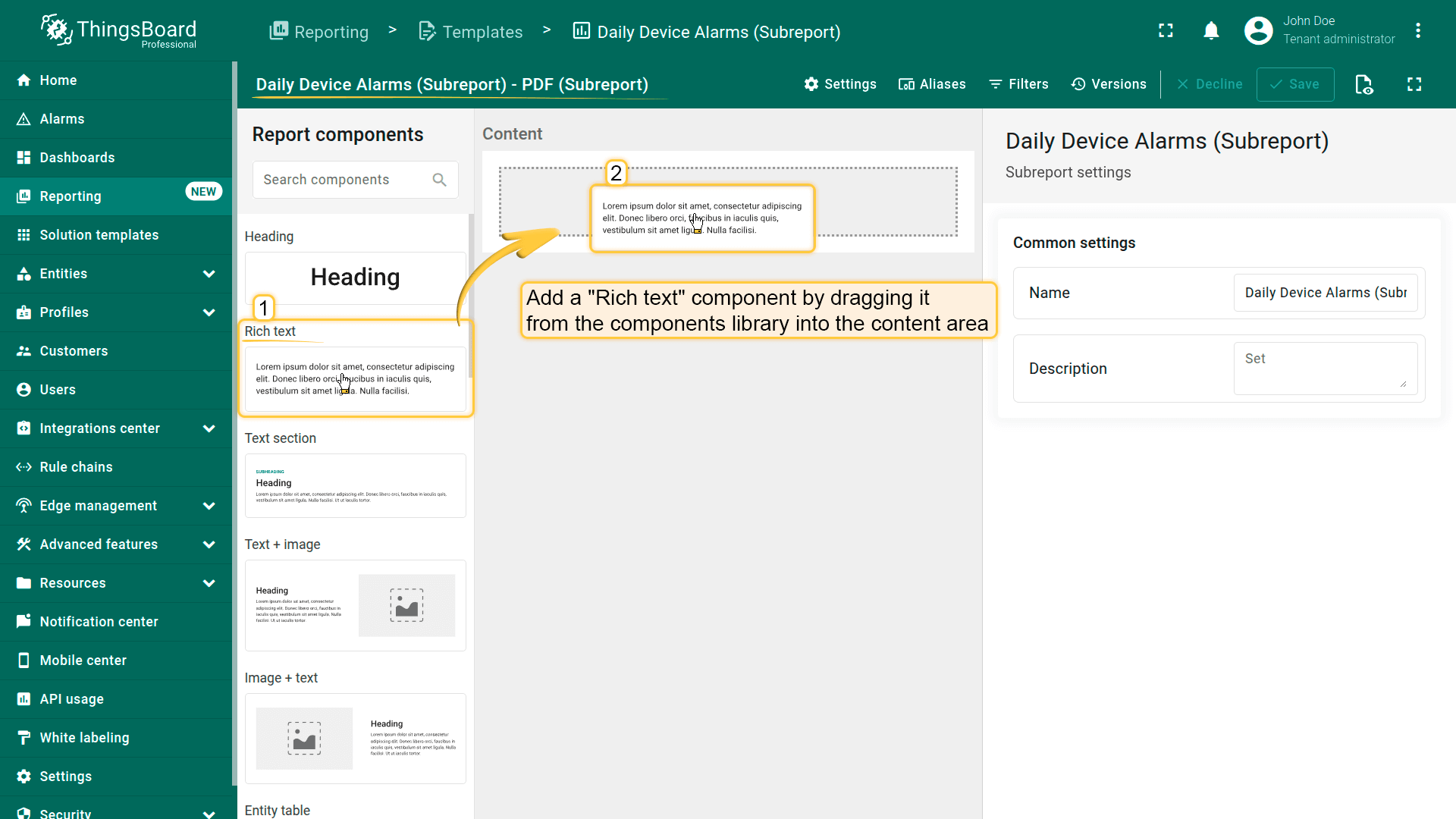
添加”富文本”组件,从组件库拖入内容区域。在其配置中:
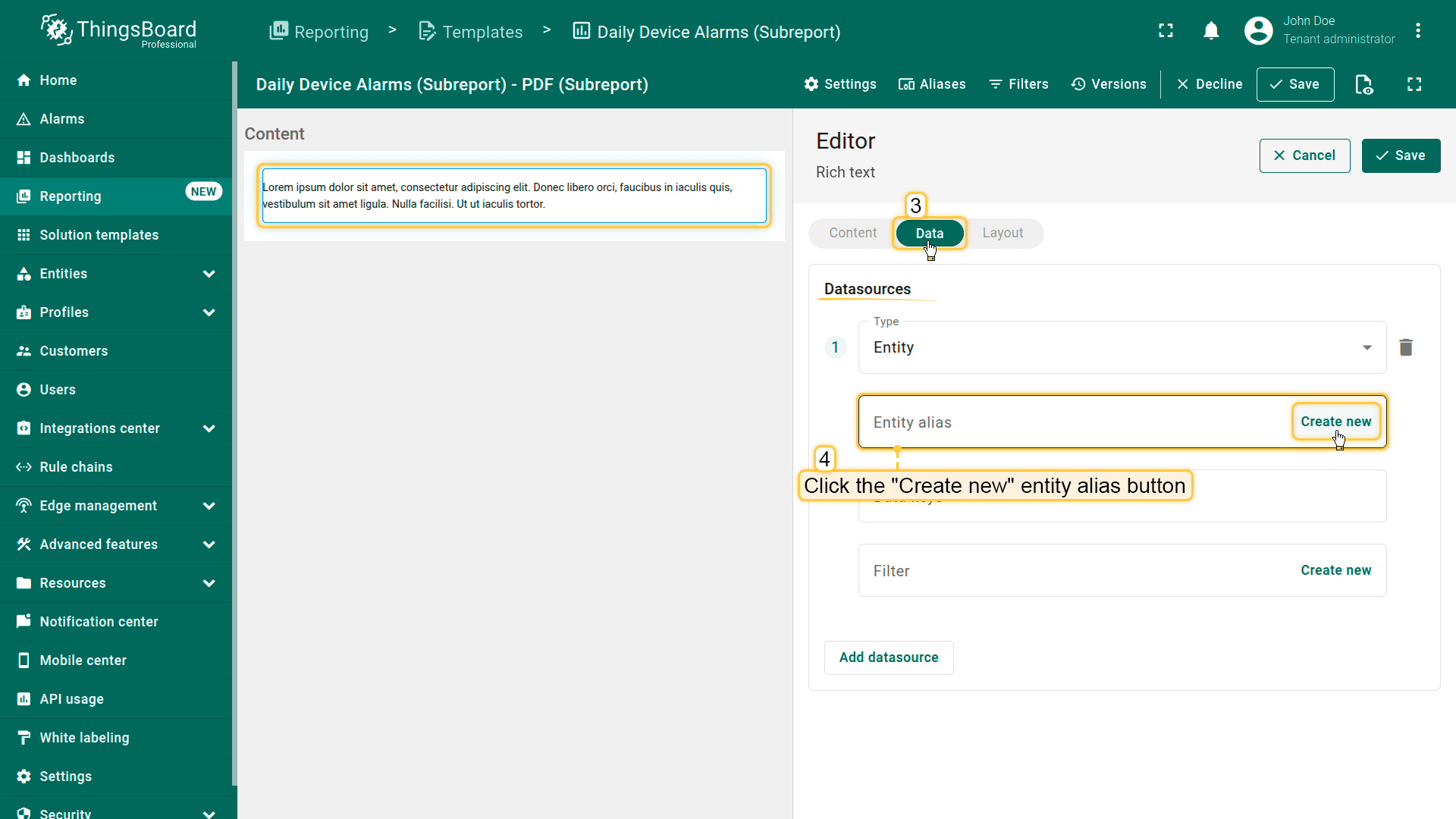
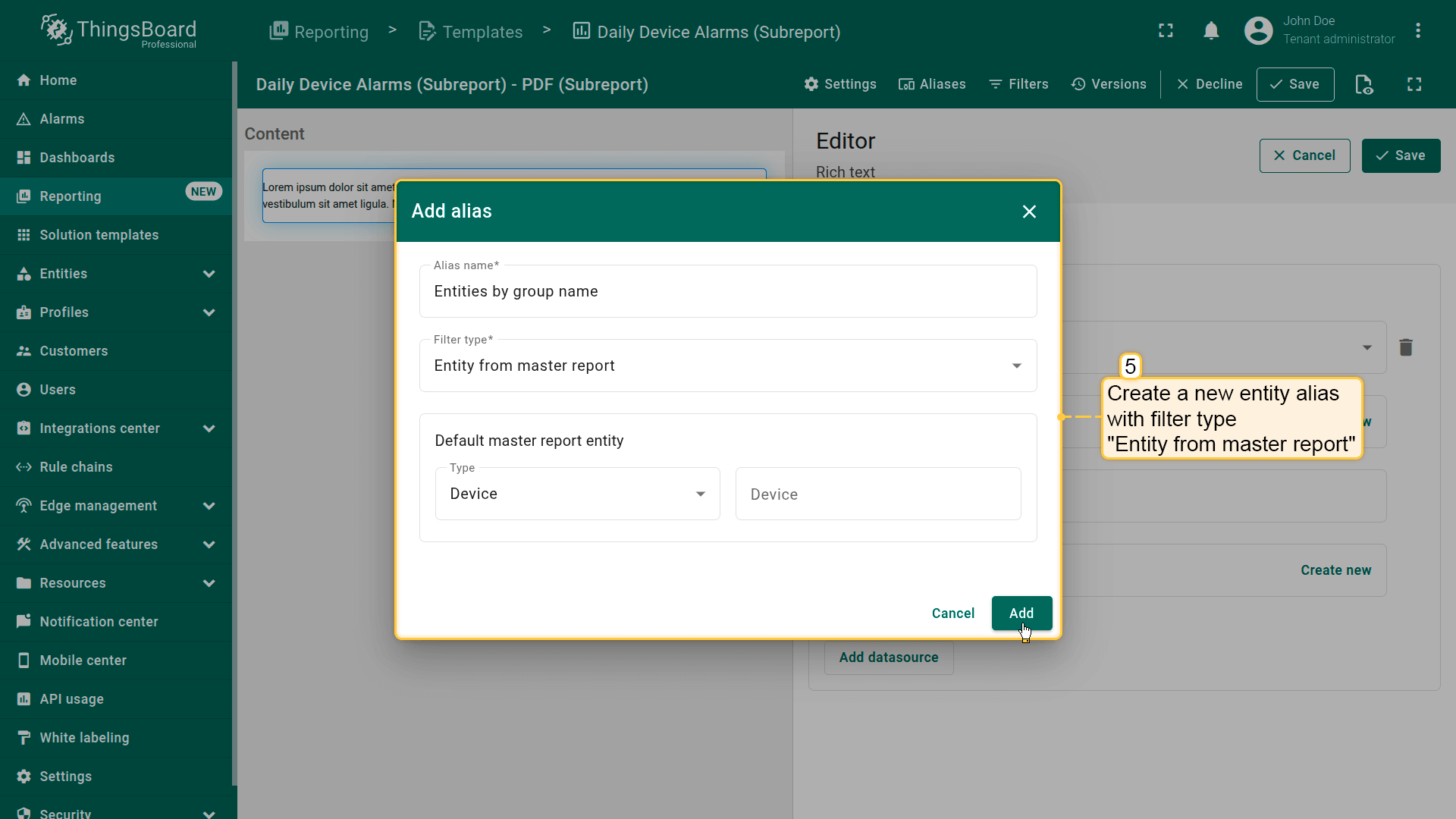
通过创建筛选类型为”主报表中的实体“的新实体别名来设置数据源。这允许主报表将特定设备传递给子报表。
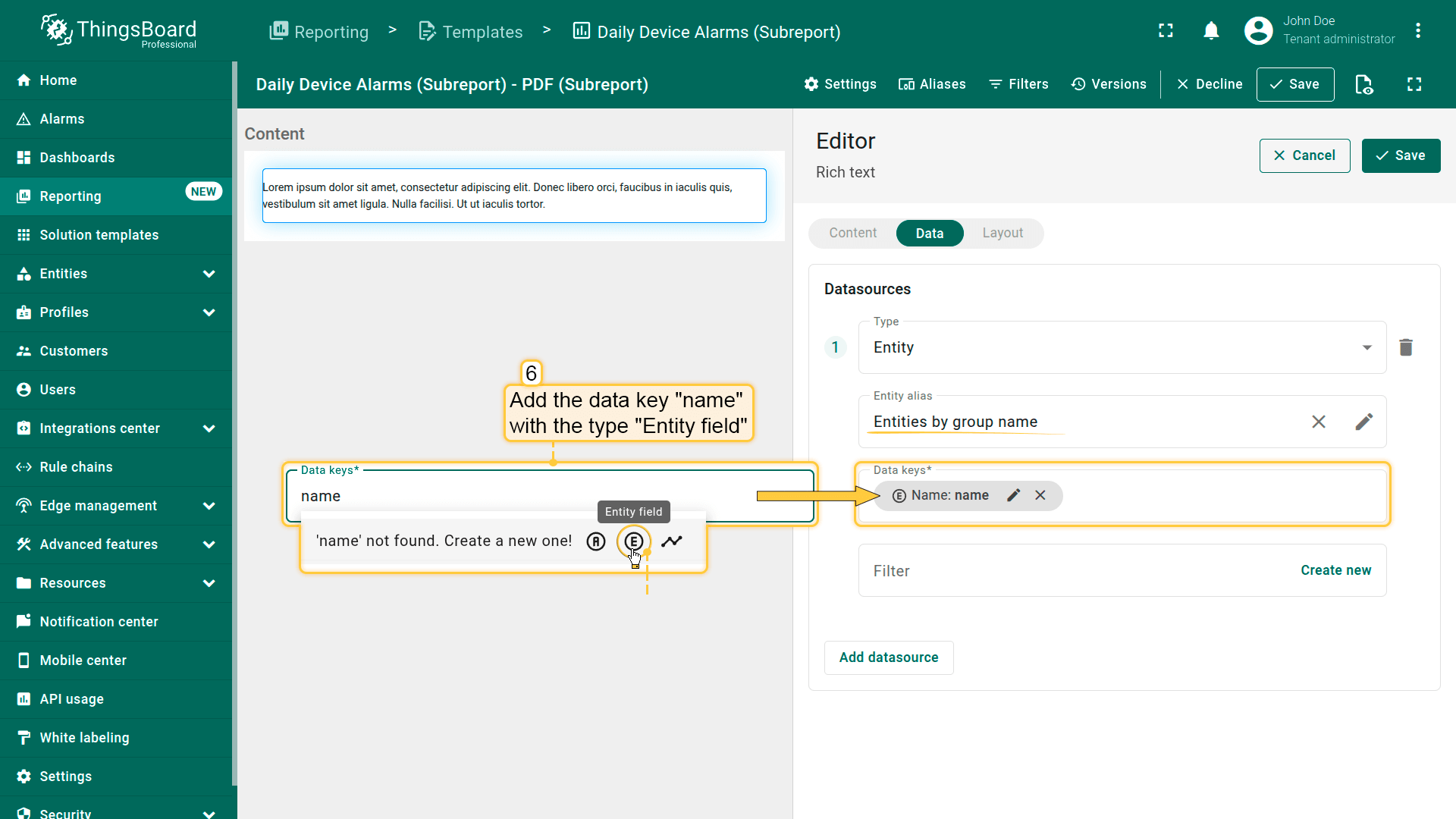
添加类型为”实体字段“的数据键“name“。
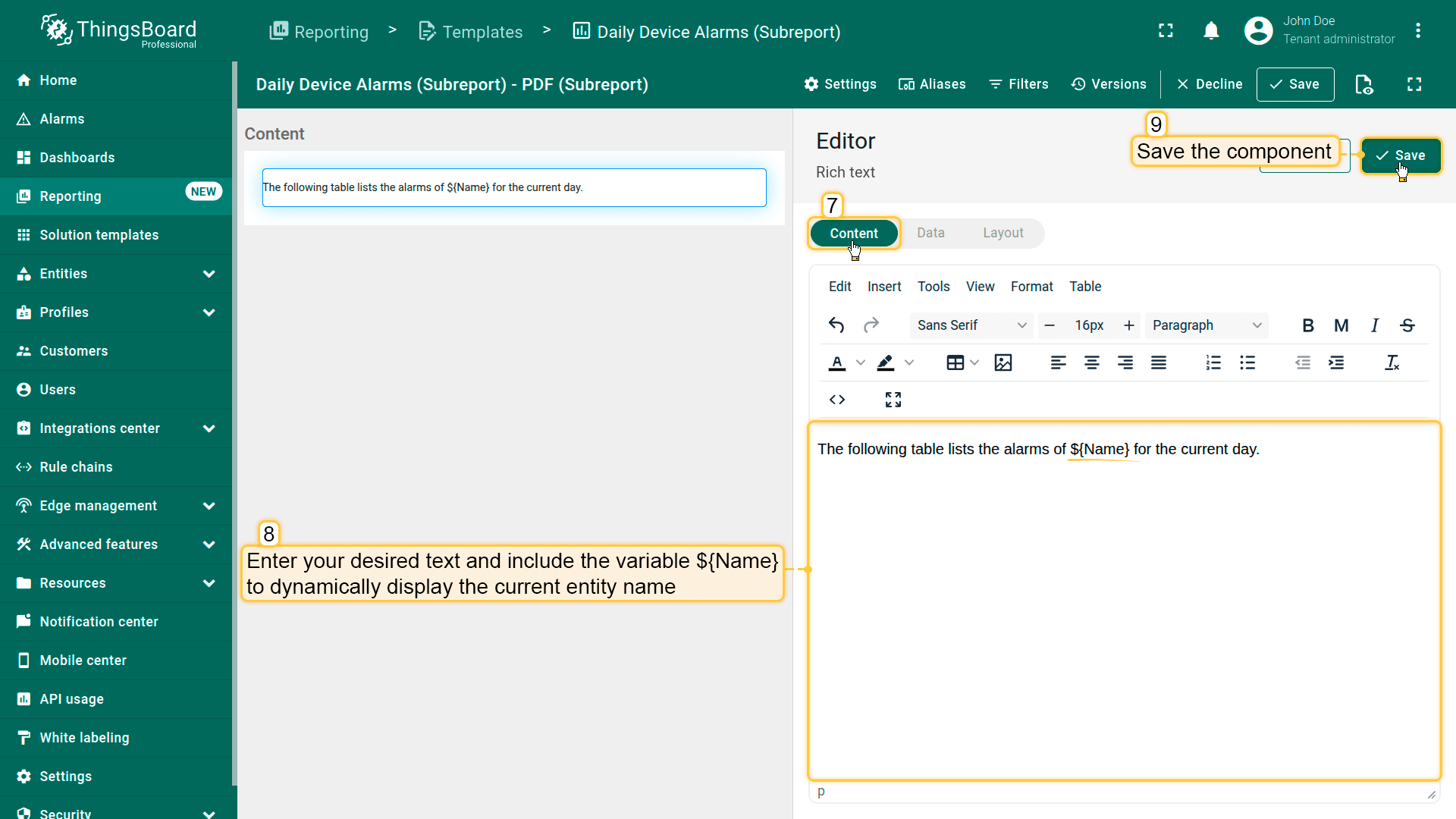
在内容标签页中,输入所需文本并包含变量${Name}以动态显示当前实体名称。
保存组件。
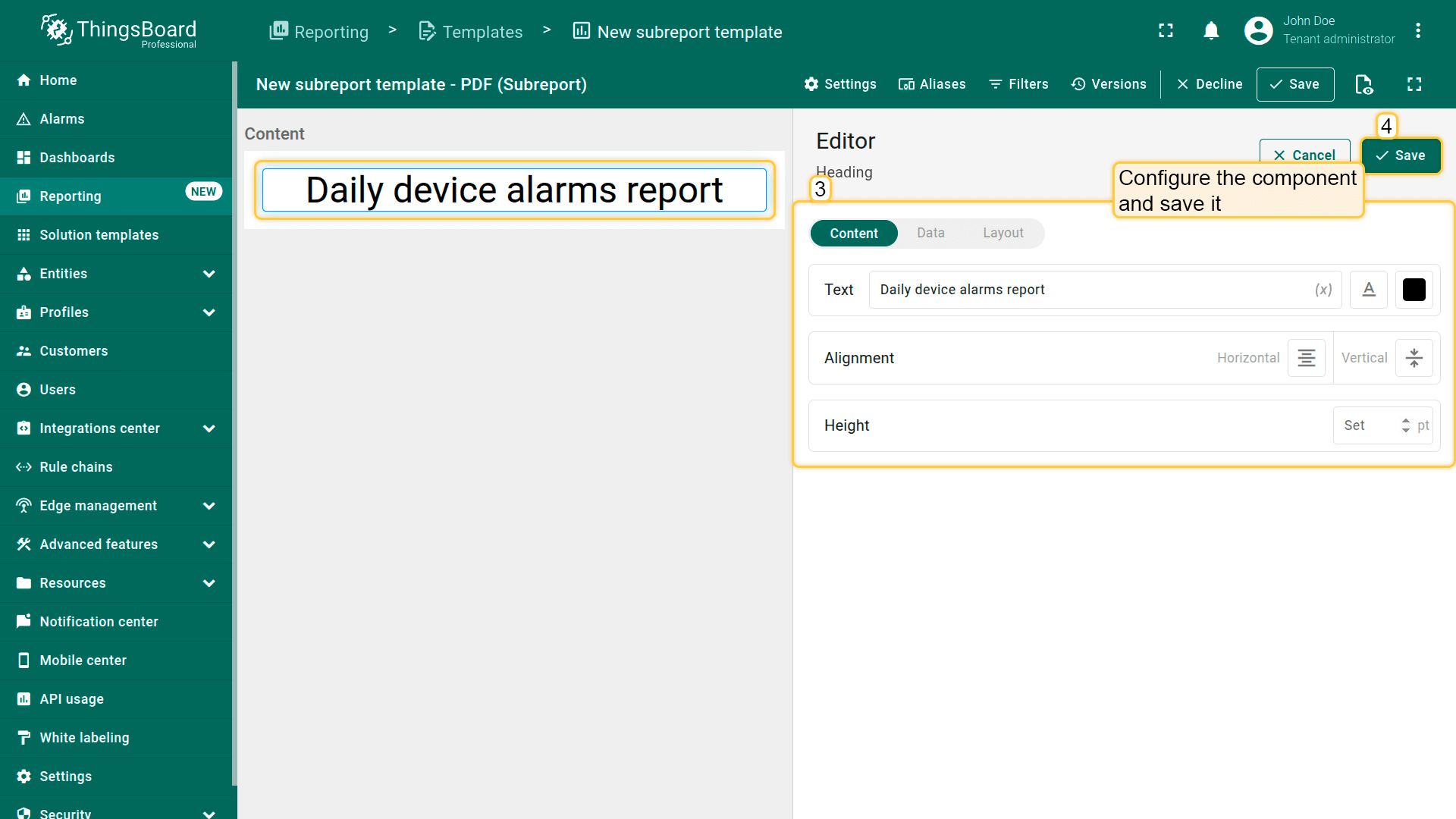
Add a "Rich text" component by dragging it from the components library into the content area.
In the "Data" tab, set the "Datasource" by creating a new entity alias.
Create a new entity alias with filter type "Entity from master report". This allows the main report to pass the specific device to the subreport.
Add the data key "name" with the type "Entity field".
In the "Content" tab, enter your desired text and include the variable ${Name} to dynamically display the current entity name. Save the component.
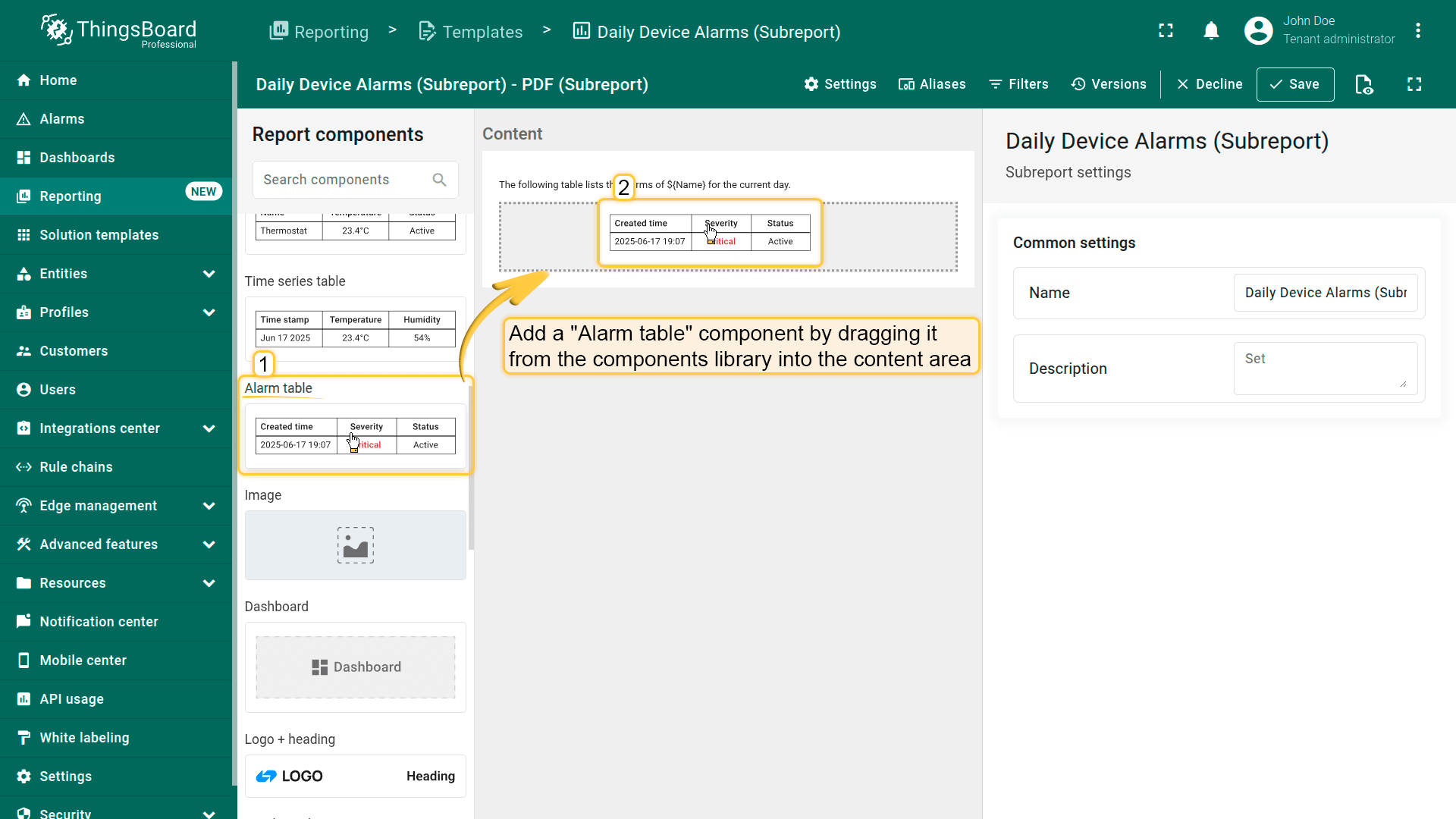
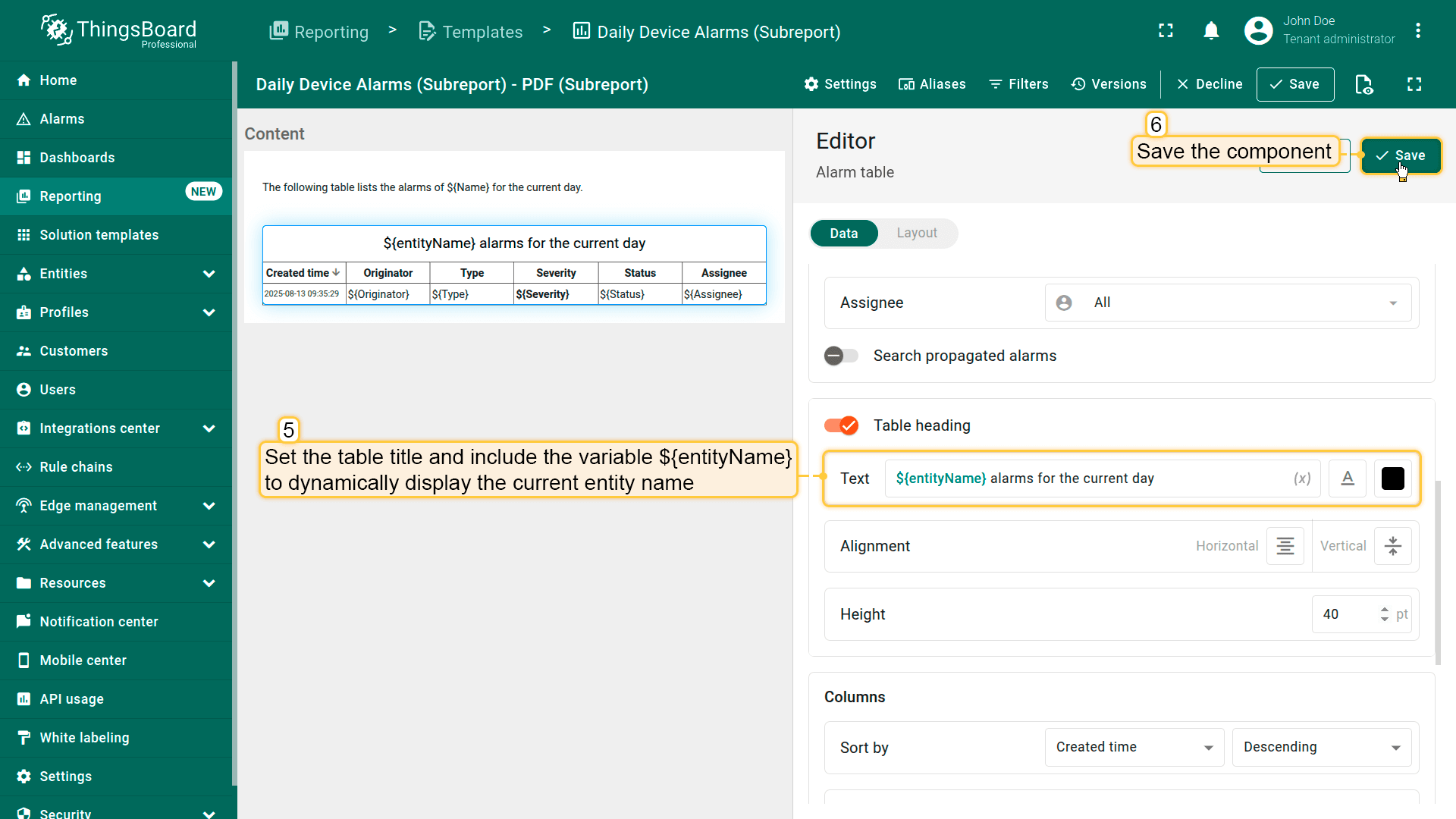
添加”告警表”组件,从组件库拖入内容区域。在其配置中:
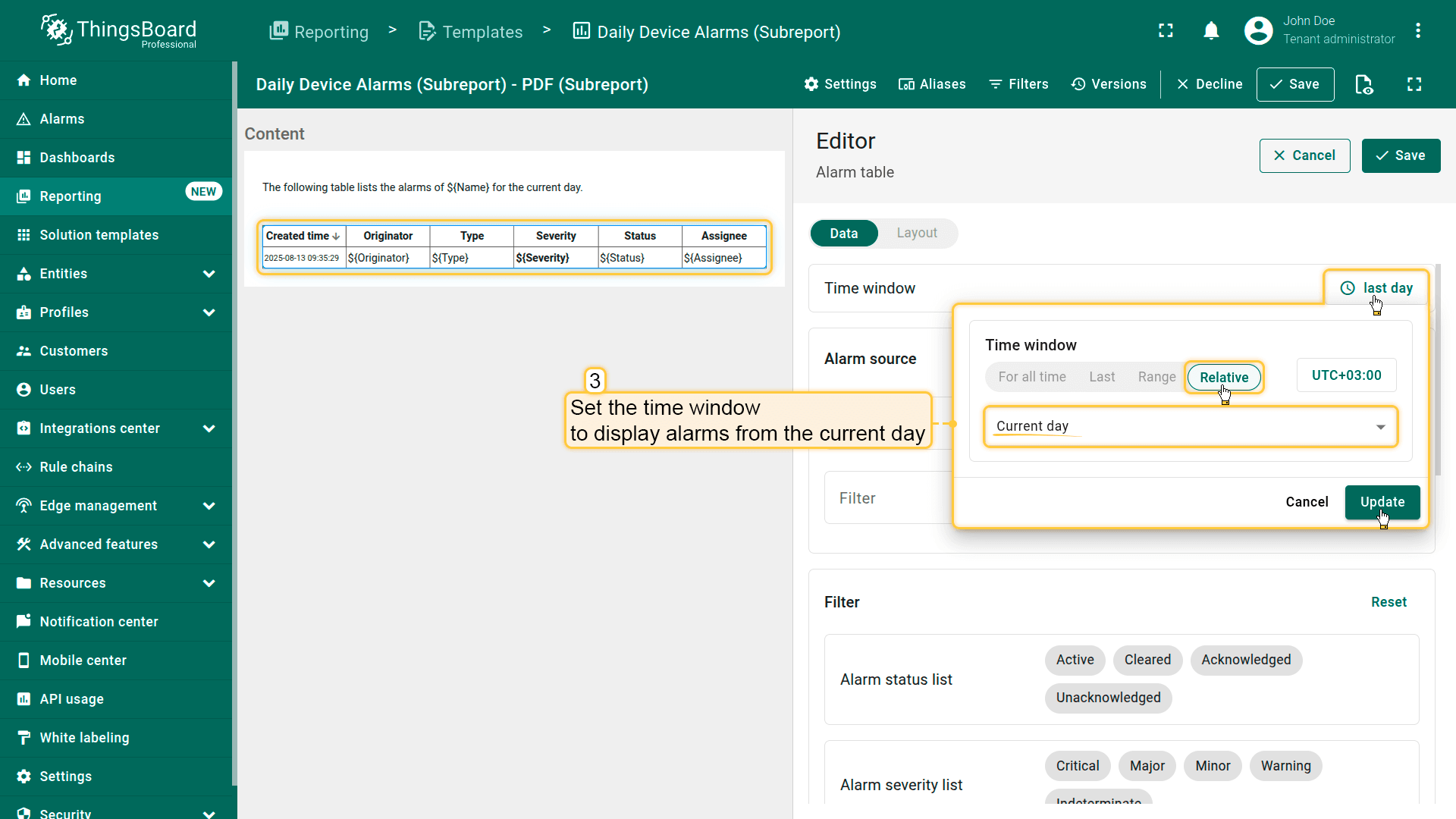
将时间窗口设置为显示当天的告警。
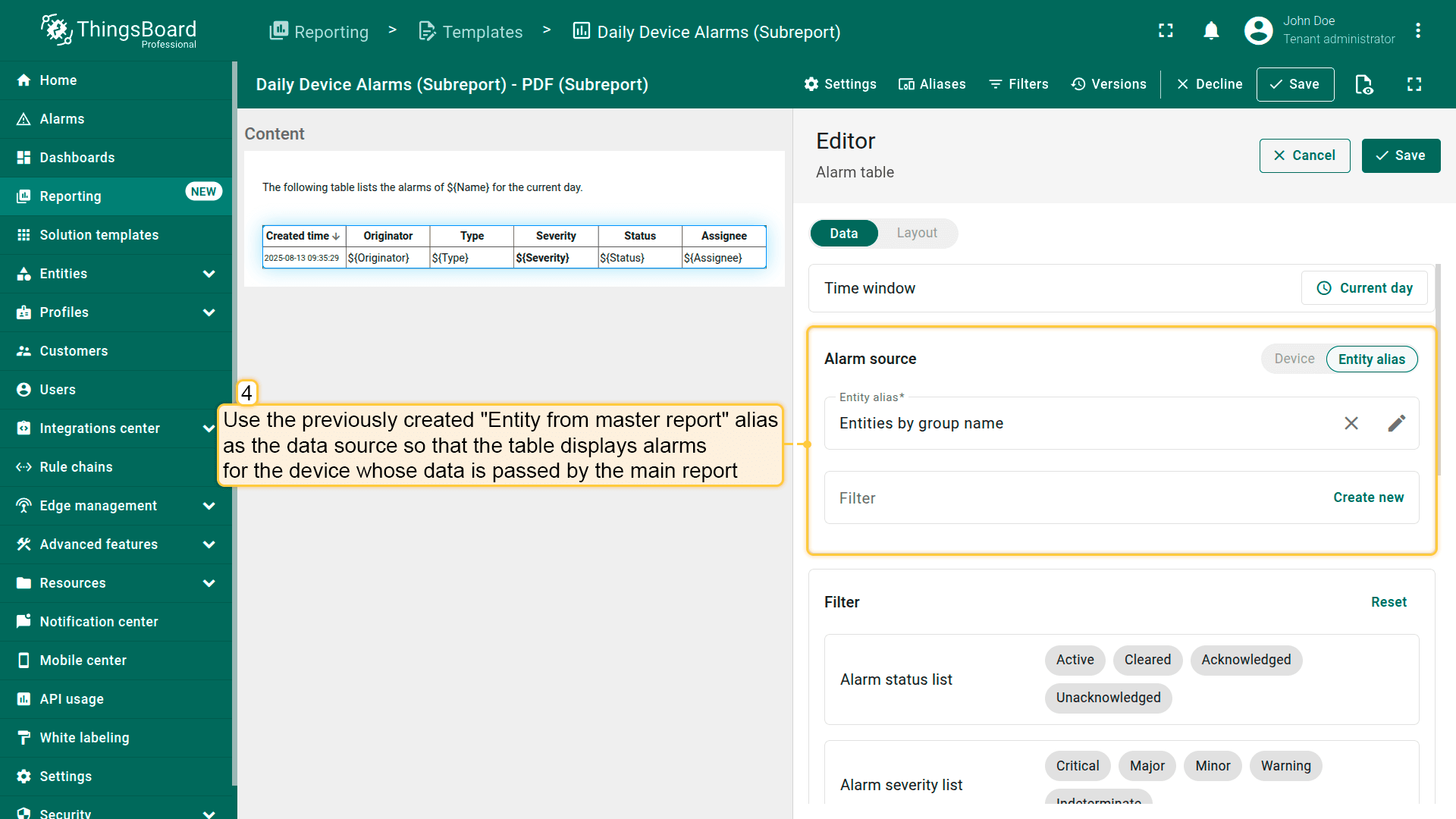
使用之前创建的”主报表中的实体“作为数据源,使表格显示主报表传递数据的设备的告警。
设置表标题并包含变量${entityName}以动态显示当前实体名称。
保存组件。
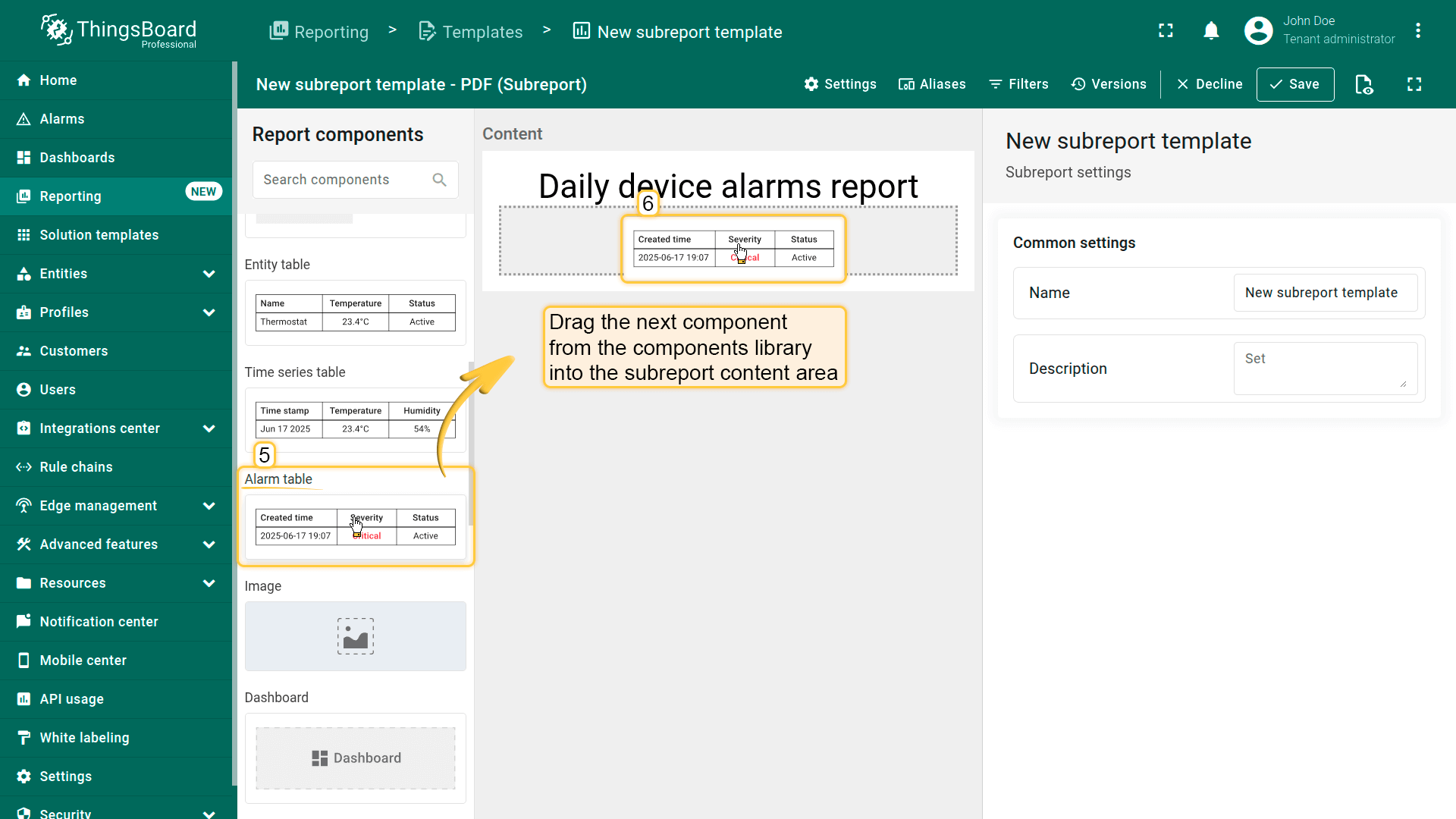
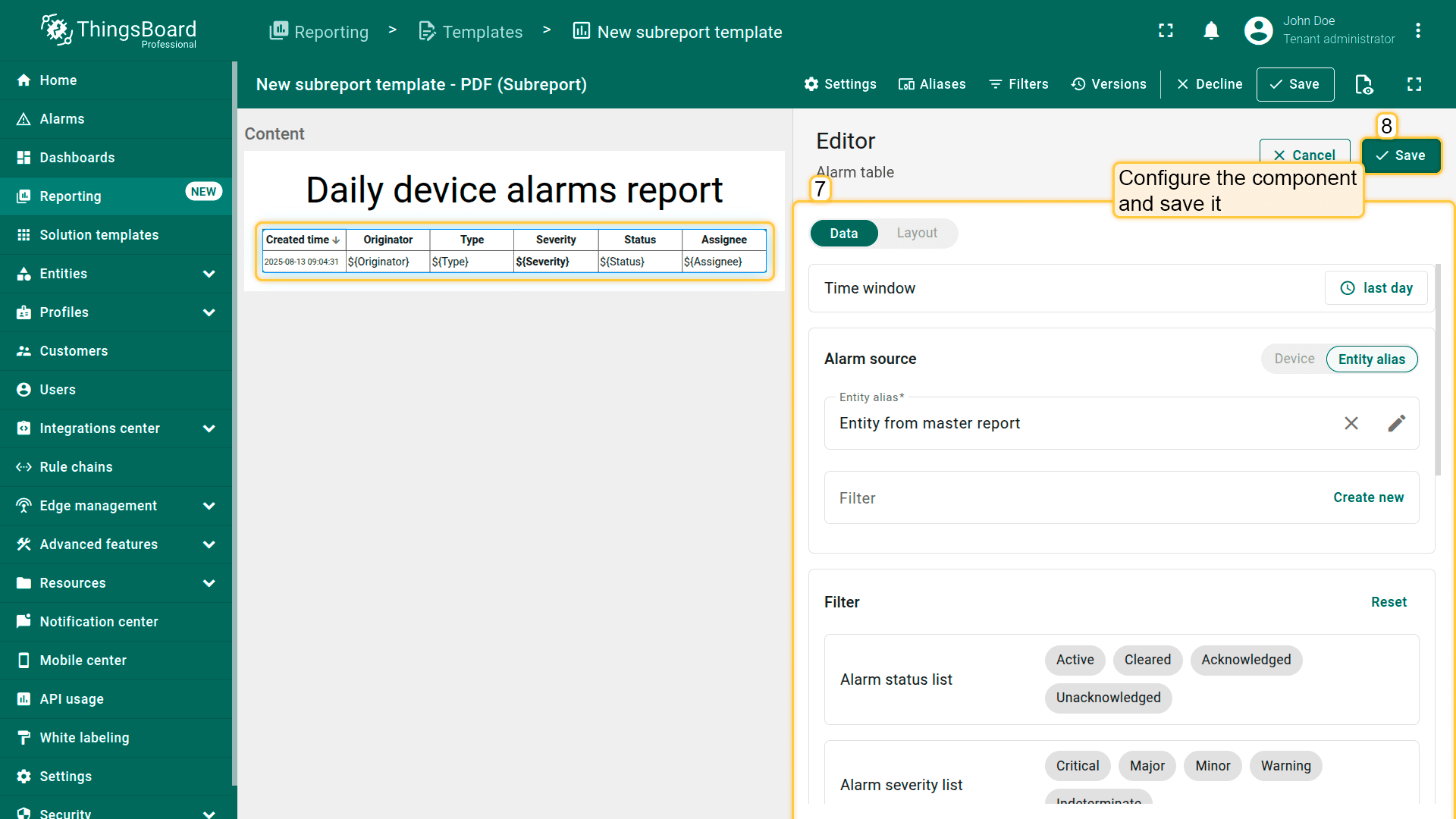
Add an "Alarm table" component by dragging it from the components library into the content area.
Configure the time window to display alarms from the current day.
Use the previously created "Entity from master report" alias as the datasource so that the table displays alarms for the device whose data is passed by the main report.
Set the table header. Include the ${entityName} variable in the header to dynamically display the current entity's name.
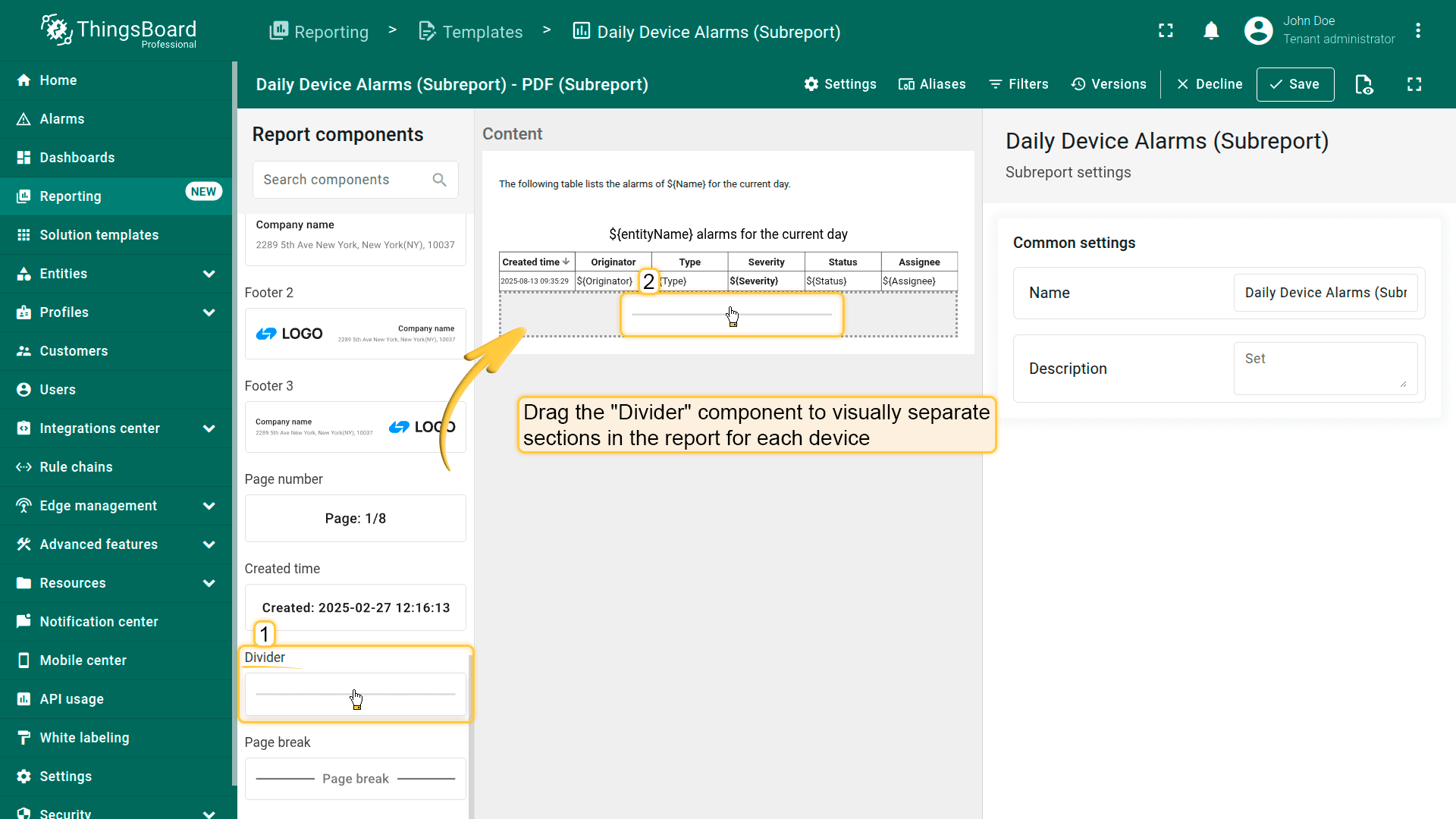
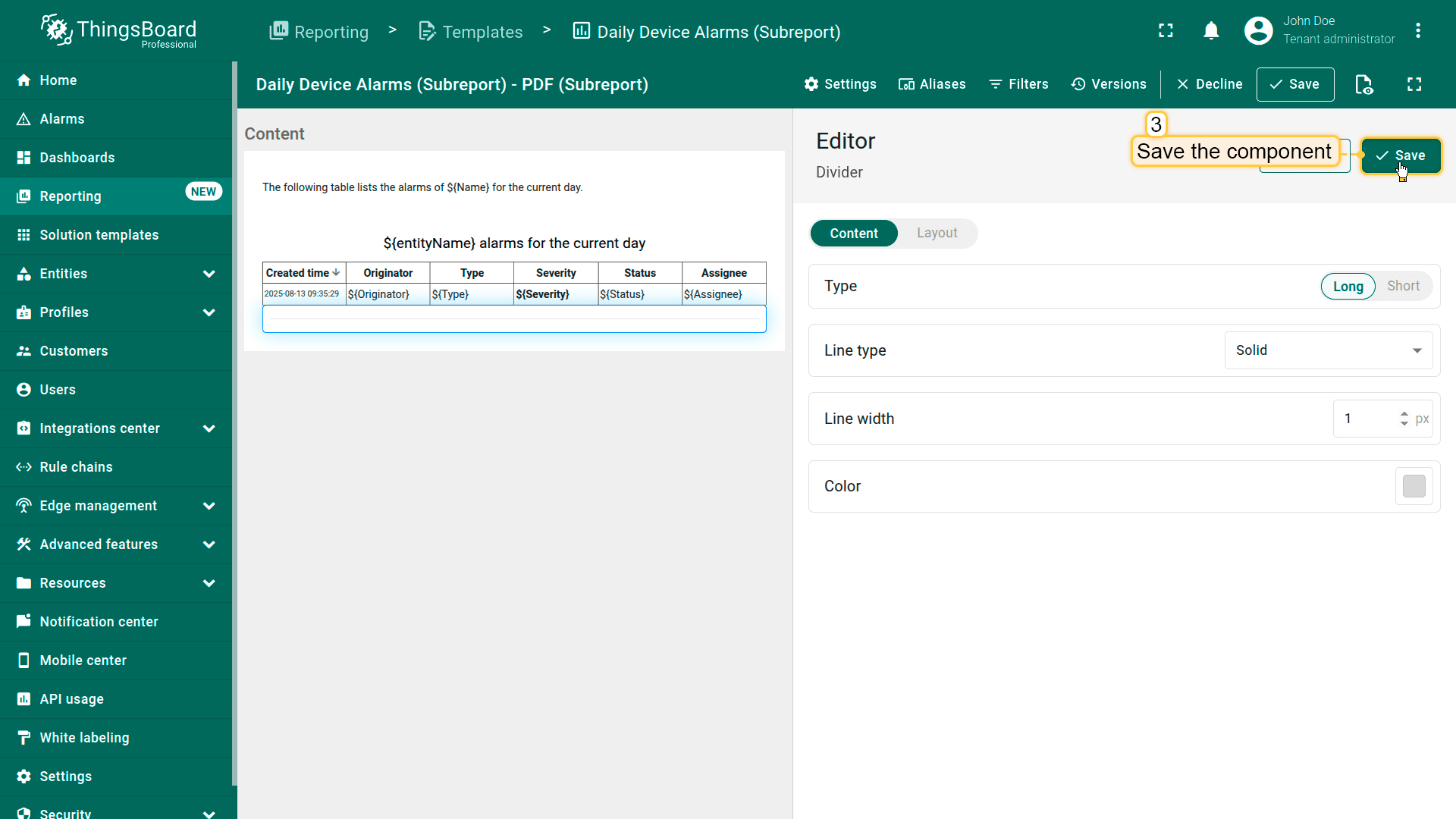
添加”分隔线”组件,以在报表中为每台设备在视觉上分隔部分。保存组件。
Add a "Divider" component to visually separate sections in the report for each device.
Save the component.
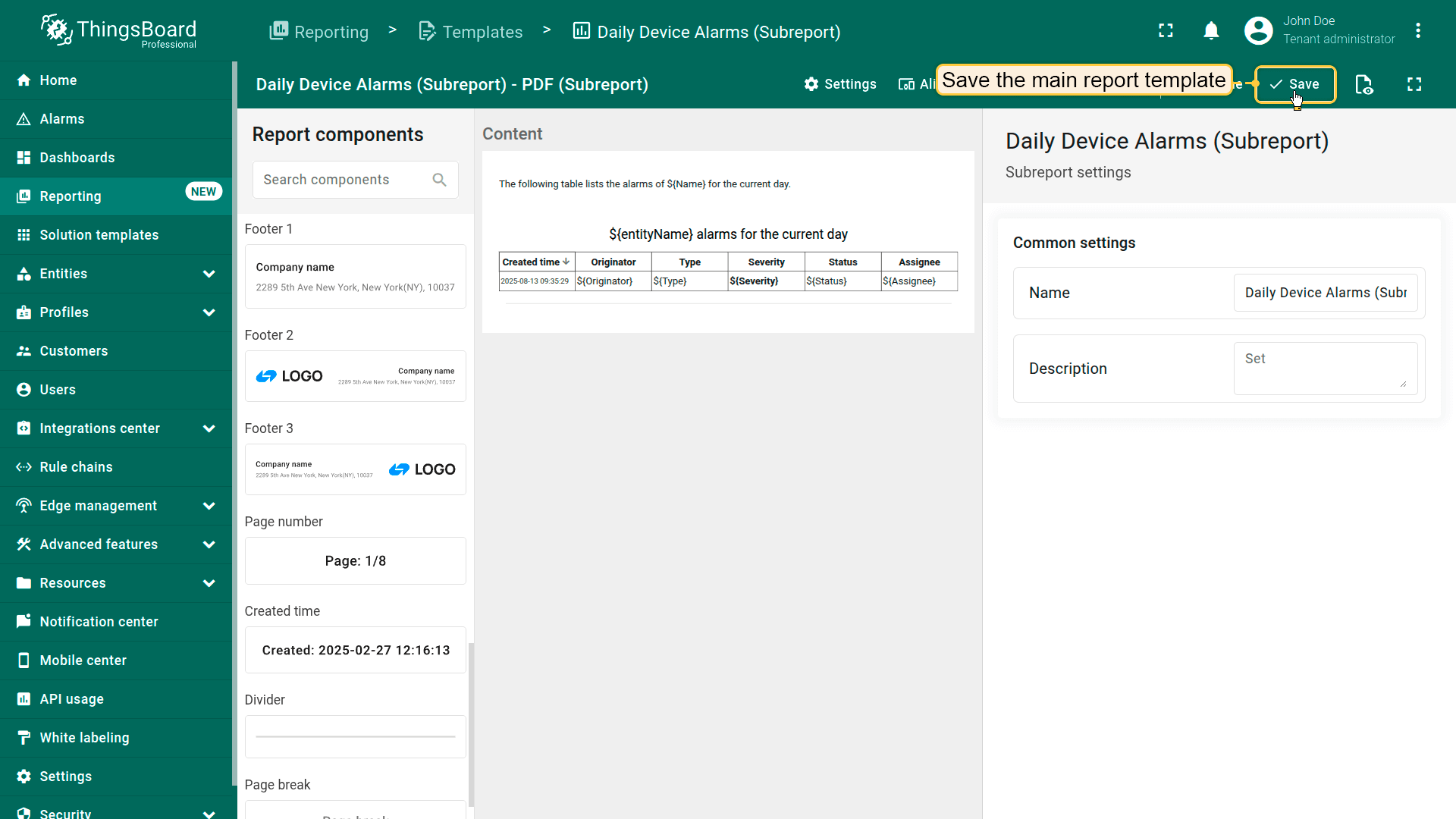
子报表配置完成。点击右上角的”保存“按钮保存子报表。
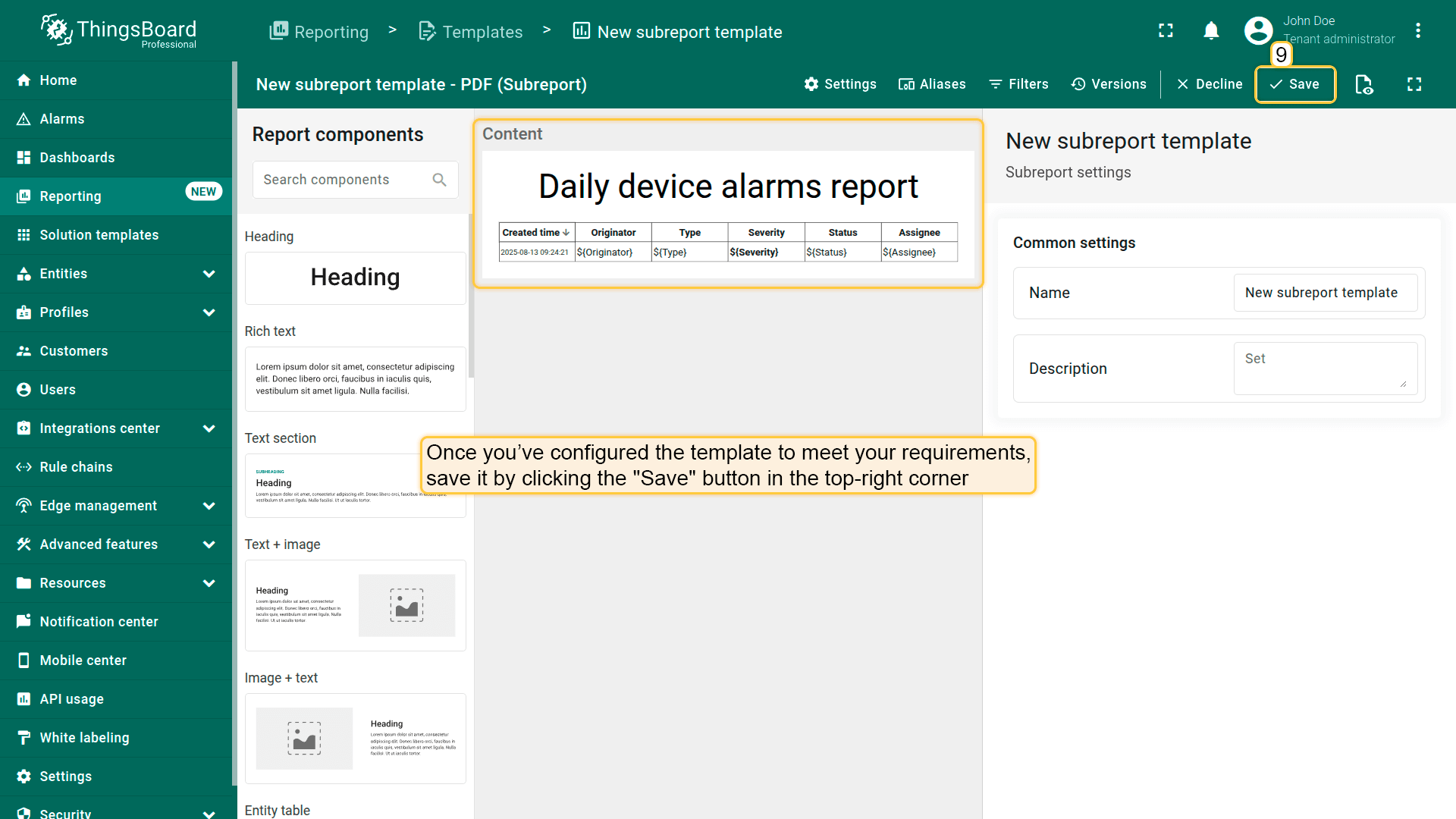
Subreport configuration is complete. Save the subreport by clicking the "Save" button in the top-right corner.
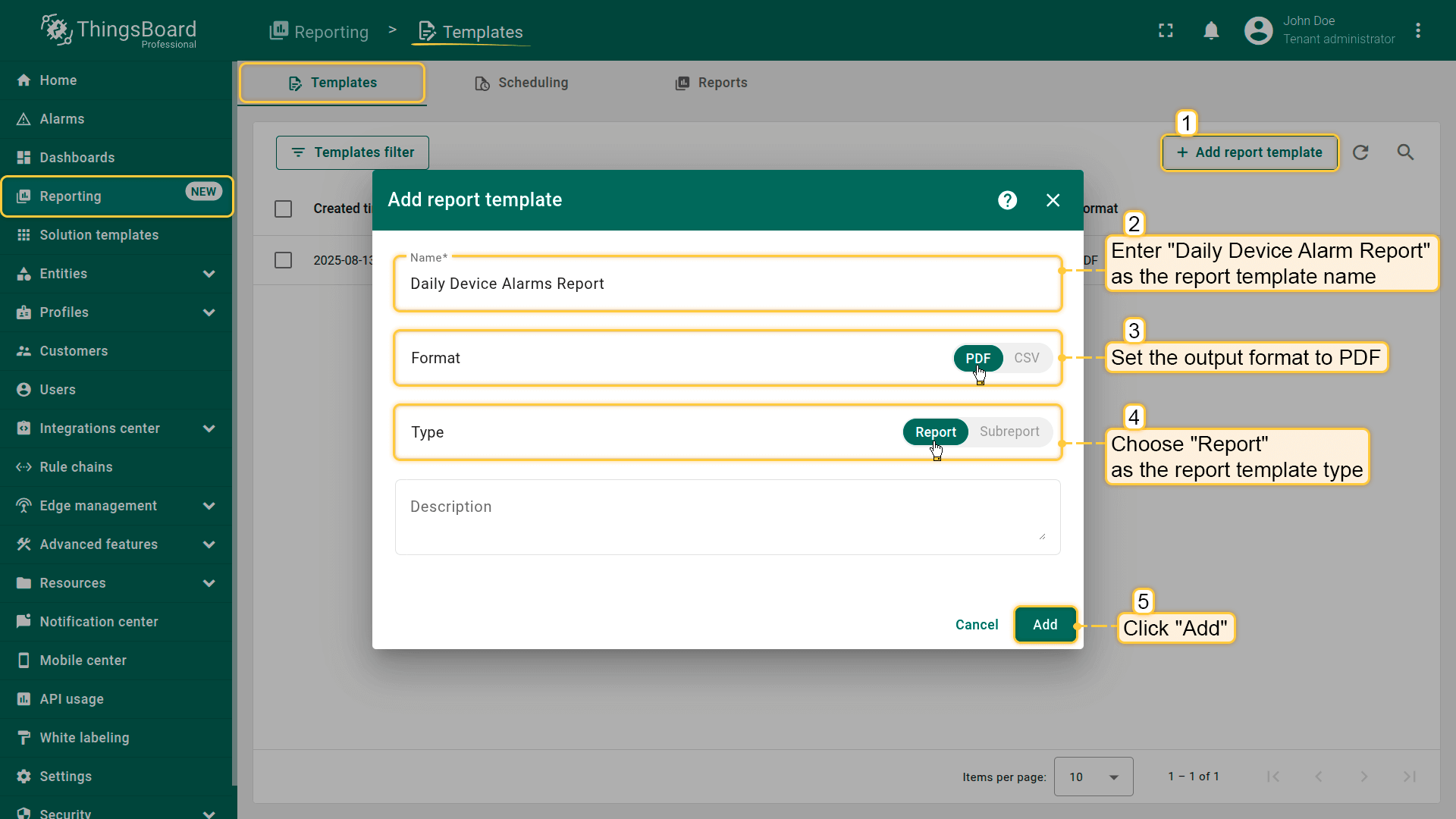
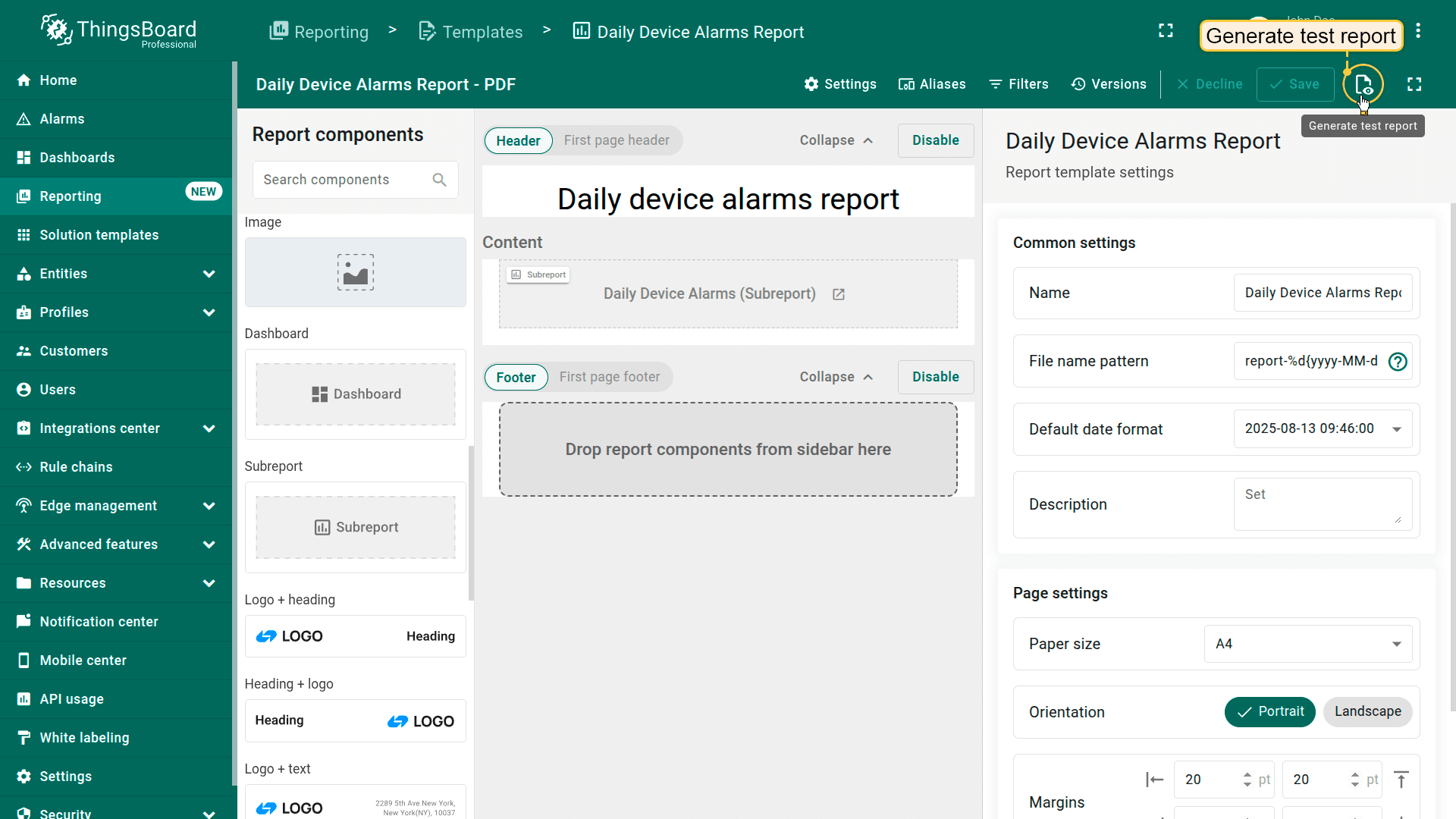
Now create another template for the main report. Go to "Reports" page → "Templates" tab, then click "+ Add report template". - Name it "Daily Device Alarms Report", set the format to PDF, and choose "Report" as the template type. Click "Add".
在报表构建器中配置主报表:
添加”标题”组件,从组件库拖入内容区域。
输入标题文本,例如:”每日设备告警报表”
保存组件。
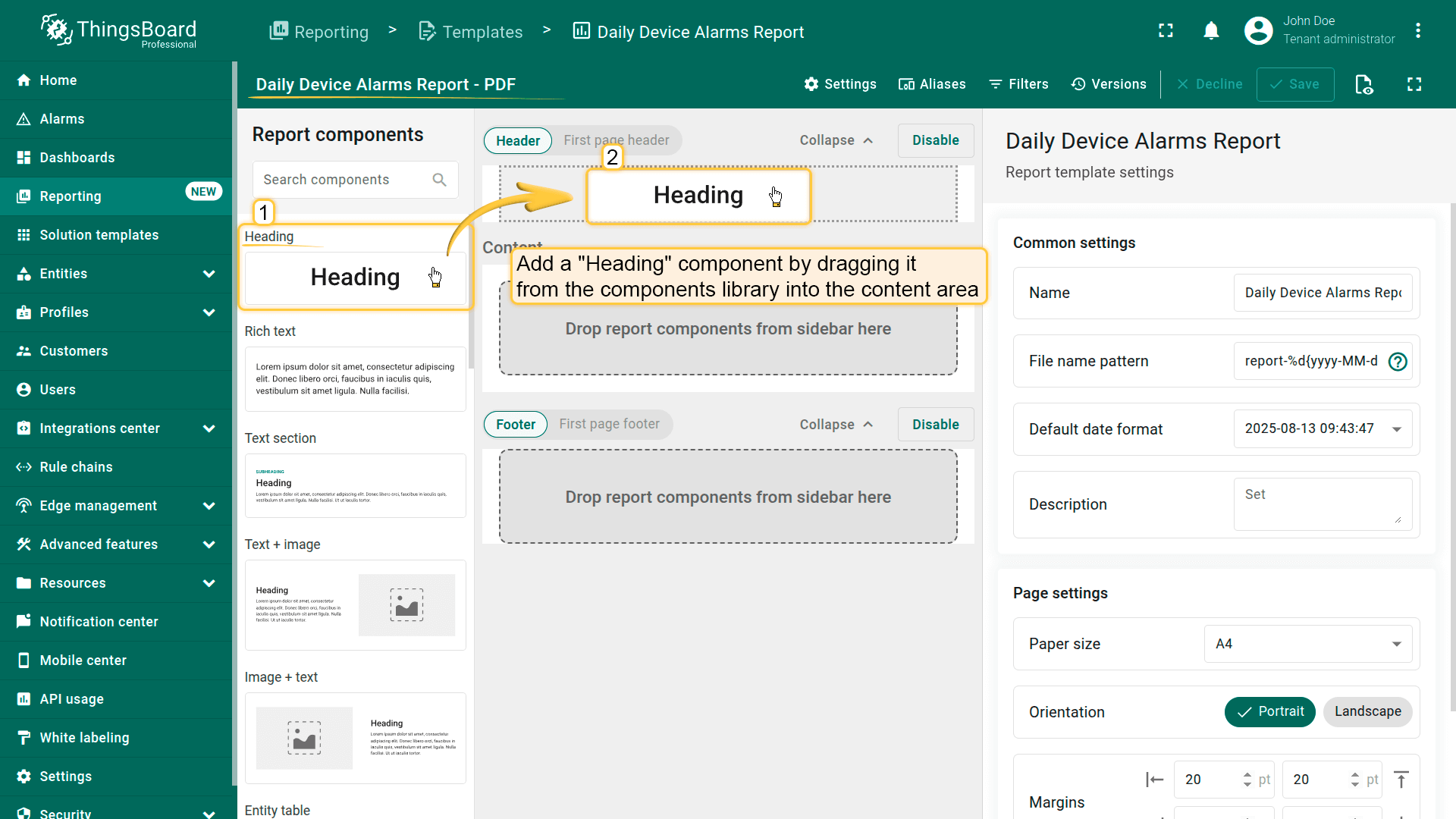
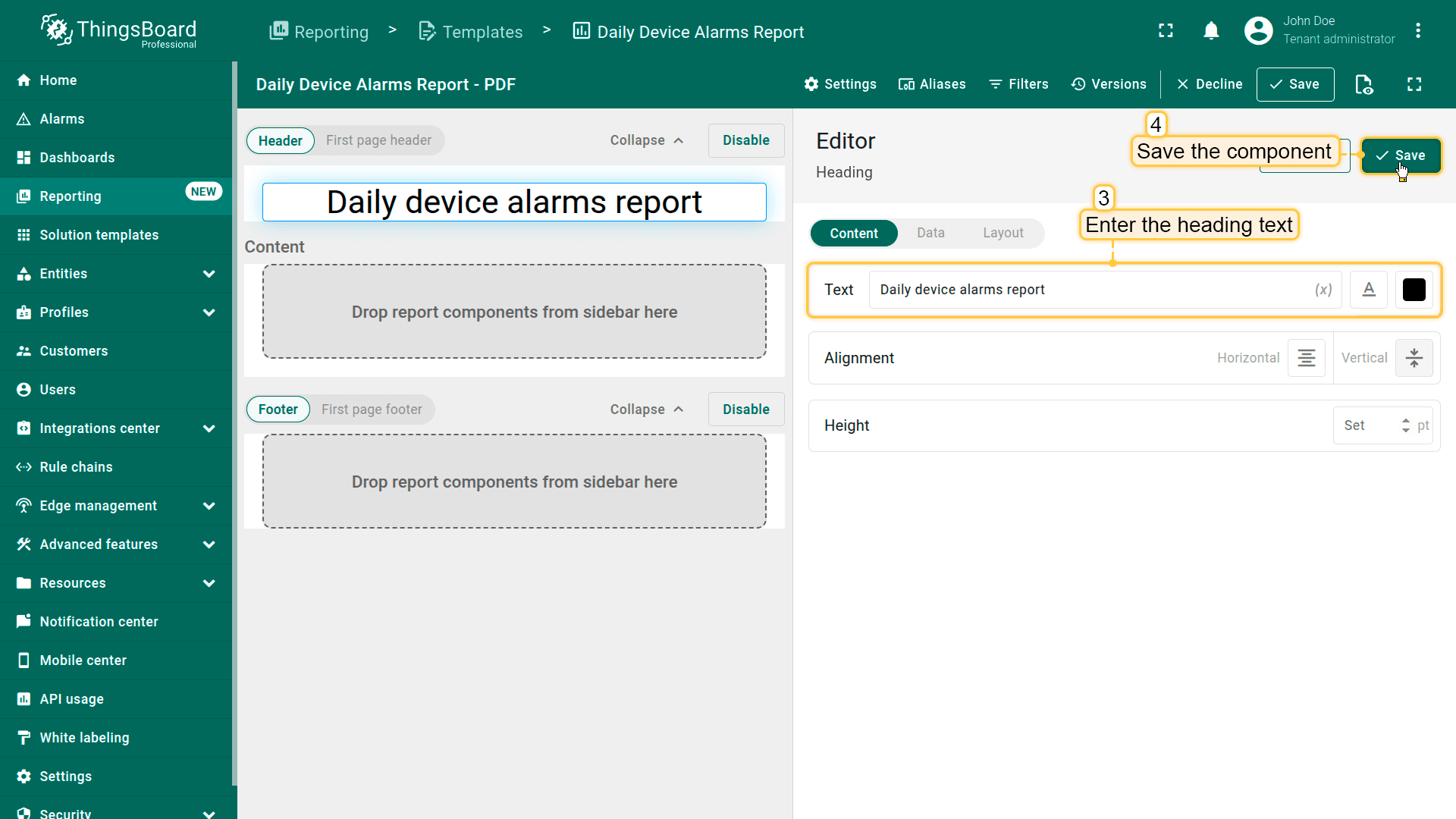
Add a "Heading" componentby dragging it from the components library into the content area.
Enter the heading text, for example: "Daily device alarms report"
添加”子报表”组件,从组件库拖入内容区域。
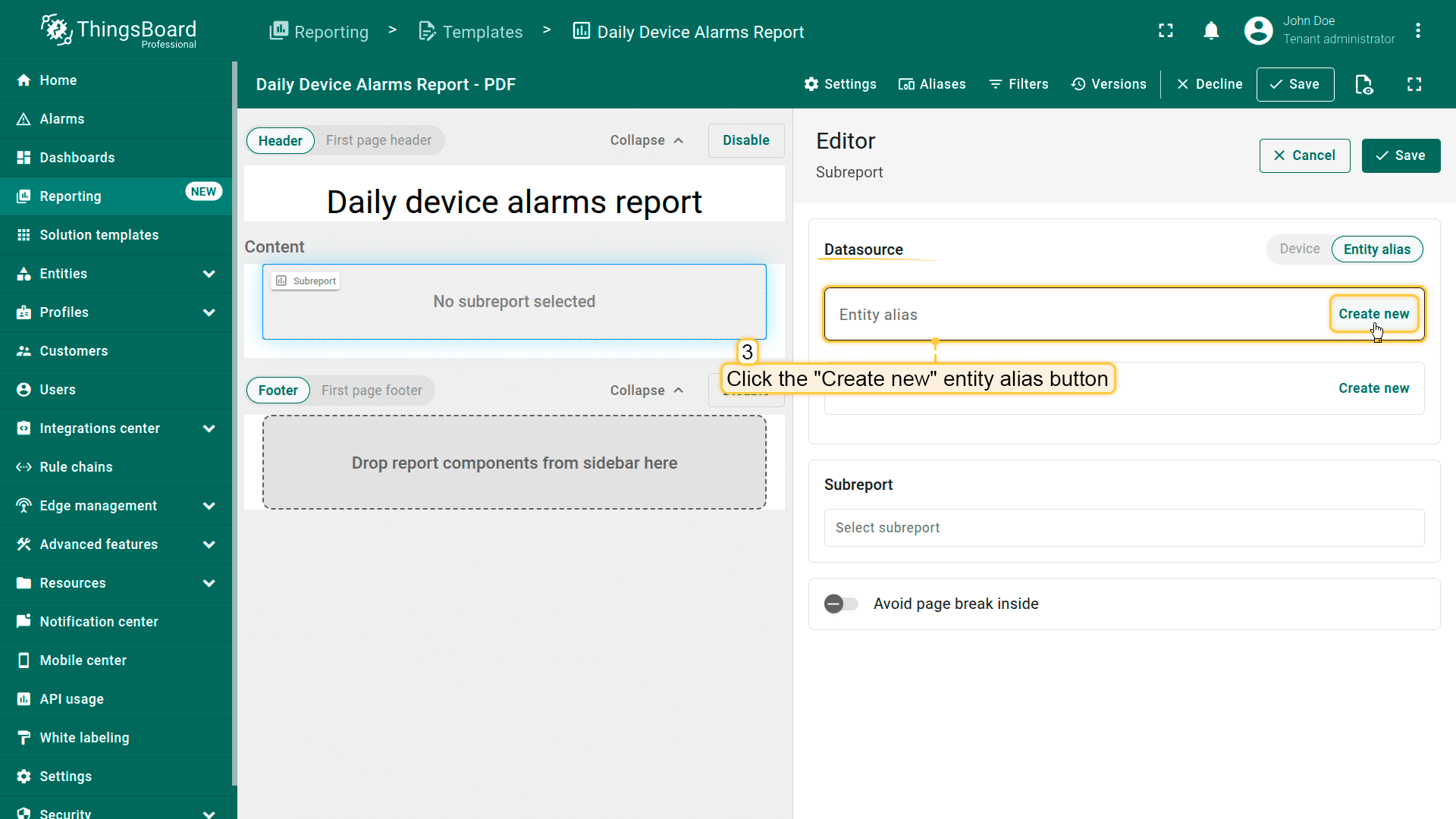
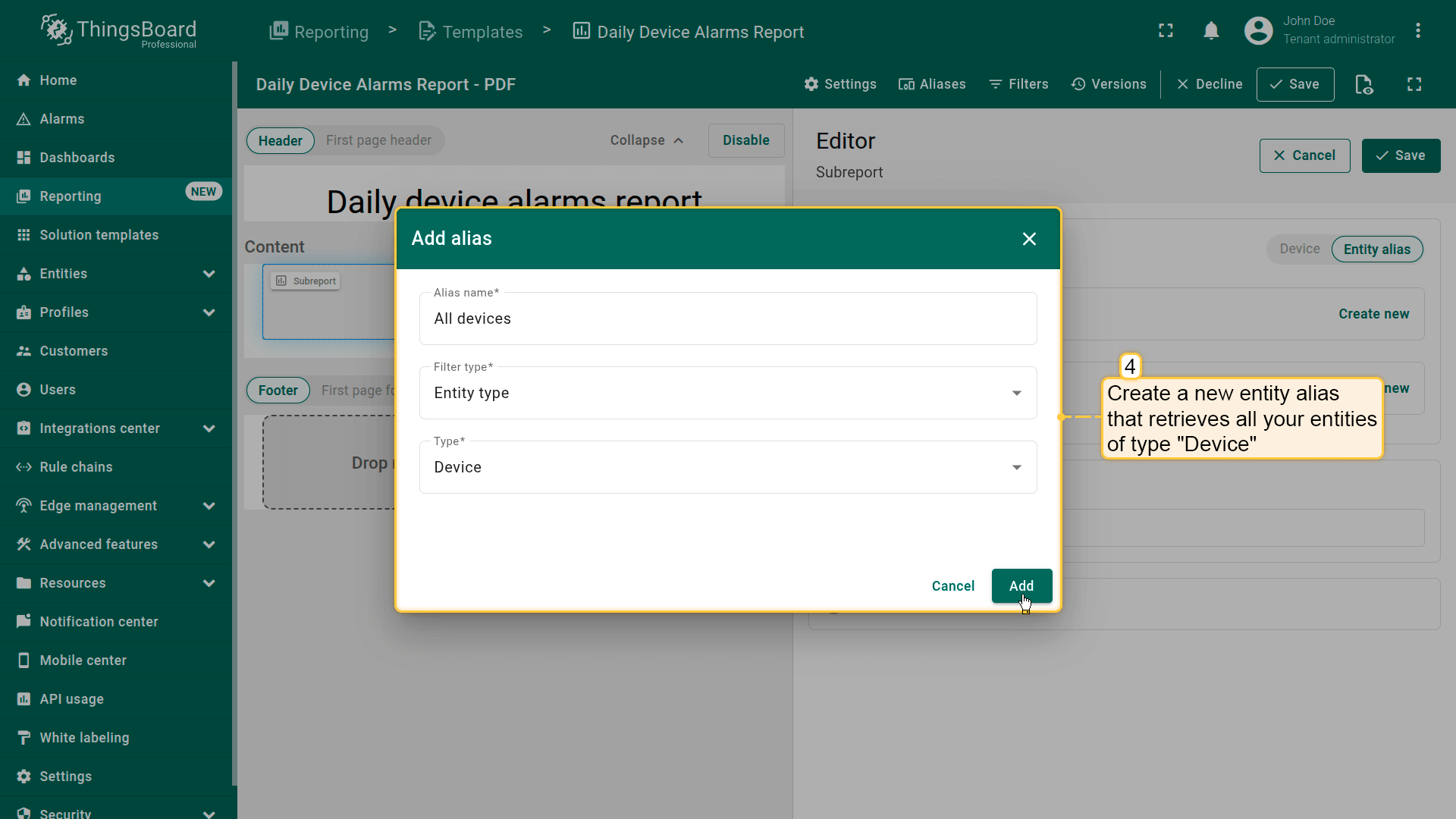
在”数据源“部分,创建获取所有设备类型实体的新实体别名。
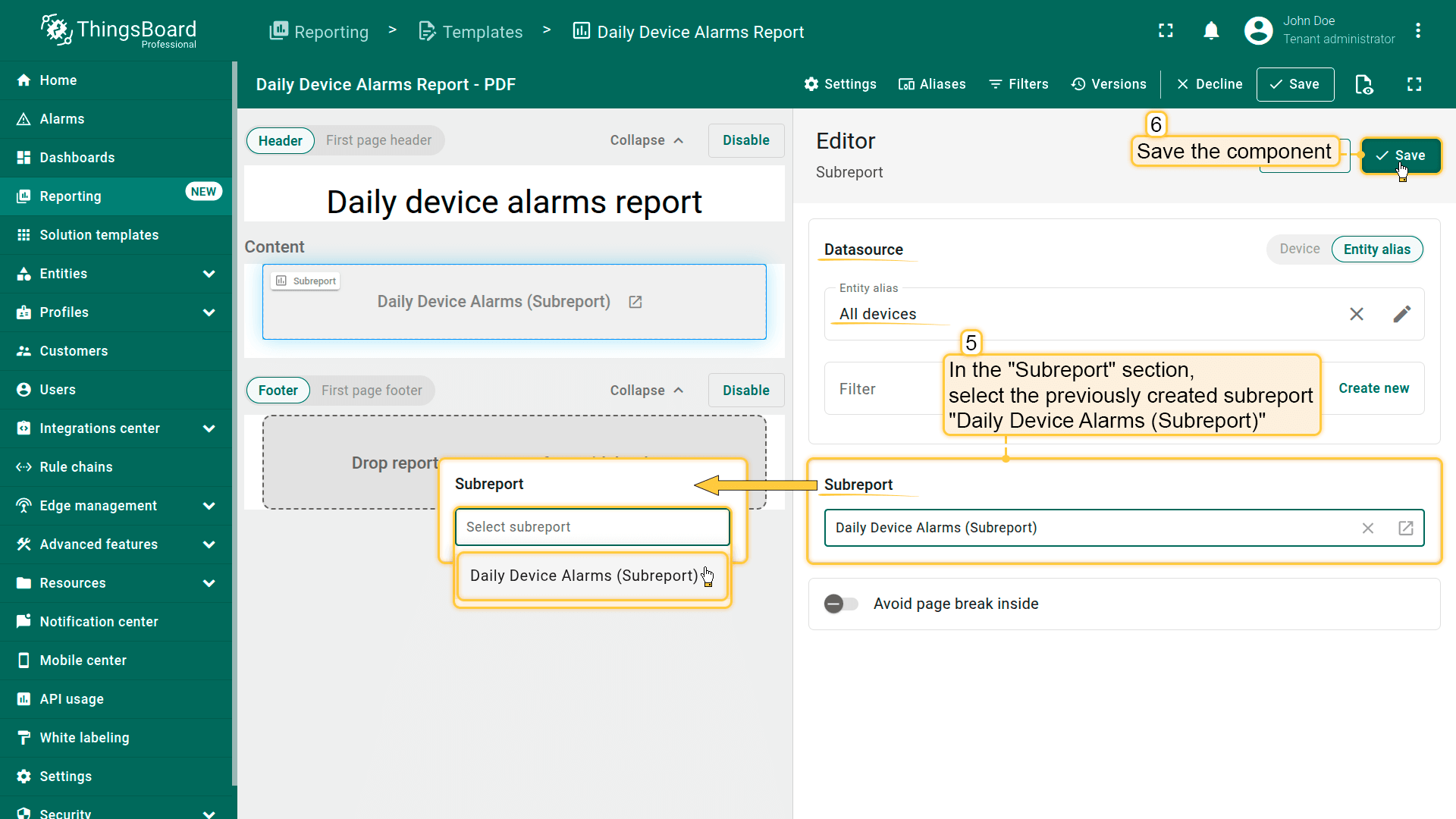
在”子报表“部分,选择之前创建的子报表每日设备告警(子报表)。
保存组件。
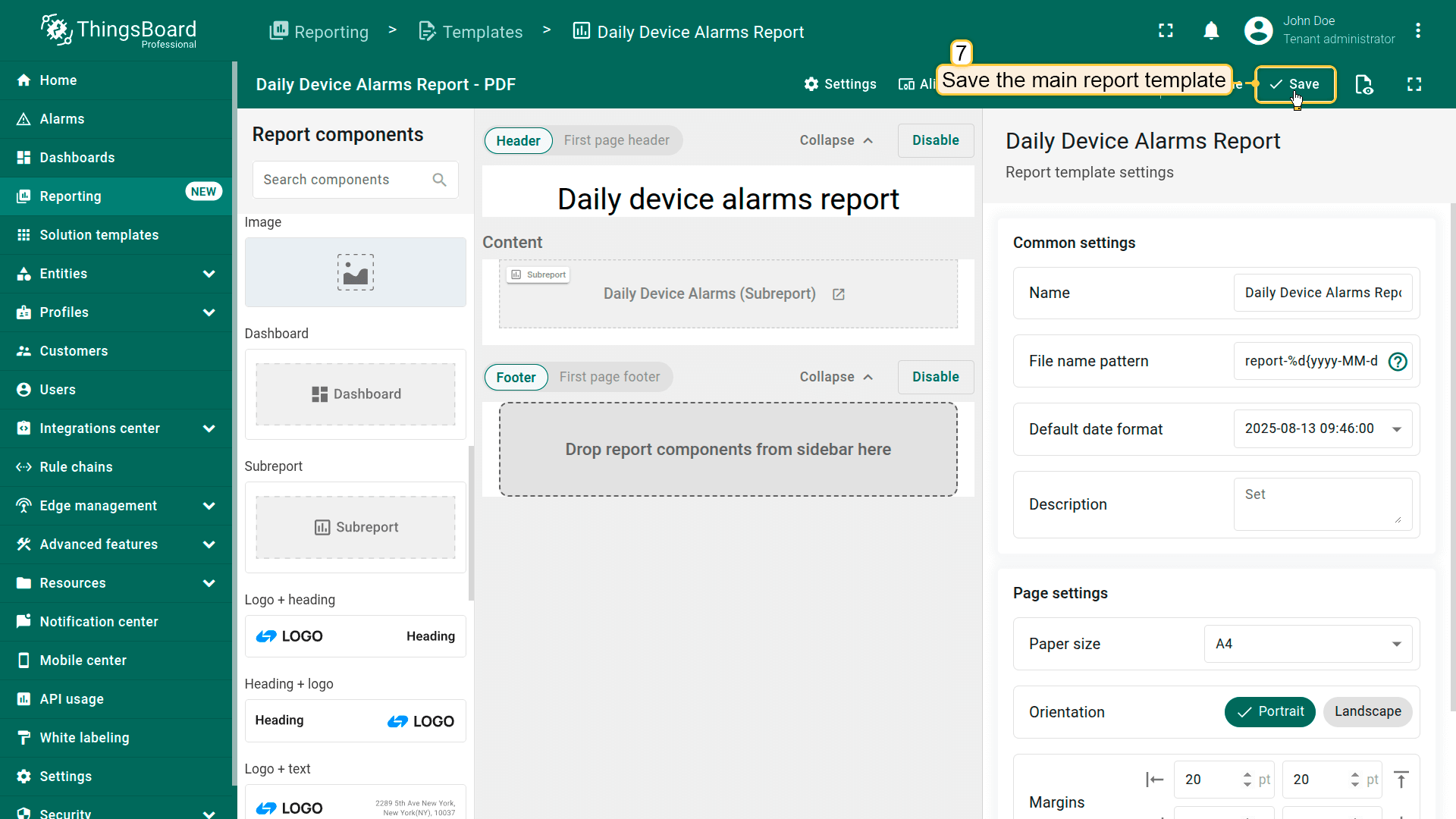
最后,保存主报表模板。
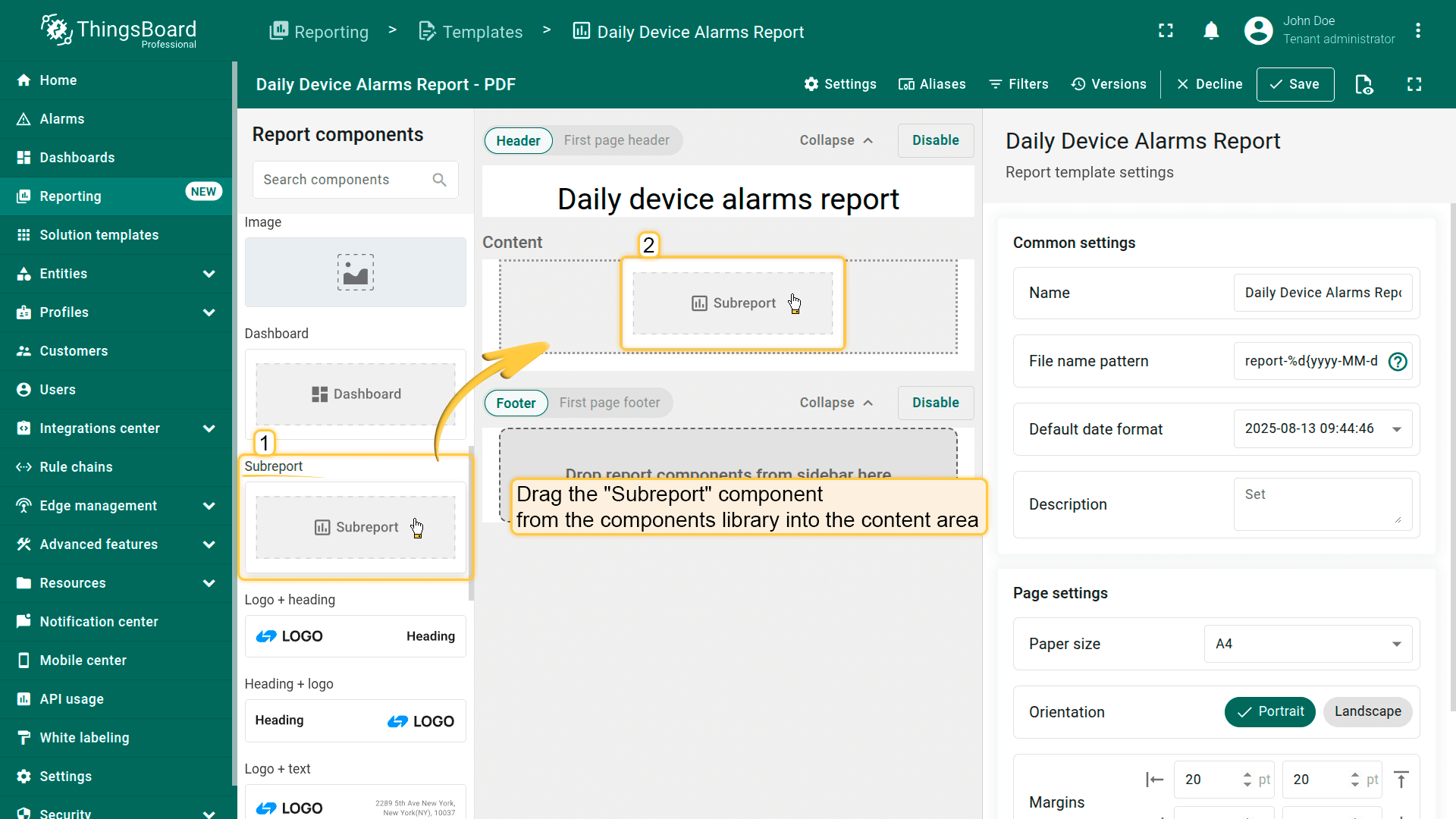
Add an "Subreport" component by dragging it from the components library into the content area.
In the "Datasource" section, create a new entity alias.
Create a new entity alias that retrieves all your entities of type Device.
In the "Subreport" section, select the previously created subreport Daily Device Alarms (Subreport). Save the component.
Finally, save the main report template.
步骤3:生成测试报表
要确保子报表正确生成,点击窗口右上角的”生成测试报表“按钮。
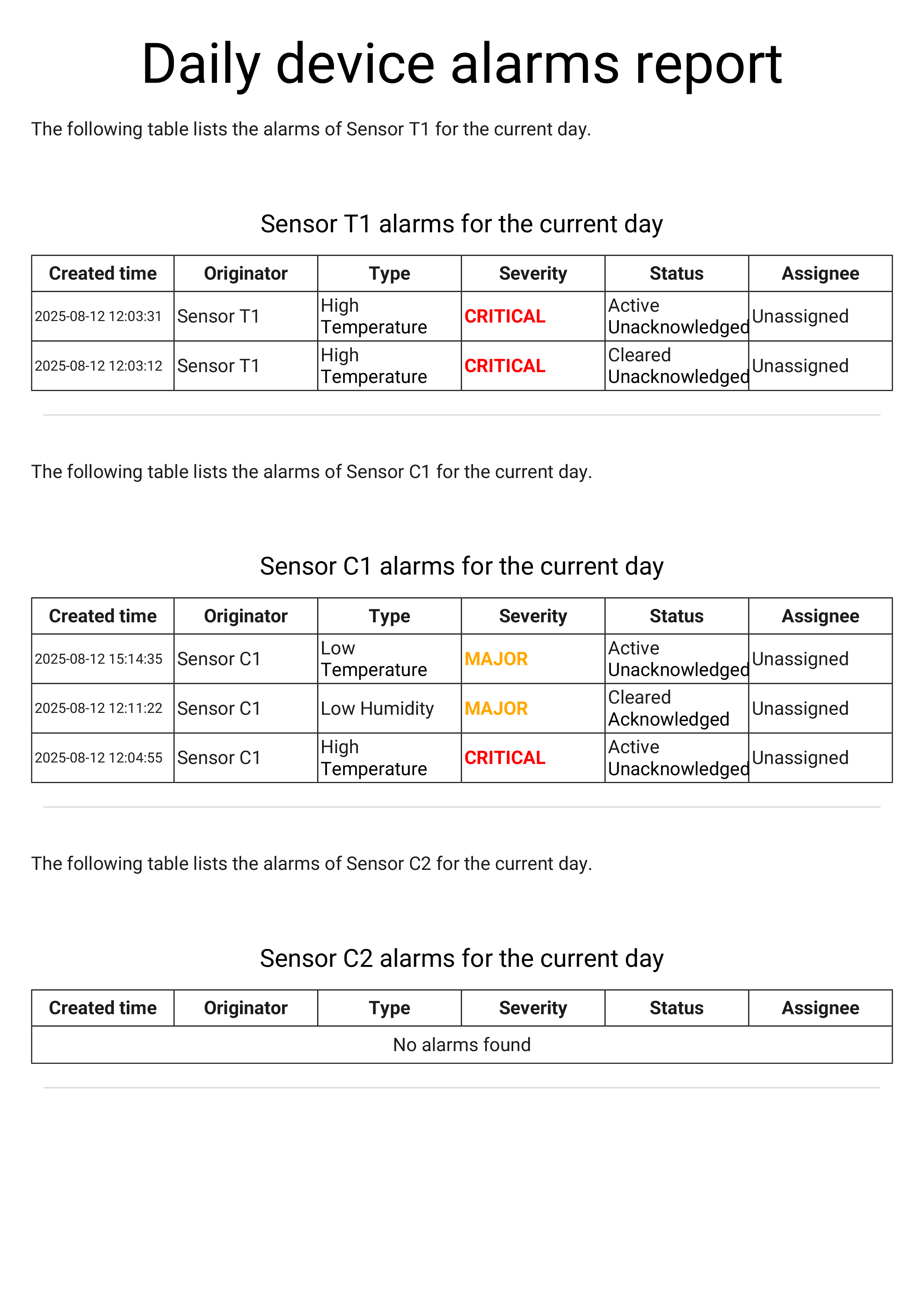
如您所见,生成的报表包含我们所有三台设备,每台都有单独显示当天告警的表格。
To make sure the subreport is generated correctly, click the "Generate test report" button in the top-right corner of the window.
As you can see, the generated report contains all three of our devices, with a separate table for each showing their alarms for the current day.