- Create an application in Slack. Get Slack API token
- Slack settings configuration as Tenant administrator
通过将Slack与ThingsBoard集成,用户可按照所设通知规则在Slack中接收ThingsBoard系统内发生的事件通知。例如,接收设备状态或检测到问题的通知。

注意:
仅可向工作区内用户发送Slack通知
Tenant administrator可配置 rule engine 产生的告警分发。
Create an application in Slack. Get Slack API token
在ThingsBoard中配置Slack之前,需先在Slack API中注册应用。打开 get Slack API token 页面,并按下列步骤操作:
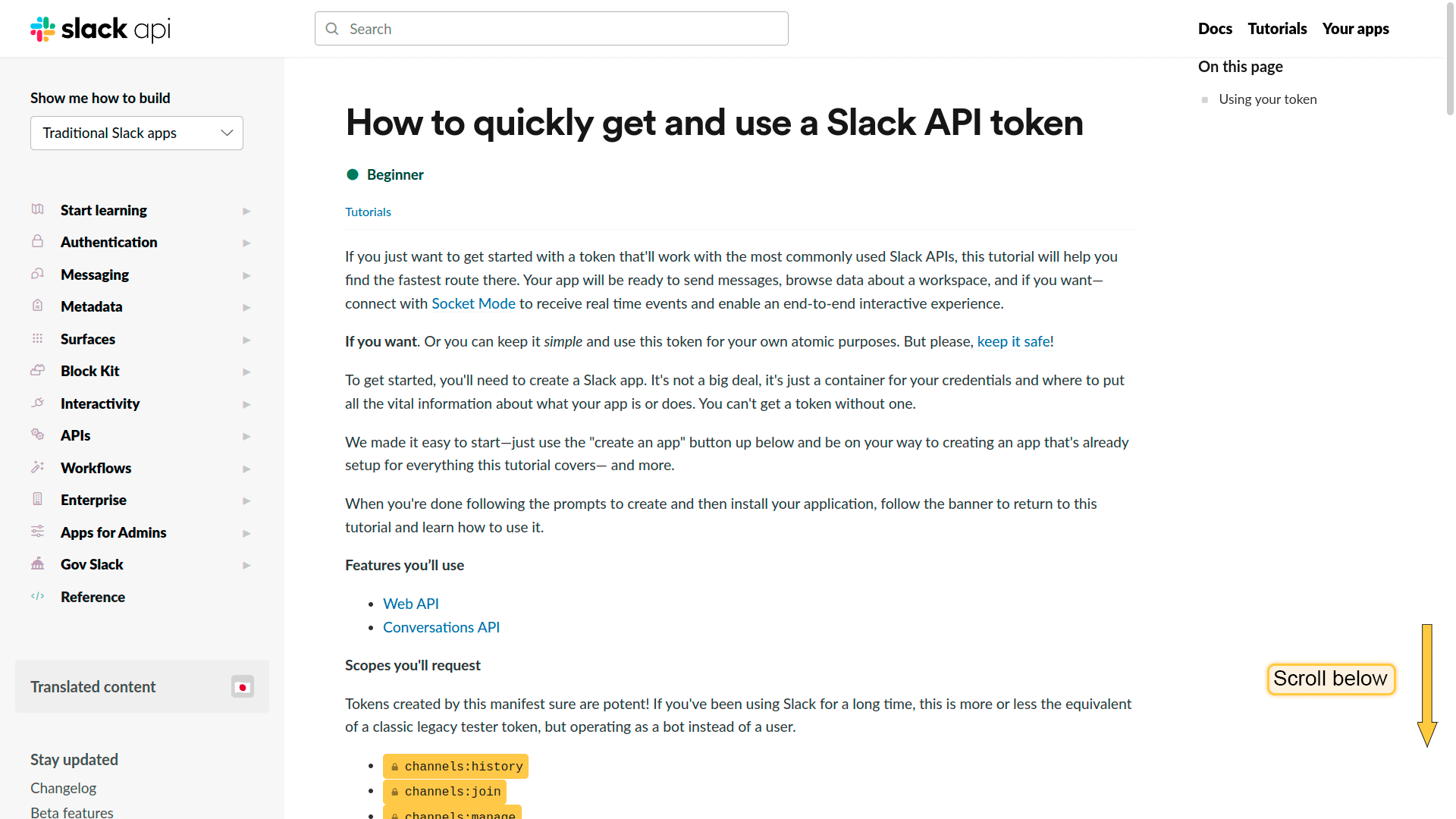
- In "How to quickly get and use a Slack API token" page, scroll below and find "Create a pre-configured app";
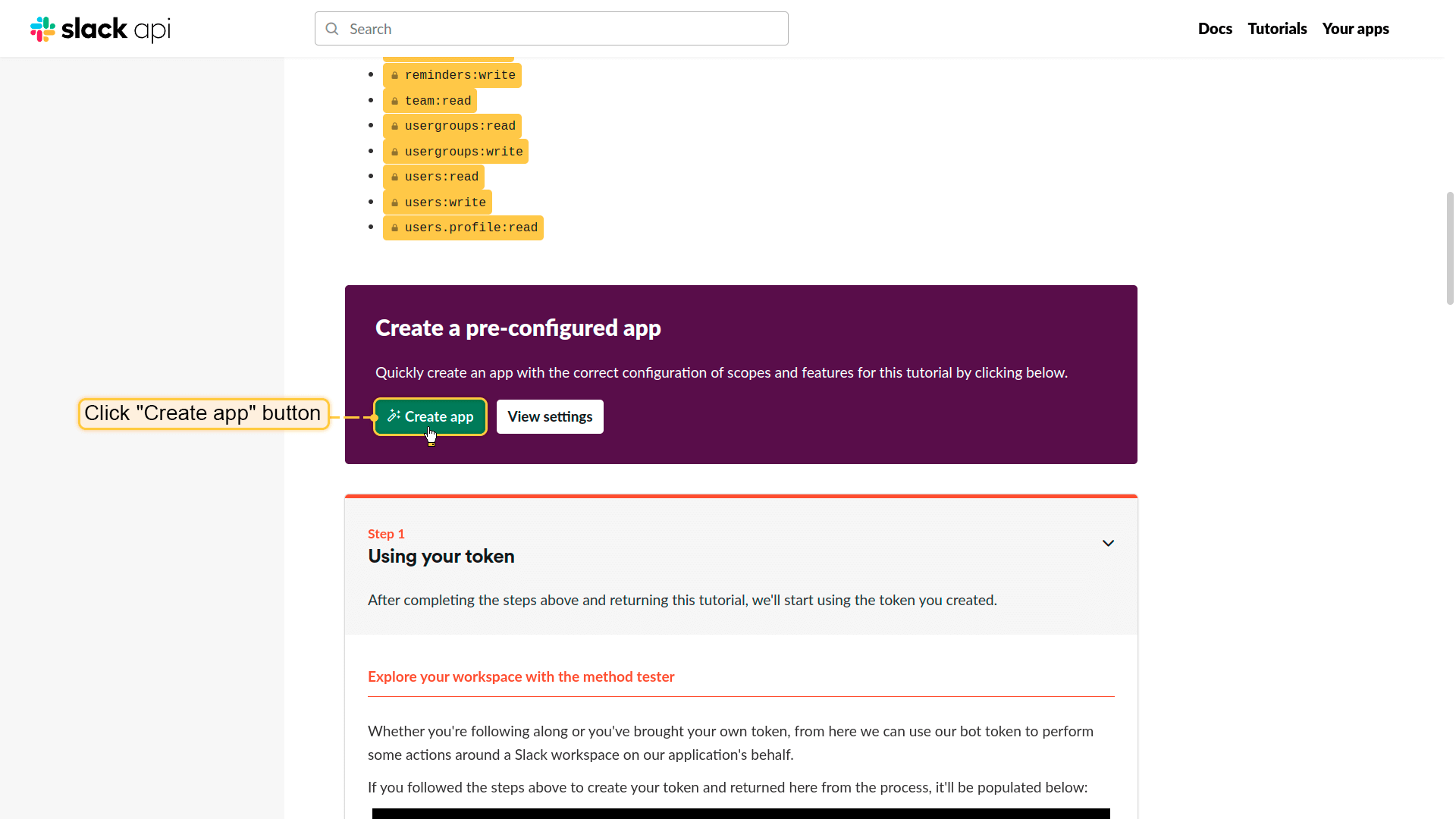
- Click "Create app" button;
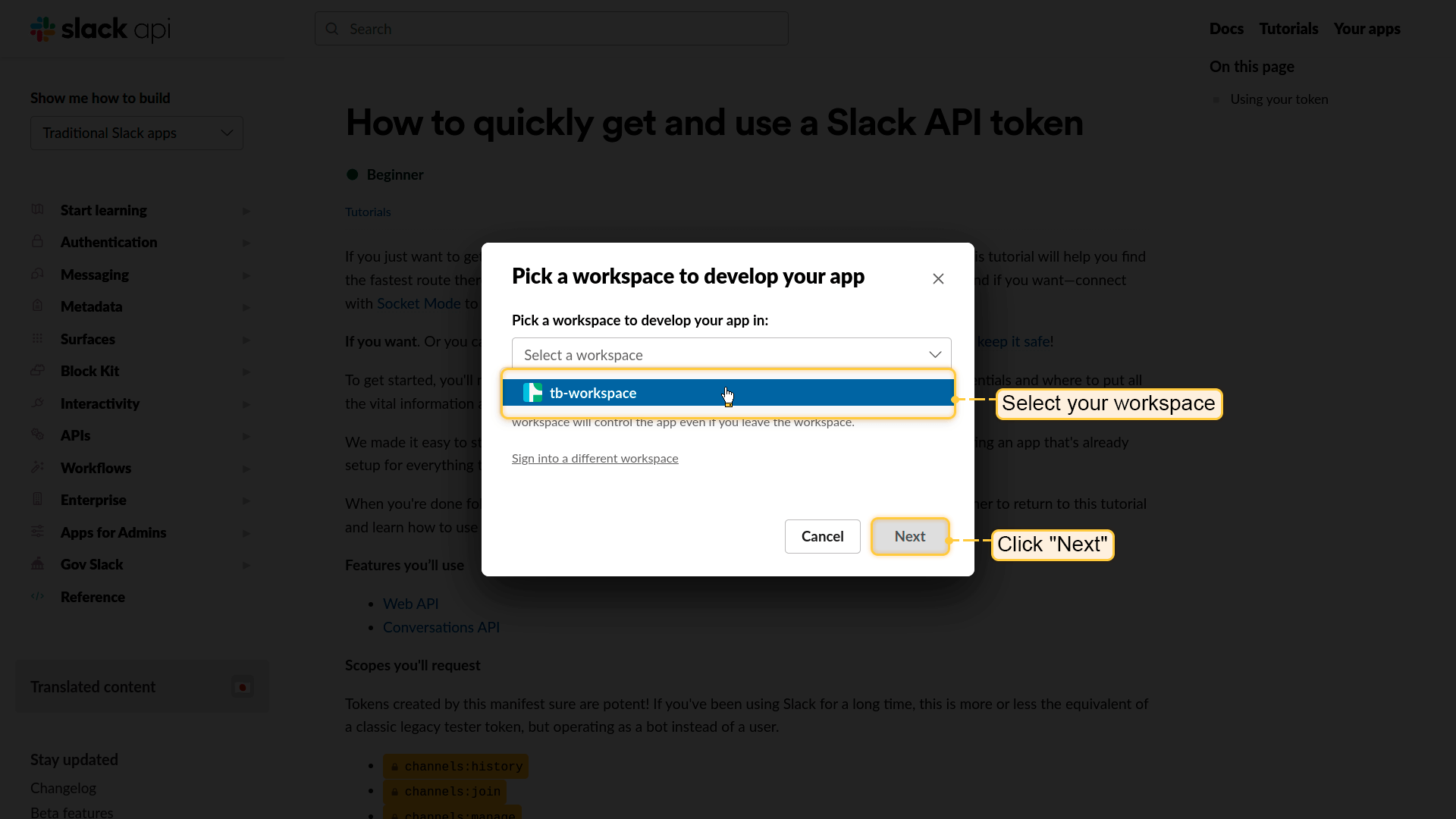
- In a new window, select your workspase from drop-down menu, then click "Next";
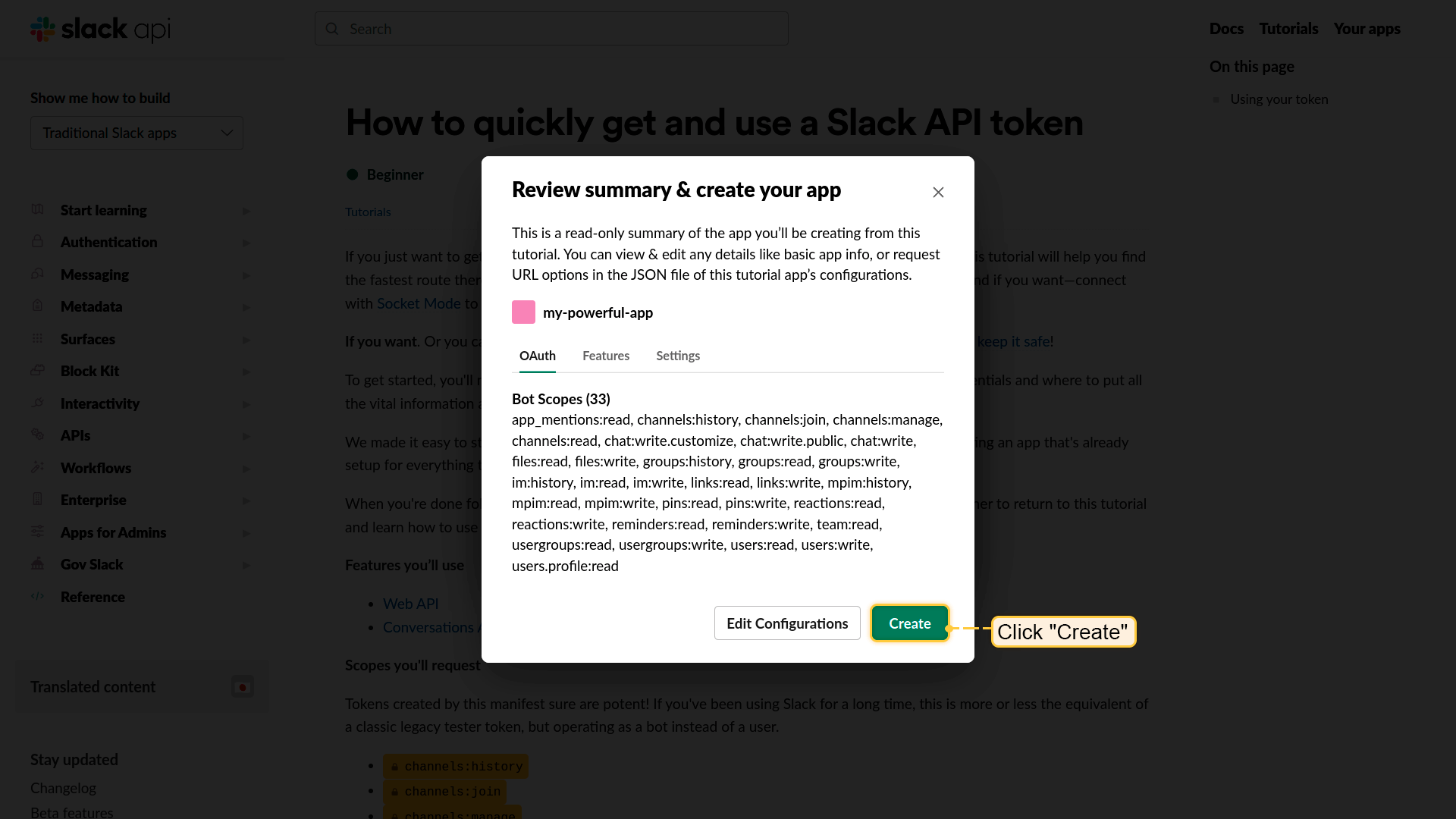
- Review summary and click "Create" button to create your app;
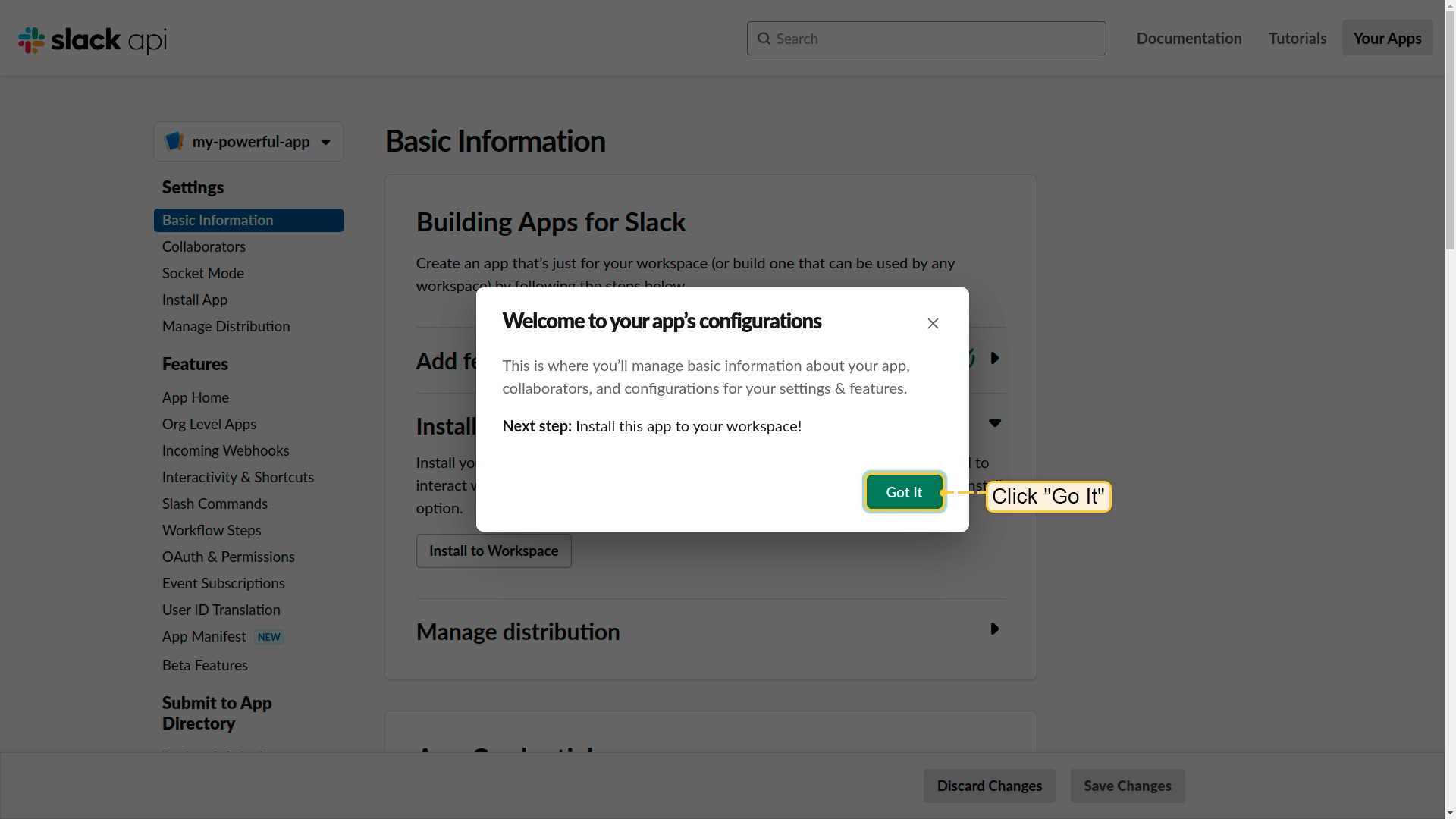
- Welcome to your app`s configurations. Click "Go it";
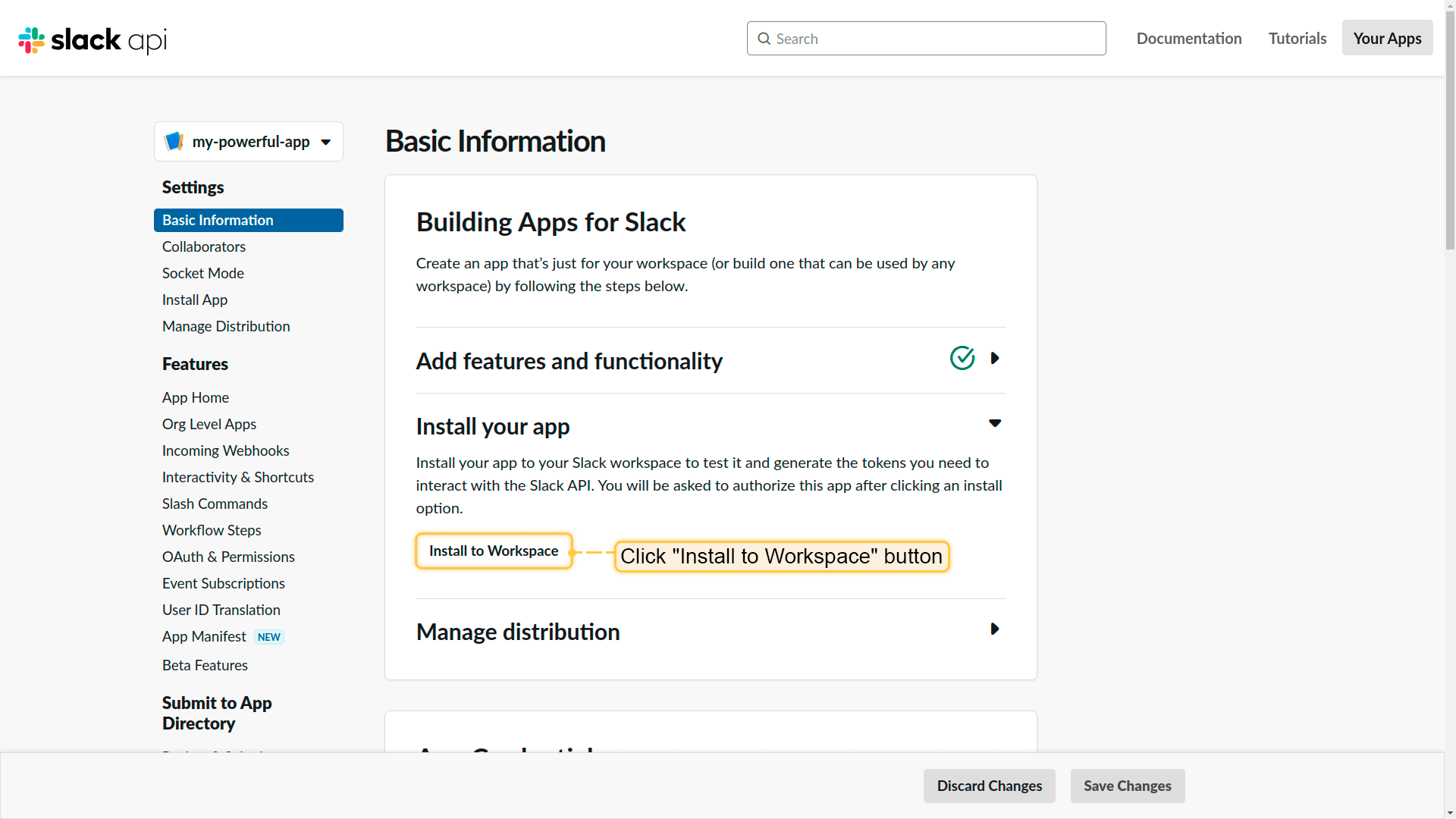
- Next step - install your app to your Slack workspace. Click "Install to Workspace" button;
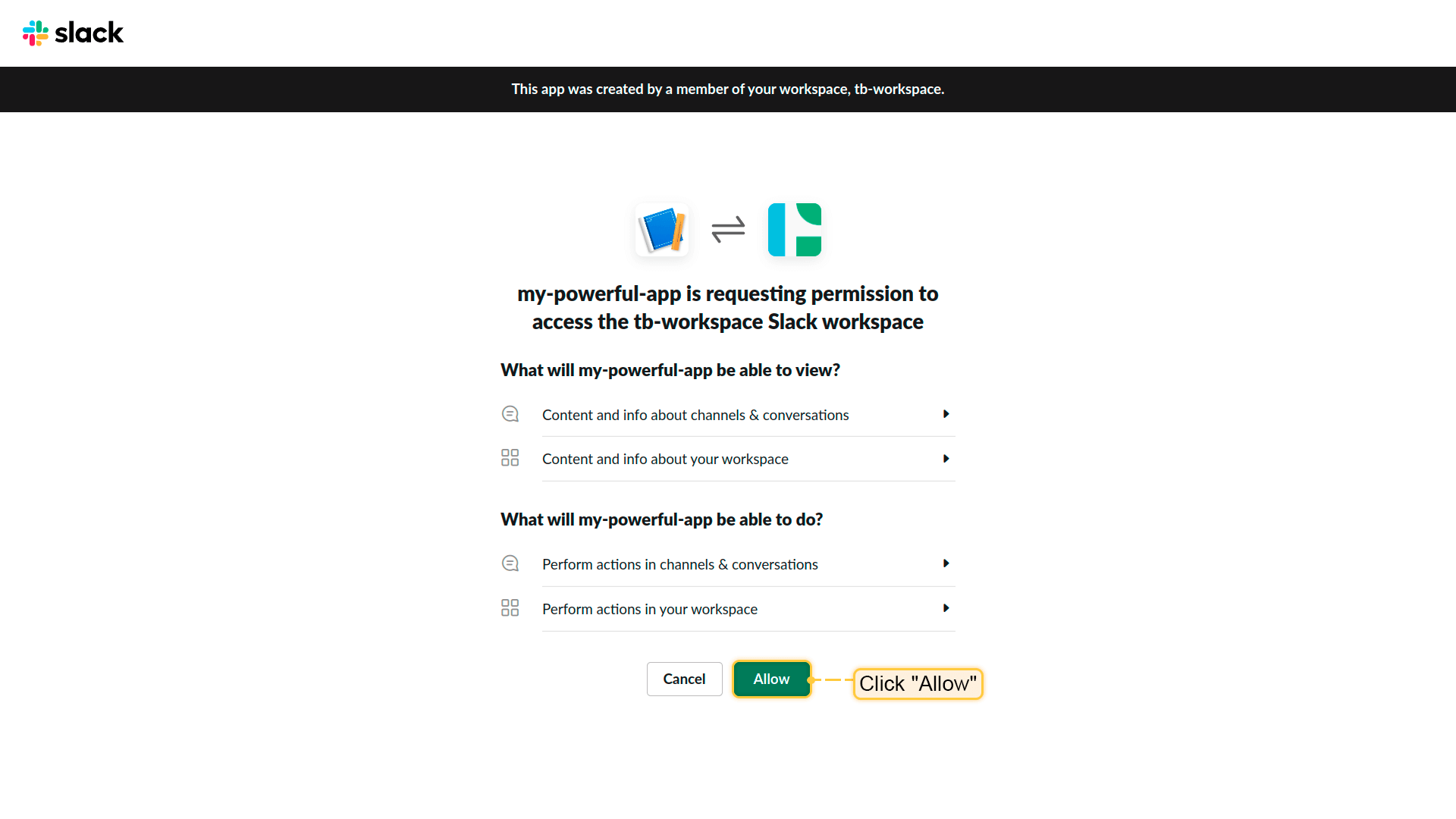
- App is requesting permission to access your Slack workspace. Click "Allow";
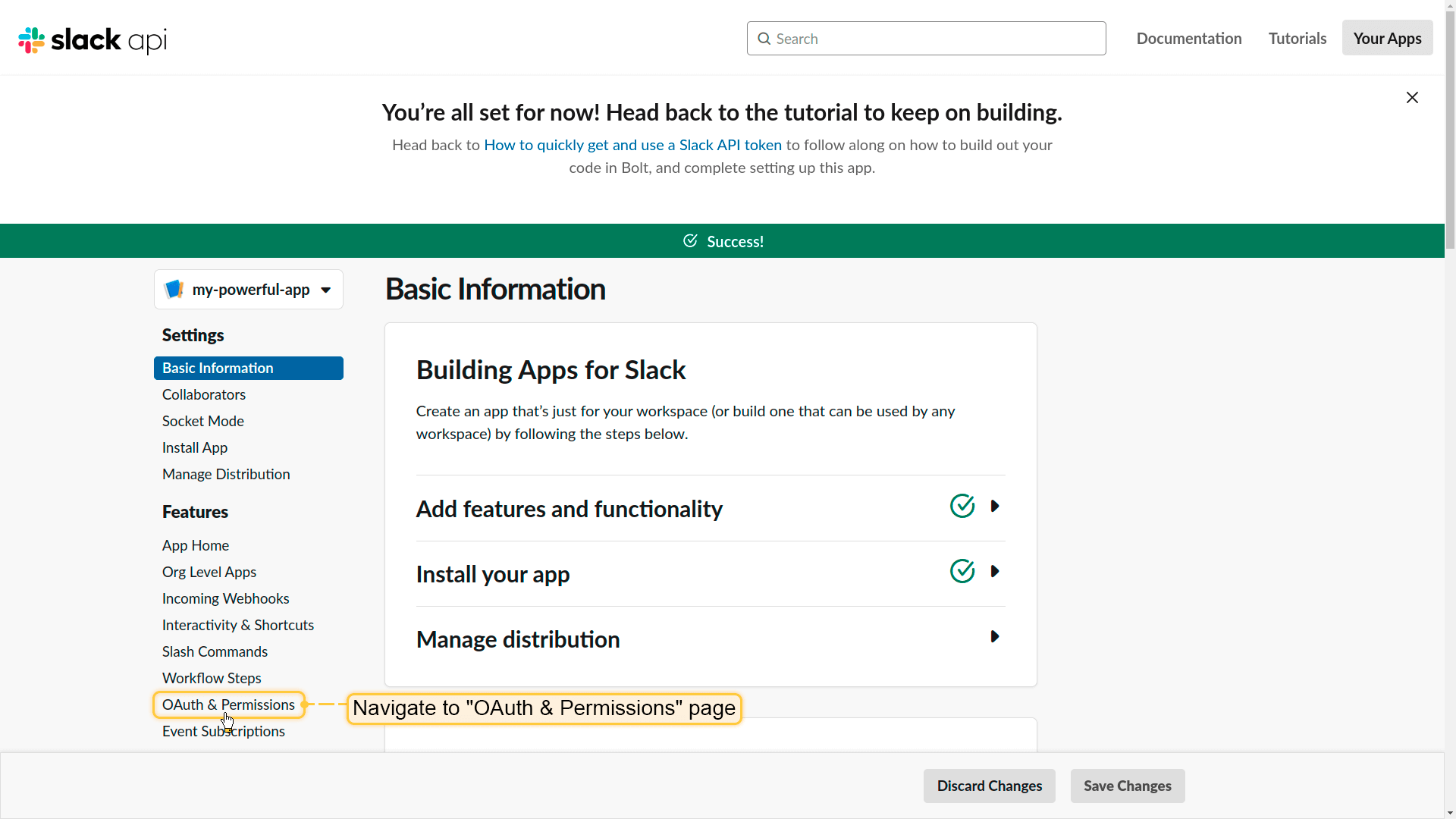
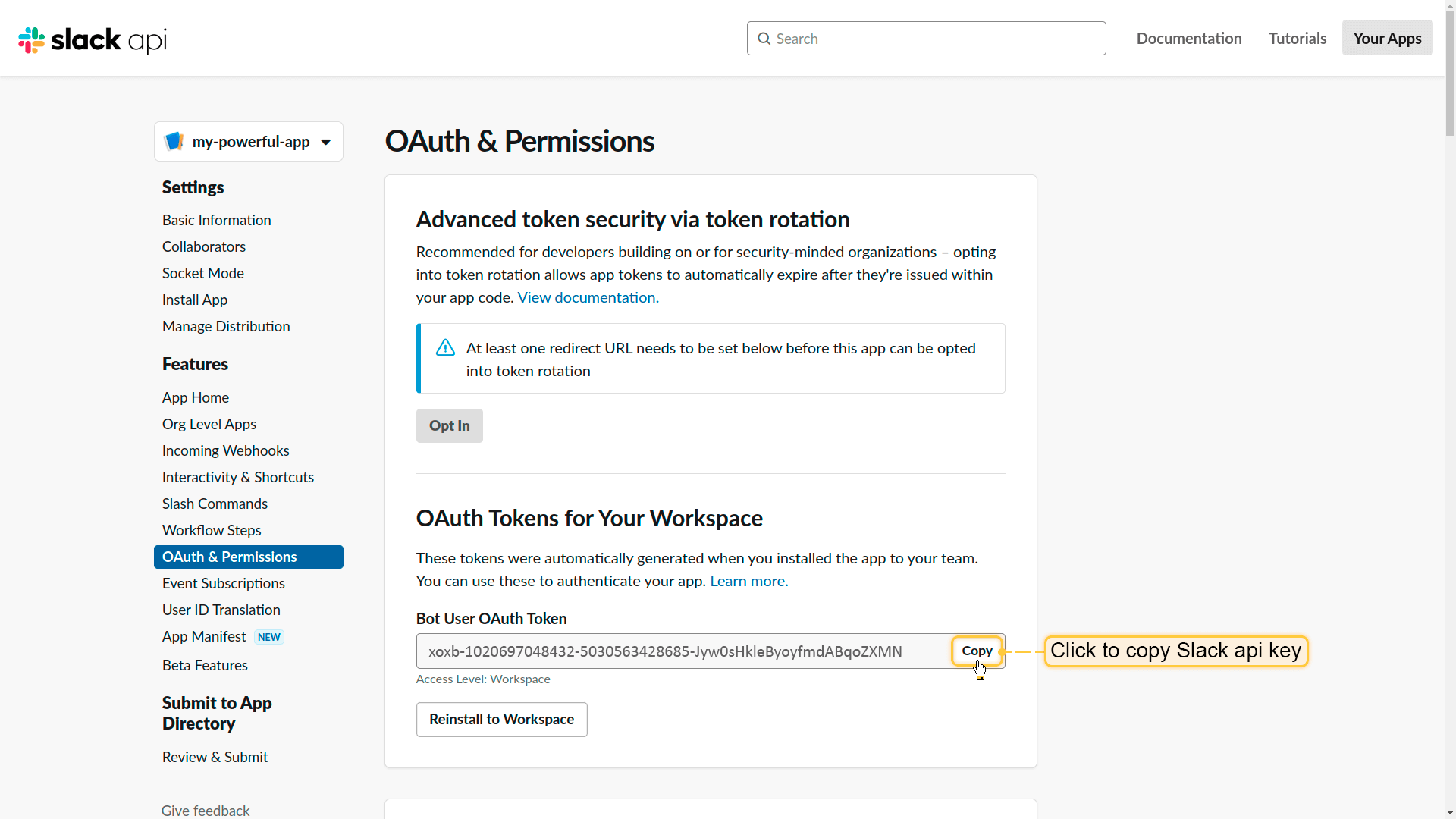
- Success! Your app is created. Now, navigate to "OAuth & Permissions" page;
- Copy "Bot User OAuth Token". This is the "Slack API token" we need.
Slack settings configuration as Tenant administrator
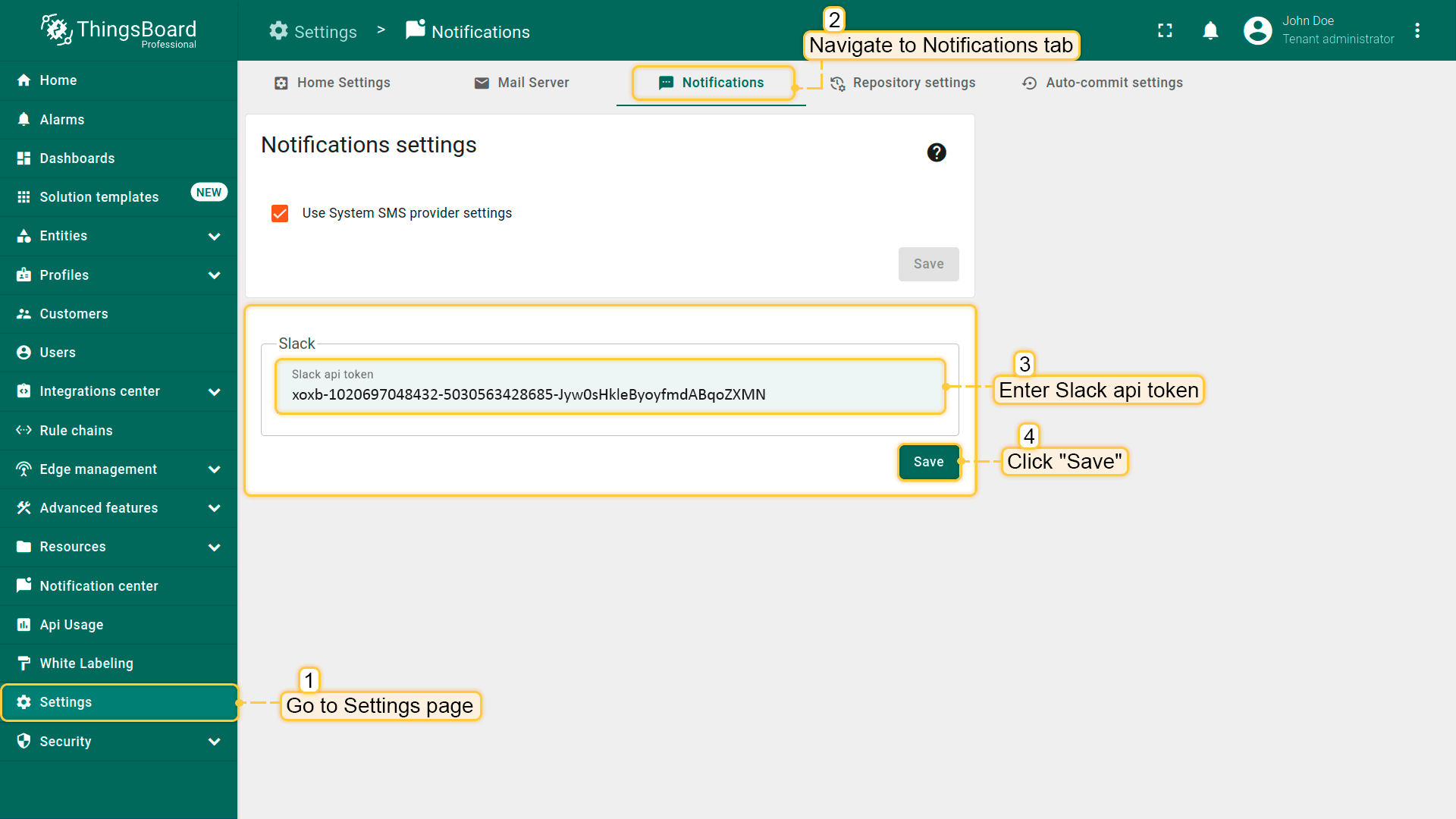
以tenant administrator身份登录ThingsBoard UI。进入“Settings”页面的“Notification”选项卡。在“Slack settings”窗口中,将复制的Slack API token粘贴到“Slack api token”栏并点击“Save”。
配置完成后,当ThingsBoard实例中发生的事件符合所设通知规则时,将开始在Slack频道中收到通知。还可向任意用户发送消息。