ThingsBoard中的 Customer(客户) 代表独立业务实体——个人或组织——购买或使用租户的设备/资产。客户也可表示租户组织内的部门或分支机构。
客户可小到单点,大到包含众多用户、子客户及大量设备和资产的大型生态。
谁可管理客户?
租户管理员 可创建和管理客户组及单个客户。
客户可执行哪些操作?
创建后,客户可管理其自身环境,包括:
- 创建和管理 客户用户;
- 添加和编辑 设备、资产、仪表板 及其他实体。
创建新客户
租户管理员可按以下步骤添加新客户。
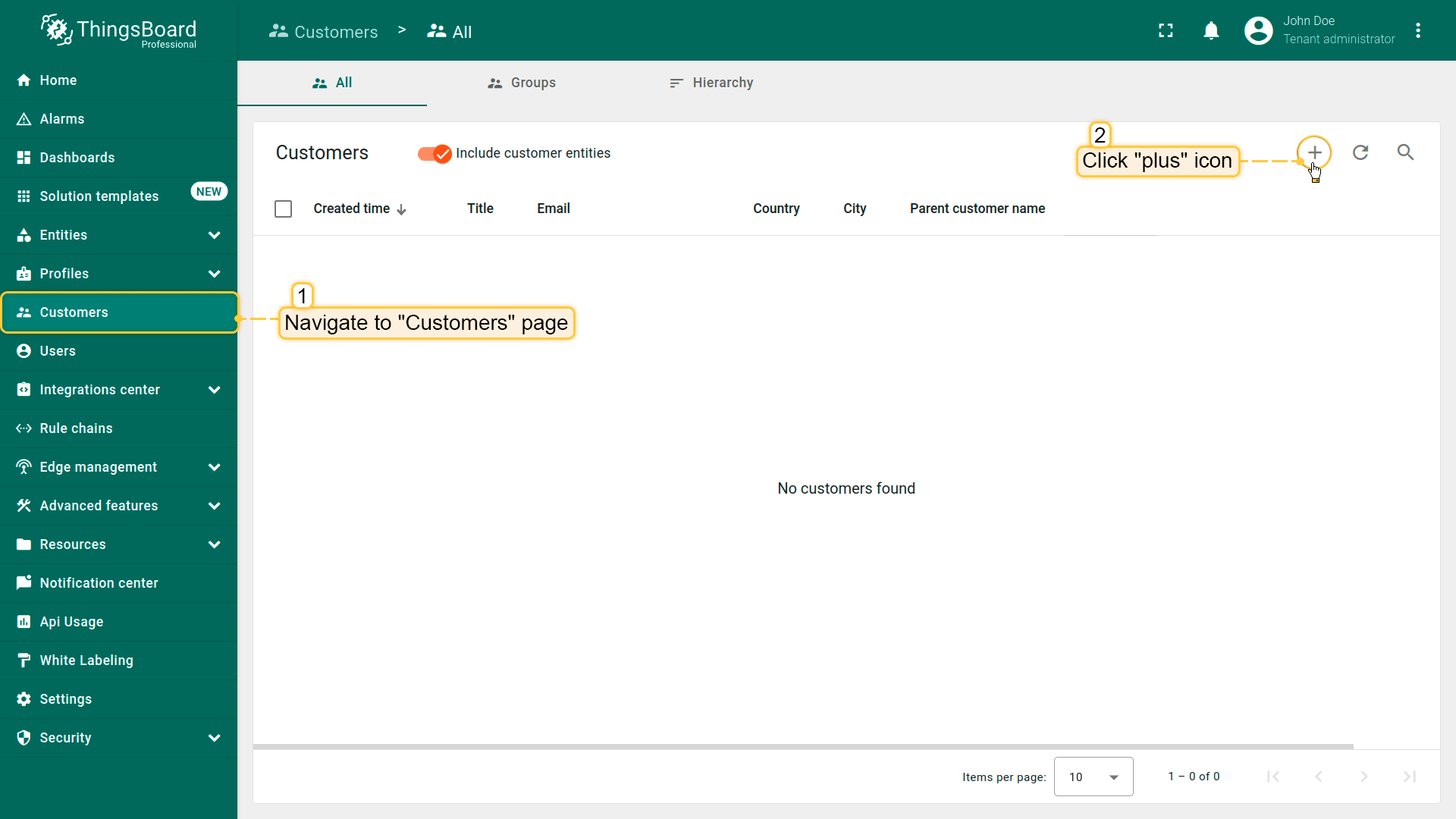
- Navigate to the "Customers" page. By default, you navigate to the customer group "All". Then click the plus sign in the upper right corner of the screen.
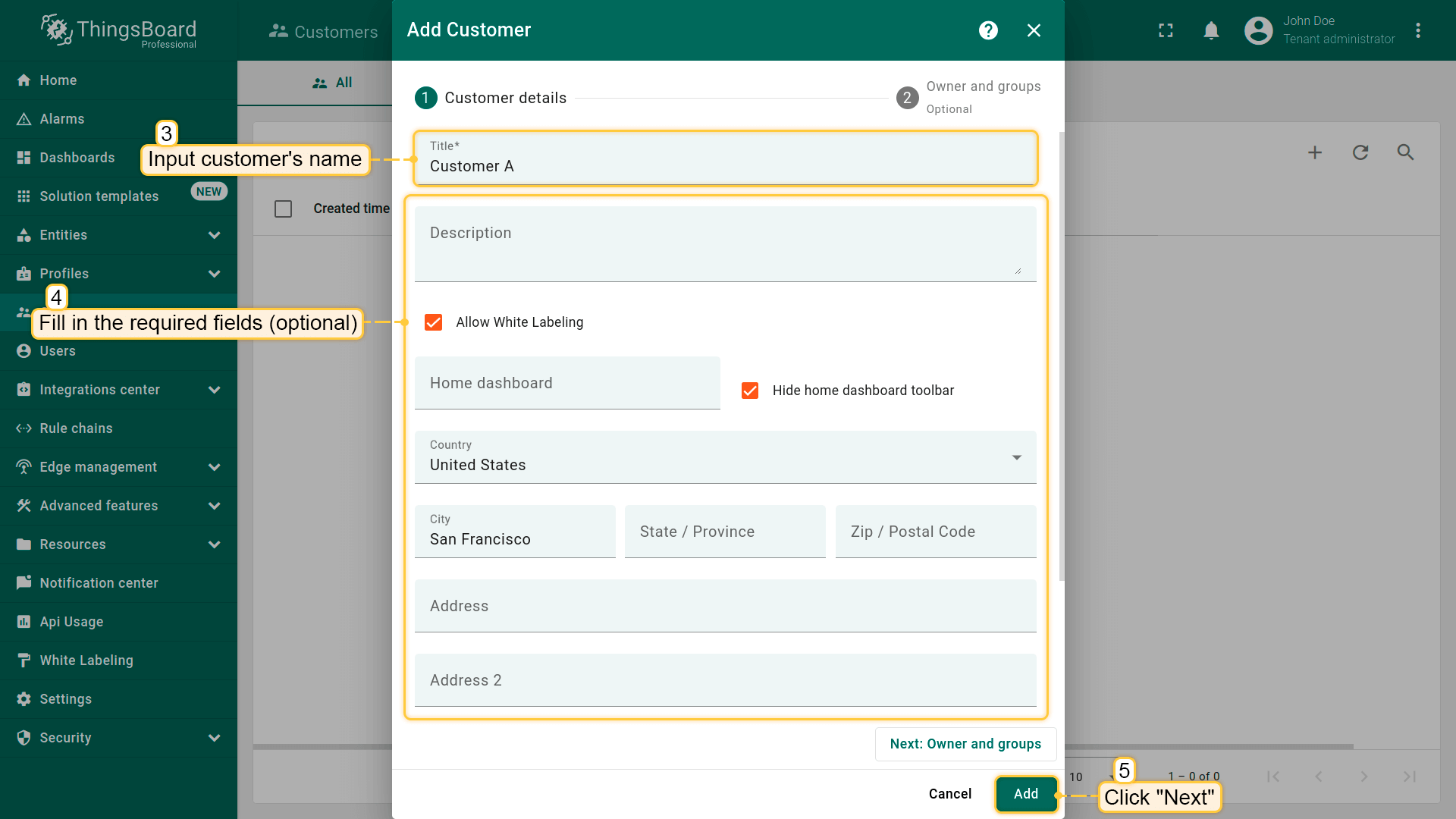
- In the opened dialog box, enter the name of the new customer. Additionally, you can input personal details for the customer and assign a home dashboard. Then click "Add".
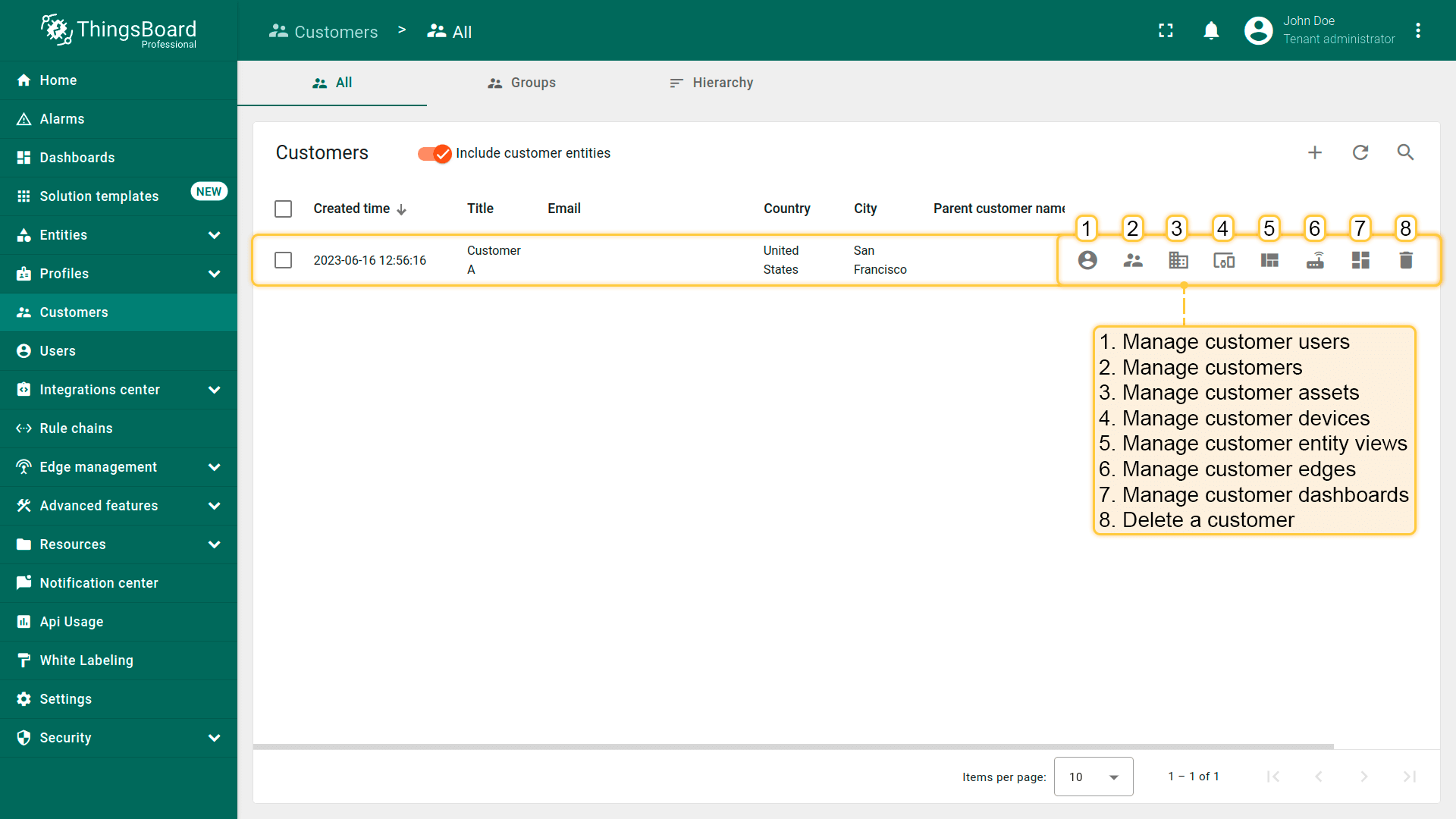
- New customer is created. You can view and manage both users and entities (devices, assets, dashboards, etc.) for any customer directly from their row in the Customers table.

注意: 默认情况下,新客户会放入 “All” 客户组。可在创建流程中选择或创建不同组。更多关于实体组的信息见此处。
再创建一个客户并为其新建单独的客户组。
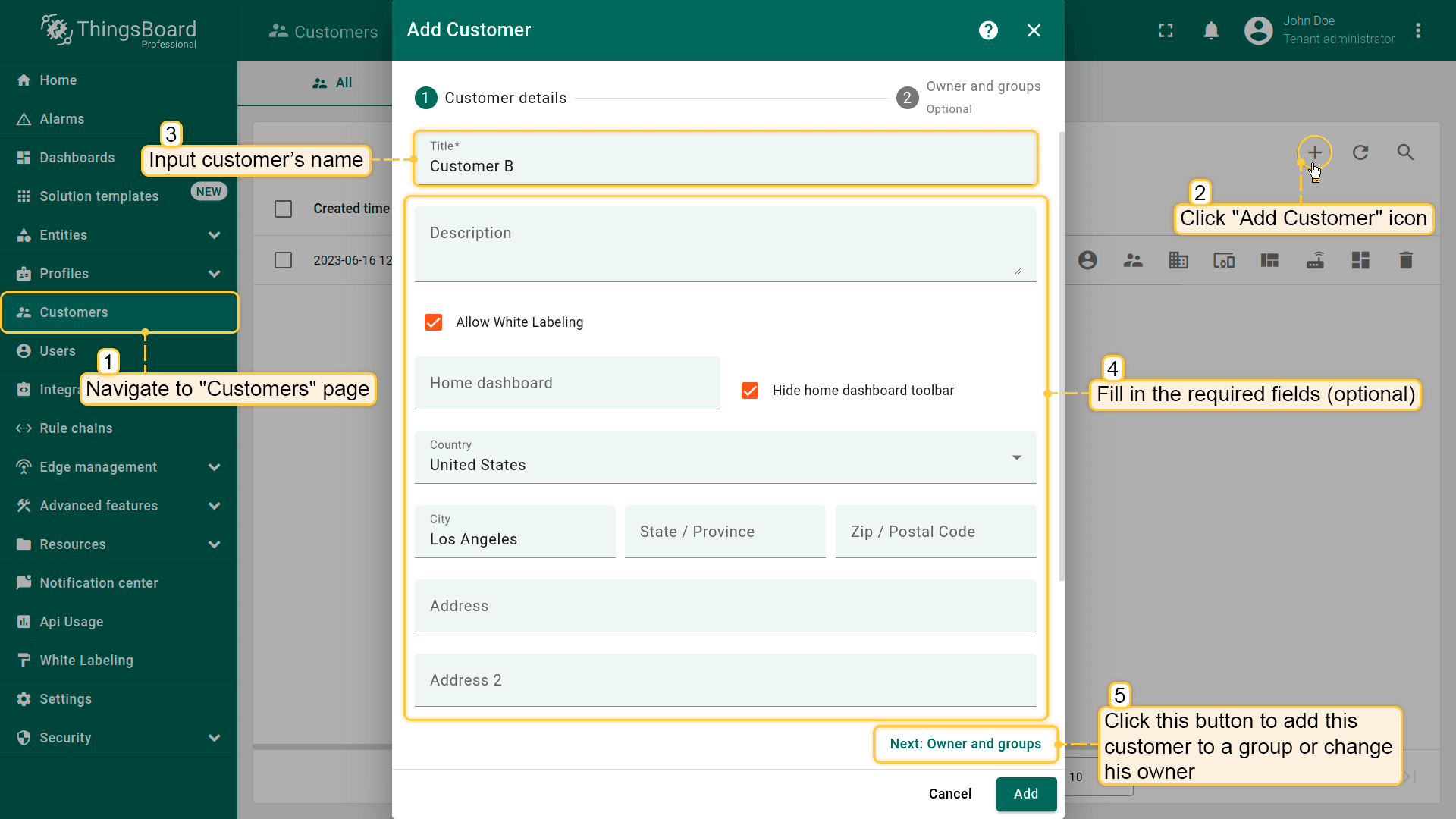
- Navigate to the "Customers" page. Click the "+" sign to add a new customer. Input the customer title. Additionally, you can input personal details for the customer and assign a home dashboard. Then, click on "Next: Owner and groups" button;
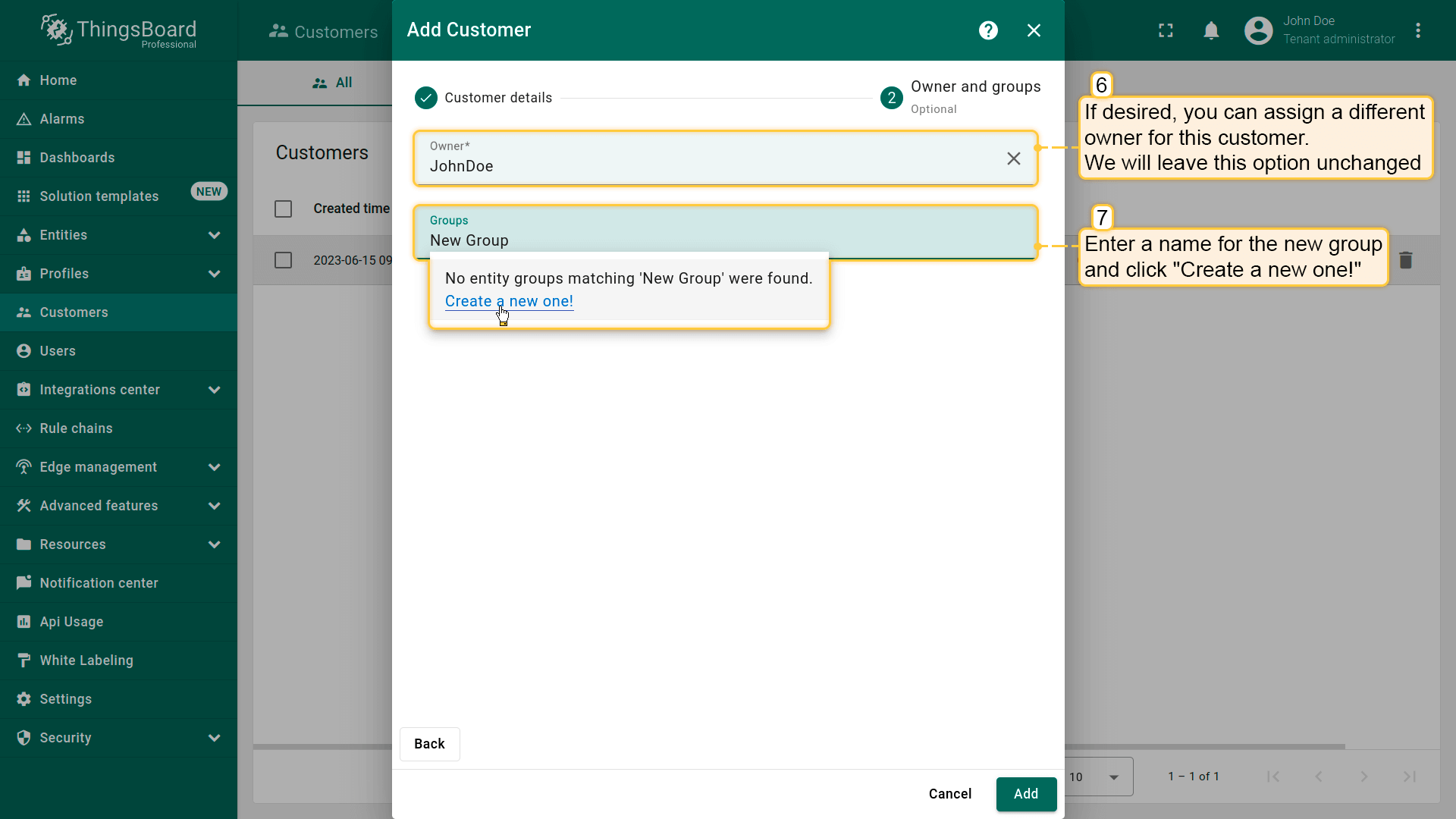
- If desired, you can assign a different owner for this customer. We will leave this option unchanged. Enter a name for the new group and click "Create a new one!";
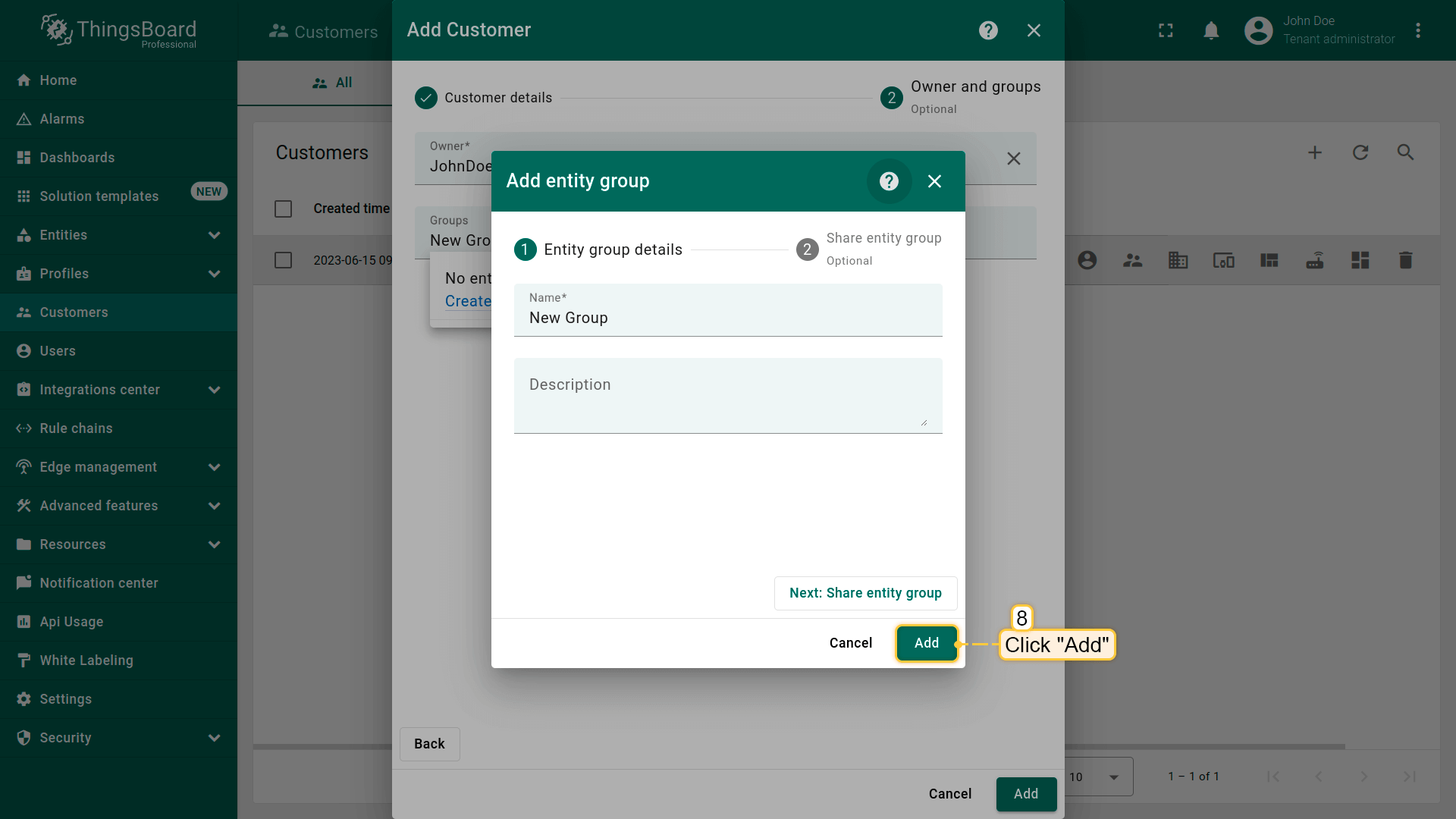
- In the opened dialog box, click "Add" to create a new customers group;
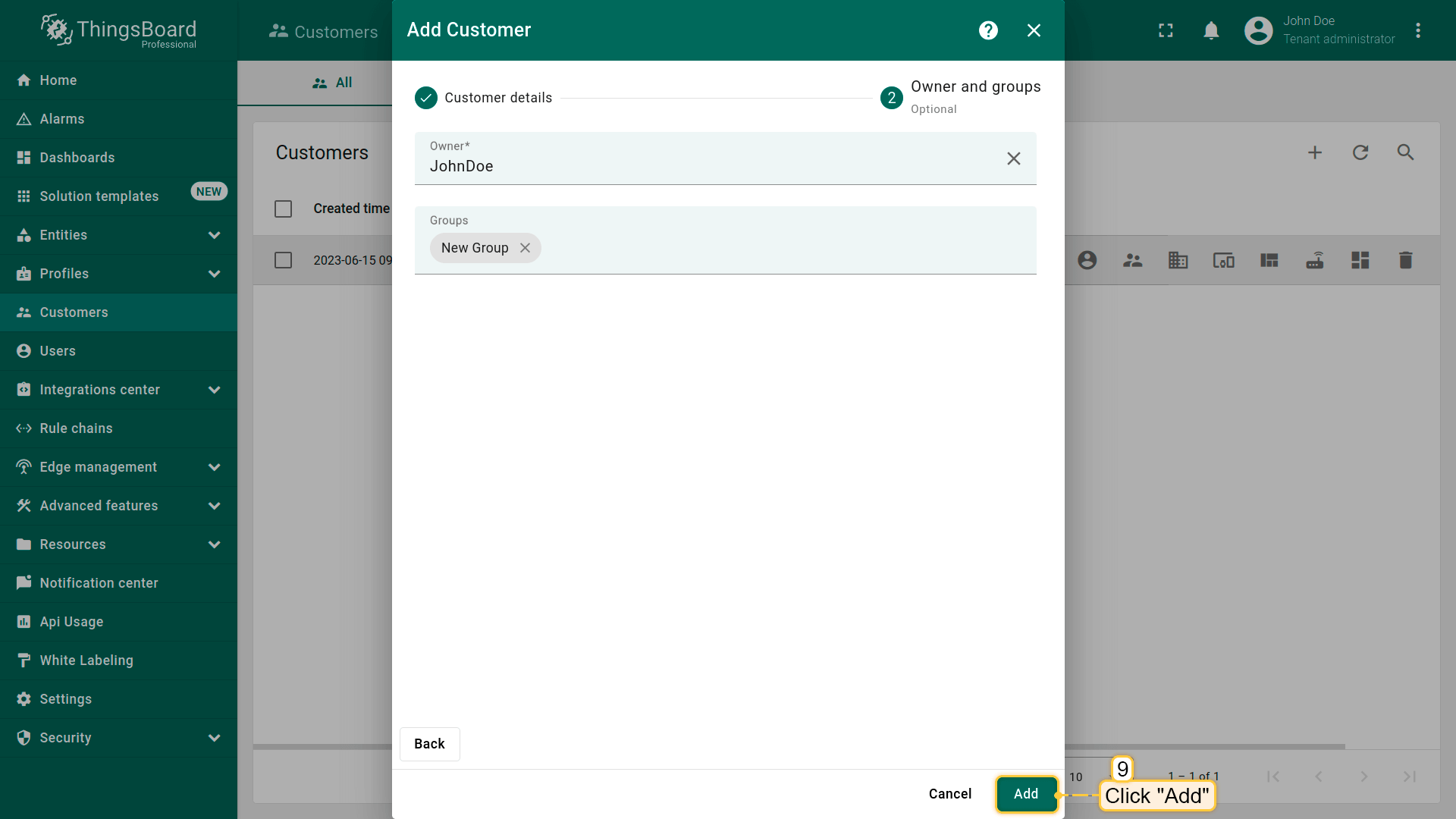
- Now, click "Add" to create a new customer;
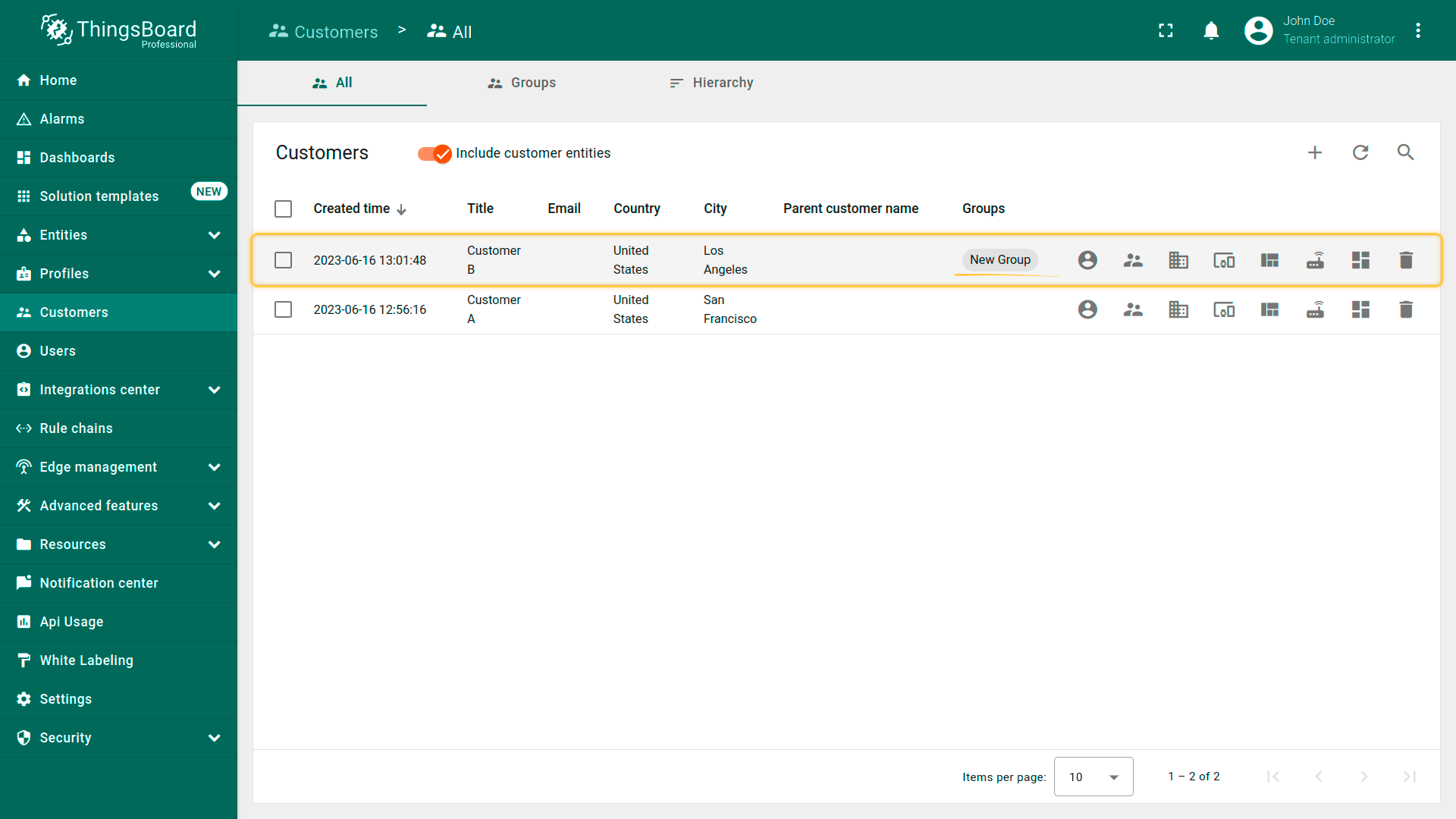
- The customer has been created and is located in the "My Customers" group. You can navigate to this group by clicking on its name.
创建客户用户
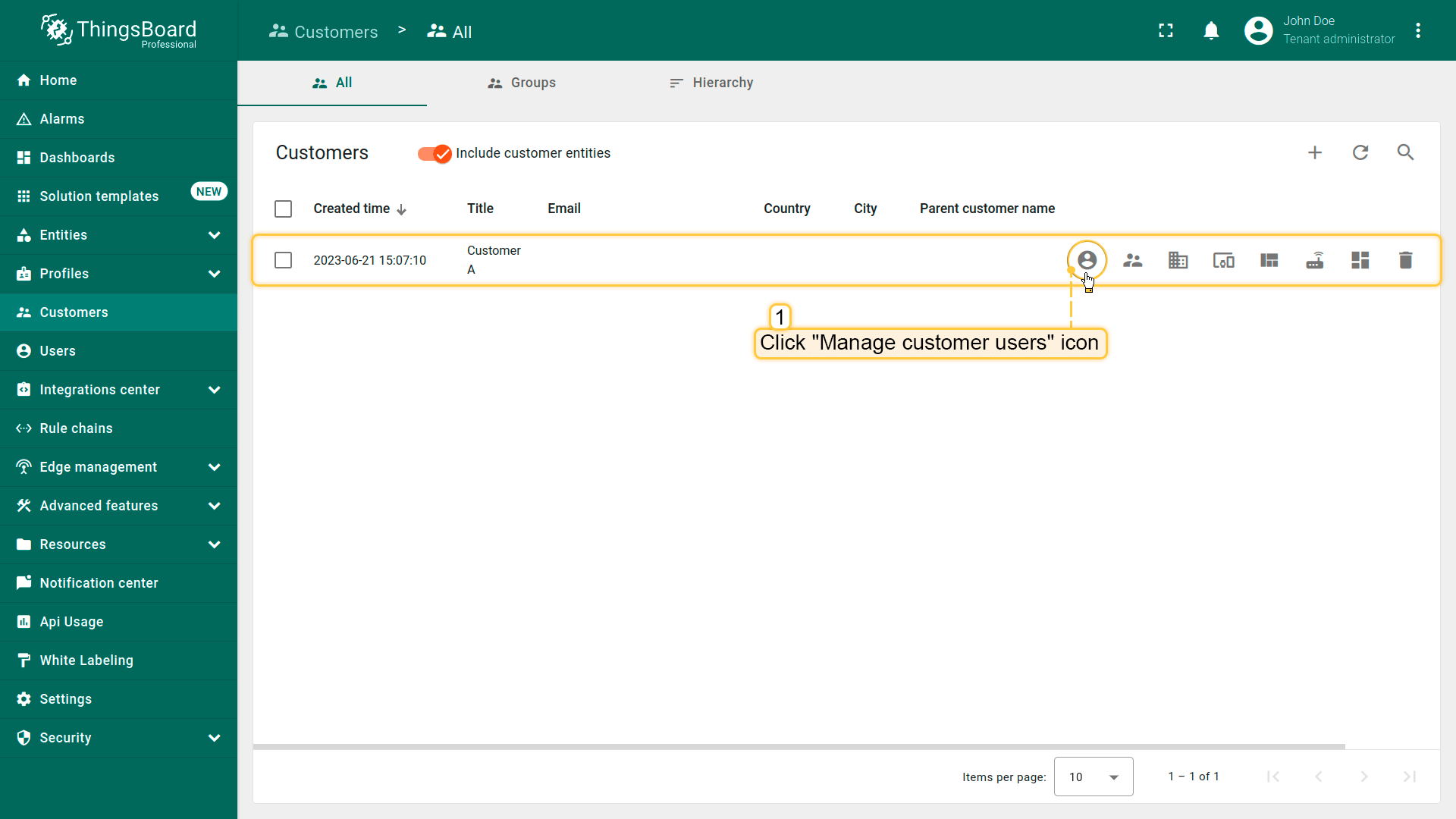
- Navigate to the "Customers" page. Then click on the "Manage customer users" icon located in the customer`s row to whom you want to add a customer user;
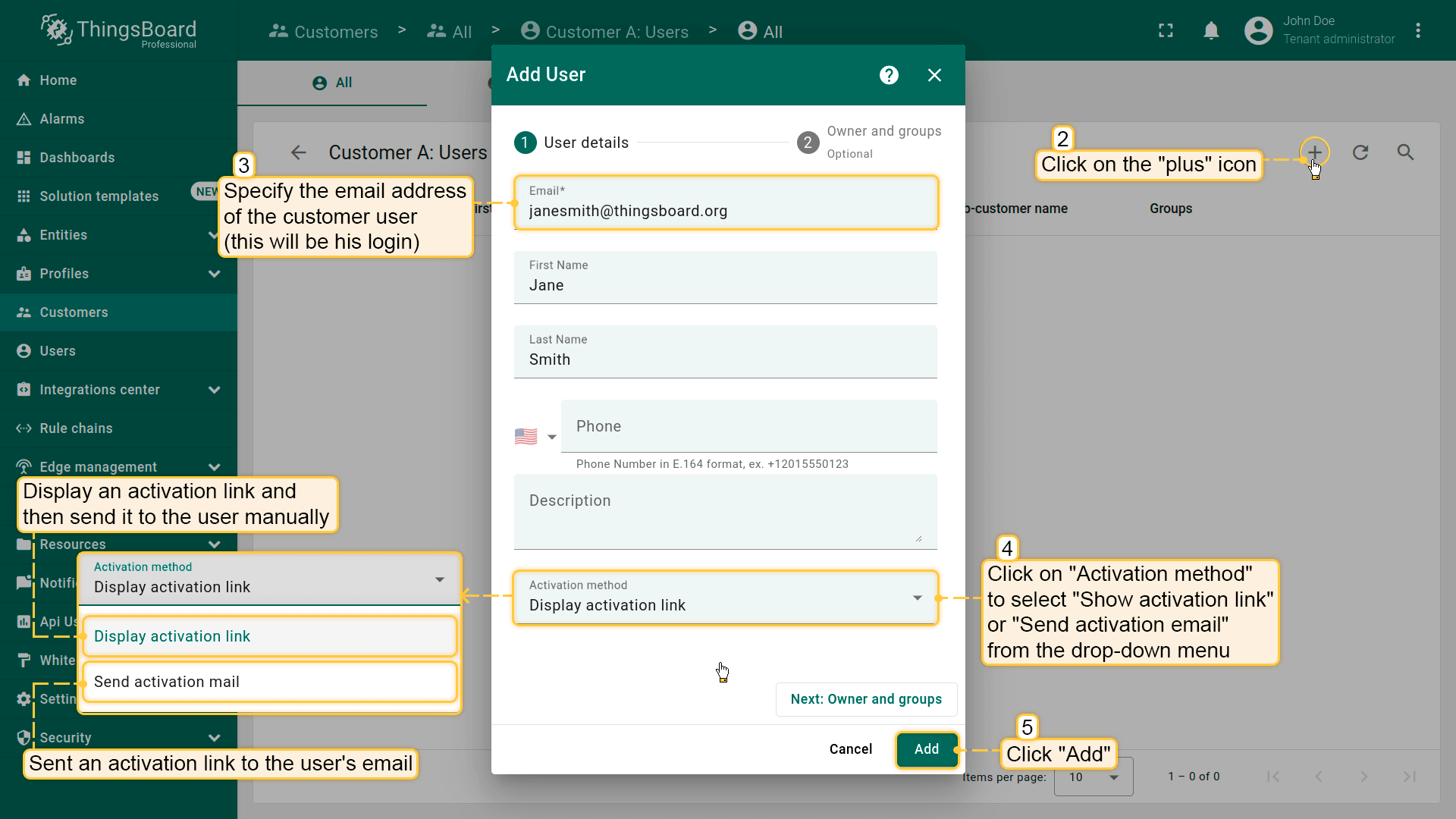
- Click the plus sign in the upper right corner of the screen. In the opened dialog box, enter the email address, first and last name of the user. Then choose activation method: display activation link or send activation link via email. Then click "Add";
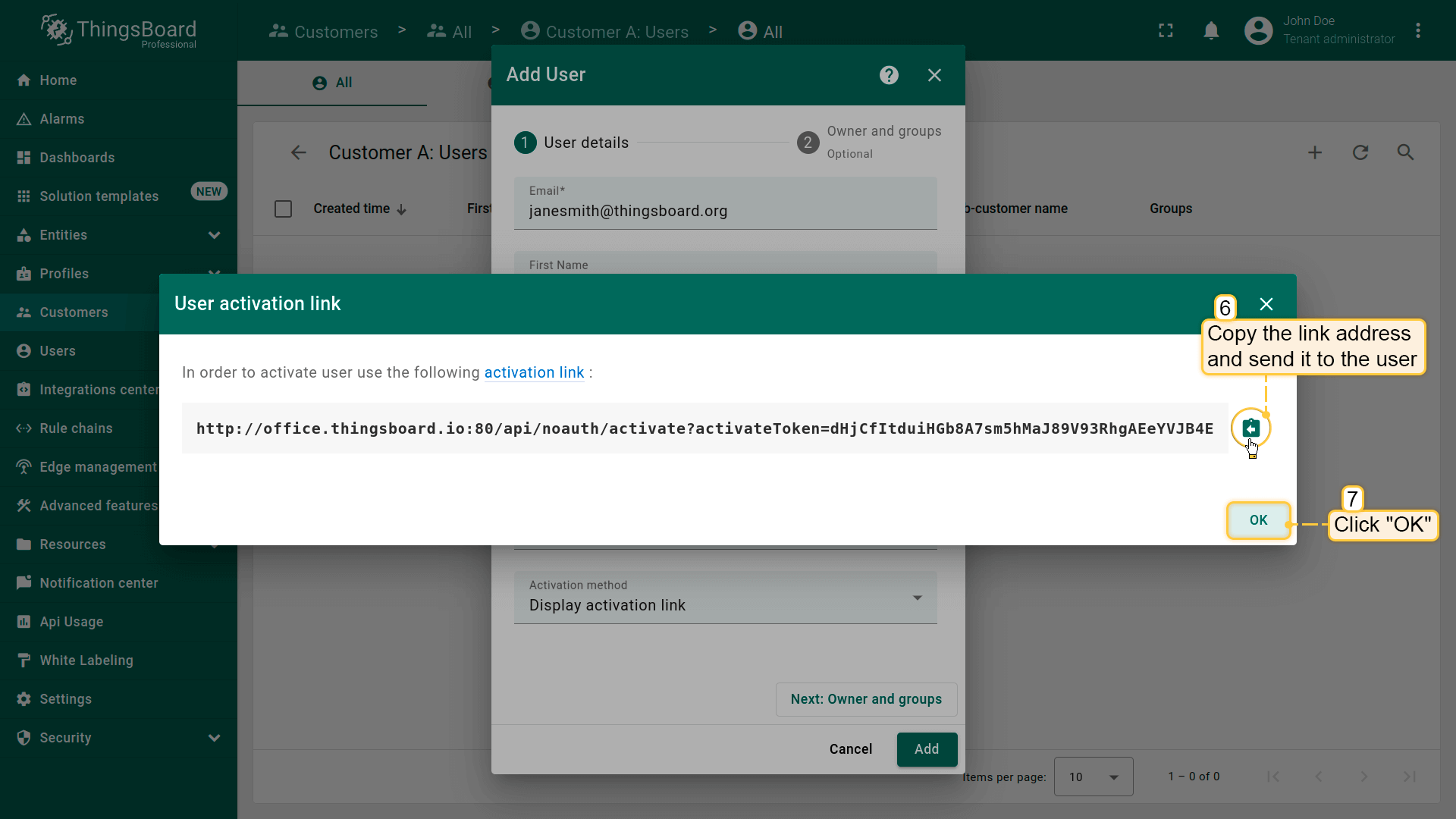
- If you selected the option "Show activation link", copy the link address and send it to the user. Click "OK";
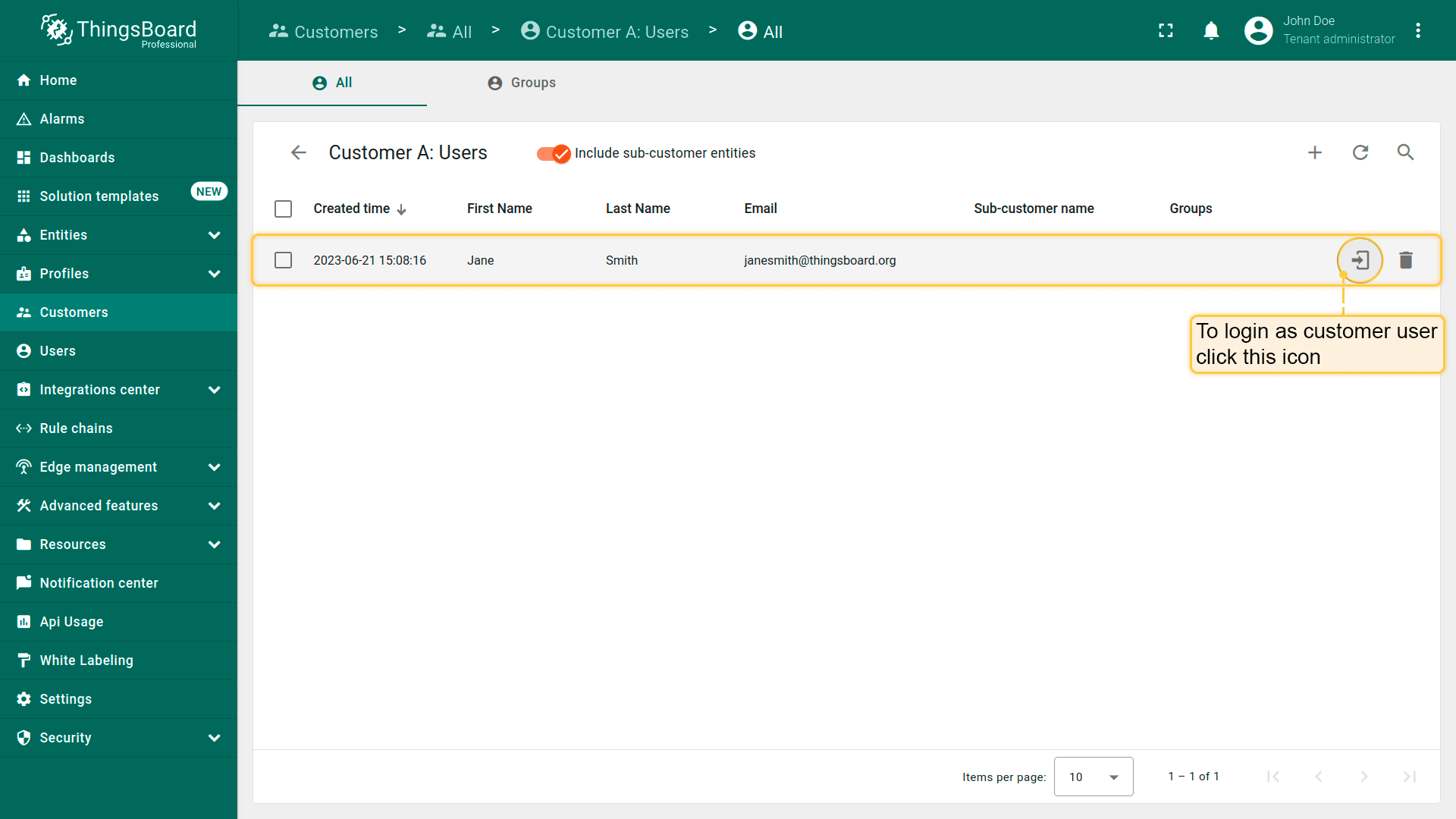
- New customer user is created.
在 “All” 组中创建的客户用户初始拥有 受限权限。之后可通过分配 角色 调整权限。参见本文。
编辑客户或客户用户
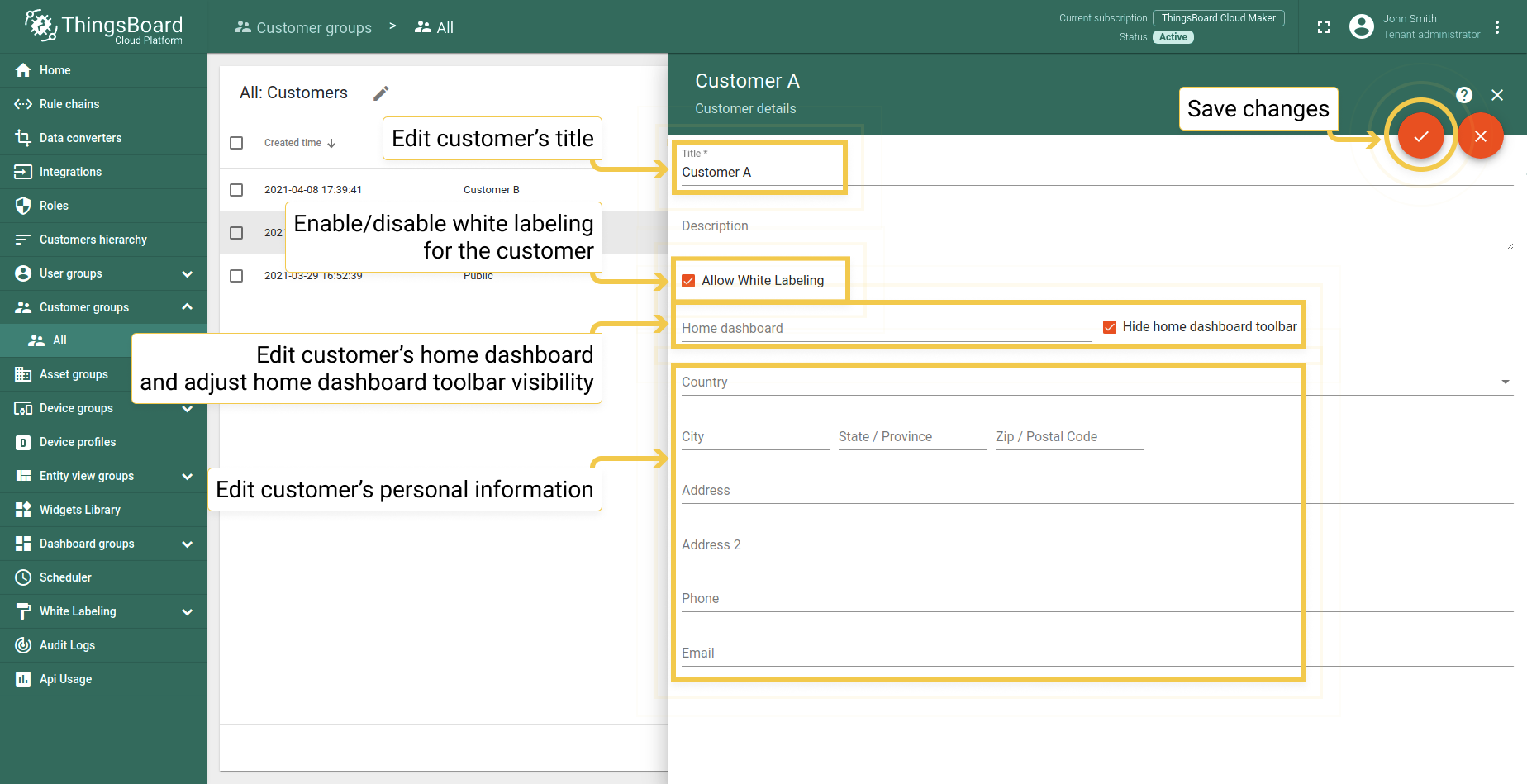
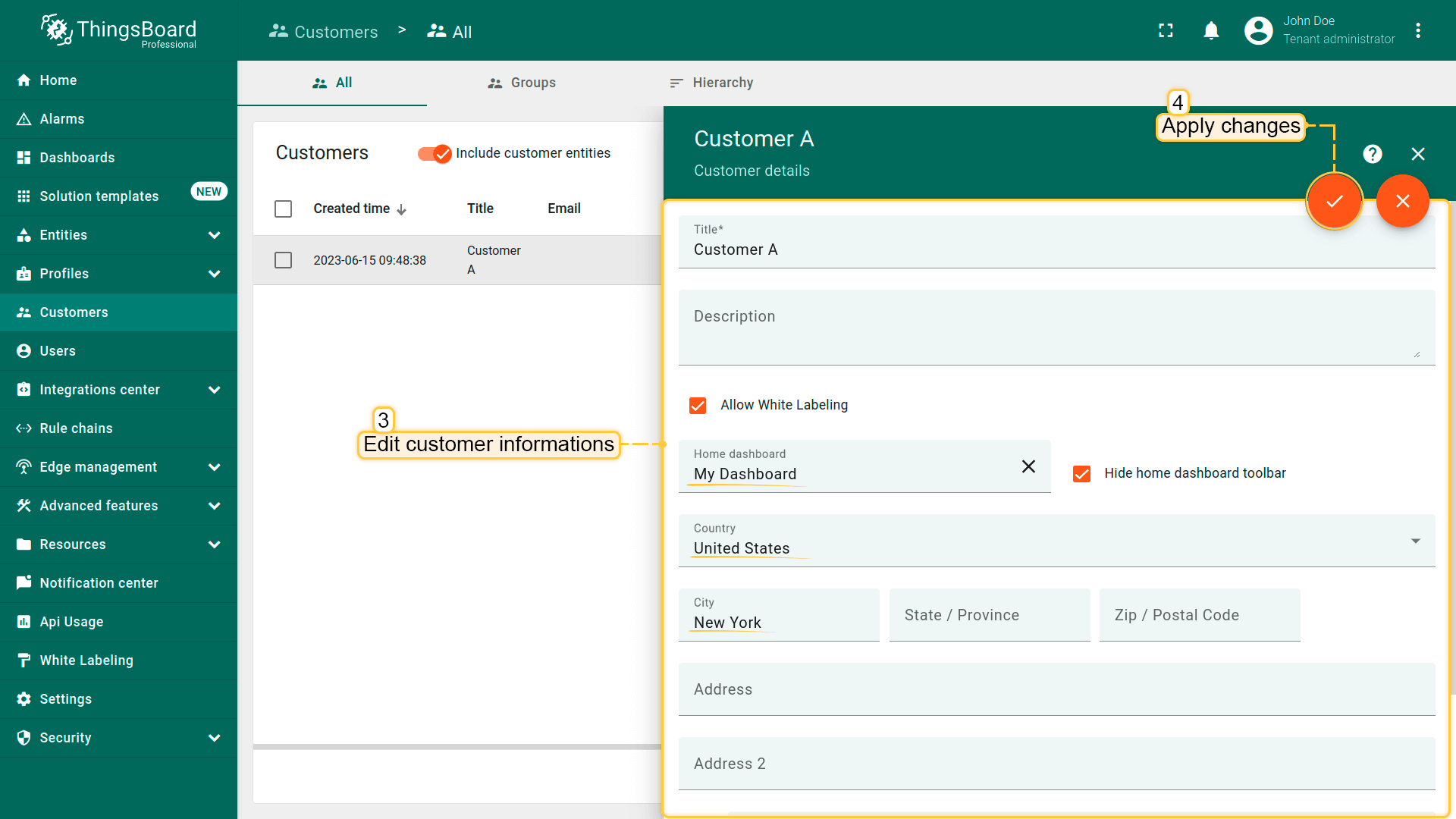
租户管理员可编辑客户标题、指定首页仪表板并修改其他字段。 操作步骤如下:
- Click on the customer to open their details. Click the "pencil" icon to enter edit mode;
- Edit the fields. For example, you can specify a home dashboard for this customer and all its customer users. After that, save all changes;
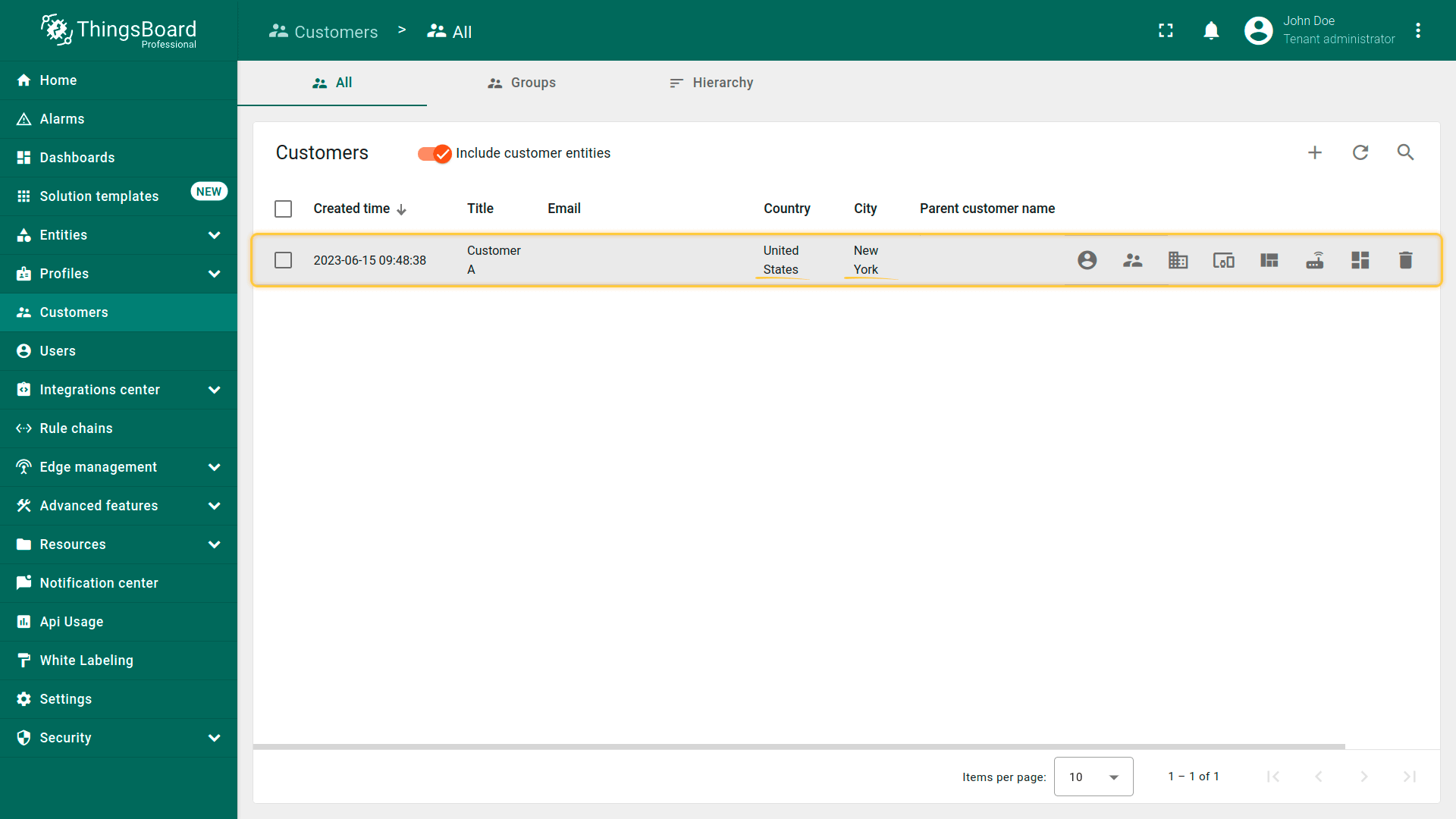
- You have updated customer information.
也可编辑客户用户信息。
步骤与编辑客户类似:
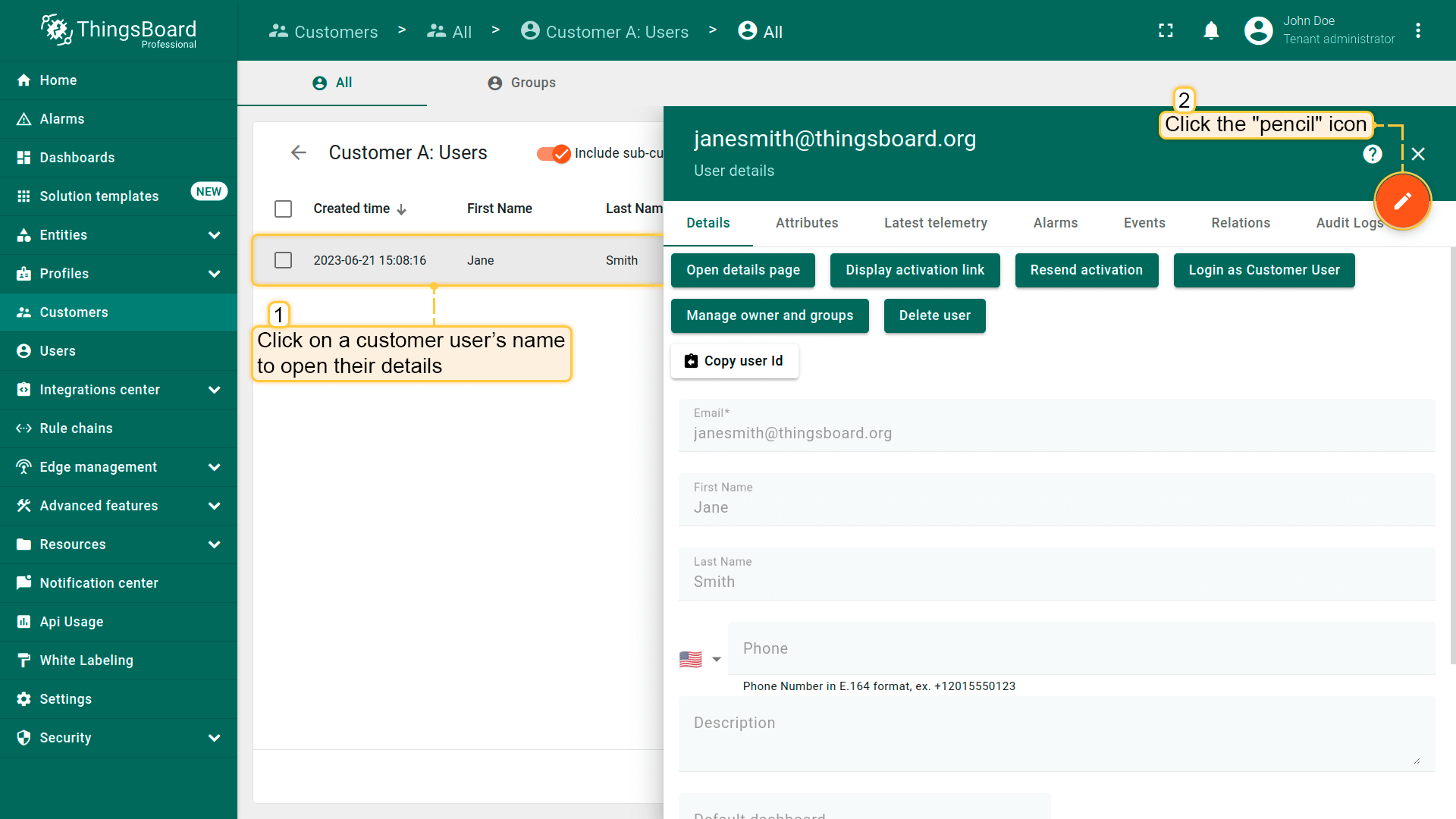
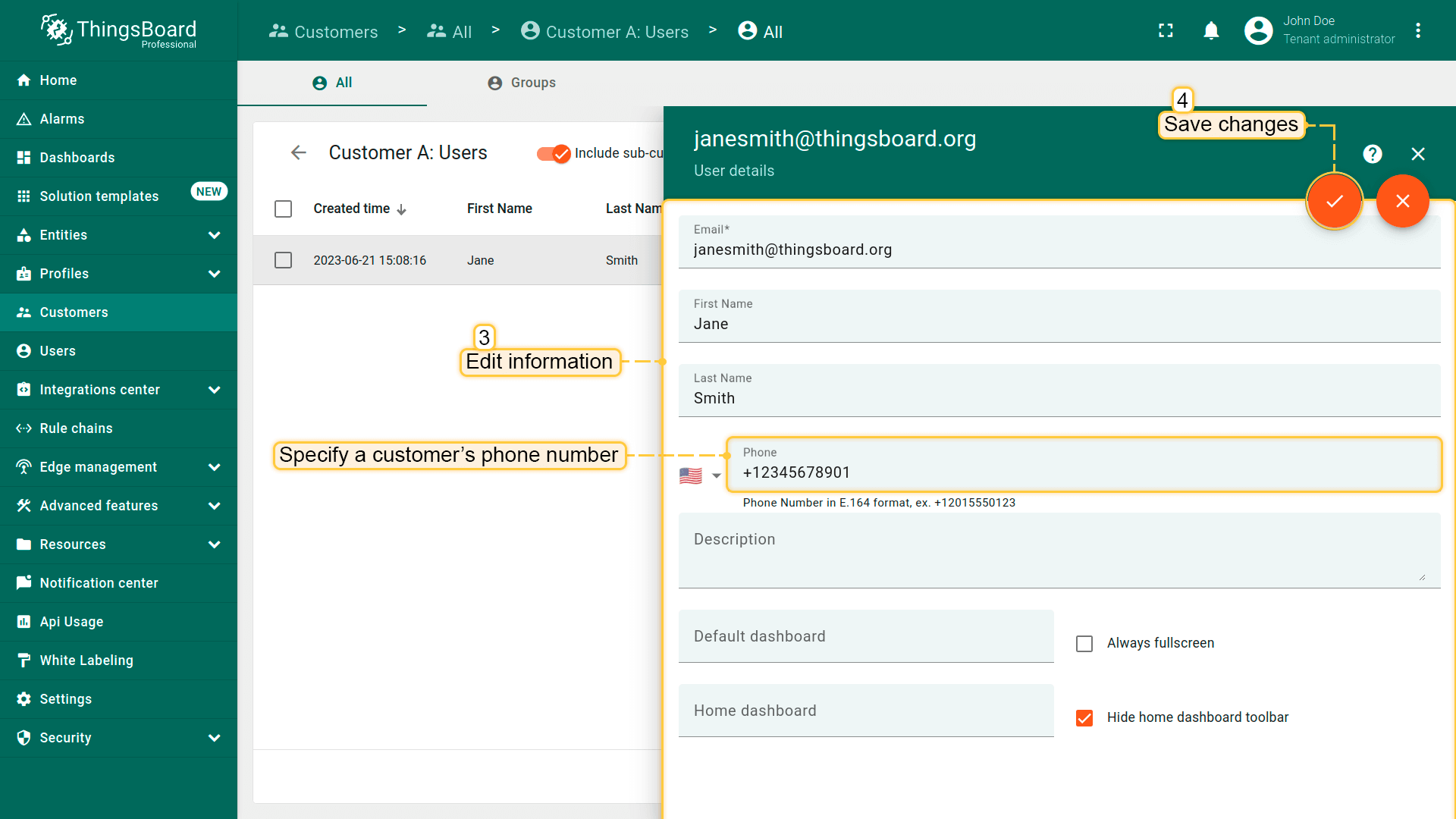
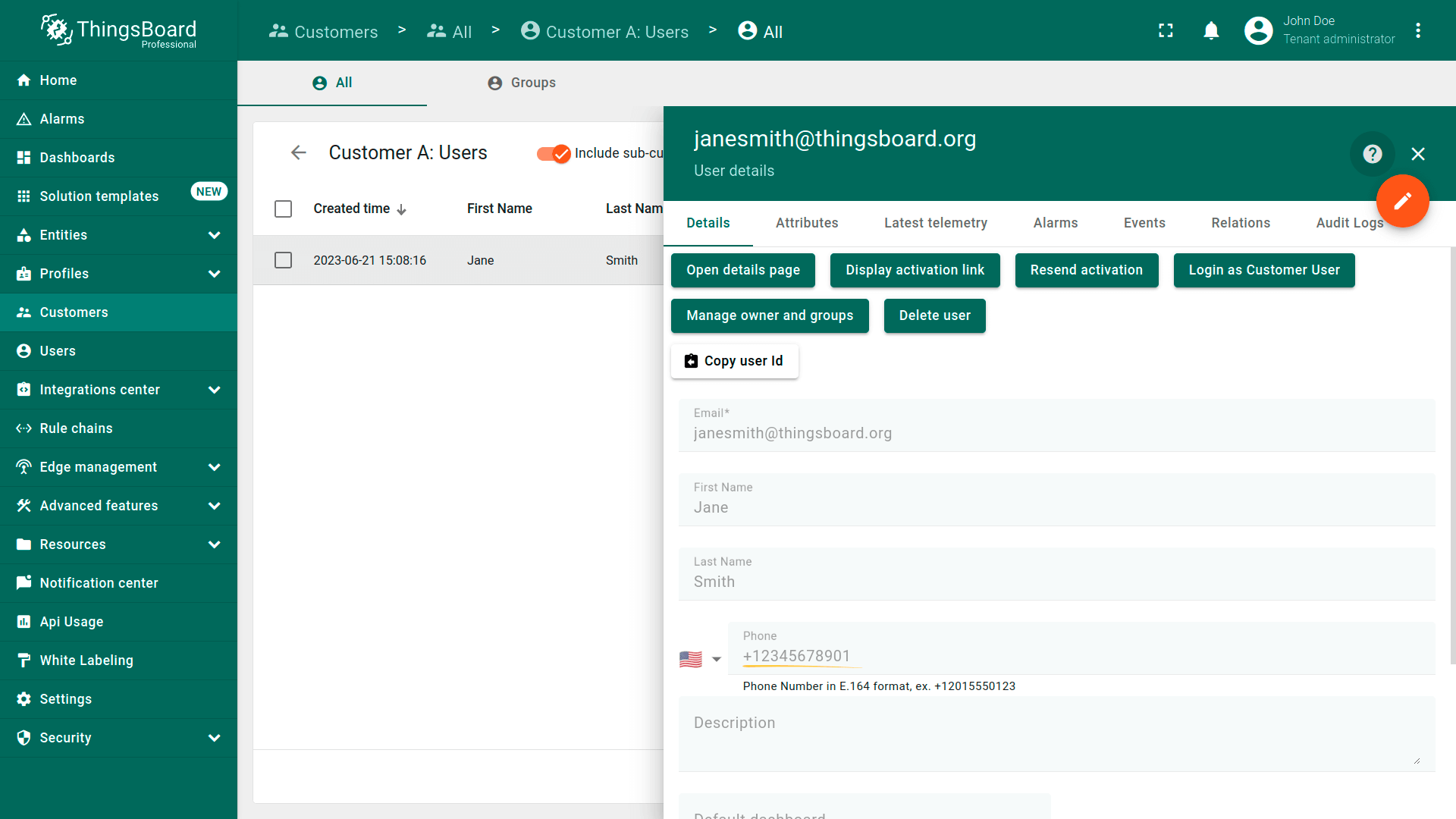
- Click on the customer user to open their details. Click the "pencil" icon to enter edit mode;
- Edit the fields. For example, you can specify a customer`s phone number. After editing, save all changes;
- You have updated customer user information.
删除客户或客户用户
租户管理员可通过以下任一方式删除客户及其所有客户用户:
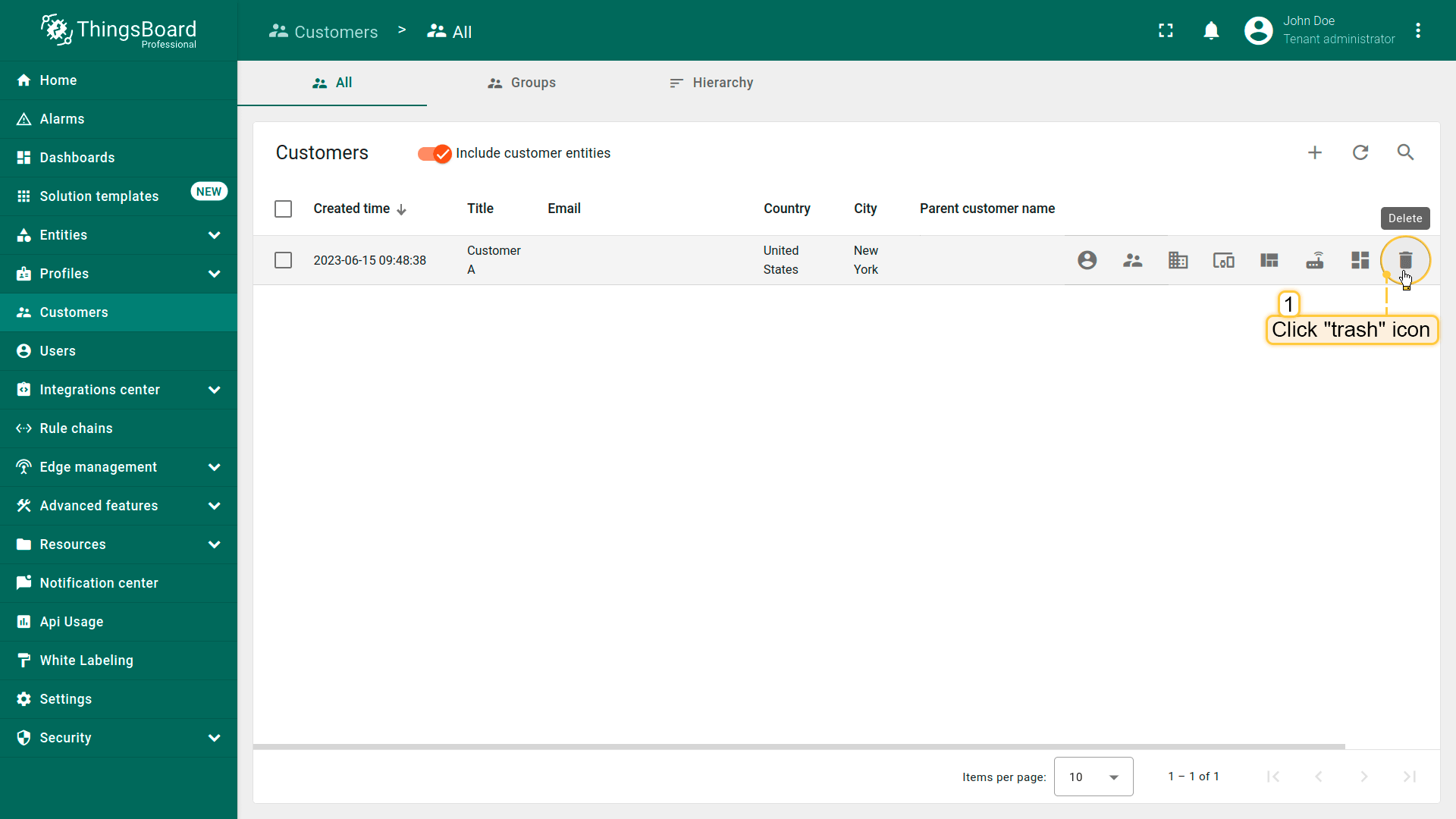
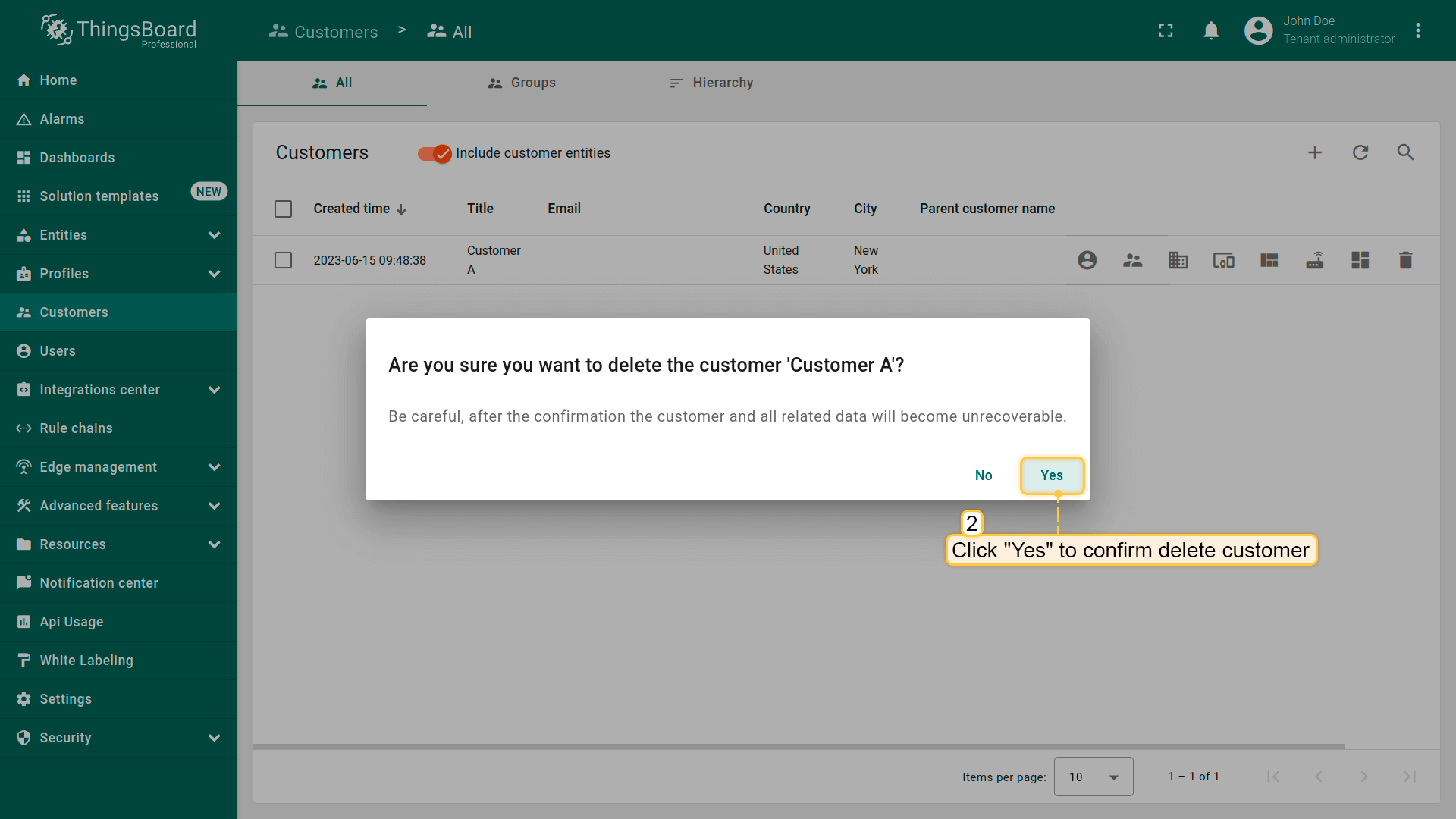
第一种方式:
- Click a trash icon can opposite the customer`s name you want to delete;
- Confirm deleting the customer in the dialog box.
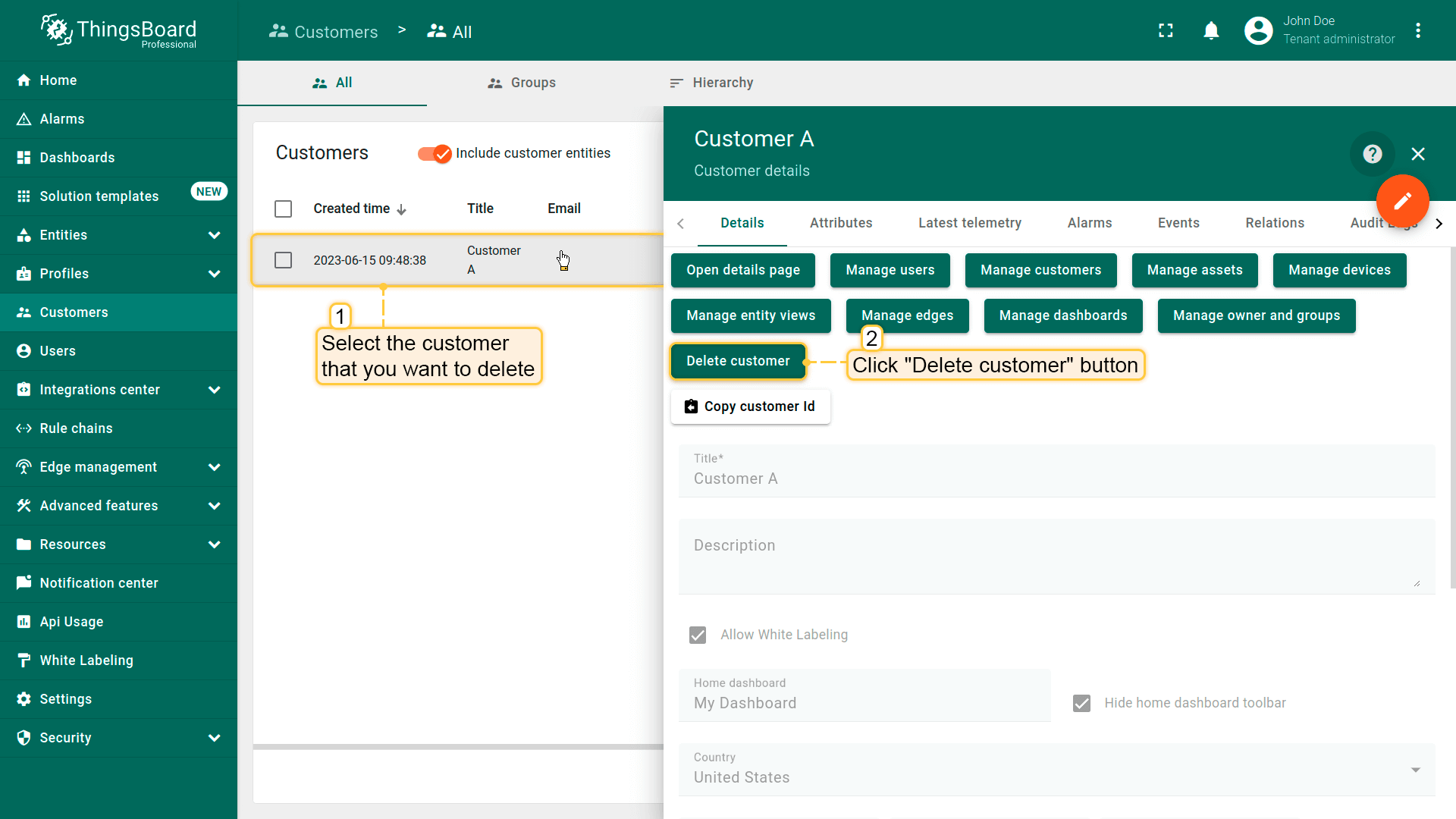
第二种方式:
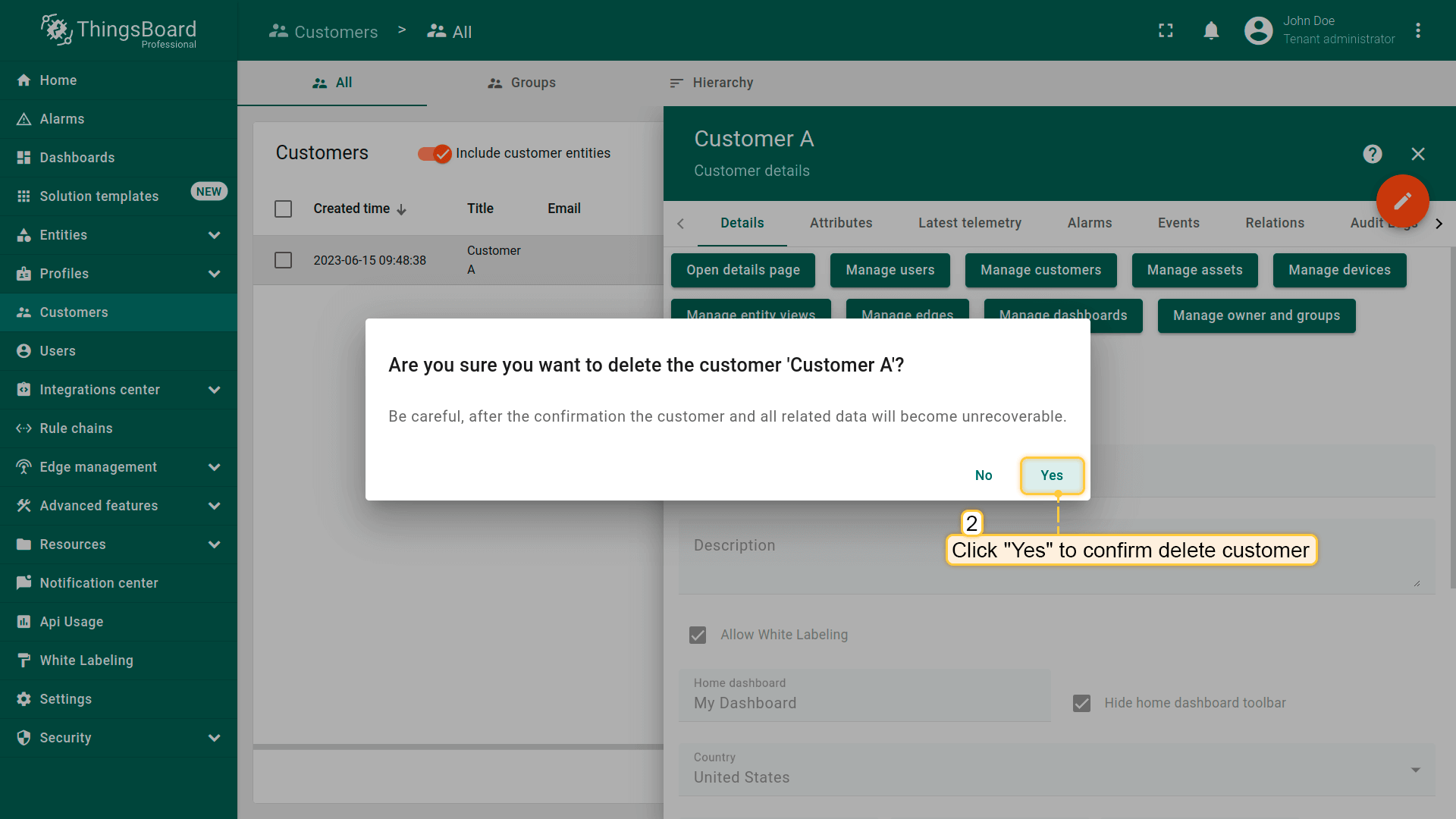
- Click on the customer that you want to delete. In the customer details, click "Delete customer" button;
- Confirm deleting the customer in the dialog box.
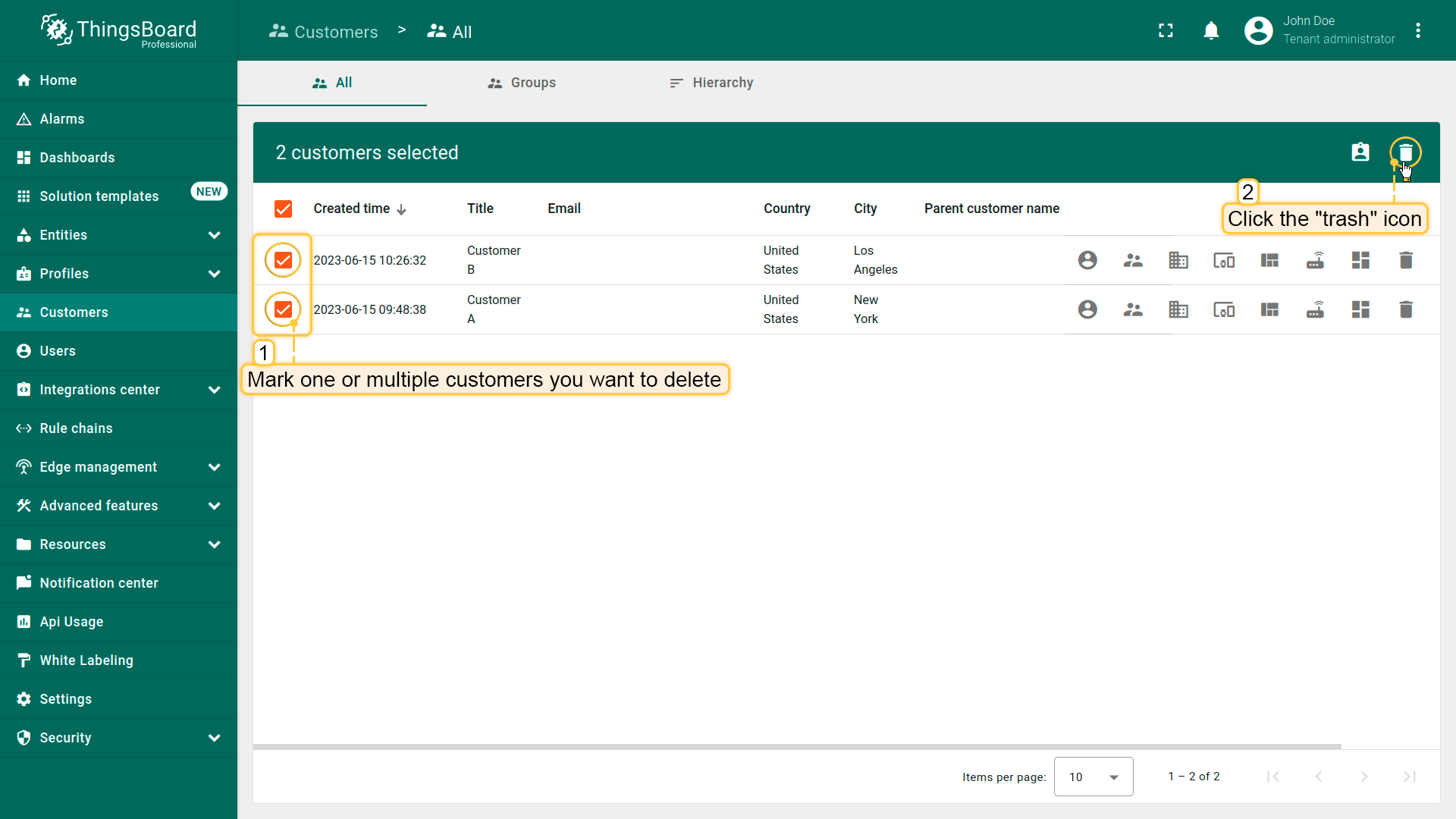
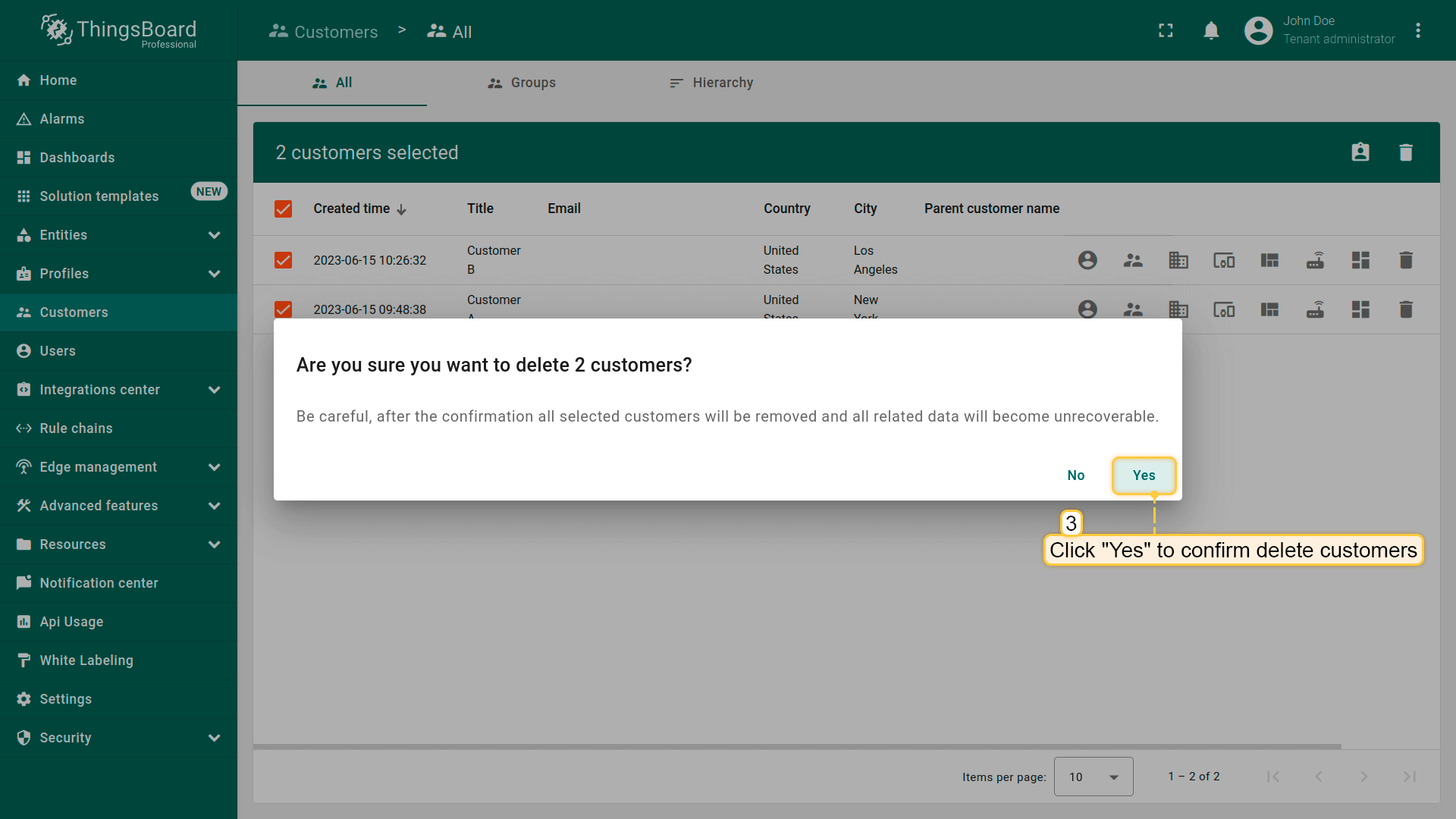
也可一次删除多个客户。
- Mark one or multiple customers you want to delete. Click on the trash bin icon in the top right corner;
- Confirm deleting customers in the dialog box.
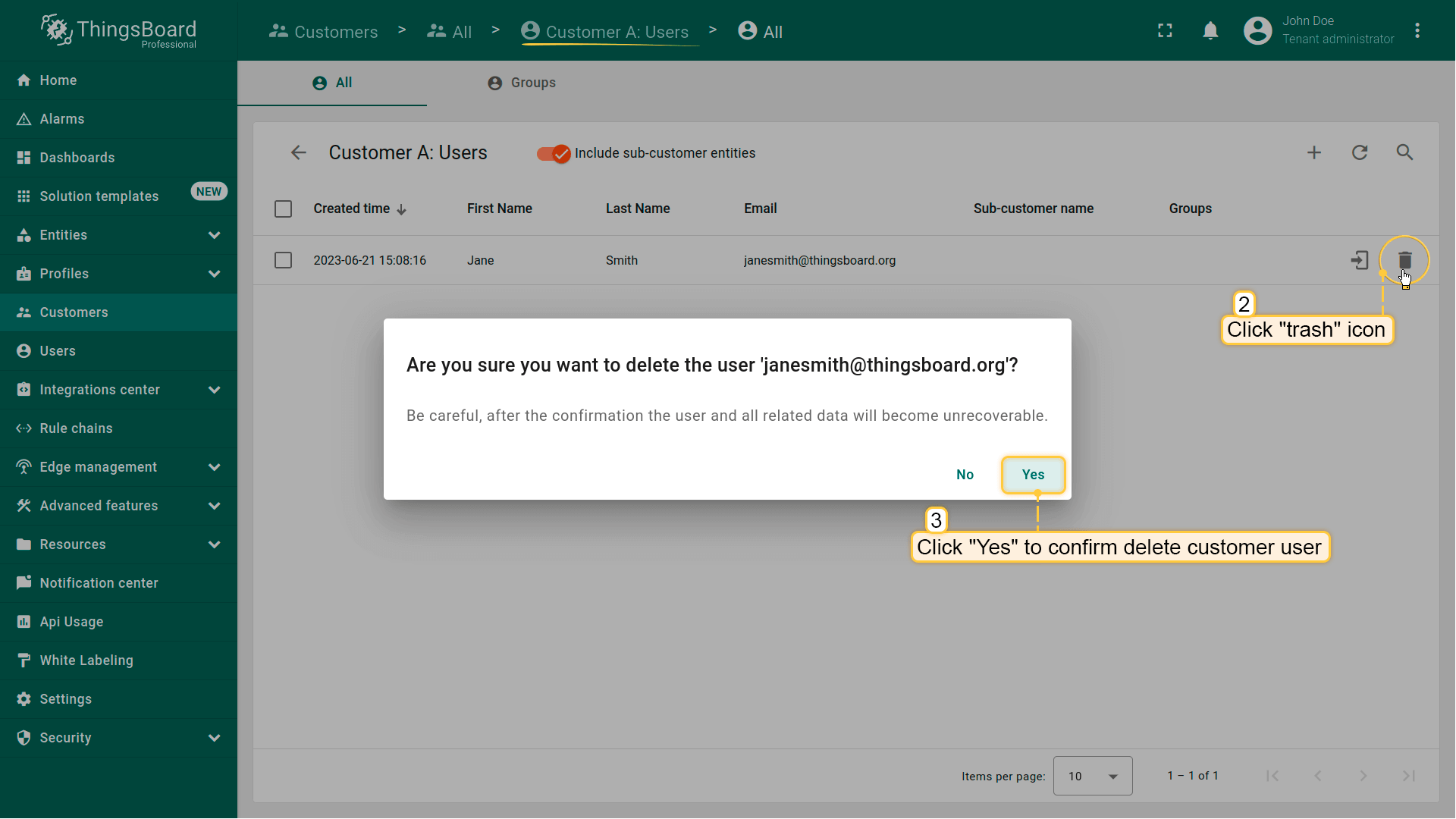
也可删除客户下的任意客户用户。步骤与删除客户相同。
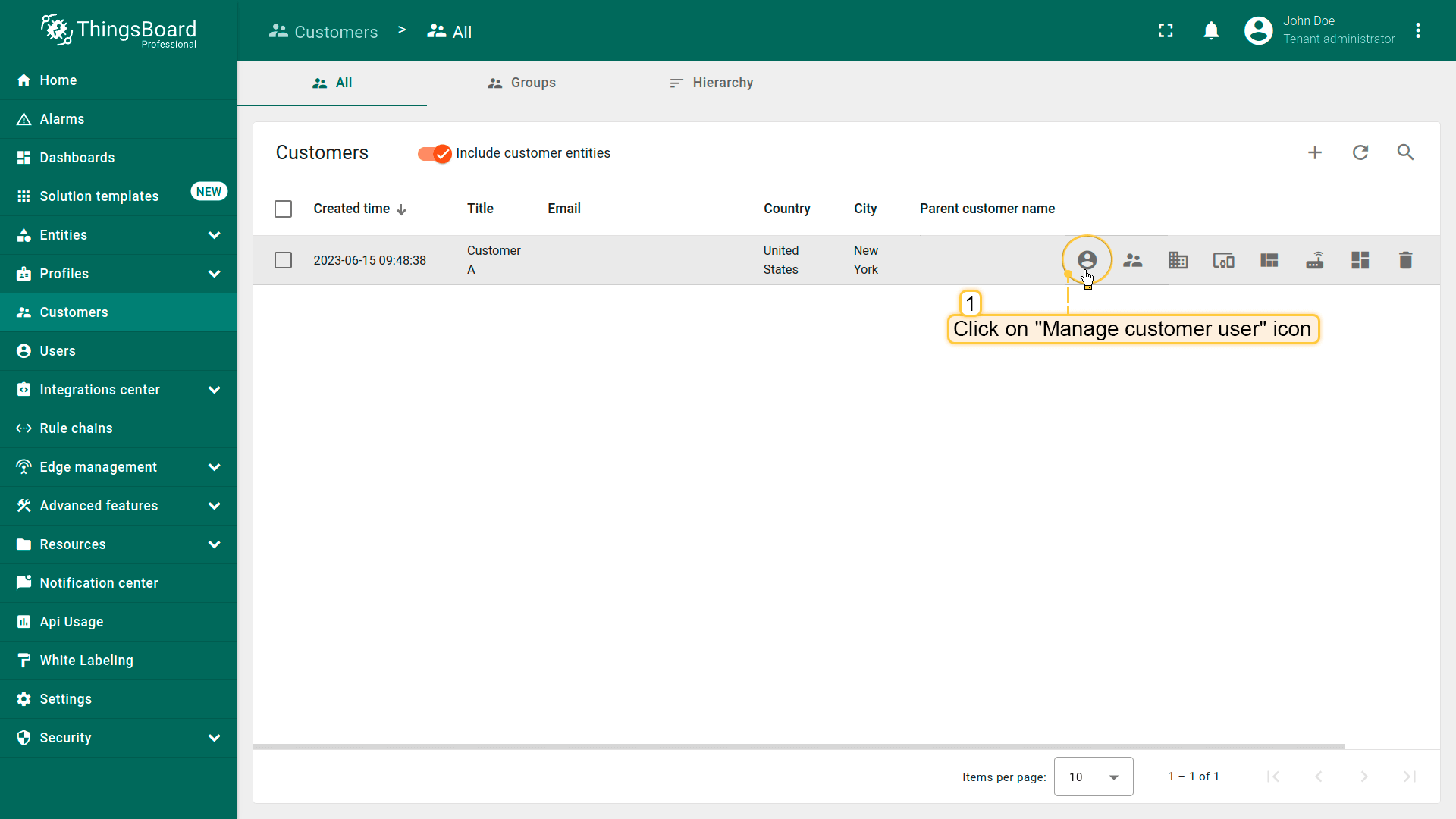
- Navigate to the "Customers" page. Then click on the "Manage customer users" icon located on the customer`s row whose customer user you want to delete;
- Click a trash icon can opposite the name of the customer user you want to delete. Confirm deleting the customer user in the dialog box.
客户详情
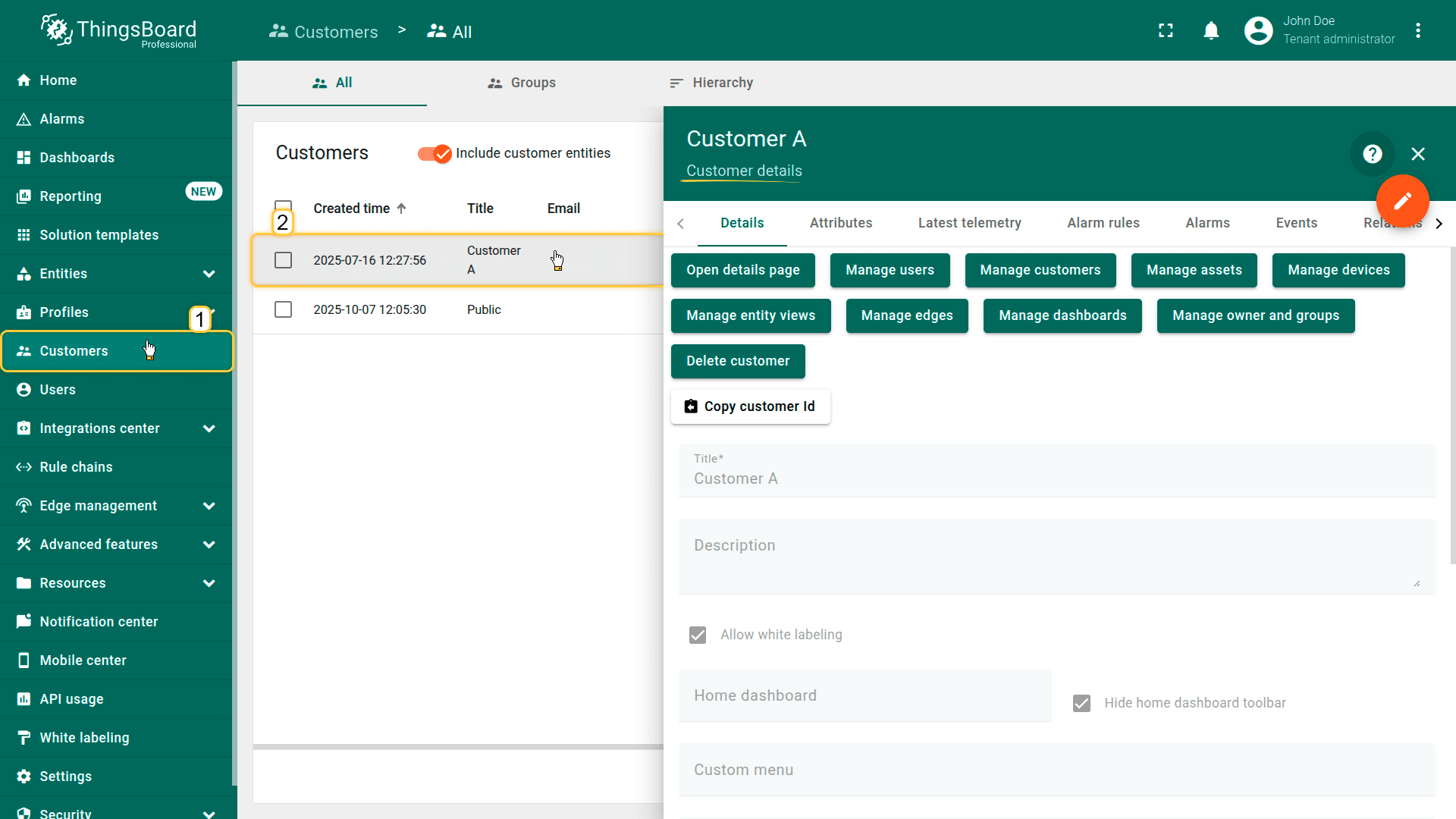
点击客户可打开详情窗口,查看并管理该客户相关的全部信息。
复制客户ID
可快速获取客户唯一UUID。点击Copy customer Id可复制到剪贴板。该ID用于API调用、integration和自动化脚本。
属性
该标签显示与客户关联的客户端、服务端和共享属性。包括联系人、地区、账户参数或自定义元数据等静态或半静态键值对。
最新遥测
显示与客户关联的最新遥测值。遥测可由客户相关设备、服务生成或为分析与建模手动添加。
- 添加遥测: 点击 “+” 图标,然后定义键、值类型和值。
- 删除遥测: 点击垃圾桶图标,选择删除模式(全部数据、最新值、除最新外全部或按时间范围),并确认操作。
字段计算
显示使用公式根据现有属性或遥测计算得出的字段值。用于在客户级别派生额外业务指标。更多关于字段计算见此处。
告警规则
包含为客户配置的告警规则。这些规则定义如何根据客户级数据或关联资产/设备生成告警。配置告警规则见此处。
告警
显示与该客户相关的所有活动及历史告警。便于跟踪影响客户或其基础设施的运行问题、警告和关键事件。
事件
显示与客户相关的系统事件——日志、警告、错误及生命周期活动。便于诊断和监控客户相关操作。
关系
显示客户与其他实体(如资产、设备、仪表板或Rule Chain)之间的有向关系。提供客户在系统中的结构化视图。
审计日志
提供与客户相关的用户操作记录——创建、更新、配置变更及删除。支持安全审计与变更追踪。
版本控制
支持使用基于Git的版本控制服务导出和恢复客户相关实体。用于备份、协作工作流及配置版本管理。
下一步
-
连接设备 - 根据连接技术或方案学习如何连接设备。
-
数据可视化 - 配置ThingsBoard复杂仪表盘的说明。
-
数据处理与操作 - 学习使用ThingsBoard规则引擎。
-
IoT数据分析 - 学习使用规则引擎执行基本分析任务。
-
高级功能 - 了解ThingsBoard高级功能。