用例描述
作为租户,我希望通过脚本或UI预配置设备。我的客户直接从我或通过经销商购买设备。 我希望客户在获得设备物理访问权后,能够基于二维码或类似方式认领设备。
设备被认领后,客户成为其所有者,客户用户可访问设备数据并控制设备。
设备认领场景
ThingsBoard用户在\u201c知道\u201d设备名称和SecretKey时可以认领设备。 SecretKey为可选,始终有过期时间,并可能随时间变化。
SecretKey可通过两种方式配置:
- 设备端key(Device-sidekey)场景 — 设备包含带过期时间戳的
expirationTime服务端属性。设备向ThingsBoard发送包含认领数据的认领请求,之后客户才能使用设备认领部件完成认领。 - 服务端key(Server-sidekey)场景 — 设备包含带认领数据的
claimingData服务端属性,客户使用认领设备部件直接认领设备。
详见下文。
|
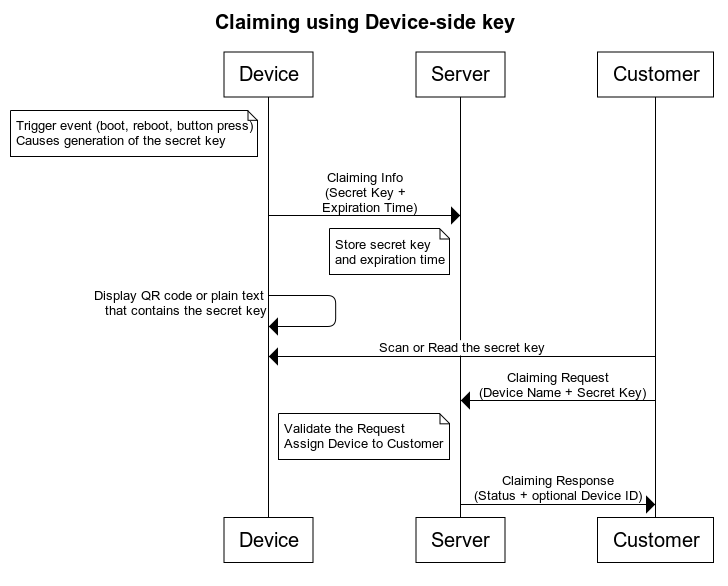
此流程要求设备基于触发事件生成 Secret Key。 例如,设备启动时或按下某物理按钮时。 Secret Key 生成后,在一定时间内有效。 设备将认领信息(Claiming Information)发送至服务器,其中包含 Secret Key 及密钥有效期。  默认可将过期时间设为接收请求的日期时间加上 1 天作为最大值。 ThingsBoard 服务器在密钥有效期内保存认领信息。见下图。
设备可通过所有支持的传输协议向 TB 发送认领信息。消息体有两个可选参数:secretKey 和 durationMs。 secretKey 参数为 claiming 流程增加安全性。 durationMs 参数决定 claiming 过期时间。 若未指定 secretKey,默认使用空字符串。 若未指定 durationMs,使用系统参数 device.claim.duration(位于 /etc/thingsboard/conf/thingsboard.yml)。 请参阅 Device API 参考以了解消息结构与发送 claiming 消息的 topics/URLs。 也可使用 MQTT Gateway API 一次发起多设备 claiming。 认领信息发送后,设备可以明文或 QR 码显示 Secret Key。用户扫描该密钥并用于发送认领请求。 认领请求包含设备名称与 Secret Key。可使用 MAC 地址或其他唯一属性作为设备名称。 发送认领请求的说明请见此处。 注意: Secret Key 也可为空字符串。若设备无法显示 Secret Key 时可用此方式。 例如,可在设备上按下 claim 按钮后 30 秒内允许认领。此情况下用户只需知道设备名称(MAC 地址等)即可。 服务器验证认领请求并返回认领响应。认领响应包含认领操作状态,成功时包含 Device ID。 认领信息配置完成后,客户用户可使用 认领设备 部件。 |
|
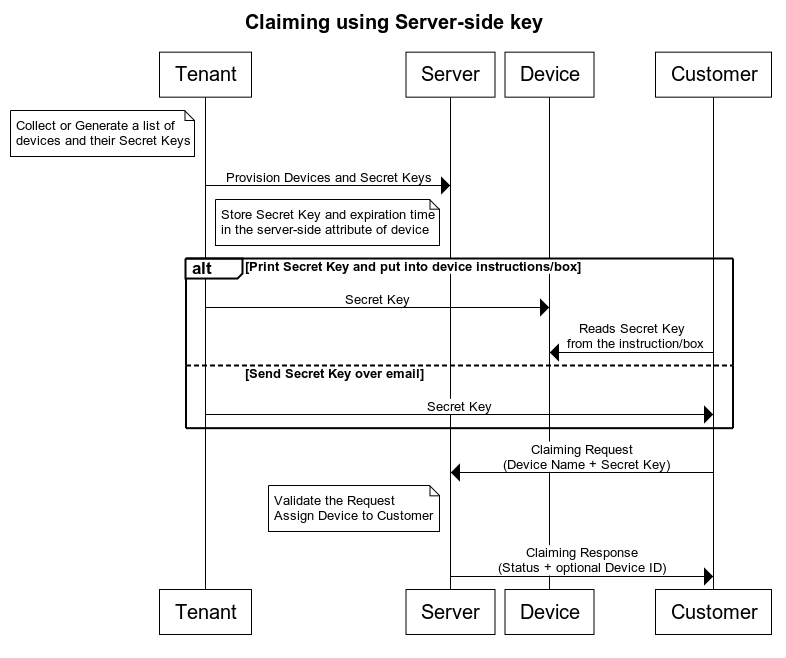
假设你通过 ThingsBoard 集成连接了大量 NB IoT/LoRaWAN/Sigfox 设备。 集成层会在ThingsBoard 中自动完成预配置。 若租户管理员知道 DevEUI(LoRaWAN)或其他设备标识符列表,可为每台设备生成随机 Secret Key,并通过 REST API 或 UI 将其作为服务端属性上传至 ThingsBoard。 完成后,租户管理员可将这些密钥通过邮件发送给客户,或放入设备包装盒内。
要预配置设备 Secret Key,租户管理员需将服务端属性「claimingData」设为如下值: 其中 expirationTime 为设备可被认领的截止时间,以毫秒级 Unix 时间戳表示(如 1640995200000 对应 2022 年 1 月 1 日)。 服务端属性配置完成后,客户用户可使用 认领设备 部件。 |
PE中的设备认领权限
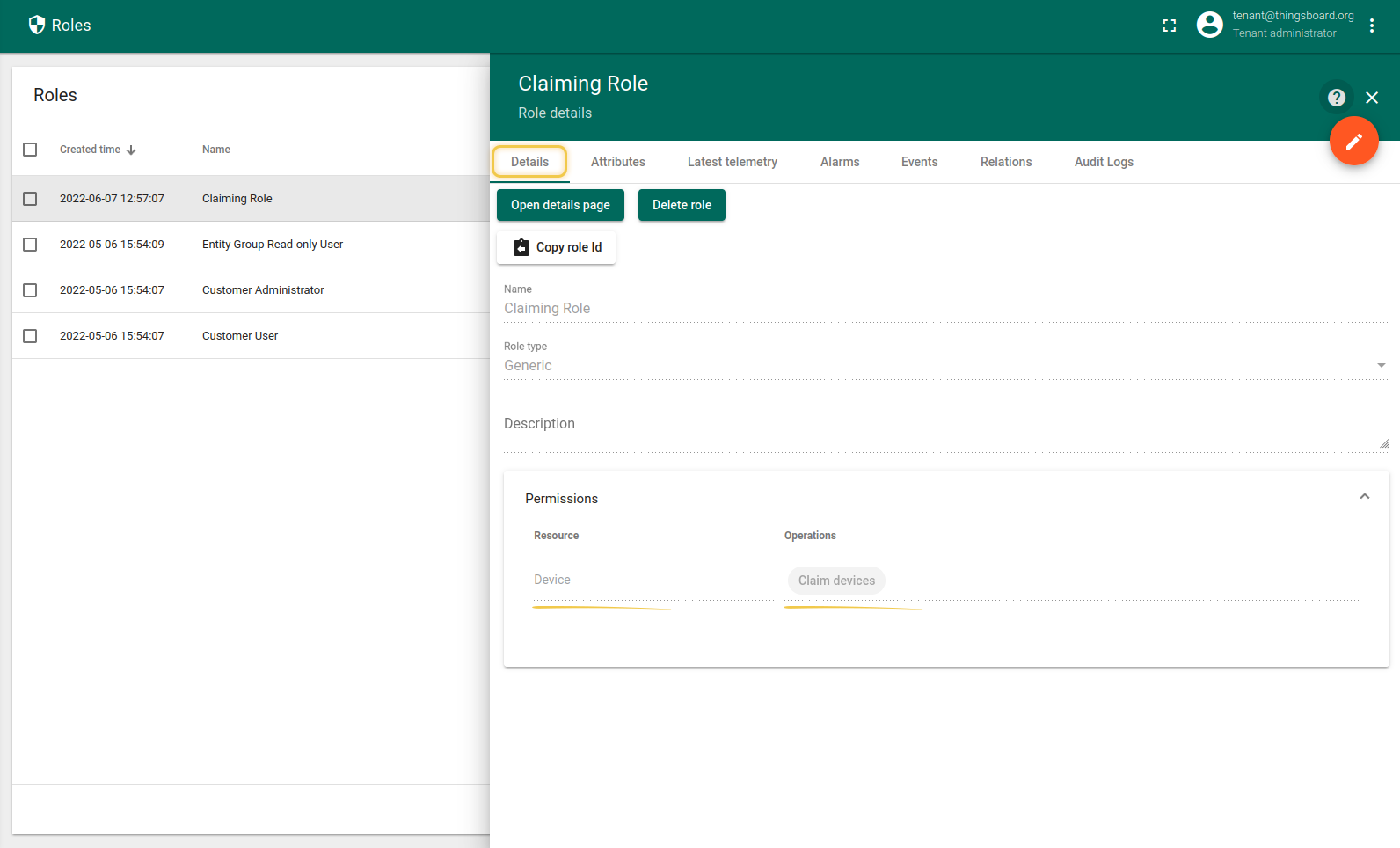
PE版本的设备认领需要相应的权限。尝试认领特定设备的用户必须具有以下权限:
- 资源(Resource):设备(Device)
- 操作(Operation):认领设备(Claimdevices)
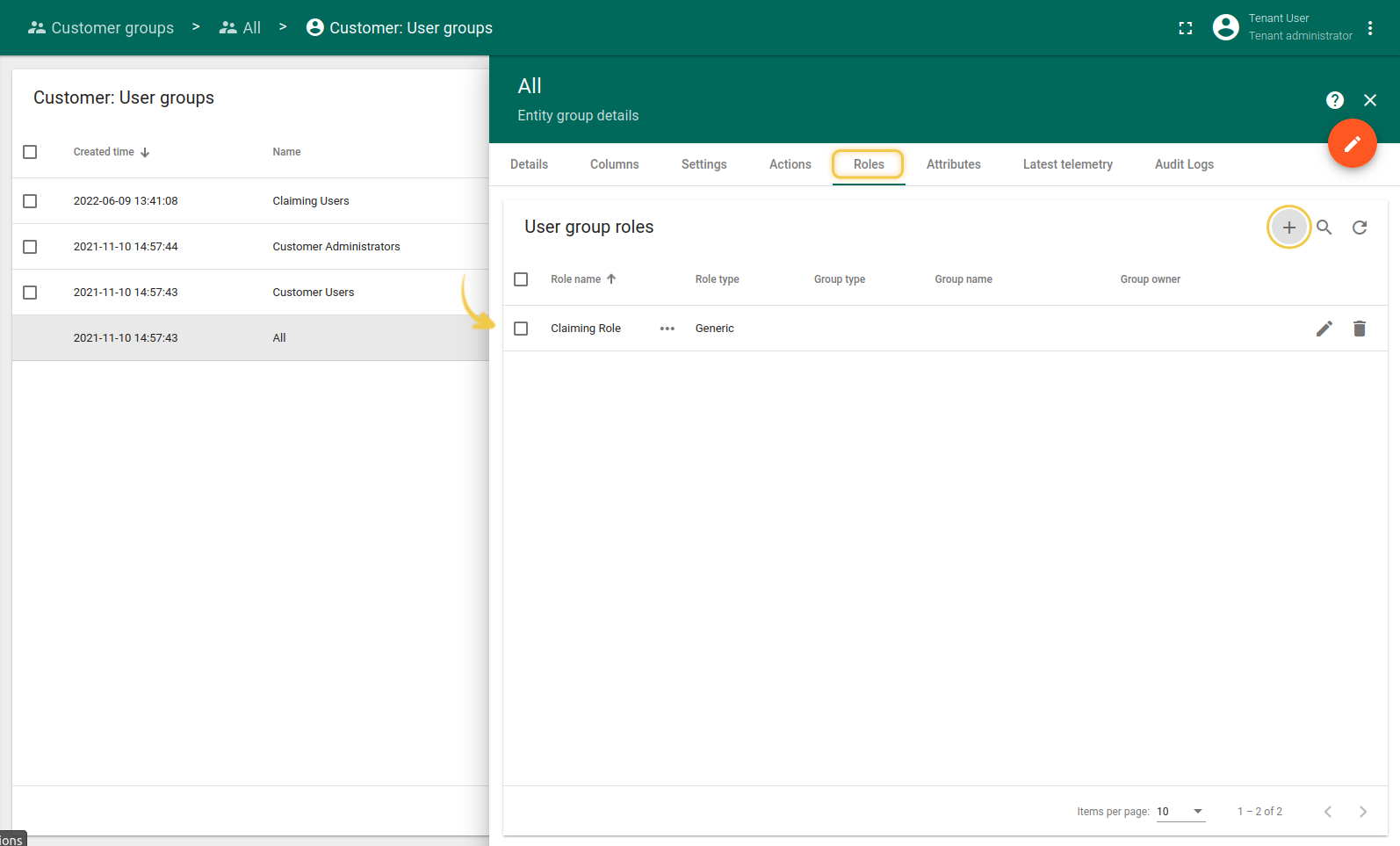
让我们为自定义认领用户组添加上述权限。
- 创建通用角色。
- 为用户组分配该角色。
设备认领部件
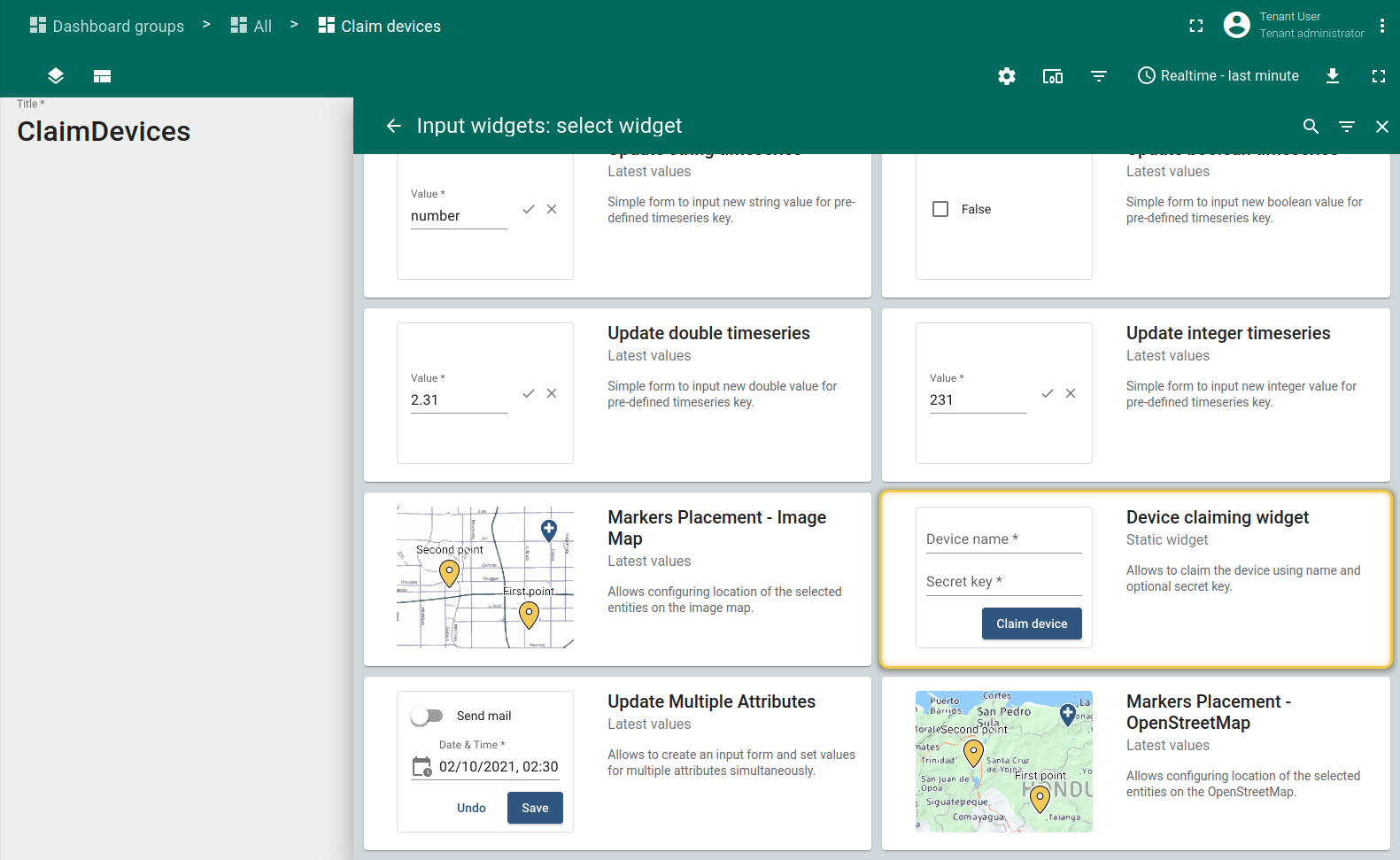
- 您可以在输入小部件包的静态小部件部分中找到设备认领小部件。
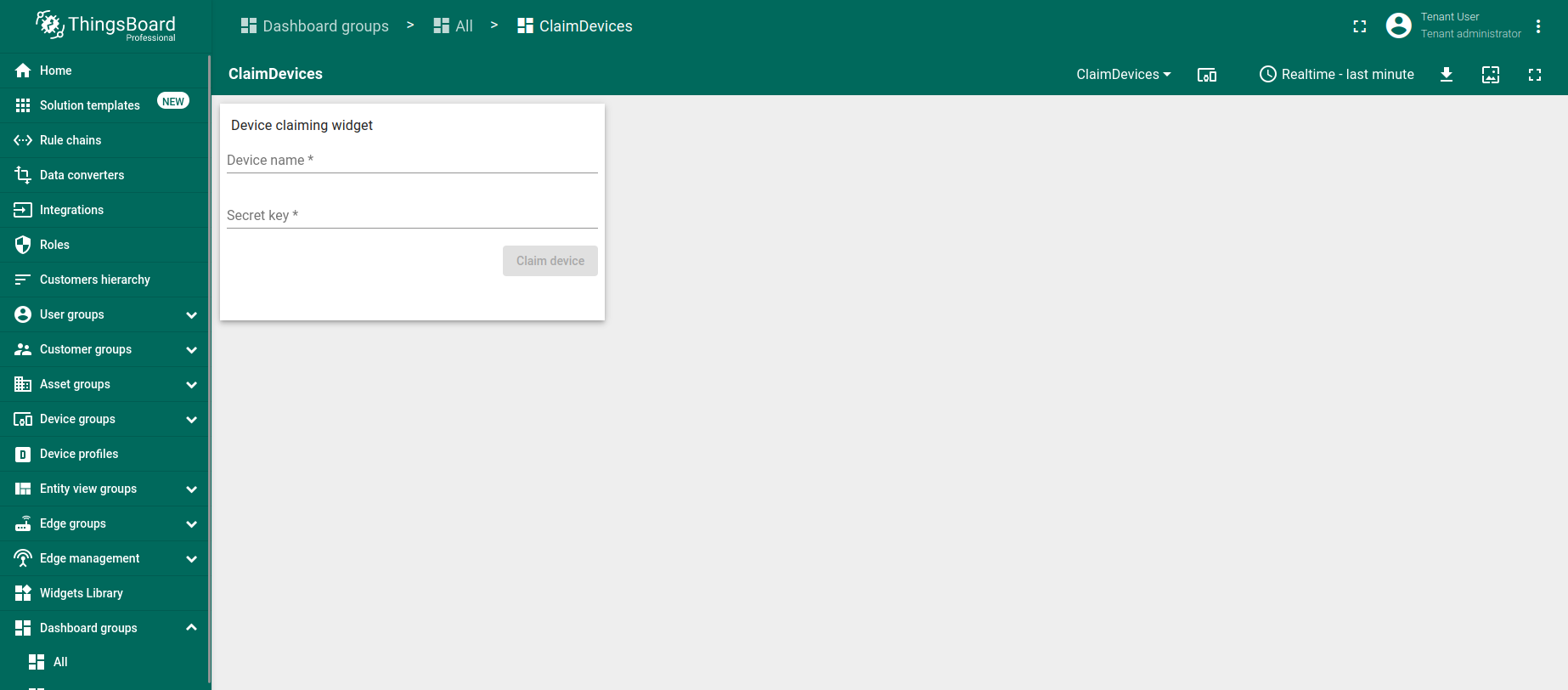
- 认领设备小部件非常简单,允许输入设备名称和密钥。
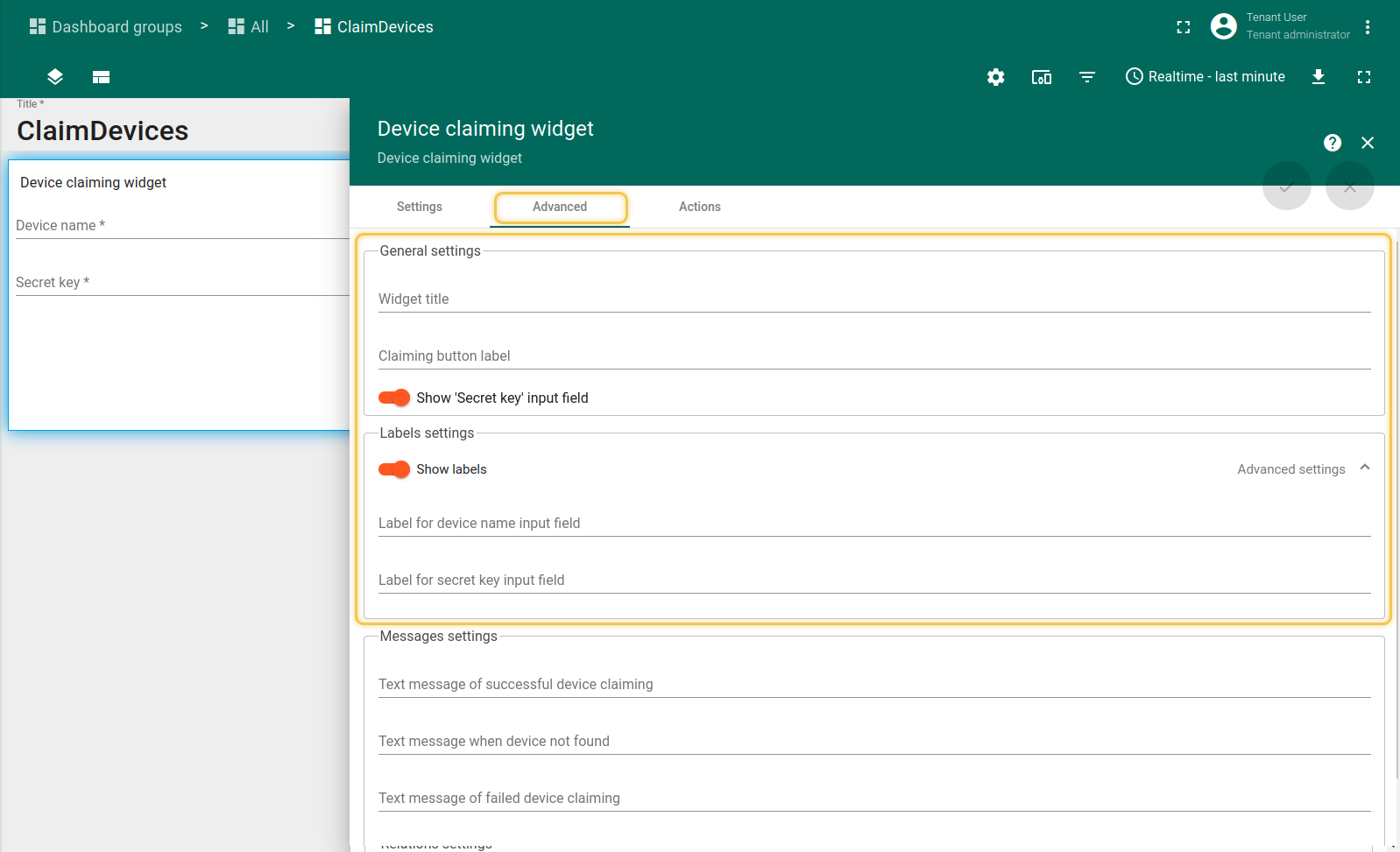
- 可以在"常规设置"中"隐藏"密钥输入字段并更改标签。
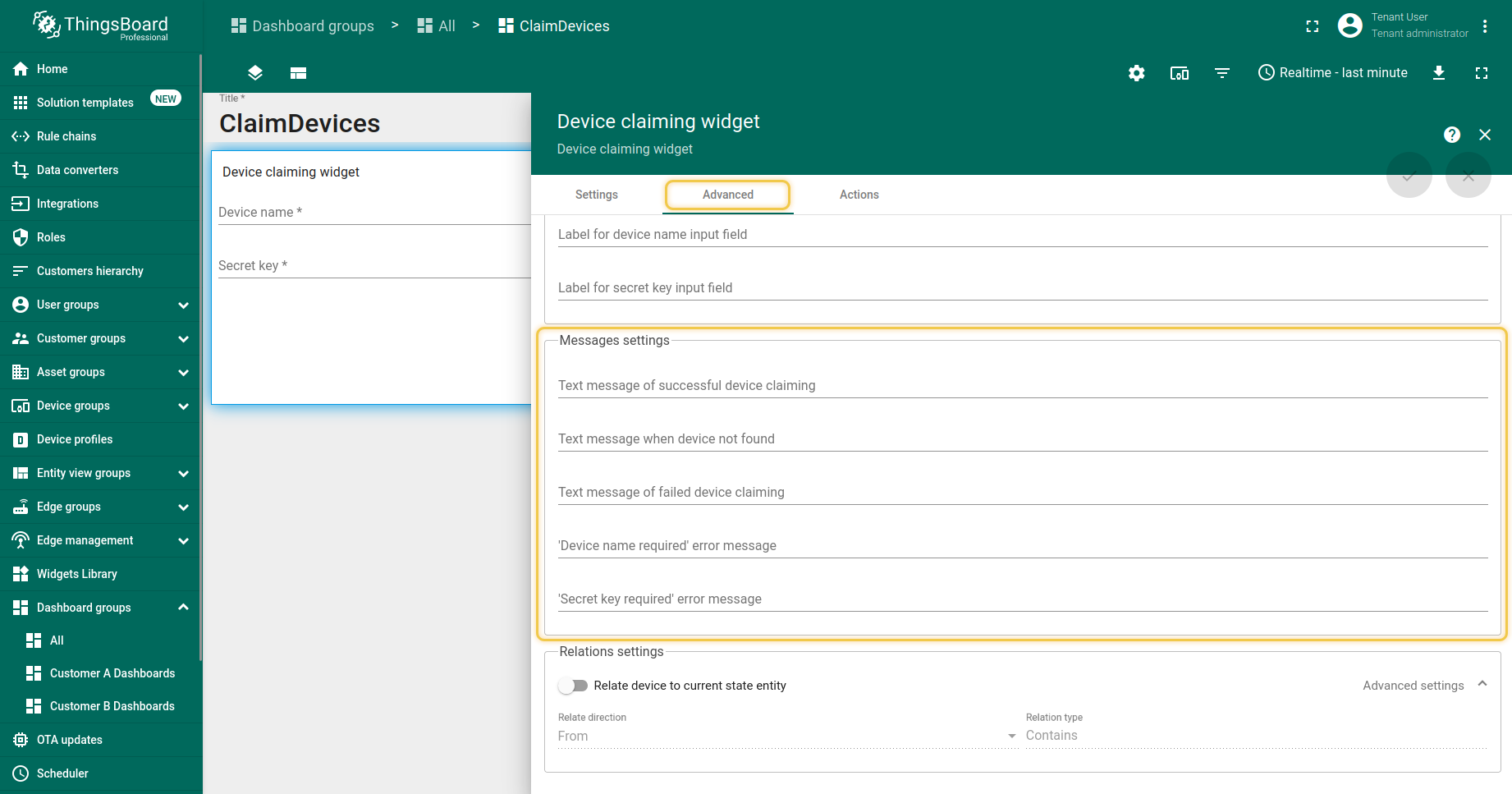
- 也可以在"消息设置"中为用户配置各种消息。
- 最后,您可以将认领的设备与仪表板的当前状态实体相关联。
如果您有多个资产并想将您的设备与其中之一相关联,这非常有用。
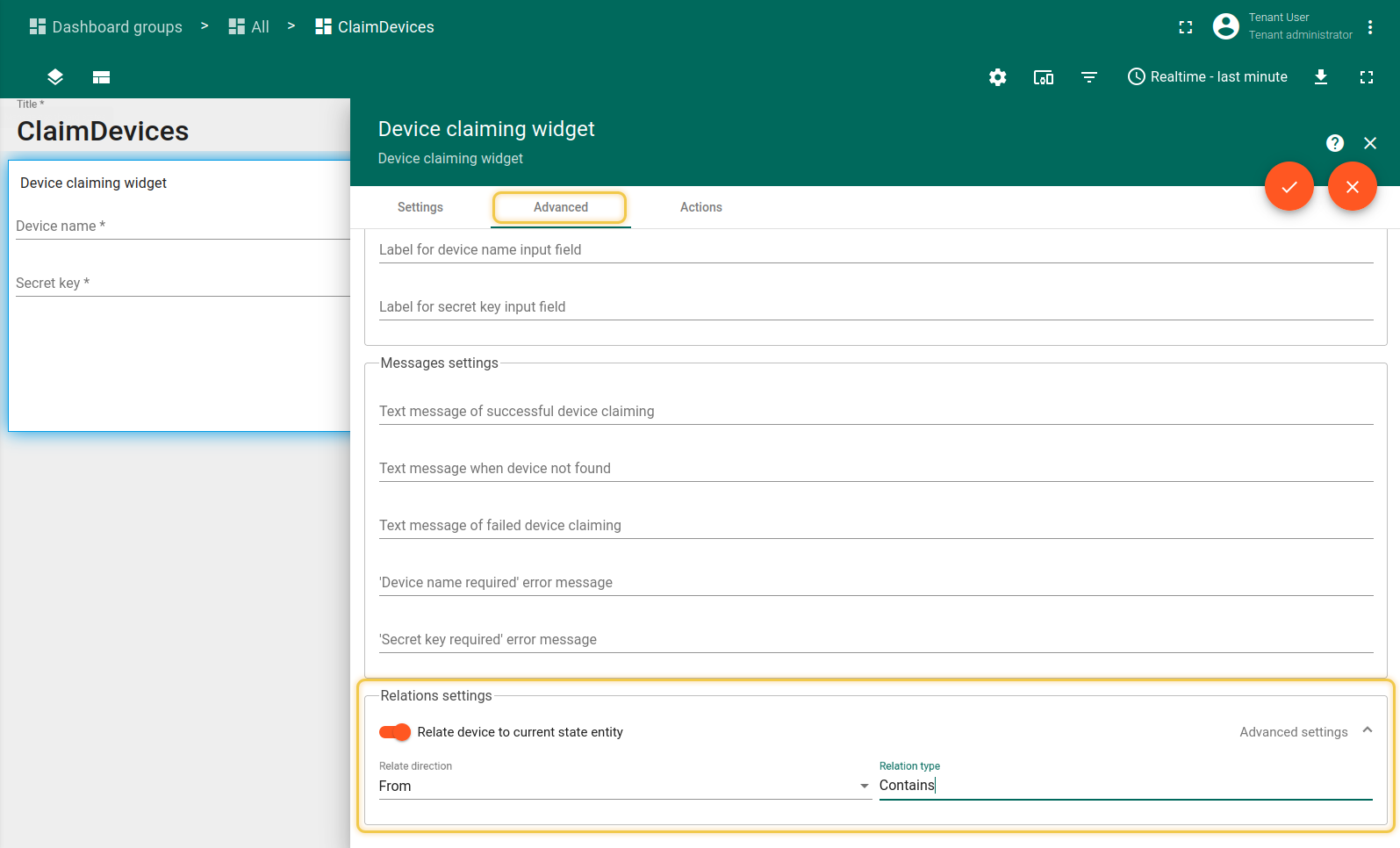
如果您有多个资产并想将您的设备与其中之一相关联,这非常有用。
设备认领API请求
认领请求以POST请求发送至以下URL:
1
http(s)://host:port/api/customer/device/$DEVICE_NAME/claim
支持的数据格式为:
1
2
3
{
  "secretKey":"value"
}
注意:消息不包含durationMs参数,secretKey参数为可选。
认领成功后,设备将分配给特定客户。若系统参数allowClaimingByDefault为false,则claimingAllowed属性将自动删除。
此外,也可以重新认领设备,即从客户中取消分配设备。若allowClaimingByDefault为false,则claimingAllowed属性将再次出现。
有关上述步骤的更多详情请参阅下文。
设备重新认领API请求
要重新认领设备,可向以下URL发送DELETE请求(别忘了将设备名称替换为正确名称):
1
curl -X DELETE https://eu.thingsboard.cloud/api/customer/device/$DEVICE_NAME/claim
您将收到类似以下的响应:
1
2
3
4
{
  "result": {},
  "setOrExpired": true
}
Python示例脚本
本节提供设备认领功能的代码示例。
我们将使用 tb-mqtt-client Python模块连接并认领设备。
可通过以下命令安装:
1
pip3 install tb-mqtt-client --user
基本认领示例
假设我们在租户级别有设备并已配置客户,如上所述。 此时,我们想连接设备并发送认领请求将其分配给客户。
用例描述:ThingsBoard上有一台名为 Test Claiming Device 的设备,其访问令牌为 Eypdinl1gUF5fSerOPJF。
我们应下载下方脚本并运行以向服务器发送认领请求。
然后我们可使用设备认领部件。