| 自 TB Edge 版本 3.4 起可用 |
Overview
Edge Integrations are similar to Platform Integrations. The only major difference is how integrations and converters are configured.
To reuse the same integration across multiple Edges, Integration templates and Converter templates have been introduced.
Integration templates are created in the Cloud, but they are not regular platform integrations and are not launched in the Cloud.
They are assigned to the Edge and launched once they are deployed to the Edge.
At the moment, Integration and Converter templates cannot be modified on the Edge. They are modified in the Cloud, and any changes are automatically propagated from the Cloud to the Edge.
Integration configuration fields (URIs, passwords, etc.) could be replaced by Edge attribute value using placeholders. This way, a single Integration template could be used by multiple Edges, and any specific integration configuration field could be replaced by an Edge attribute value.
Deployment options
ThingsBoard Integration has two deployment options: embedded and remote. See the details and architecture diagrams below.
Embedded integrations
Embedded integration runs in the main ThingsBoard Edge process.
Pros:
- Simplifies deployment of new integration (just a few clicks on the ThingsBoard UI);
- Minimizes latency for message delivery;
Cons:
- Consumes resources allocated to the main ThingsBoard Edge process (network connections, OS threads, and CPU cycles);
- Low level of isolation;
Remote integrations
It is possible to install the remote integration on the local network and to stream the data to the edge over the network.
Let’s assume you have local MQTT broker or OPC-UA server deployed on-premises. Those brokers and/or servers don’t have a dedicated external IP address, so ThingsBoard Edge can’t connect to them directly. However, you can install remote integration close to this edge, in the same local network. This integration will connect to the broker/edge, pull the data and store it in the local file system. Remote integration will stream the data to the ThingsBoard Edge deployed in the network once the network connection is available.
Pros:
- Enables integration with servers deployed on the local network;
- Isolates the integration process from the main ThingsBoard Edge process.
Cons:
- Requires the installation of a separate package;
Learn how to configure integration to run remotely in this guide.
Converter templates
Converter templates can only be created by a tenant administrator. To create a Converter template, log in to the Cloud and go to the Edge management > Converter templates section. These Converter templates are going to be used later in the Integration templates configuration.
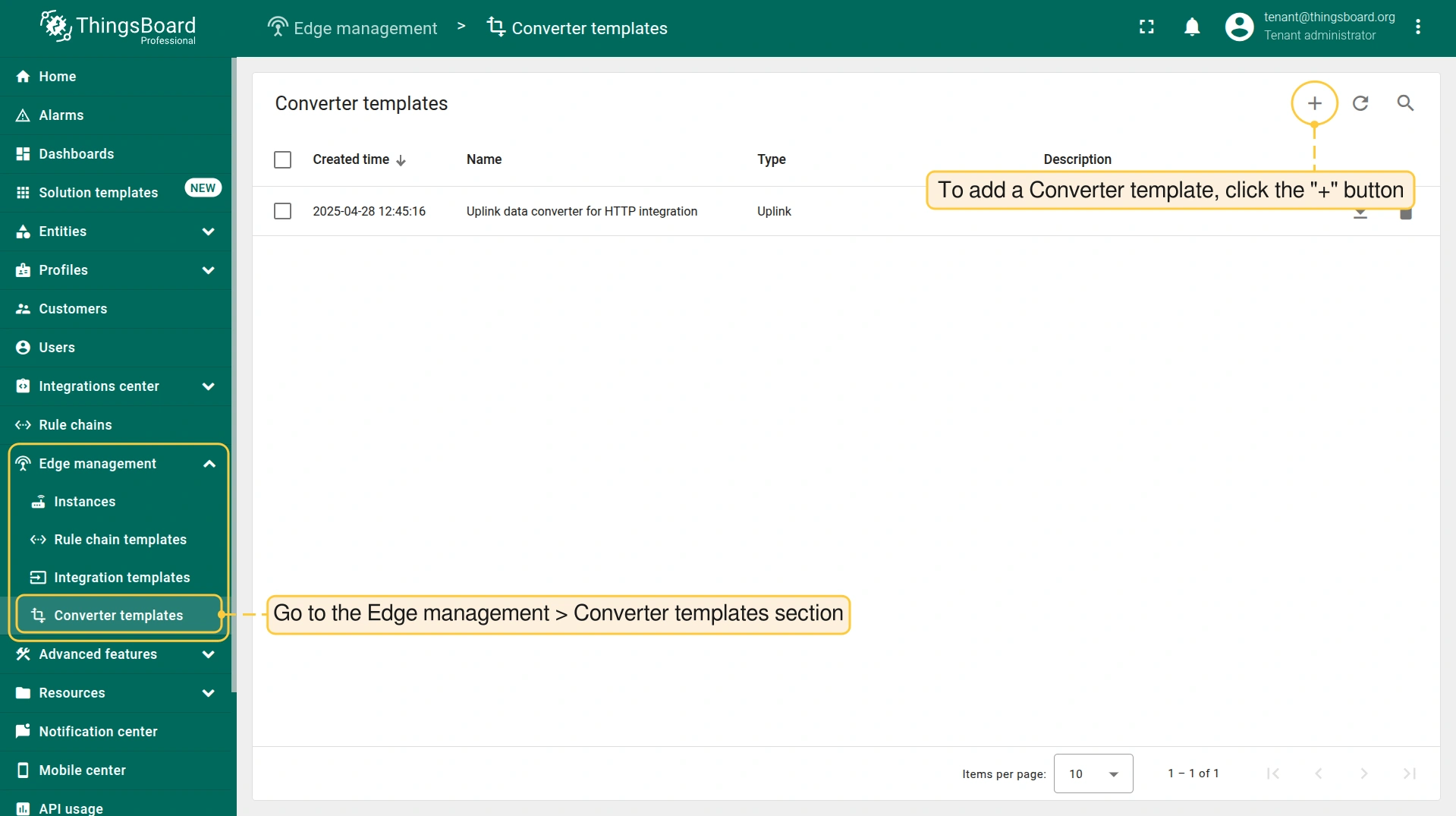
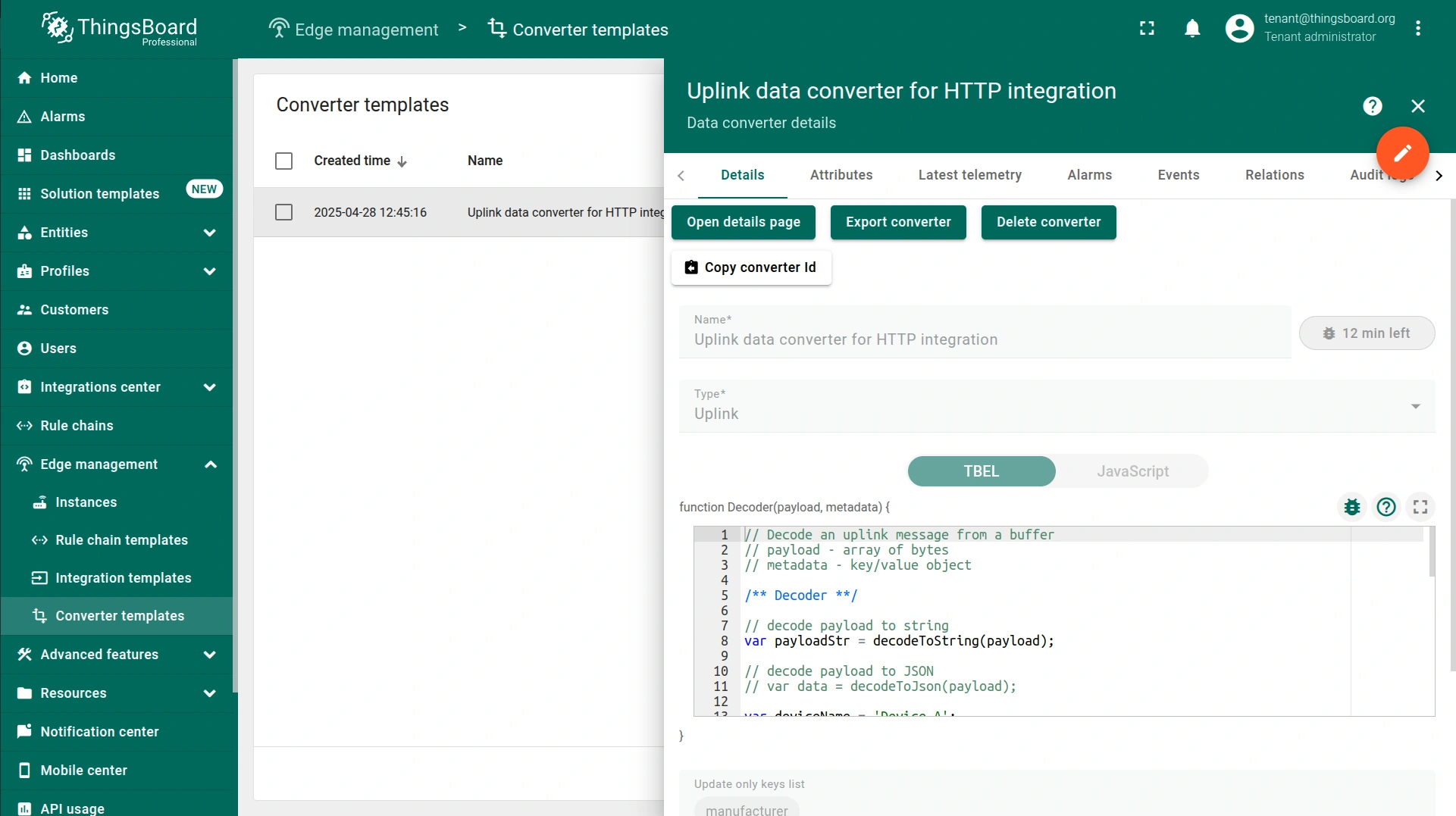

There is no need to assign converter templates to the Edge — once an integration template is assigned to a specific Edge, the corresponding Uplink and Downlink Converters are automatically made available to the Edge.
Integration templates
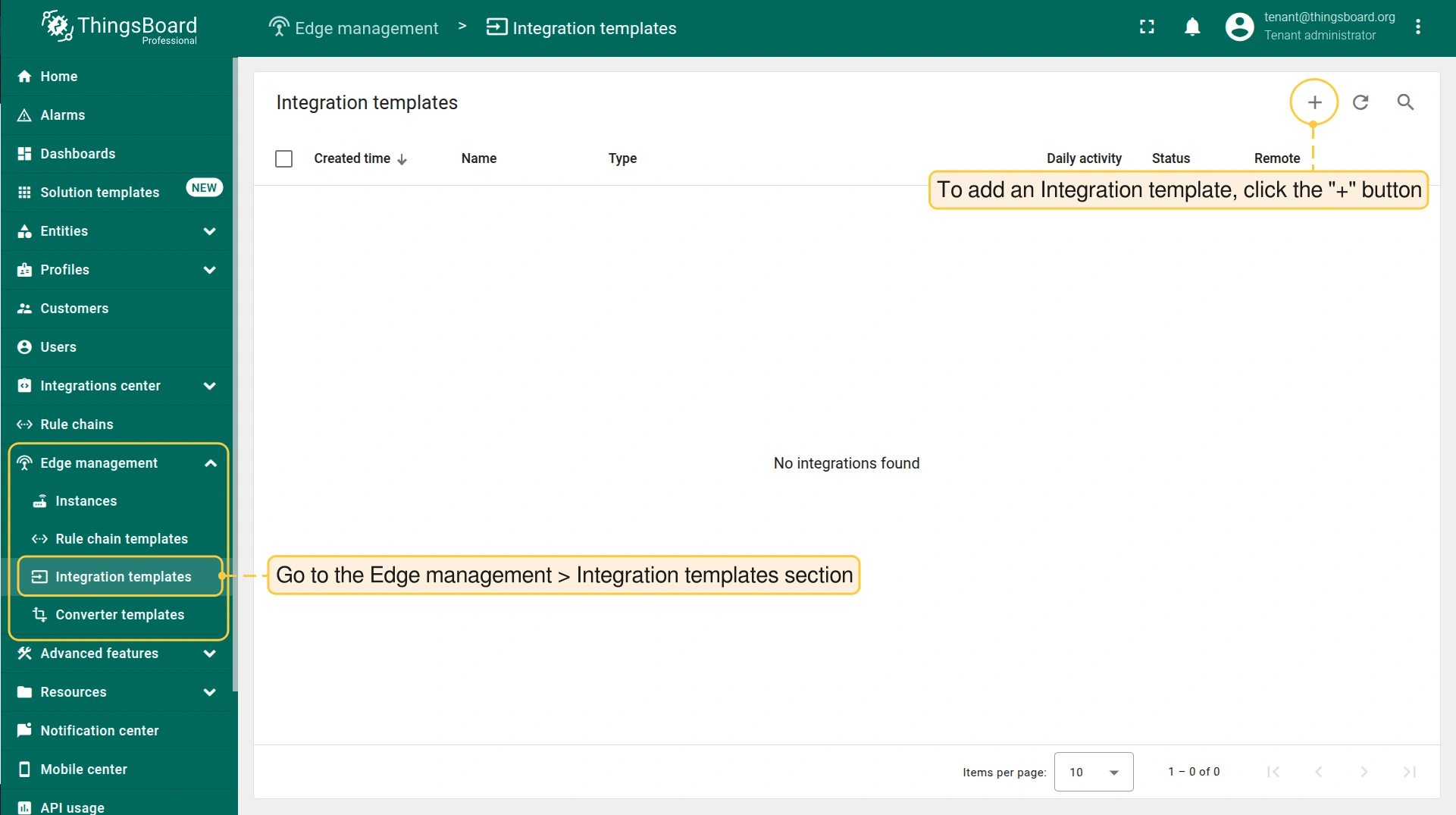
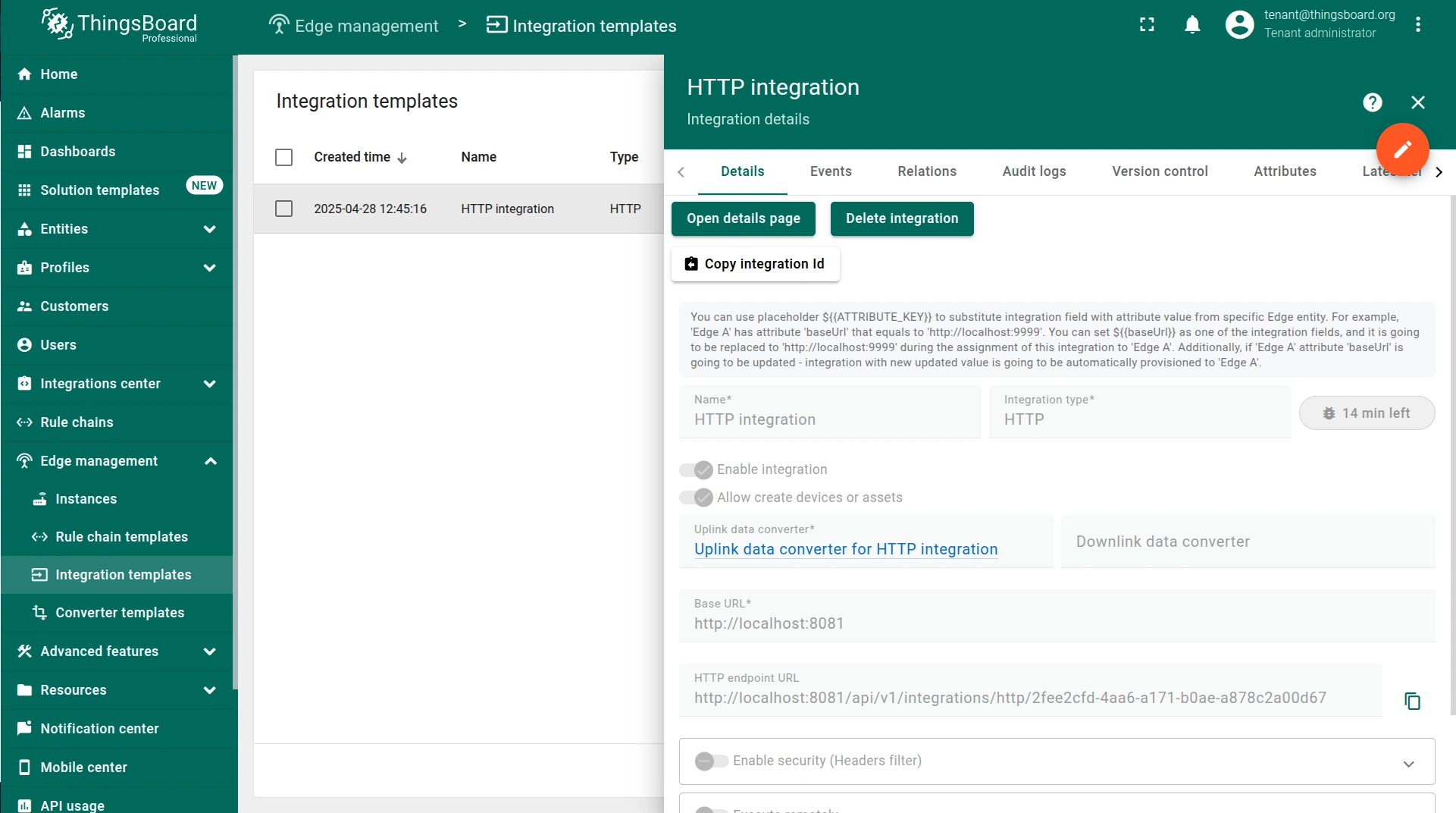
Once the Converter template is created, to create an integration template, go to the Edge management > Integration templates section. These Integration templates are going to be assigned to the Edge.
Integration configuration placeholders
In most cases, integration has common configuration part for most of the Edges, except for some specific field(s). To use the same Integration template for multiple Edges while allowing certain values to be unique for each Edge, you can use the placeholders feature. You can add specific attributes to the Edge and then use the name of this attribute in the integration template. This placeholder will be replaced by the attribute value during assignment to the edge.
Let’s look at an example of how HTTP integration could be configured with a unique IP address value per Edge as the Base URL.
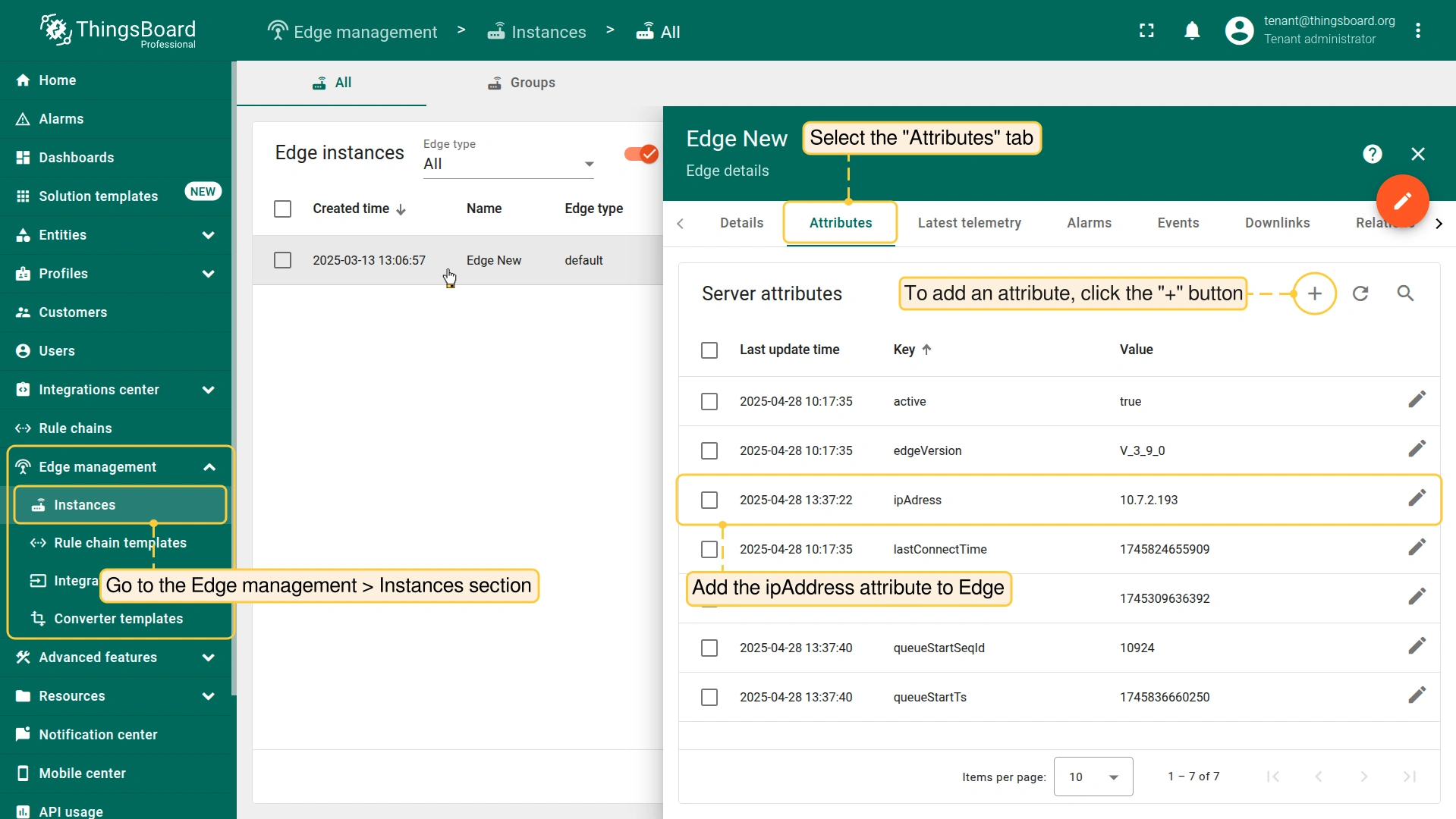
- Go to the Edge management > Instances section, click it and select the "Attributes" tab. Add the ipAddress attribute to Edge.
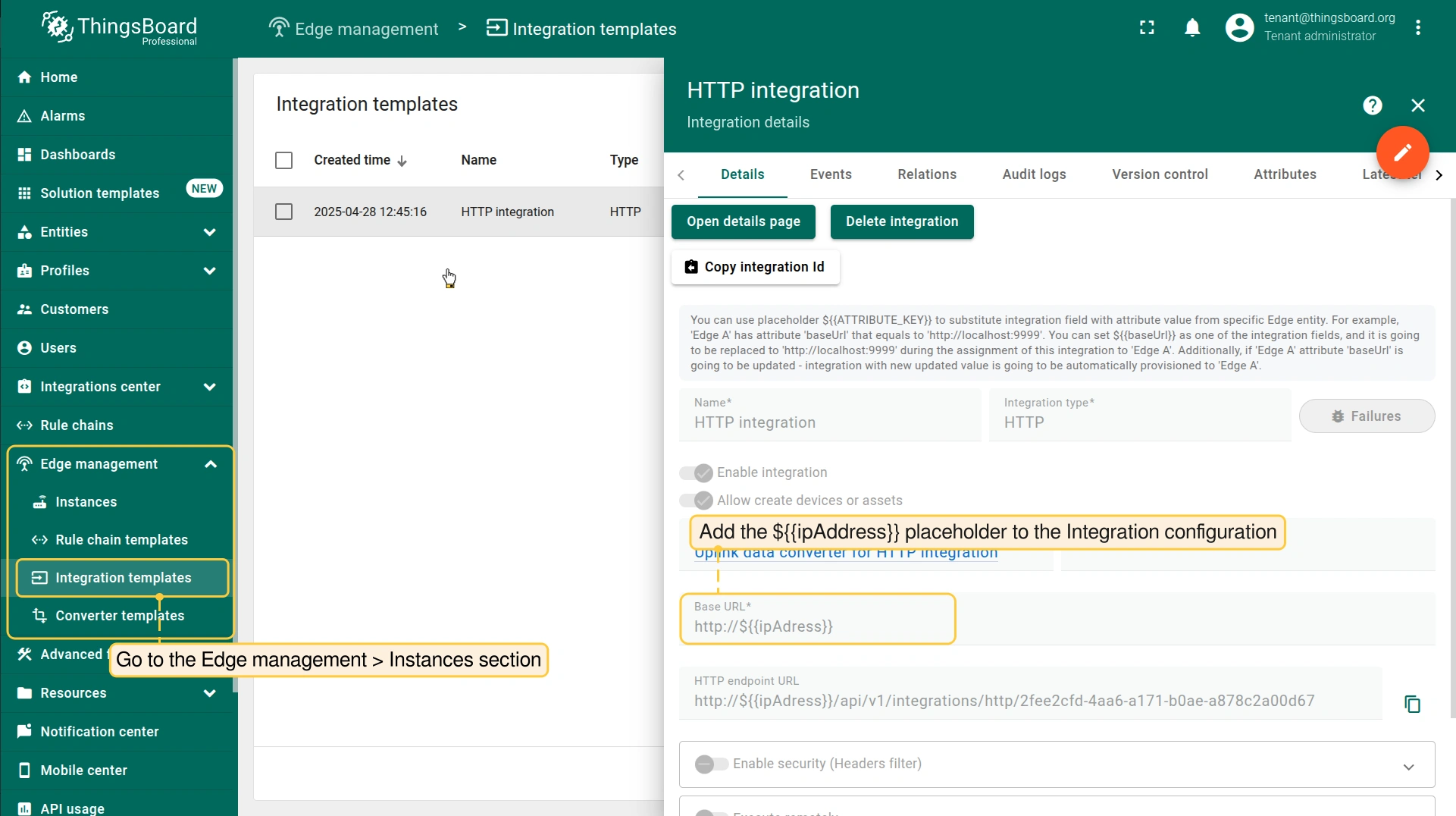
- Go to the Edge management > Instances section, click it and add the ${{ipAddress}} placeholder to the Integration configuration.
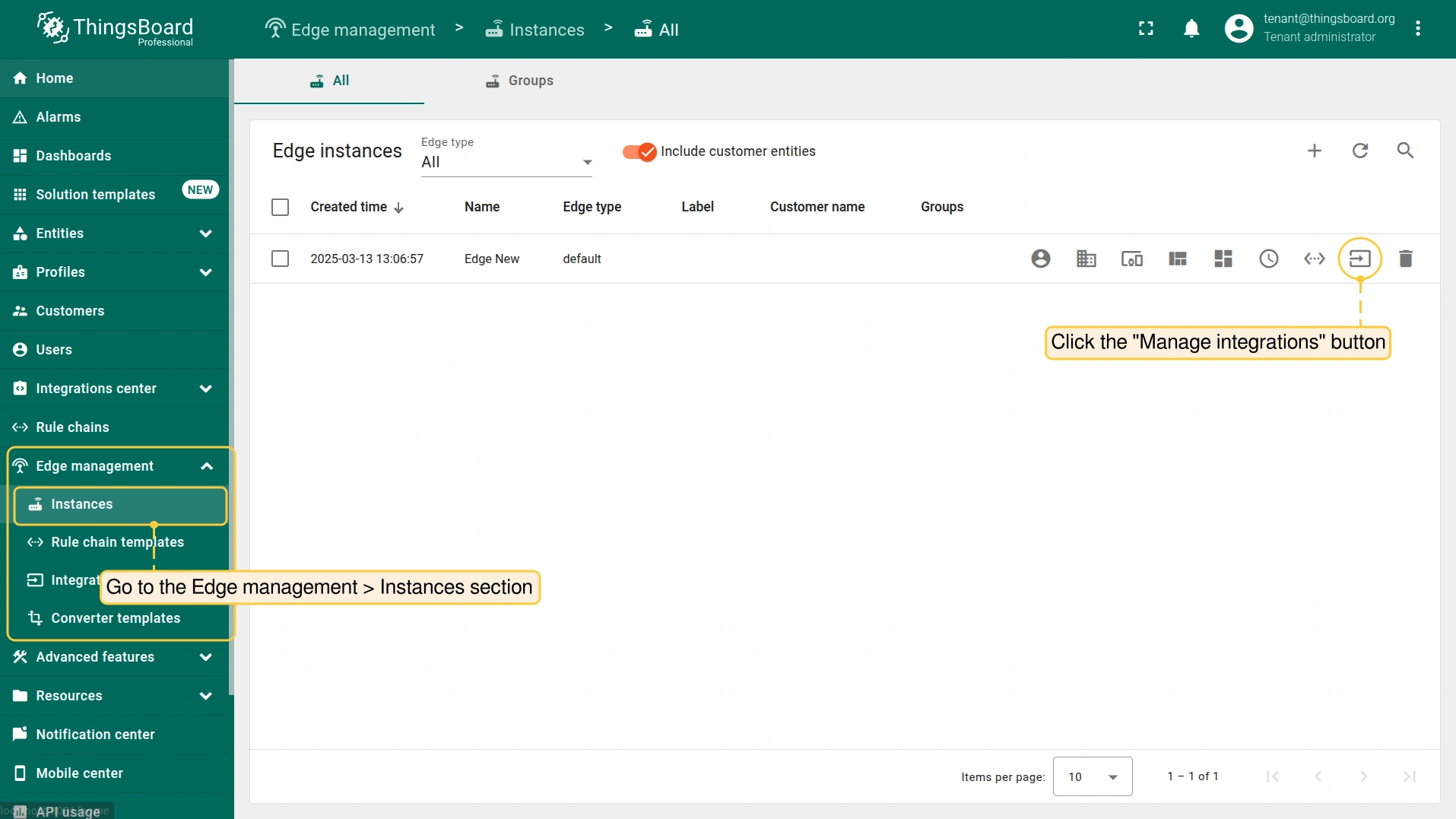
- Go back to the Edge management > Instances section and click the Manage Integrations button of the corresponding Edge entity.
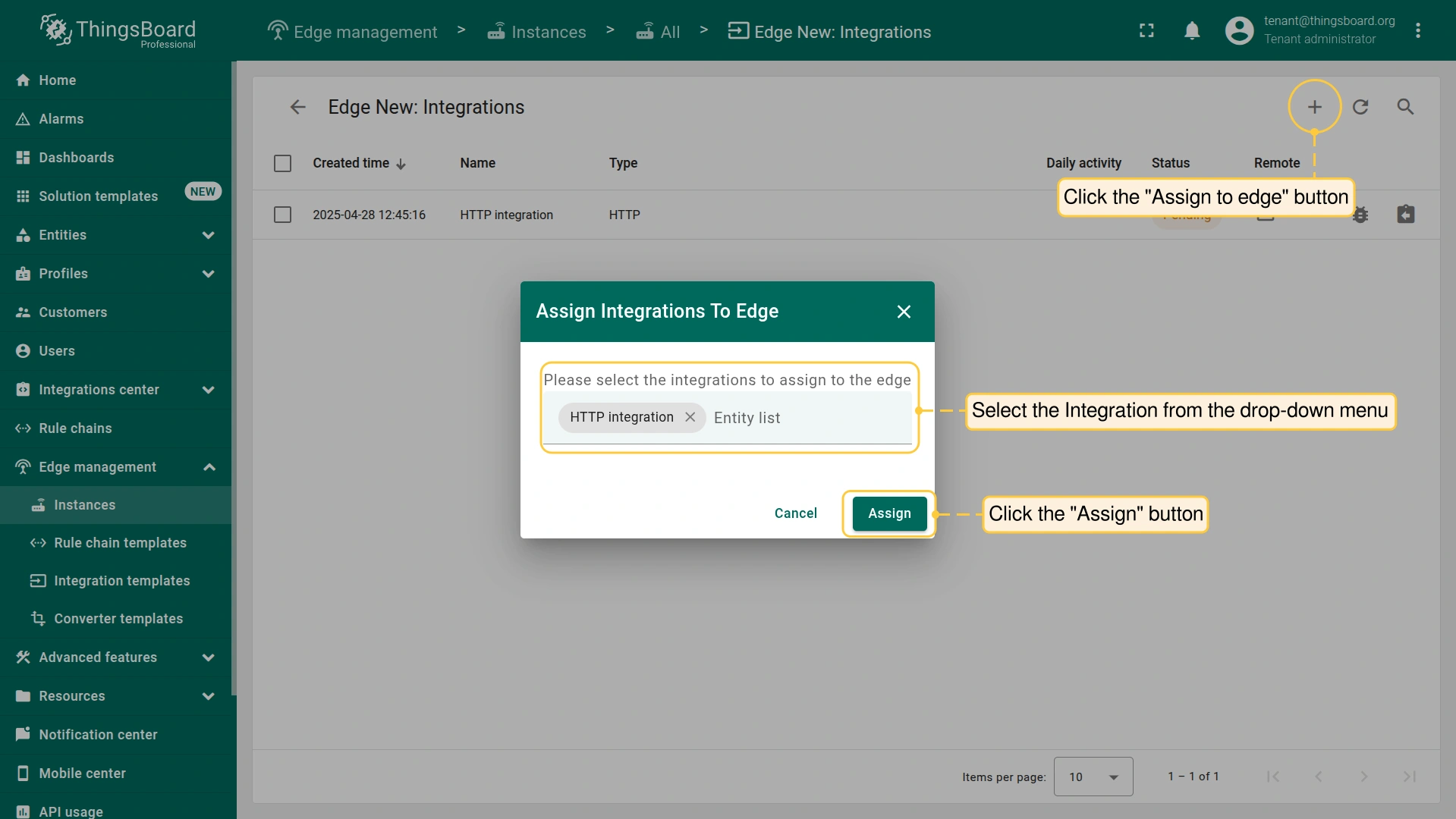
- To assign the Integration to the Edge, click the "Assign to edge" button and select it from the drop-down menu. To proceed, click the "Assign" button.
- To confirm that the placeholder is replaced by the attribute value, log in to your ThingsBoard Edge instance, go to the Integration center > Integrations section and click the integration.
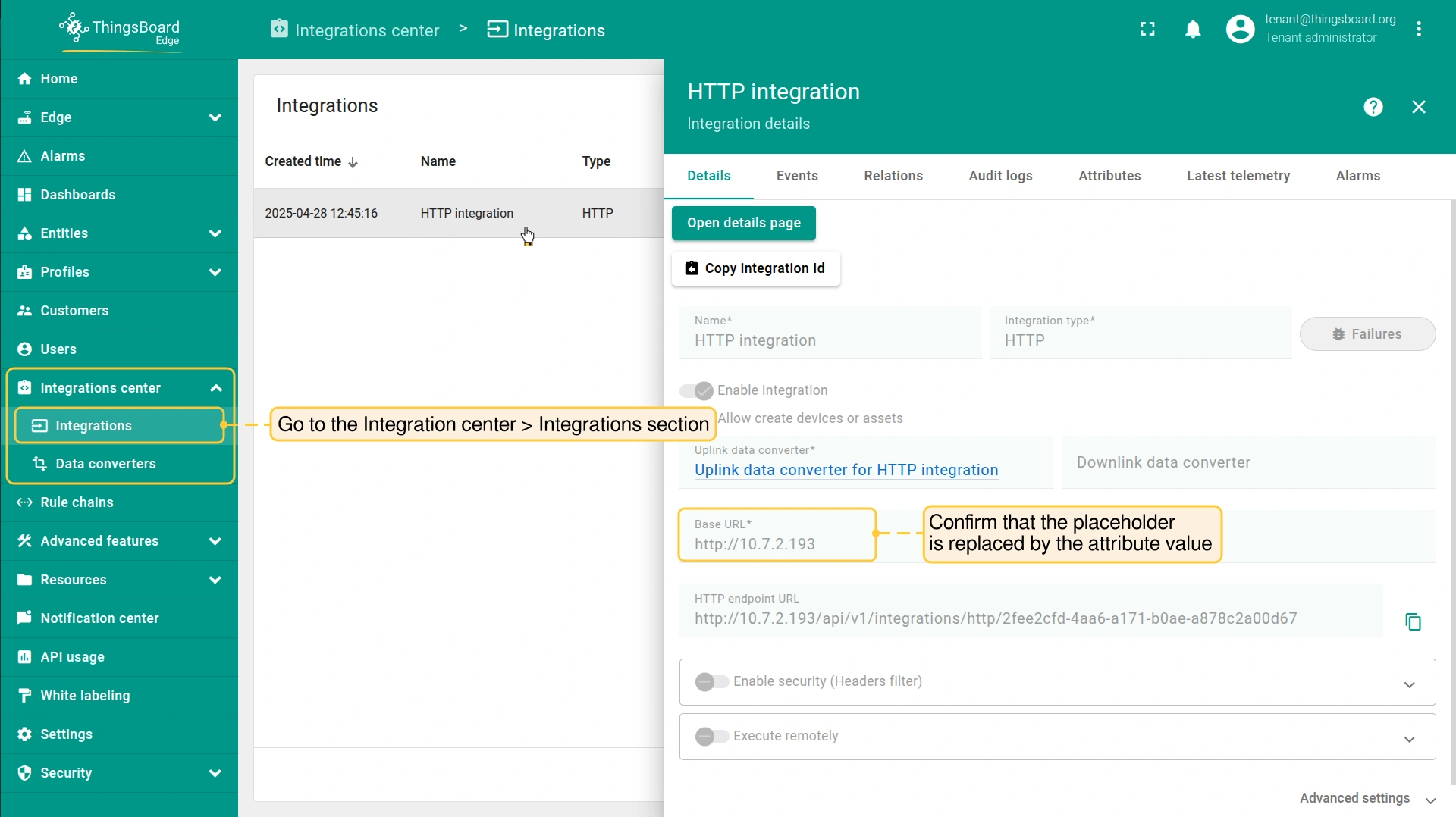
You can assign this integration template to other Edge entities, and each integration on the Edge will have its unique ‘Base URL’ value that’s replaced by the attribute value.
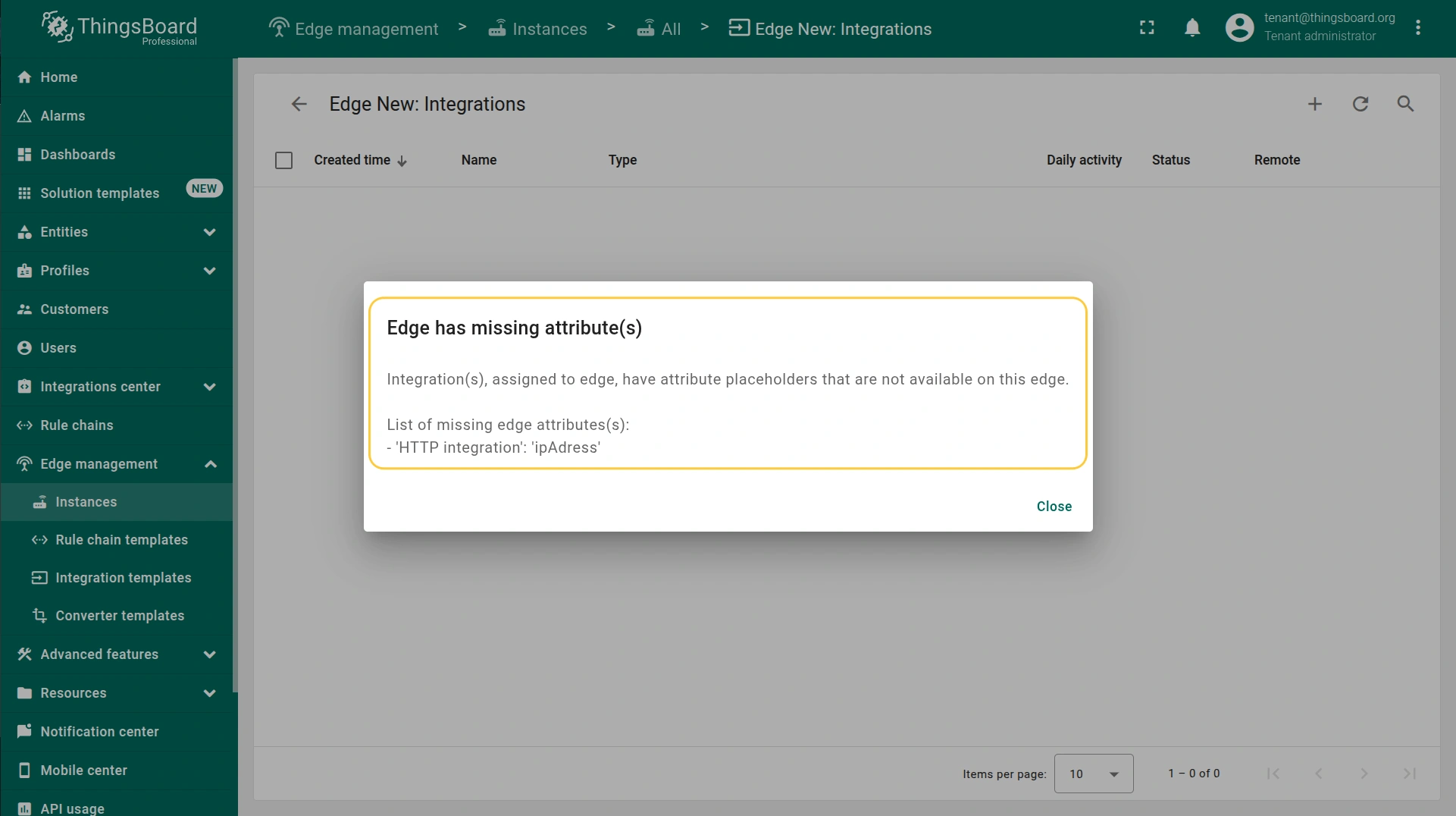
If a particular Edge is missing a placeholder attribute key, the Platform will notify you of this during the Edge mapping or integration configuration update:
Edge limitations
In the current release, Edge is unable to create customers and entity groups. Note that this limitation affects the functionality of the Uplink Data Converter:
- If a non-existent device type is used in the converter, the ‘default’ device type is used.
- if a Customer is not available on the Edge, the device is assigned to the Tenant.
- If the entity group does not exist on the edge, the ‘All’ group gets used.
See Also
Explore guides and video tutorials for specific integrations:
下一步
-
Getting started guide(入门指南)- 快速概览 ThingsBoard Edge 主要功能。预计 15–30 分钟完成:
-
Installation guides(安装指南)- 了解如何在各种操作系统上安装 ThingsBoard Edge 并连接到 ThingsBoard Server。
-
Edge 规则引擎:
-
Rule Chain Templates(规则链模板)- 了解如何使用 ThingsBoard Edge 规则链模板。
-
Provision Rule Chains from cloud to edge(从云端向 Edge 下发规则链)- 了解如何从云端向 Edge 下发边缘规则链。
-
- 安全:
- gRPC over SSL/TLS - 了解如何为 Edge 与云端之间的通信配置 gRPC over SSL/TLS。
-
功能:
-
Edge Status(Edge 状态)- 了解 ThingsBoard Edge 上的 Edge Status 页面。
-
Cloud Events(云端事件)- 了解 ThingsBoard Edge 上的 Cloud Events 页面。
-
-
使用场景:
-
Manage alarms and RPC requests on edge devices(在边缘设备上管理告警和 RPC 请求)- 本指南展示如何在 Edge 上生成本地告警并向连接到 Edge 的设备发送 RPC 请求:
-
Data filtering and traffic reduce(数据过滤与流量削减)- 本指南展示如何从 Edge 向云端仅发送过滤后的设备数据:
-
- Roadmap(路线图)- ThingsBoard Edge 路线图。