Scheduler概述

Scheduler 功能仅在 Professional Edition 中支持。
ThingsBoard Scheduler 是一项允许用户自动化周期任务的功能,例如遥测和属性更新、RPC命令和规则链触发。
Edge 的 Scheduler 功能与 Platform 设计类似。 完整说明请参阅ThingsBoard Platform Scheduler文档。
Scheduler事件 无法在 ThingsBoard Edge 上直接创建或修改,所有调度必须在 ThingsBoard Platform 中配置后分配到 Edge 实例。 这些计划任务直接在 Edge 实例上执行,确保即使无云连接也能实时自动化。
配置Scheduler功能
创建 Scheduler事件:
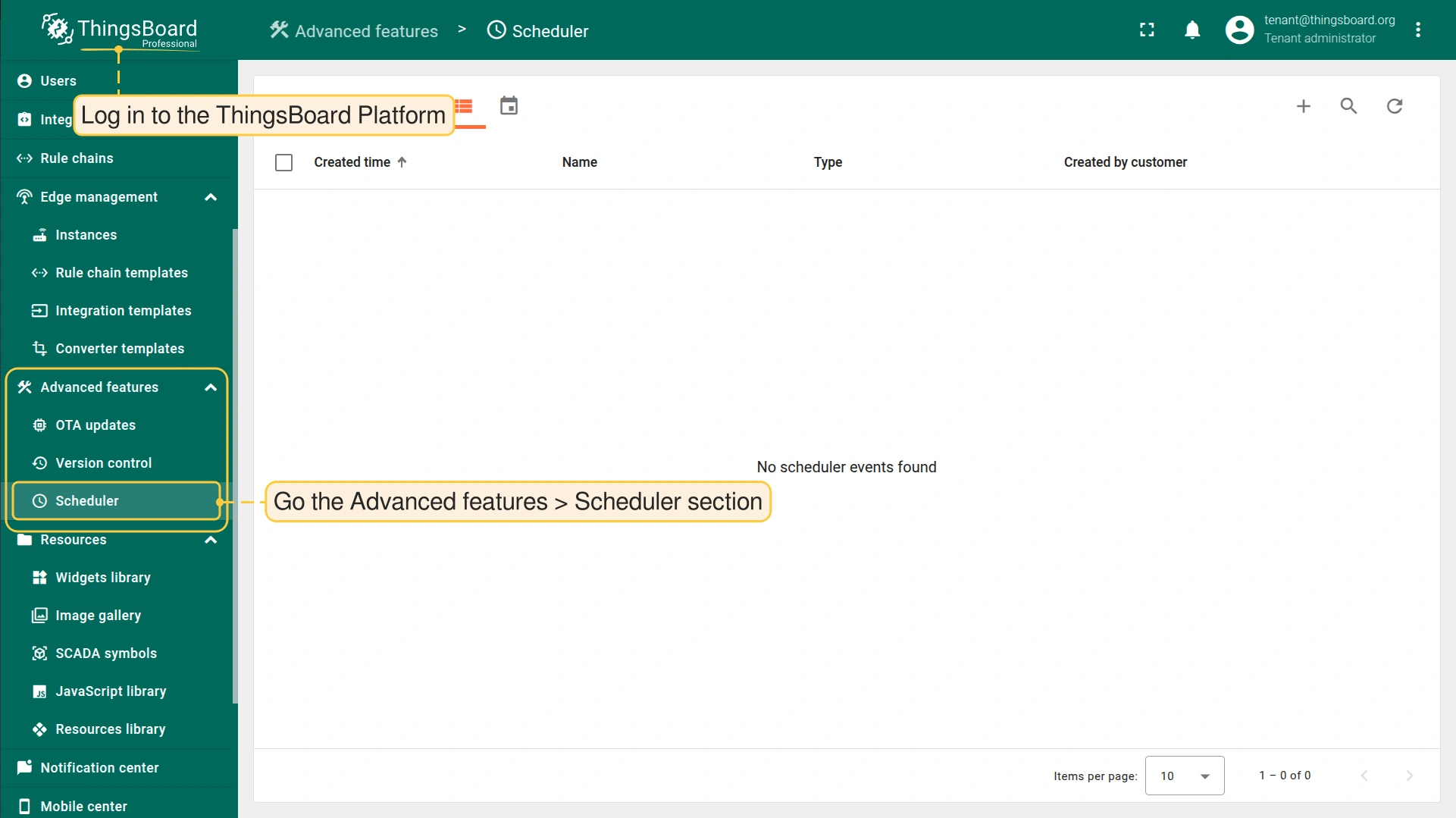
- Log in to the ThingsBoard Platform and go to the Advanced features > Scheduler section.
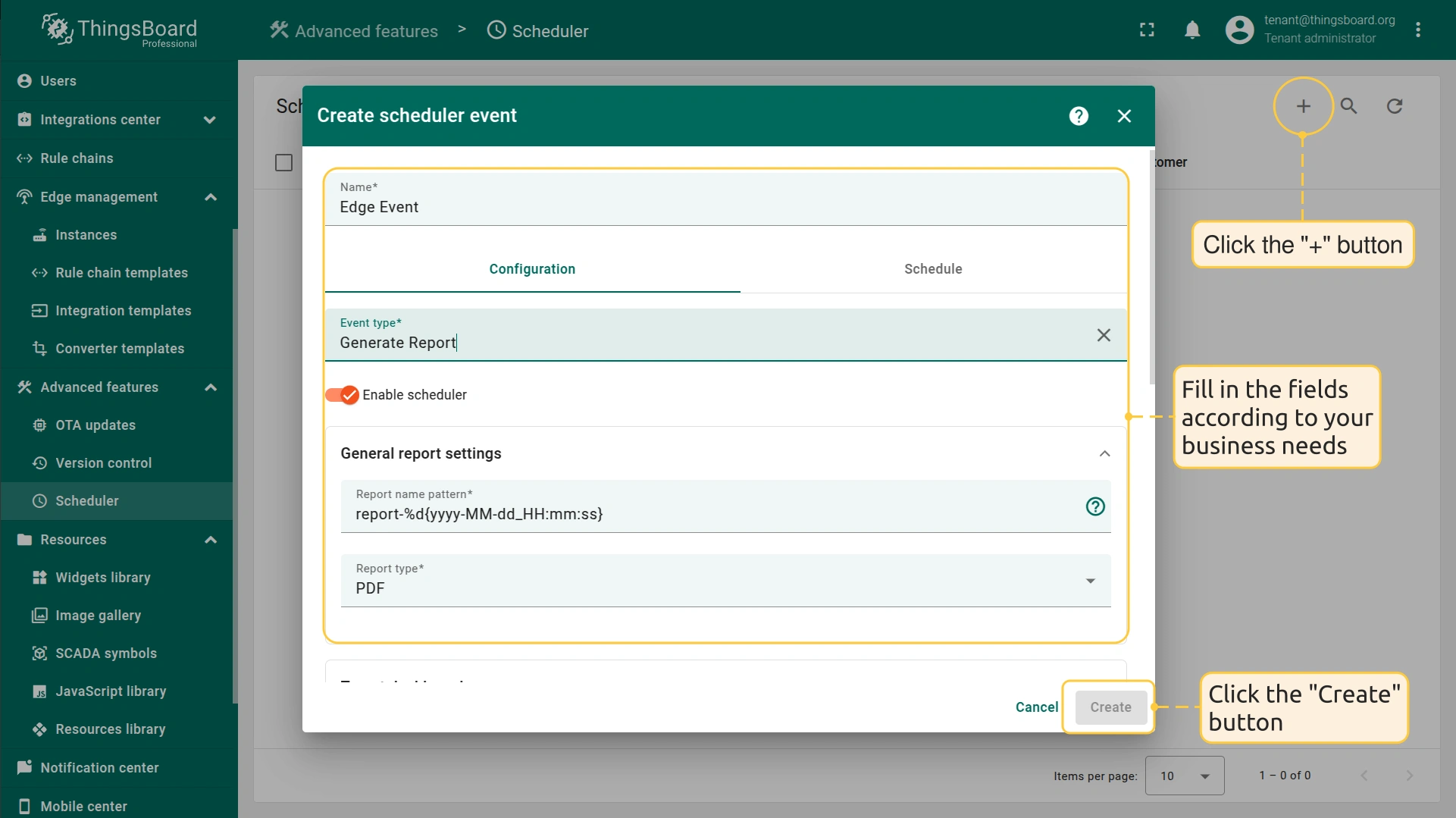
- Click the "+" button, and fill in the fields in the pop-up window. For detailed instructions on how to configure a Scheduler event, see the Scheduler Event dialog documentation.
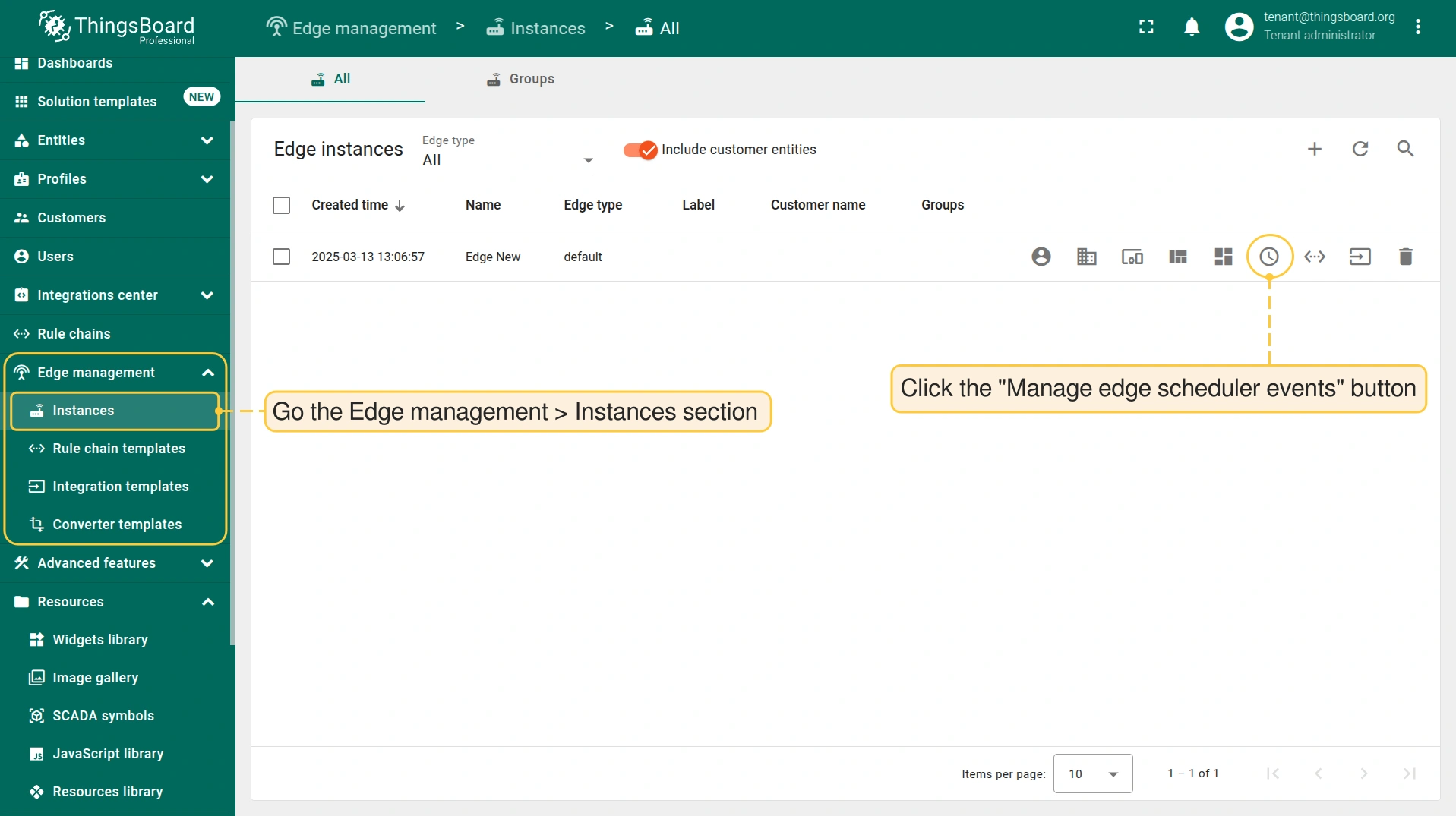
- Once the event is configured, go to the Edge management > Instances section and click the "Manage edge scheduler events" button.
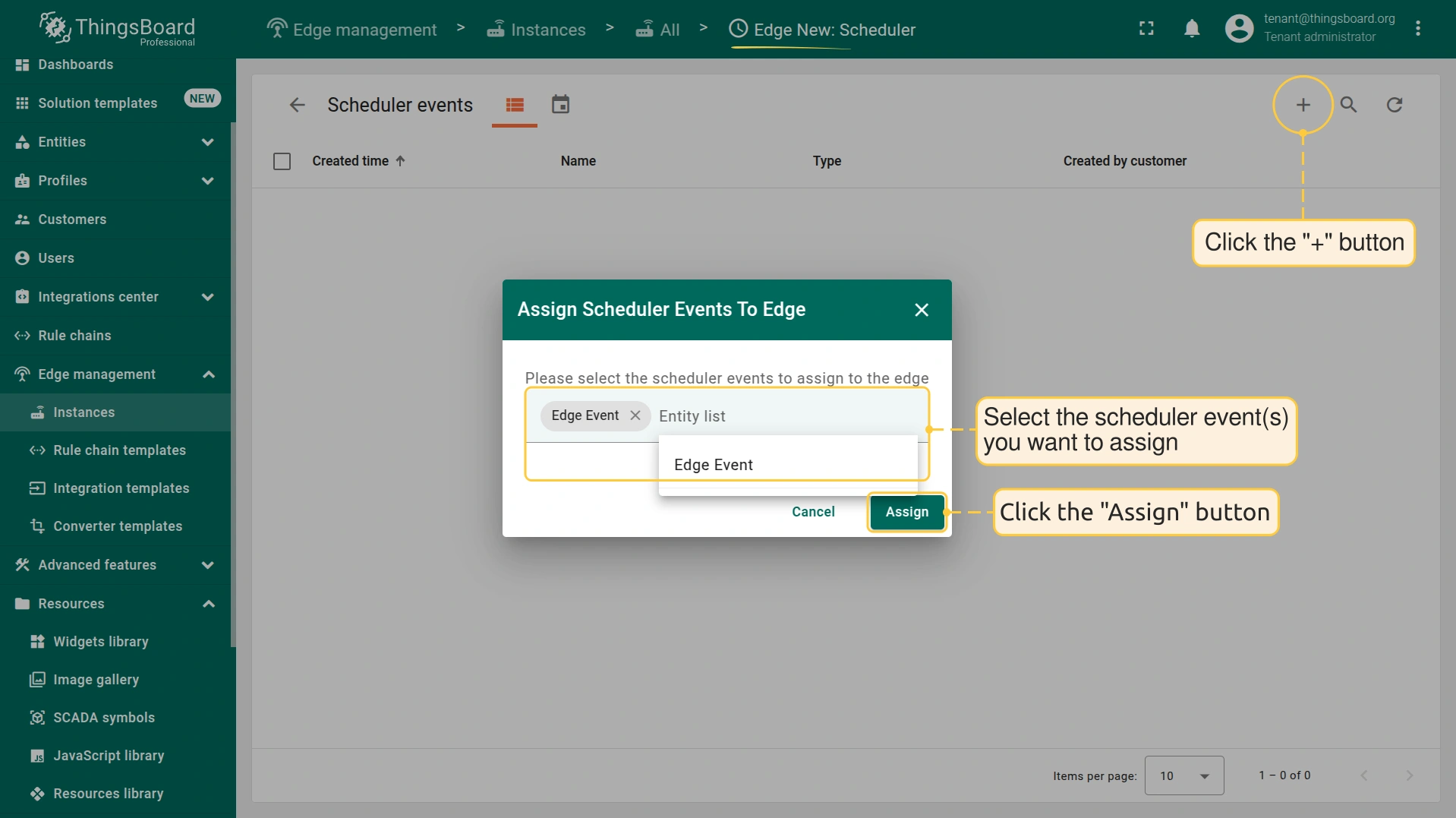
- On the Edge Scheduler Events page, click the "+" button and assign the event(s) to the Edge instance in the pop-up window.
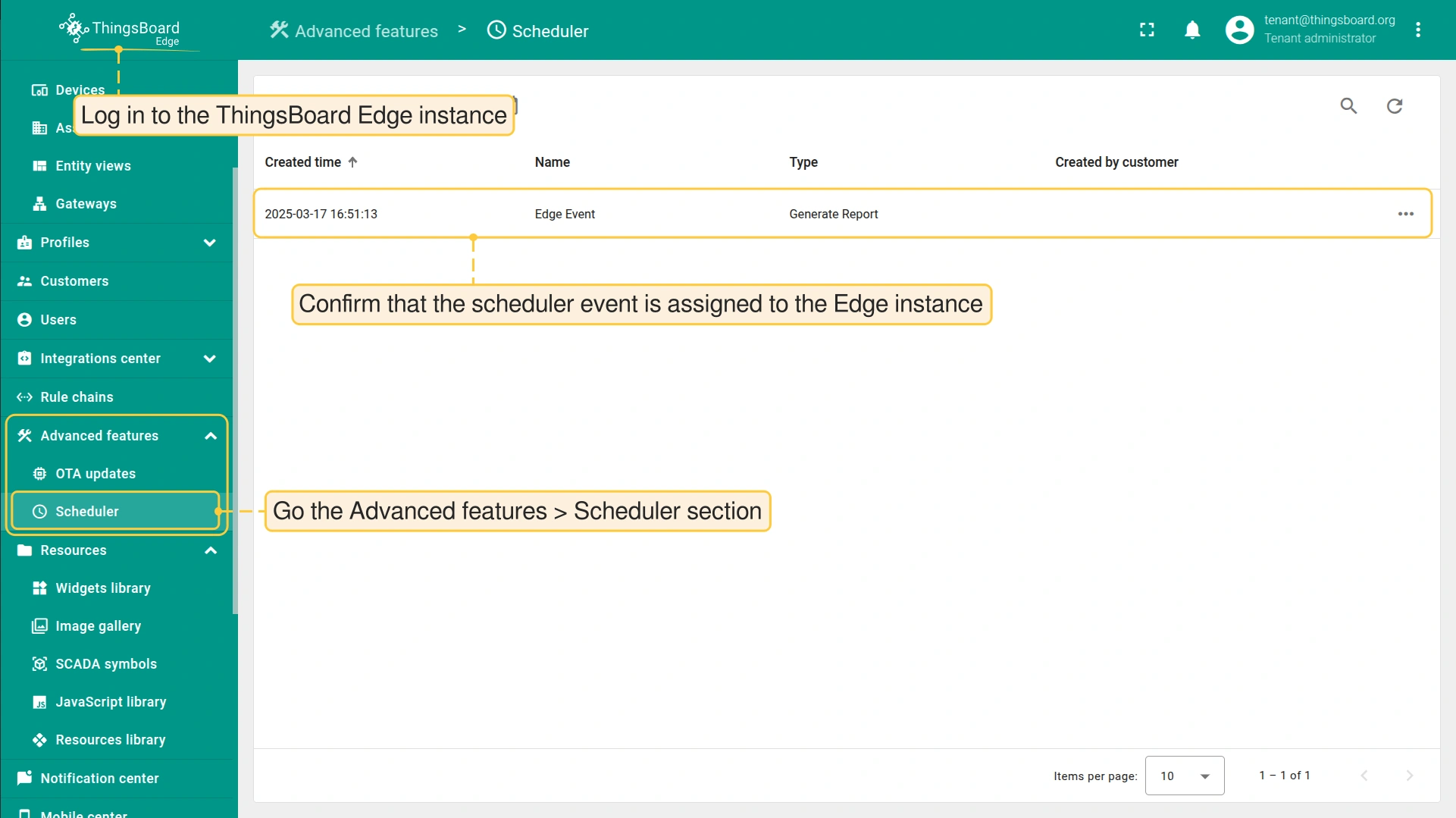
- To confirm that the scheduler event has been successfully assigned, log in to the ThingsBoard Edge and go the Advanced features > Scheduler section.
使用ThingsBoard Edge进行计划灌溉管理(用例)
为说明 Scheduler 功能在自动化和管理效率中的作用,请参阅 智能灌溉解决方案模板。
该解决方案基于 土壤湿度传感器读数 和 预定义计划 实现自动化灌溉。 目标是在 最小化用水 的同时维持最佳土壤湿度水平。
由于灌溉系统通常部署在偏远农田,ThingsBoard Edge 实例将在本地运行,确保即使在网络中断情况下也能持续运行。
智能灌溉解决方案模板 可:
- 确保每天在预定义时间灌溉两次。
- 实时监控关键参数,例如:
- 土壤湿度。
- 日用水量。
- 灌溉时长。
- 在 ThingsBoard Edge 上本地运行,避免依赖持续互联网连接。
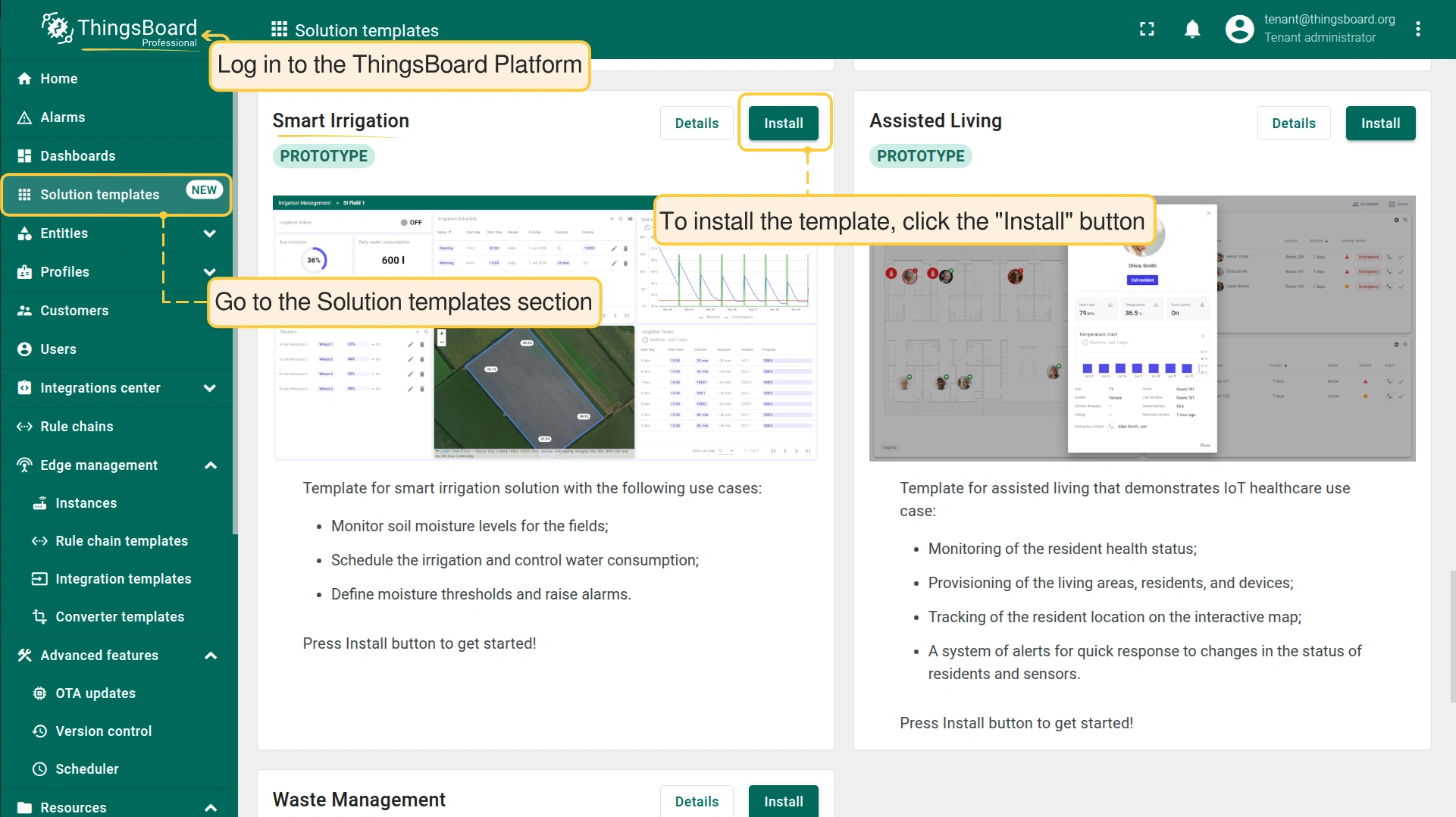
安装解决方案模板时,请登录 ThingsBoard Platform 并进入 Solution templates 部分。 向下滚动到 Smart Irrigation 区块并点击 “Install” 按钮。
配置详情
查看配置详情。 由于 规则链 和 Scheduler事件 无法在 Edge 上直接创建,所有配置需先在 ThingsBoard Platform 完成后再与 Edge 实例同步。
智能灌溉解决方案模板 会自动创建 Edge 实例并分配所有所需配置。
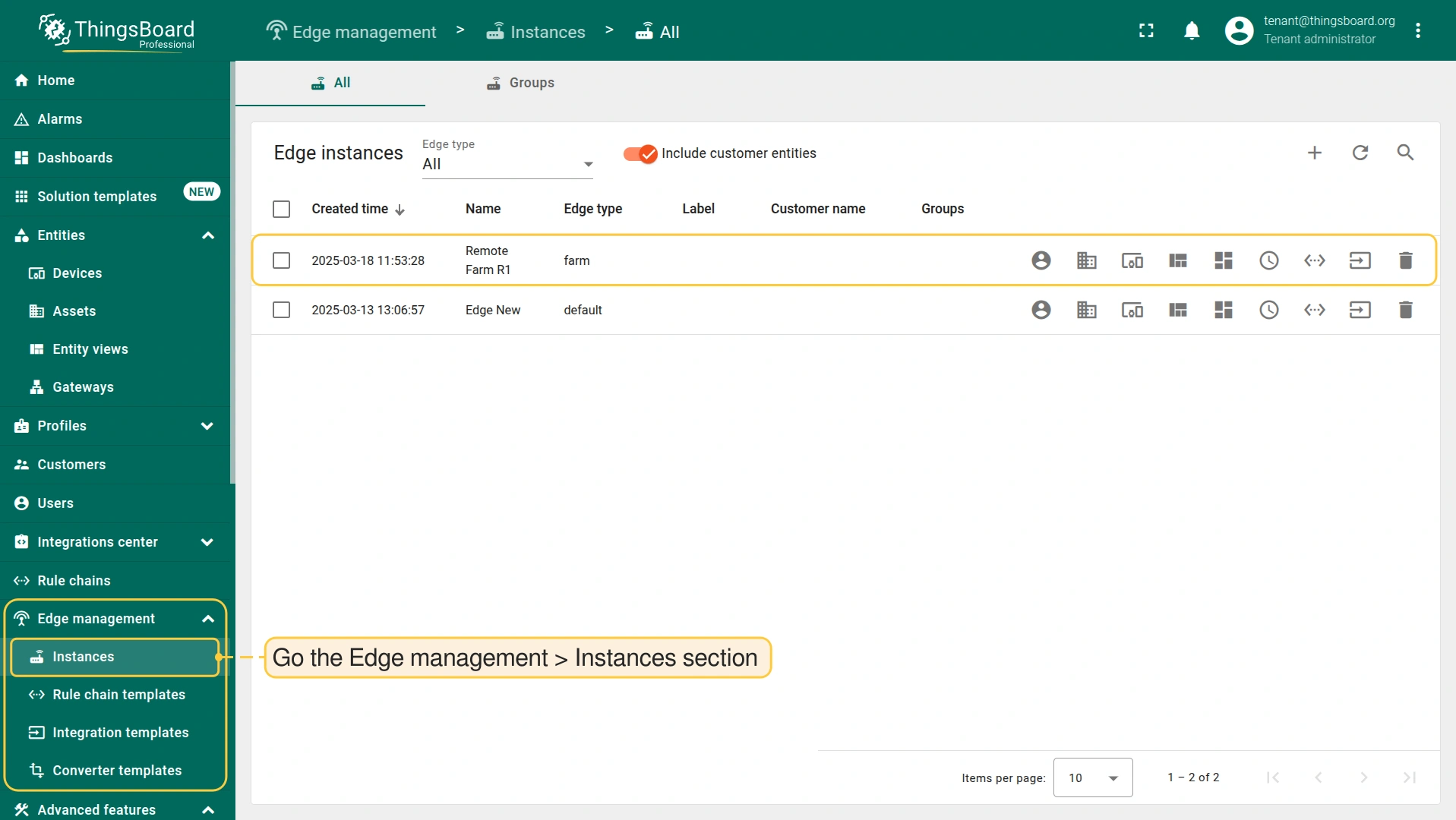
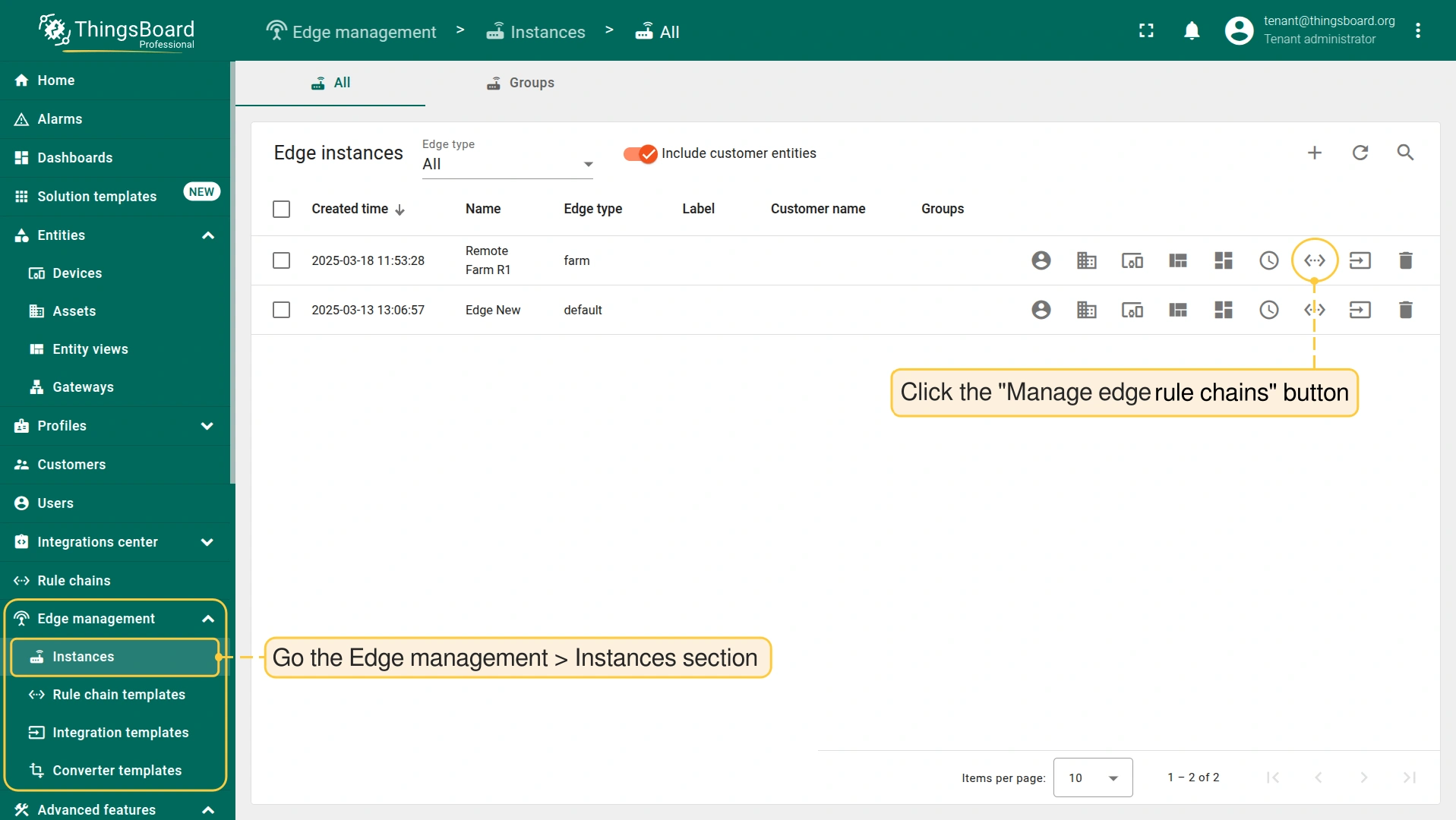
- Go to the Edge management > Instances section. Click the corresponding buttons to view the settings assigned to the Edge instance.
Scheduler
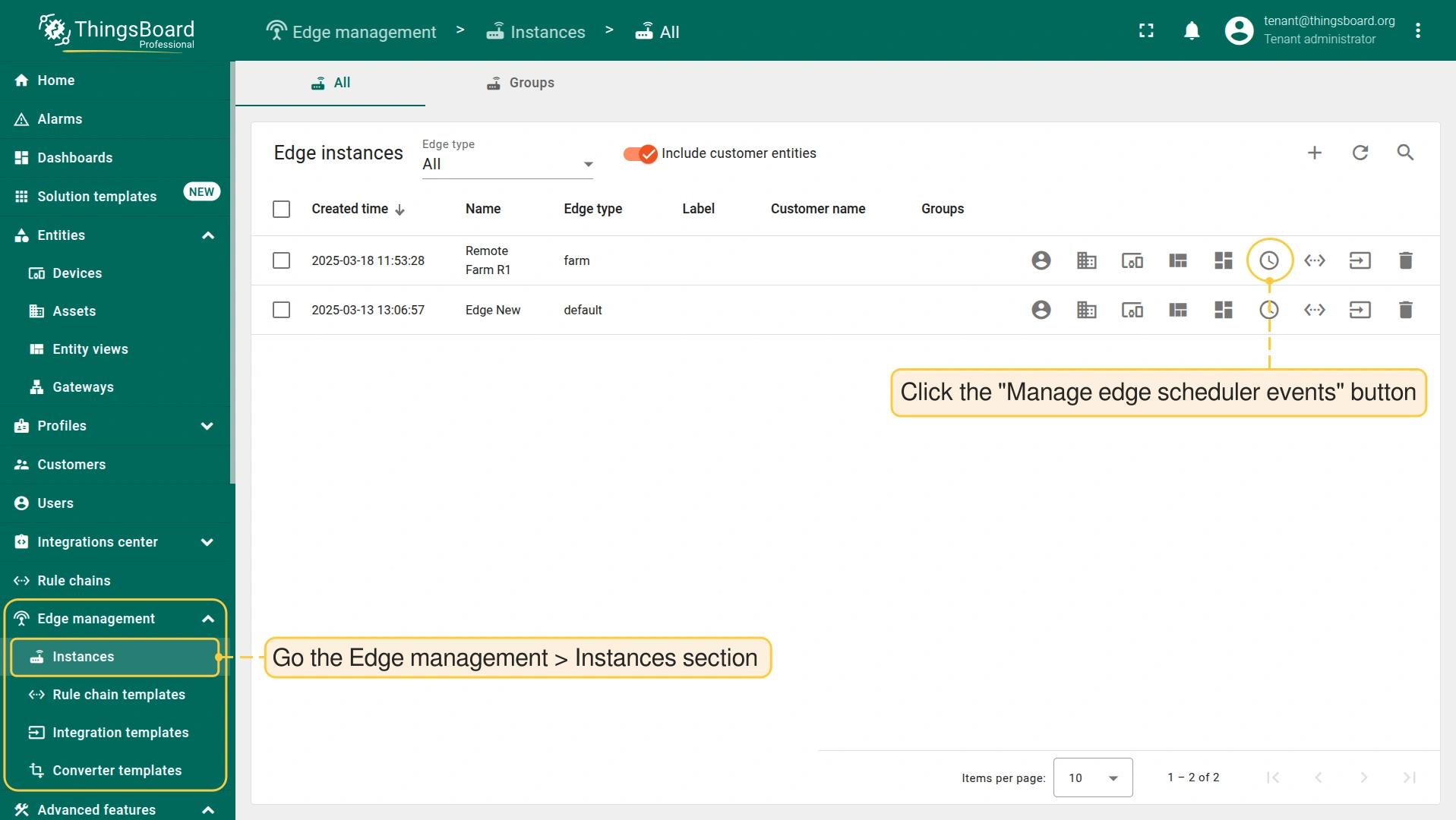
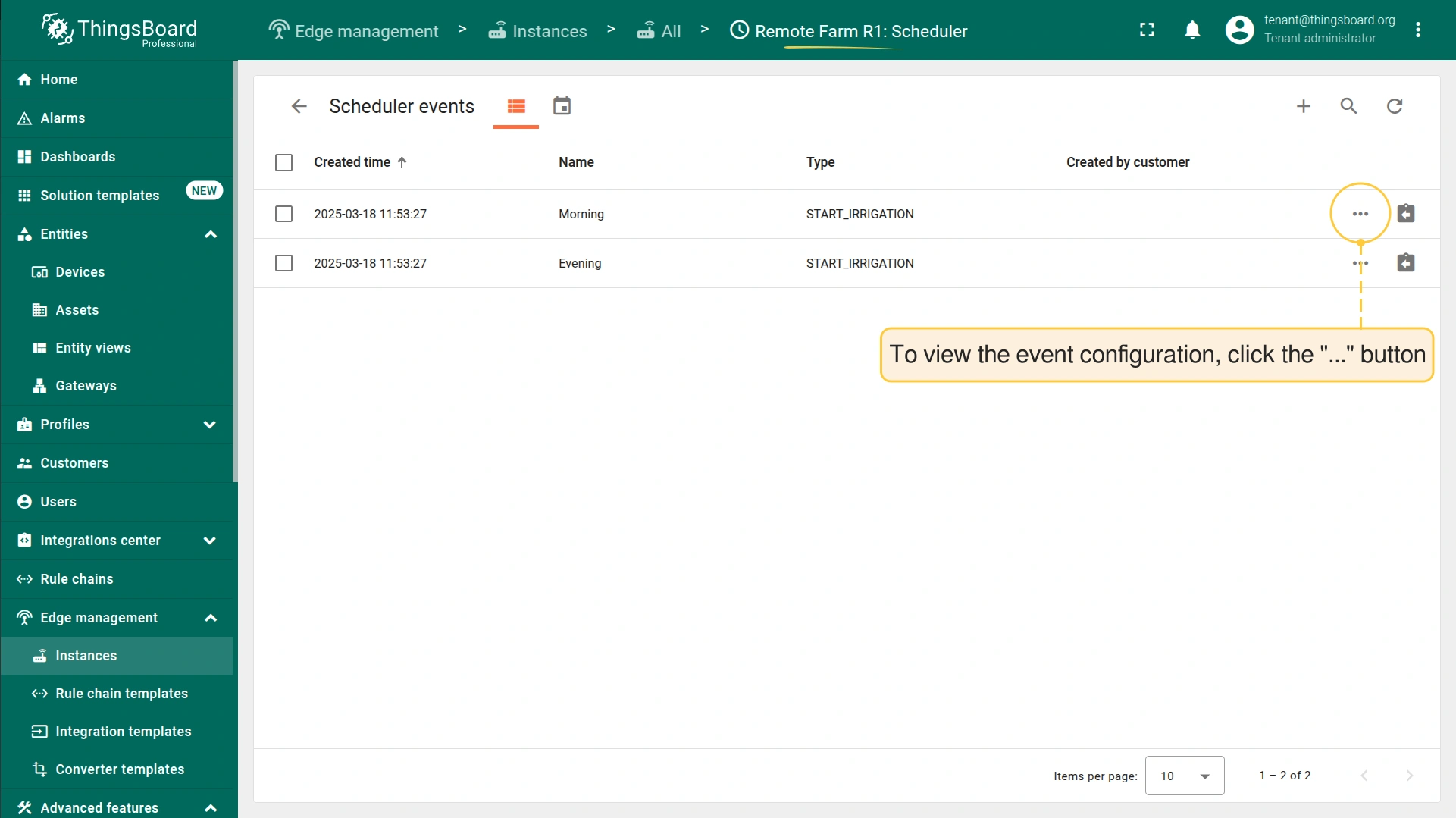
- To view the assigned scheduler events, click the "Manage edge scheduler events" button.
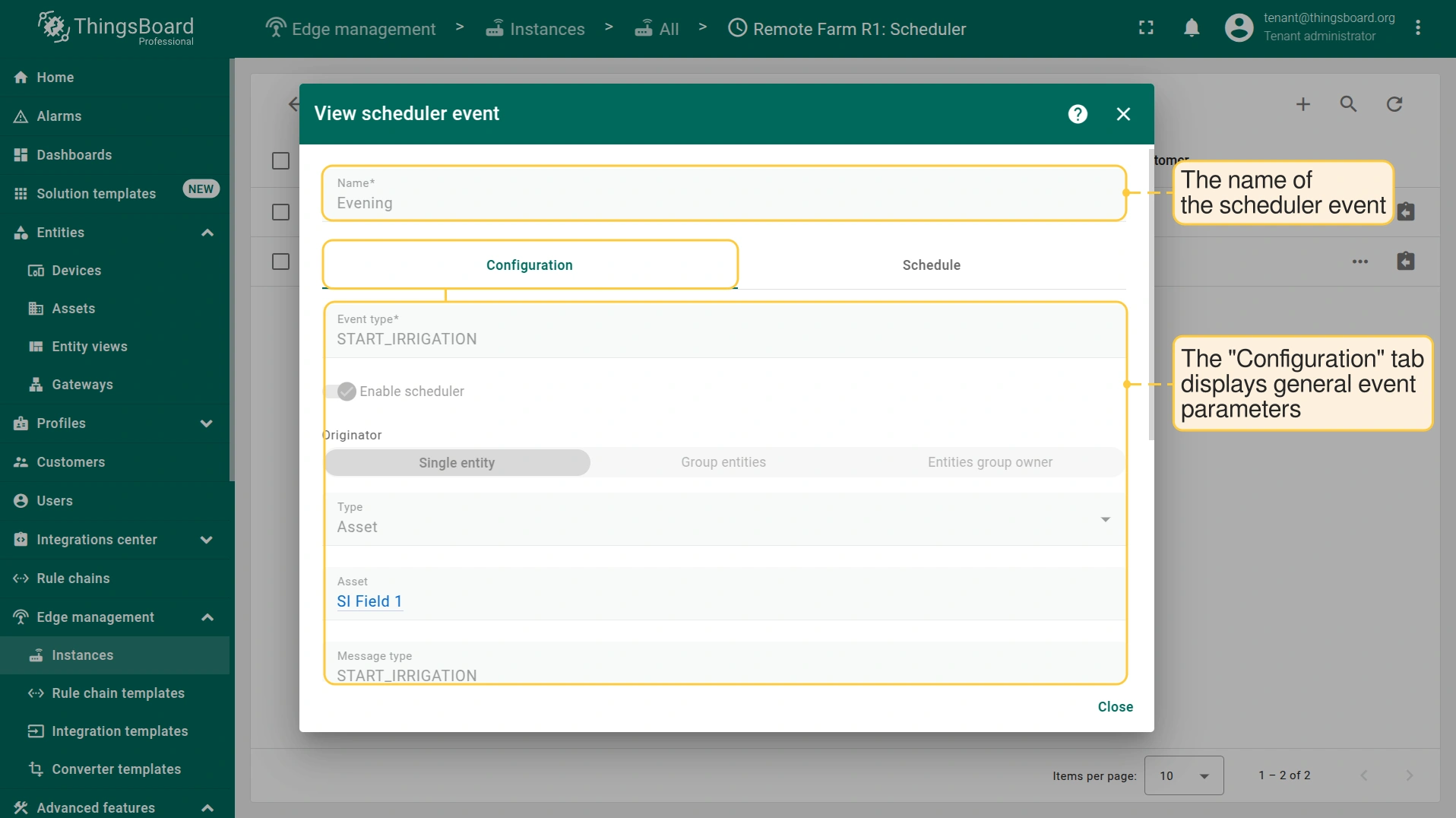
- To view the scheduler event configuration, click the corresponding button.
- The "Configuration" tab displays general event parameters, such as event type, message type and body.
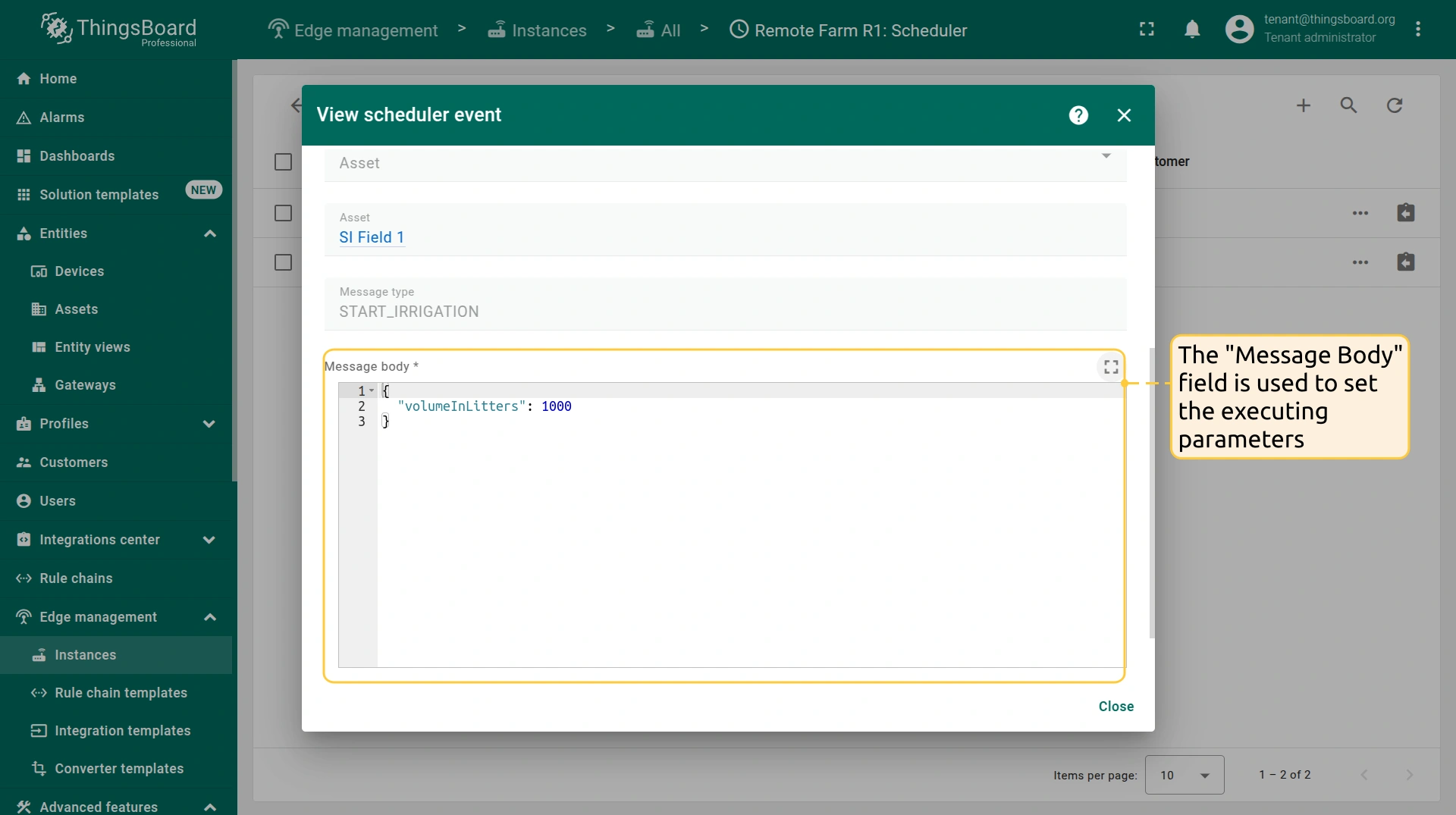
- The "Message body" field is used to set the executing parameters.
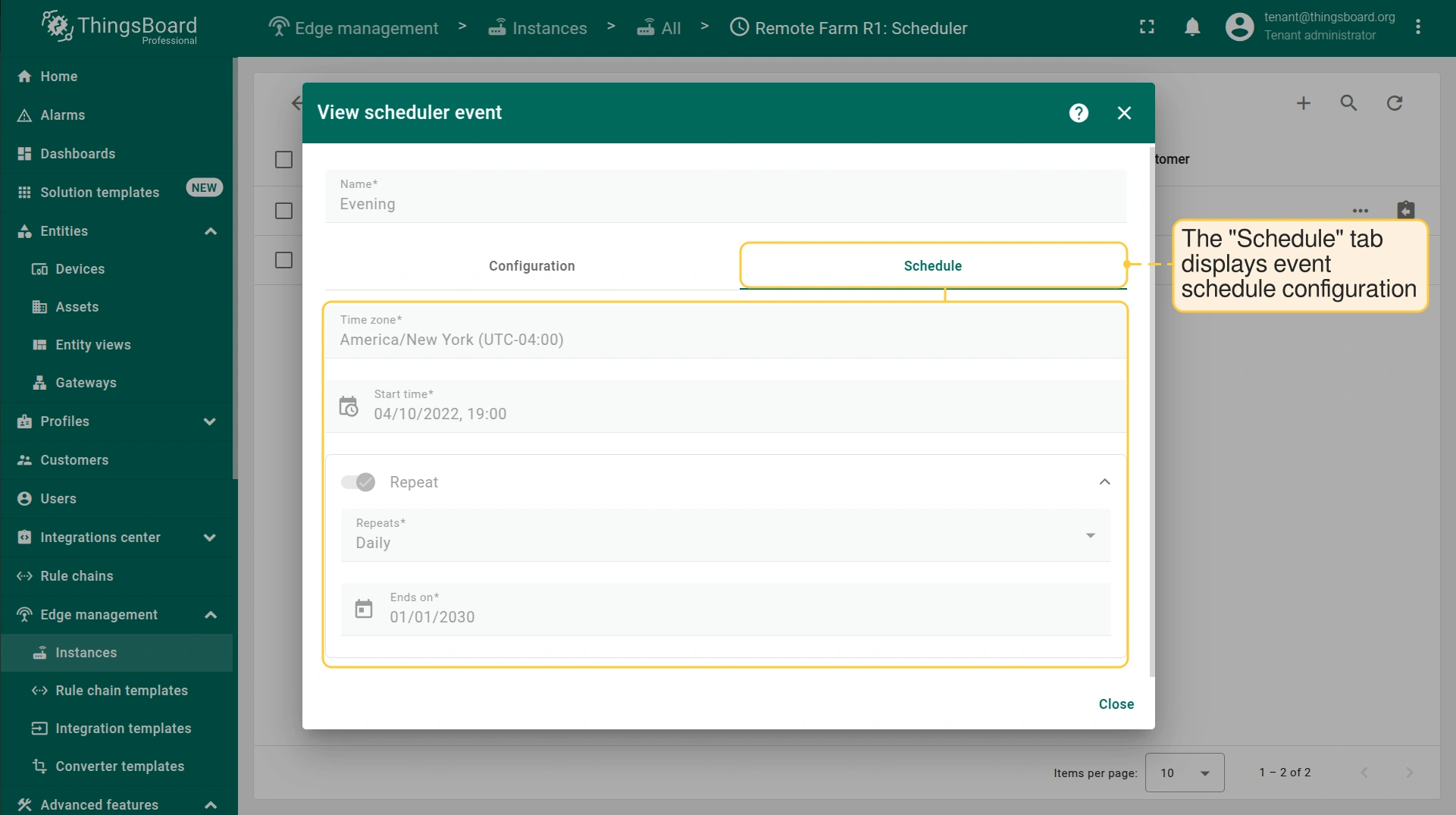
- The "Schedule" tab displays event schedule configuration.
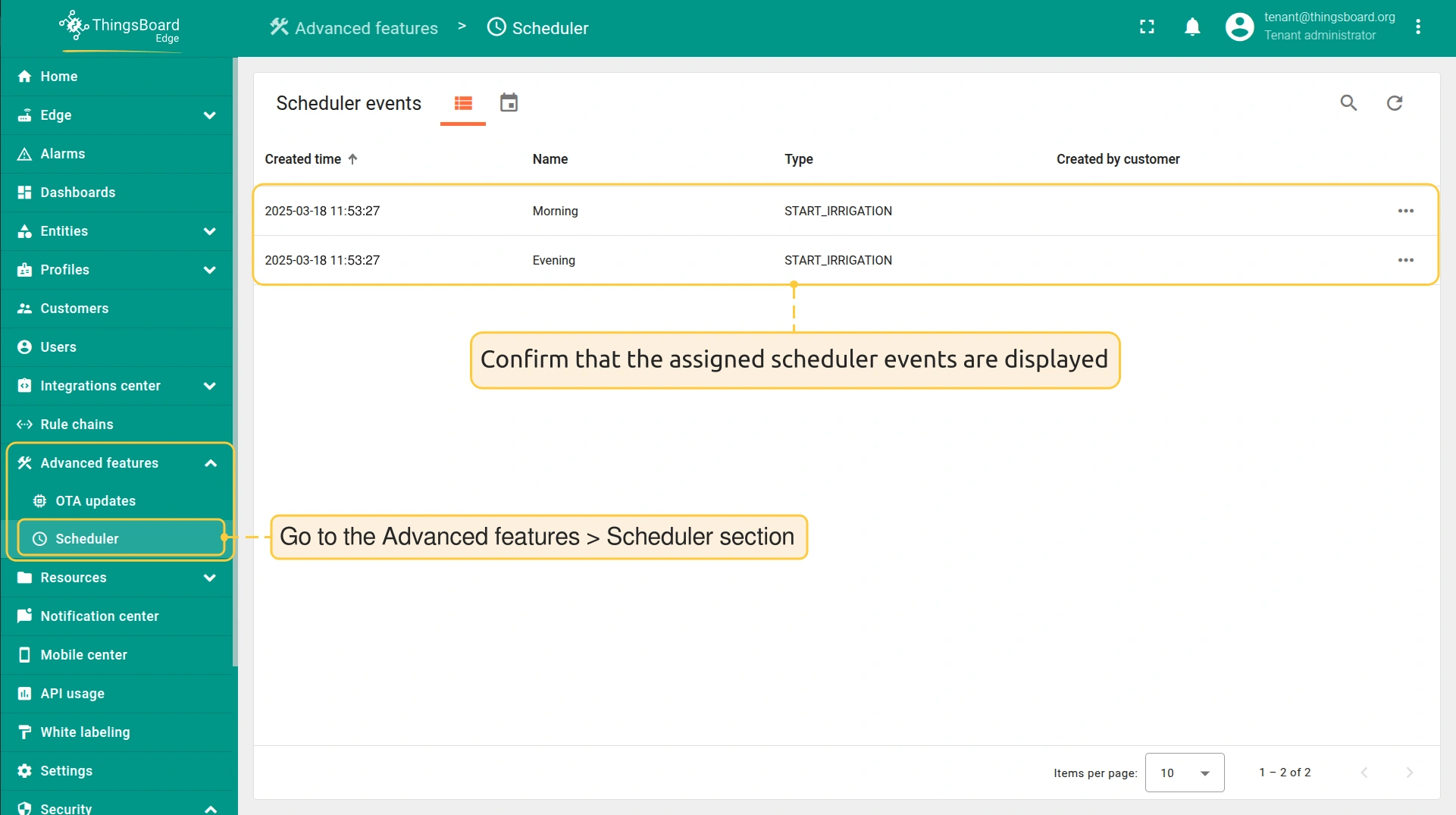
- To confirm that scheduler events are assigned, log in to the ThingsBoard Edge and go to the Advanced features > Scheduler section.
规则链
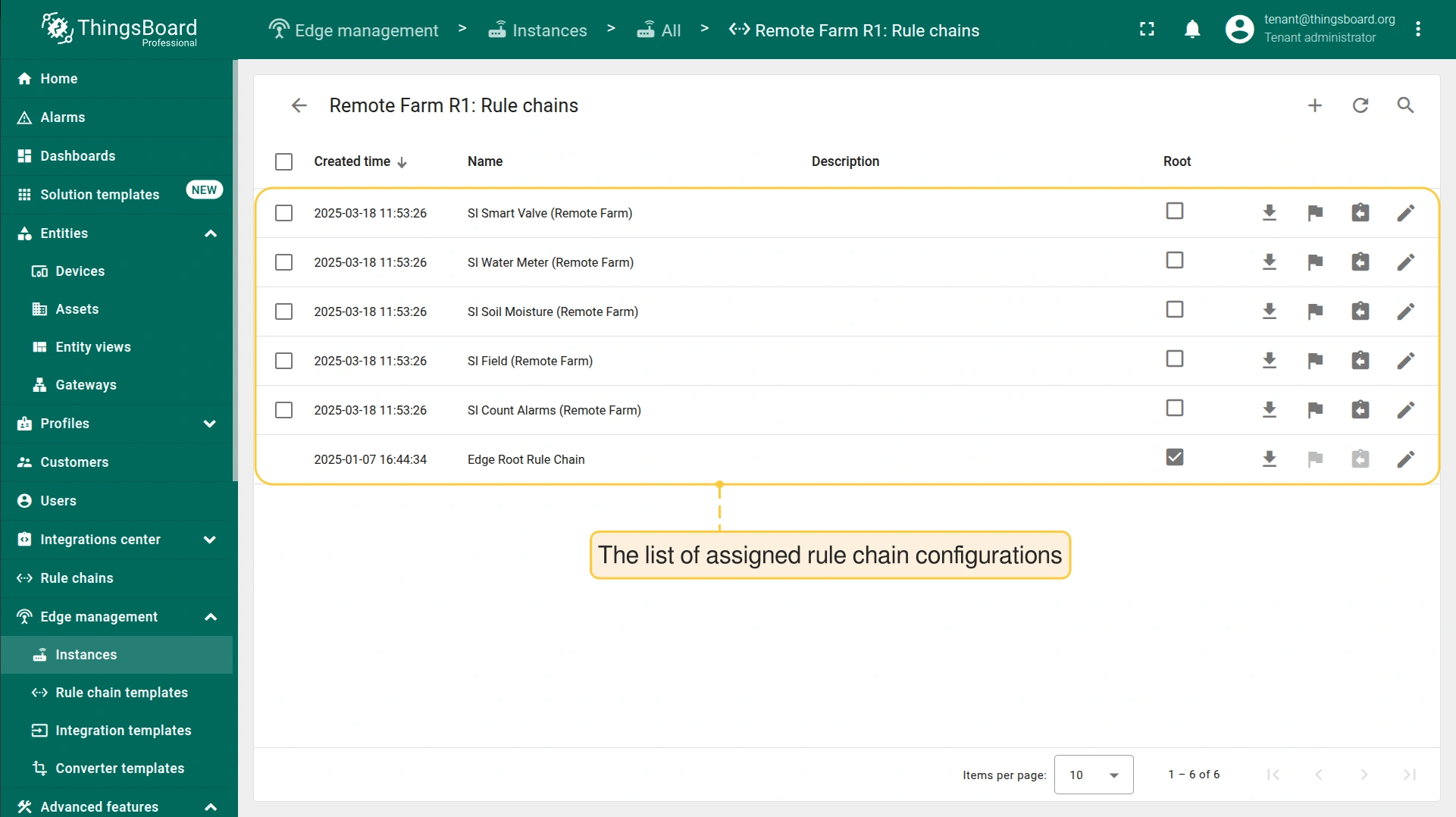
- To view the assigned Rule Chain configurations, click the "Manage edge rule chains" button.
- The list of assigned rule chain configurations is displayed on the Remote Farm R1: Rule chains page
可视化
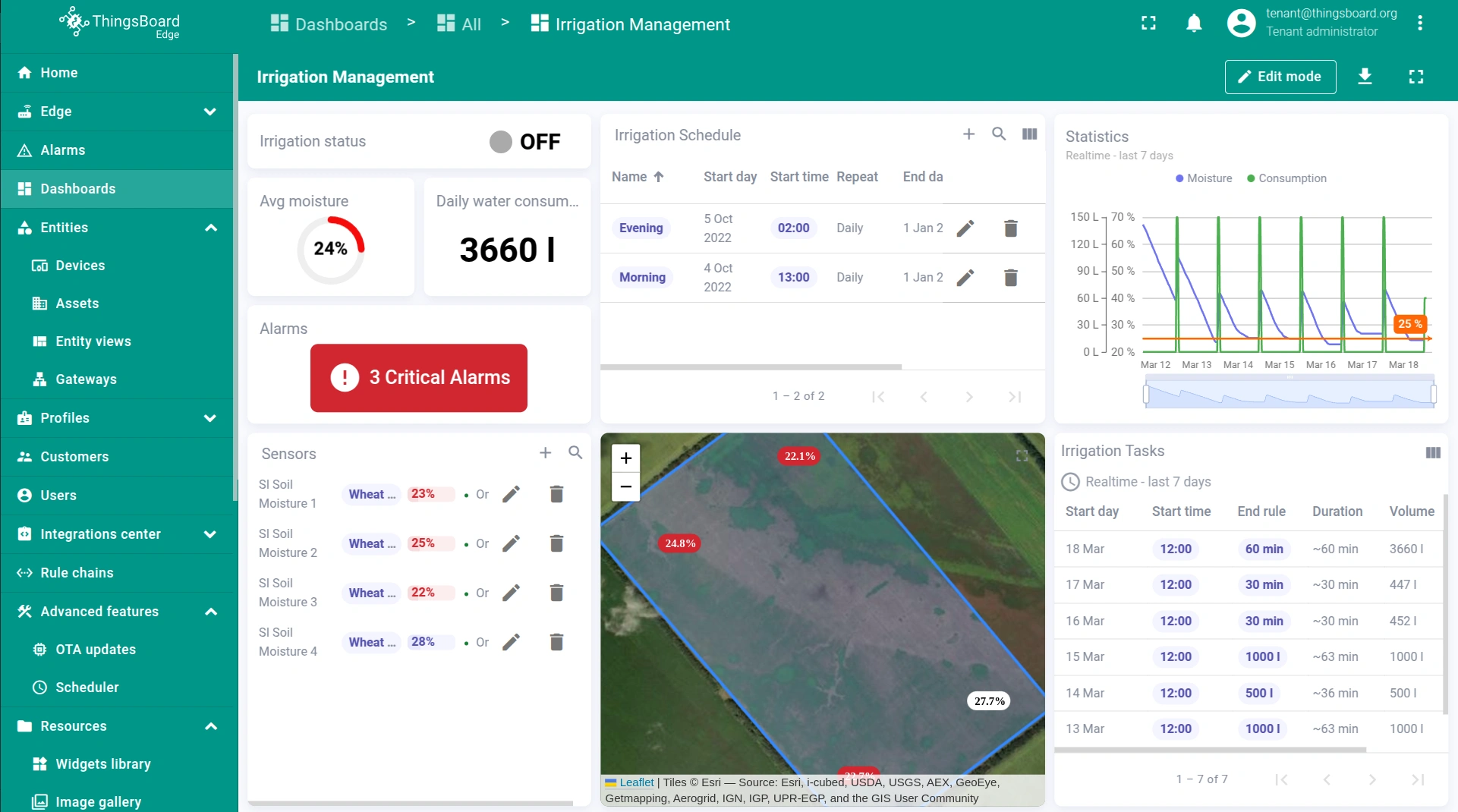
- The dashboard displays all required data.
Scheduler的优势
智能灌溉解决方案模板 中配置的 Scheduler 功能:
- 确保偏远地区自主灌溉,不依赖云。
- 基于固定计划运行灌溉,优化用水。
- 减少人工干预,提高运维效率。
- 通过实时土壤湿度遥测更新增强监控。
下一步
-
Getting started guide(入门指南)- 快速概览 ThingsBoard Edge 主要功能。预计 15–30 分钟完成:
-
Installation guides(安装指南)- 了解如何在各种操作系统上安装 ThingsBoard Edge 并连接到 ThingsBoard Server。
-
Edge 规则引擎:
-
Rule Chain Templates(规则链模板)- 了解如何使用 ThingsBoard Edge 规则链模板。
-
Provision Rule Chains from cloud to edge(从云端向 Edge 下发规则链)- 了解如何从云端向 Edge 下发边缘规则链。
-
- 安全:
- gRPC over SSL/TLS - 了解如何为 Edge 与云端之间的通信配置 gRPC over SSL/TLS。
-
功能:
-
Edge Status(Edge 状态)- 了解 ThingsBoard Edge 上的 Edge Status 页面。
-
Cloud Events(云端事件)- 了解 ThingsBoard Edge 上的 Cloud Events 页面。
-
-
使用场景:
-
Manage alarms and RPC requests on edge devices(在边缘设备上管理告警和 RPC 请求)- 本指南展示如何在 Edge 上生成本地告警并向连接到 Edge 的设备发送 RPC 请求:
-
Data filtering and traffic reduce(数据过滤与流量削减)- 本指南展示如何从 Edge 向云端仅发送过滤后的设备数据:
-
- Roadmap(路线图)- ThingsBoard Edge 路线图。