概述
Edge仪表板是用于本地监控与管理IoT数据的强大工具。即使未连接云端,也能实时运行并展示数据。连接恢复后可与服务器同步数据。
Edge仪表板 的设计方式与平台(云端)仪表板一致。请参阅平台仪表板文档了解详细能力。
仪表板配置到ThingsBoard Edge
仪表板可在 ThingsBoard服务器上创建和管理,然后配置到 Edge实例。此方式可将更改同时部署到所有Edge实例。
您可验证仪表板已配置:
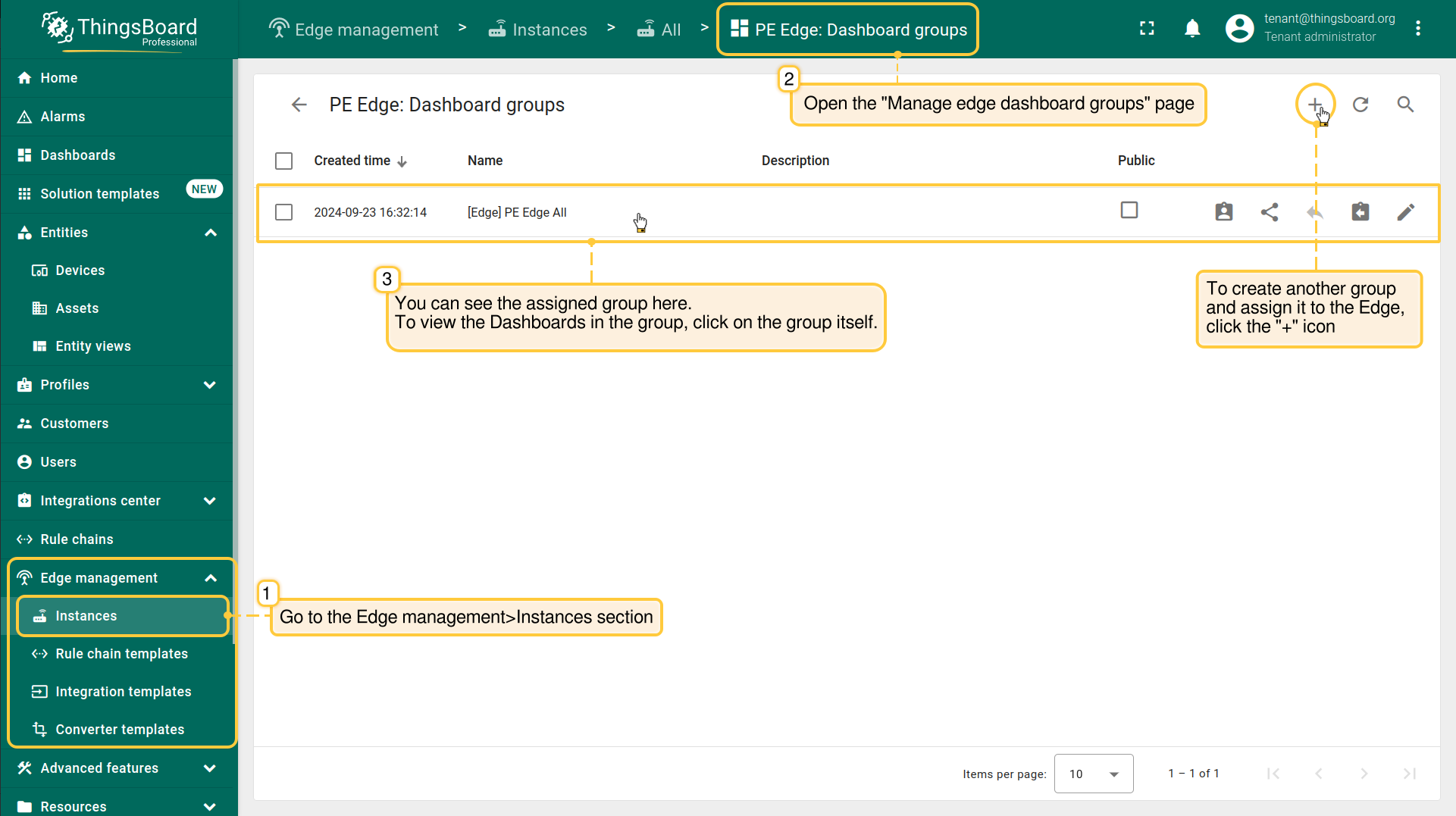
- Ensure that you have previously created, configured and assigned the Dashboard to the appropriate entity group. Then, go to the Edge management > Instances section and open the "Manage edge dashboard groups" page. You can see here all dashboards groups already assigned to the Edge instance. To assign another group to the Edge instance, click the "+" icon. To view the Dashboards in the group, click on the group itself.
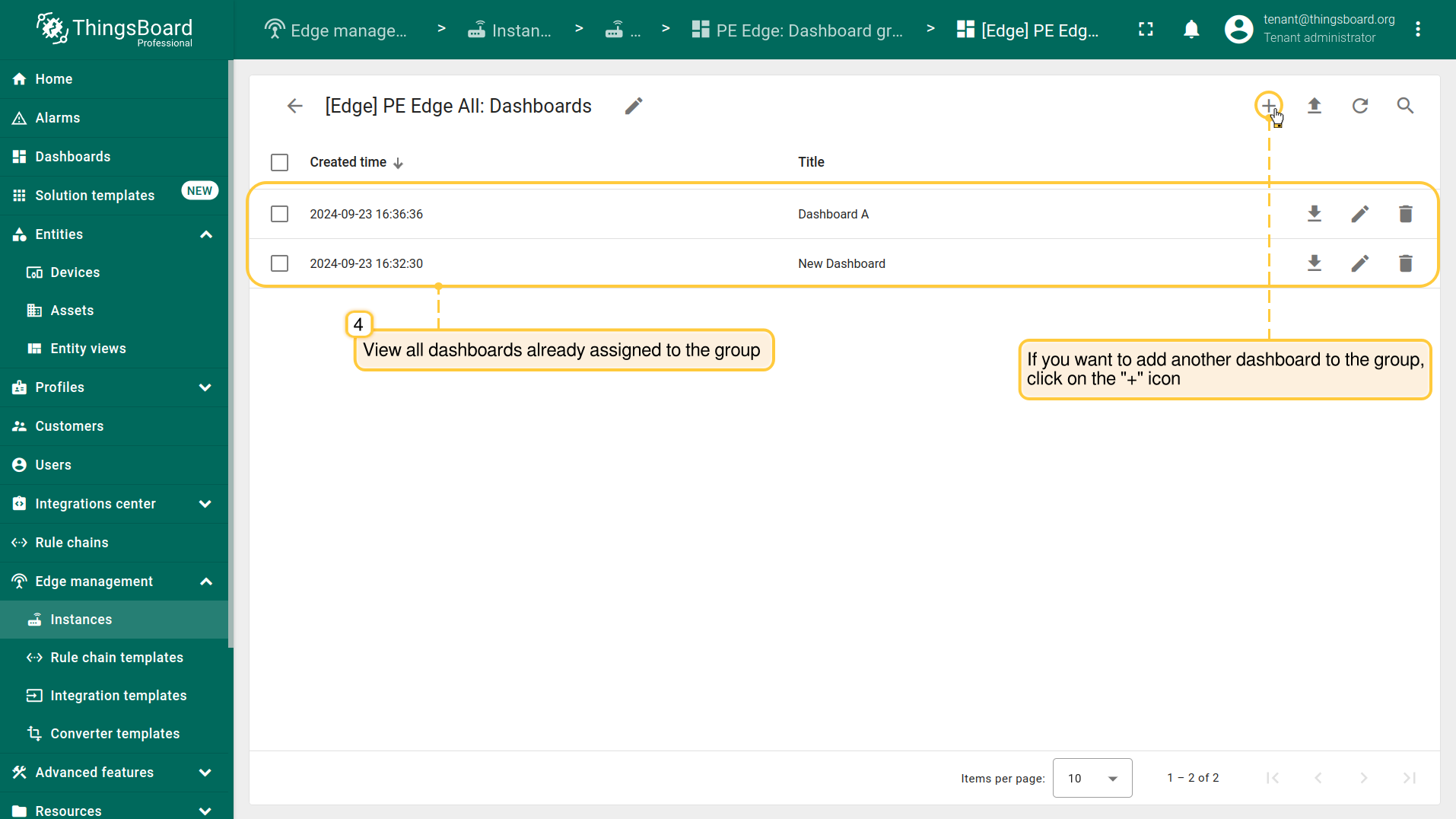
- On the Dashboards page, you can see all the dashboards already assigned to the dashboard group. To add another dashboard to the group, click the "+" icon.
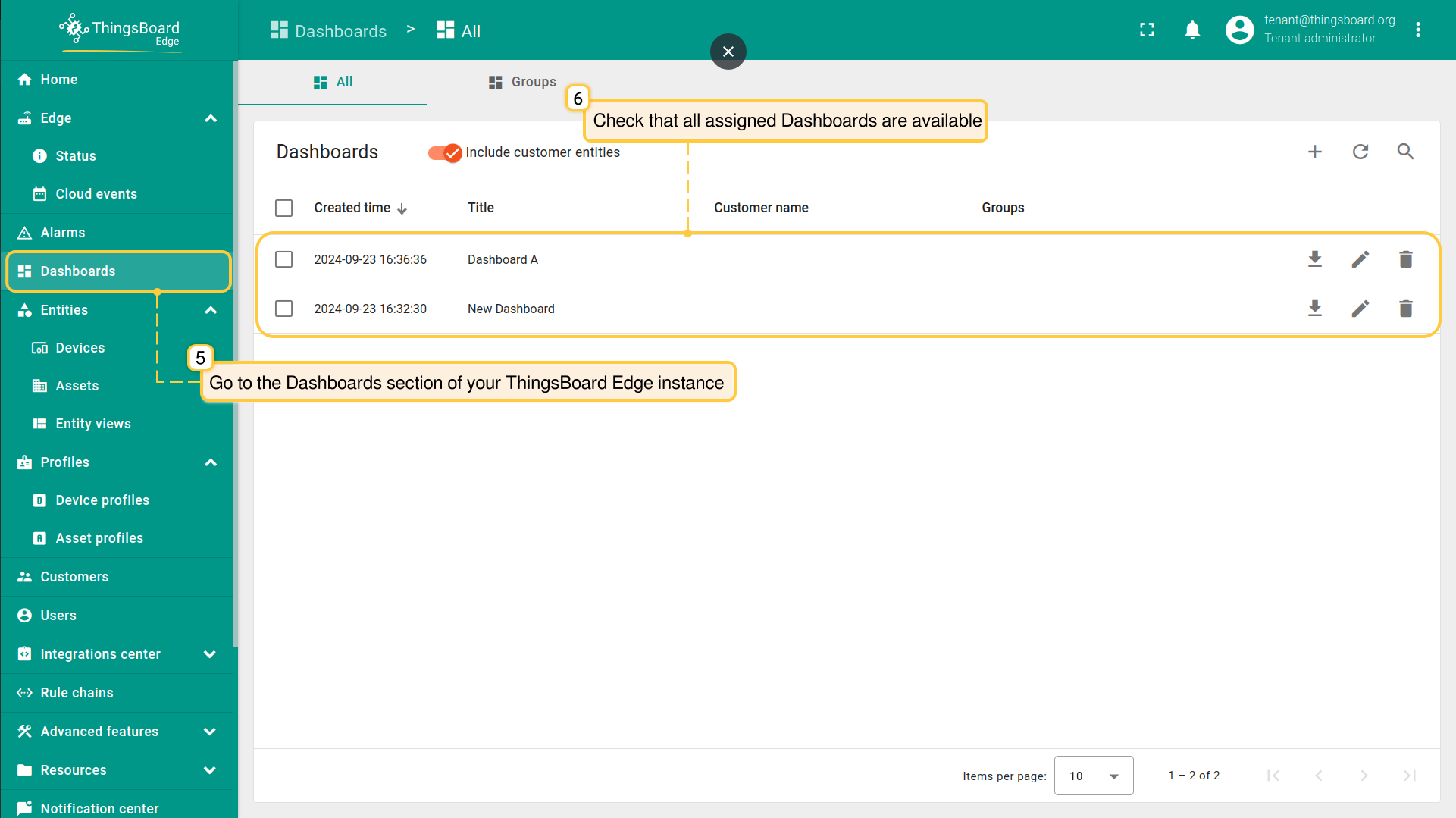
- To verify that the dashboards are provisioned, log in to your Edge Professional Edition instance and go to the Dashboards section.
Edge仪表板创建与管理
您也可直接在 Edge 上创建和管理 仪表板。连接后,所有更改会自动传播到平台。
在 ThingsBoard Edge 实例上创建 Edge仪表板,按以下步骤操作:
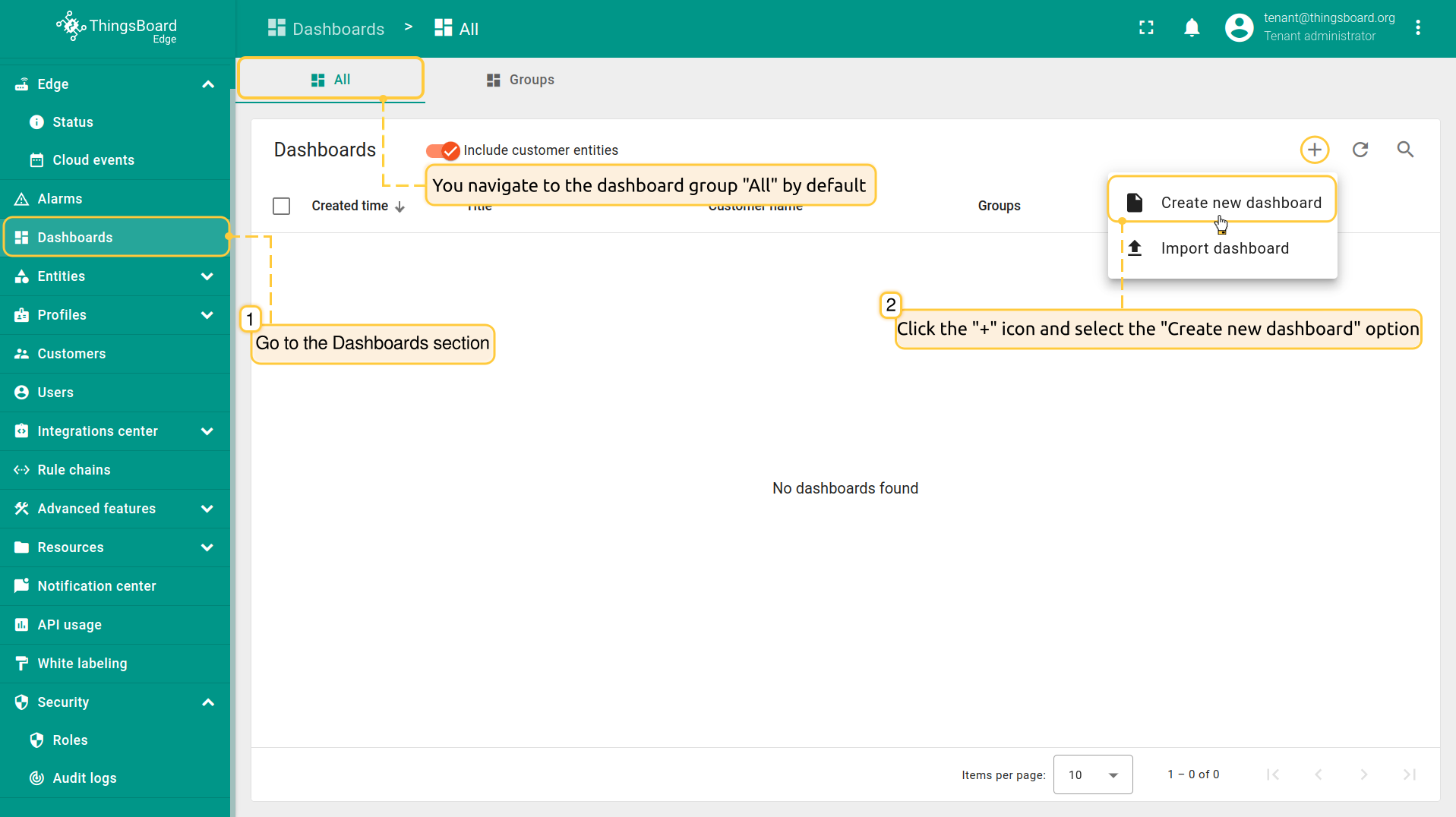
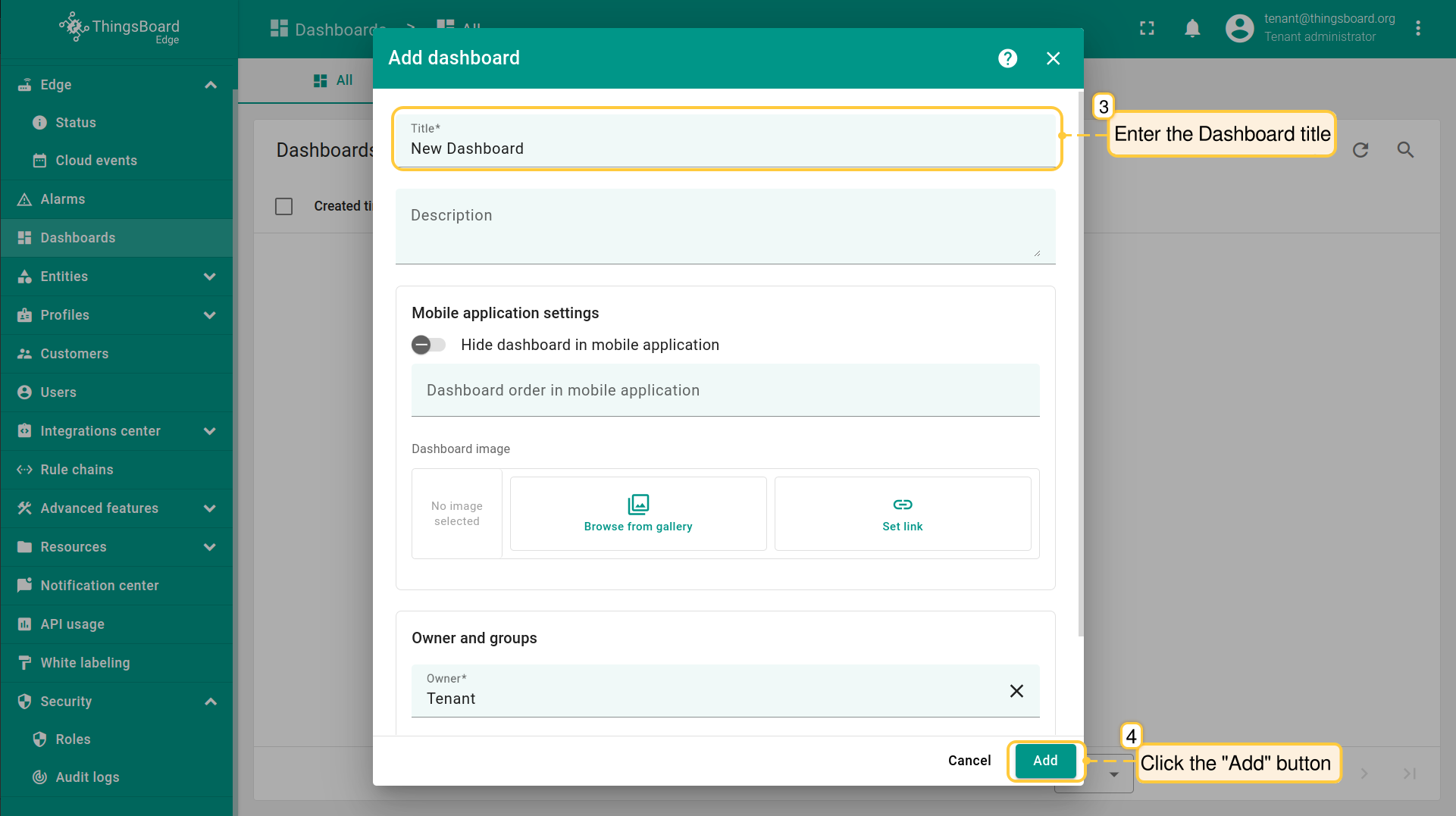
- Log in to your Edge instance and navigate to the “Dashboards” section. By default, you navigate to the dashboard group "All". Click the "+" icon in the upper right corner of the screen, and select "Create new dashboard" option from the drop-down menu.
- In the pop-up window, enter a dashboard title. Other fields are optional. Click the "Add" button to proceed
- Once you have created the dashboard, it will be automatically opened. You can configure it by adding widgets. Click the "Save" button to save the changes
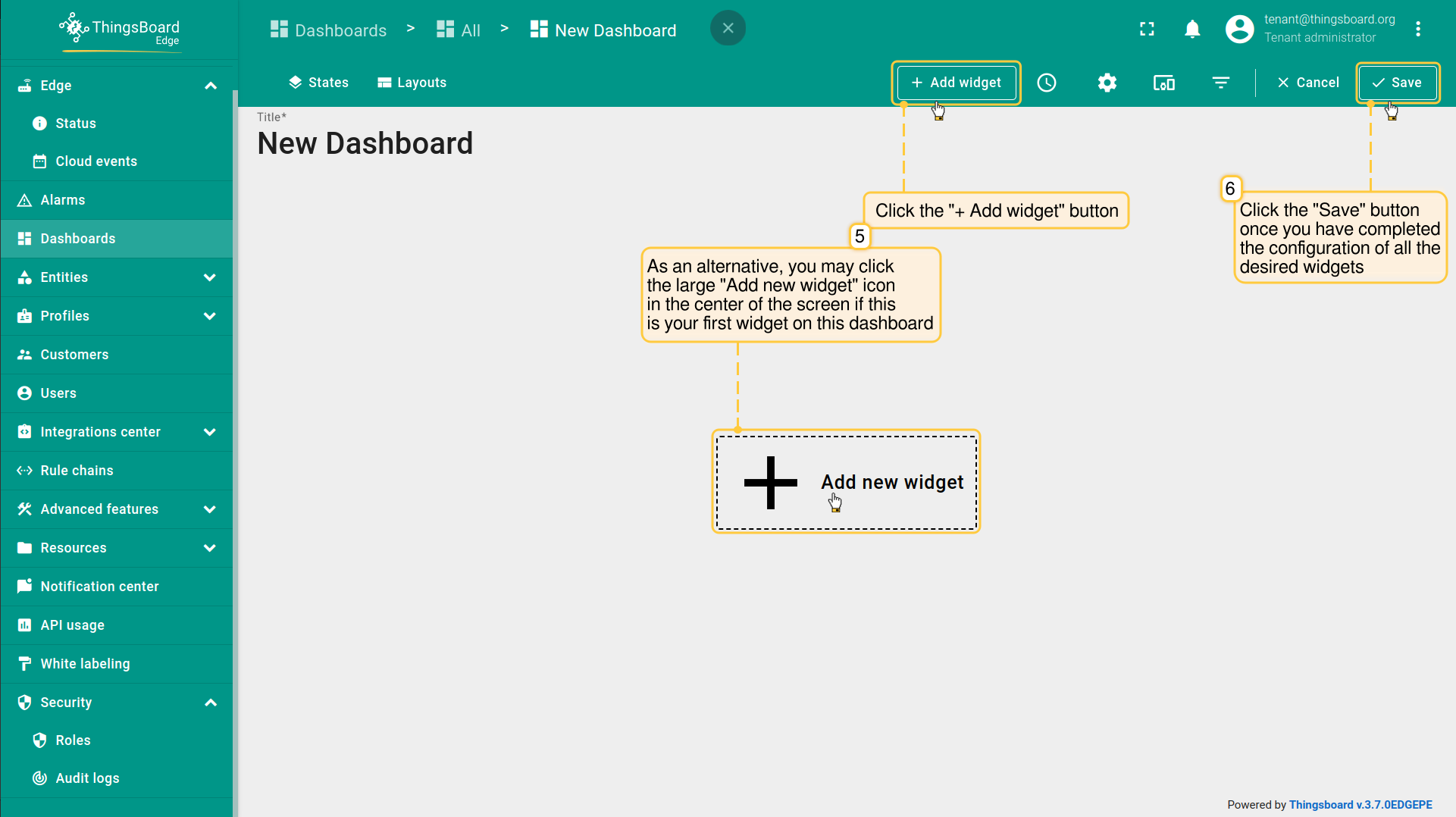
可在此了解部件:此处。
仪表板工具栏详见此处。
验证更改是否已成功传播:
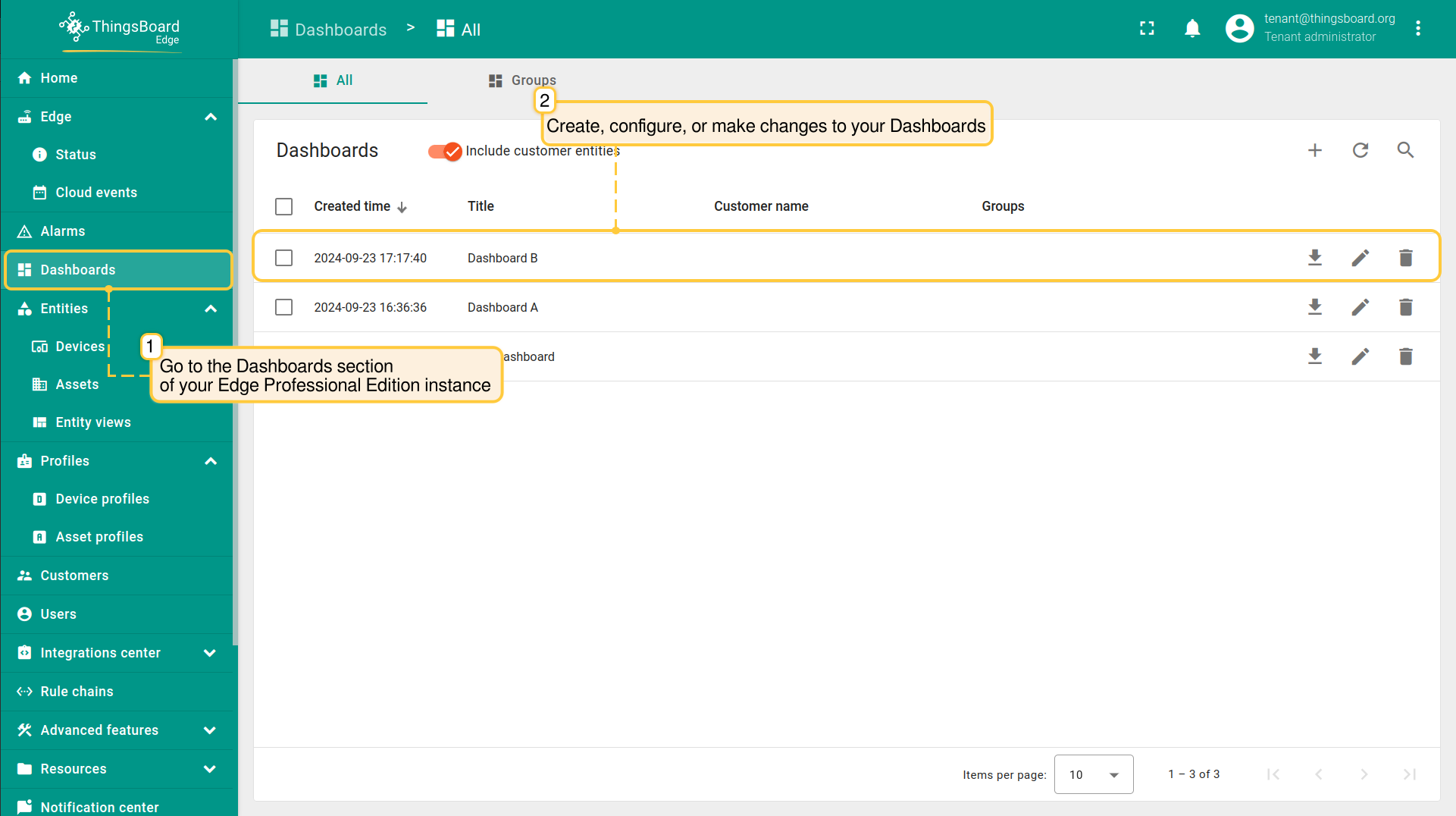
- Log in to your Edge Professional Edition instance and go to the Dashboards section. Here you can create, configure, or make any changes to your Dashboards.
- Log in to your ThingsBoard Server and go to the “Dashboards” section to see that the changes have been applied to the ThingsBoard Server. Make sure you are connected to the internet.
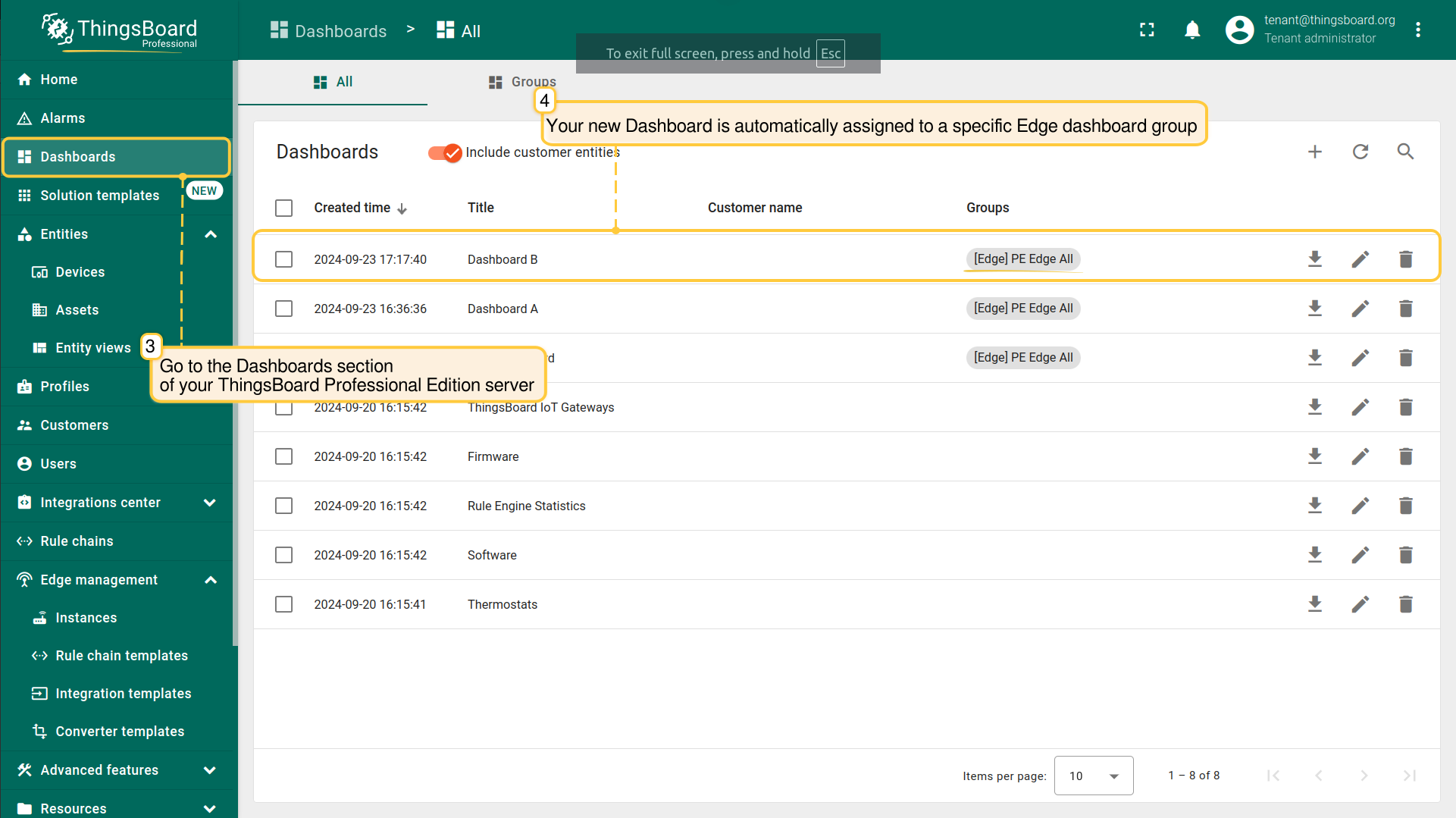
若有多个 ThingsBoard Edge 实例,您可仅在某一实例上删除仪表板而不影响其他实例。若要在所有 ThingsBoard Edge 实例中一次性删除 仪表板,需在ThingsBoard平台侧删除。
分配/移除客户
在向仪表板分配客户前,请确保已先将客户分配到 ThingsBoard Edge 实例。客户相关说明见此处。
向 Edge仪表板 分配/取消分配客户,按以下步骤操作:
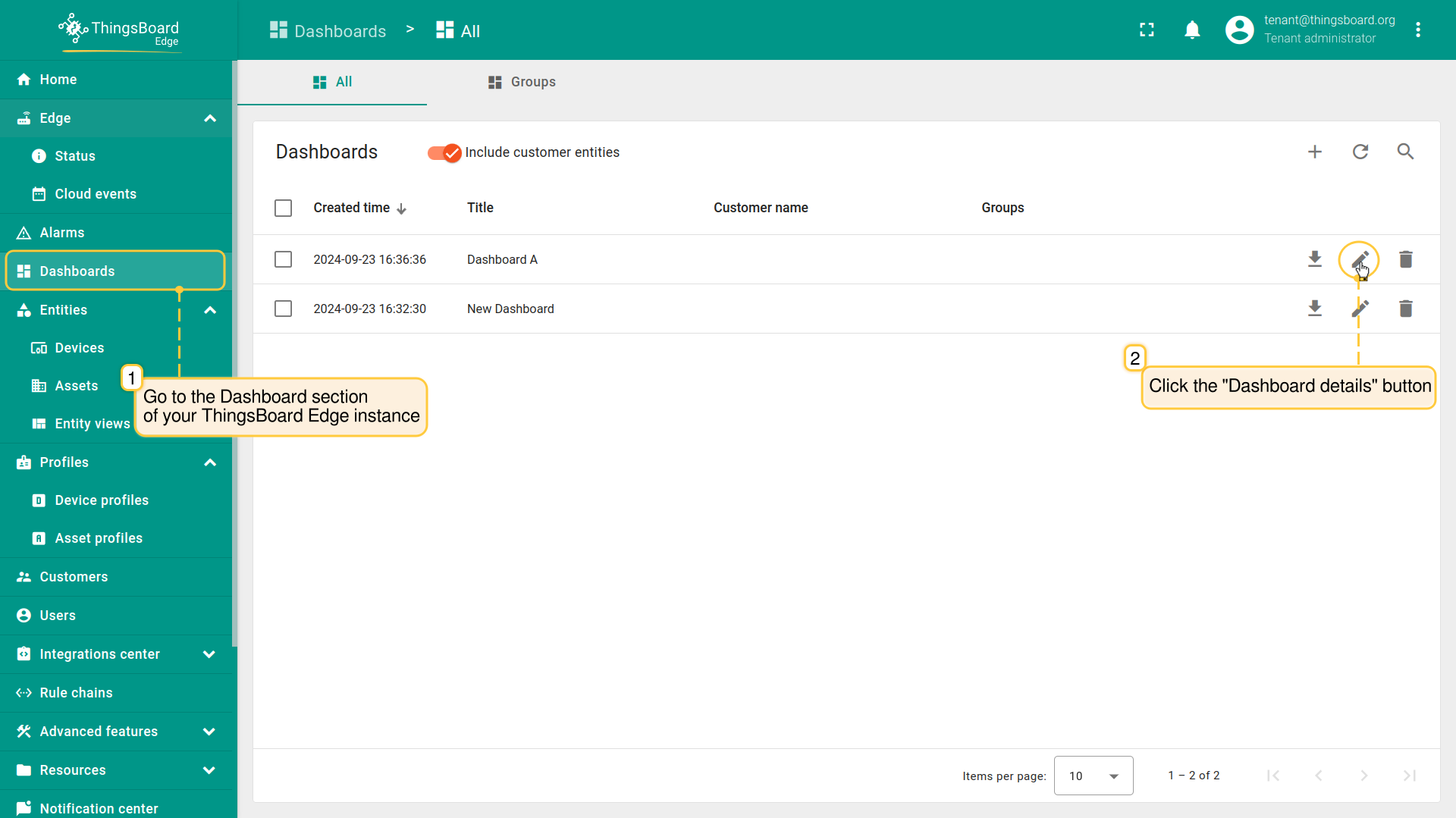
- Log in to your ThingsBoard Edge instance and go to the “Dashboards” section. Then, click the "Dashboard details" button.
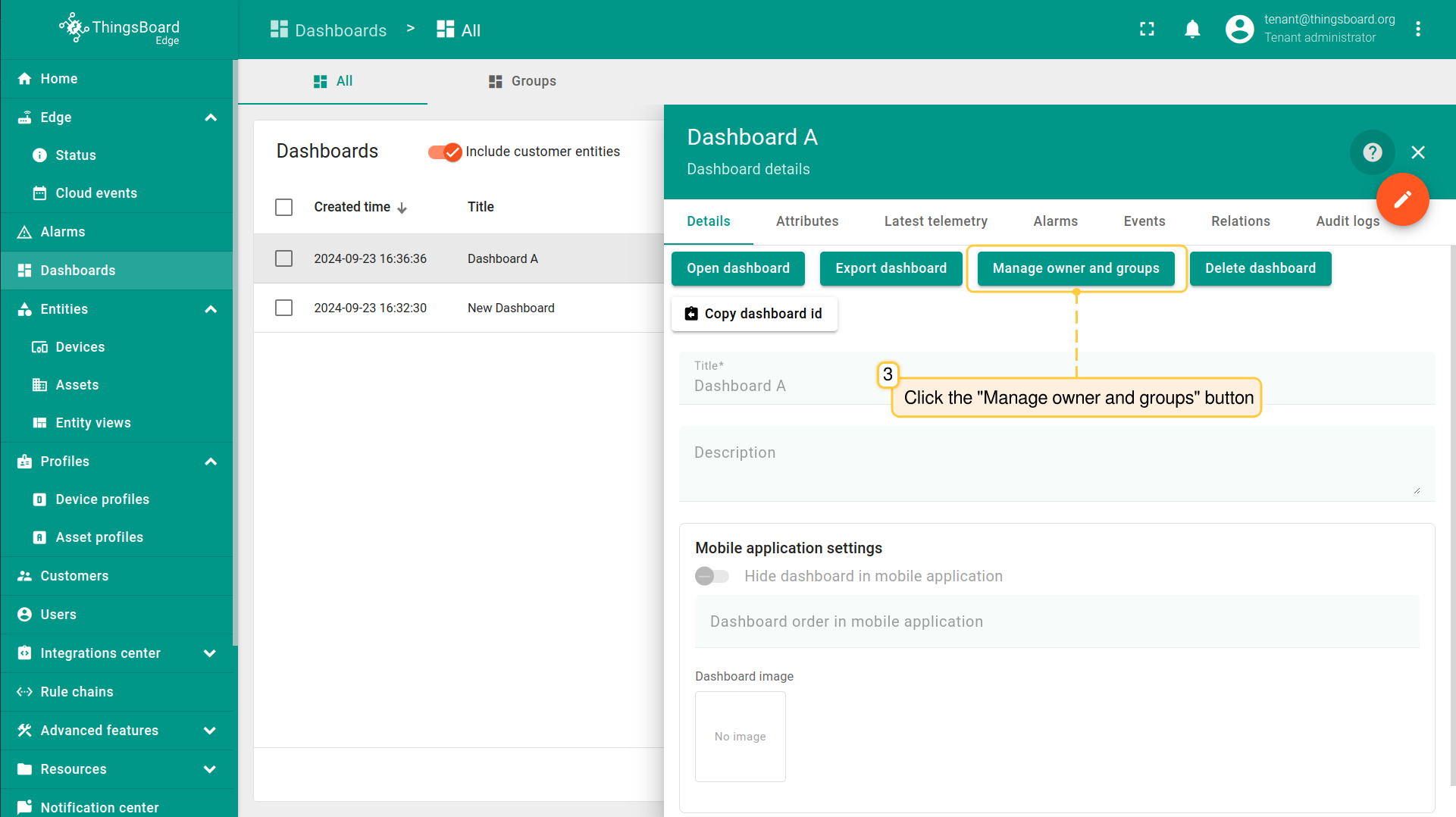
- Click the "Manage owner and groups" button on the Dashboard details page
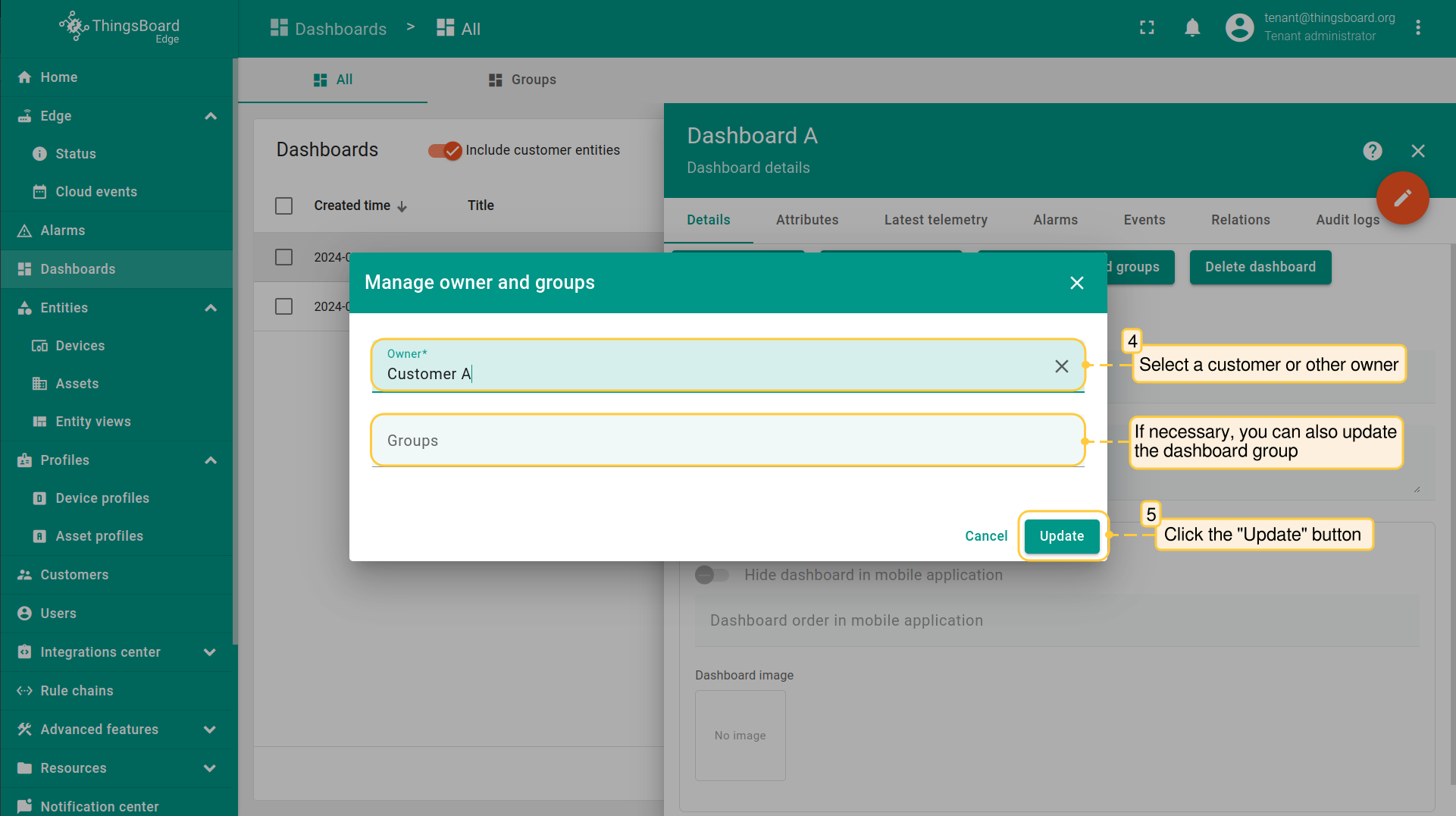
- In the "Manage owner and groups" pop-up window, select owner and click the "Update" button. You also may update the dashboard group if needed.
下一步
-
Getting started guide(入门指南)- 快速概览 ThingsBoard Edge 主要功能。预计 15–30 分钟完成:
-
Installation guides(安装指南)- 了解如何在各种操作系统上安装 ThingsBoard Edge 并连接到 ThingsBoard Server。
-
Edge 规则引擎:
-
Rule Chain Templates(规则链模板)- 了解如何使用 ThingsBoard Edge 规则链模板。
-
Provision Rule Chains from cloud to edge(从云端向 Edge 下发规则链)- 了解如何从云端向 Edge 下发边缘规则链。
-
- 安全:
- gRPC over SSL/TLS - 了解如何为 Edge 与云端之间的通信配置 gRPC over SSL/TLS。
-
功能:
-
Edge Status(Edge 状态)- 了解 ThingsBoard Edge 上的 Edge Status 页面。
-
Cloud Events(云端事件)- 了解 ThingsBoard Edge 上的 Cloud Events 页面。
-
-
使用场景:
-
Manage alarms and RPC requests on edge devices(在边缘设备上管理告警和 RPC 请求)- 本指南展示如何在 Edge 上生成本地告警并向连接到 Edge 的设备发送 RPC 请求:
-
Data filtering and traffic reduce(数据过滤与流量削减)- 本指南展示如何从 Edge 向云端仅发送过滤后的设备数据:
-
- Roadmap(路线图)- ThingsBoard Edge 路线图。