- 工作原理
- 前置条件
- 步骤1. 创建新的Edge实例
- 步骤2. 在Gateway设备上安装Edge
- 步骤3. 在Edge上配置ThingsBoard IoT Gateway
- 步骤4. 在Gateway设备上安装ThingsBoard IoT Gateway软件
- 下一步
ThingsBoard Edge 可与 ThingsBoard IoT Gateway 一起运行。 由于 Edge 在源头处理数据的能力以及 IoT Gateway 扩展的通信协议列表,此方式可创建稳健的分布式物联网架构。
工作原理
ThingsBoard IoT Gateway 在本地收集数据,将其转换为 ThingsBoard 兼容的通信协议,并传输到 ThingsBoard Edge。 Rule Engine 实时处理数据,支持即时可视化和事件响应。如需要,可将汇总或聚合数据发送到中央服务器进行分析。
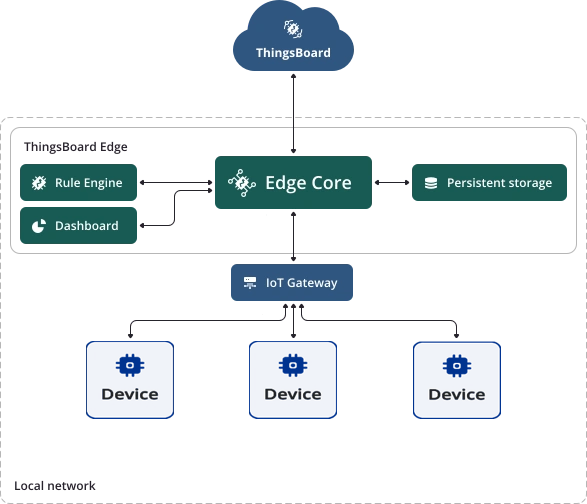

在互联网连接不可靠的偏远地区部署时,Edge 将在连接恢复前持续运行。
前置条件
- 已安装 Docker
- ThingsBoard Cloud 账户(Demo、Professional edition或Community edition)
- 任意基于Linux的 IoT Gateway 设备
步骤1. 创建新的Edge实例
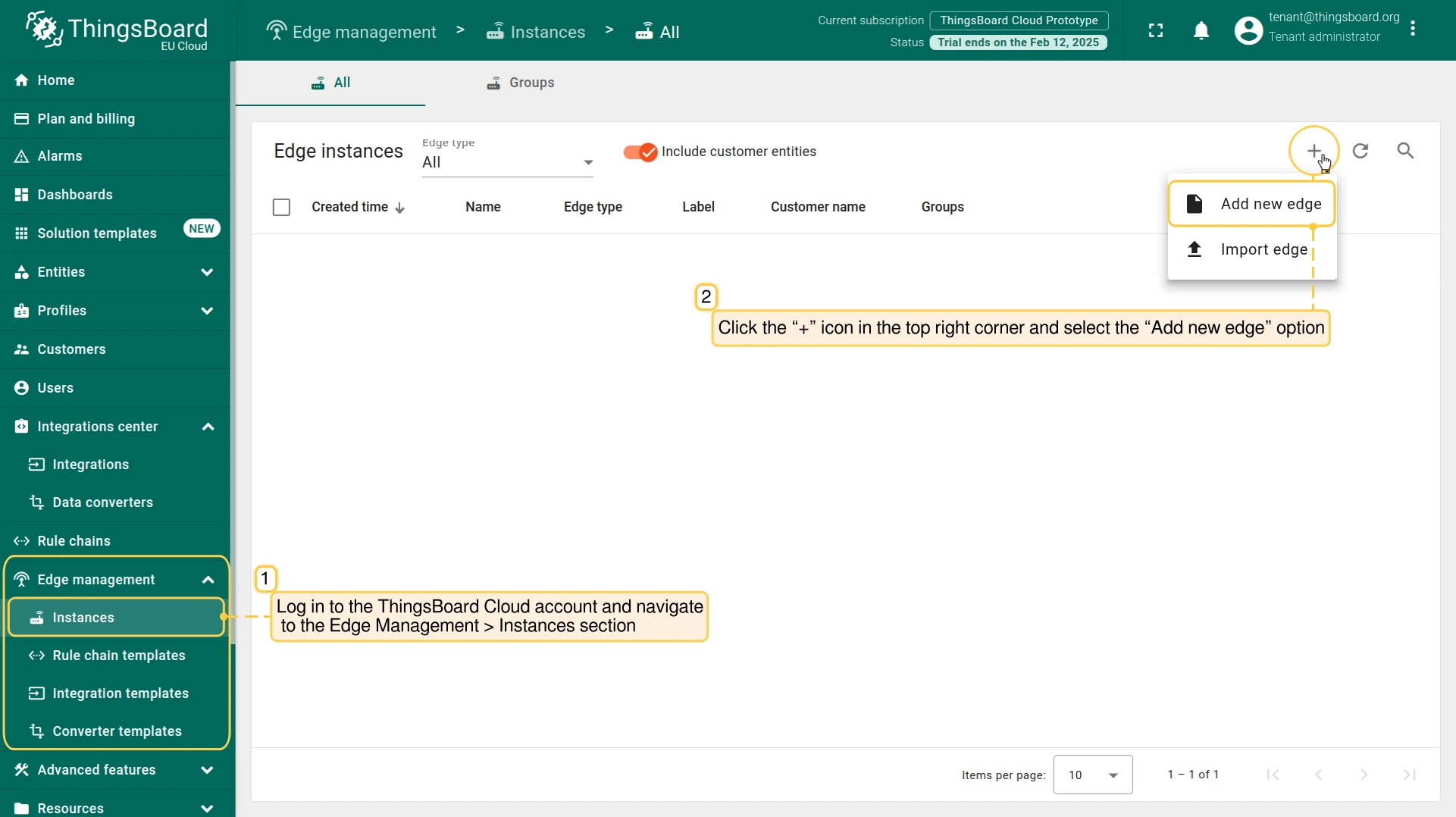
- Log in to your Cloud account and navigate to the Edge Management > Instances section. Click the “+” button and select the “Add new edge” option.
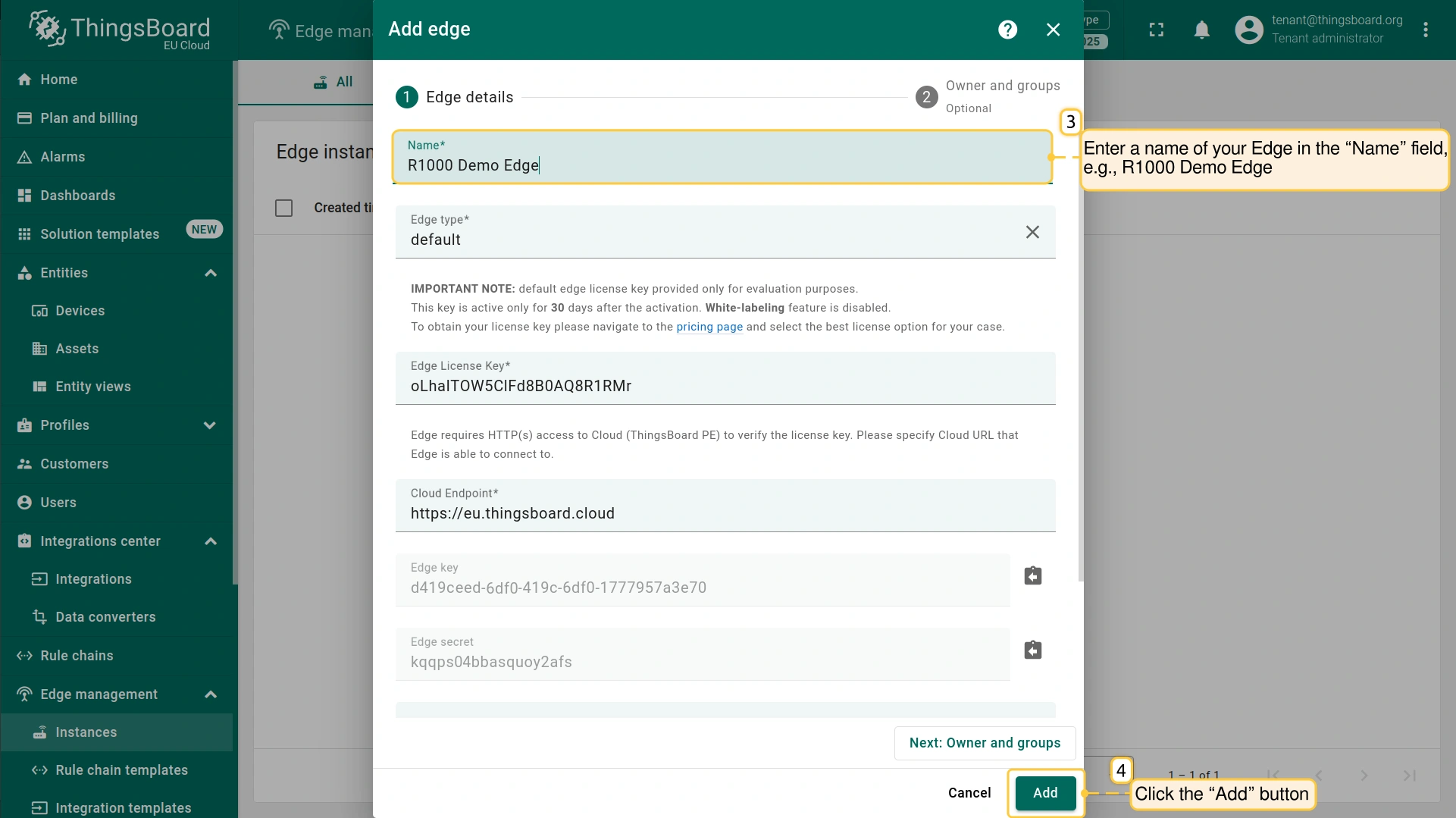
- In the "Add Edge" pop-up window, enter a name for your Edge in the "Name" field, and click the "Add" button.
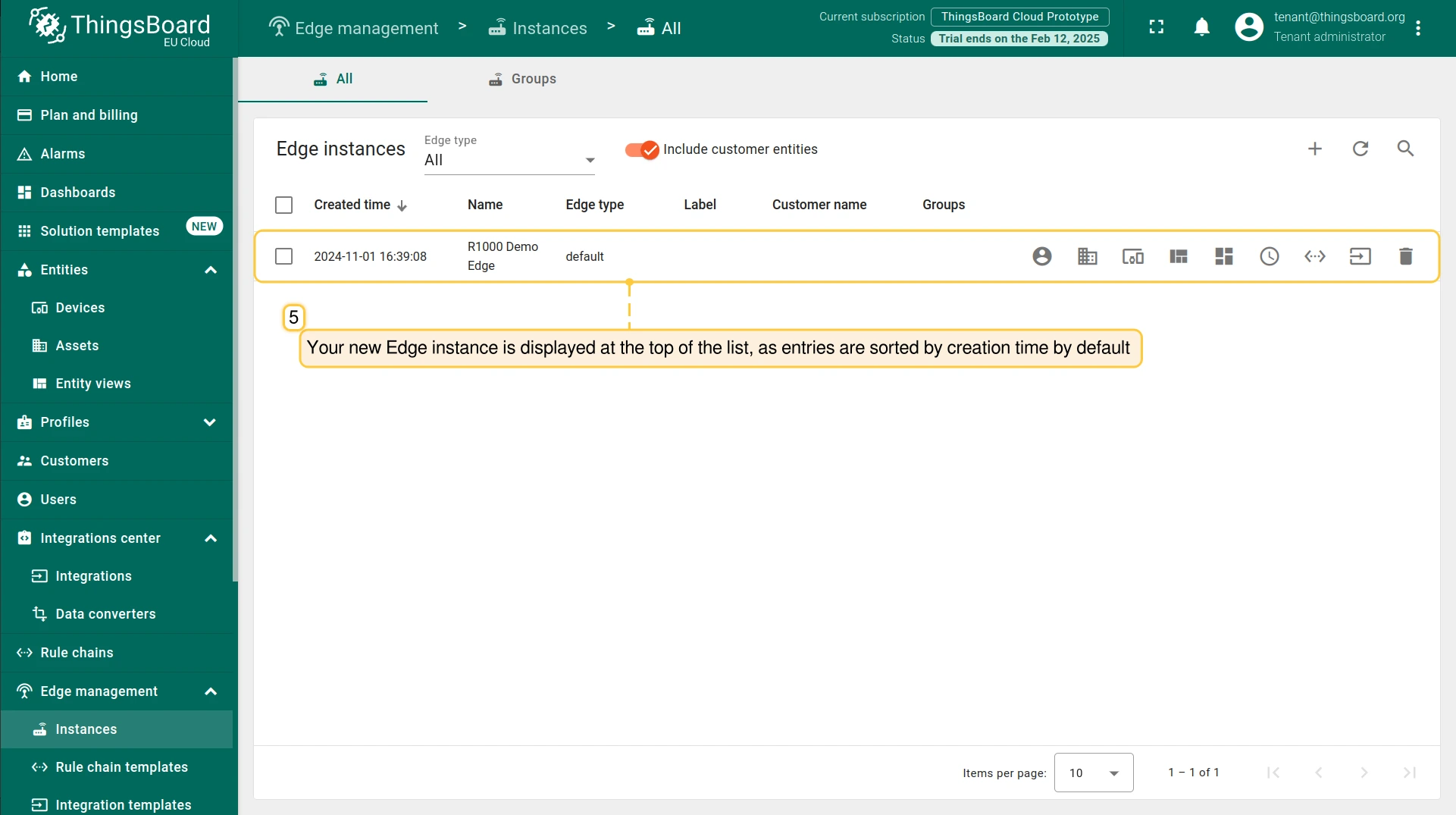
- The Edge instance is displayed at the top of the list, as entries are sorted by creation time by default.
步骤2. 在Gateway设备上安装Edge
要在 IoT Gateway 设备上安装 Edge实例,请通过终端发起到 设备 的 SSH (Secure Shell) 连接:
1
ssh username@ip_address
- username: 输入具有Gateway设备访问权限的实际用户名;
- ip_address: 输入Gateway设备的实际IP地址;
- password: 终端将请求认证凭据。
若 SSH 服务器在非默认端口运行,请使用 -p 命令指定。
示例:ssh -p 2222 username@ip_address
连接后,创建新目录:
1
mkdir tb_edge
在此目录中为 ThingsBoard Edge 服务创建docker-compose文件:
1
nano docker-compose.yml
配置此文件:
- Go to the Edge Management > Instances section, and click on the Edge instance. On the Edge details" page, click the "Install & Connect Instructions" button.
- In the "Install & Connect Instructions" pop-up window, select the "Docker" tab and copy the configuration lines.
- Paste the copied lines into the docker-compose.yml file in the terminal and save it. To close the file, press CTRL+X.
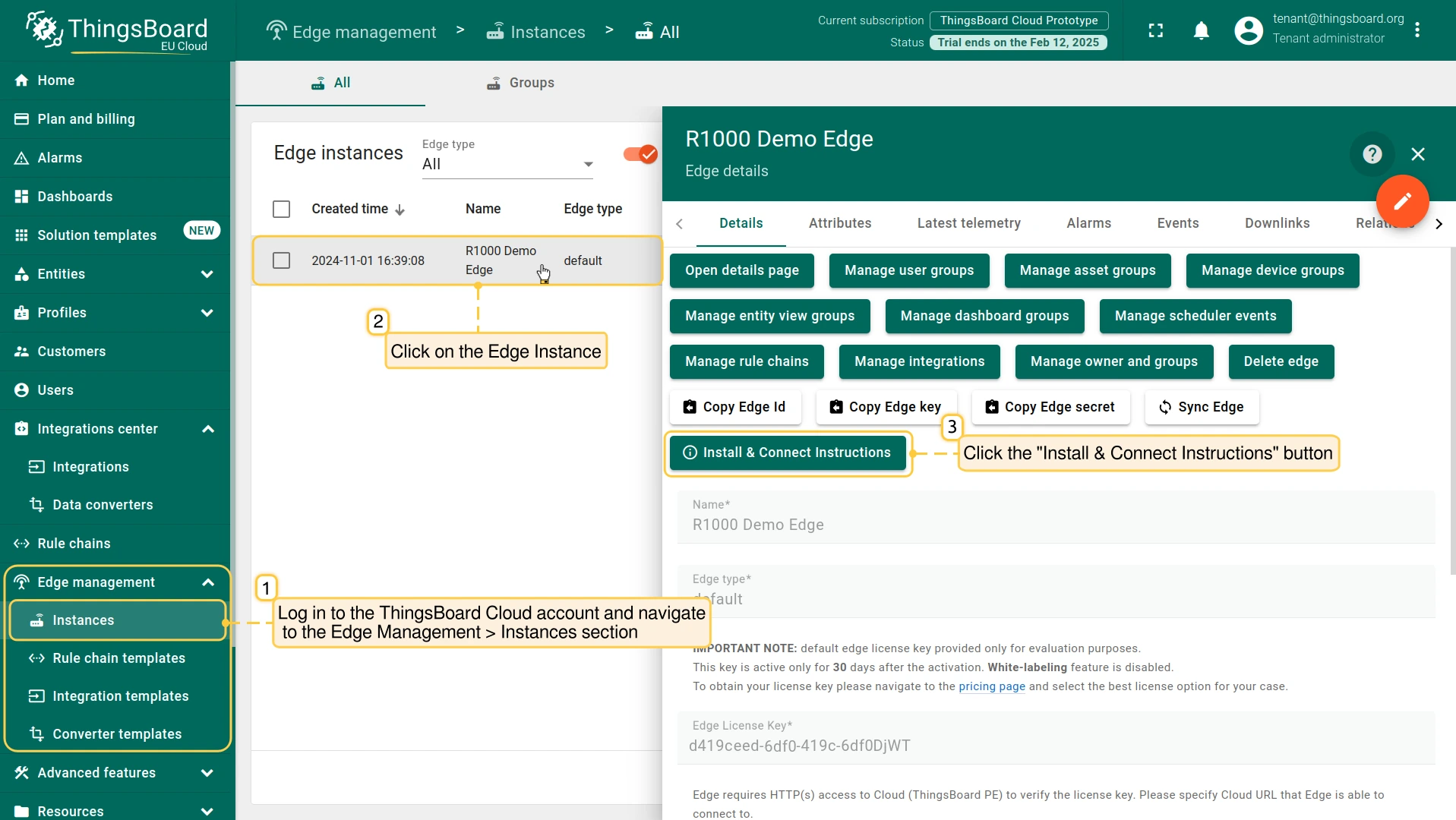
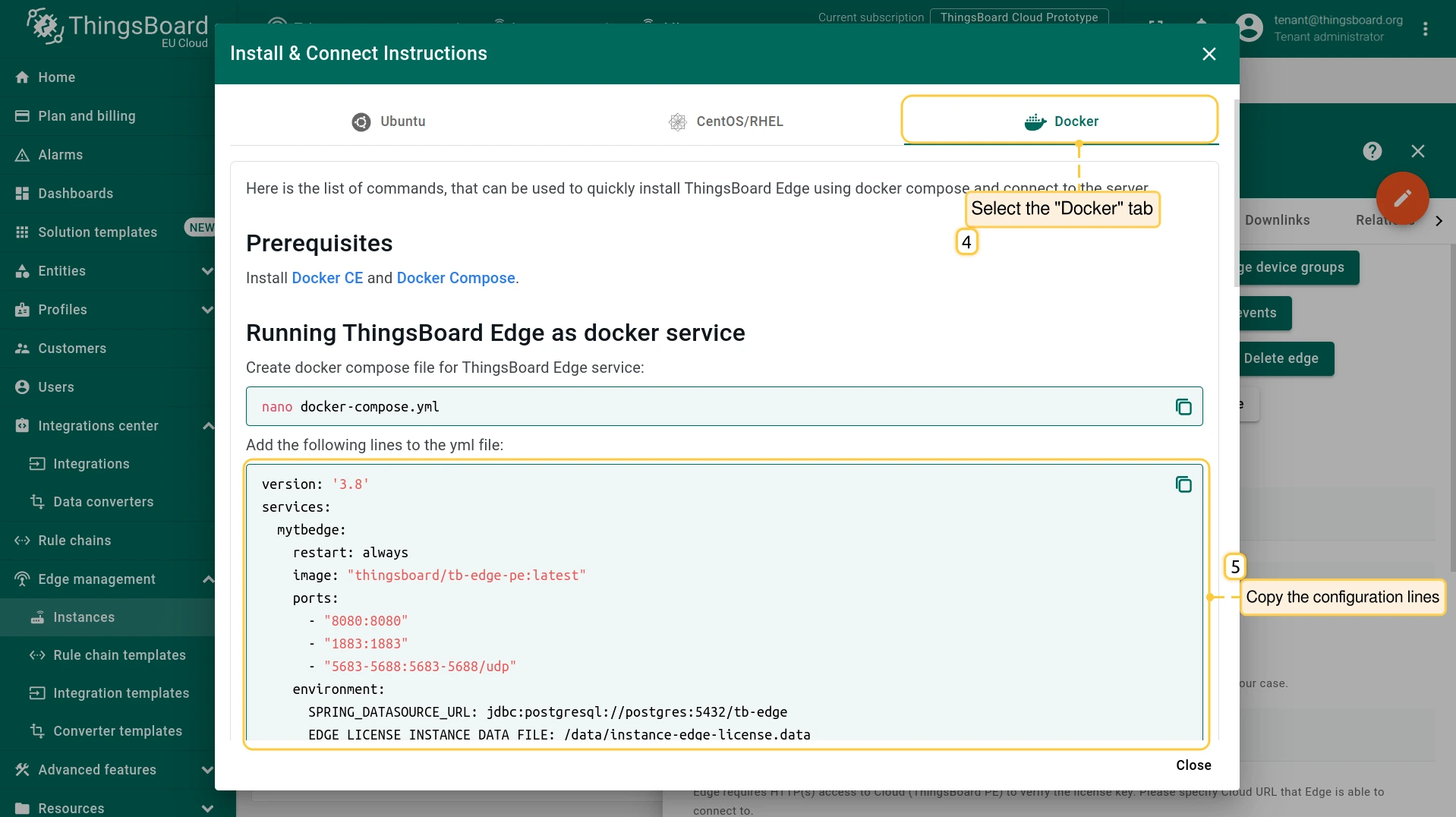
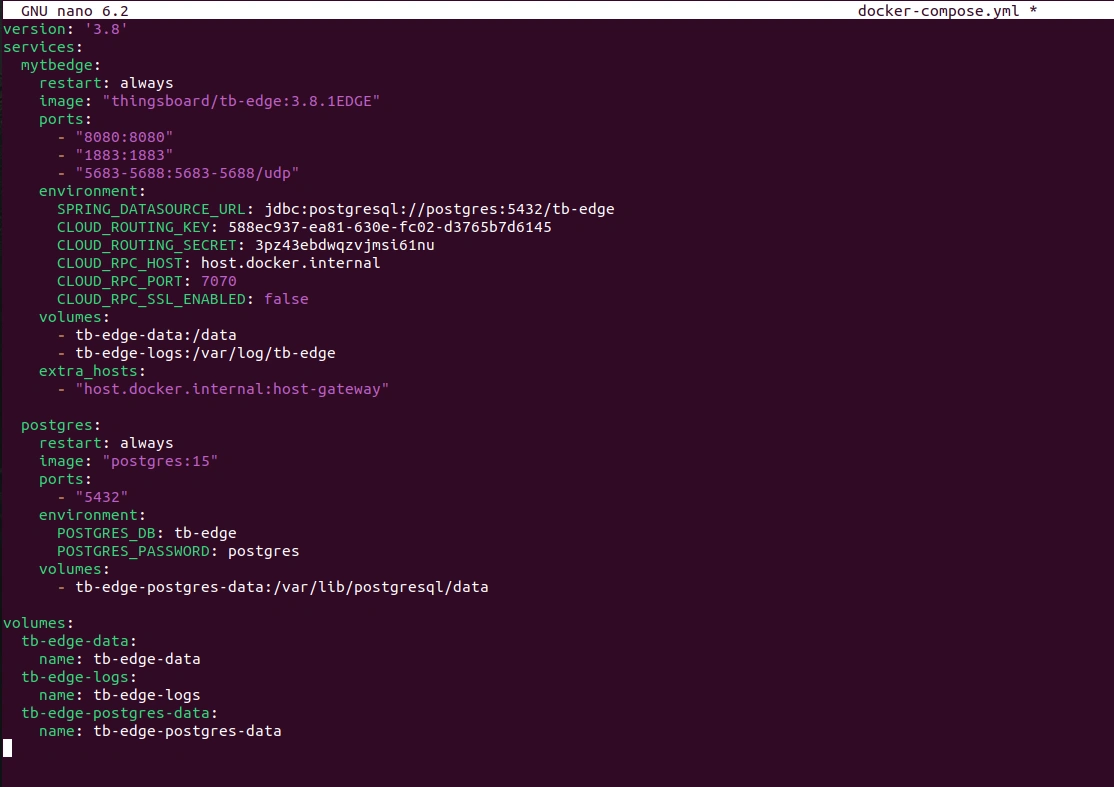
要在 IoT Gateway设备 上运行 Edge实例,请执行以下命令:
1
2
docker compose up -d
docker compose logs -f mytbedge
必须在保存 docker-compose.yml 文件的同一目录中执行该命令。
要配置 通过SSH的本地端口转发,请打开 另一个终端标签 并执行以下命令:
1
ssh -N -L 8080:127.0.0.1:8080 username@ip_address
- 8080: 本地机器上的端口;
- 127.0.0.1: IoT Gateway设备可访问的目标远程主机;
- 8080: 访问IoT Gateway设备的端口。
- username: 输入具有Gateway设备访问权限的实际用户名;
- ip_address: 输入Gateway设备的实际IP地址;
本地机器上对 localhost:8080 的任何连接将转发到 IoT Gateway设备 的 127.0.0.1:8080。ThingsBoard Edge 实例可通过 http://127.0.0.1:8080 访问。使用您的凭据登录。
步骤3. 在Edge上配置ThingsBoard IoT Gateway
要在 Edge 实例上配置 ThingsBoard Gateway:
- Log in to your Cloud, navigate to the Dashboards section, and select the "Group" tab. Click the "+" button to add a new group. In the "Add entity group" pop-up window, enter the group name in the "Name" field and click the "Add" button.
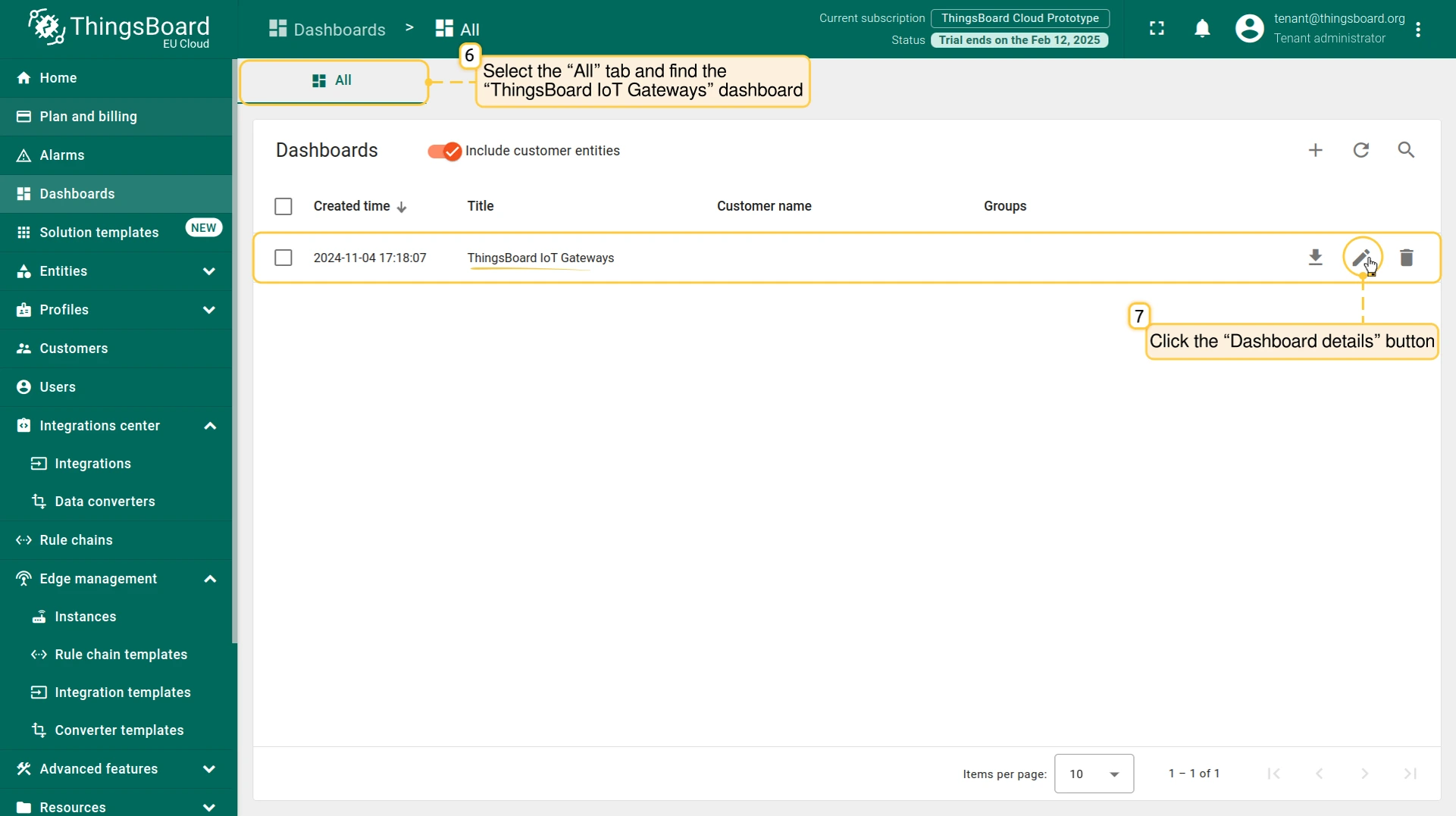
- Select the "All" tab and find the "ThingsBoard IoT Gateways" dashboard. The "ThingsBoard IoT Gateways" dashboard is one of the pre-created, out-of-the-box dashboards available. Click the "Dashboard details" button.
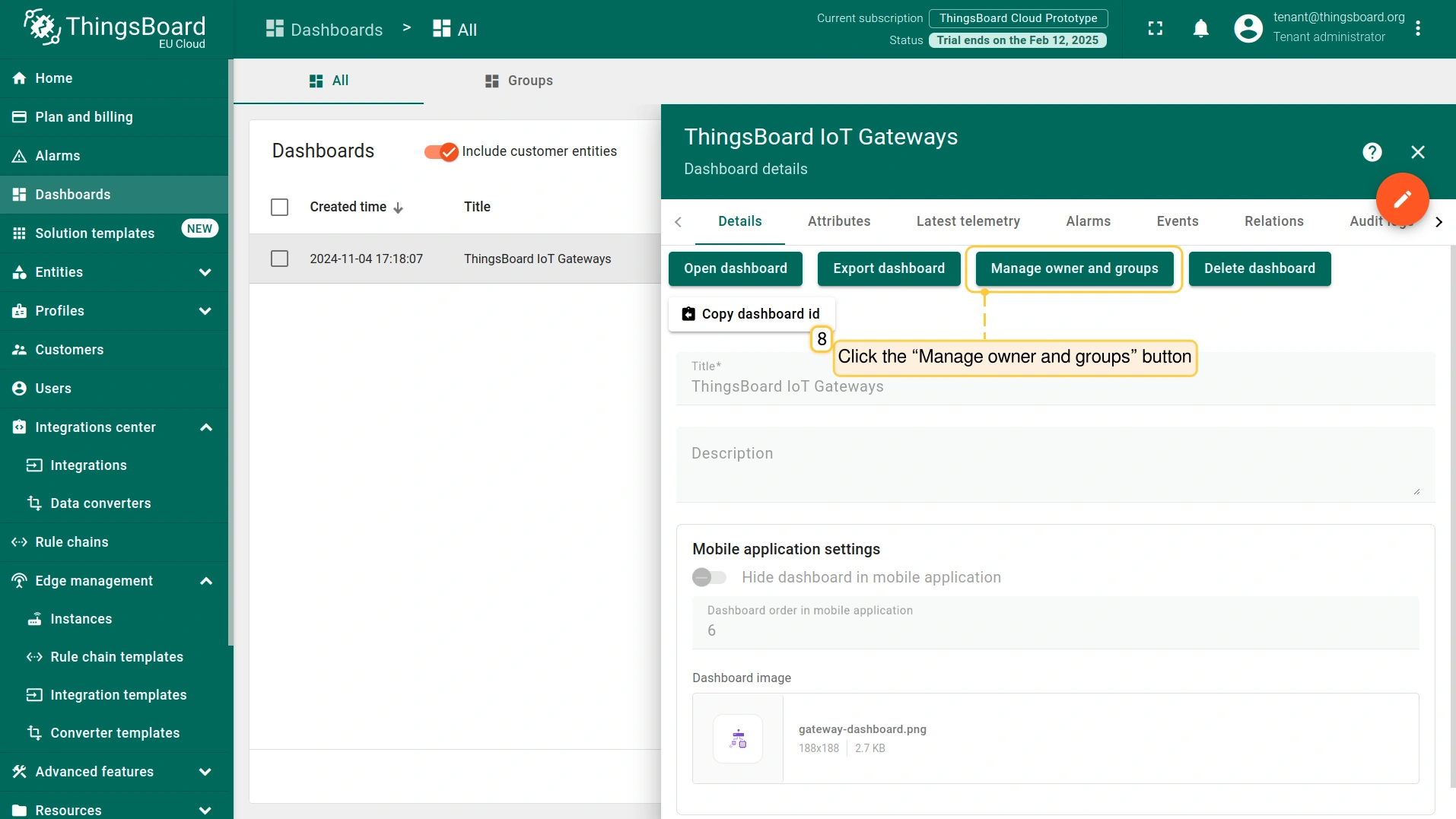
- On the "Dashboard details" page, click the "Manage owner and groups" button.
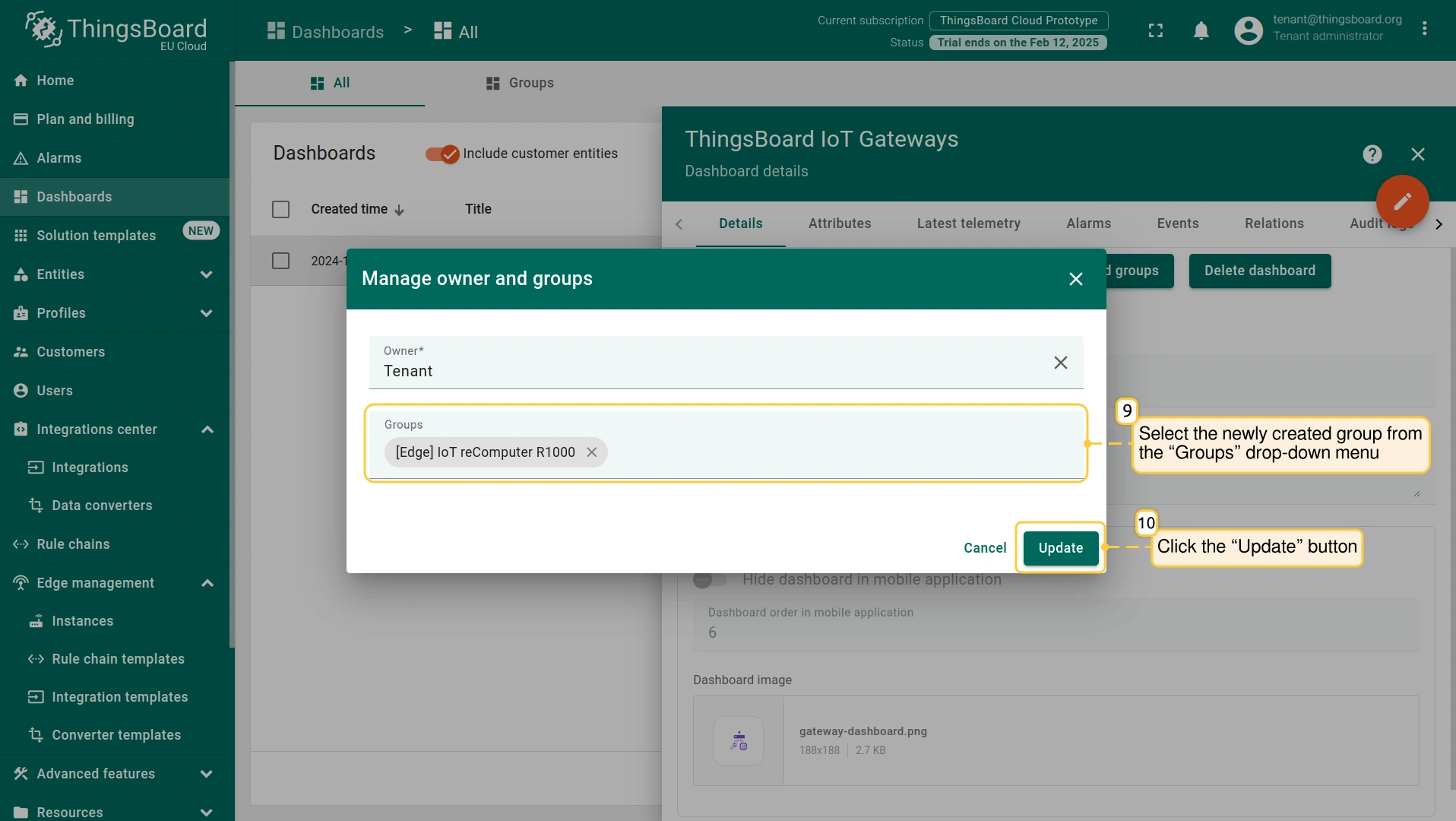
- In the "Manage owner and groups" pop-up window, select the newly created group from the "Groups" drop-down menu. Click the "Update" button.
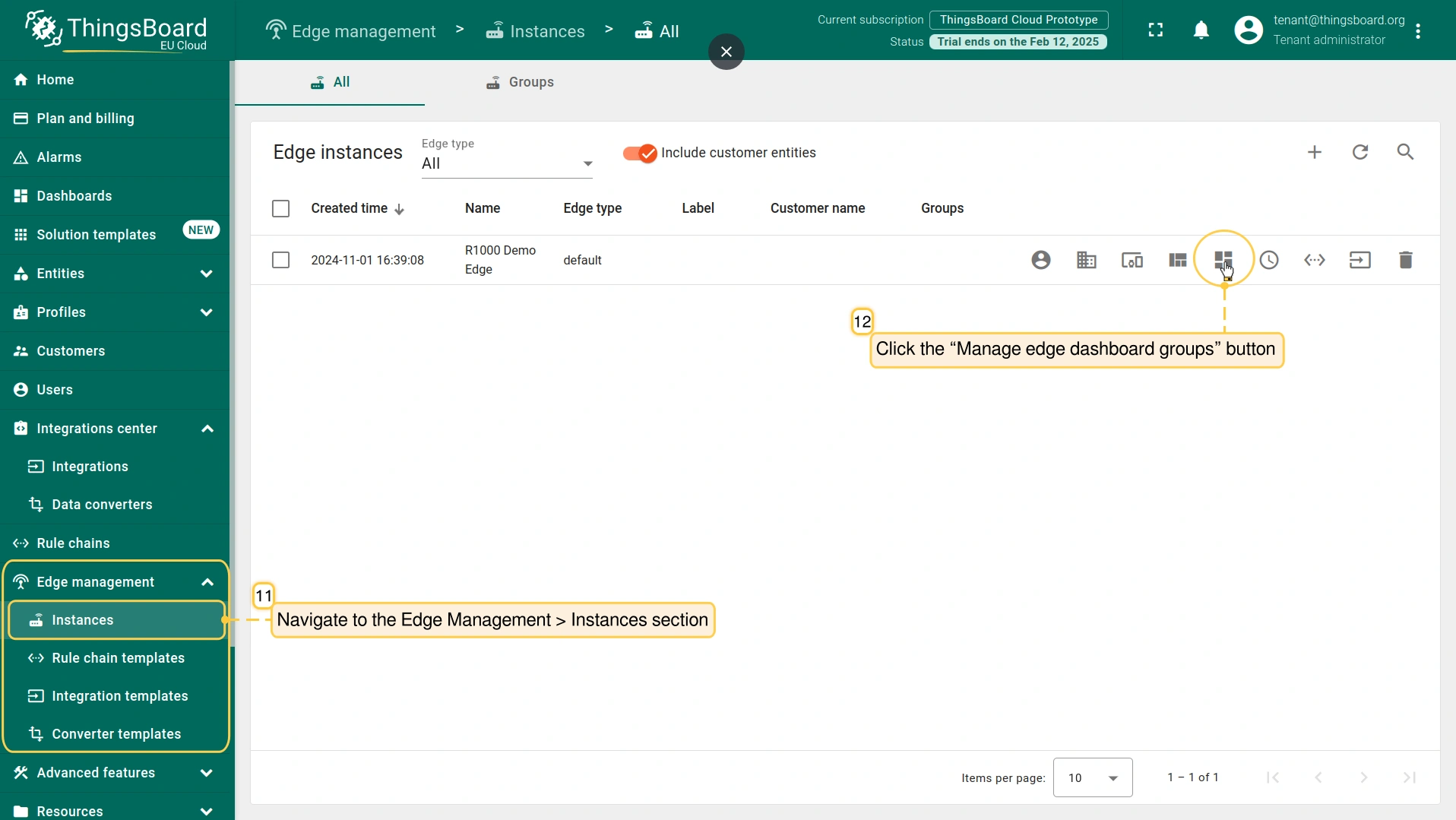
- Navigate to the Edge Management > Instances section, then click the “Manage edge dashboard groups” button.
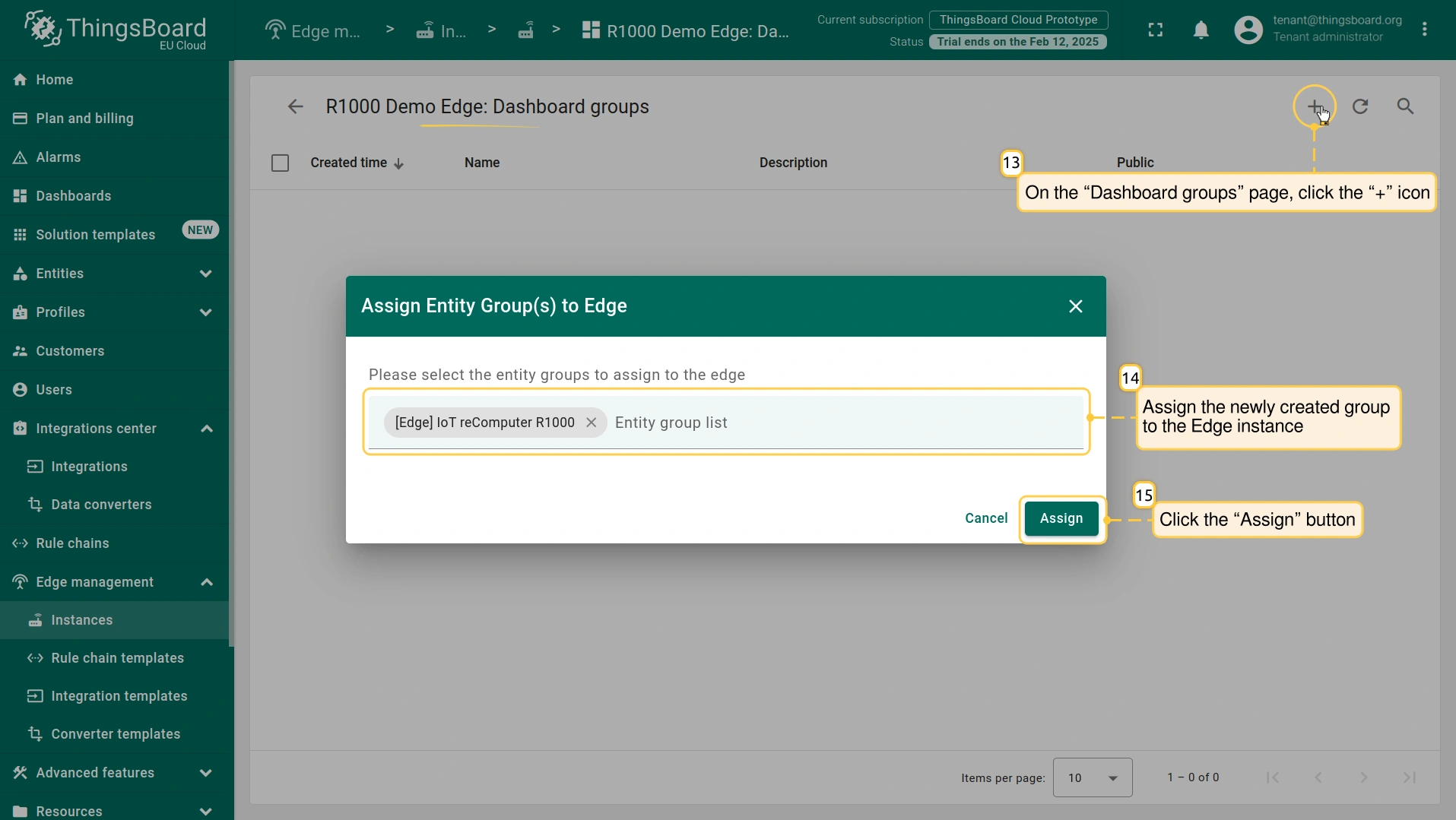
- On the “Dashboard groups” page, click the “+” icon to assign the newly created group to the Edge instance. Click the “Assign” button. The group and all dashboards within it will be assigned to the Edge instance.
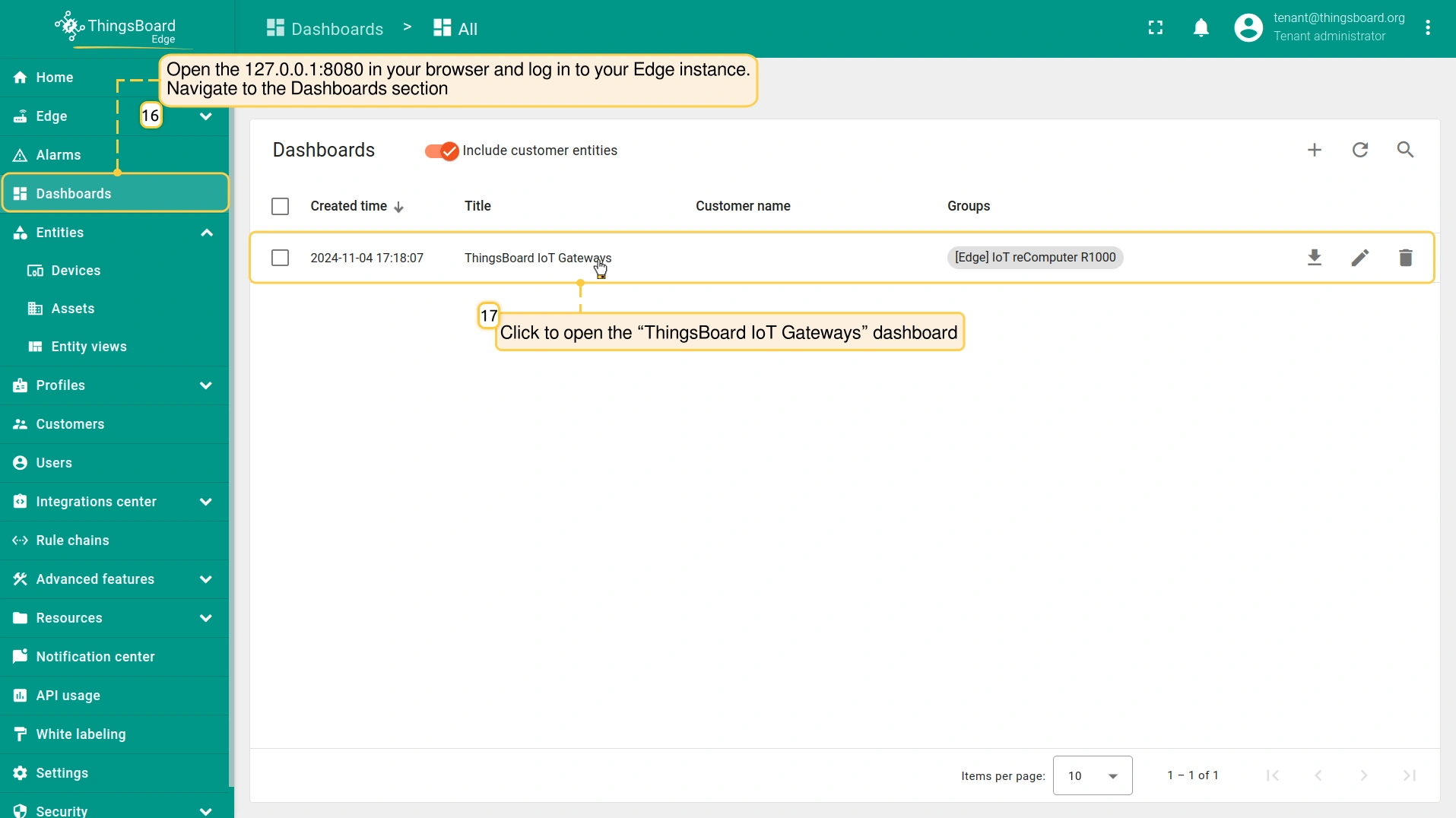
- Use http://127.0.0.1:8080 to open the Edge instance, log in with your credentials, and go to the Dashboards section to open the “ThingsBoard IoT Gateways” dashboard.
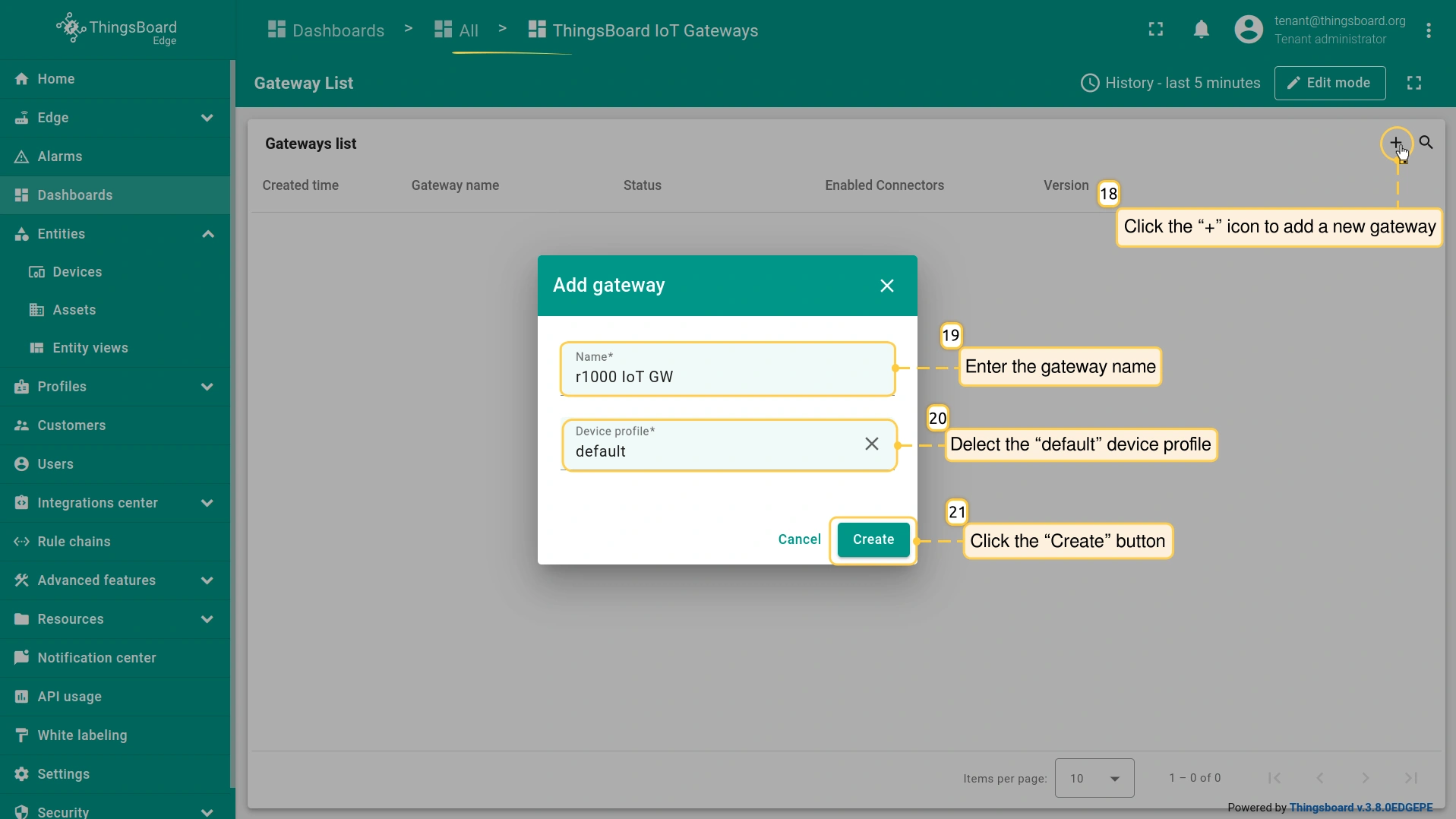
- Click the “+” button to add a new IoT Gateway device. Enter the gateway name in the “Name” field, and select the “default” device profile. Click the “Create” button.
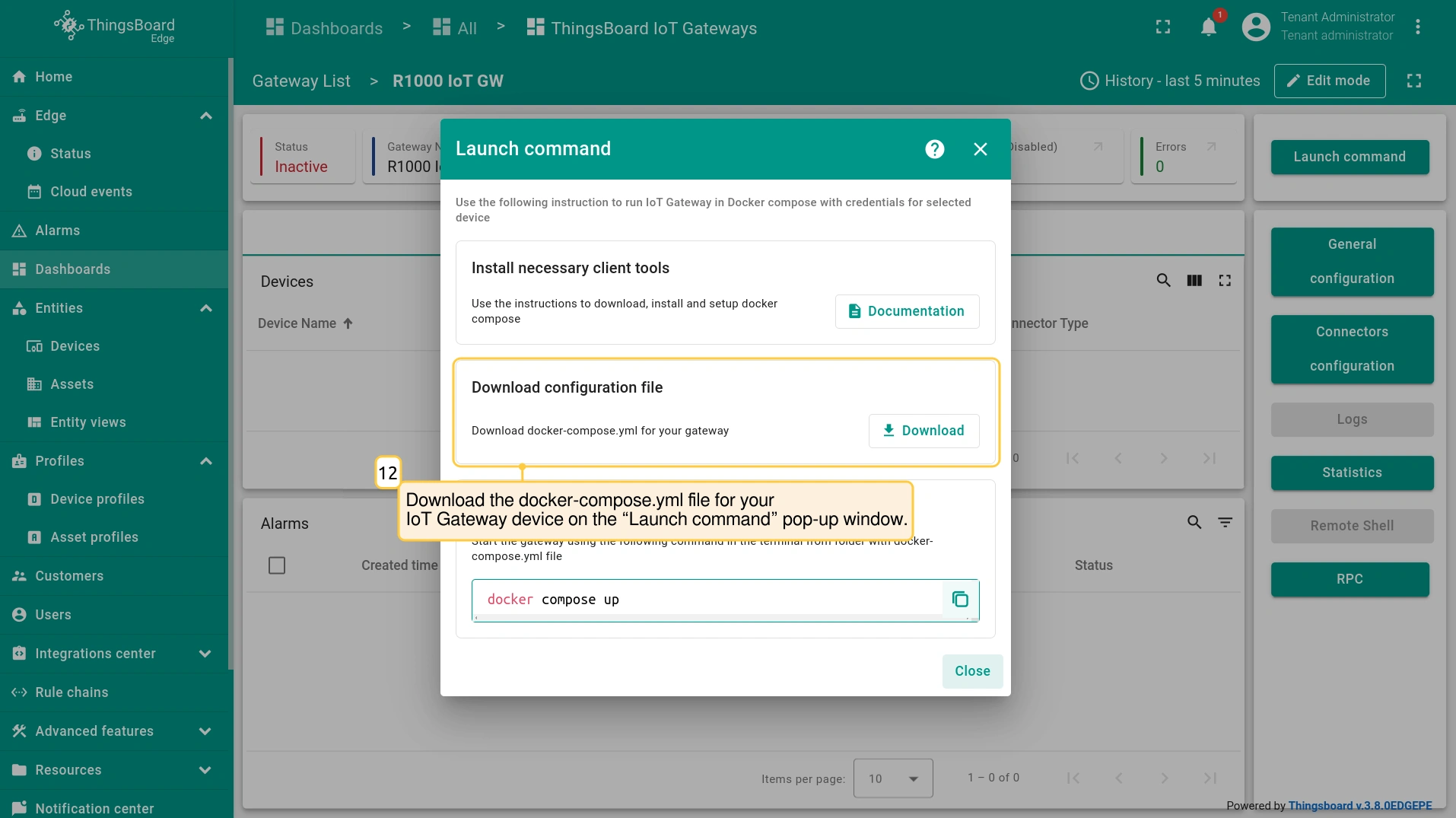
- Download the docker-compose.yml file for your IoT Gateway device from the “Launch command” pop-up window.
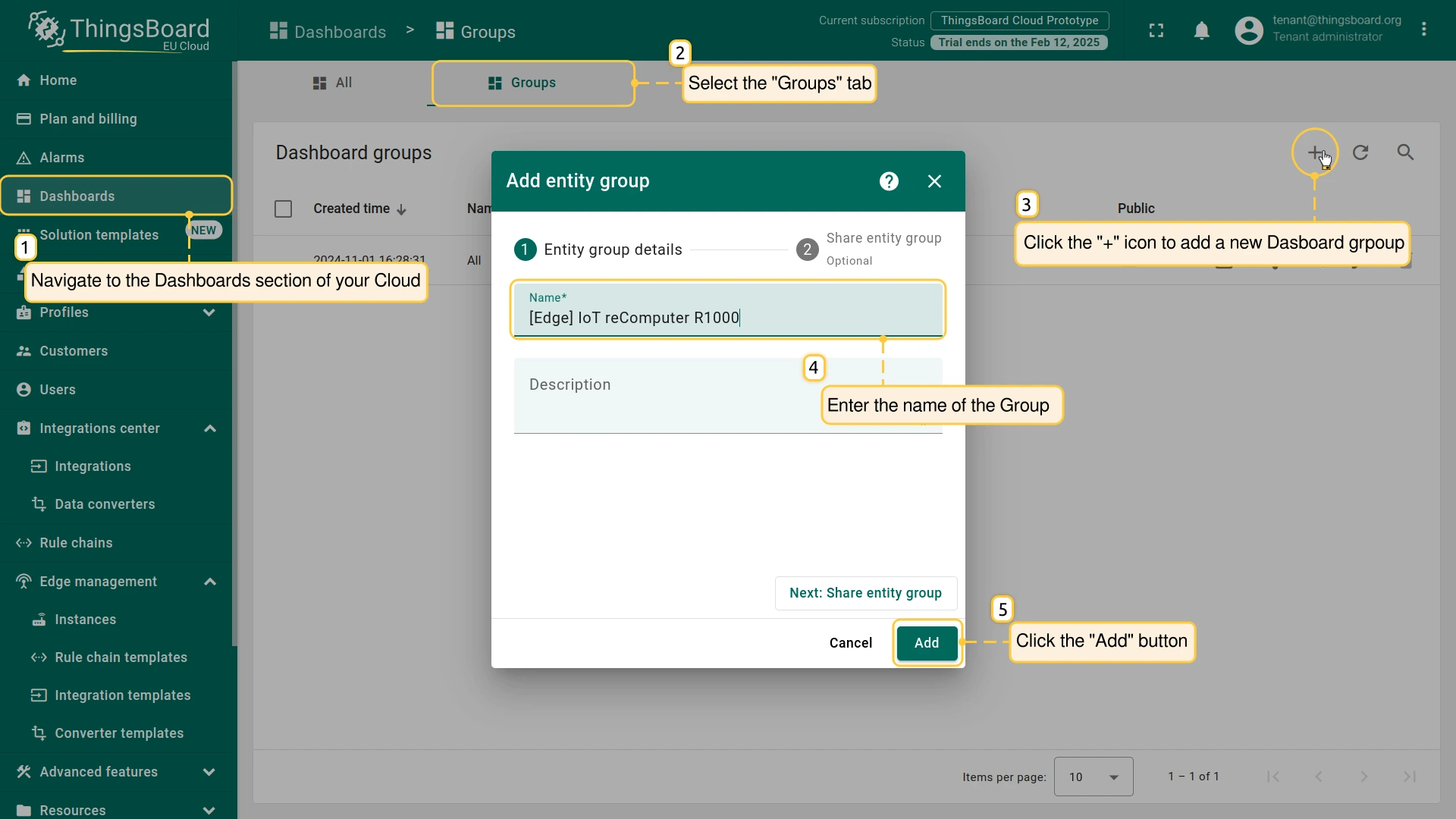
步骤4. 在Gateway设备上安装ThingsBoard IoT Gateway软件
下载 docker-compose.yml 文件后,打开终端并发起到 IoT Gateway设备 的 SSH 连接:
1
ssh username@ip_address
- username: 输入具有Gateway设备访问权限的实际用户名;
- ip_address: 输入Gateway设备的实际IP地址;
- password: 终端将请求认证凭据。
要安装 ThingsBoard IoT Gateway,请创建新目录:
1
mkdir iot_gateway
在此目录中为 ThingsBoard IoT Gateway 创建docker-compose文件:
1
nano docker-compose.yml
将之前下载的 docker-compose.yml 文件内容通过终端复制并粘贴到新文件中:
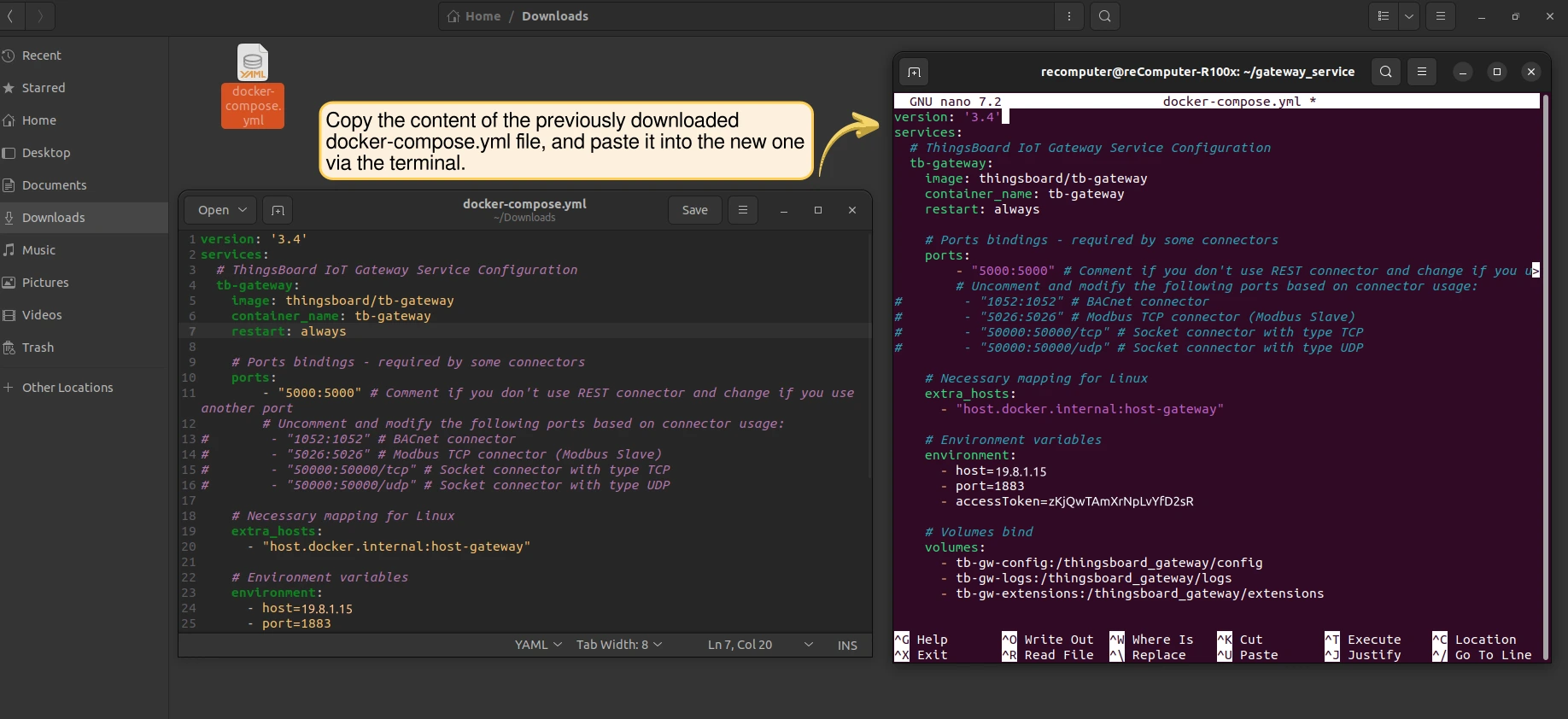
保存 docker-compose.yml 文件中的更改。要关闭,请按 CTRL+X。
要在终端中启动 ThingsBoard IoT Gateway,请执行以下命令:
1
2
docker compose up -d
docker compose logs -f
当 ThingsBoard Edge 与 ThingsBoard IoT Gateway 在同一 IoT Gateway设备 上运行后,即可连接物联网设备与传感器并开始传输数据。相关的仪表板可视化实践示例请参阅此示例。
下一步
-
Getting started guide(入门指南)- 快速概览 ThingsBoard Edge 主要功能。预计 15–30 分钟完成:
-
Installation guides(安装指南)- 了解如何在各种操作系统上安装 ThingsBoard Edge 并连接到 ThingsBoard Server。
-
Edge 规则引擎:
-
Rule Chain Templates(规则链模板)- 了解如何使用 ThingsBoard Edge 规则链模板。
-
Provision Rule Chains from cloud to edge(从云端向 Edge 下发规则链)- 了解如何从云端向 Edge 下发边缘规则链。
-
- 安全:
- gRPC over SSL/TLS - 了解如何为 Edge 与云端之间的通信配置 gRPC over SSL/TLS。
-
功能:
-
Edge Status(Edge 状态)- 了解 ThingsBoard Edge 上的 Edge Status 页面。
-
Cloud Events(云端事件)- 了解 ThingsBoard Edge 上的 Cloud Events 页面。
-
-
使用场景:
-
Manage alarms and RPC requests on edge devices(在边缘设备上管理告警和 RPC 请求)- 本指南展示如何在 Edge 上生成本地告警并向连接到 Edge 的设备发送 RPC 请求:
-
Data filtering and traffic reduce(数据过滤与流量削减)- 本指南展示如何从 Edge 向云端仅发送过滤后的设备数据:
-
- Roadmap(路线图)- ThingsBoard Edge 路线图。