- Introduction
- Getting started:
- Summary
Introduction
检测热泵异常对于保持其性能、避免高额维修至关重要。 识别热泵运行中的异常模式或变化(如功耗、压缩机转速、风量、冷媒压力和温度)有助于尽早发现问题并处理。 常见热泵问题包括冷媒不足、空气滤网堵塞、压缩机故障和过热。 通过将状态监测与无监督异常检测算法结合,构建预测性维护系统,可在早期发现这些问题, 实现及时干预和维护,防止进一步故障和高额hvac系统维修。这种主动方式既延长热泵寿命,又保证高效运行。
任务定义: 实时检测热泵异常,并就潜在问题通知维护团队。
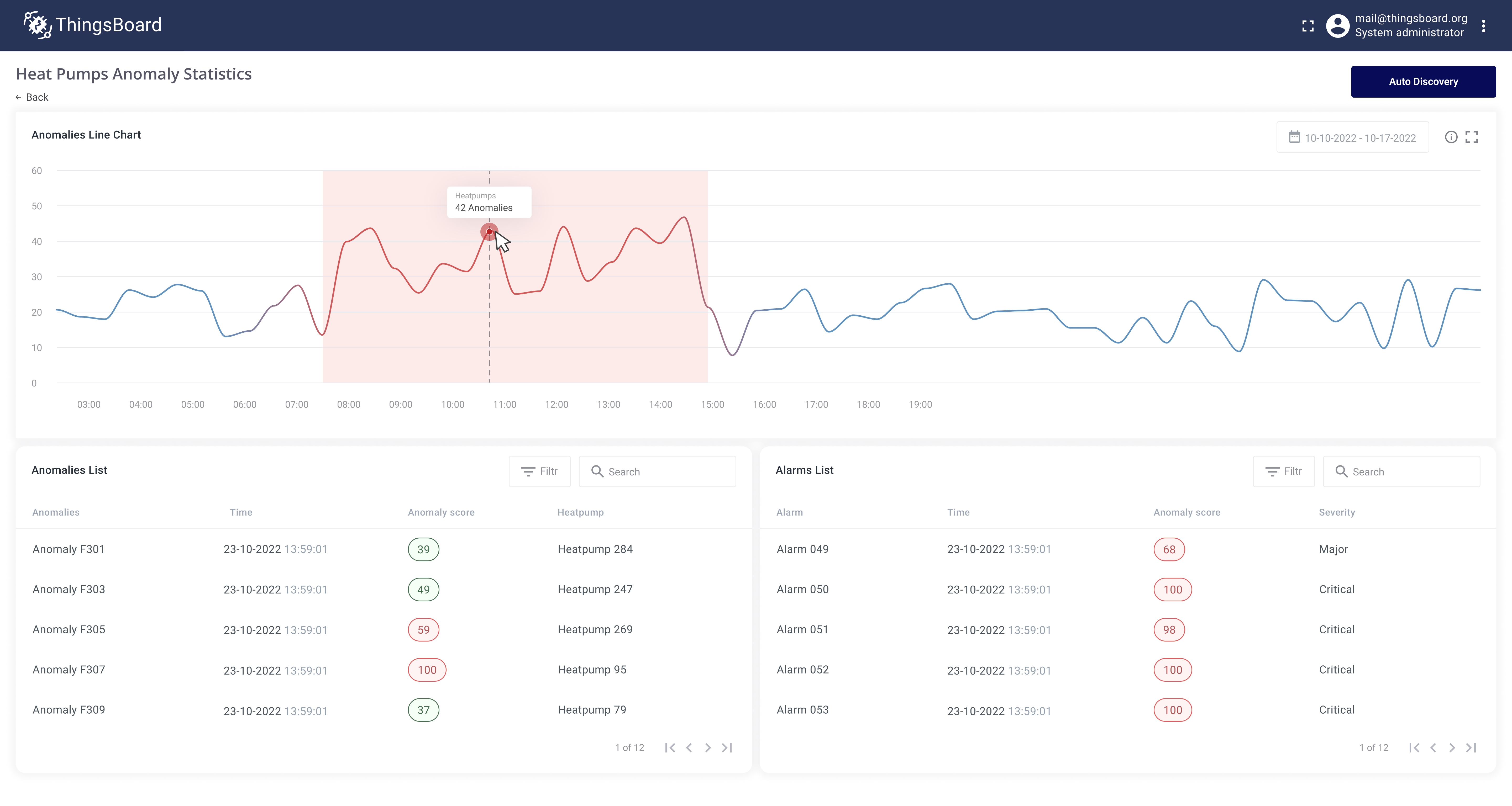
Implementation plan
- 使用历史telemetry数据创建热泵异常检测模型
- 配置对实时telemetry数据的异常自动检测
- 创建表格部件以查看所有检测到的异常
- 就检测到的异常通知维护团队
- 创建供维护团队跟踪异常、检查热泵实时状态的dashboard
Getting started:
Prerequisites
热泵通过MQTT协议向ThingsBoard上报telemetry数据。在平台中注册为设备实体。设备与Apartment asset关联,公寓归属于customer账户。 热泵在系统中的配置方式及用户自助注册流程不在本指南范围内。可参见文档中的相关教程。
Step 1: Create anomaly detection model
为识别热泵潜在问题,使用Trendz异常检测工具。Trendz使用无监督机器学习算法检测时序数据中的异常。
训练模型需配置要分析的telemetry key。本例使用:compressorSpeed、airflow、coolantPressure、coolantTemperature、powerUsageWh。
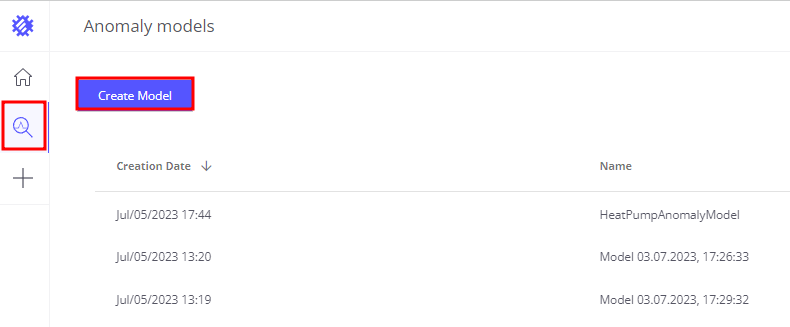
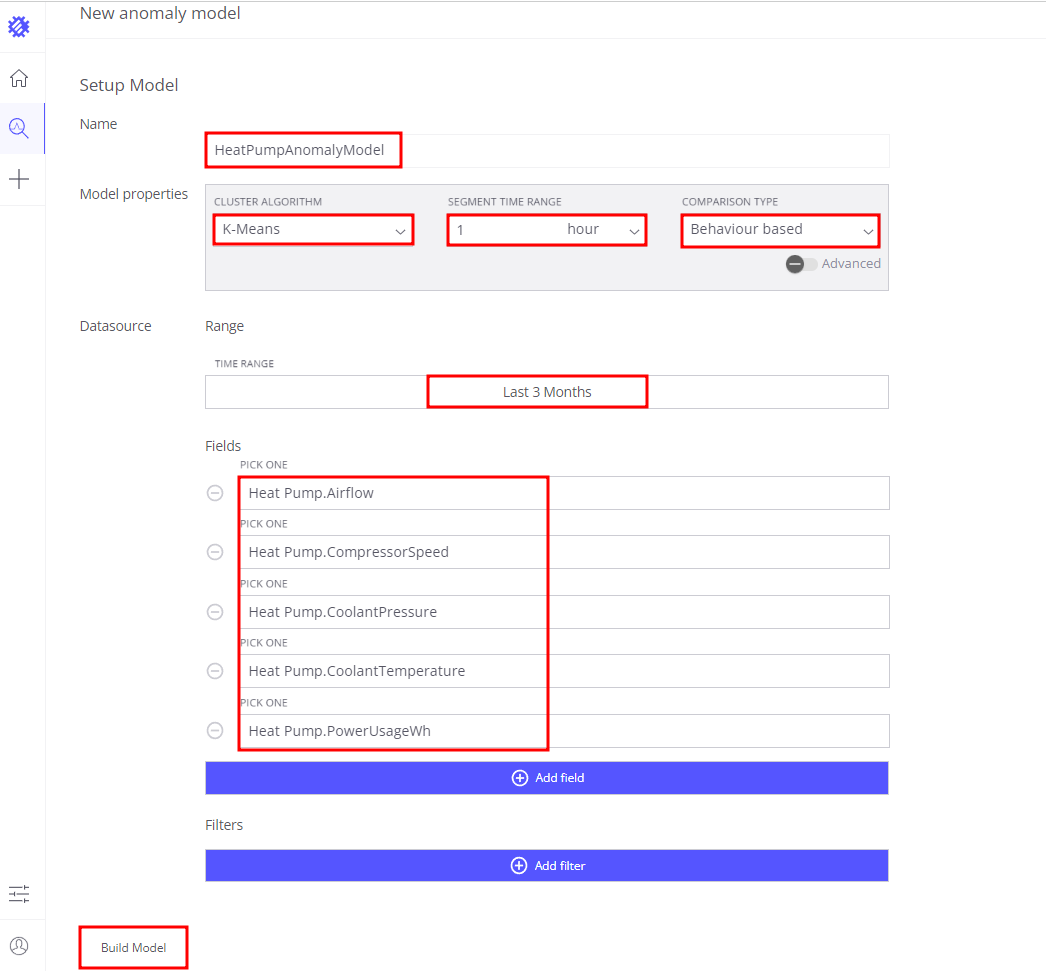
- 进入anomalies页面,点击
Create model按钮 - 模型名称设为
HeatPumpAnomalyModel - 定义异常检测模型属性
- Cluster algorithm:
K-Means - Segment time range:
1 hour——在1小时范围内检测异常行为 - Comparison type:
Behavior based——基于热泵行为检测异常
- Cluster algorithm:
- Datasource properties
- Time Range:
Last 90 days——使用最近90天telemetry数据训练模型以区分正常与异常 - Fields——定义模型中使用的telemetry key
heatPump.compressorSpeedheatPump.airflowheatPump.coolantPressureheatPump.coolantTemperatureheatPump.powerUsageWh
- Filters——留空,使用系统内所有热泵数据。若需针对特定热泵或分组训练以检测仅发生于该组的热泵异常,可添加过滤
- Time Range:
- 点击Build model按钮
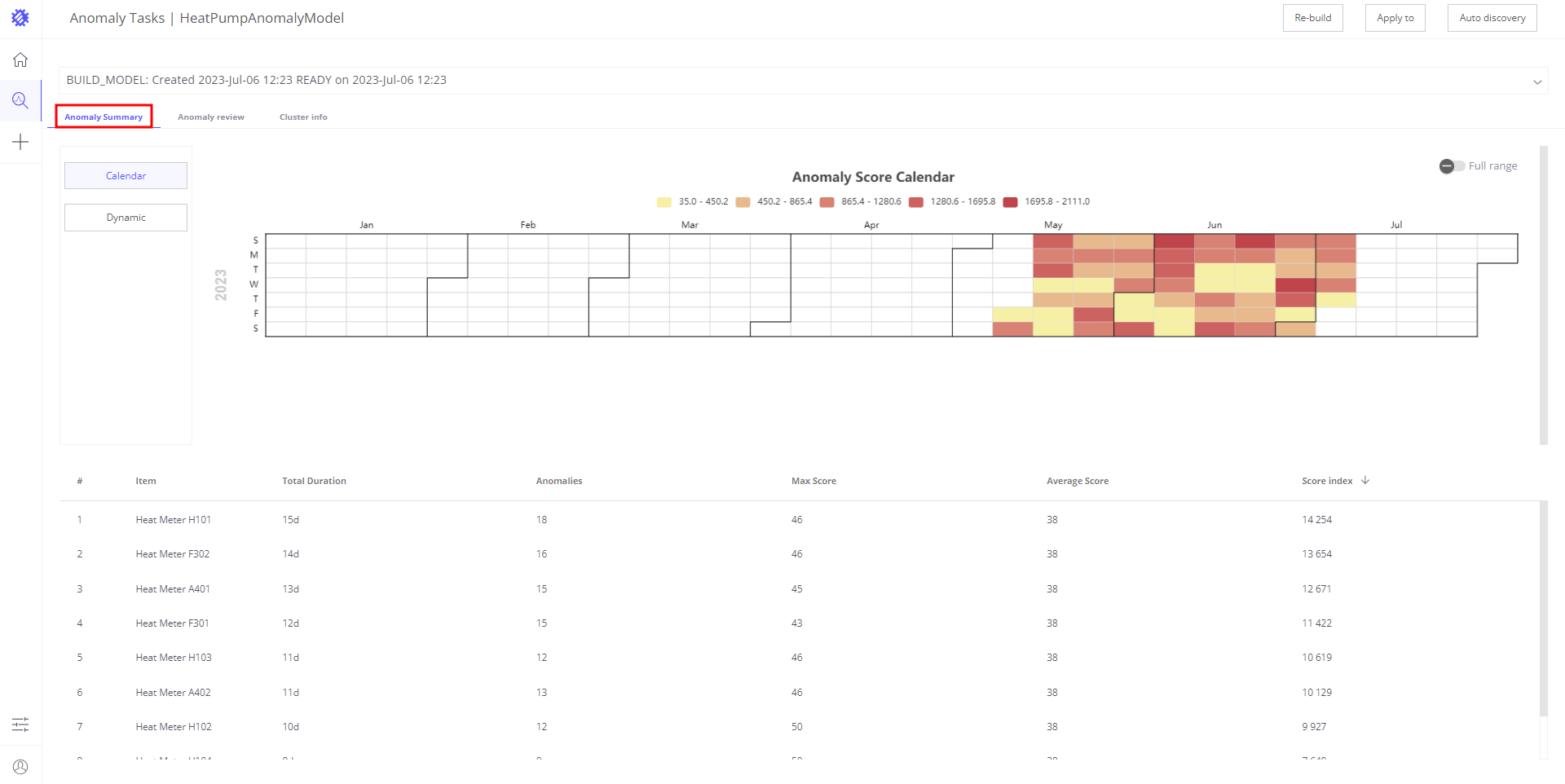
模型创建过程中,Trendz会拉取所需数据、分析并训练以识别热泵正常行为。基于此生成异常检测模型。
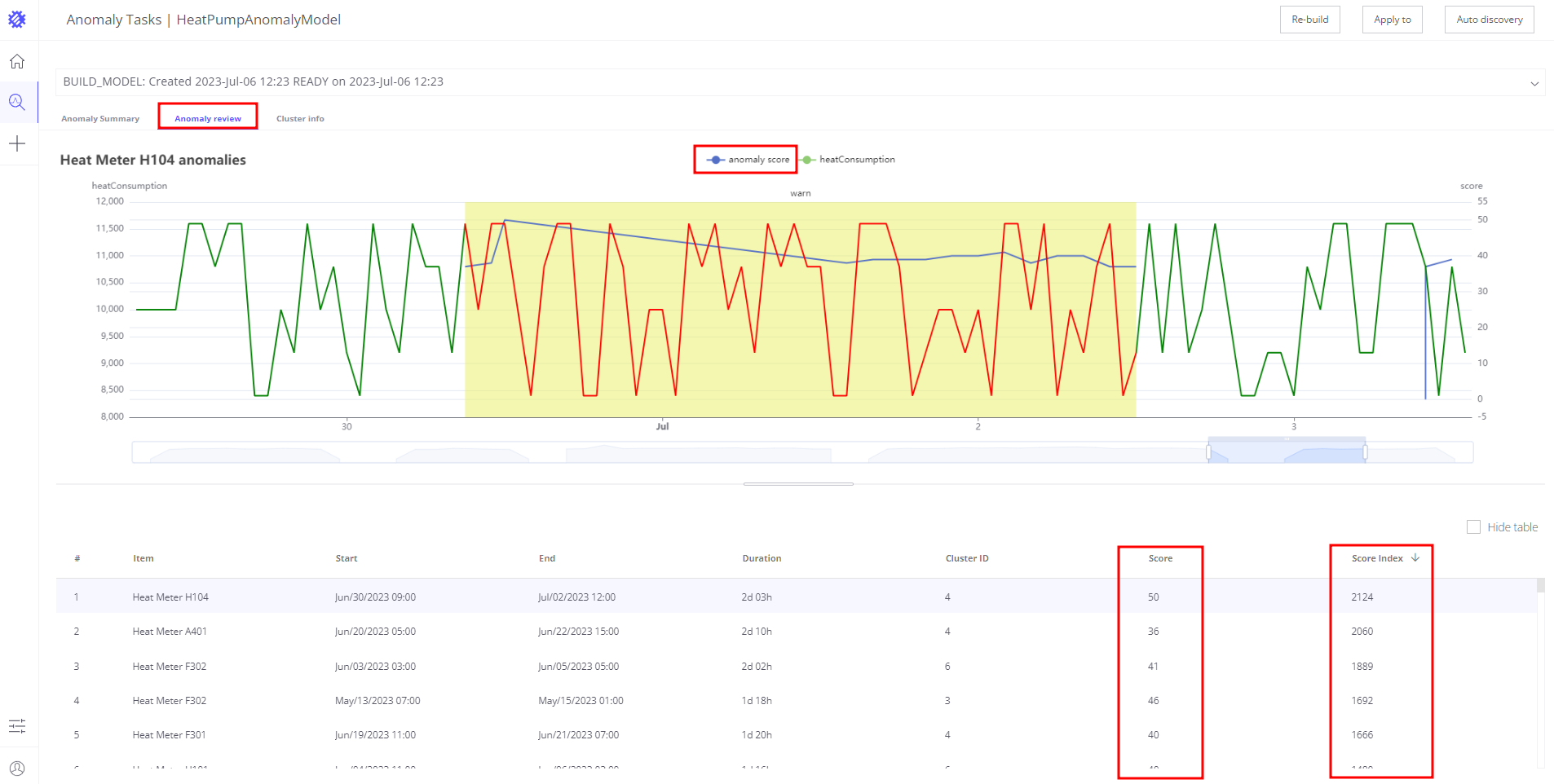
训练完成后可看到模型发现的历史异常。每个异常有score和score index属性,表示异常程度。数值越高表示越异常。
Step 2: Schedule anomaly autodiscovery
模型就绪后,配置分析实时telemetry数据并检测异常的任务。
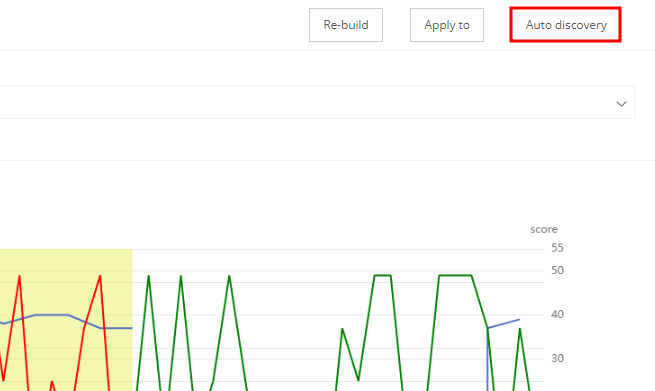
- 在模型摘要页点击
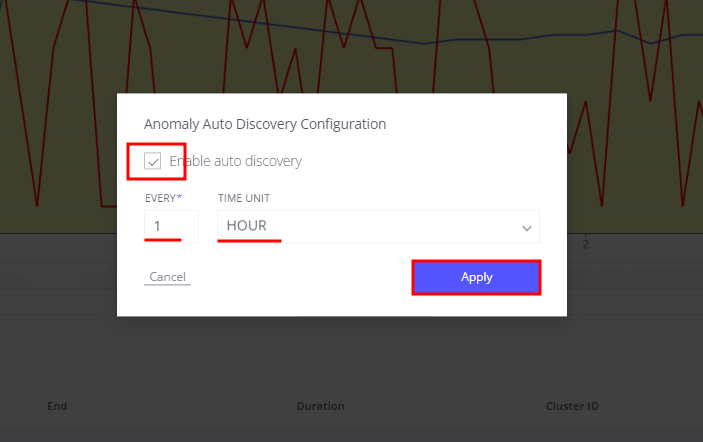
Auto discovery按钮 - 勾选Auto discovery
- Interval设为
1 hour - 点击Apply按钮
配置保存后,Trendz会定期拉取热泵新数据并识别异常。检测到异常时,Trendz计算anomaly score并保存到数据库。
Step 3: Review all discovered anomalies
创建用于显示模型创建期间发现的所有异常及autodiscovery任务发现的新异常的视图。
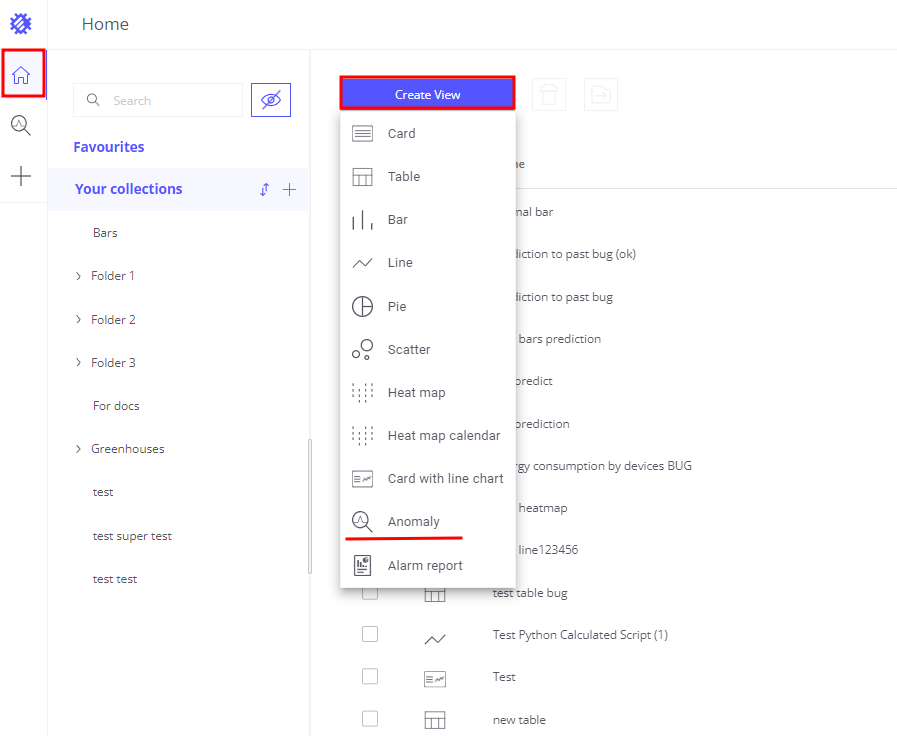
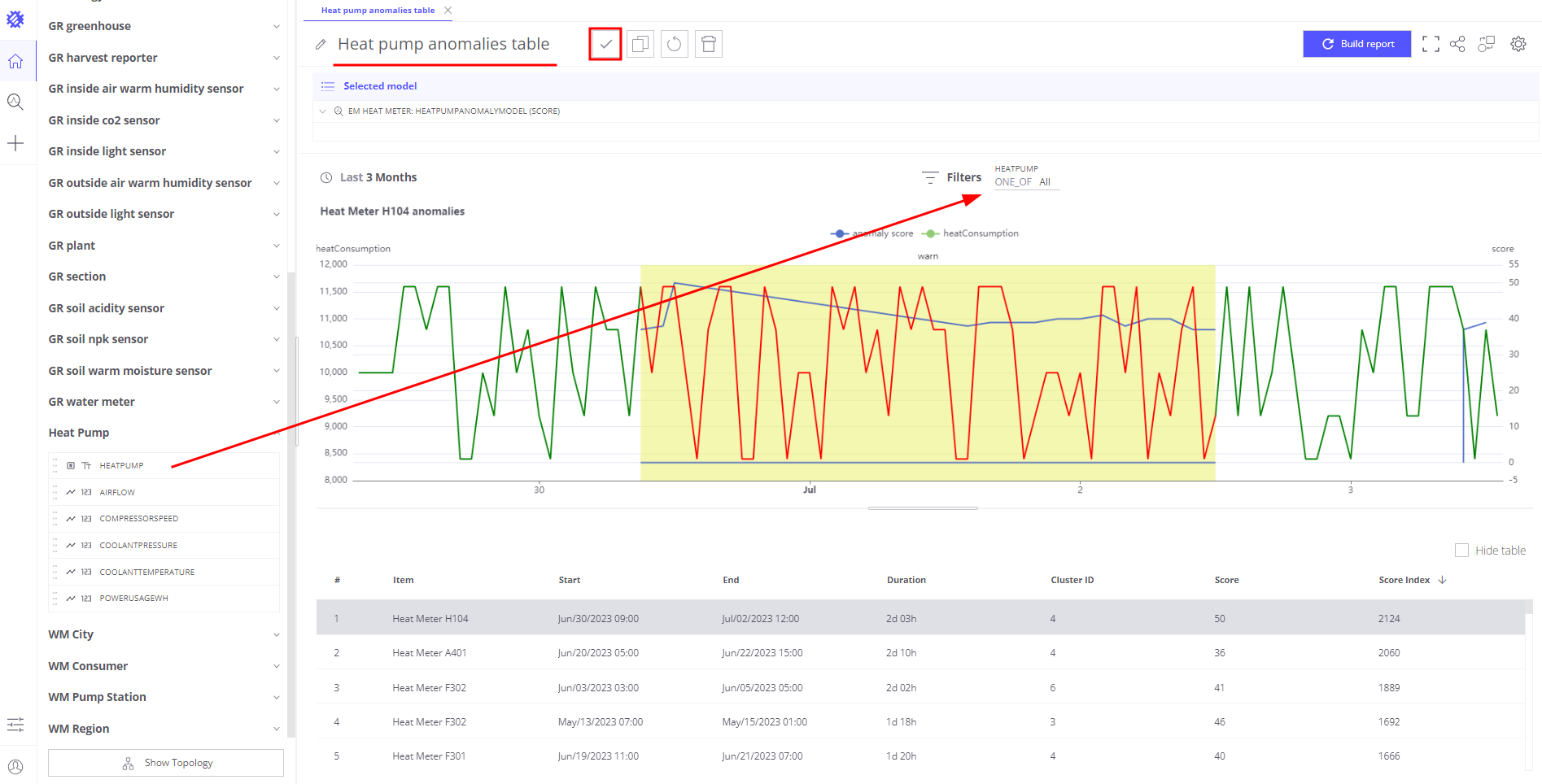
- 创建Anomaly视图
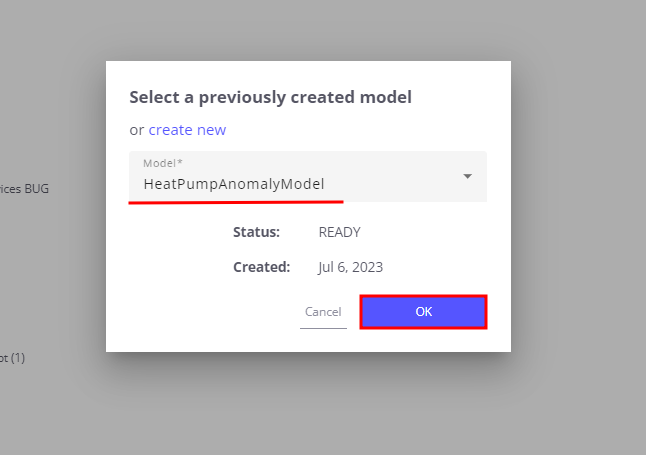
- 选择Step 1创建的模型——
HeatPumpAnomalyModel - 在Filter区域添加
heatPump字段——可按具体热泵筛选异常 - 点击Build report并查看新发现的异常
- 视图名称设为heat pump anomalies table
- 点击Save按钮
Step 4: Notify maintenance team about detected anomalies
异常检测模型已创建,并能对新数据重新发现异常。最后一步是通知维护团队。 需要完成:
Save current anomaly score for heat pump as a telemetry back to ThingsBoard
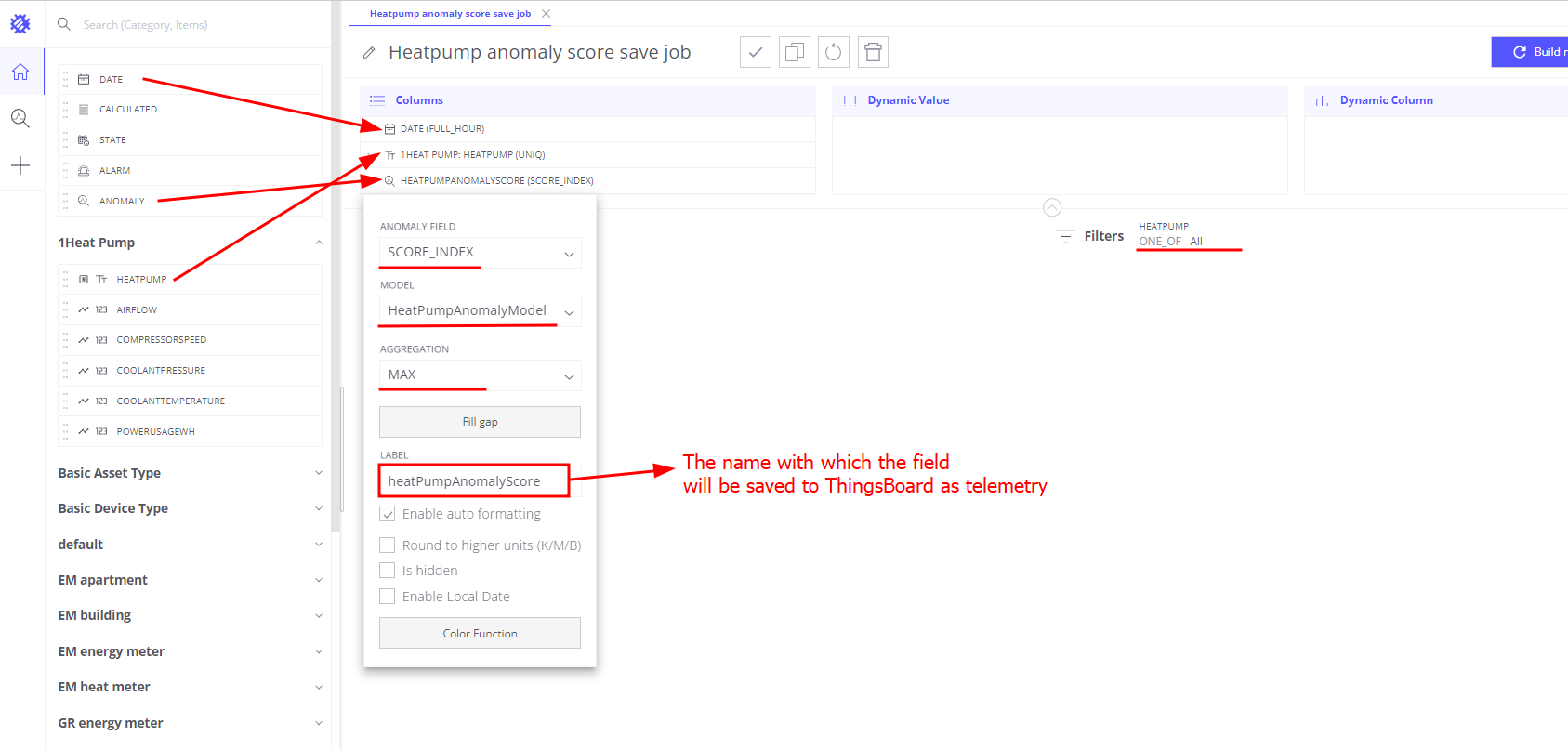
- 在Trendz创建Table视图
- 在Columns区域添加
heatPump字段 - 在Columns区域添加Date FULL_HOUR字段
- 在Columns区域添加Anomaly字段
- 选择
HeatPumpAnomalyModel模型 - Anomaly field——
score index - Aggregation——
MAX - Label——
heatpumpAnomalyScore——Trendz将anomaly score index以此名称保存为telemetry
- 选择
- 在Filters区域添加
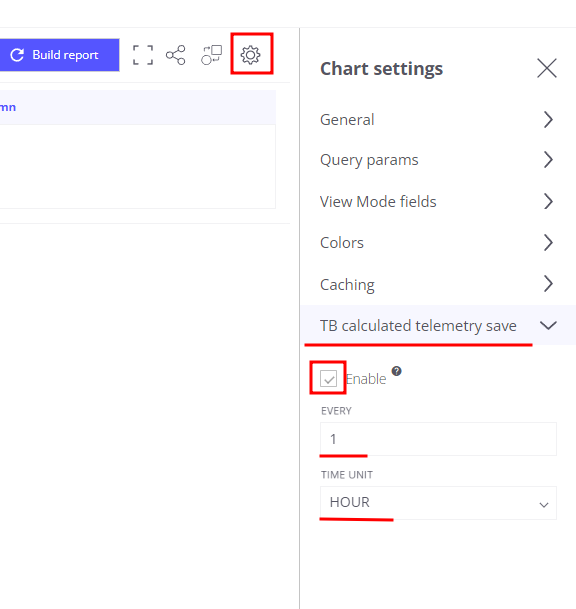
heatPump字段 - 在view settings中启用
Tb calculated telemetry save中的telemetry保存- Enabled——true
- Interval——1
- Unit——hours
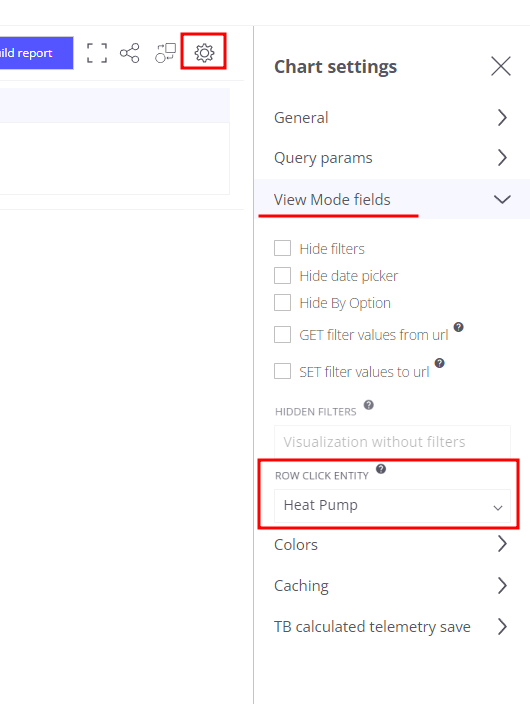
- 在settings中打开
View mode fields区域,在Row click entity下拉选择heatPump——此步骤告诉Trendz score index telemetry应保存到哪个实体下 - 默认时间范围设为Last 7 days
- 以名称Heatpump anomaly score save job保存视图
视图保存后,Trendz会安排后台任务,定期检查热泵anomaly score并将结果保存为热泵设备telemetry。
Configure alert if anomaly score is higher than 50.
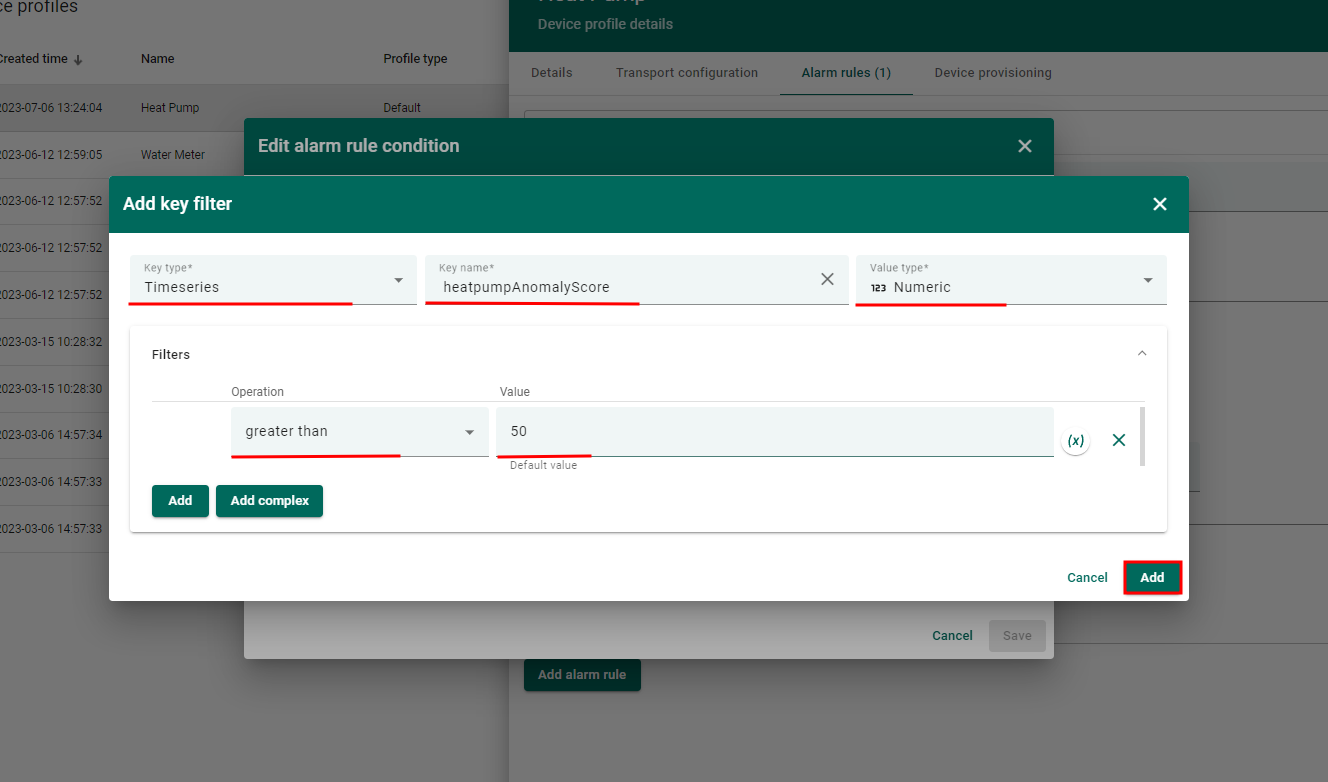
此时每台热泵在ThingsBoard已有heatpumpAnomalyScore telemetry,表示当前行为的异常程度。可在ThingsBoard创建Alarm Rule,当score index高于50时告警。
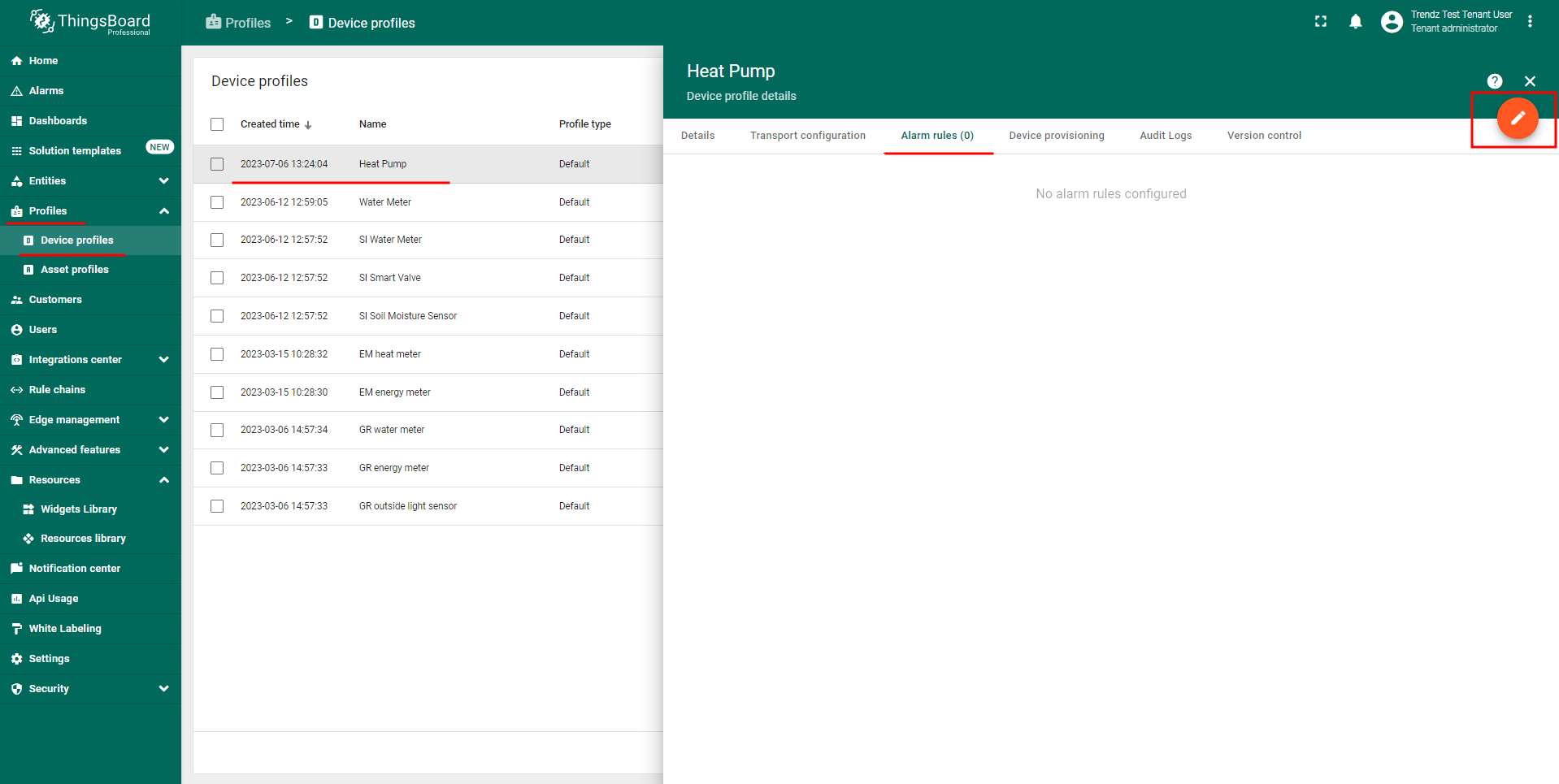
- 在ThingsBoard打开热泵device profile,添加Alarm Rule
- Alarm type——Abnormal behavior
- Create alarm rule
- Severity——
Warning - Condition——
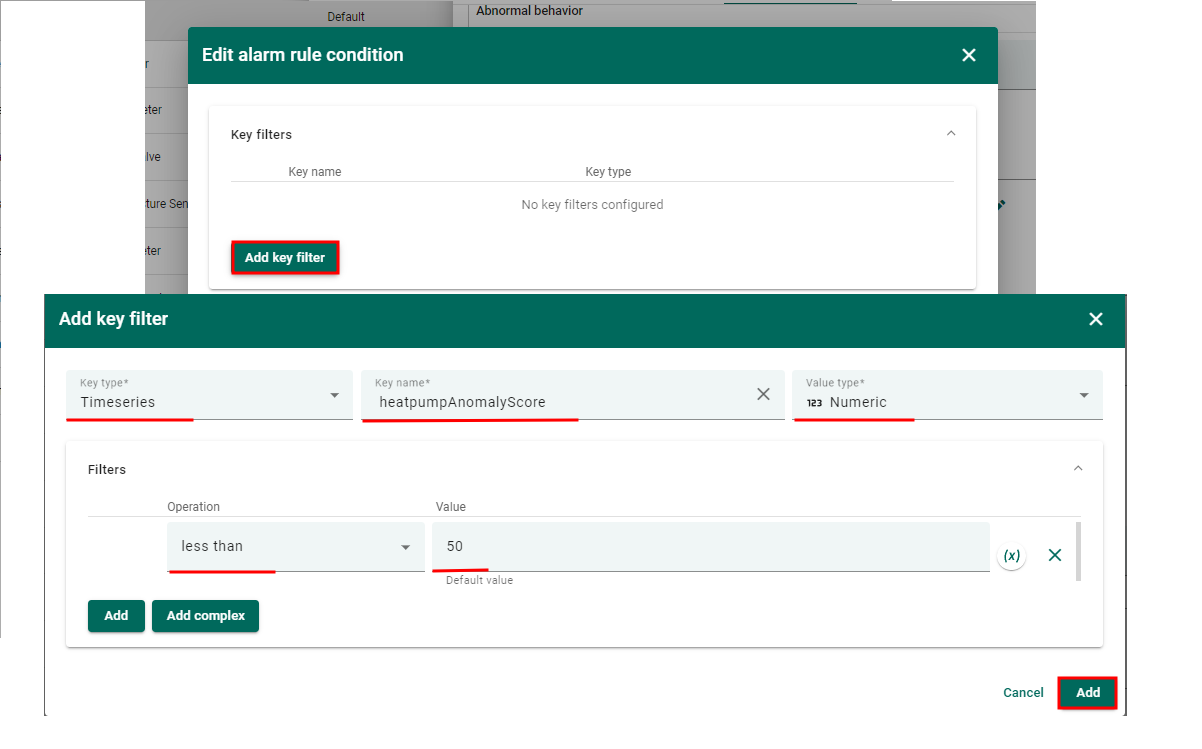
heatpumpAnomalyScore大于50
- Severity——
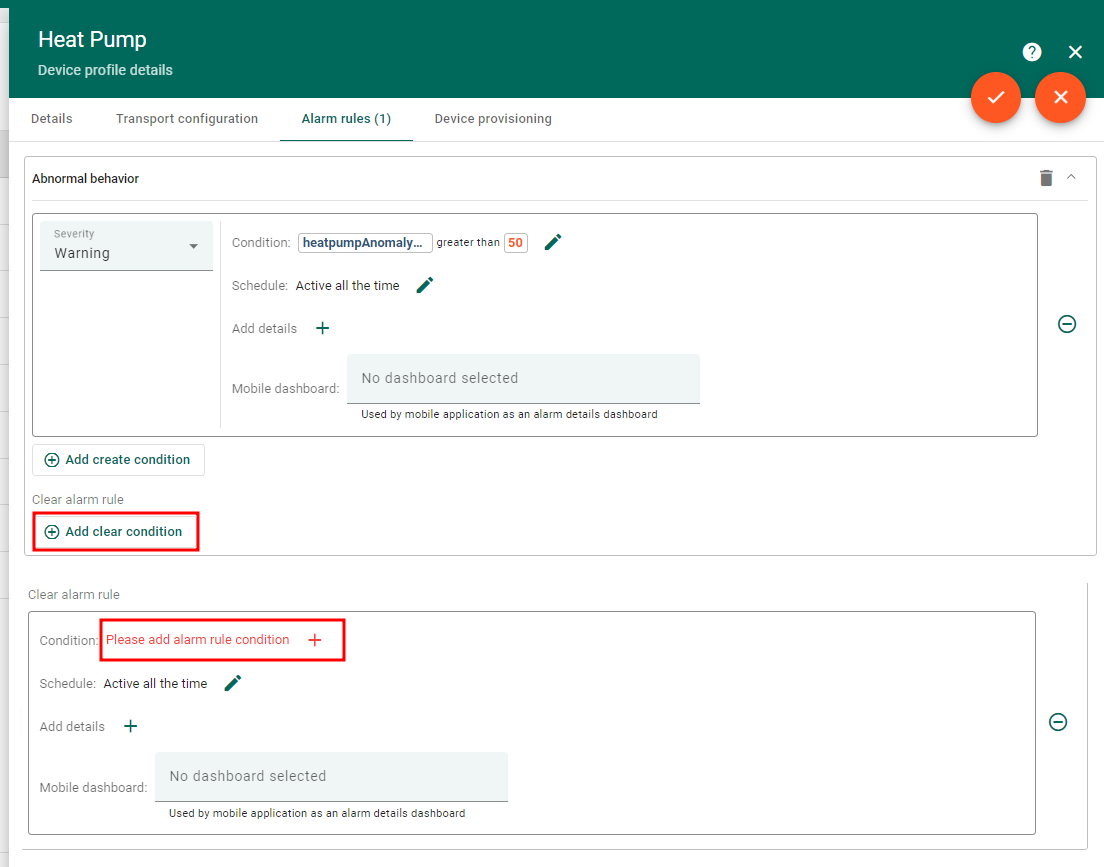
- Clear alarm rule
- Condition——
heatpumpAnomalyScore小于等于50
- Condition——
Send notification once alarm created
最后一步是告警触发后通知维护团队。使用ThingsBoard Rule Engine发送邮件。 若device profile中的Alarm Rule触发告警,可捕获该事件并添加发送邮件步骤。
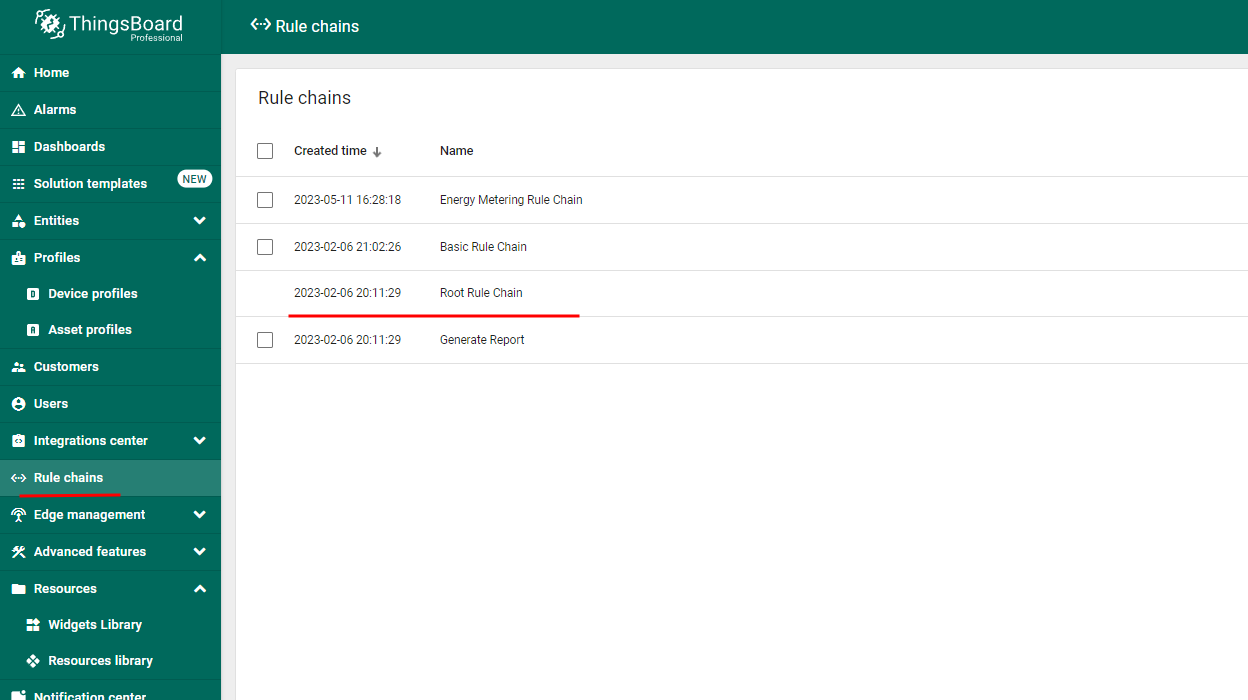
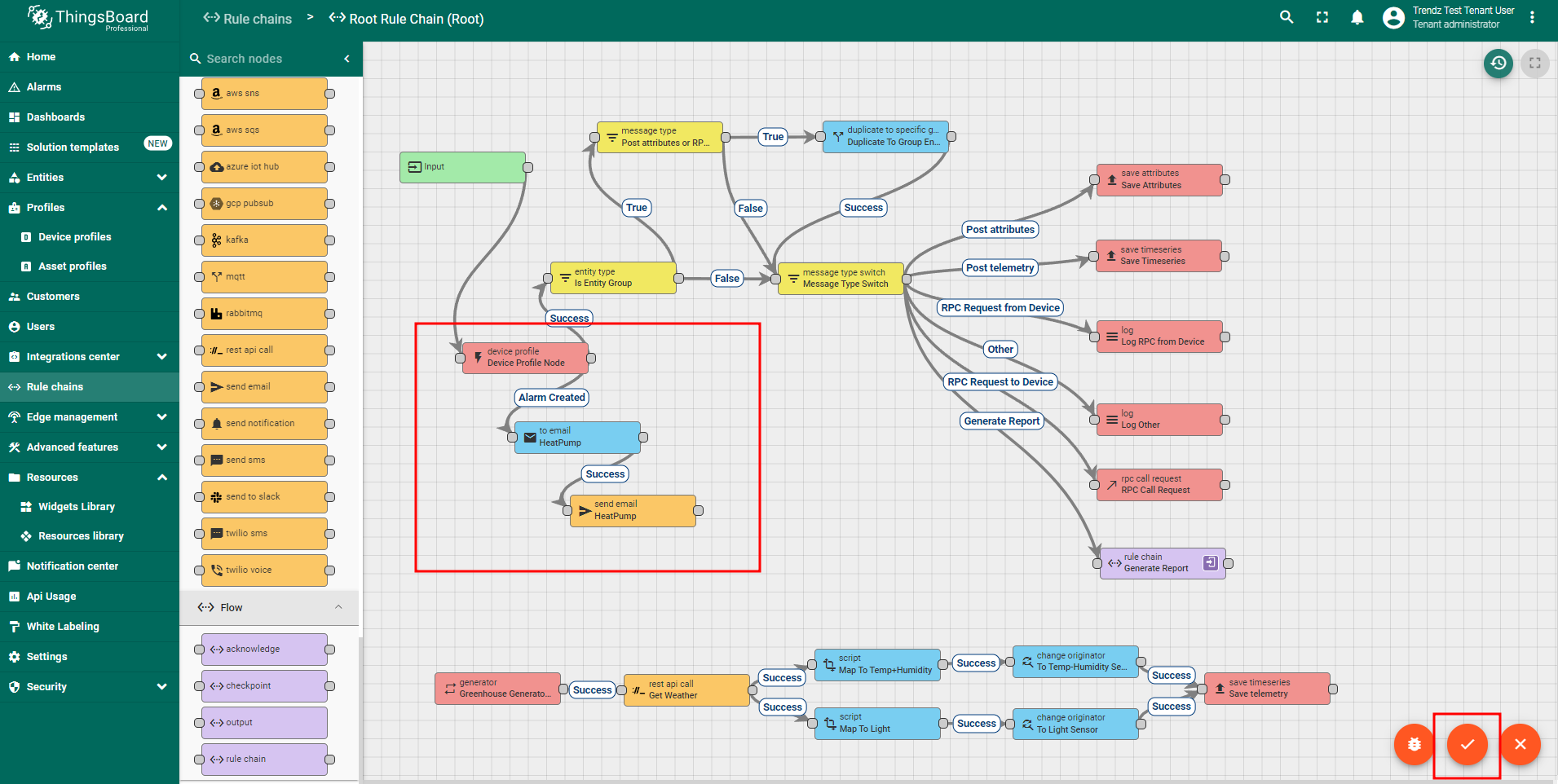
- 在ThingsBoard打开Root rule chain
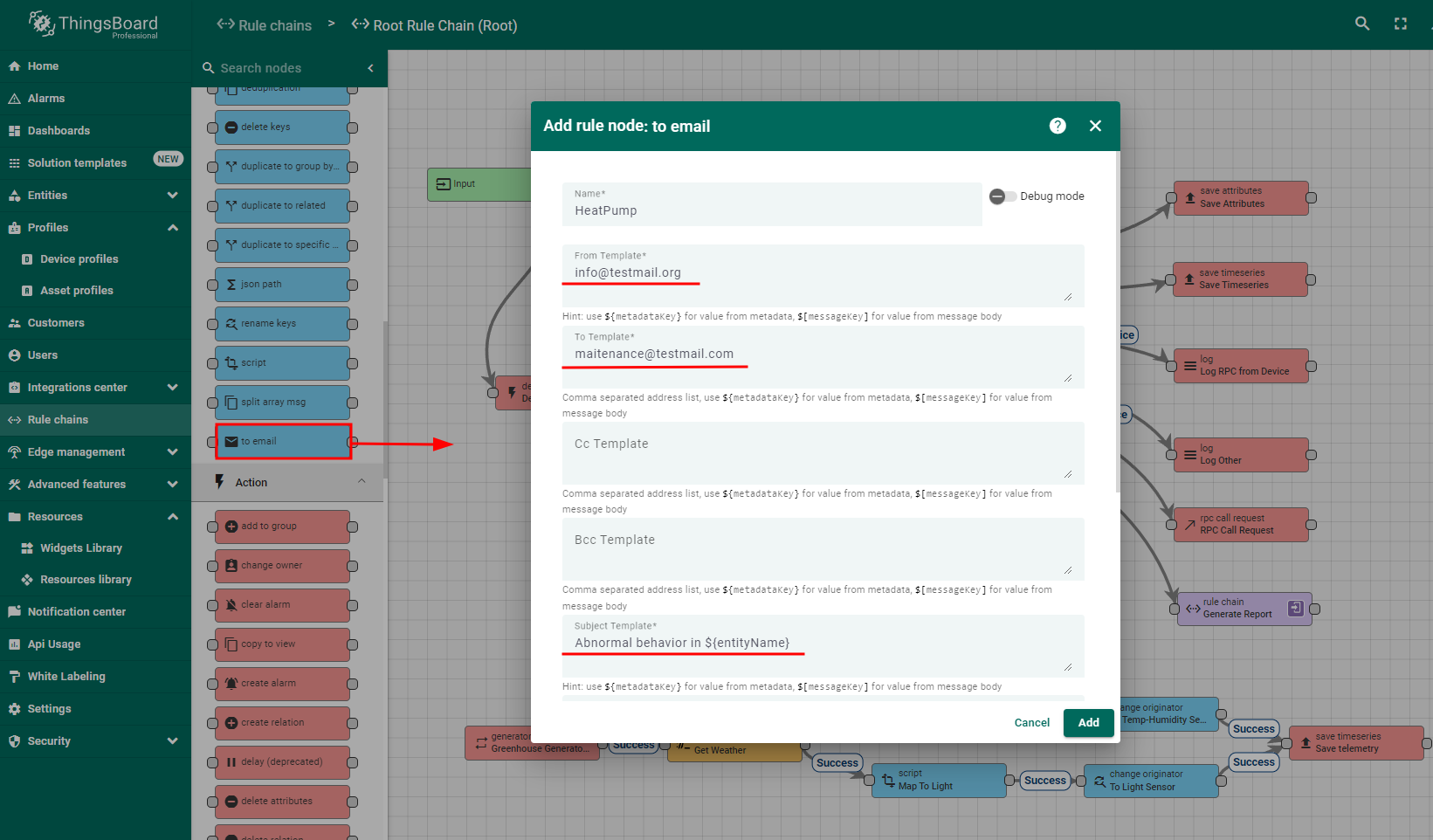
- 在
Device profile节点后添加toEmailrule node,并与Alarm Createdrelation连接 - 打开
toEmail节点settings,配置向维护团队发送邮件- From template——
info@testmail.org - To template——
maintenance@testmail.com - Subject template——
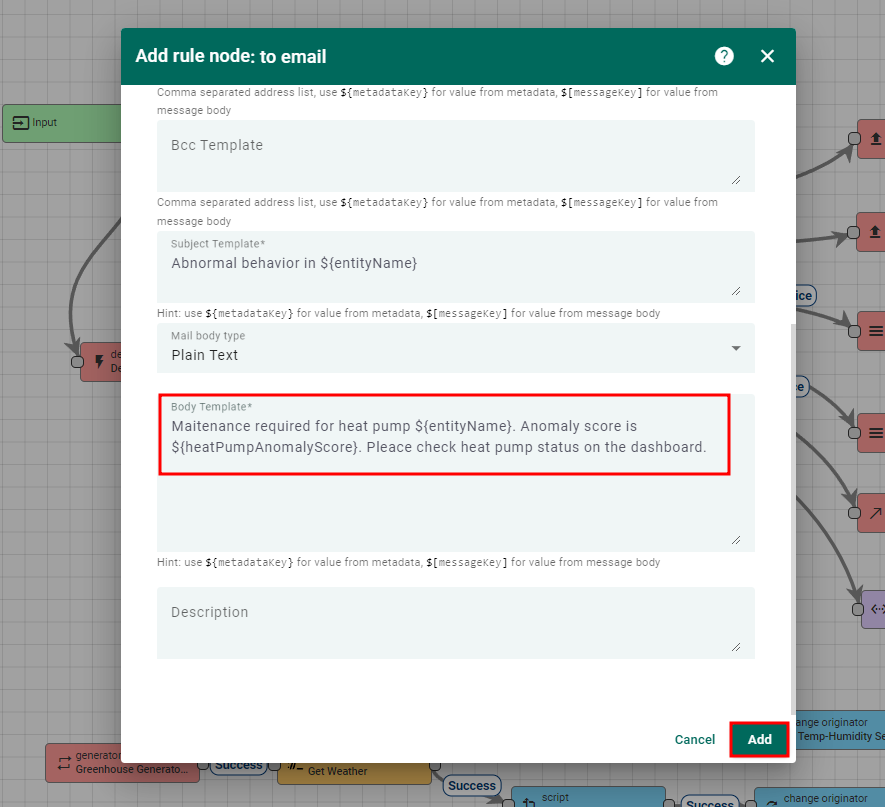
Abnormal behavior in ${entityName} - Body template——
Maintenance required for heat pump ${entityName}. Anomaly score is ${heatpumpAnomalyScore}. Please check heat pump status on the dashboard.
- From template——
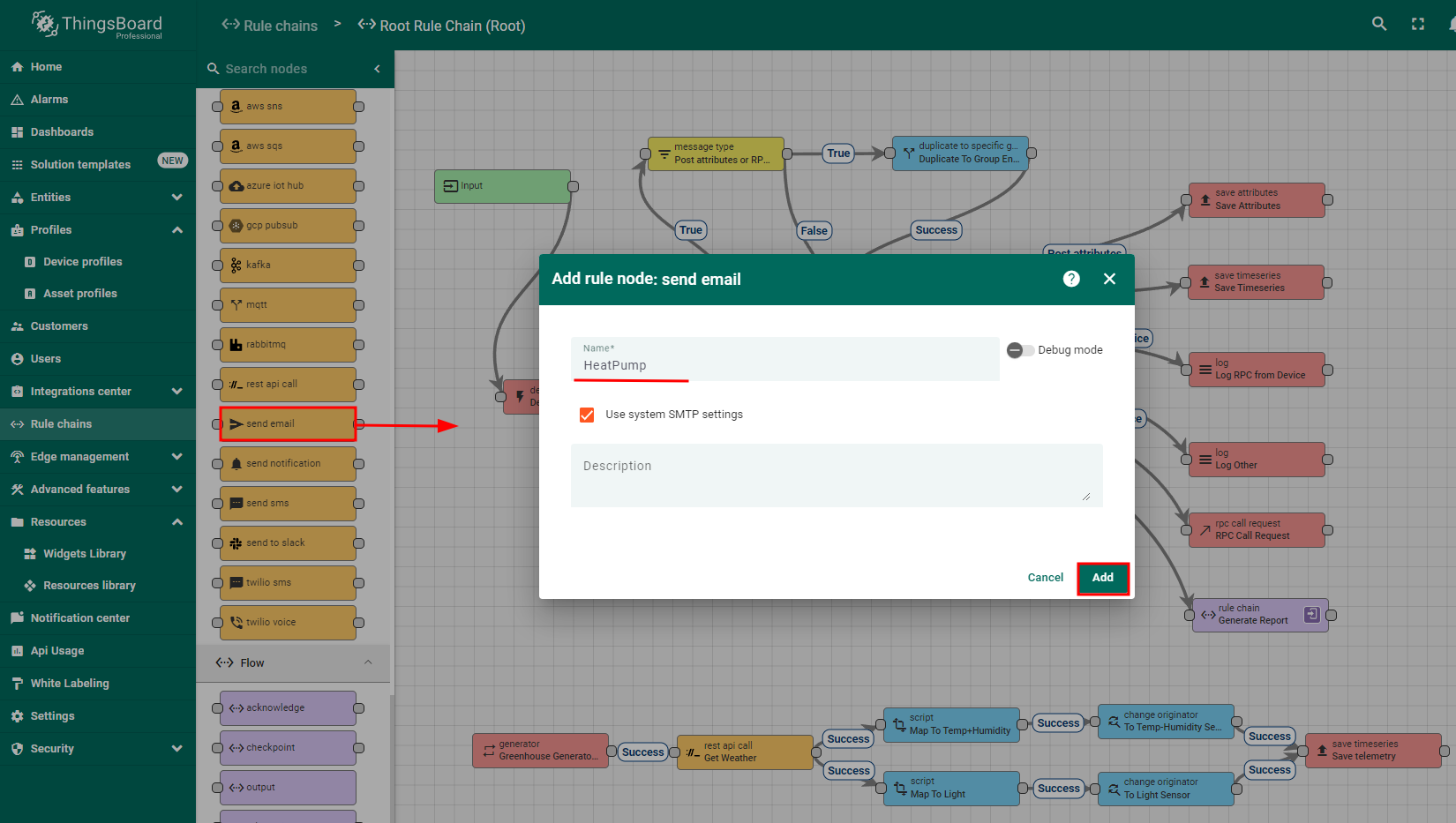
- 在
toEmail节点后添加send emailrule node,并与Successfullrelation连接 - 保存rule chain
如此配置后,ThingsBoard在检测到热泵行为异常时会向维护团队发送通知。
Summary
综上所述,通过部署异常检测算法可显著提升热泵的维护水平和运行效率。 该技术监测功耗、压缩机转速、风量、冷媒压力和温度的变化,可及早发现冷媒不足、滤网堵塞、压缩机故障、过热等问题。 早期发现便于及时干预,从而防止进一步故障和高额维修。 本实施计划包括:开发异常检测模型、配置实时telemetry数据、为维护团队创建交互式dashboard以跟踪异常和热泵状态。 后续可优化模型、扩展预测能力,并将其与现有维护流程更好地集成。