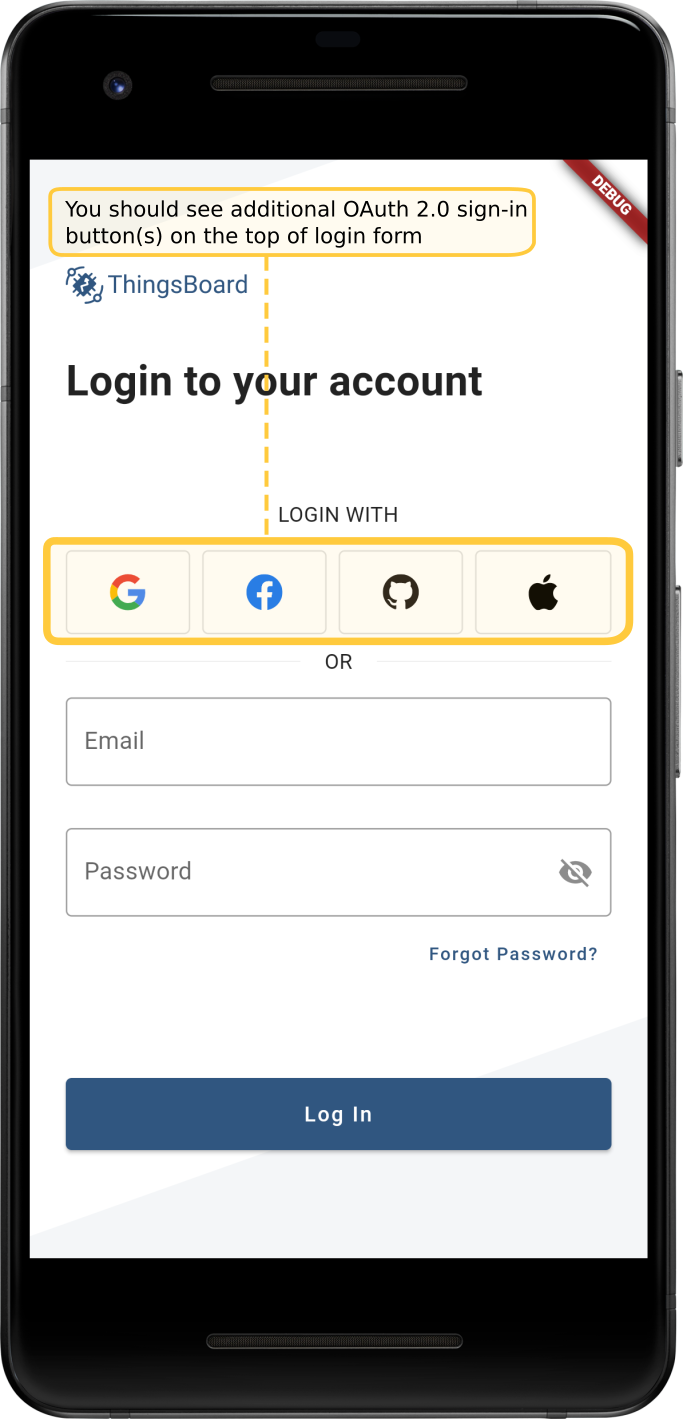
ThingsBoard移动应用支持OAuth 2.0。启用后,登录页会显示额外的OAuth登录按钮, 允许用户通过已配置的OAuth 2.0提供方完成认证。 相关内容由系统管理员在OAuth2设置表单中配置。 通用OAuth配置请参阅OAuth 2.0支持。 如需在移动应用中启用OAuth,请在OAuth设置表单的移动应用选项卡中注册应用:
- 以系统管理员用户身份进入系统设置 -> OAuth2;
- 展开域面板;
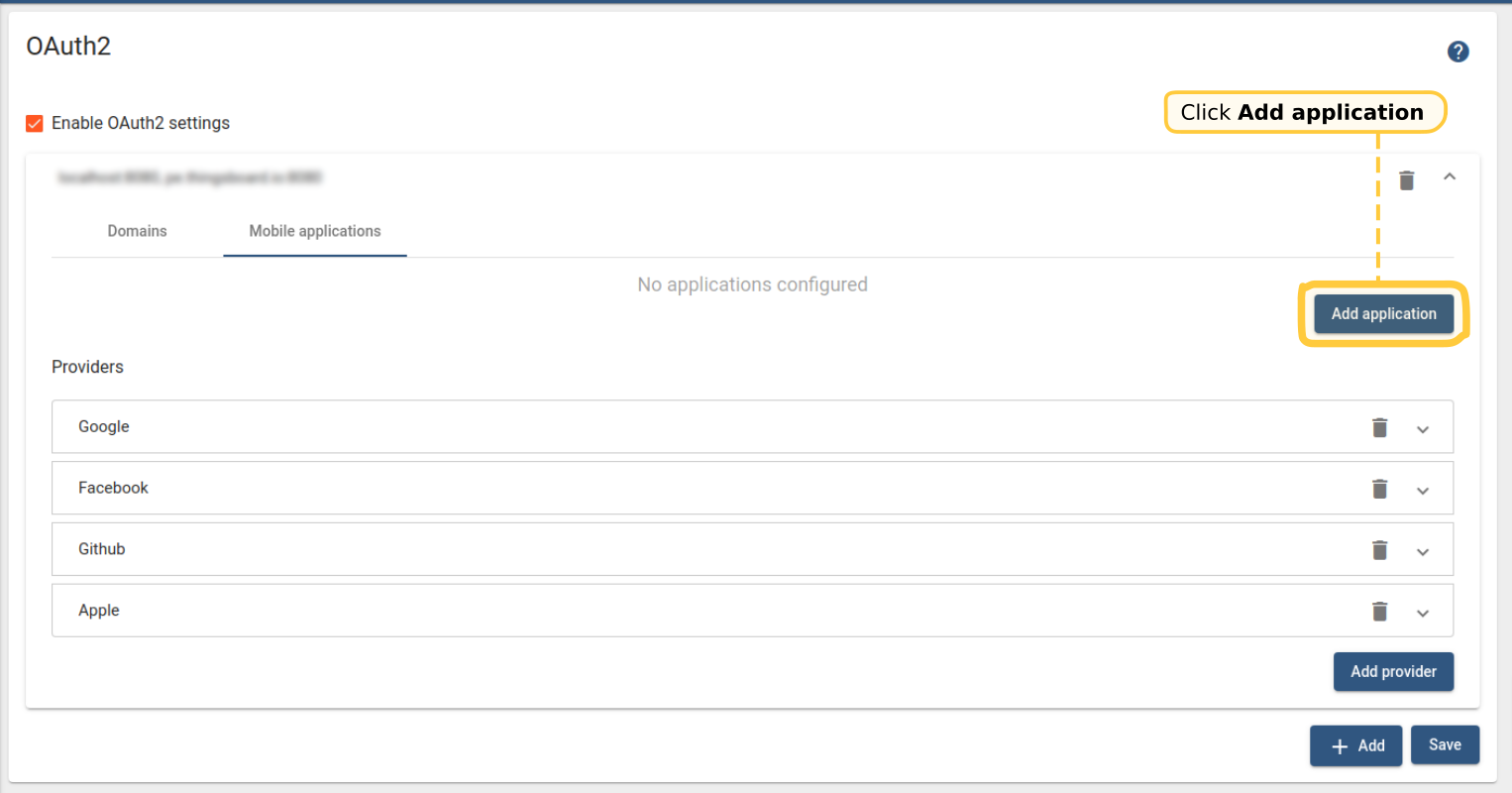
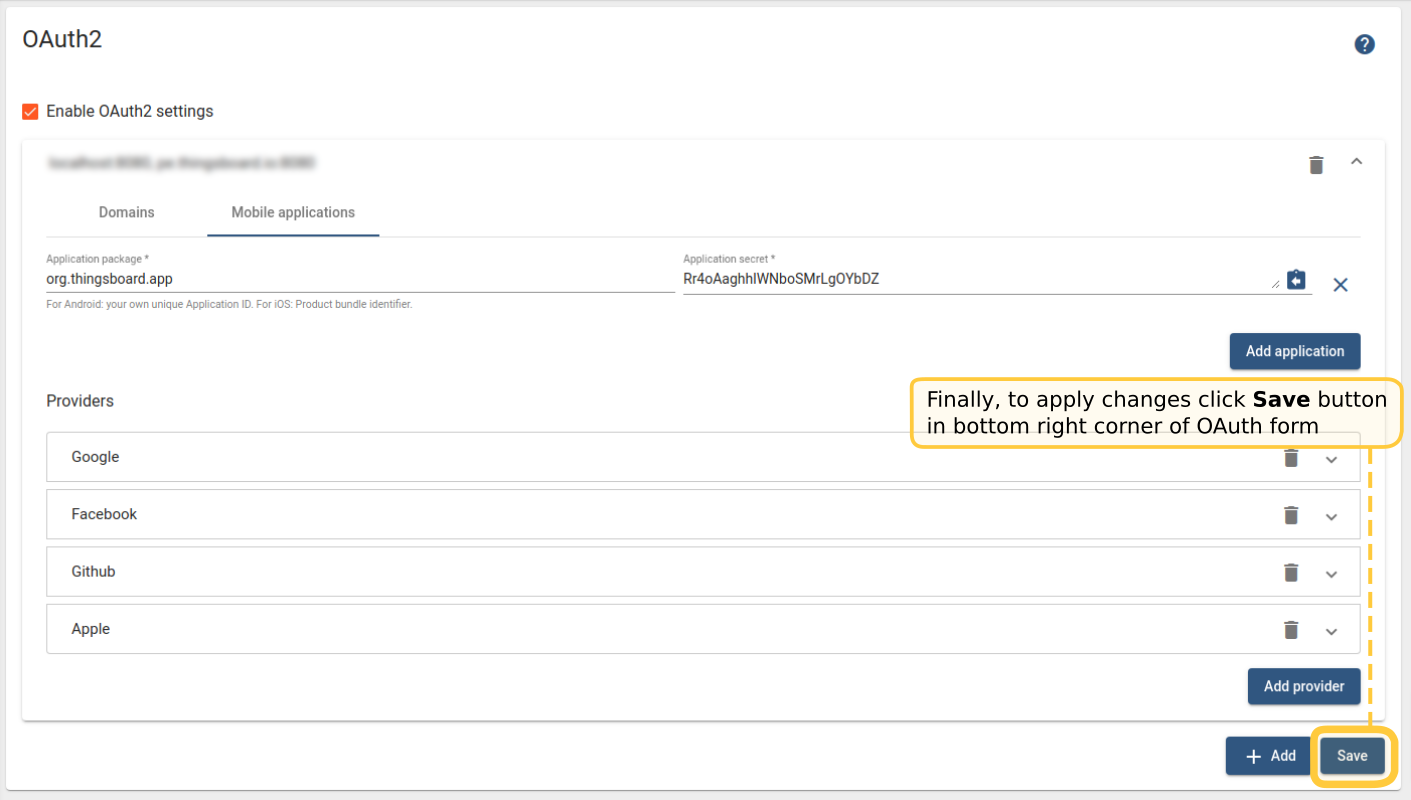
- 打开移动应用选项卡并点击添加应用;
- 指定您的应用包名(Android:您自己的唯一Application ID。iOS:Product bundle identifier。);
- 记住自动生成的应用密钥或输入您自己的密钥;
- 最后,点击OAuth表单右下角的保存按钮应用更改;
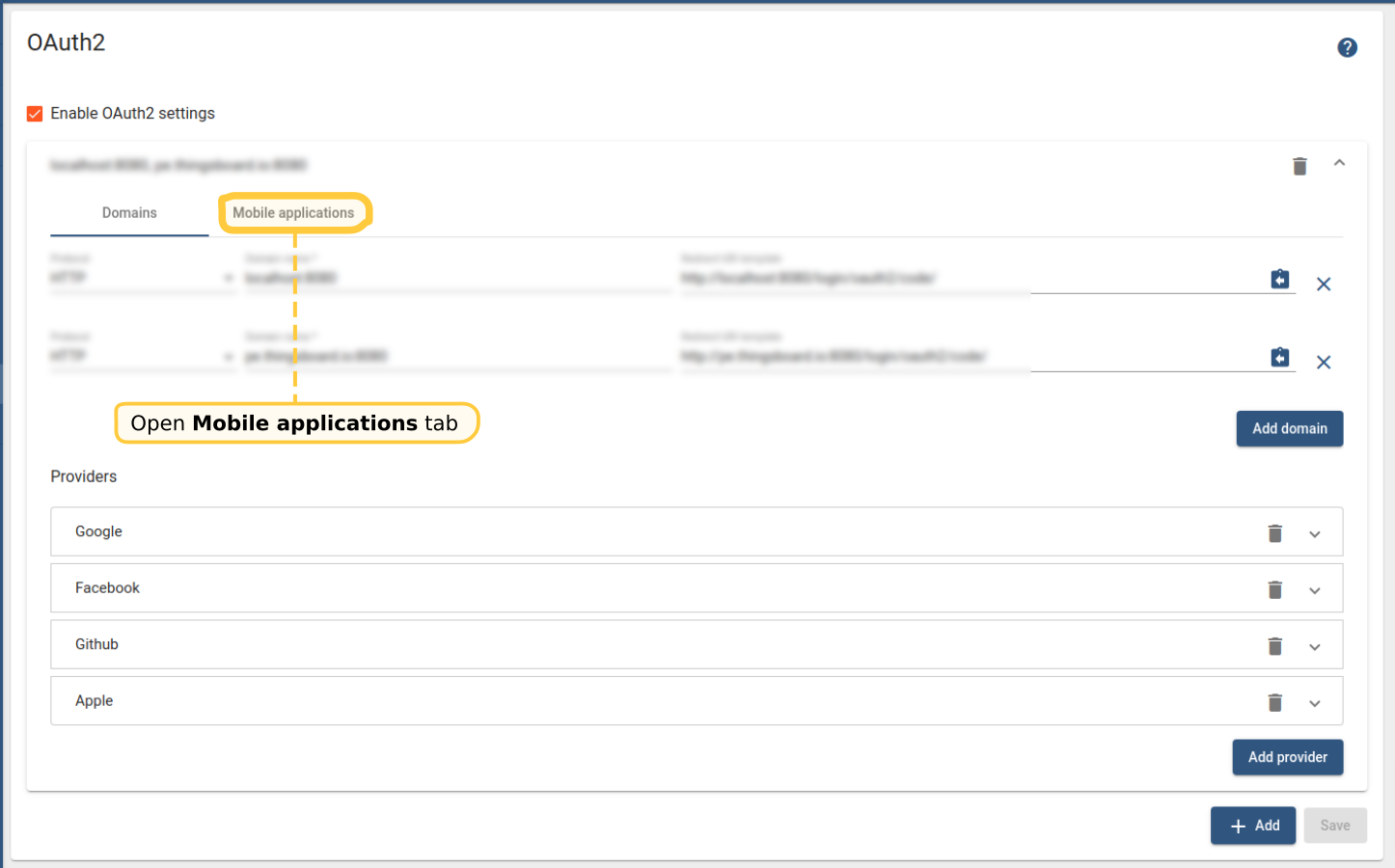
打开移动应用选项卡。
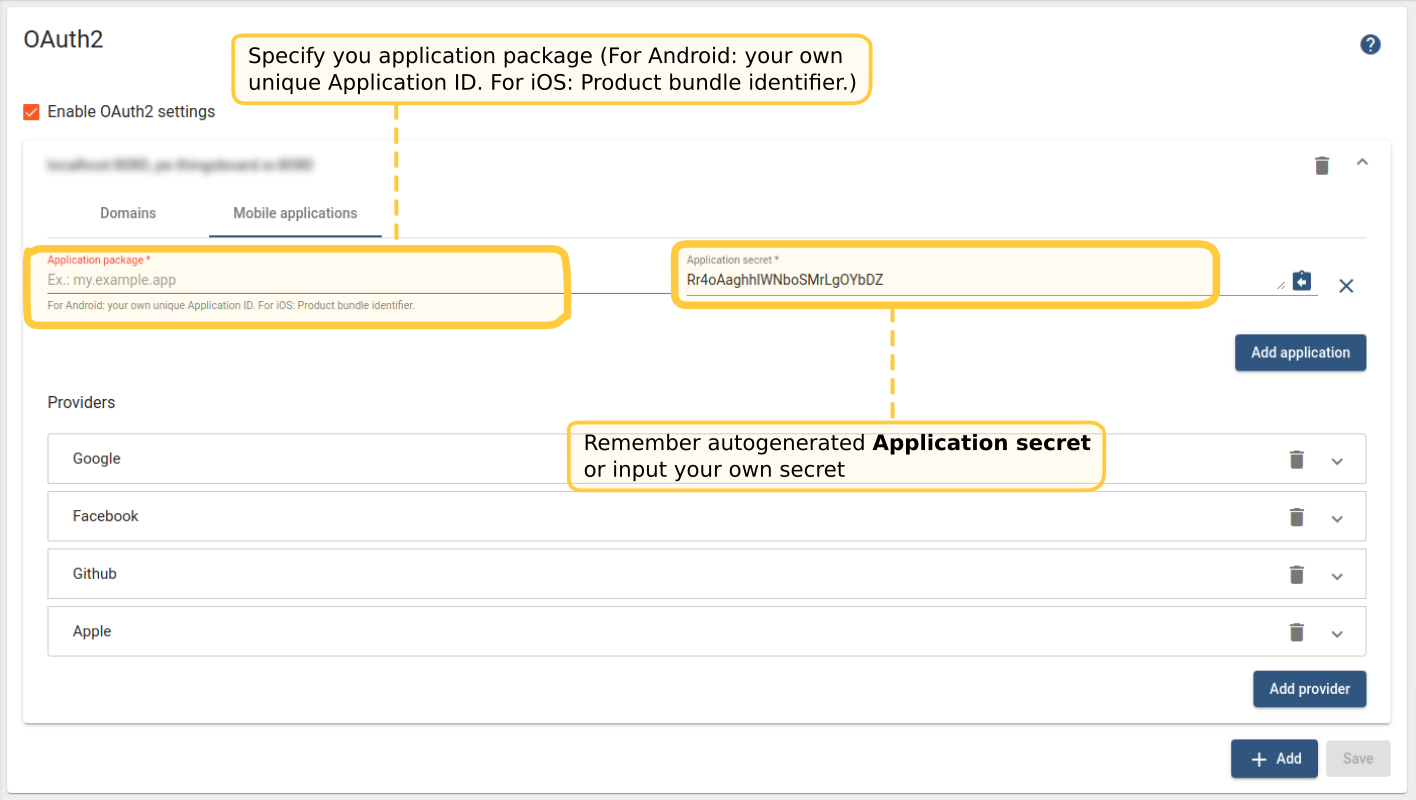
记住自动生成的应用密钥或输入您自己的密钥。
此外,您还需要修改移动应用常量。 在编辑器/IDE中打开flutter_thingsboard_app项目。编辑lib/constants/app_constants.dart。
将thingsboardOAuth2AppSecret常量的值设置为应用密钥字段的值。 将thingsboardOAuth2CallbackUrlScheme常量的值更改为某个唯一的包名,例如您可以使用应用包名加auth后缀(如org.mycompany.myapp.auth):
1
2
3
4
5
6
7
abstract class ThingsboardAppConstants {
  ...

  static final thingsboardOAuth2CallbackUrlScheme = 'Your callback url scheme here';

  static final thingsboardOAuth2AppSecret = 'Your app secret here';
}

注意:thingsBoardApiEndpoint常量中使用的域名应与OAuth设置表单中配置的域名之一一致。
编辑android/app/src/main/AndroidManifest.xml,找到TbWebCallbackActivity的scheme并设置为与thingsboardOAuth2CallbackUrlScheme常量相同的值:
1
2
3
4
5
6
7
8
9
10
  ...
        <activity android:name=".TbWebCallbackActivity" >
            <intent-filter android:label="tb_web_auth">
                <action android:name="android.intent.action.VIEW" />
                <category android:name="android.intent.category.DEFAULT" />
                <category android:name="android.intent.category.BROWSABLE" />
                <data android:scheme="Your callback url scheme here" />
            </intent-filter>
        </activity>
  ...
要验证OAuth 2.0设置,请运行移动应用。 您应在登录表单顶部看到额外的OAuth 2.0登录按钮。 如果设置正确,现有用户应能仅通过OAuth 2.0登录按钮登录应用。