目录
Solar Bluetooth网关
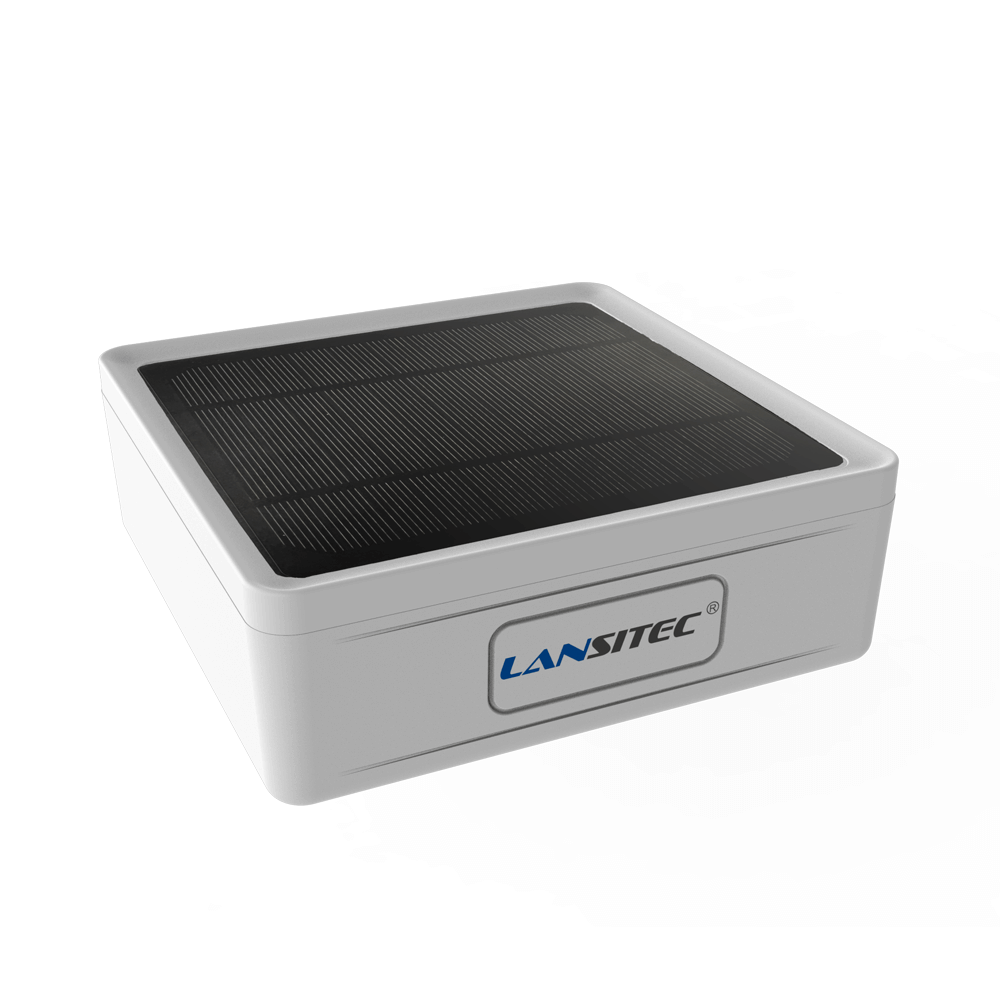
太阳能蓝牙网关基于LoRaWAN与Bluetooth 5.0技术设计,接收附近蓝牙信标消息,经数据重构后通过LoRaWAN传输到LoRaWAN网关。采用耐用太阳能膜与5300mAh可充电电池供电。
前置条件
继续本指南需准备:
配置
与Chirpstack网络服务器的集成配置
在Chirpstack添加LoRaWAN网关
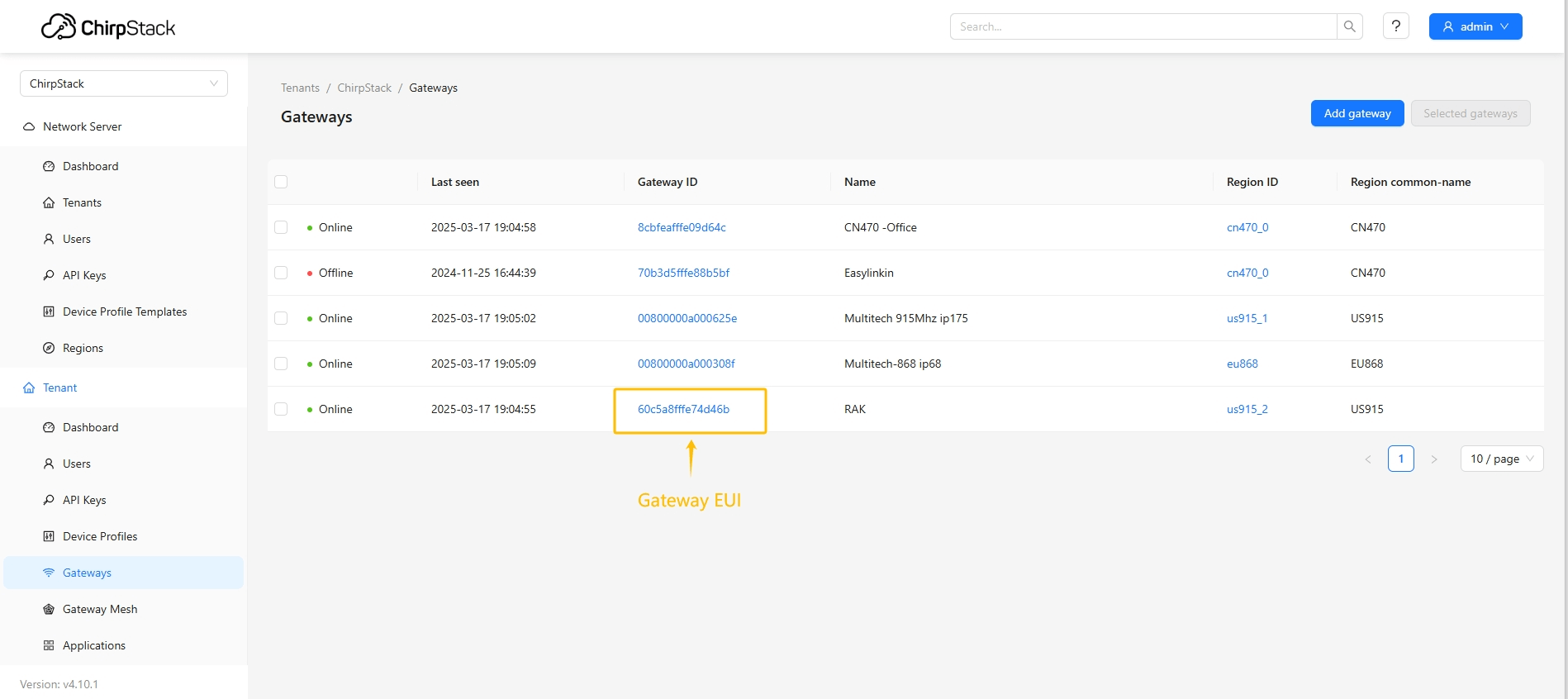
首先在Chirpstack上添加LoRaWAN网关。添加网关步骤:
配置LoRaWAN网关发送数据
按以下步骤连接网关并将数据传到Chirpstack:
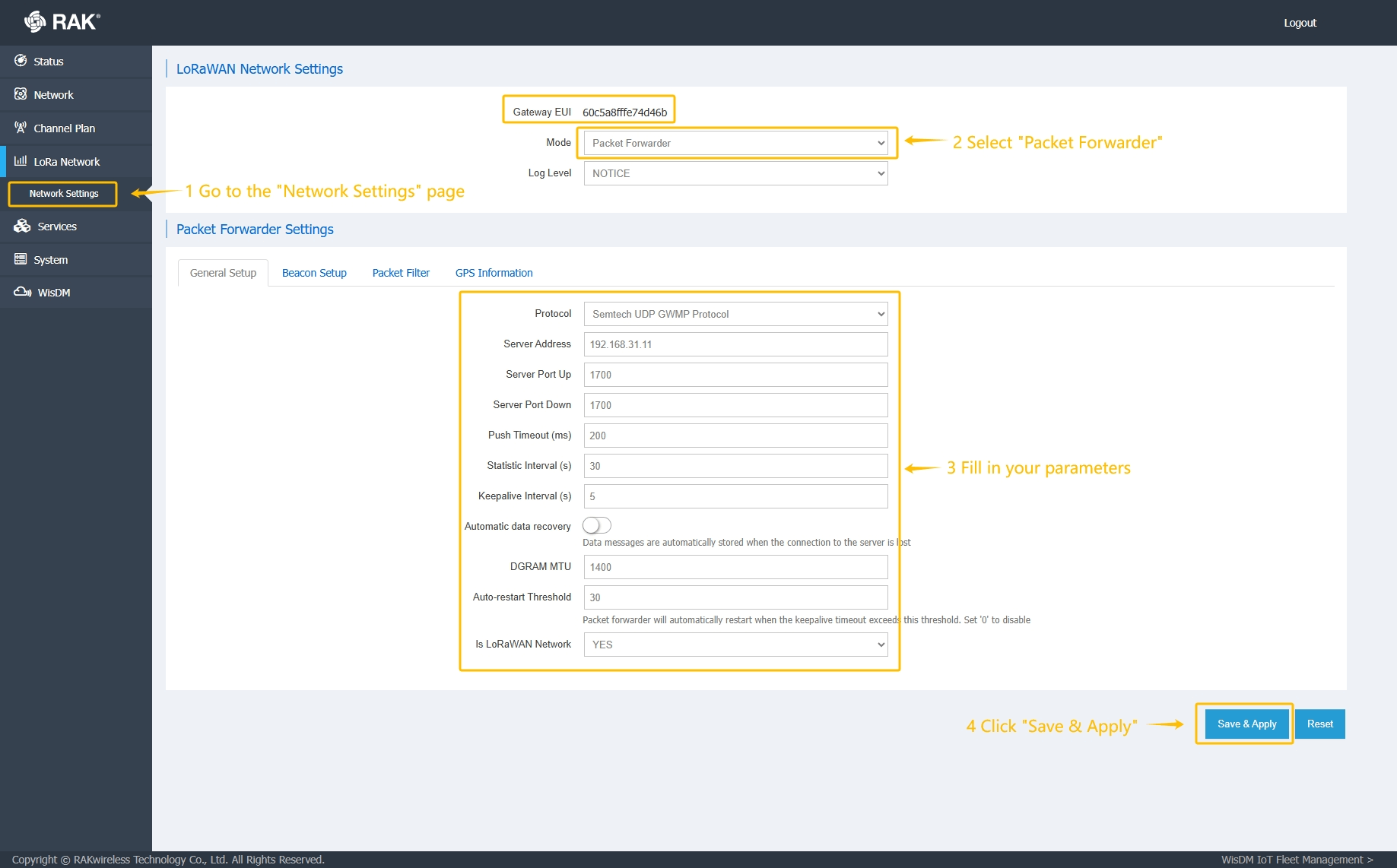
打开网关控制面板。进入”网络设置“页面并将模式设置为”数据包转发器“。在”服务器地址“字段中输入服务器地址(例如,在我们的例子中为192.168.31.11),然后点击”保存&应用“按钮。
验证网关在Chirpstack中的状态,它现在应该显示为在线。
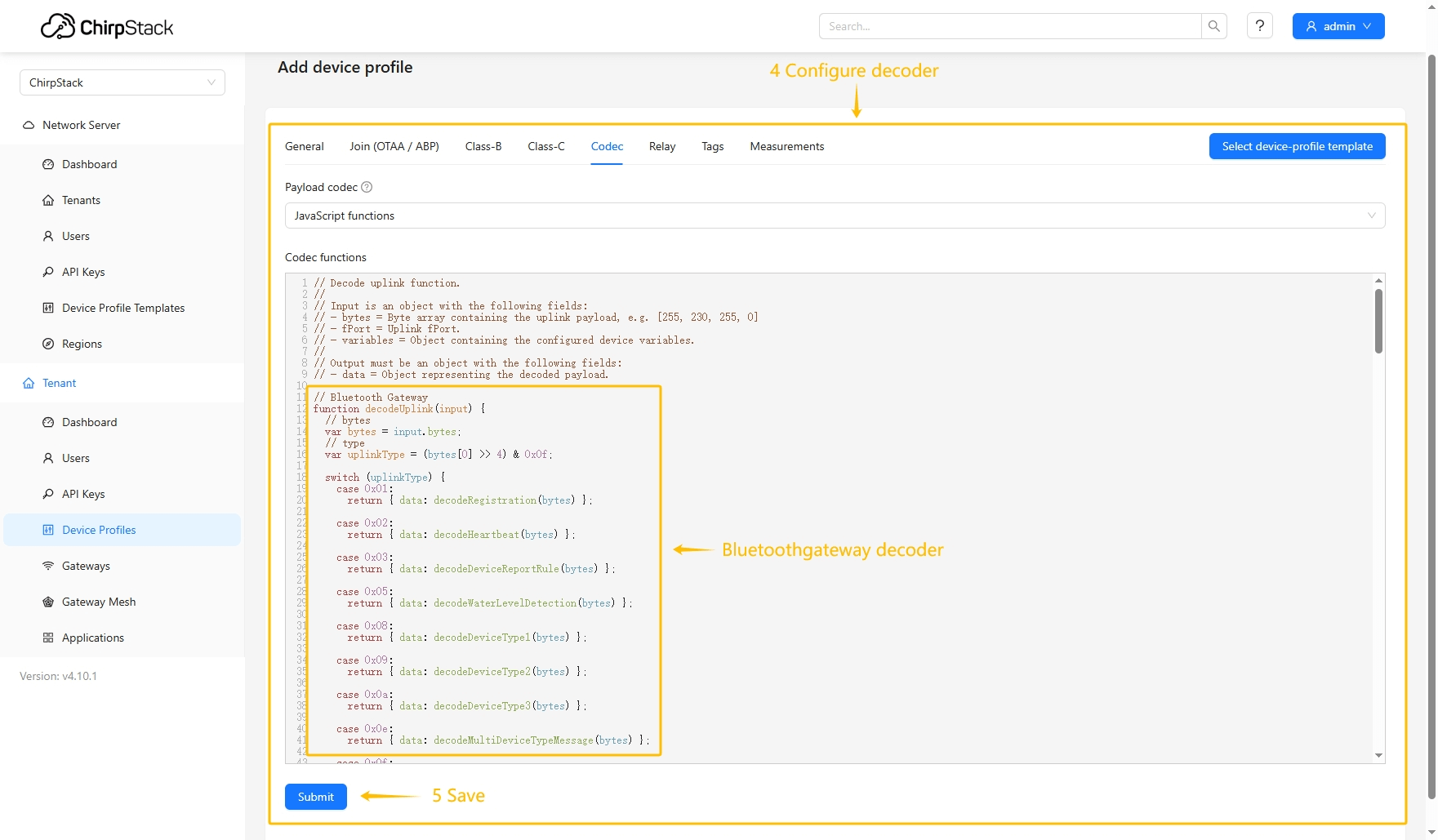
在Chirpstack添加设备配置
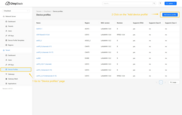
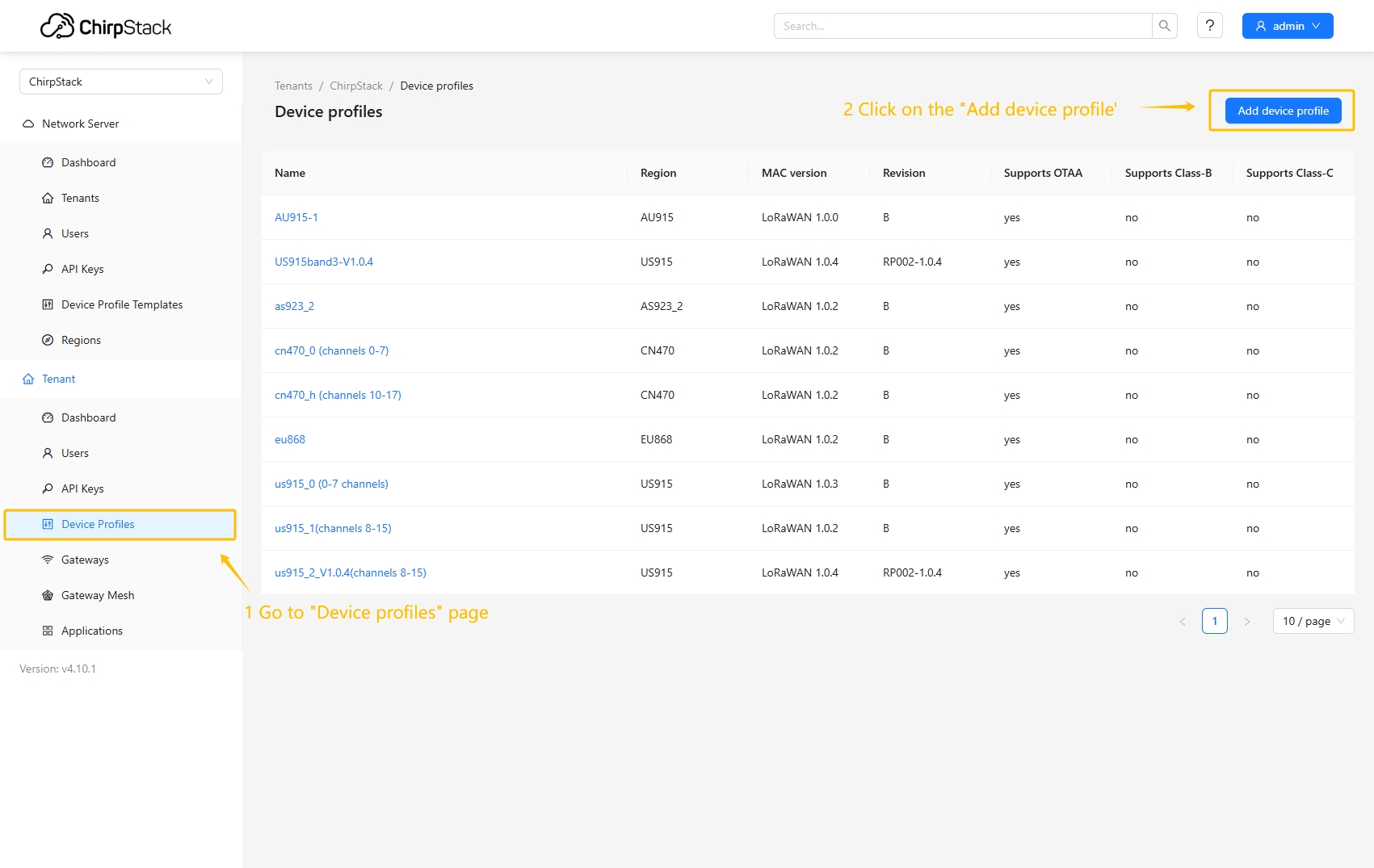
在Chirpstack界面中,进入”设备配置“页面并点击”添加设备配置“按钮。
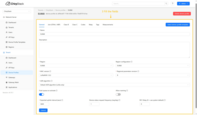
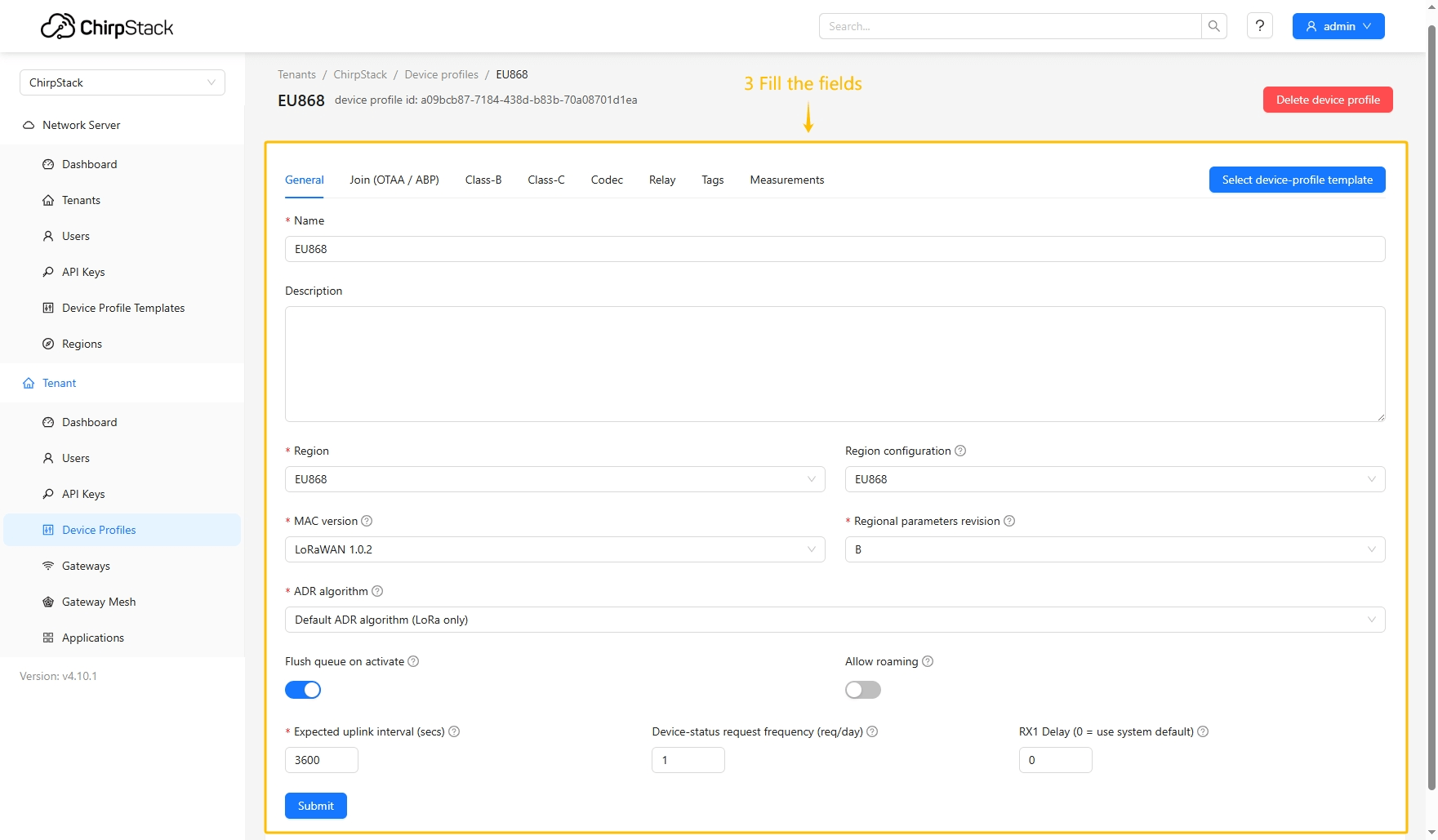
填写所需的字段。
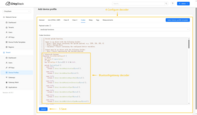
导航到”编解码“标签,选择”JavaScript函数”,粘贴”太阳能蓝牙网关解码器“,然后点击”提交“。
Solar Bluetooth网关 解码器:
1
2
3
4
5
6
7
8
9
10
11
12
13
14
15
16
17
18
19
20
21
22
23
24
25
26
27
28
29
30
31
32
33
34
35
36
37
38
39
40
41
42
43
44
45
46
47
48
49
50
51
52
53
54
55
56
57
58
59
60
61
62
63
64
65
66
67
68
69
70
71
72
73
74
75
76
77
78
79
80
81
82
83
84
85
86
87
88
89
90
91
92
93
94
95
96
97
98
99
100
101
102
103
104
105
106
107
108
109
110
111
112
113
114
115
116
117
118
119
120
121
122
123
124
125
126
127
128
129
130
131
132
133
134
135
136
137
138
139
140
141
142
143
144
145
146
147
148
149
150
151
152
153
154
155
156
157
158
159
160
161
162
163
164
165
166
167
168
169
170
171
172
173
174
175
176
177
178
179
180
181
182
183
184
185
186
187
188
189
190
191
192
193
194
195
196
197
198
199
200
201
202
203
204
205
206
207
208
209
210
211
212
213
214
215
216
217
218
219
220
221
222
223
224
225
226
227
228
229
230
231
232
233
234
235
236
237
238
239
240
241
242
243
244
245
246
247
248
249
250
251
252
253
254
255
256
257
258
259
260
261
262
263
264
265
266
267
268
269
270
271
272
273
274
275
276
277
278
279
280
281
282
283
284
285
286
287
288
289
290
291
292
293
294
295
296
297
298
299
300
301
302
303
304
| // Decode uplink function.
//
// Input is an object with the following fields:
// - bytes = Byte array containing the uplink载荷, e.g. [255, 230, 255, 0]
// - fPort = Uplink fPort.
// - variables = Object containing the configured设备variables.
//
// Output must be an object with the following fields:
// - 数据 = 表示解码后载荷的对象。
// Solar Bluetooth网关 解码器
function decodeUplink(input) {
// bytes
var bytes = input.bytes;
// 类型
var uplinkType = (bytes[0] >> 4) & 0x0f;
switch (uplinkType) {
case 0x01:
return { 数据: decodeRegistration(bytes) };
case 0x02:
return { 数据: decodeHeartbeat(bytes) };
case 0x03:
return { 数据: decodeDeviceReportRule(bytes) };
case 0x05:
return { 数据: decodeWaterLevelDetection(bytes) };
case 0x08:
return { 数据: decodeDeviceType1(bytes) };
case 0x09:
return { 数据: decodeDeviceType2(bytes) };
case 0x0a:
return { 数据: decodeDeviceType3(bytes) };
case 0x0e:
return { 数据: decodeMultiDeviceTypeMessage(bytes) };
case 0x0f:
return { 数据: decodeAcknowledgment(bytes) };
default:
return null;
}
}
// 类型: 0x1 Registration
function decodeRegistration(bytes) {
var数据 = {};
数据.类型 ="Registration";
// adr
数据.adr = ((bytes[0] >> 3) & 0x1) == 0 ?"OFF":"ON";
// mode
数据.mode = bytes[0] & 0x07;
// loRaWANBand
var loRaWANBandValue = bytes[1];
if (loRaWANBandValue == 0x00) {
数据.loRaWANBand ="KR920";
} else if (loRaWANBandValue == 0x01) {
数据.loRaWANBand ="AU915";
} else if (loRaWANBandValue == 0x04) {
数据.loRaWANBand ="CN470";
} else if (loRaWANBandValue == 0x08) {
数据.loRaWANBand ="AS923";
} else if (loRaWANBandValue == 0x10) {
数据.loRaWANBand ="EU433";
} else if (loRaWANBandValue == 0x20) {
数据.loRaWANBand ="EU868";
} else if (loRaWANBandValue == 0x40) {
数据.loRaWANBand ="US915";
}
// power
数据.power = ((bytes[2] >> 3) & 0x1f) +"dBm";
// continuousBleReceiveEnable
数据.continuousBleReceiveEnable =
((bytes[2] >> 1) & 0x1) == 0 ?"禁用":"启用";
// dr
数据.dr = (bytes[3] >> 4) & 0x0f;
// positionReportInterval
数据.positionReportInterval =
(((bytes[4] << 8) & 0xff00) | (bytes[5] & 0xff)) * 5 +"s";
// heartbeatInterval
数据.heartbeatInterval = bytes[6] * 30 +"s";
// bleReceivingDuration
数据.bleReceivingDuration = bytes[7] +"s";
// networkReconnectionInterval
数据.networkReconnectionInterval = bytes[8] * 5 +"min";
return数据;
}
// 类型: 0x2 Heartbeat
function decodeHeartbeat(bytes) {
var数据 = {};
// 类型
数据.类型 ="Heartbeat";
// battery
var batteryValue = bytes[1];
if (batteryValue > 100) {
数据.battery = bytes[1] / 100 + 1.5 +"V";
} else {
数据.battery = bytes[1] +"%";
}
// rssi
数据.rssi = bytes[2] * -1 +"dBm";
// snr
数据.snr = (((bytes[3] << 8) & 0xff00) | (bytes[4] & 0xff)) / 100 +"dB";
// version
数据.version = ((bytes[5] << 8) & 0xff00) | (bytes[6] & 0xff);
// chargeState
var chargeStateValue = bytes[7] & 0xff;
if (chargeStateValue == 0x00) {
数据.chargeState ="Not charging";
} else if (chargeStateValue == 0x50) {
数据.chargeState ="Charging";
} else if (chargeStateValue == 0x60) {
数据.chargeState ="Charging completed";
}
return数据;
}
// 类型: 0x3 DeviceReportRule
function decodeDeviceReportRule(bytes) {
var数据 = {};
数据.类型 ="DeviceReportRule";
数据.deviceTypeQuantity = bytes[1] & 0xff;
数据.deviceTypeId = (bytes[2] >> 4) & 0x0f;
数据.filterAndDataBlockQuantity = bytes[2] & 0x0f;
var filterBlock = [];
var dataBlock = [];
var macBlock = [];
var index = 3;
for (let i = 0; i < 数据.filterAndDataBlockQuantity; i++) {
var ruleType = bytes[index++] & 0xff;
var startAddress = bytes[index++] & 0xff;
var endAddress = bytes[index++] & 0xff;
var filter = {};
if (ruleType == 1) {
filter.ruleType ="FilterBlock";
filter.startAddress = byteToHex(startAddress);
filter.endAddress = byteToHex(endAddress);
var len = endAddress - startAddress;
var filterValue ="";
for (let j = 0; j < len + 1; j++) {
filterValue += byteToHex(bytes[index + j]);
}
filter.值 = filterValue;
index = index + (endAddress - startAddress + 1);
filterBlock.push(filter);
} else if (ruleType == 2) {
filter.ruleType ="DataBlock";
filter.startAddress = byteToHex(startAddress);
filter.endAddress = byteToHex(endAddress);
dataBlock.push(filter);
} else if (ruleType == 3) {
filter.ruleType ="MACBlock";
filter.startAddress = byteToHex(startAddress);
filter.endAddress = byteToHex(endAddress);
macBlock.push(filter);
}
}
数据.filterBlock = filterBlock;
数据.dataBlock = dataBlock;
数据.macBlock = macBlock;
return数据;
}
// 类型: 0x5 WaterLevelDetection
function decodeWaterLevelDetection(bytes) {
var数据 = {};
// 类型
数据.类型 ="WaterLevelDetection";
数据.waterLevel = (((bytes[1] << 8) & 0xff00) | (bytes[2] & 0xff)) +"mm";
return数据;
}
// 类型: 0x8 DeviceType1
function decodeDeviceType1(bytes) {
var数据 = {
类型:"DeviceType1",
number: bytes[0] & 0x0f,
};
var index = 1;
for (let i = 0; i < 数据.number; i++) {
var major = ((bytes[index] << 8) | bytes[index + 1])
.toString(16)
.toUpperCase()
.padStart(4,"0");
var minor = ((bytes[index + 2] << 8) | bytes[index + 3])
.toString(16)
.toUpperCase()
.padStart(4,"0");
var rssi = bytes[index + 4] - 256 +"dBm";
数据["beacon"+ (i + 1)] = major + minor;
数据["rssi"+ (i + 1)] = rssi;
index = index + 5;
}
return数据;
}
// 类型: 0x9 DeviceType2
function decodeDeviceType2(bytes) {
var数据 = {
类型:"DeviceType2",
number: bytes[0] & 0x0f,
};
var index = 1;
for (let i = 0; i < 数据.number; i++) {
var major = ((bytes[index] << 8) | bytes[index + 1])
.toString(16)
.toUpperCase()
.padStart(4,"0");
var minor = ((bytes[index + 2] << 8) | bytes[index + 3])
.toString(16)
.toUpperCase()
.padStart(4,"0");
var rssi = bytes[index + 4] - 256 +"dBm";
数据["beacon"+ (i + 1)] = major + minor;
数据["rssi"+ (i + 1)] = rssi;
index = index + 5;
}
return数据;
}
// 类型: 0xa DeviceType3
function decodeDeviceType3(bytes) {
var数据 = {
类型:"DeviceType3",
number: bytes[0] & 0x0f,
};
var index = 1;
for (let i = 0; i < 数据.number; i++) {
var major = ((bytes[index] << 8) | bytes[index + 1])
.toString(16)
.toUpperCase()
.padStart(4,"0");
var minor = ((bytes[index + 2] << 8) | bytes[index + 3])
.toString(16)
.toUpperCase()
.padStart(4,"0");
var rssi = bytes[index + 4] - 256 +"dBm";
数据["beacon"+ (i + 1)] = major + minor;
数据["rssi"+ (i + 1)] = rssi;
index = index + 5;
}
return数据;
}
// 类型: 0xe MultiDeviceTypeMessage
function decodeMultiDeviceTypeMessage(bytes) {
var数据 = {
类型:"MultiDeviceTypeMessage",
number: bytes[0] & 0x0f,
};
var index = 1;
for (let i = 0; i < 数据.number; i++) {
var index = 1 + 6 * i;
var deviceTypeId = bytes[index];
var major = ((bytes[index + 1] << 8) | bytes[index + 2])
.toString(16)
.toUpperCase()
.padStart(4,"0");
var minor = ((bytes[index + 3] << 8) | bytes[index + 4])
.toString(16)
.toUpperCase()
.padStart(4,"0");
var rssi = bytes[index + 5] - 256 +"dBm";
数据["deviceTypeId"+ (i + 1)] = deviceTypeId;
数据["beacon"+ (i + 1)] = major + minor;
数据["rssi"+ (i + 1)] = rssi;
index = index + 6;
}
return数据;
}
// 类型: 0xf Acknowledgment
function decodeAcknowledgment(bytes) {
var数据 = {};
数据.类型 ="Acknowledgment";
数据.result = (bytes[0] & 0x0f) == 0 ?"成功":"Failure";
数据.msgId = (bytes[1] & 0xff).toString(16).toUpperCase();
return数据;
}
function byteToHex(str) {
return str.toString(16).toUpperCase().padStart(2,"0");
}
|
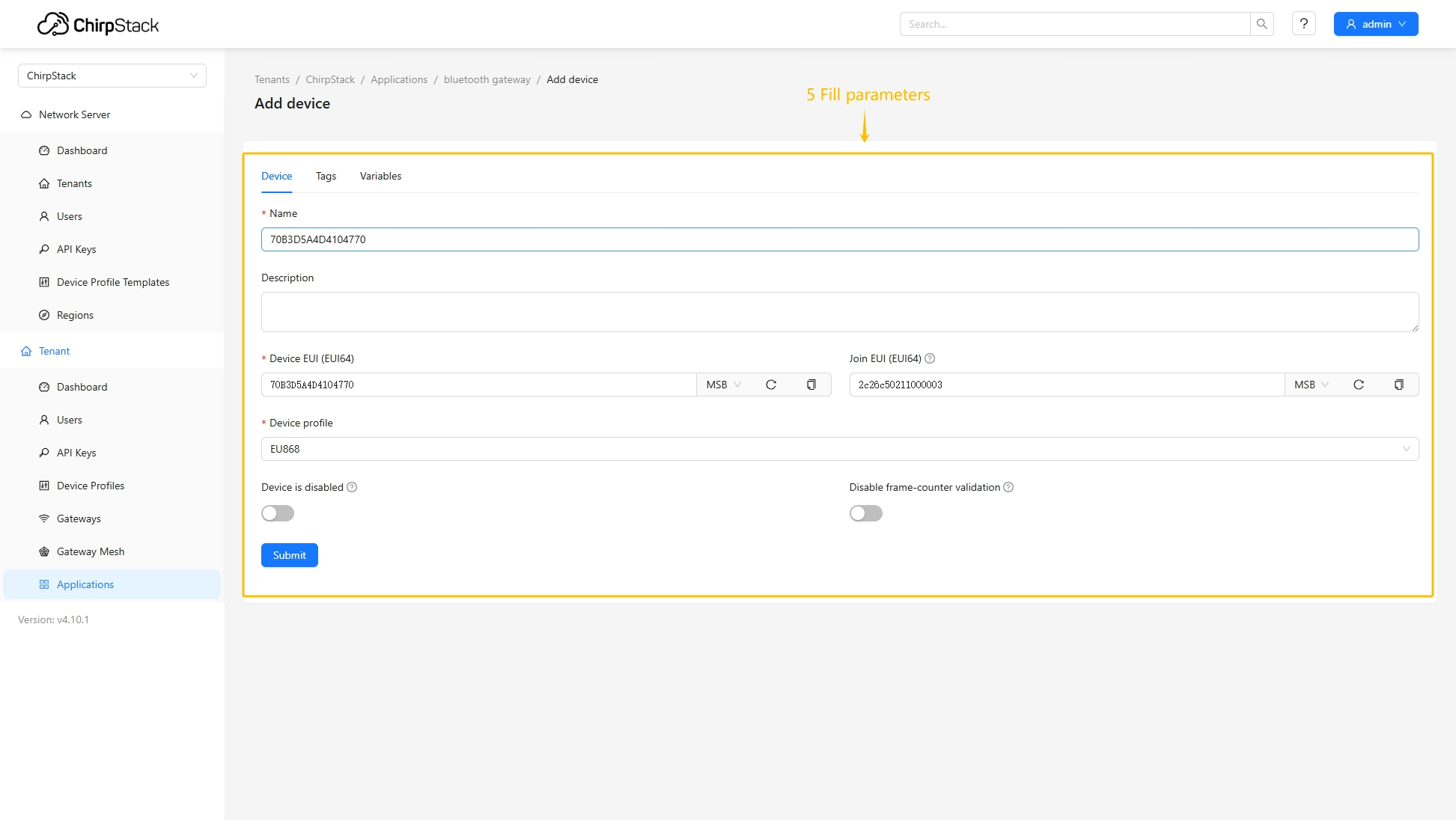
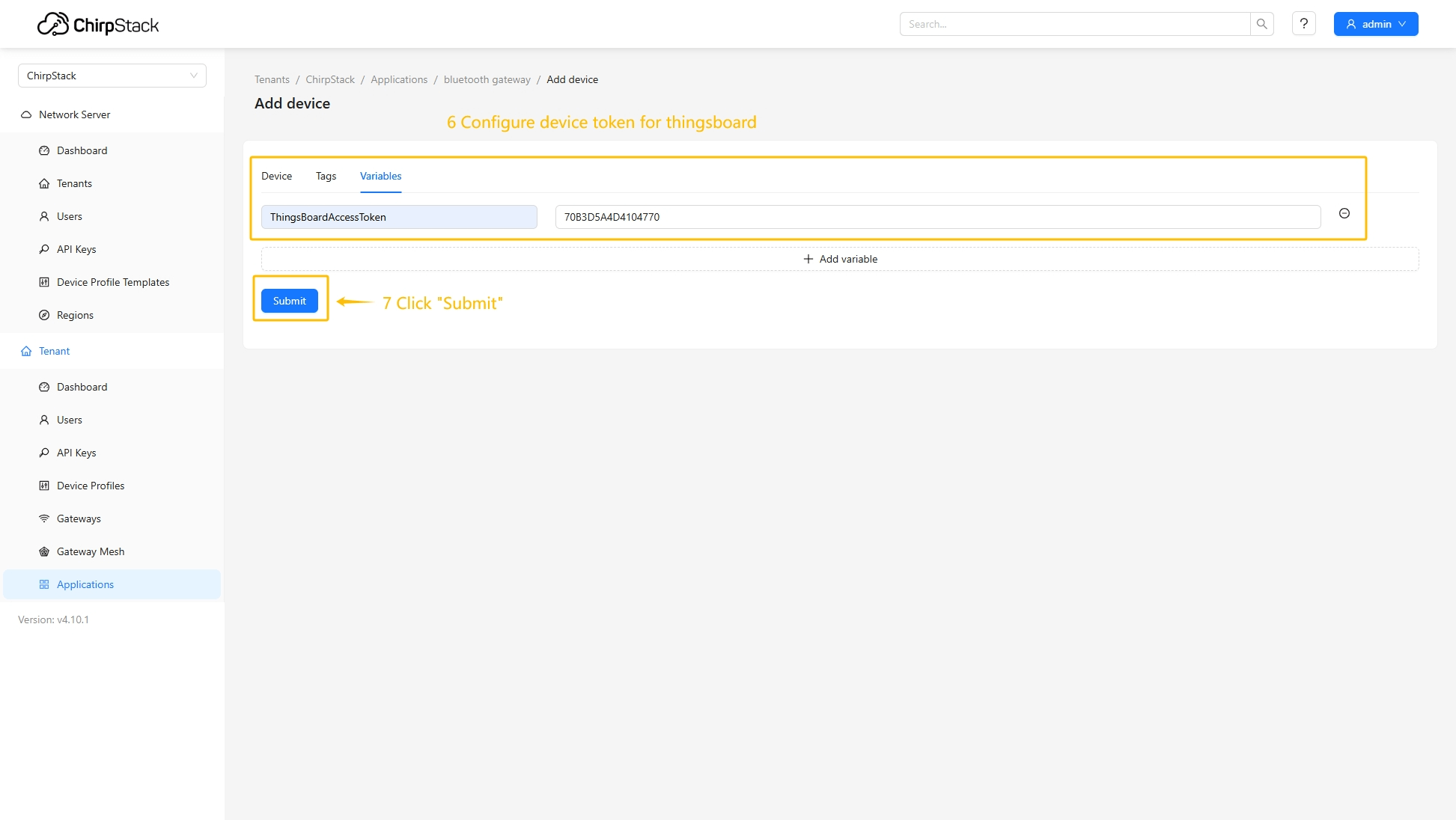
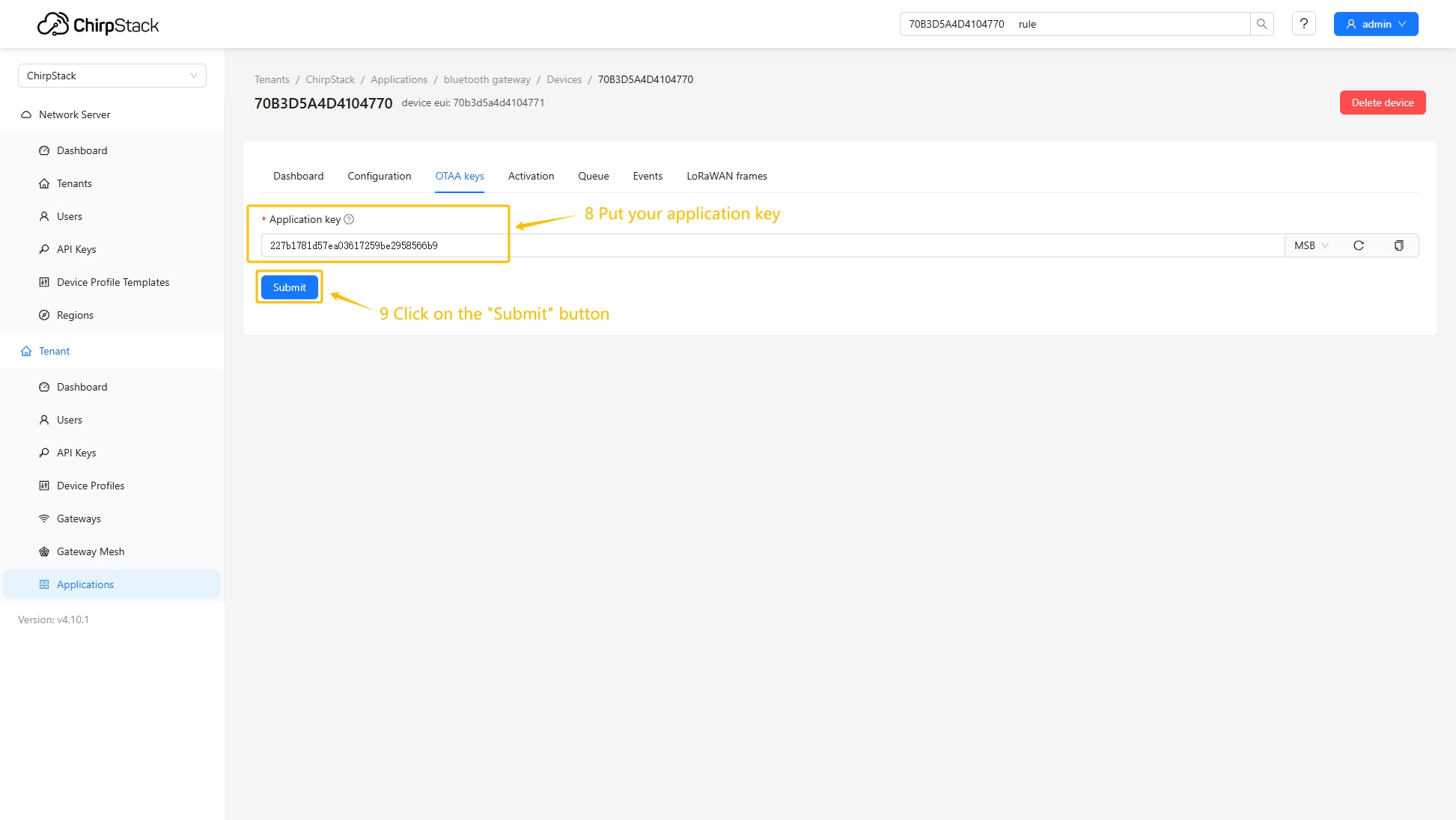
在Chirpstack添加设备
-
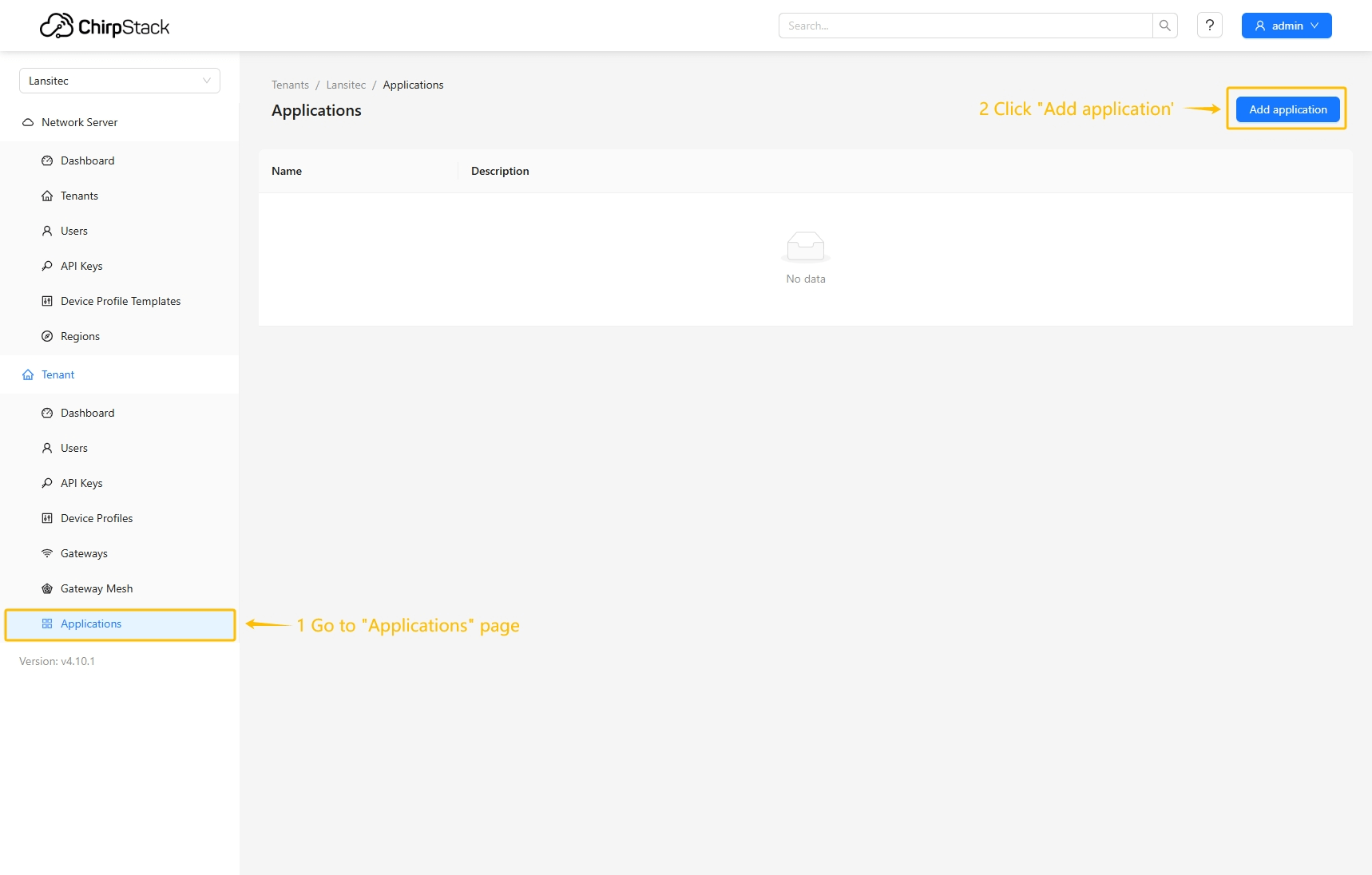
Go to the Applications page and click 添加application button.
-
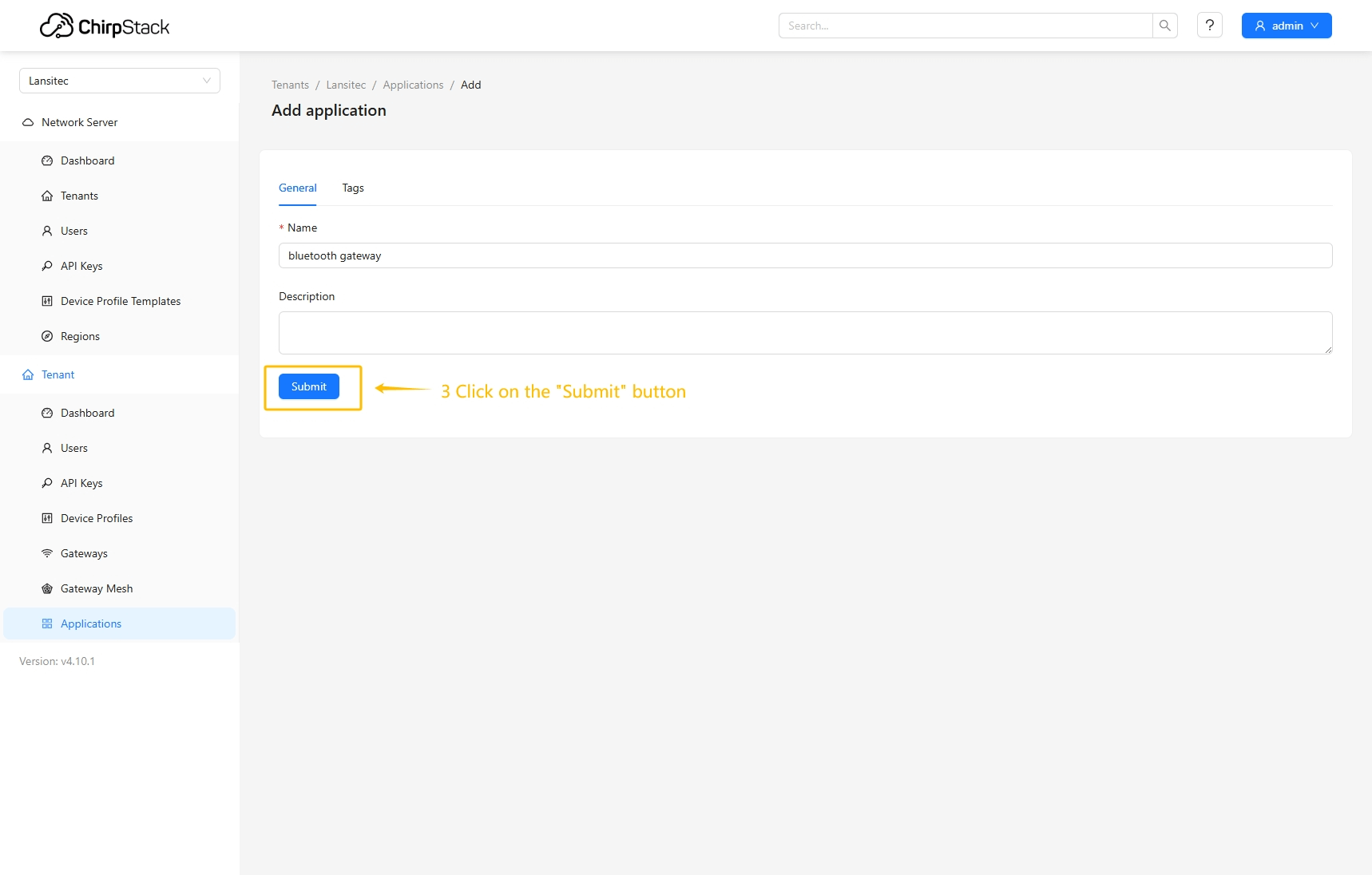
Enter application名称and click Submit button.
-
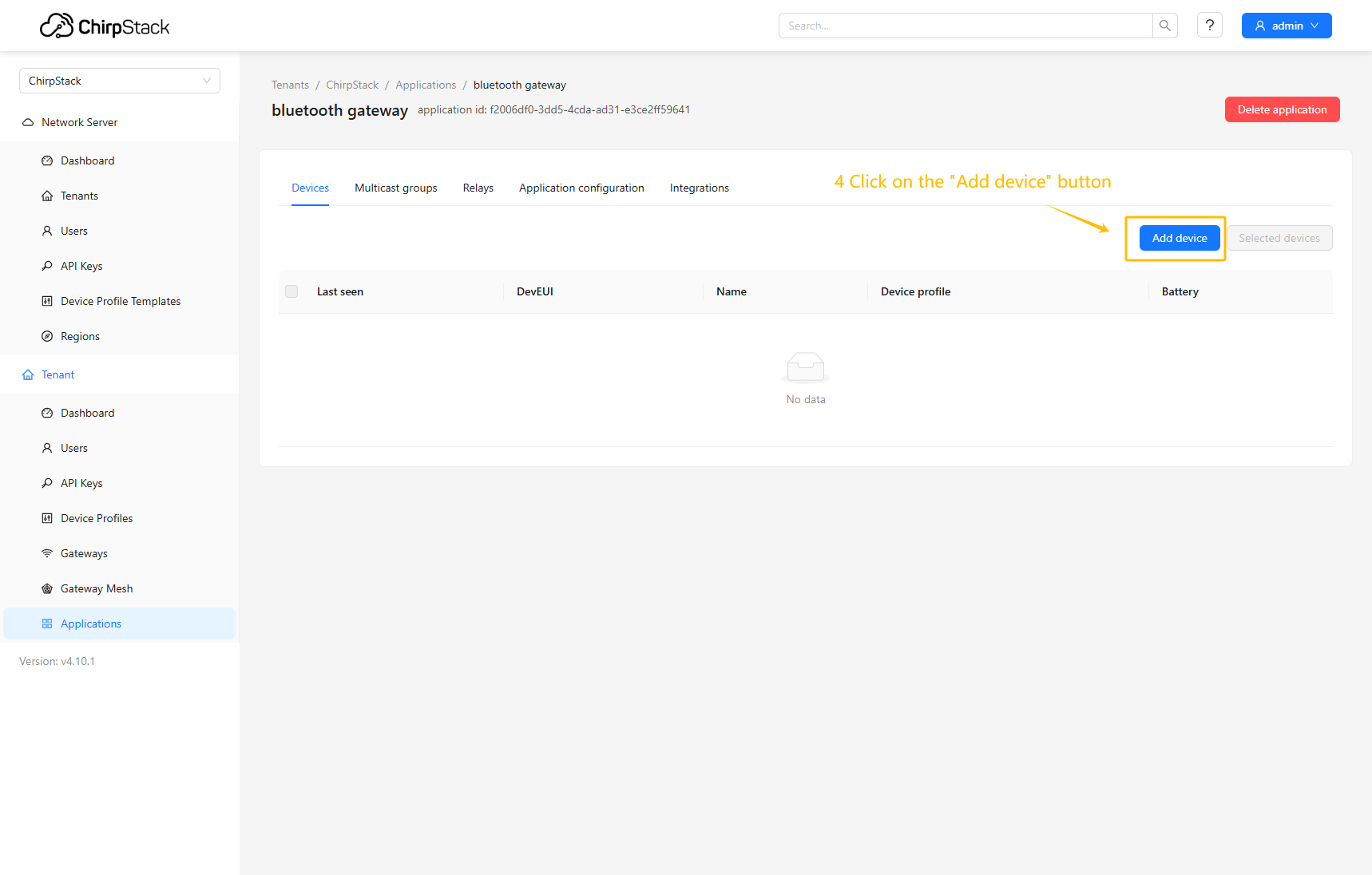
Click 添加 设备 button.
-
填写设备配置参数。
-
Go to the Variables dection, enter the”ThingsBoardAccessToken”parameter, and then click the Submit button.
-
Enter your Application键 in this field and click Submit button to保存the设备.
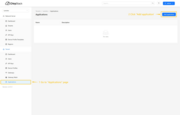
Go to the Applications page and click 添加application button.
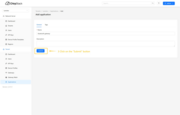
Enter application名称and click Submit button.
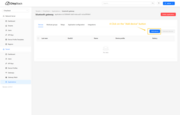
Click 添加 设备 button.
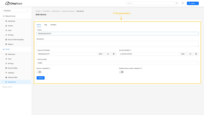
填写设备配置参数。
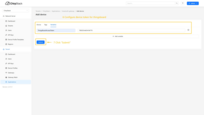
Go to the Variables dection, enter the”ThingsBoardAccessToken”parameter, and then click the Submit button.
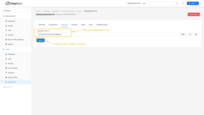
Enter your Application键 in this field and click Submit button to保存the设备.
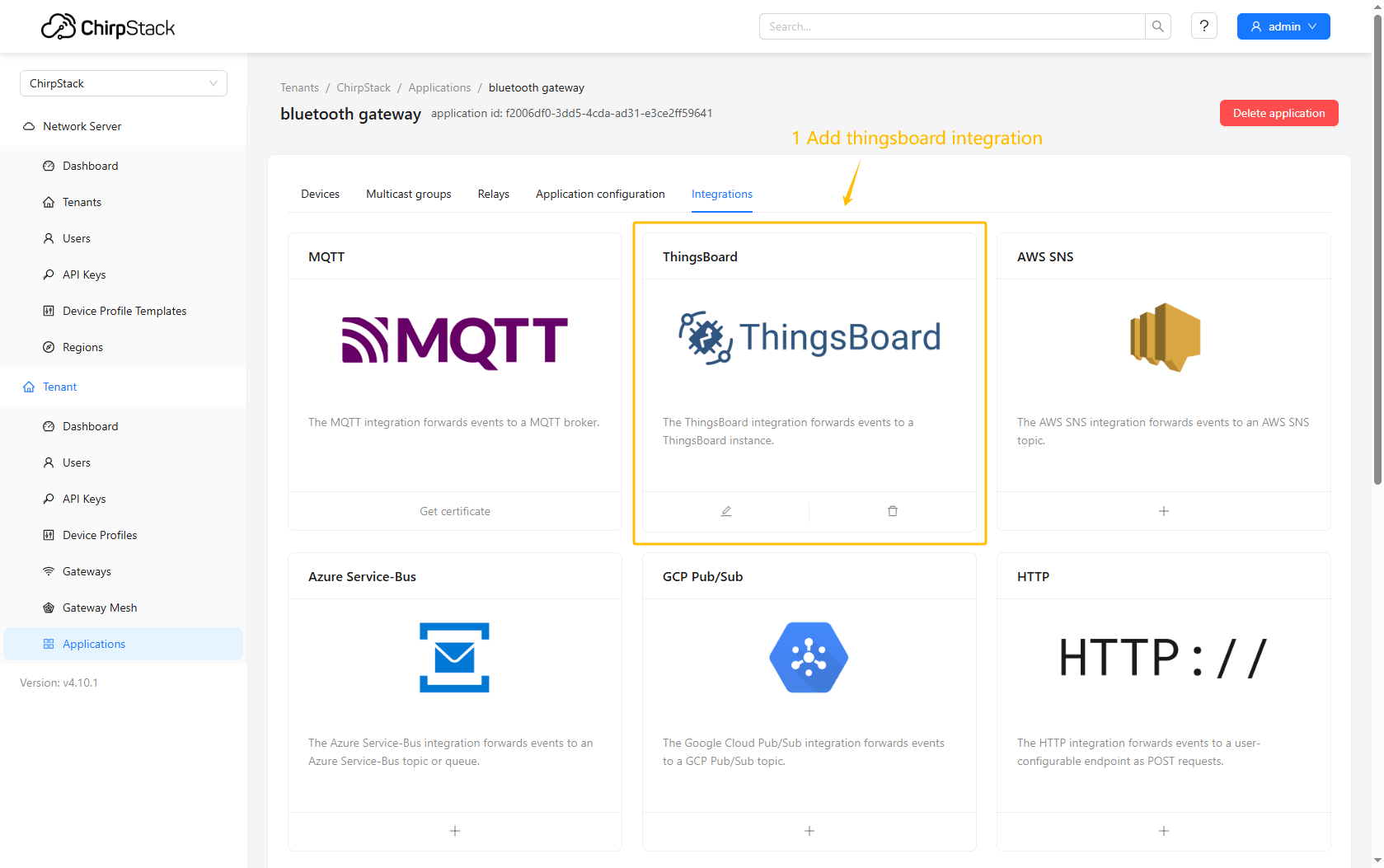
配置应用与ThingsBoard集成
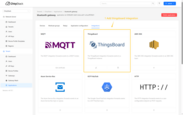
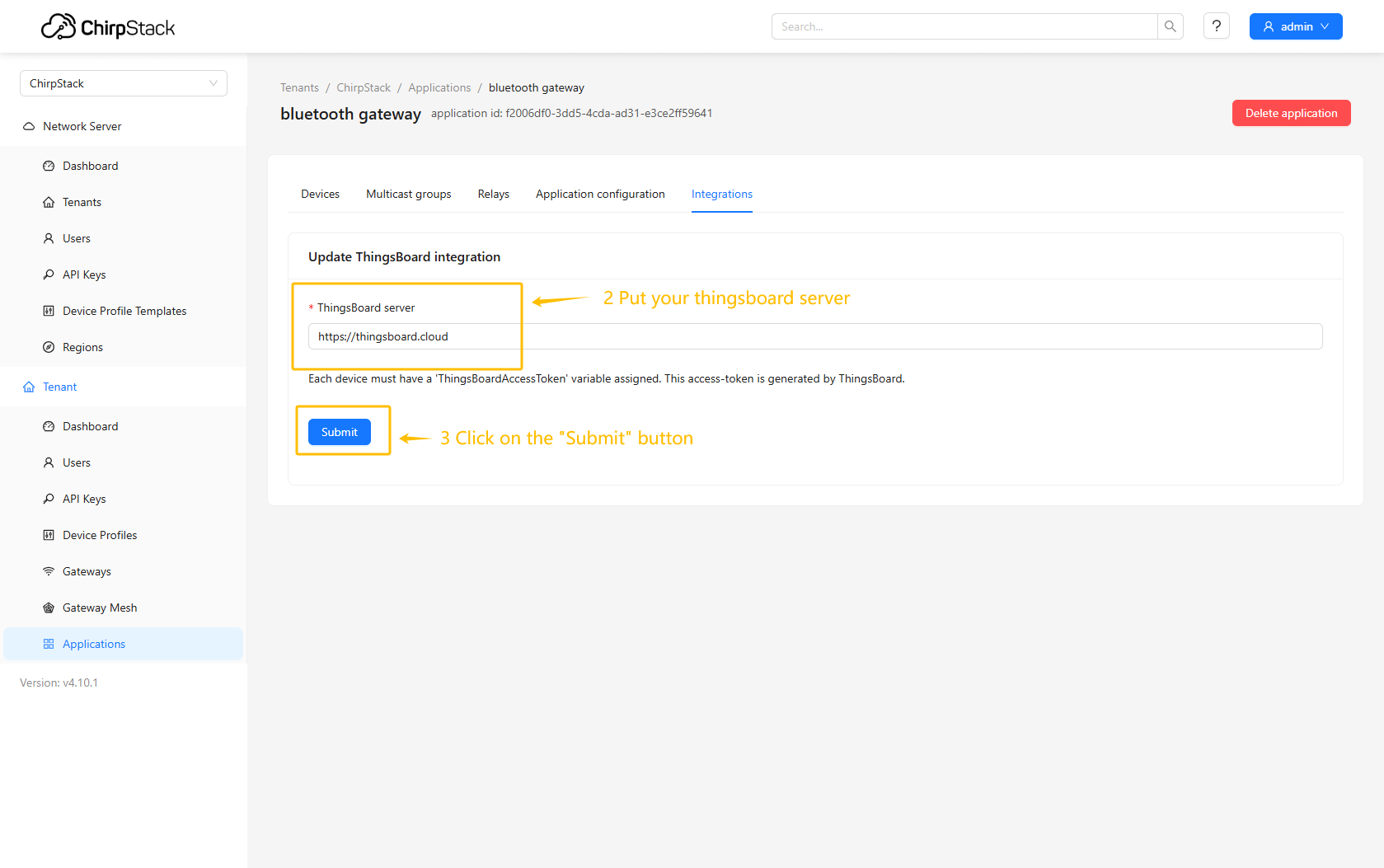
Go to the Integrations page and click on ThingsBoard.
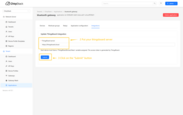
Enter your ThingsBoard服务器 地址and click Submit.
在ThingsBoard创建设备
-
Go to the 设备 page.
-
Click the plus icon to添加new设备.
-
Enter the设备 信息and click”下一步: Credentials“button.
-
Enter the Access令牌 for the设备and click 添加 button.
-
Click on the设备to view detailed信息.
-
Navigate to the Latest遥测 tab to view the设备's reported数据.

Go to the 设备 page.

Click the plus icon to添加new设备.

Enter the设备 信息and click”下一步: Credentials“button.

Enter the Access令牌 for the设备and click 添加 button.

Click on the设备to view detailed信息.

Navigate to the Latest遥测 tab to view the设备's reported数据.
总结
根据本指南,可轻松连接Solar Bluetooth Gateway并将数据发送到ThingsBoard。进一步了解核心概念与功能,请参阅平台的文档。也可配置告警规则或设置仪表板。