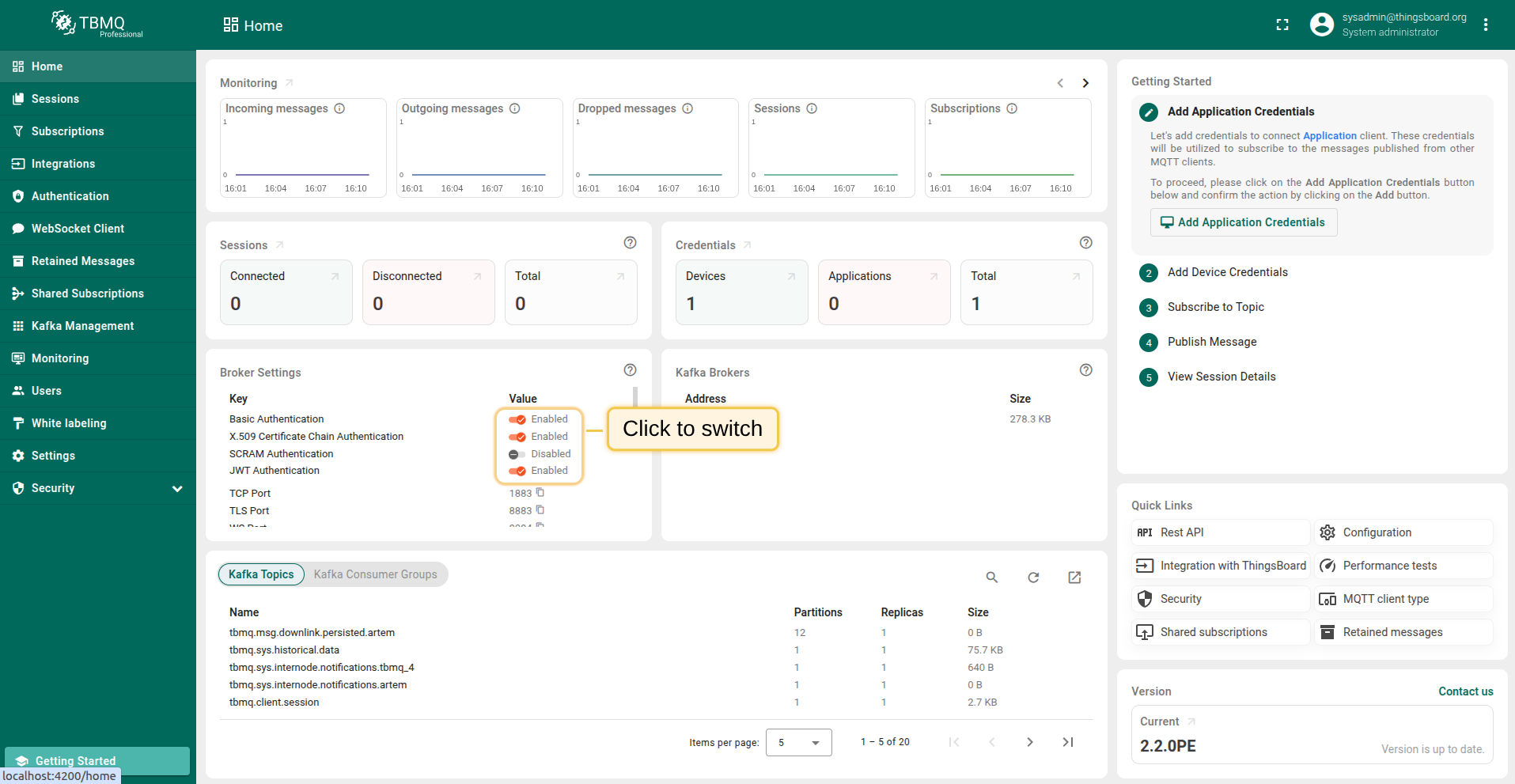
Go to the Broker Settings card on the Home page to switch authentication providers.
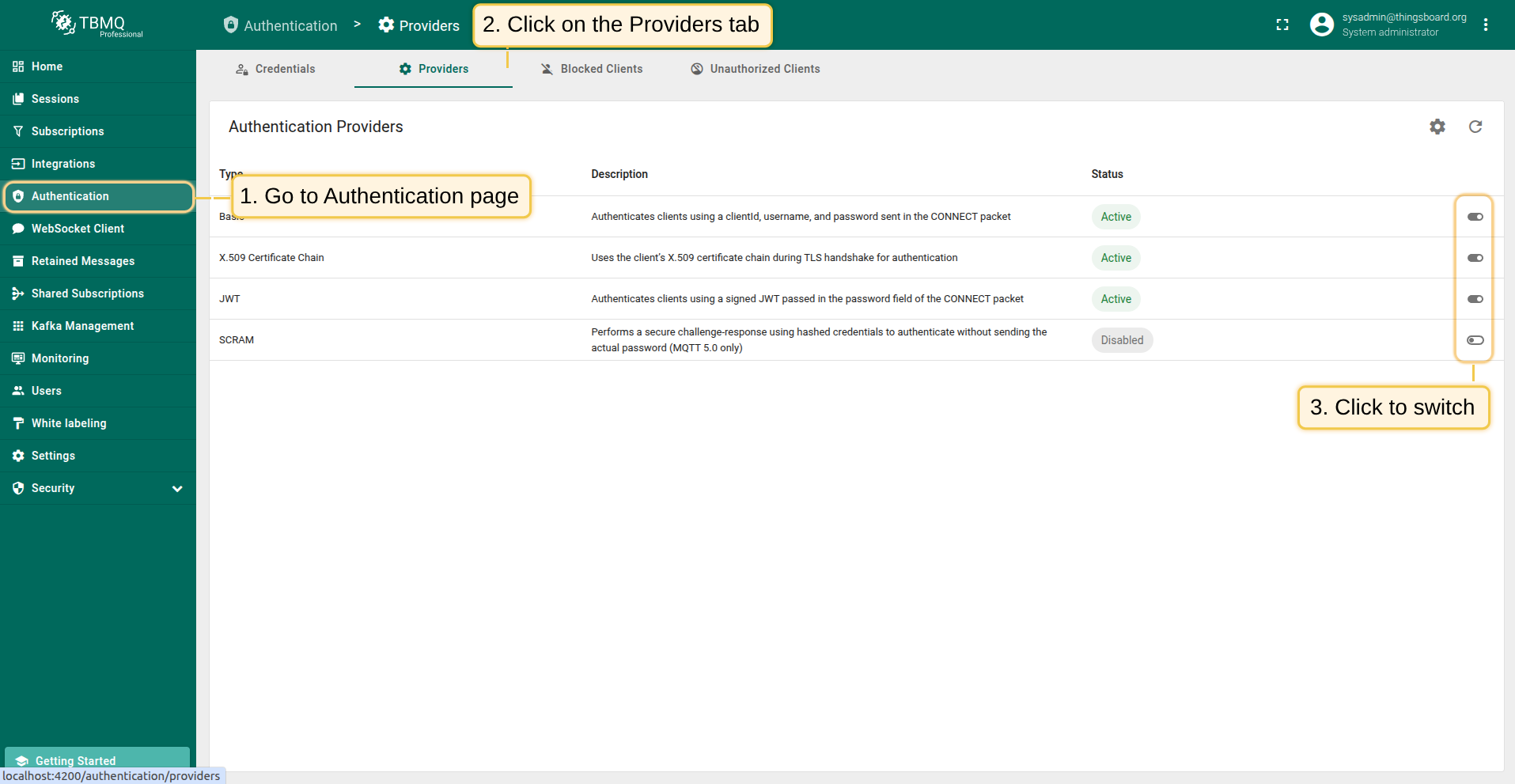
On the Authentication > Providers page, use the switch button in the table’s right column to enable or disable providers.
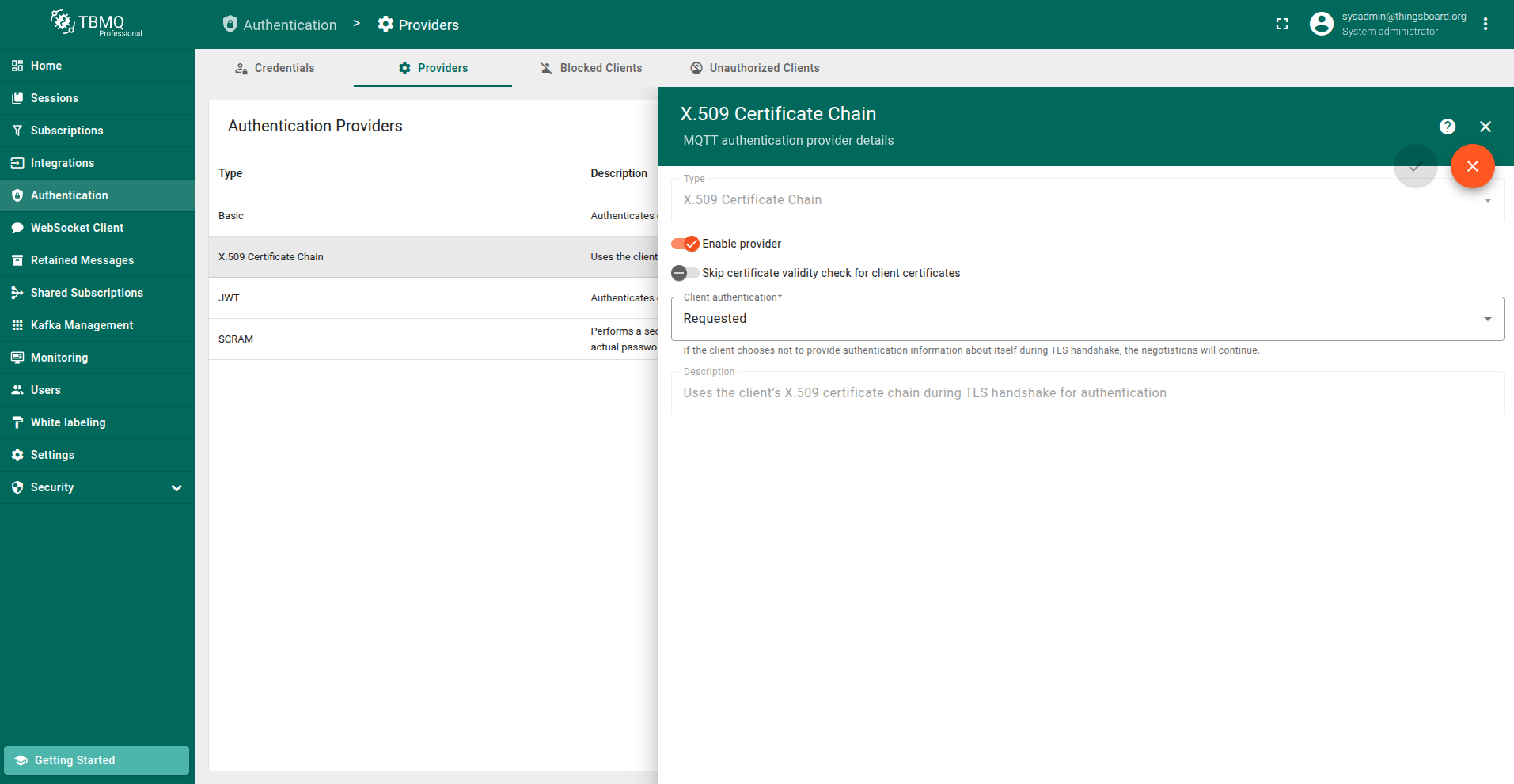
Open the Authentication > Providers page, select the X.509 Certificate Chain row, and click the "Edit" button to configure the provider.
跳过客户端证书有效期检查
X.509证书链认证中的Skip certificate validity check for client certificates参数控制broker在认证过程中是否验证客户端证书的有效期。
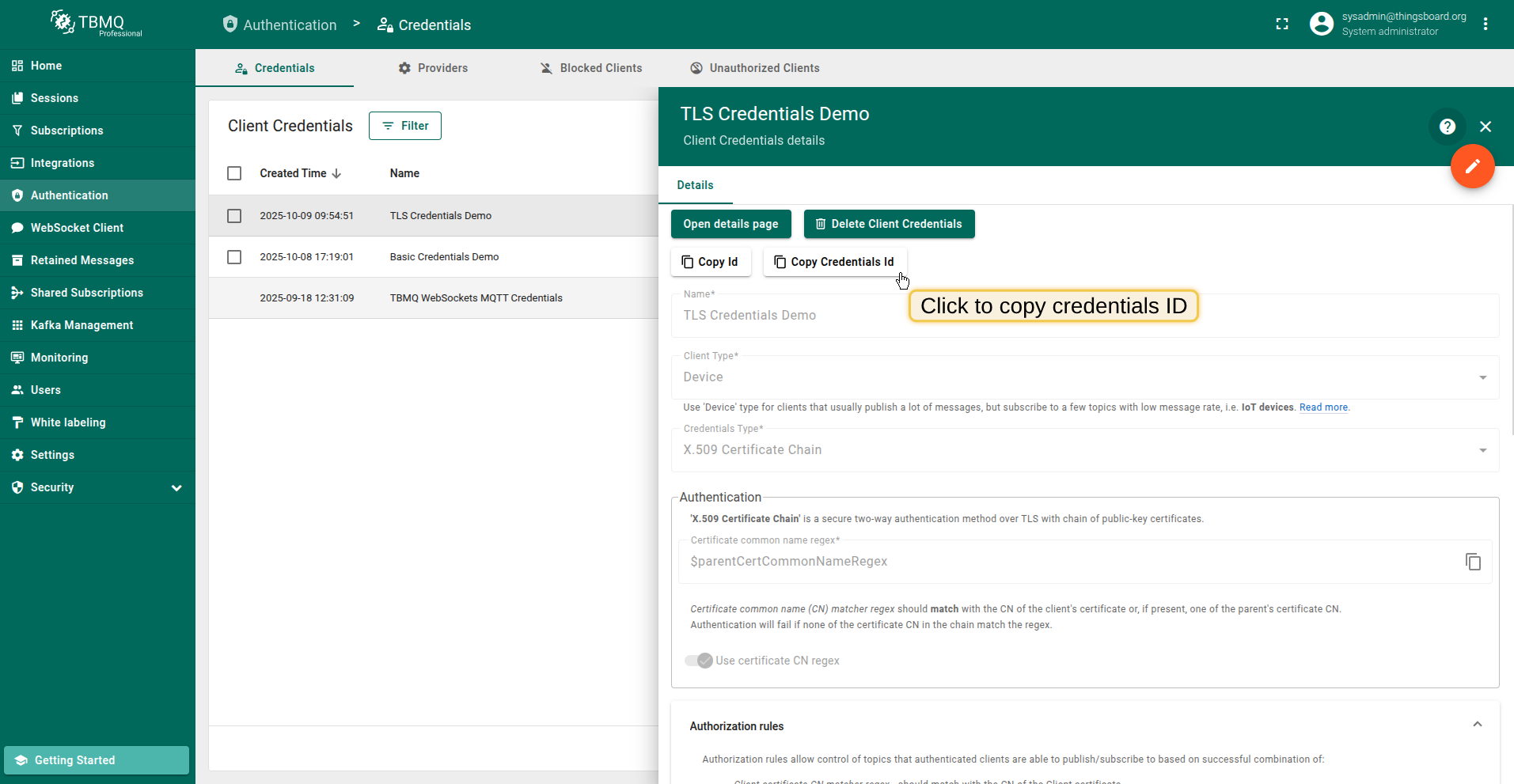
Copy TLS credentials ID.
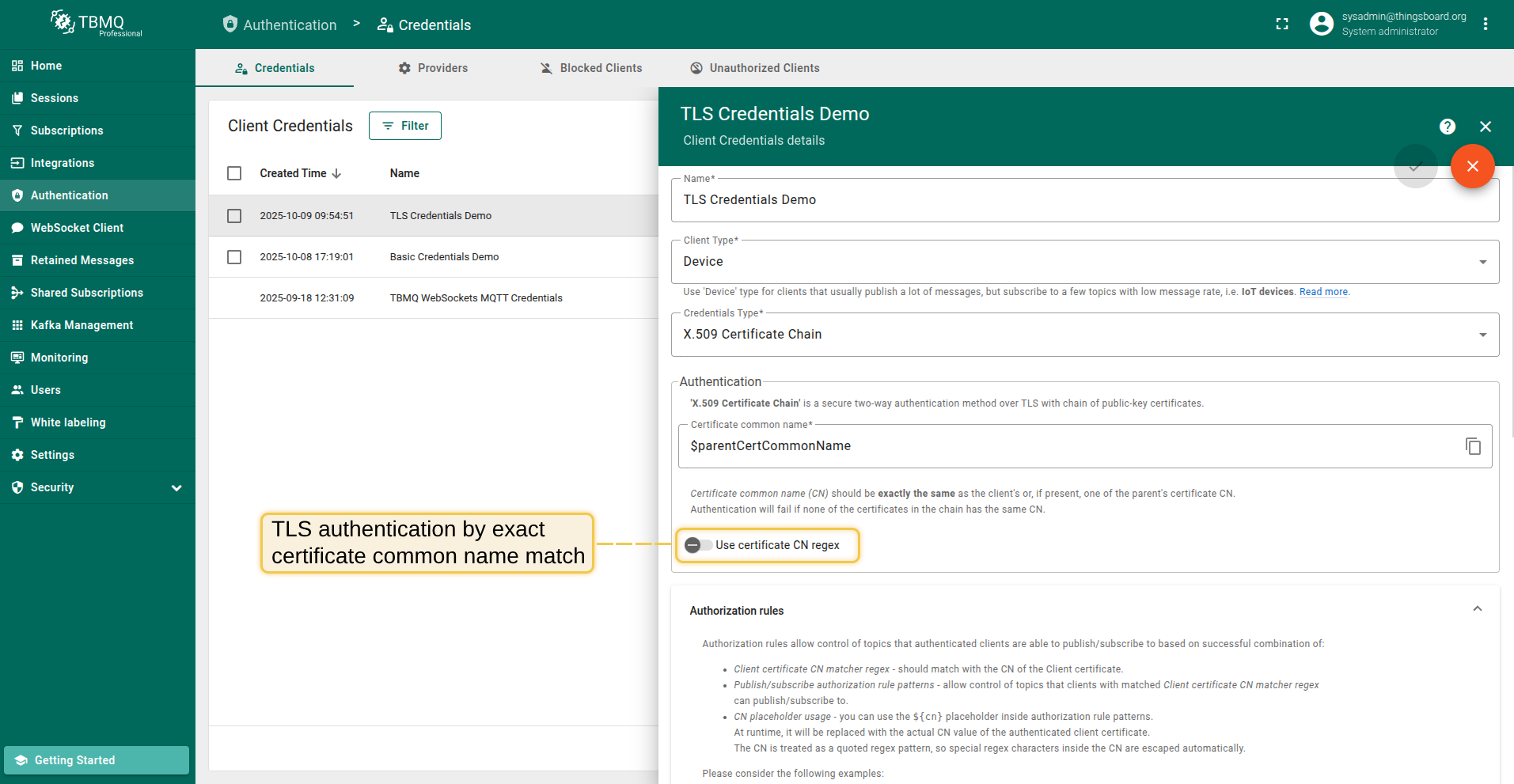
TLS authentication with "Use certificate CN regex" disabled to match certificate common name by exact match.
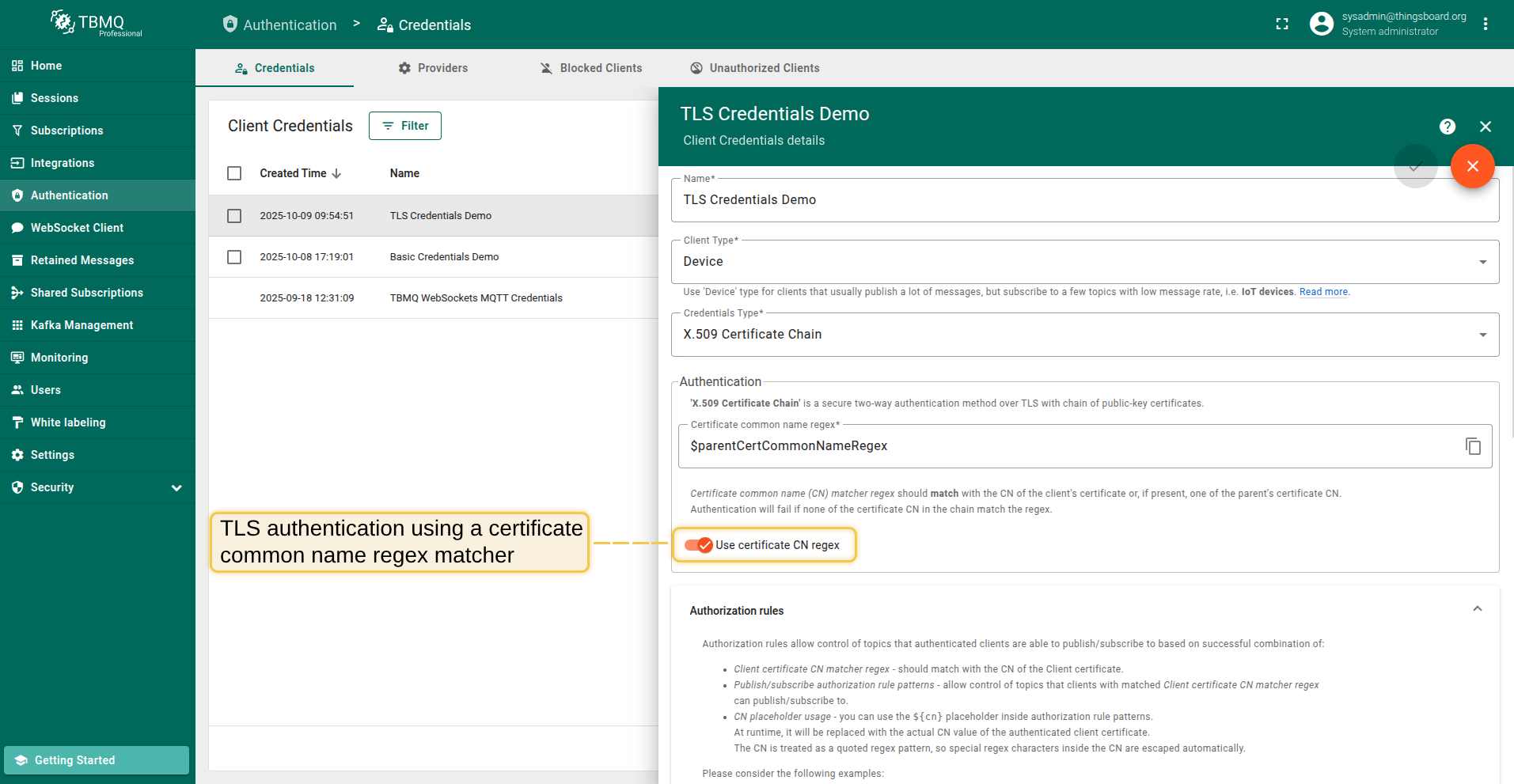
TLS authentication with "Use certificate CN regex" enabled to match certificate common name using a regex pattern.
Generating a RSA private key
writing new private key to 'rootKey.pem'
-----
You are about to be asked to enter information that will be incorporated
into your certificate request.
What you are about to enter is what is called a Distinguished Name or a DN.
There are quite a few fields but you can leave some blank
For some fields there will be a default value,
If you enter '.', the field will be left blank.
-----
Country Name (2 letter code) [AU]:
State or Province Name (full name) [Some-State]:
Locality Name (eg, city) []:
Organization Name (eg, company) [Internet Widgits Pty Ltd]:
Organizational Unit Name (eg, section) []:
Common Name (e.g. server FQDN or YOUR name) []:company.com
Email Address []:
Generating a RSA private key
writing new private key to 'intermediateKey.pem'
-----
You are about to be asked to enter information that will be incorporated
into your certificate request.
What you are about to enter is what is called a Distinguished Name or a DN.
There are quite a few fields but you can leave some blank
For some fields there will be a default value,
If you enter '.', the field will be left blank.
-----
Country Name (2 letter code) [AU]:
State or Province Name (full name) [Some-State]:
Locality Name (eg, city) []:
Organization Name (eg, company) [Internet Widgits Pty Ltd]:
Organizational Unit Name (eg, section) []:
Common Name (e.g. server FQDN or YOUR name) []:group.company.com
Email Address []:
Please enter the following 'extra' attributes
to be sent with your certificate request
A challenge password []:
An optional company name []:
Generating a RSA private key
writing new private key to 'deviceKey.pem'
-----
You are about to be asked to enter information that will be incorporated
into your certificate request.
What you are about to enter is what is called a Distinguished Name or a DN.
There are quite a few fields but you can leave some blank
For some fields there will be a default value,
If you enter '.', the field will be left blank.
-----
Country Name (2 letter code) [AU]:
State or Province Name (full name) [Some-State]:
Locality Name (eg, city) []:
Organization Name (eg, company) [Internet Widgits Pty Ltd]:device.group.company.com
Organizational Unit Name (eg, section) []:
Common Name (e.g. server FQDN or YOUR name) []:
Email Address []:
Please enter the following 'extra' attributes
to be sent with your certificate request
A challenge password []:
An optional company name []: