TBMQ Kafka集成实现与 Apache Kafka 的无缝通信,使TBMQ能向外部Kafka集群发布消息。适用于以下场景:
- 流式IoT数据 – 将设备遥测、日志或事件转发至Kafka进行处理与存储。
- 事件驱动架构 – 向Kafka主题发布消息以进行实时分析与监控。
- 解耦系统通信 – 将Kafka作为TBMQ与下游应用之间的缓冲。
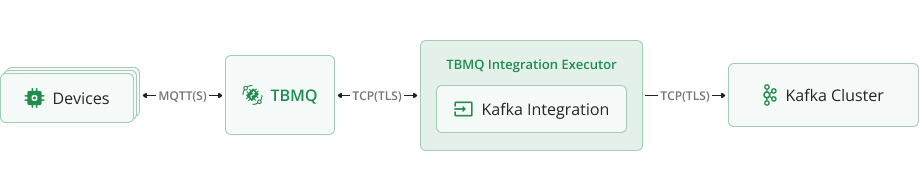
数据流概述TBMQ Kafka集成按以下步骤处理消息并转发至外部Kafka集群:
- 设备(客户端)发布MQTT消息到匹配集成主题过滤器的主题。
- TBMQ代理接收消息并转发至TBMQ Integration Executor。
- TBMQ Integration Executor处理消息,按需格式化并发送至已配置的 Kafka主题。
- Kafka消费者在下游系统中处理消息。
前置条件
设置集成前,请确保:
- 有正在运行的TBMQ实例。
- 有可接收Kafka消息的外部服务(如Confluent Cloud)。
- 有可发布MQTT消息的客户端(如TBMQ WebSocket Client)。
创建TBMQ Kafka集成
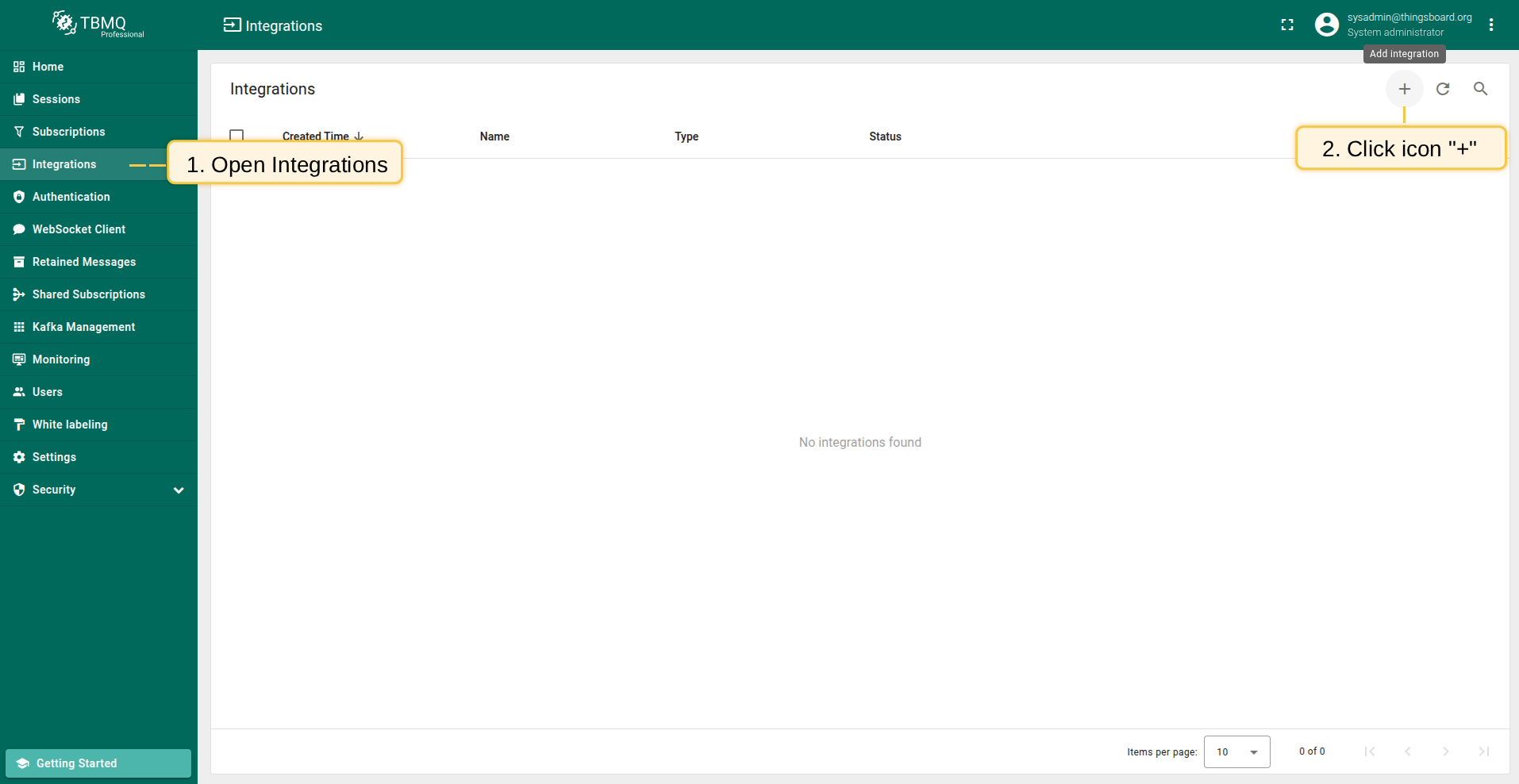
- Navigate to the Integrations page and click the ”+” button to create a new integration.
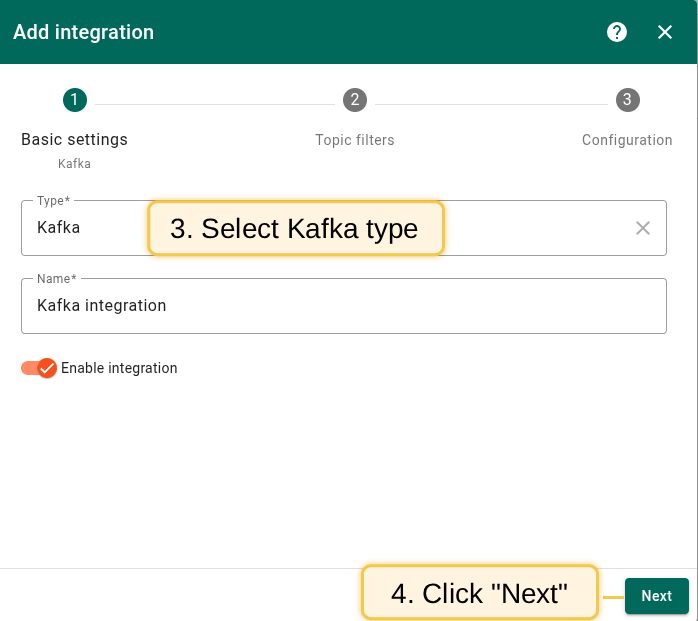
- Select Kafka as the integration type and click Next.
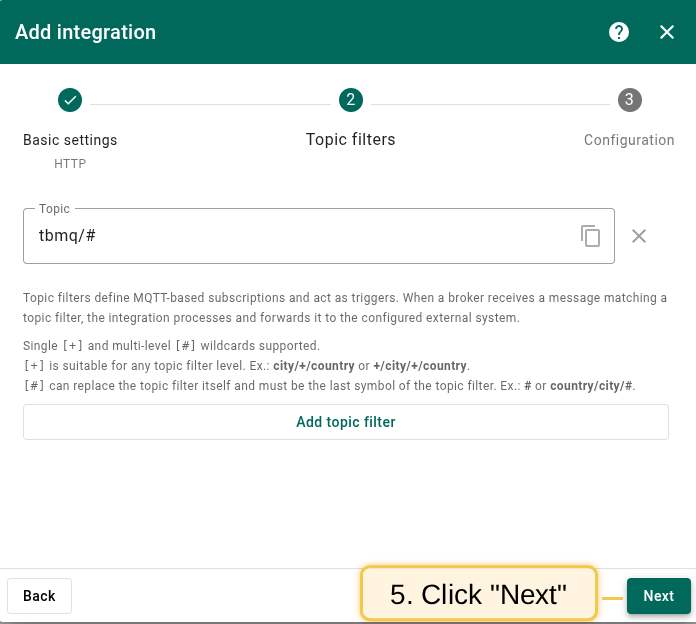
- On the Topic Filters page click Next to subscribe to the default topic
tbmq/#.
- In the Configuration step enter the Bootstrap servers (Kafka broker addresses).
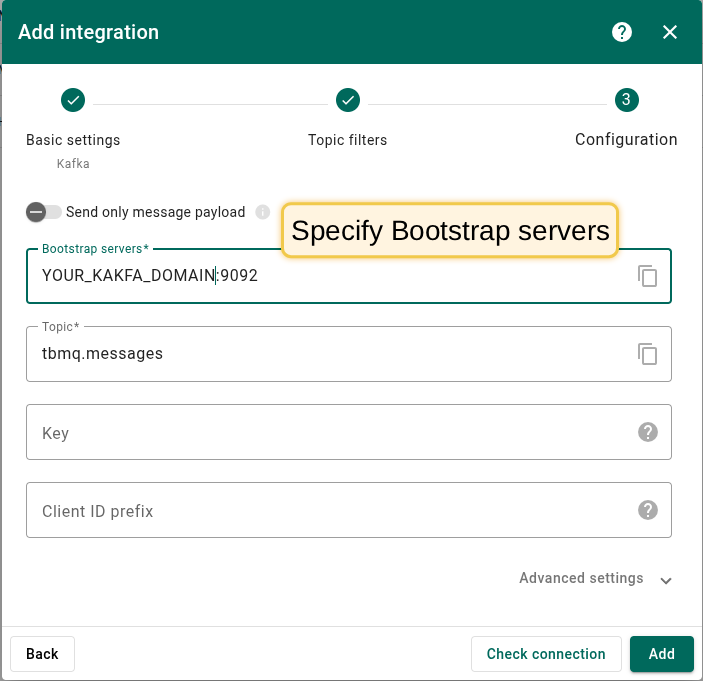 The screenshot shows the basic configuration for establishing a connection between TBMQ and Kafka Broker. |
|
Configure kafka integration In Confluent select the created environment, then open Cluster, Cluster settings. After, find Bootstrap server URL, it looks like URL_OF_YOUR_BOOTSTRAP_SERVER:9092. Then copy it to integration: 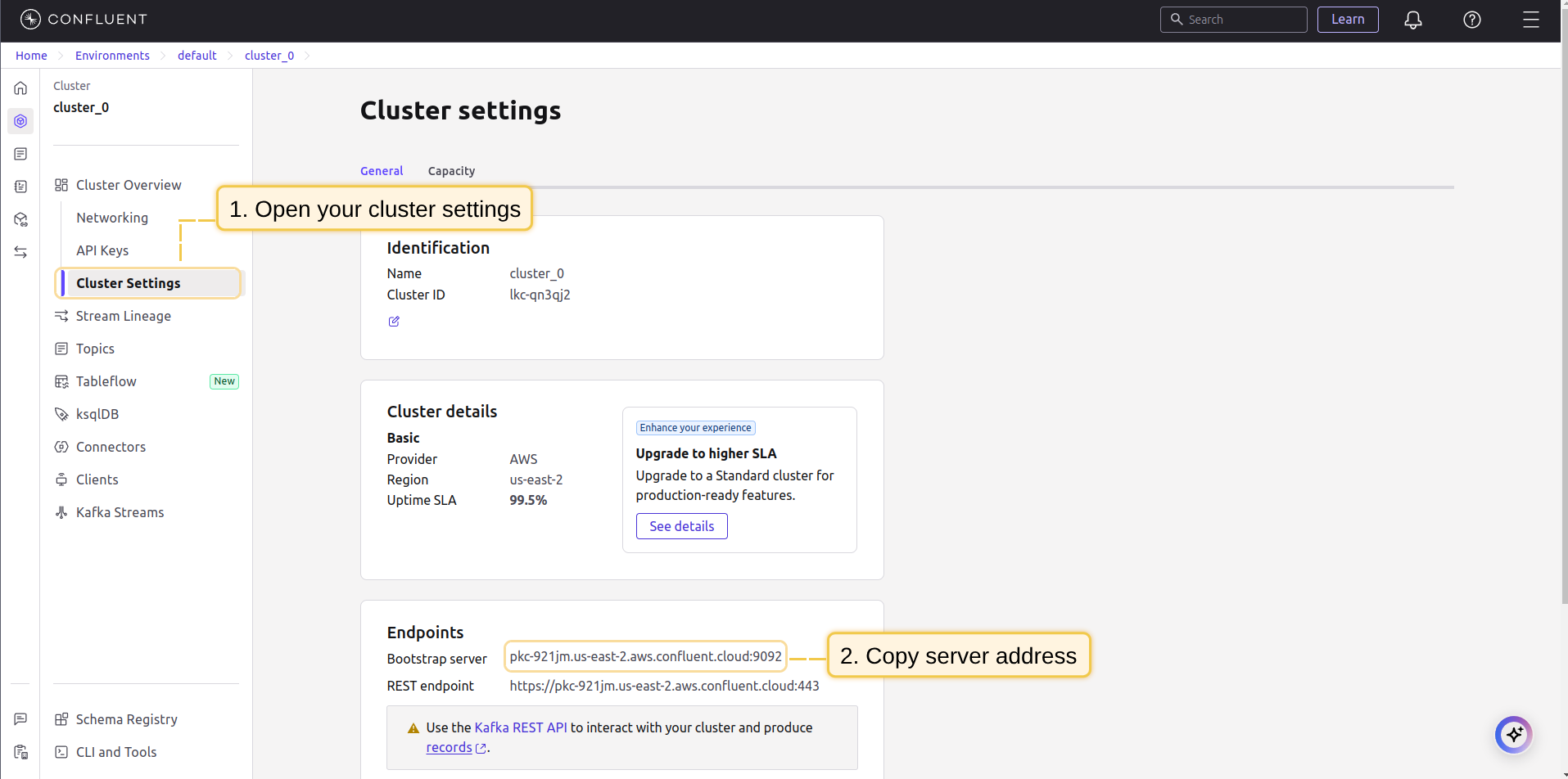 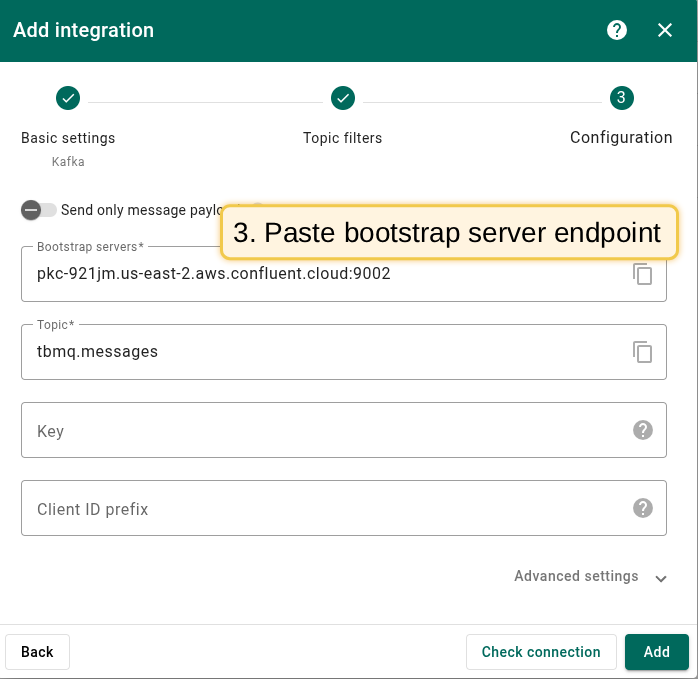 Also, will be needed to add several Other properties, namely:
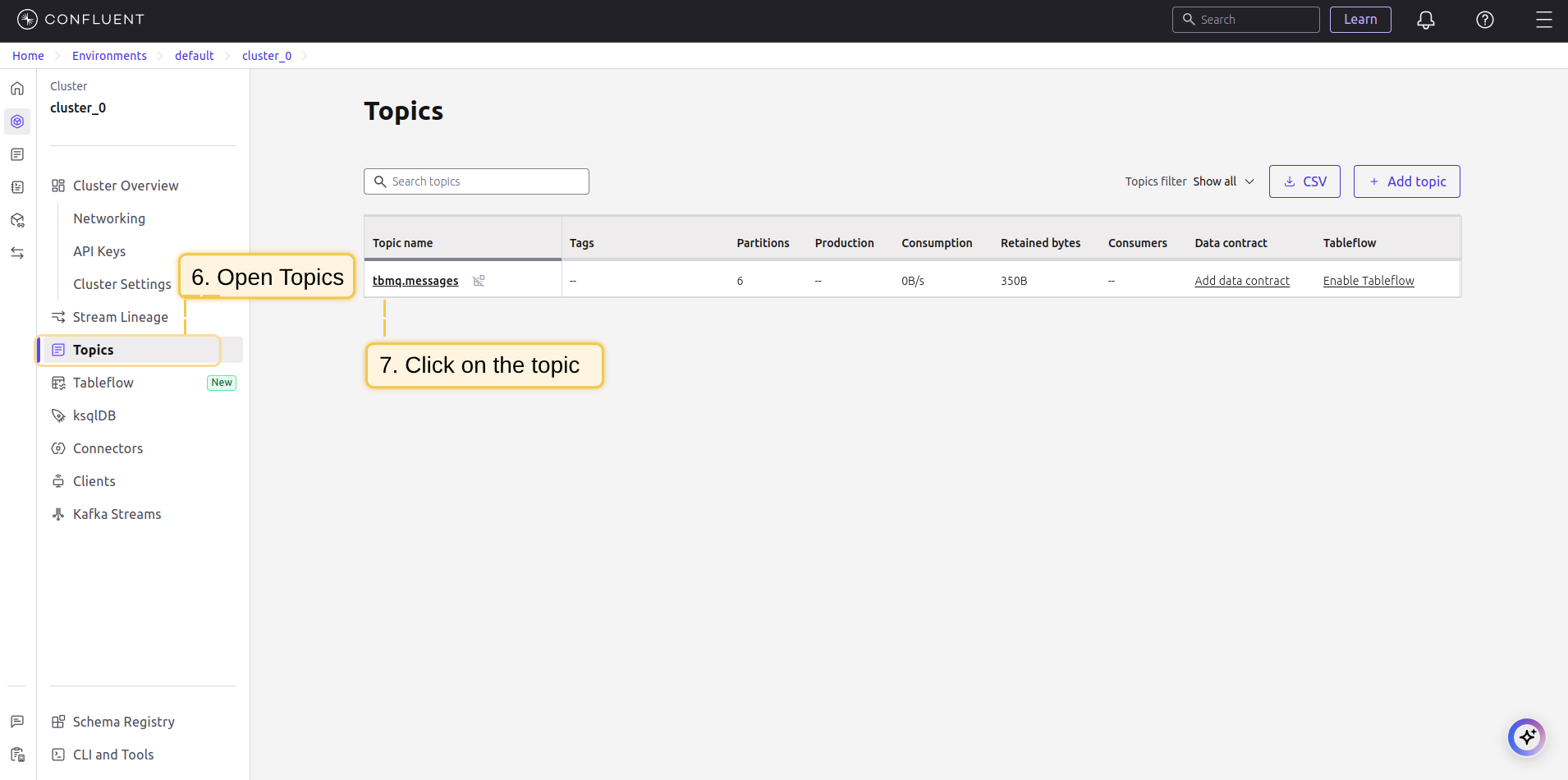
To generate the required API key and secret for it, in the cluster you must go to the Data Integration menu, select the API Keys submenu, pick Create key and Select the Scope for the API Key. Here you will see the key and secret to it, which should be used in the integration properties. 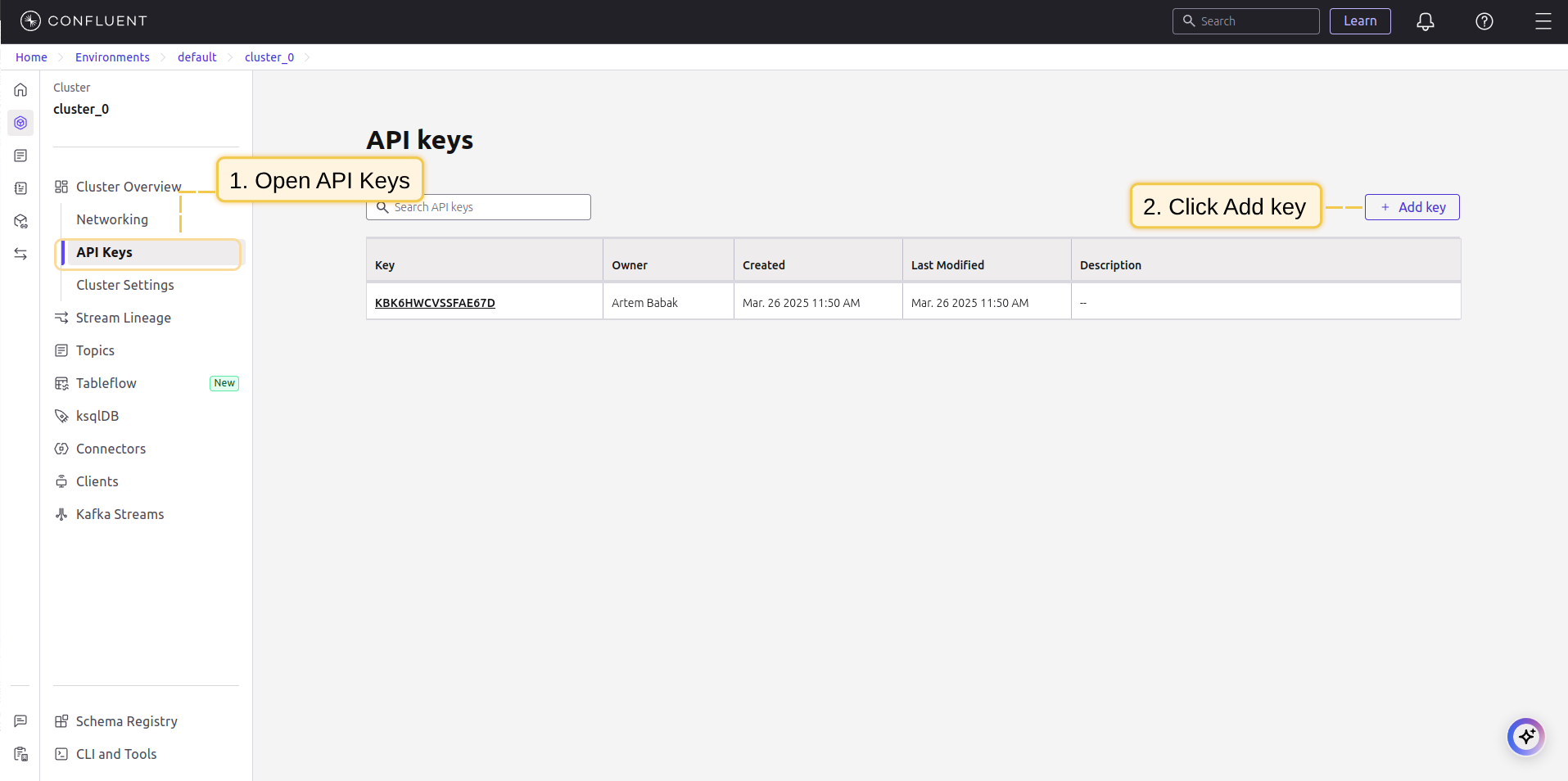 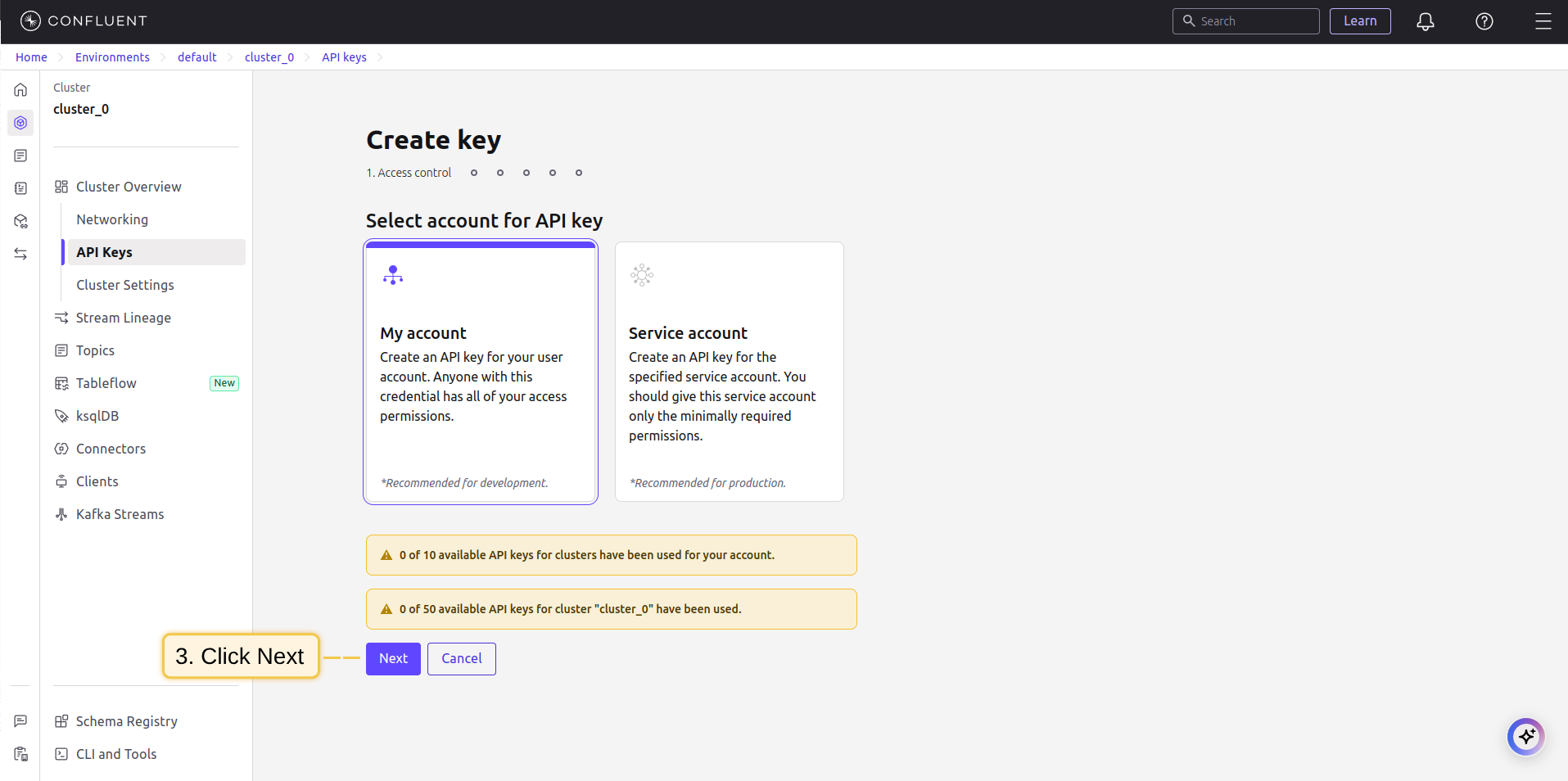 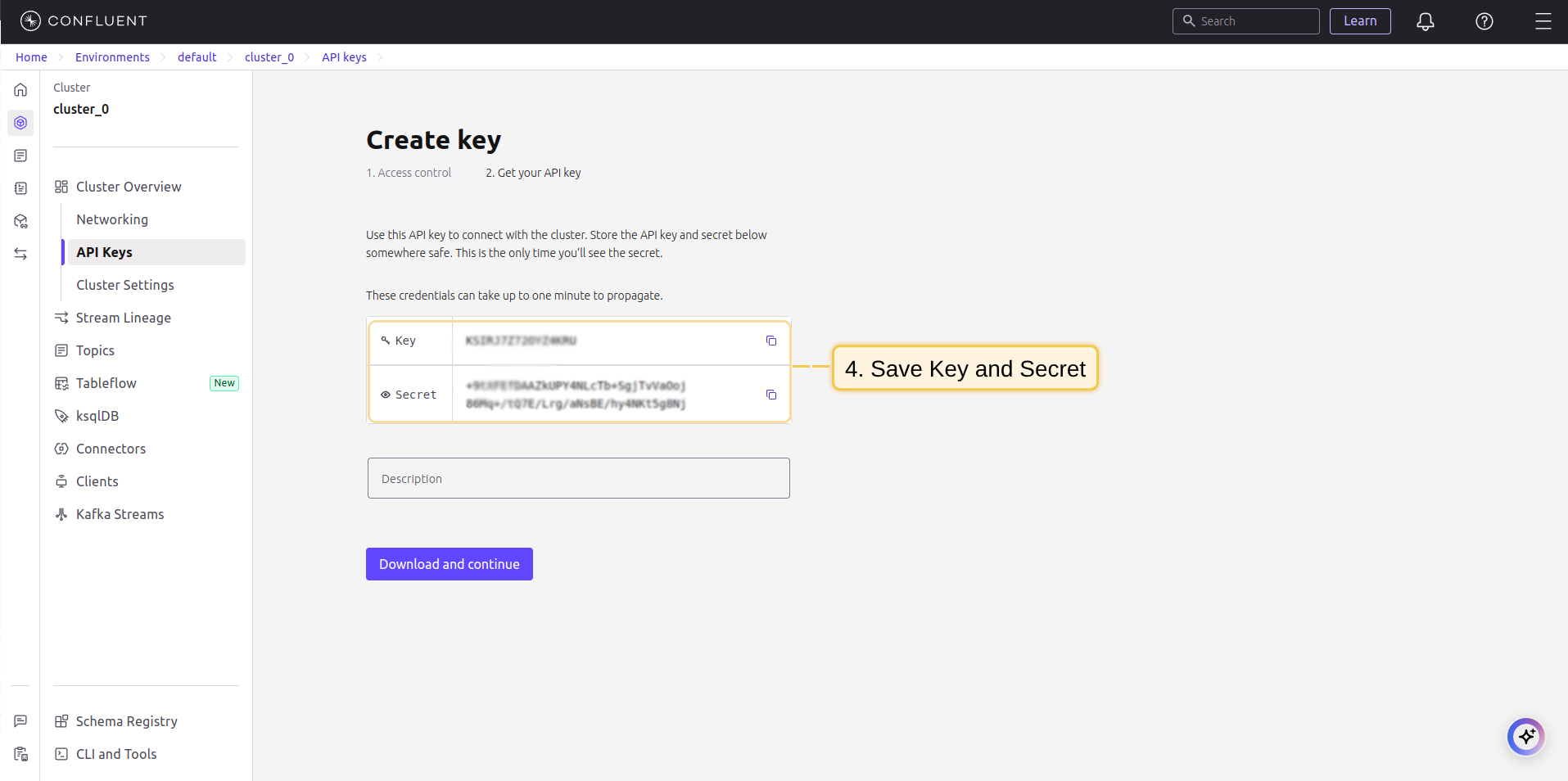 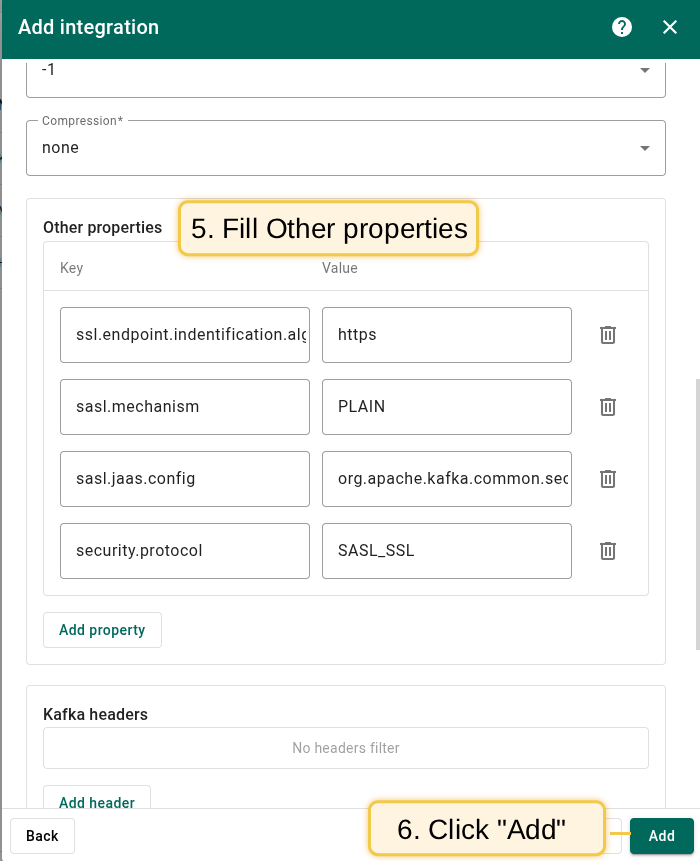 It remains to create a topic on Confluent. To do this, select the “Topics” menu, select “Create Topics”, set the name to tbmq.messages. 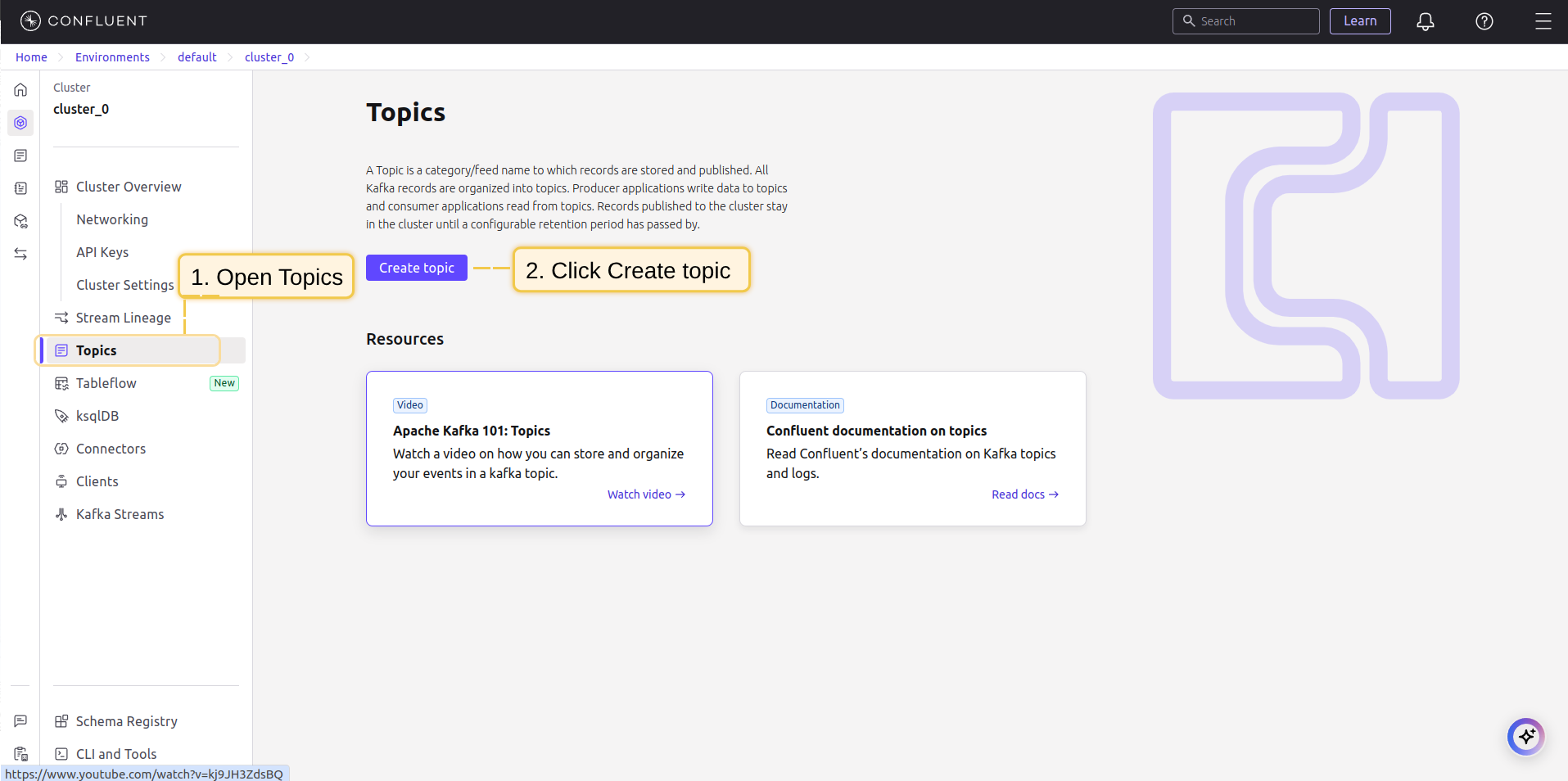 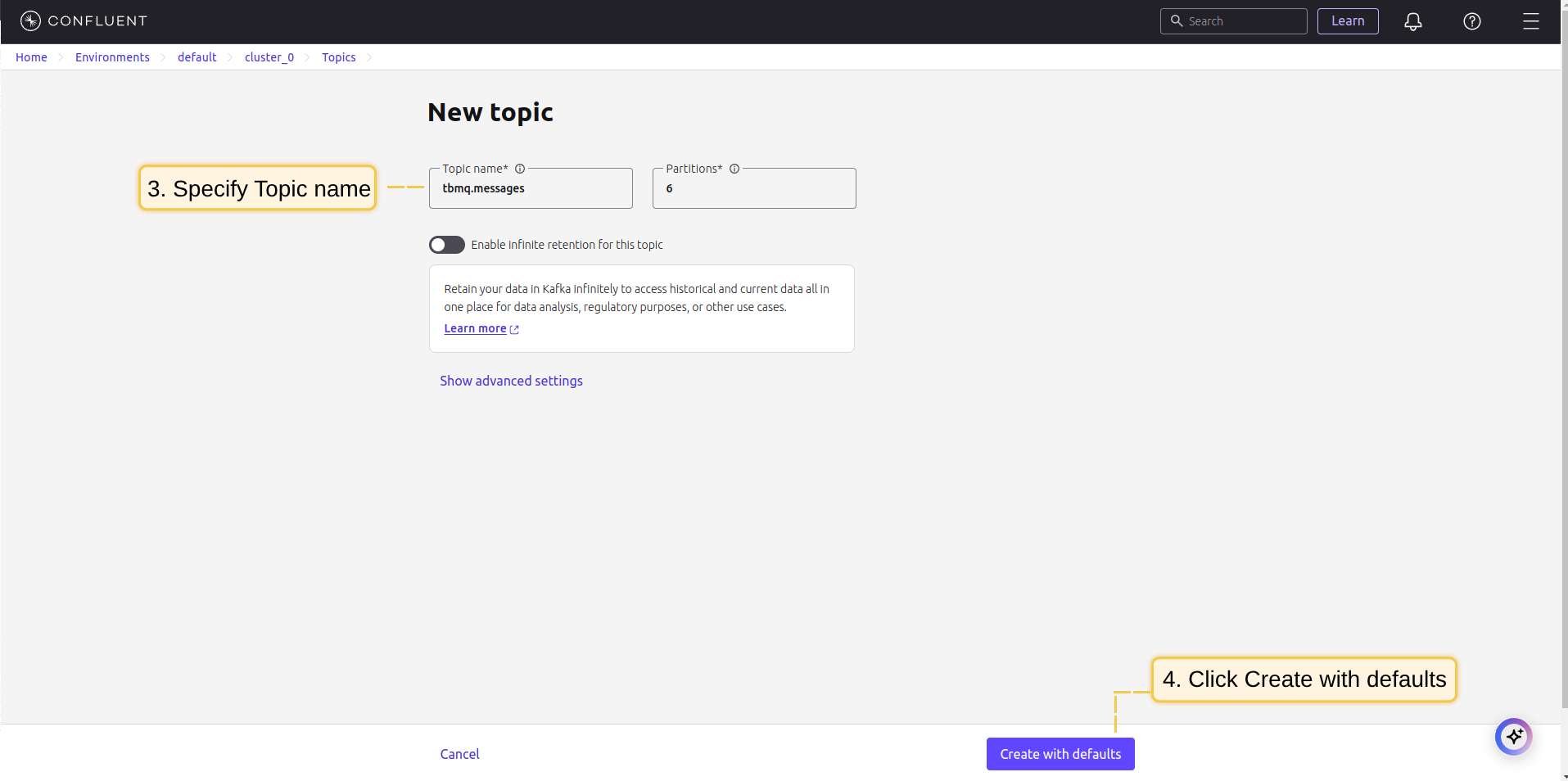 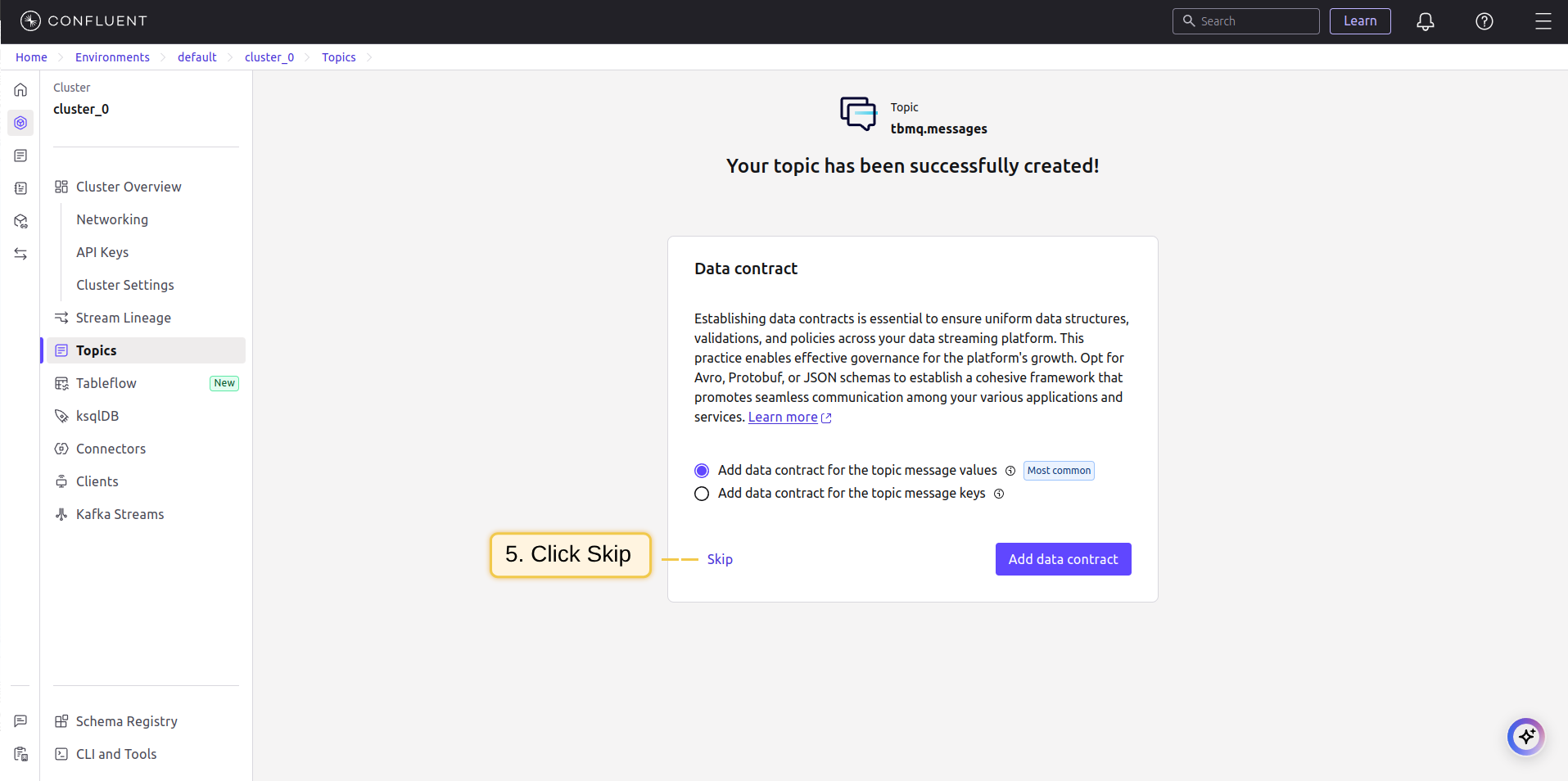 |
- Click Add to save the integration.
You can test the connectivity to the configured Kafka brokers by using the ‘Check connection’ button. This action creates an admin client that connects to the Kafka cluster and verifies whether the specified topic exists on the target brokers. Even if the topic is missing, you can still proceed with creating the integration. If the Kafka cluster has
auto.create.topics.enableset totrue, the topic will be automatically created when the first message is published.
Topic Filters
Topic filters 定义基于 MQTT 的订阅,并作为 TBMQ HTTP Integration 的触发器。当 broker 收到与 configured topic filters 匹配的消息时,integration 会处理并转发到指定外部系统。
若 integration 配置了如下 topic filter:
1
tbmq/devices/+/status
则匹配该模式的消息都会触发 integration,例如:
1
2
tbmq/devices/device-01/status
tbmq/devices/gateway-01/status
配置
| 字段 | 描述 |
|---|---|
| 仅发送消息负载 | 启用时,仅转发原始消息负载。禁用时,TBMQ将负载包装为包含额外元数据的JSON对象。 |
| Bootstrap servers | Kafka代理地址(逗号分隔的主机名/IP和端口列表)。 |
| Topic | 发布消息的Kafka主题。 |
| Key | (可选)用于消息分区。若指定,Kafka根据key哈希将消息分配至同一分区。 |
| Client ID prefix | (可选)定义Kafka客户端ID前缀。未设置时使用默认 tbmq-ie-kafka-producer。 |
| Automatically retry times if fails | 标记消息为失败前的重试次数。 |
| Produces batch size in bytes | 发送至Kafka前的最大批次大小(字节)。 |
| Time to buffer locally (ms) | 本地缓冲消息的毫秒数。 |
| Client buffer max size in bytes | 发送至Kafka前用于缓冲消息的最大内存(字节)。 |
| Number of acknowledgments | 指定Kafka确认模式:all、1、0。 |
| Compression | 定义消息压缩算法:none、gzip、snappy、lz4、zstd。 |
| Other properties | 用于Kafka producer额外配置的键值对集合。 |
| Kafka headers | 添加到Kafka消息的自定义头。 |
| Metadata | 用于处理与追踪的自定义元数据。 |
Events
TBMQ 为 integration 相关事件提供日志,便于调试和排查 integration 行为。 以下为三种「Event」类型:
-
Lifecycle Events – 记录
Started、Created、Updated、Stopped等事件 -
Statistics – 提供 integration 性能洞察,包括已处理消息数和错误数
-
Errors – 记录与认证、超时、payload 格式或外部服务连通性相关的失败
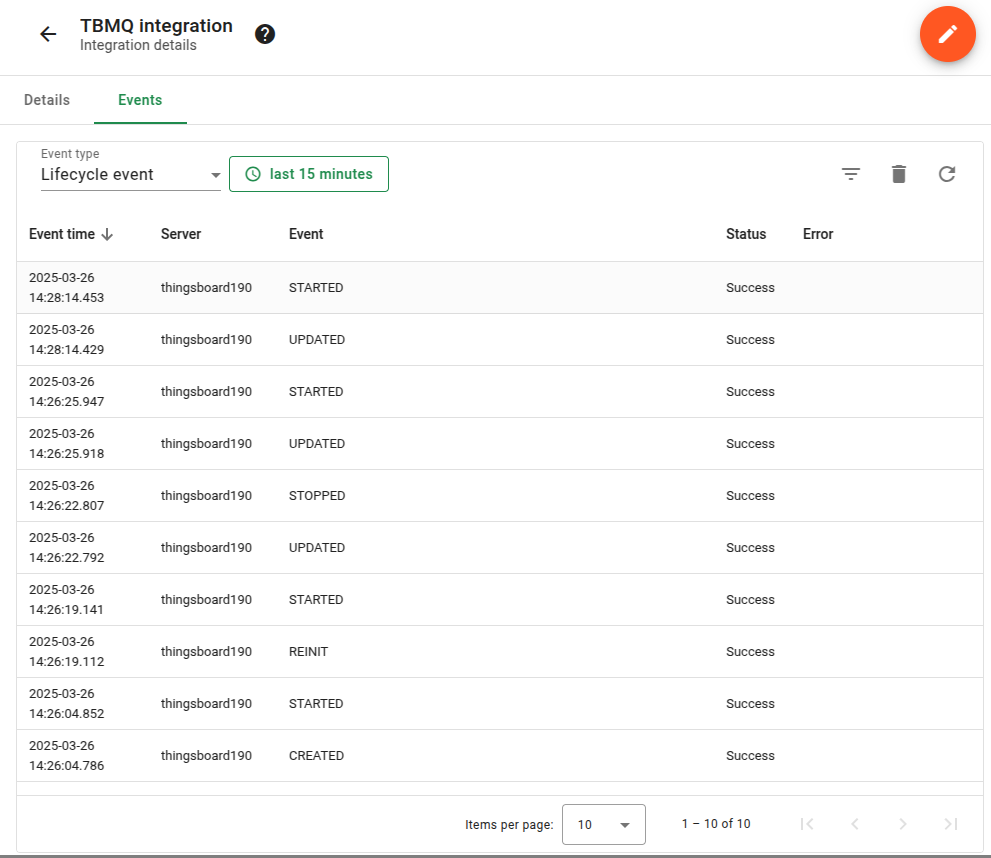
Lifecycle Events – 记录 Started、Created、Updated、Stopped 等事件
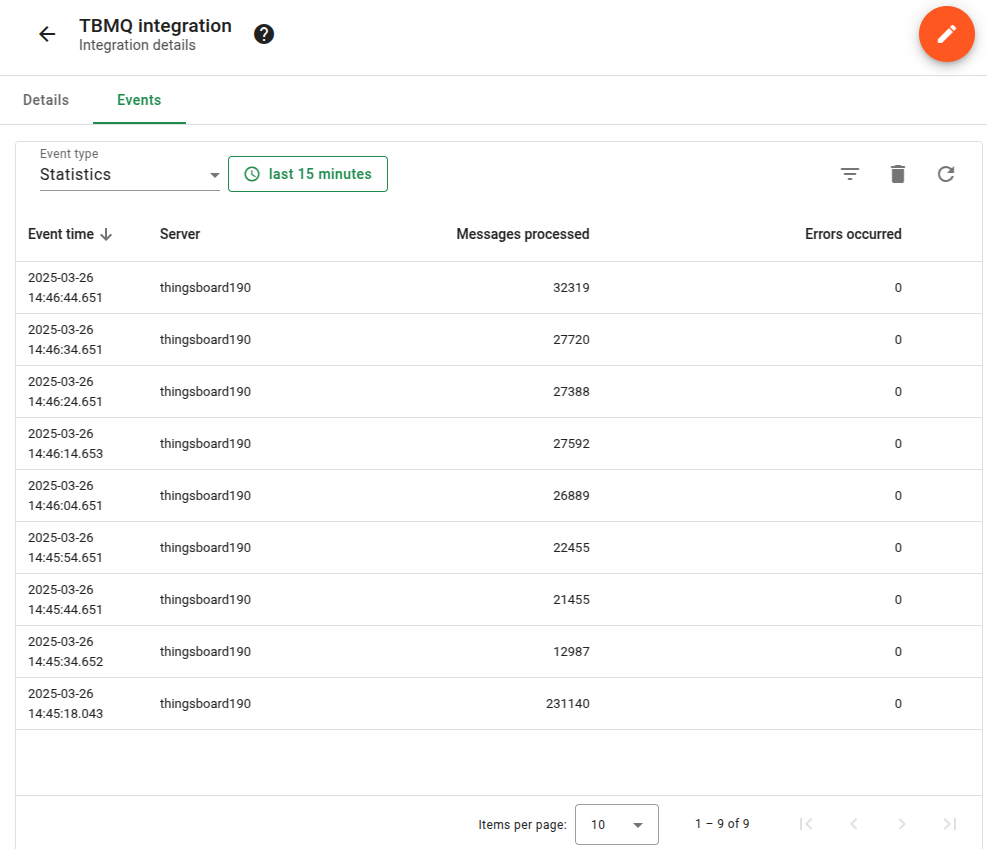
Statistics – 提供 integration 性能洞察,包括已处理消息数和错误数
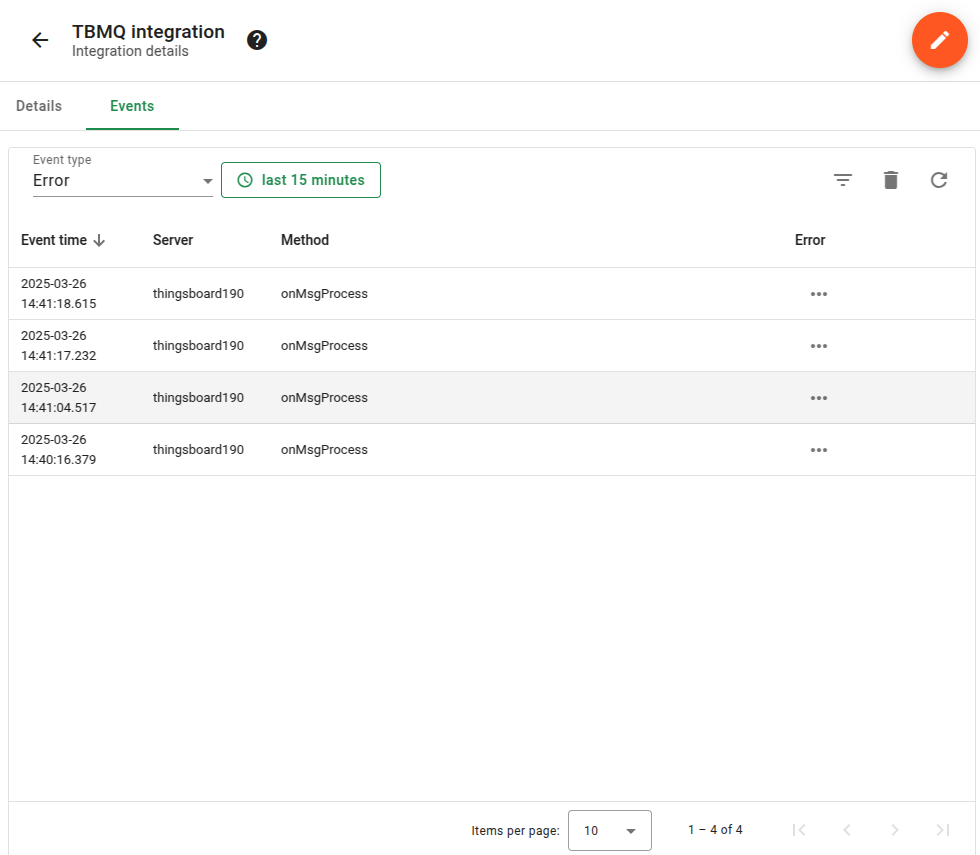
Errors – 记录与认证、超时、payload 格式或外部服务连通性相关的失败
Sending an Uplink Message
To send a message, follow these steps:
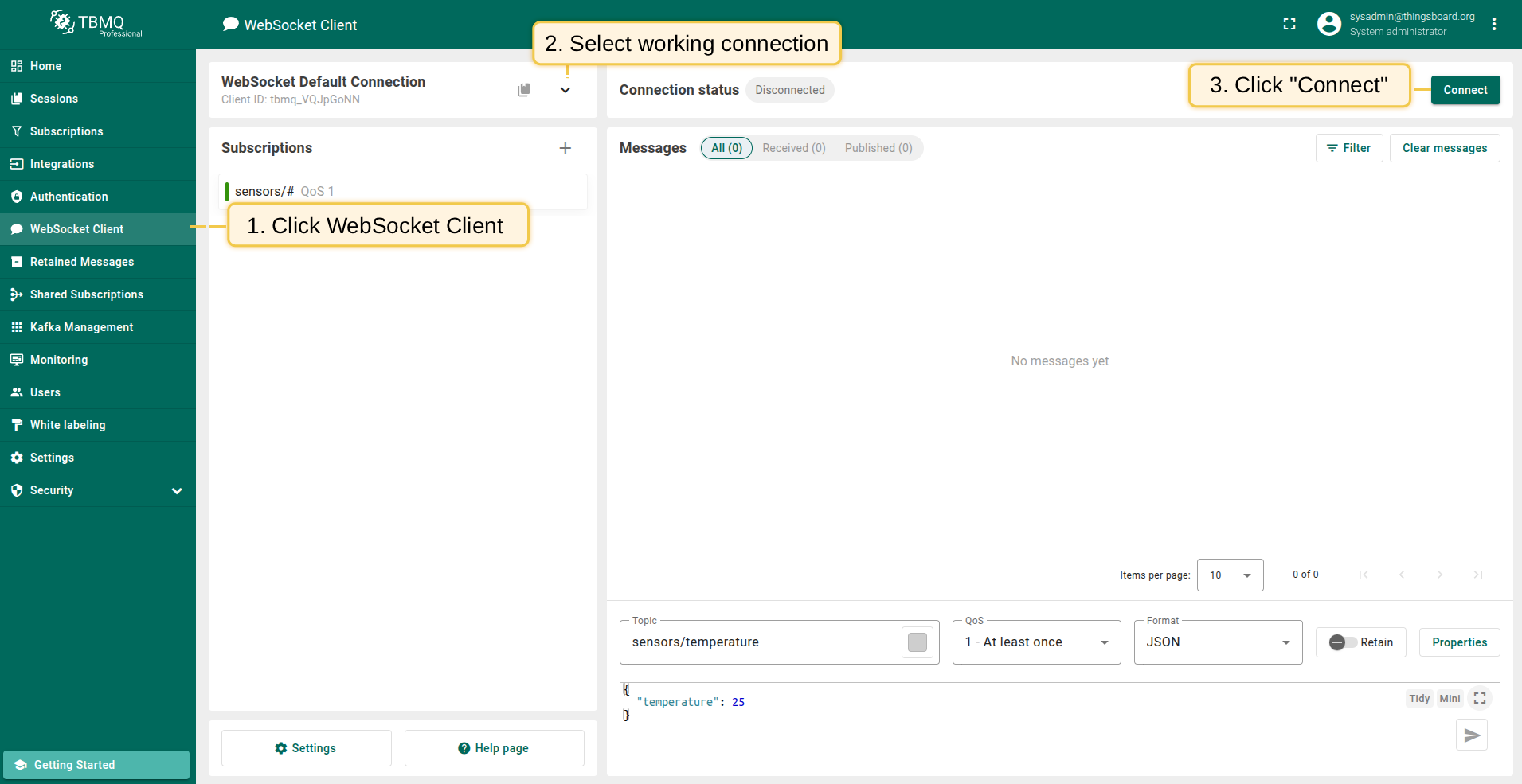
- Navigate to the WebSocket Client page.
- Select ‘WebSocket Default Connection’ or any other available working connection, then click Connect. Make sure the ‘Connection status’ is shown as
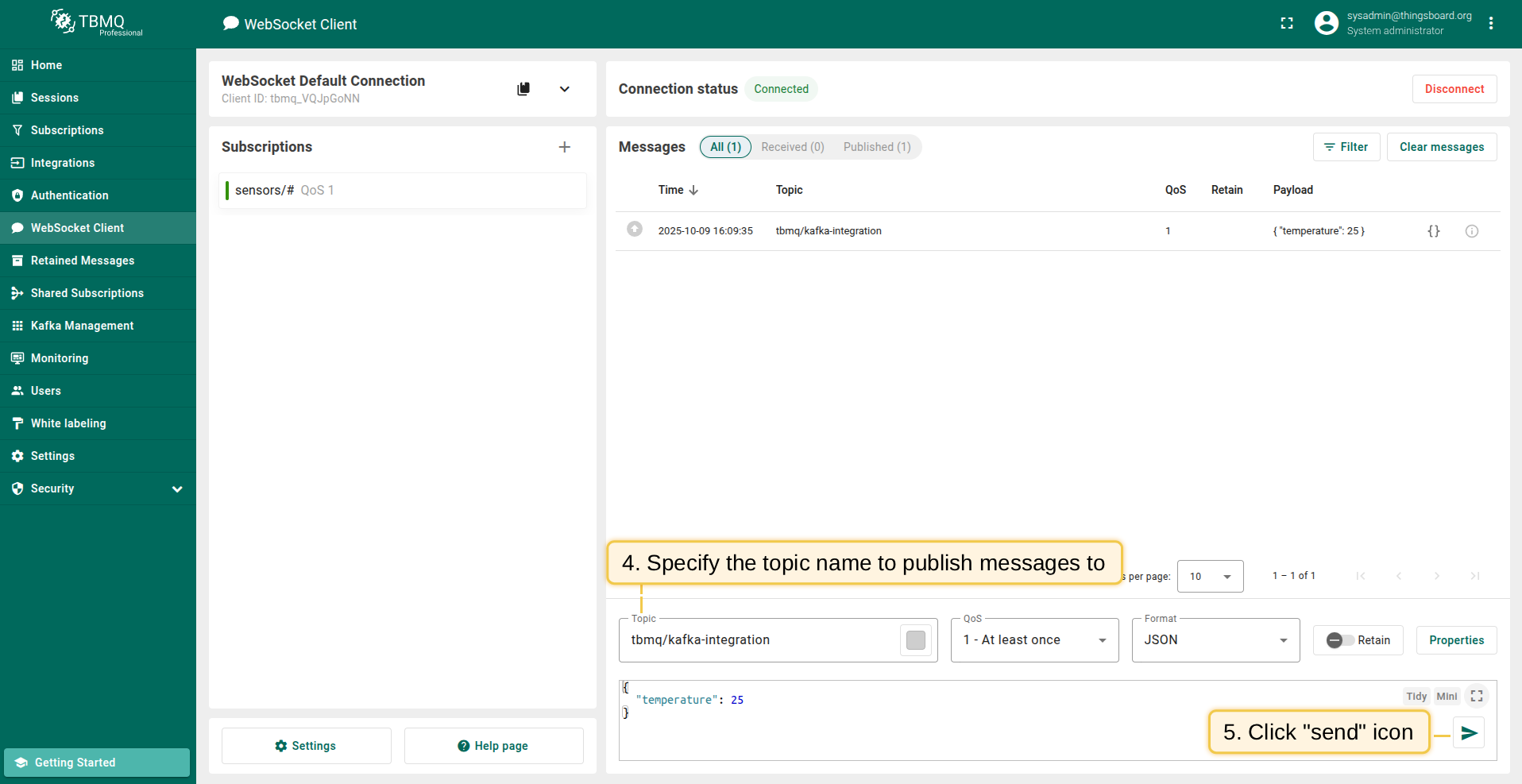
Connected. - Set the ‘Topic’ field to
tbmq/kafka-integrationto match the Integration’s ‘Topic Filter’tbmq/#. - Click the Send icon to publish the message.
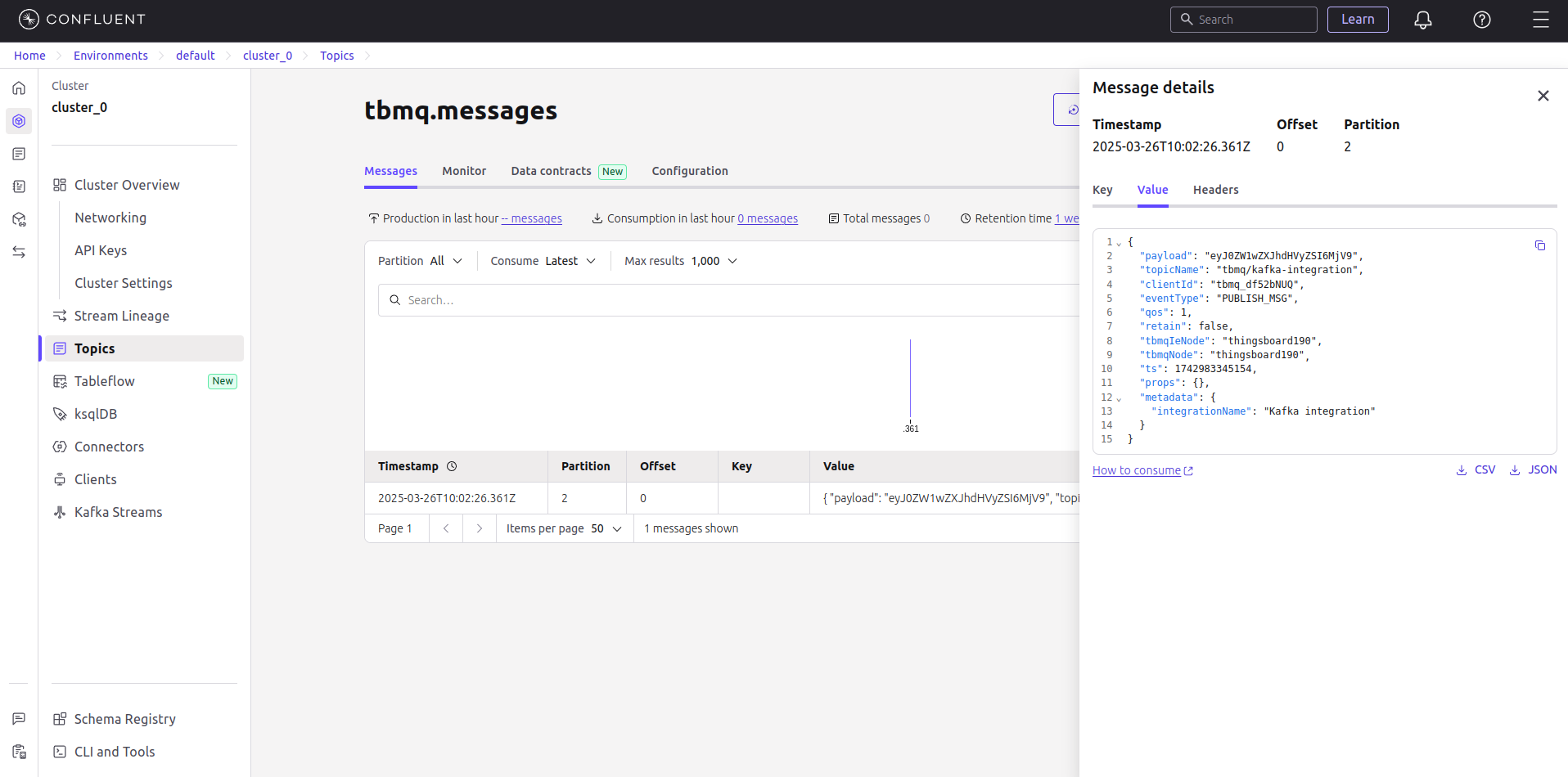
- If successful, the message should be available in your Kafka service under the topic
tbmq.messages.