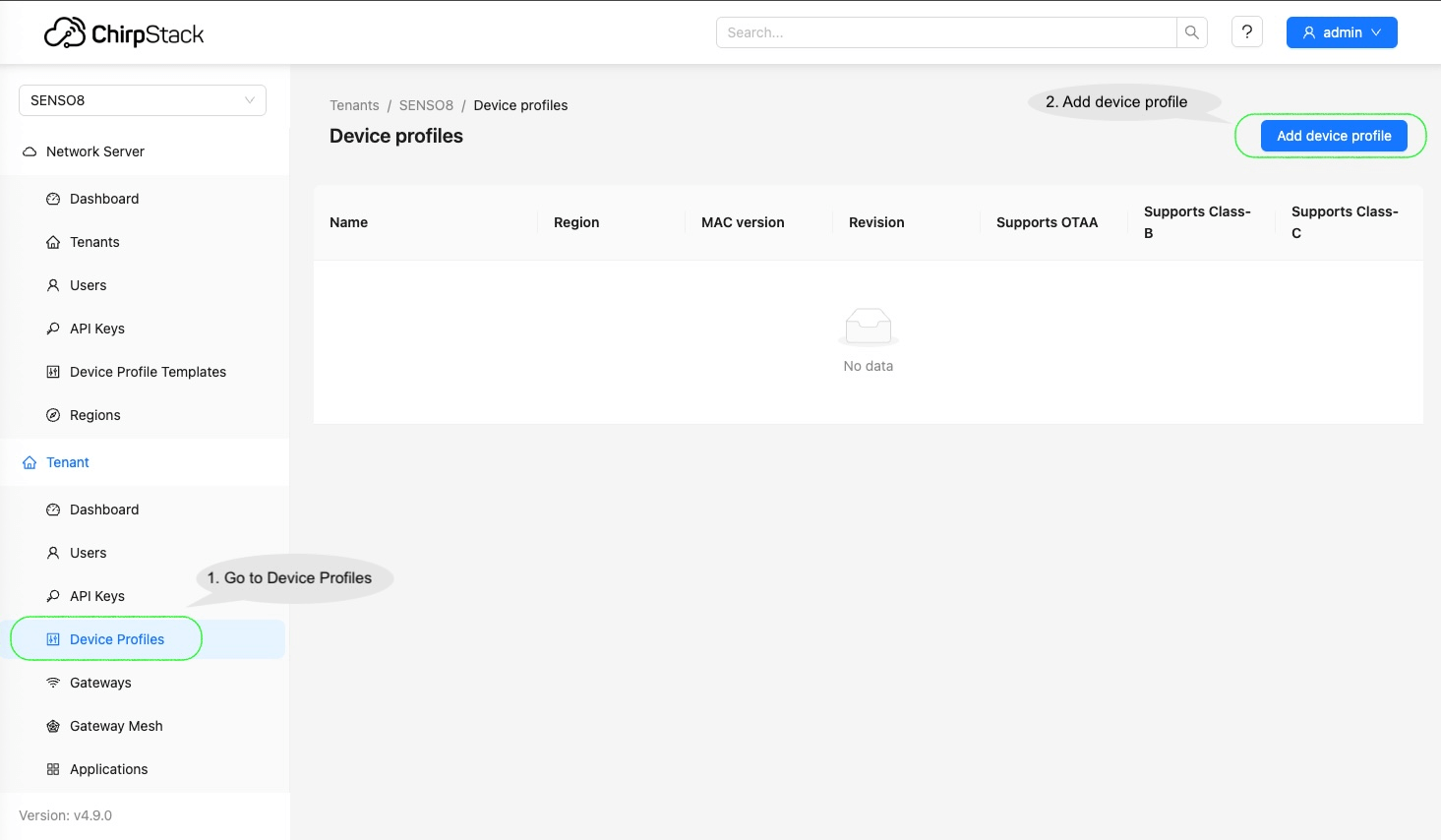
Go to the “Device profiles” and click “Add device profile”.
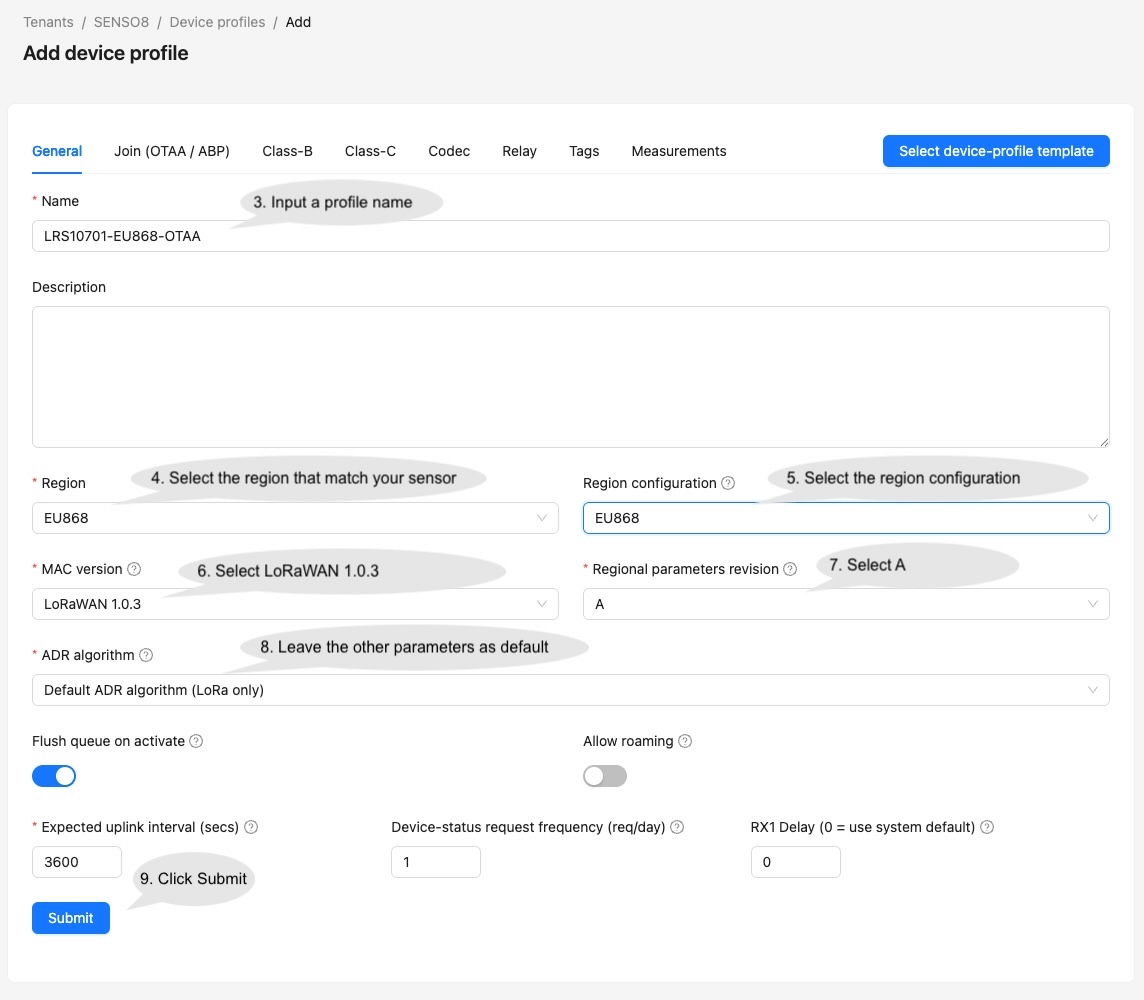
Input the parameters on the Device Profile page and click Save. For Profile name, input ‘LRS10701-OTAA’ or ‘LRS10701-ABP’ depending on the sensor activation mode configured. It will be used on the data converter to determine the sensor model.
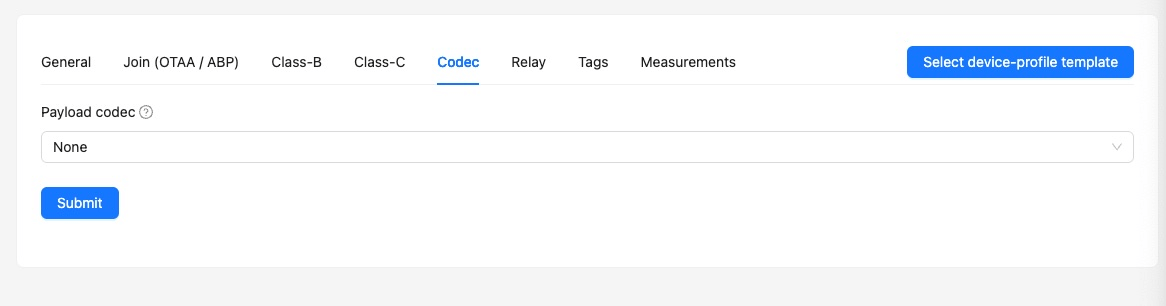
Make sure the Payload codec under Codec for the Device Profiles is selected as “None”.
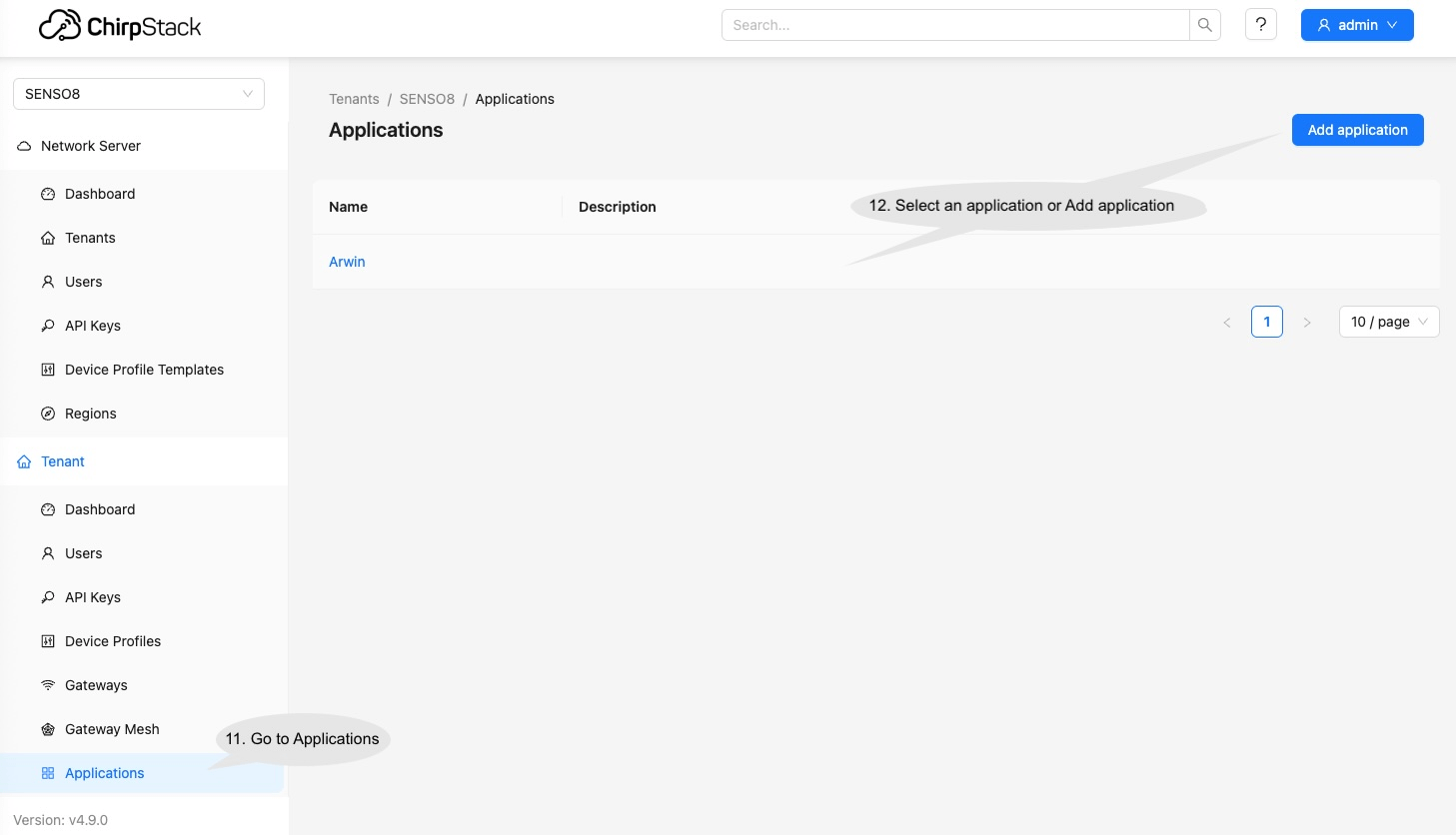
Go to Applications, select an existing application or Add application.
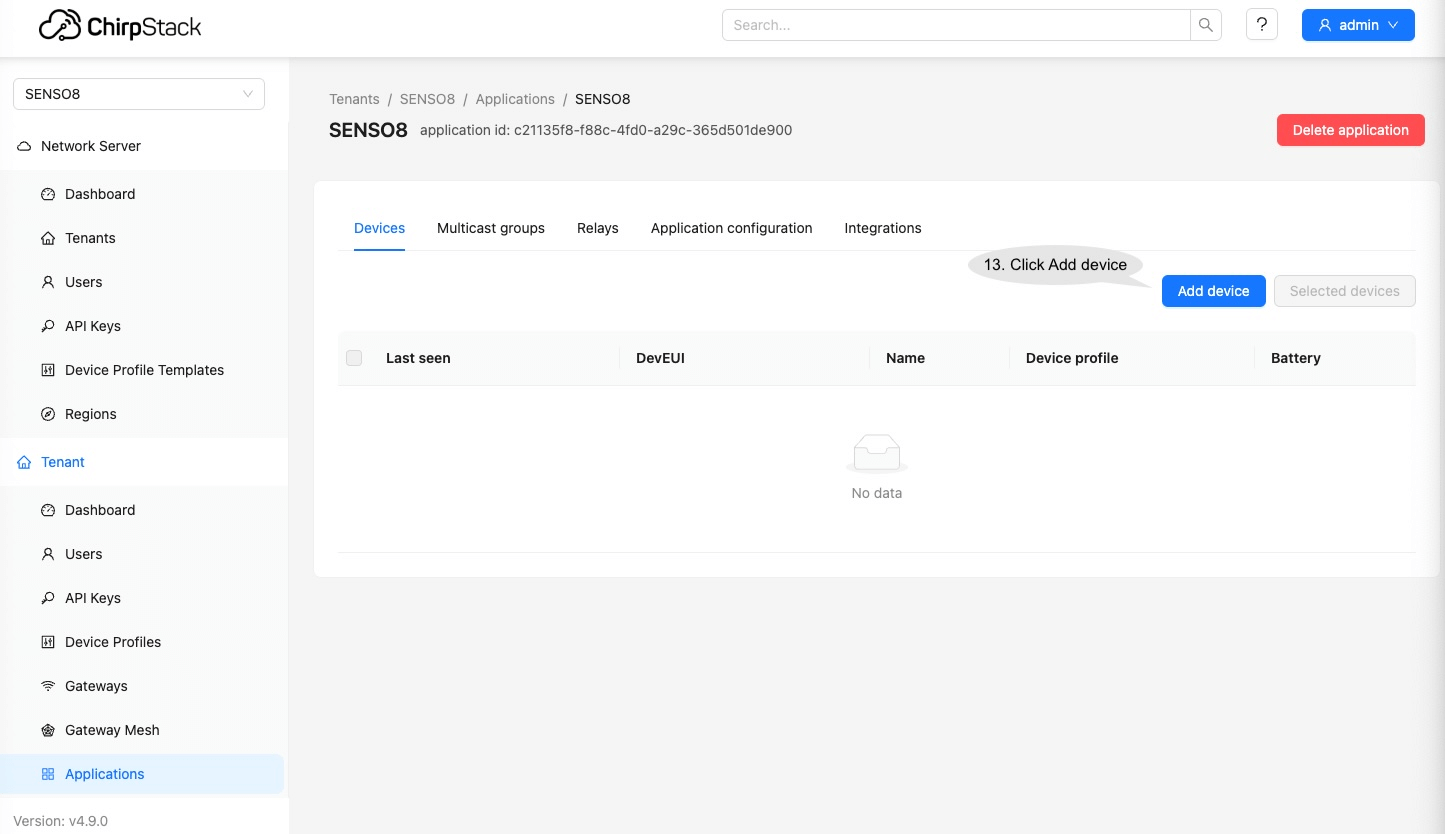
Click Add device to add the new device.
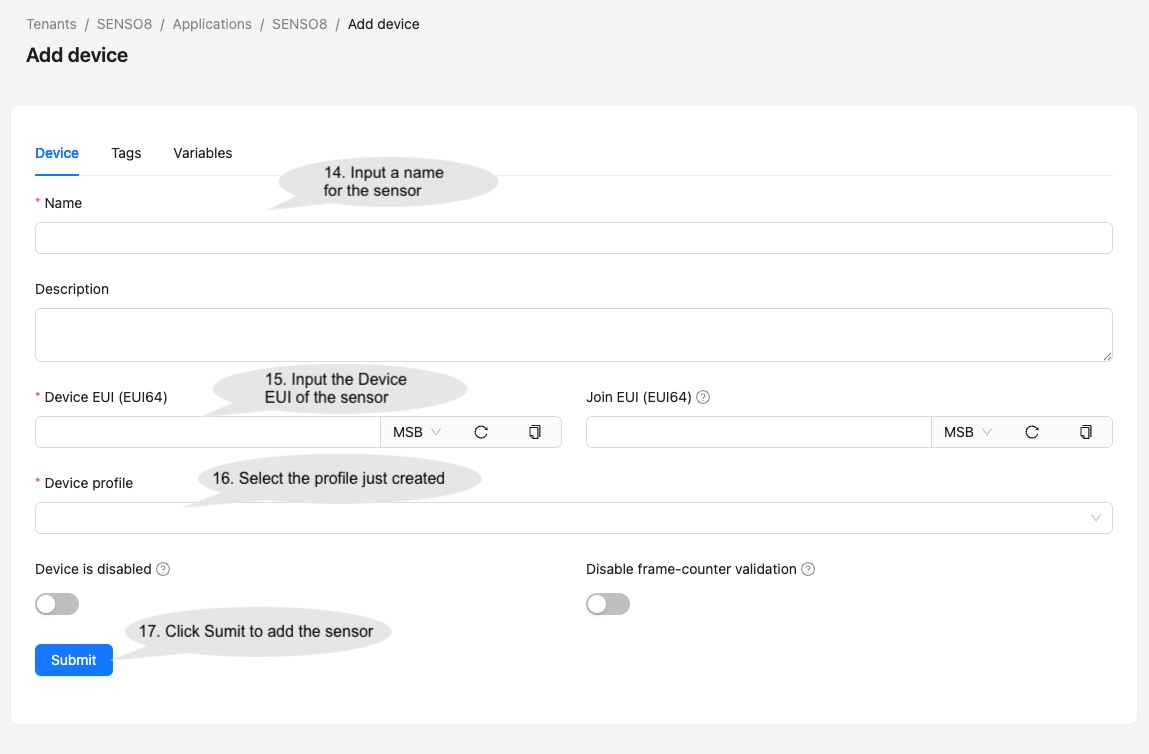
Input the sensor information and click Submit to add the sensor.
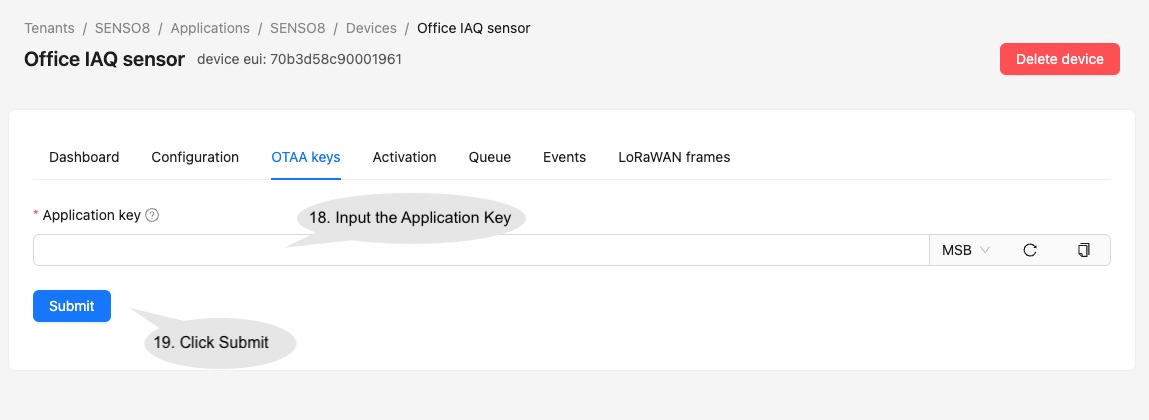
It will then jump to the OTAA keys page. Input the Application Key of the sensor and click Submit.
Login to the network server.
Go to the “Device profiles” and click “Add device profile”.
Input the parameters on the Device Profile page and click Save. For Profile name, input ‘LRS10701-OTAA’ or ‘LRS10701-ABP’ depending on the sensor activation mode configured. It will be used on the data converter to determine the sensor model.
Make sure the Payload codec under Codec for the Device Profiles is selected as “None”.
Go to Applications, select an existing application or Add application.
Click Add device to add the new device.
Input the sensor information and click Submit to add the sensor.
It will then jump to the OTAA keys page. Input the Application Key of the sensor and click Submit.
vardeviceType=metadata.deviceProfileName;varfPort=metadata.fPort;/**
Decodes the incoming payload and returns a structured object containing telemetry data and attributes.
@param {byte[]} input - The raw payload received as an array of bytes.
@returns {Object} output - The structured output with decoded telemetry and attributes.
*/functiondecodePayload(input){// Initialize the output object with empty attributes and telemetry for clarity. varresult={attributes:{},telemetry:{}};// Decode serial number (SN) from the first 4 bytes of the payload.// Press '?' icon in the top right corner to learn more about built in helper functions and capabilities.result.attributes.sn=parseBytesToInt(input,0,4);// Extract the timestamp from metadata (represented in milliseconds).vartimestamp=metadata.ts;// ts is the timestamp parsed from the incoming message's time, or returns the current time if it cannot be parsed.// Initialize an object to store decoded key/value telemetry data.varvalues={};if((deviceType==='LRS10701-OTAA')||(deviceType==='LRS10701-ABP')){if(fPort===10){// Decode event from the 1st byte of the payload.values.event=parseBytesToInt(input,0,1);// Decode AQI, CO2 and temperature from the 2nd to 5th byte of the payload.varAQI_CO2_T=parseBytesToInt(input,1,4);values.aqi=AQI_CO2_T>>23;values.co2=(AQI_CO2_T>>10)&0x1FFF;values.temperature=((AQI_CO2_T&0x3FF)-300)*0.1;// Decode humidity from the 6th byte of the payload.values.humidity=parseBytesToInt(input,5,1)*0.5;// Decode battery level and EC sensor resolution from the 11th byte of the payload.varecr_bat=parseBytesToInt(input,10,1);varec_res=ecr_bat>>7;if(ec_res===1)ec_scale=10;elseec_scale=1000;values.battery=ecr_bat&0x7F;// Decode gas sensor readings from the 7th to 8th and 9th to 10th byte of the payload. values.gas1=parseBytesToInt(input,6,2)/ec_scale;values.gas2=parseBytesToInt(input,8,2)/ec_scale;}elseif(fPort===11){// Decode TVOC from the 1st and 2nd byte of the payload.values.tvoc=parseBytesToInt(input,0,2);// Decode PM1.0 from the 3rd to 5th byte of the payload.values["pm1.0"]=parseBytesToInt(input,2,3)/1000;// Decode PM2.5 from the 6th to 8th byte of the payload.values["pm2.5"]=parseBytesToInt(input,5,3)/1000;// Decode PM10 from the 8th to 11th byte of the payload.values.pm10=parseBytesToInt(input,8,3)/1000;}}if((deviceType==='LRS20100-OTAA')||(deviceType==='LRS20100-ABP')){if(fPort===10&&parseBytesToInt(input,0,1)===1){// Decode event from the 2nd byte of the payload.values.event=parseBytesToInt(input,1,1);// Decode temperature from the 4th and 5th byte of the payload.vartemperature=parseBytesToInt(input,3,2);if(temperature>32767)temperature=temperature-65536;values.temperature=temperature/10;// Decode humidity from the 6th and 7th byte of the payload.values.humidity=parseBytesToInt(input,5,2)/10;// Decode battery level the 3rd byte of the payload.values.battery=parseBytesToInt(input,2,1);}}// Combine the timestamp with values and add it to the telemetry.result.telemetry={ts:timestamp,values:values};// Return the fully constructed output object.returnresult;}varresult=decodePayload(payload);returnresult;