- Connectivity: LoRaWAN®
- Platforms: Community Edition, Professional Edition, Cloud
概述
Sentrius™ RS26x是一款电池供电的IP67温度传感器平台,提供HACCP级别的温度监控和实时告警,用于食品安全合规。除了确保产品安全外,这些智能设备还可避免库存损失、提高设施效率,并在日常自动化运营中节省时间和资金。
提供两种型号:一种带内置温度传感器,另一种支持外部传感器探头。

仅专业版支持Platform Integrations功能。
请使用ThingsBoard Cloud或自行安装平台实例。
前置条件
继续本指南前,需准备以下内容:
- RS26x LoRaWAN Temperature Sensor
- A smartphone with the Ezurio Xbit app for configuration of the RS26x (Android/iOS)
- LoRaWAN gateway (e.g. Ezurio RG1xx)
- ThingsBoard 账户
设备连接
请参考官方RS26x快速入门指南:将RS26x连接到The Things Stack v3以及官方RS26x用户指南,正确配置传感器并将其连接到The Things Stack。
在TTN上创建应用
在TTN控制台中进入Applications:

选择“Add Application”:
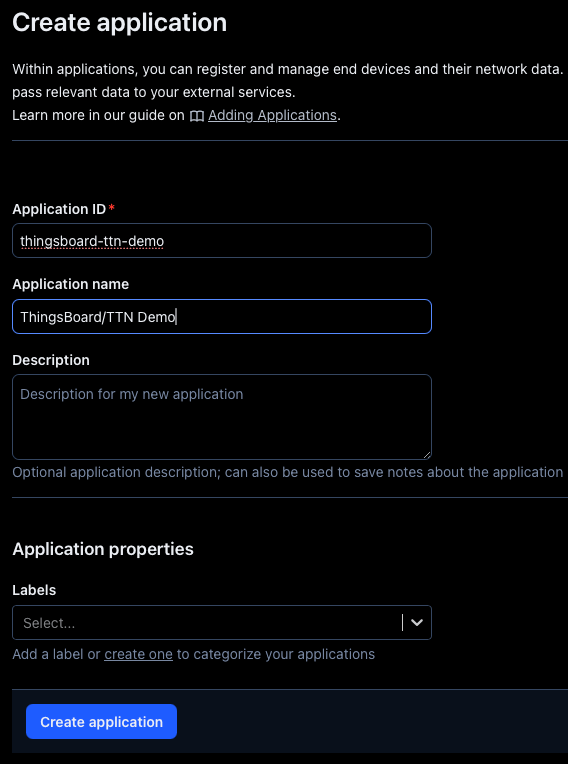
现在可以注册终端设备。
在TTN上注册终端设备
在新创建的应用中选择Application overview,点击 + Register end device。
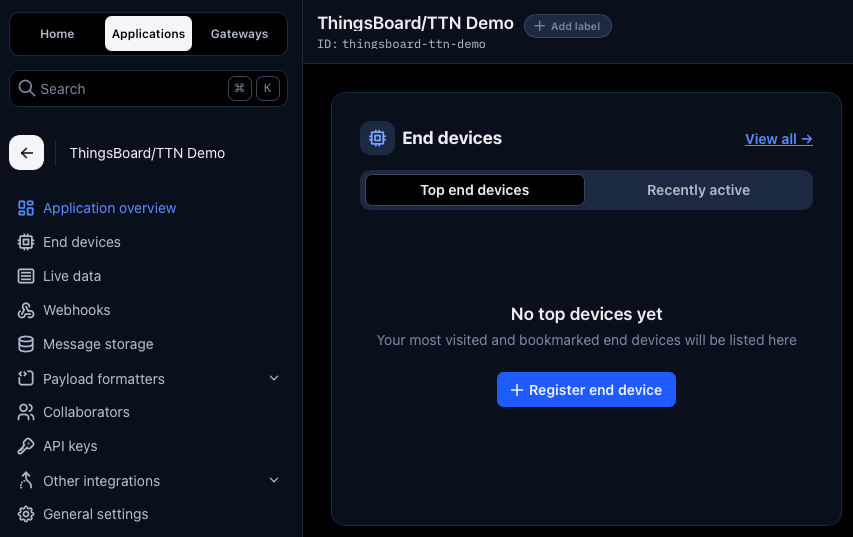
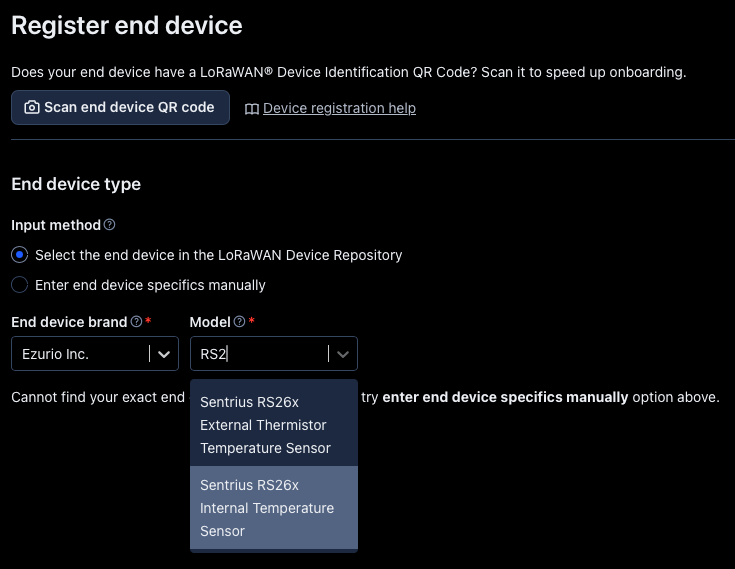
Ezurio RS26x LoRaWAN传感器是TTN上的已知设备,可以从TTN设备库中直接选择。
应用以下设置,确保区域配置文件和频率计划与您的位置一致。
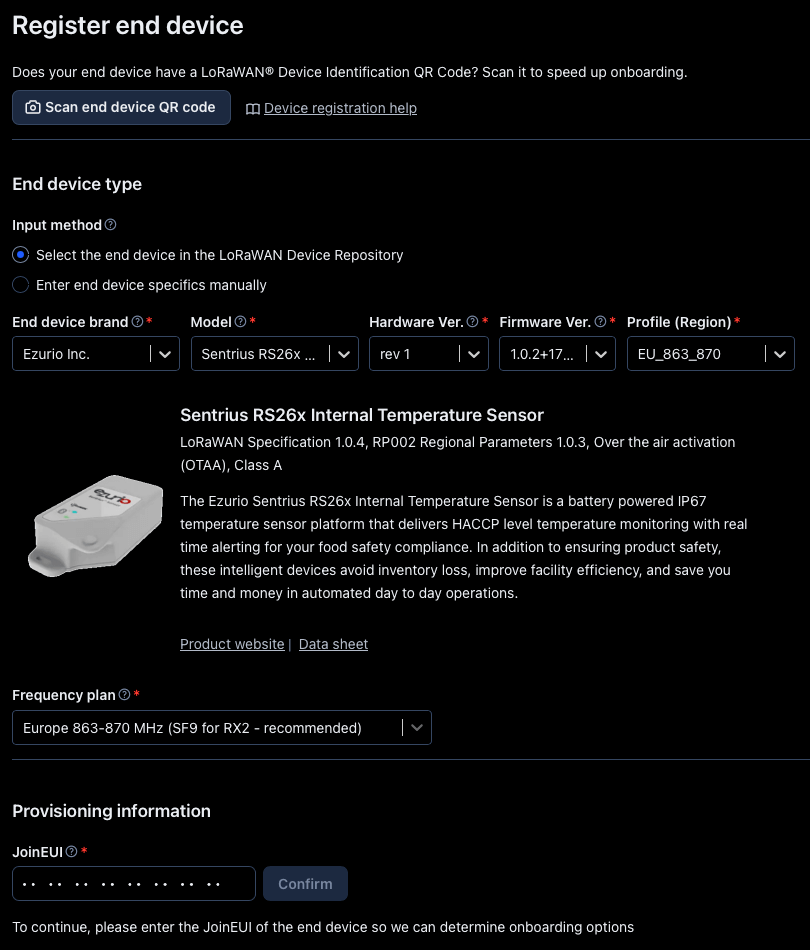
接下来需要输入新设备的配置信息。
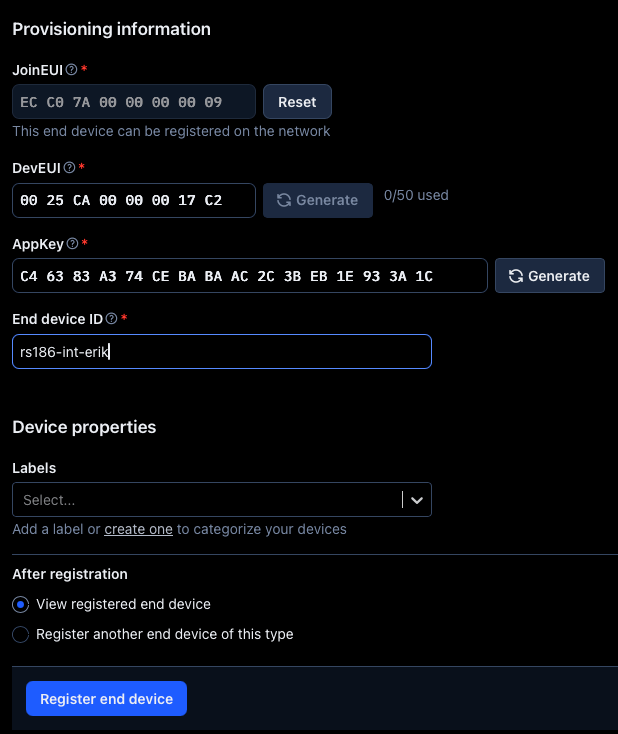
JoinEUI、DevEUI和AppKey以二维码形式提供在RS26x传感器上。

也可以通过Xbit移动应用中的RS26x Sensor Applet获取配置信息。
Ezurio Xbit配置应用可用于Android和iOS。请参考官方RS26x快速入门指南和RS26x用户指南了解RS26x传感器配置详情。
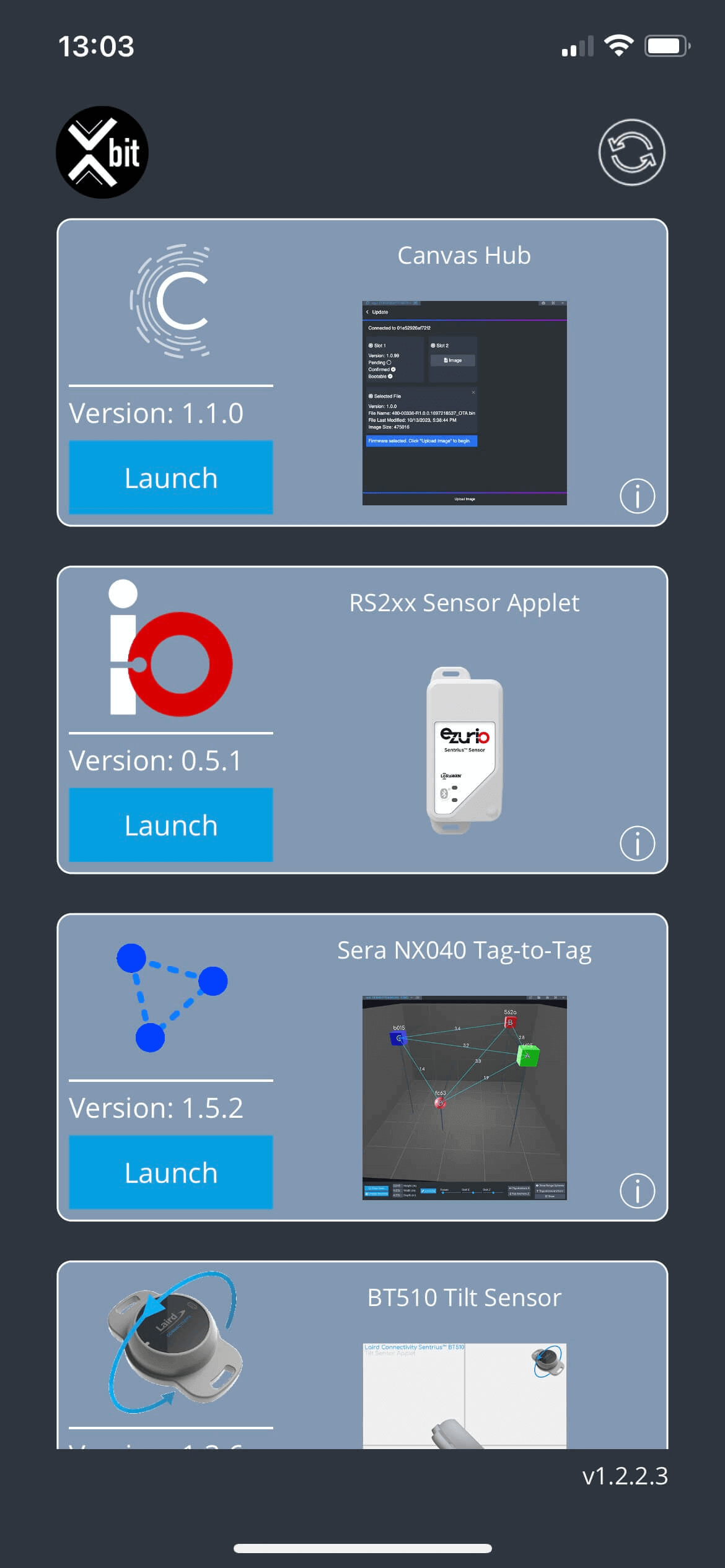
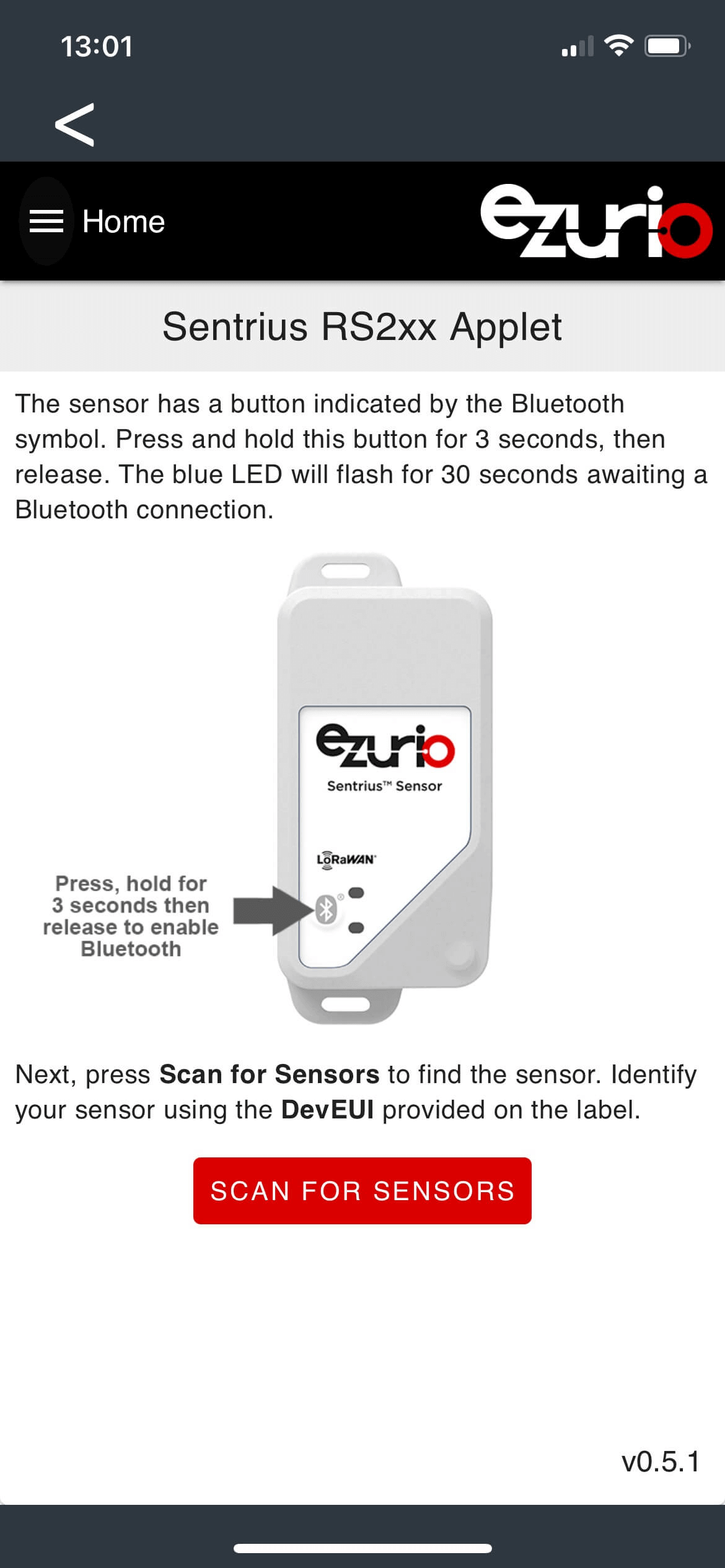
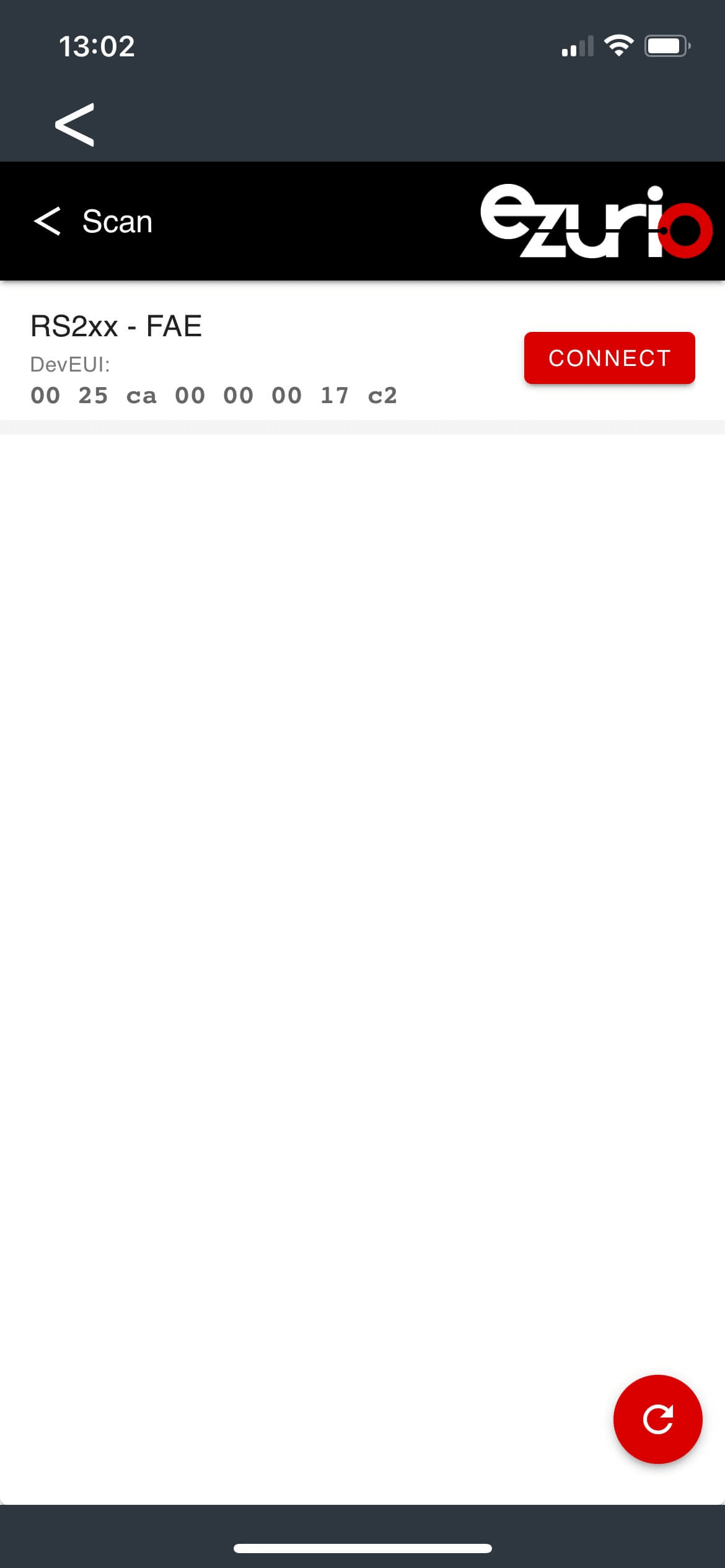
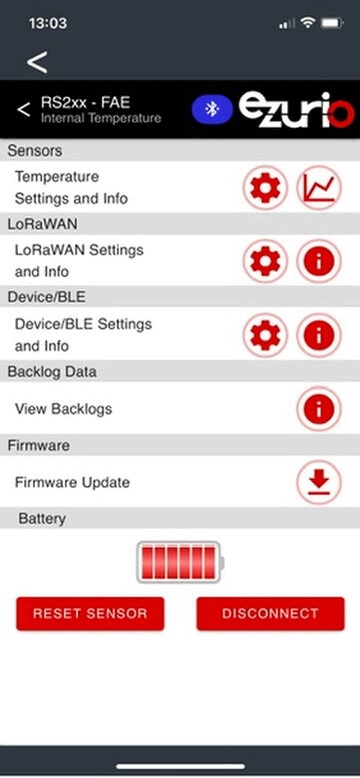
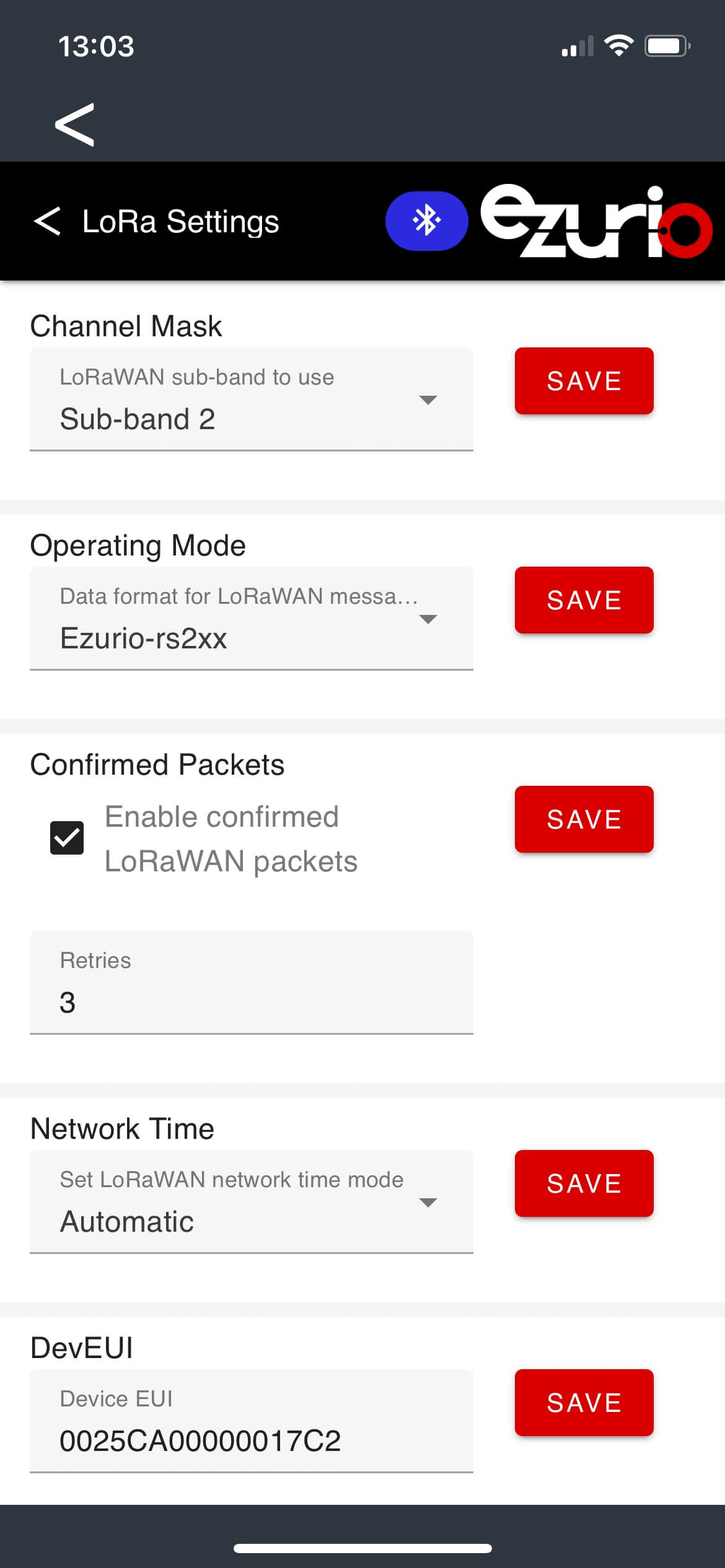
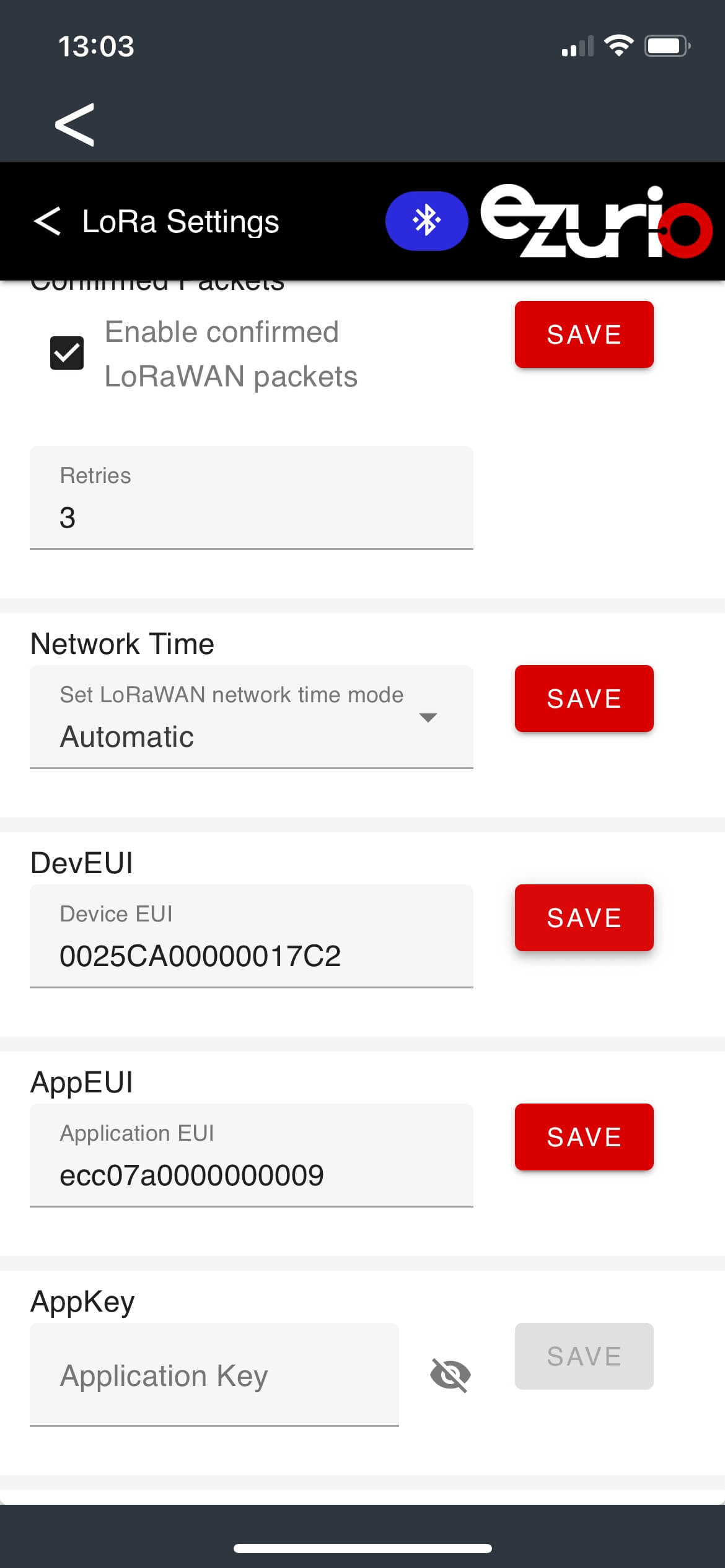
设备最终应显示在TTN控制台的Device overview中。
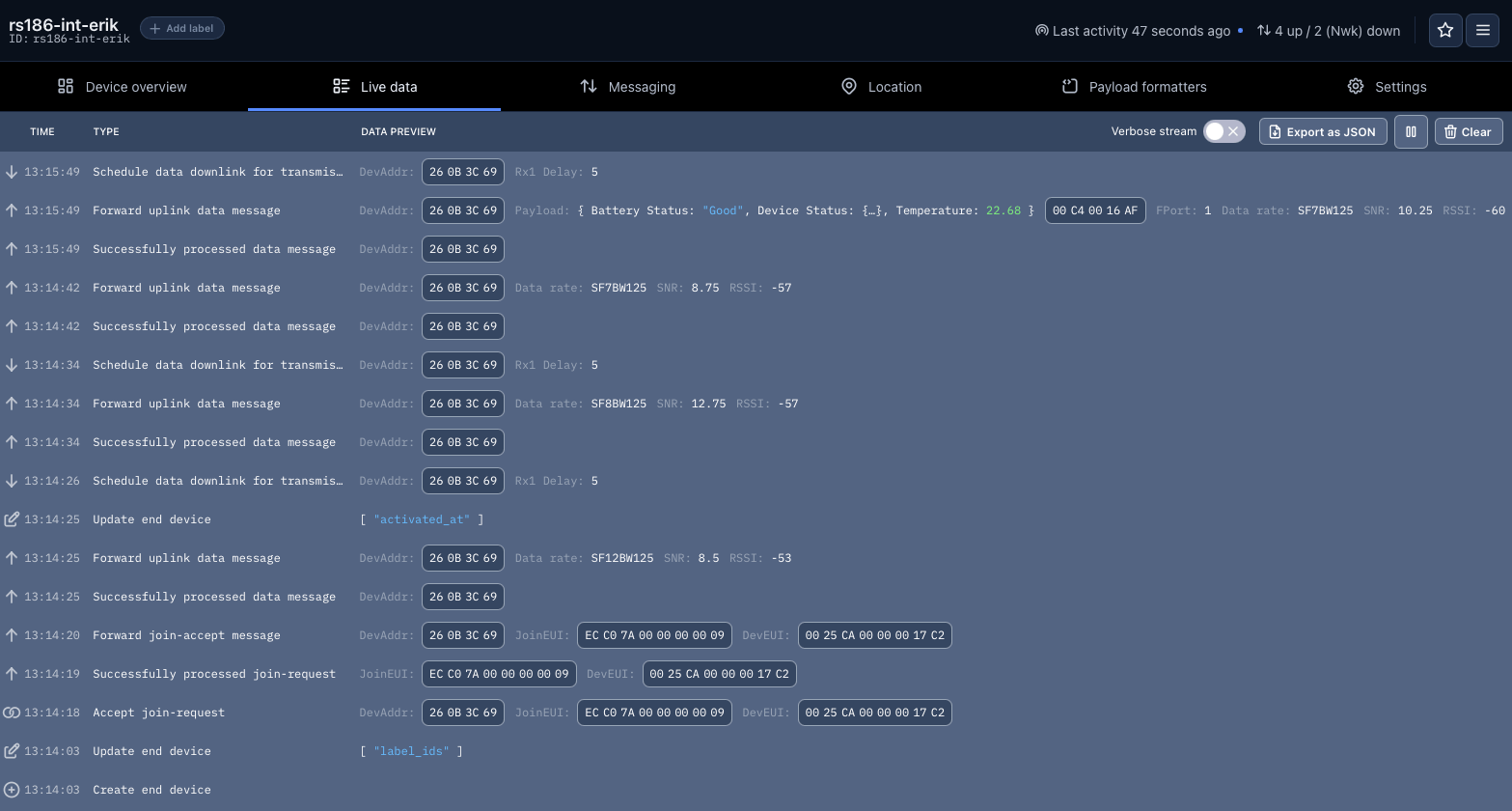
您应该能看到一些实时数据。根据设备设置,新数据可能需要等待一段时间才能显示。
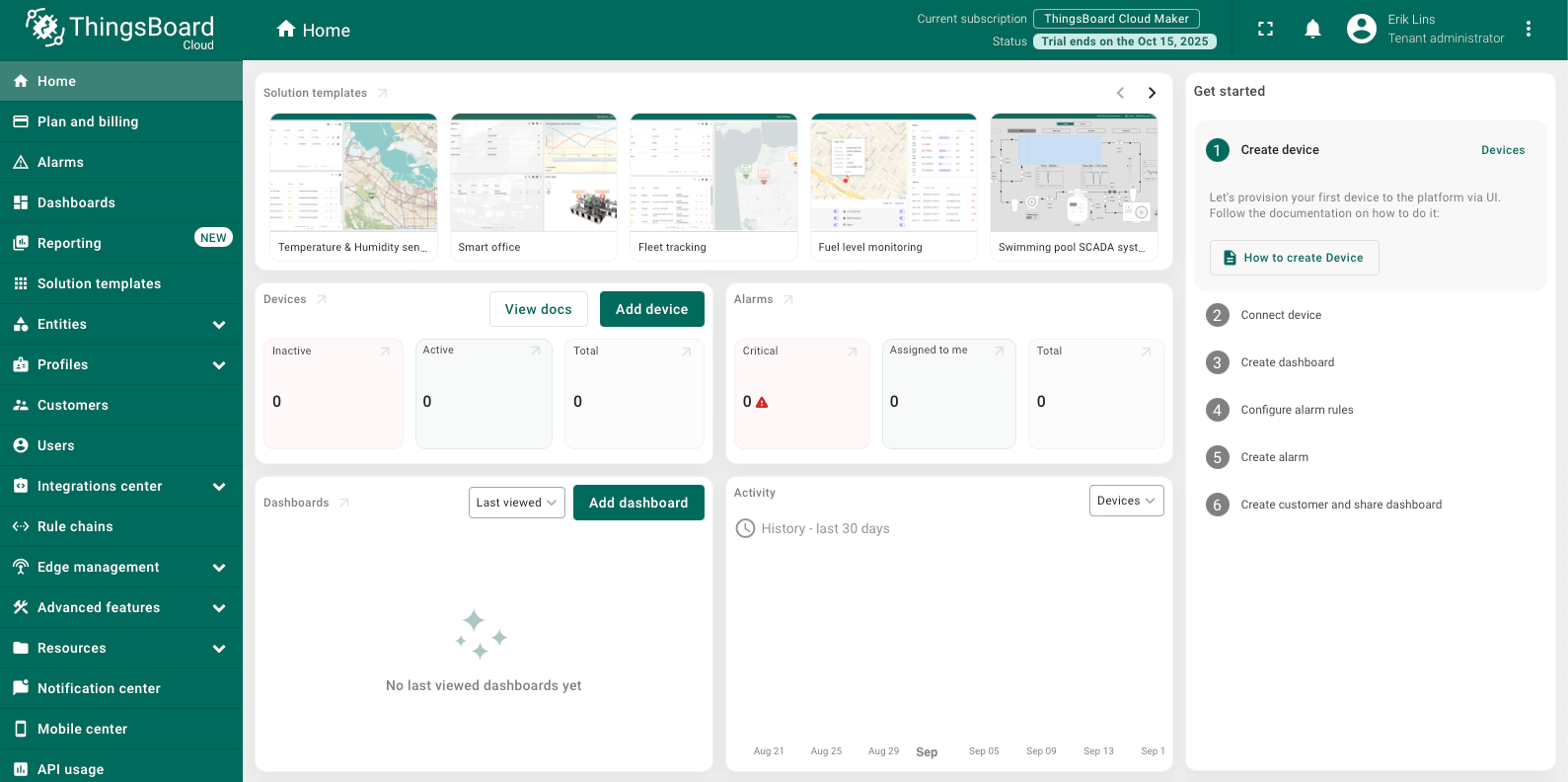
登录ThingsBoard
通过此链接登录 ThingsBoard,并选择您的区域。
添加数据转换器
首先需要添加上行数据转换器,将TTN传入的数据转换为ThingsBoard仪表板部件可用的格式。
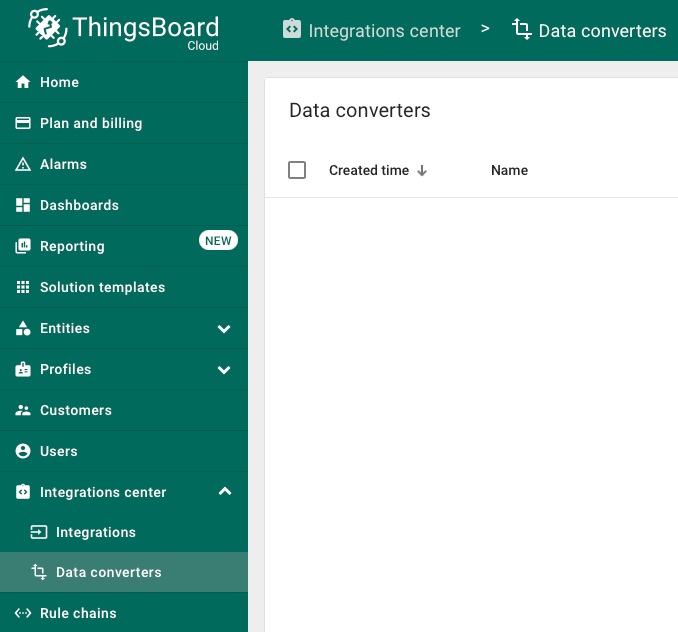
- 导航到 集成中心 中的 数据转换器。
- 点击“+”并选择 导入转换器。
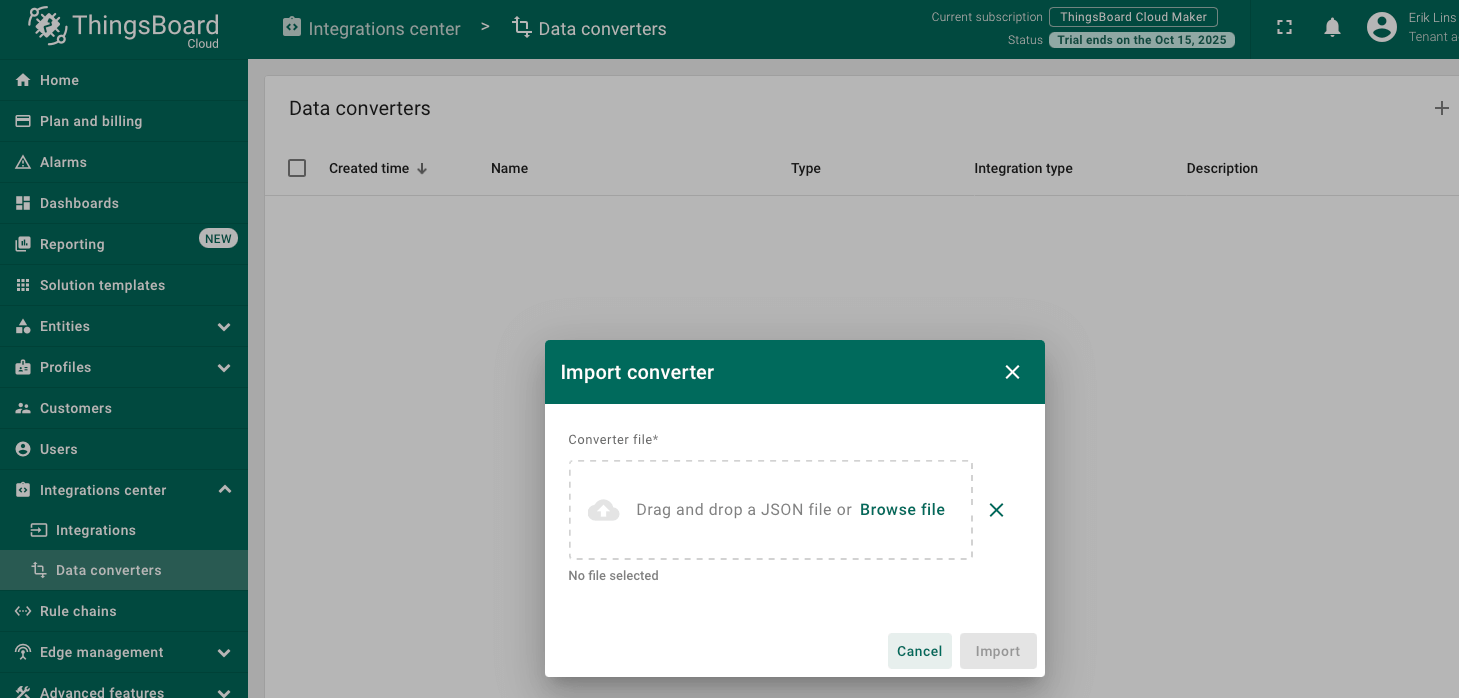
- 下载 things_stack_community_uplink_converter_for_ezurio_rs26x.json 文件。
- 将其拖拽到导入窗口并点击 Import。
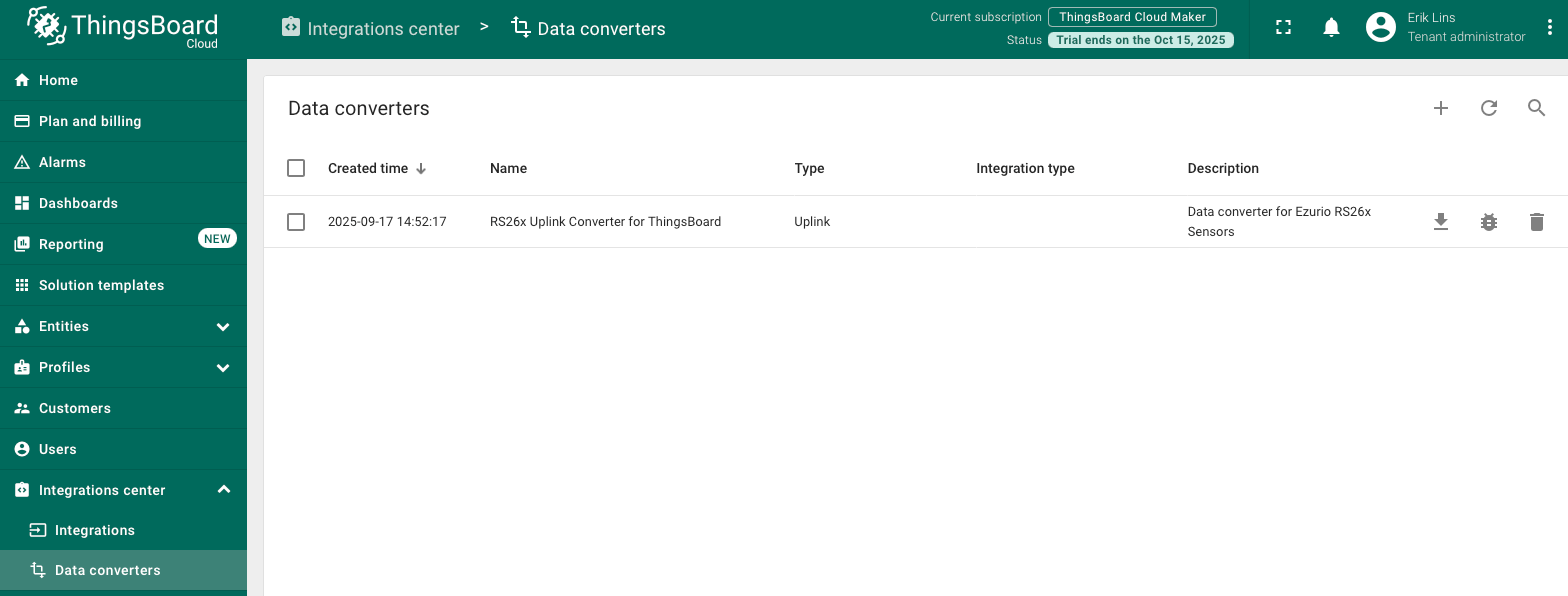
- 上传完成后,应该可以看到新添加的数据转换器。
添加集成
导航到 集成中心 → 集成,点击“+”添加新集成。
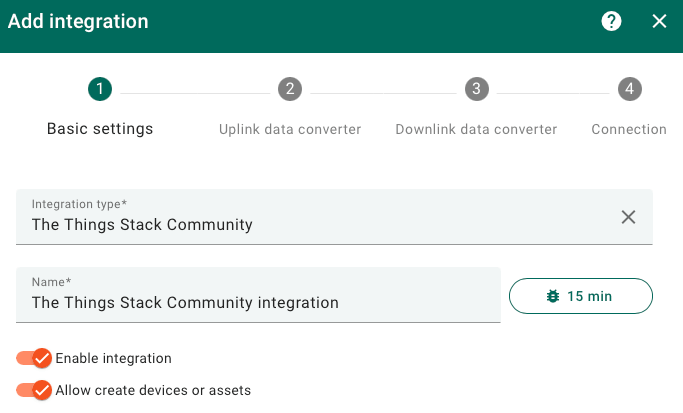
基本设置。
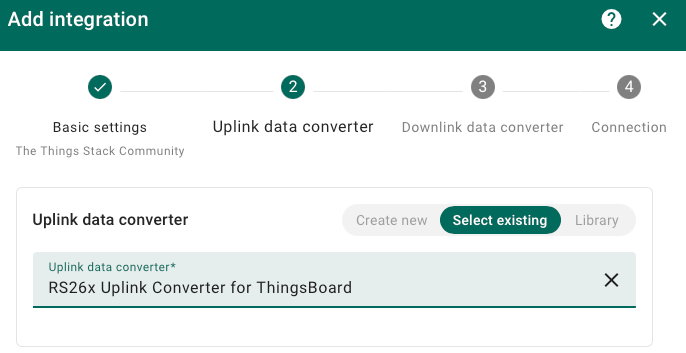
选择上行数据转换器。
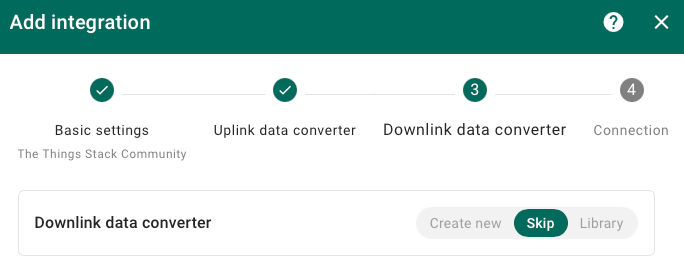
跳过下行数据转换器。
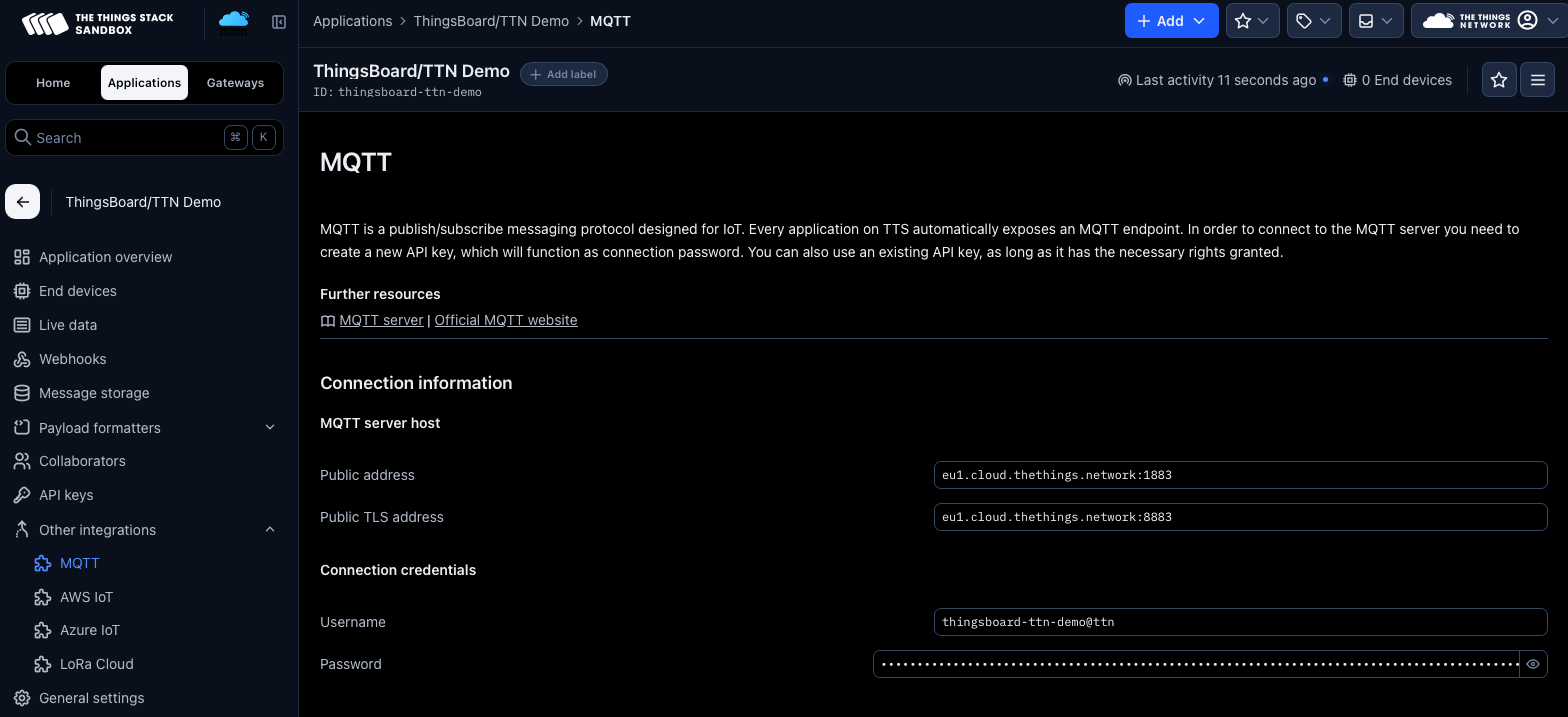
输入连接详情。
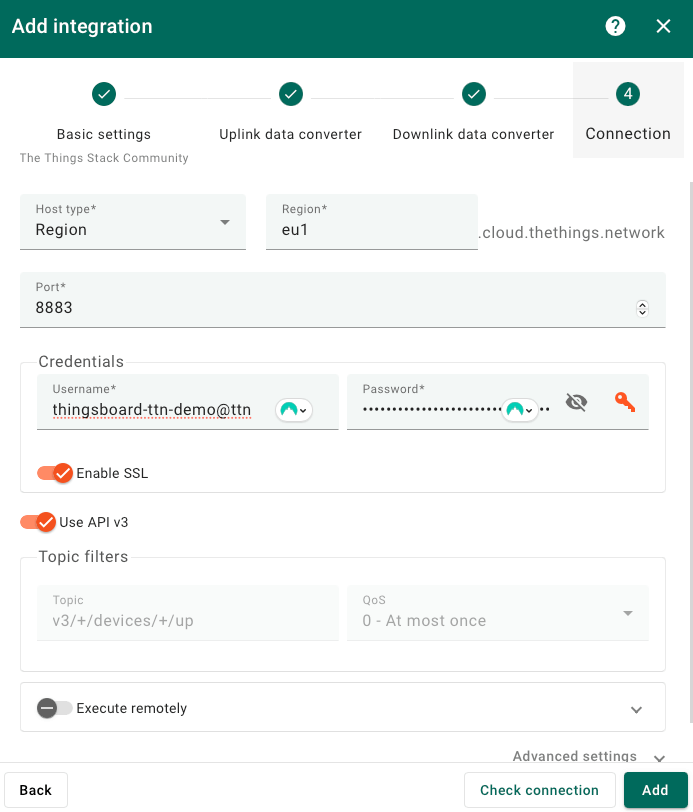
Make sure to use the proper regional settings from your specific TTN settings. The credentials need to be fetched from the TTN console, see below.
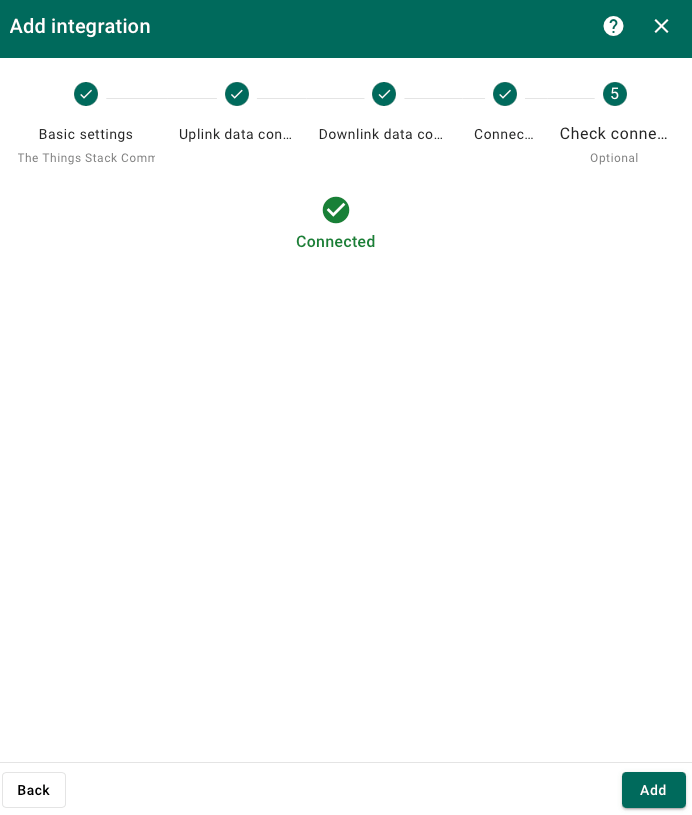
In Thingsboard click Check connection and you should see a Connected message.
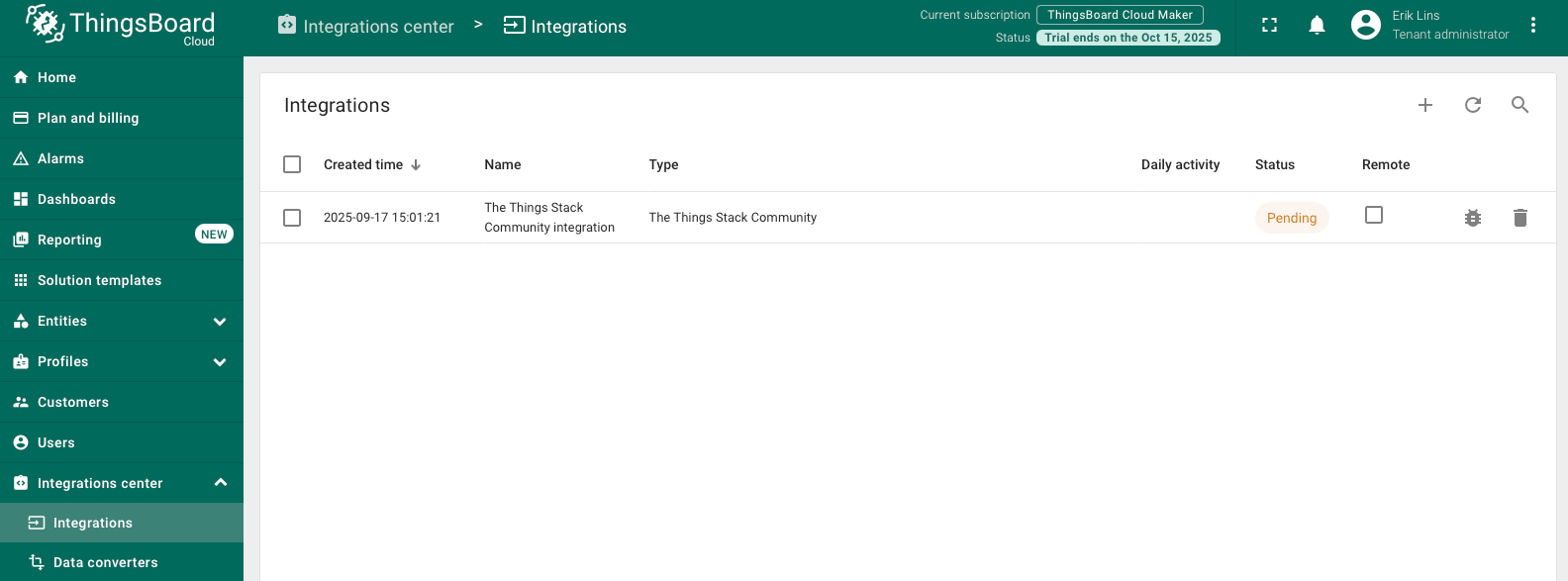
Click add to finish creating the integration.
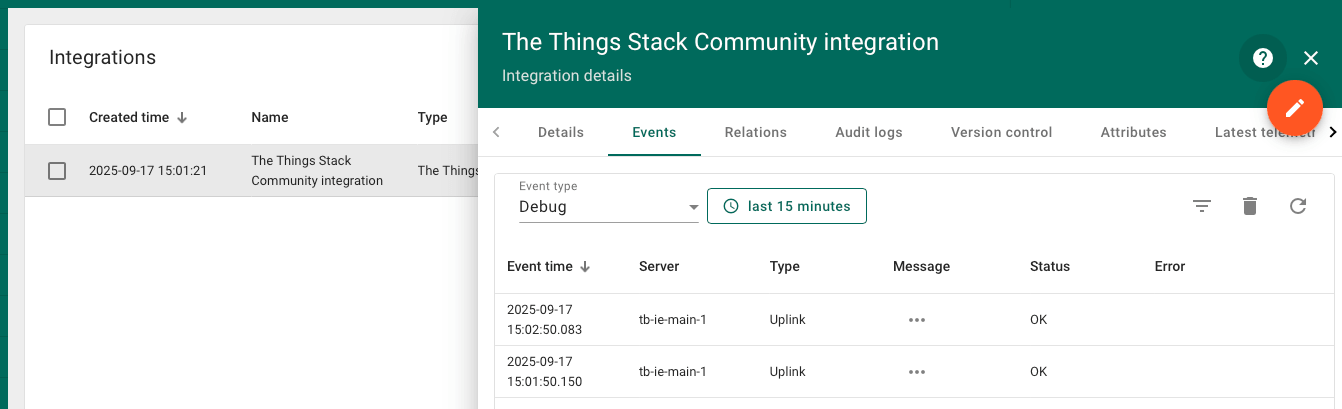
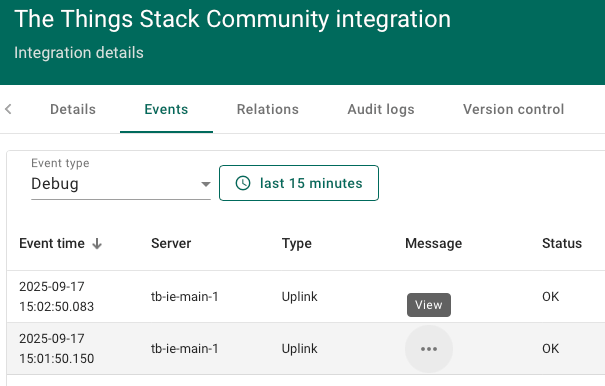
If you now click on the integration, you should see uplink messages coming in if the RS26x is active. Depending on the set uplink interval in your device, it might take a moment until first data can be seen.
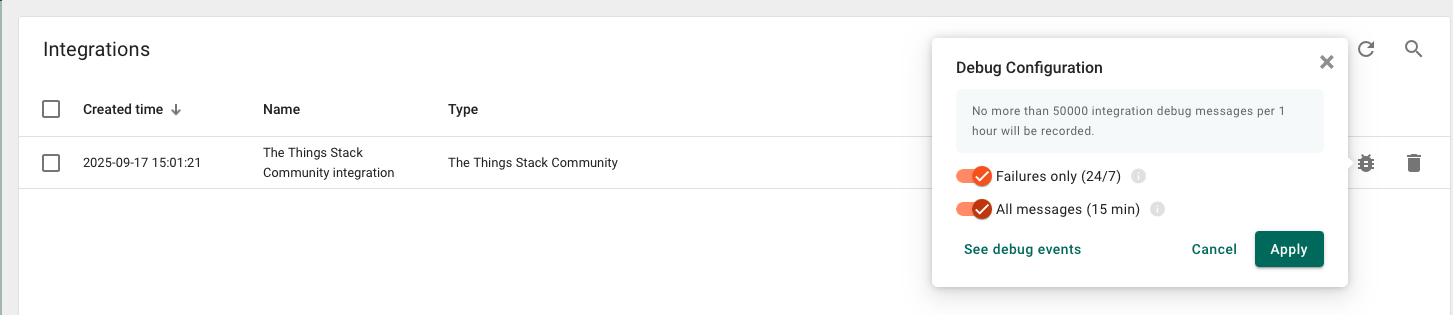
Note: The display of uplink messages is set to Failure messages only. To see all messages you need to enable this in the Debug Configuration as shown below.
You can click on the three dots in the Message column and view the uplink data sent.
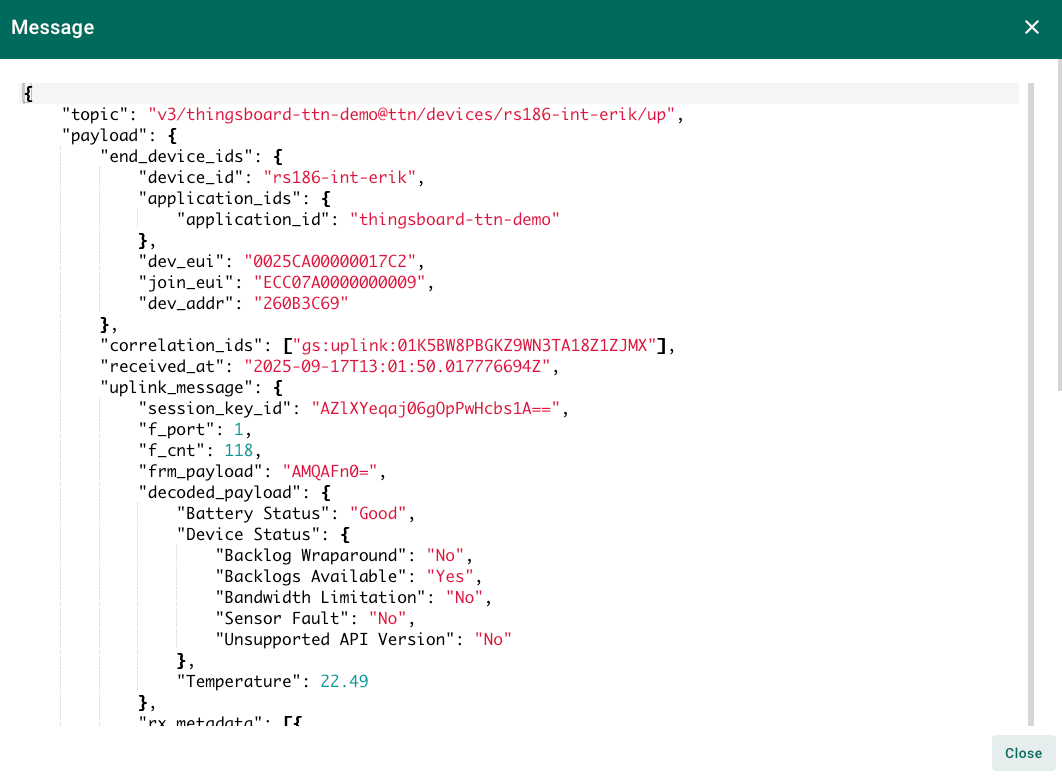
The data is JSON format and looks like below. Underneath “decoded_payload” you see the RS26x battery status as well as the Temperature.
自动创建新设备
当设备处于活动状态并向TTN发送数据时,会自动创建设备配置文件…
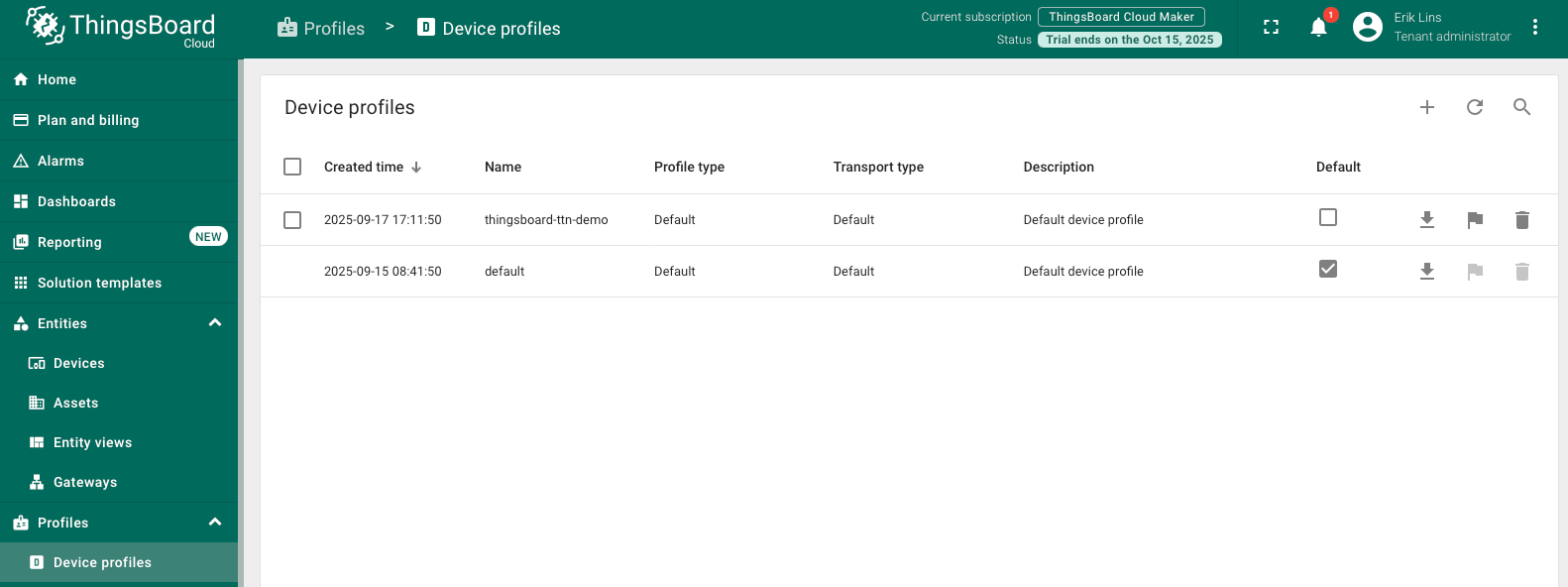
…和设备。
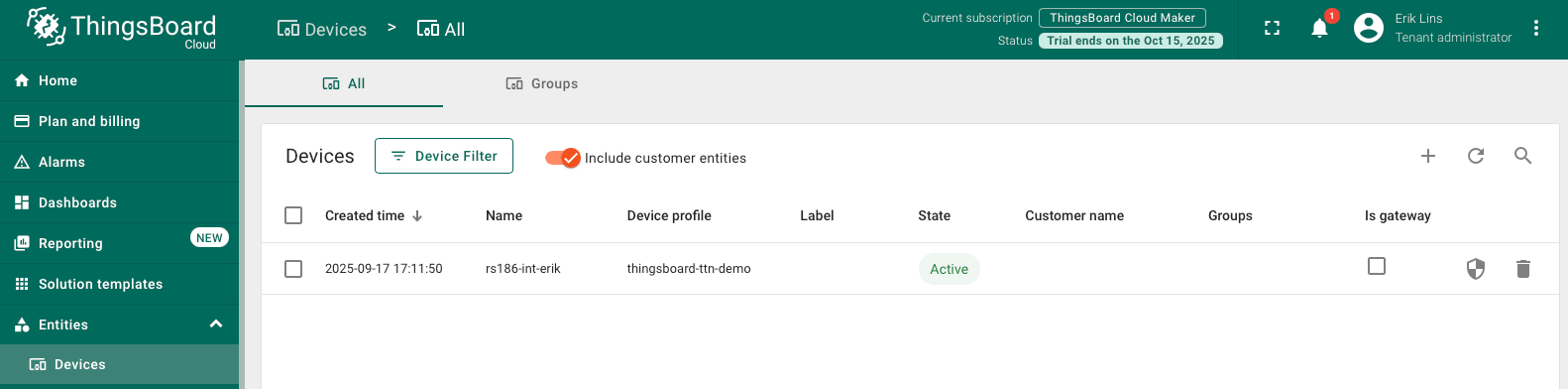
创建仪表板
导航到仪表板并点击“+”。
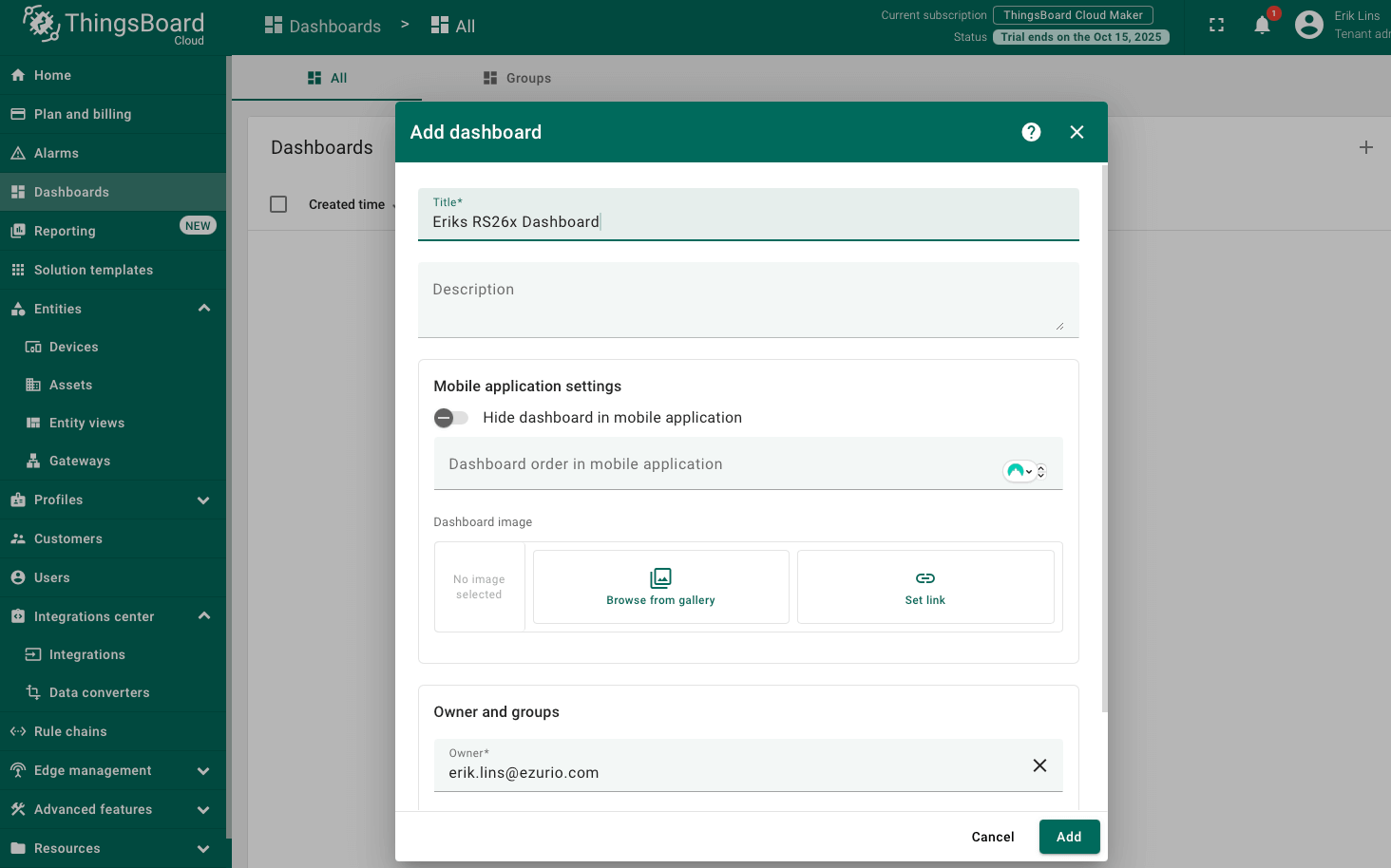
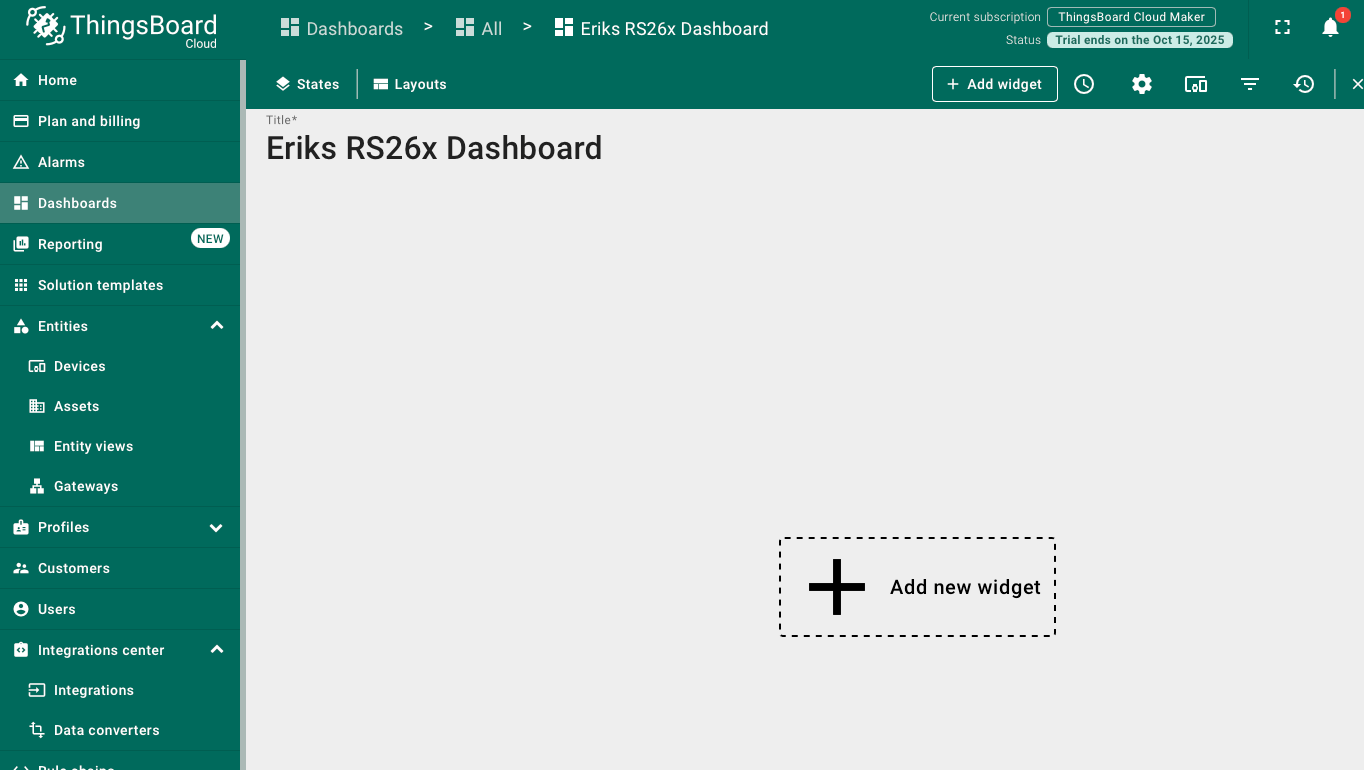
这将打开一个新的空仪表板,您可以开始添加部件。
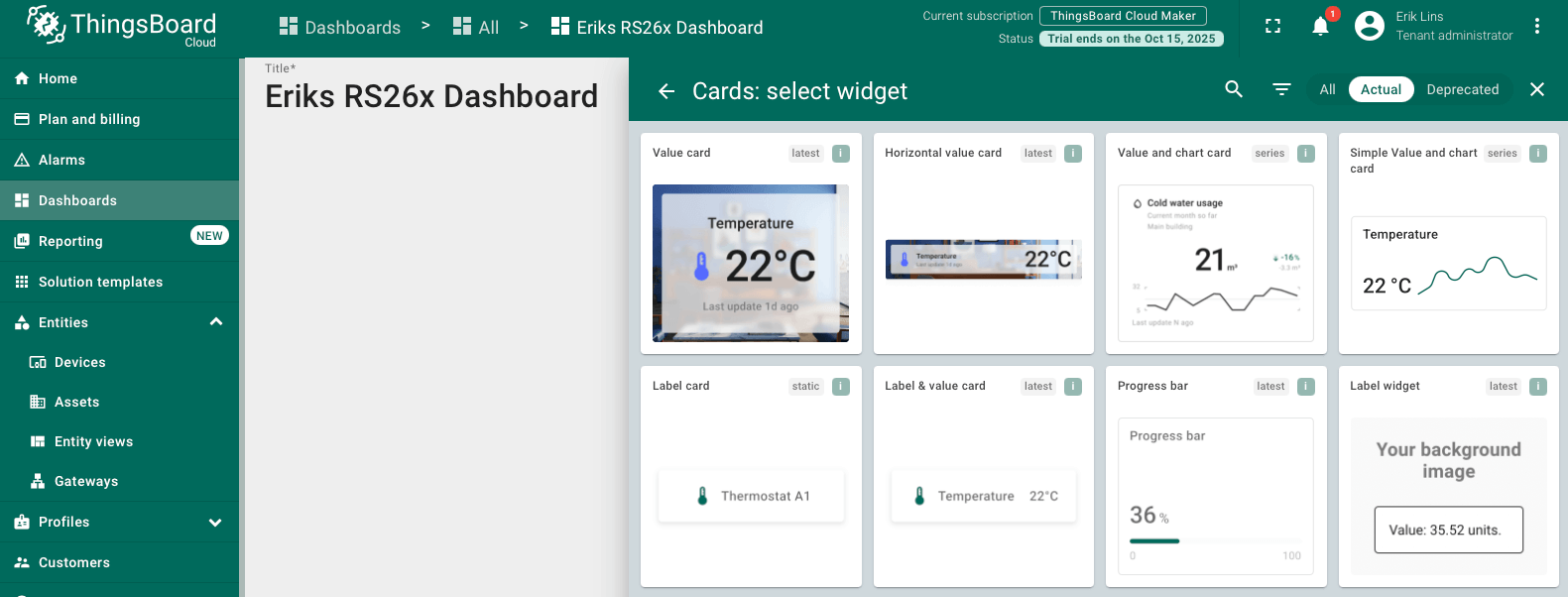
进入 Cards 部件包,选择 Simple Value and chart card 部件。
选择我们的设备作为数据源,数据键应为temperature。也可以输入新的标题。
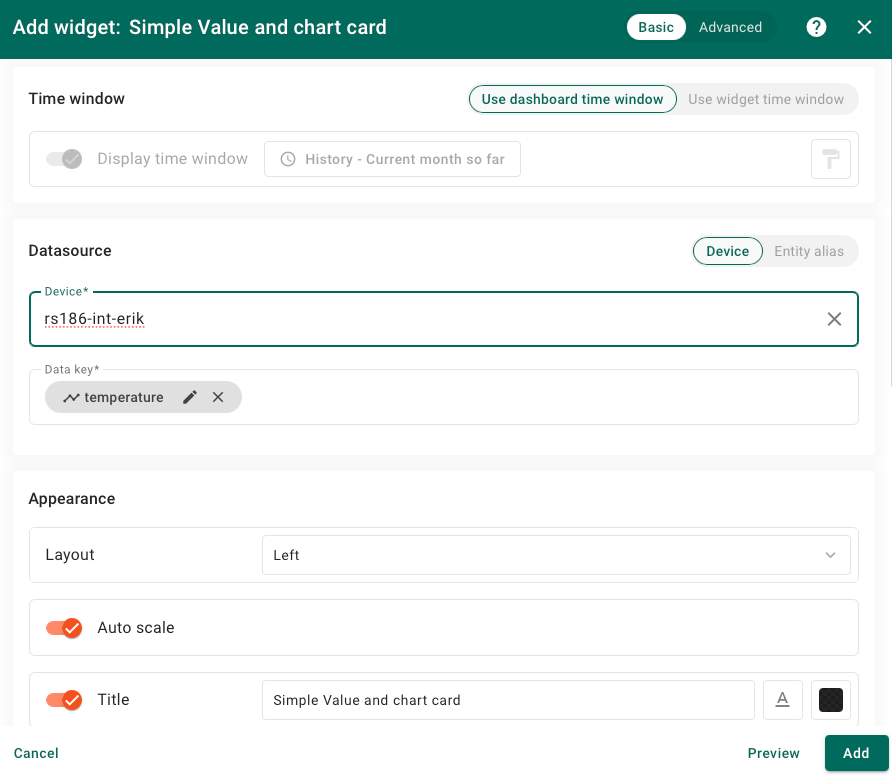
现在可以调整部件大小或探索高级设置,例如添加额外的小数位。
尝试添加其他部件来显示RSSI、SNR或使用的扩频因子等遥测数据,作为链路质量的指示。
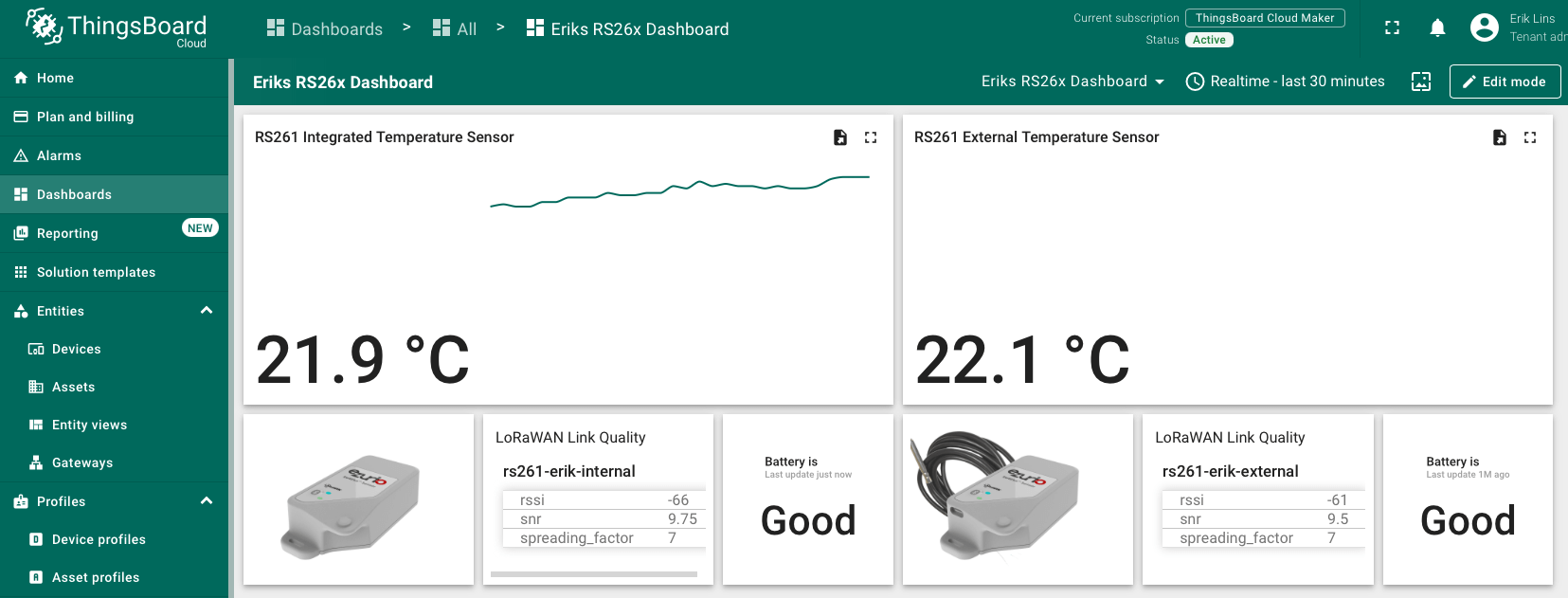
总结
现在您可以轻松连接RS26x LoRaWAN温度传感器并开始向 ThingsBoard 发送数据。
请探索ThingsBoard文档,了解更多功能,如创建更多仪表板并利用更多部件来可视化遥测数据,或设置告警规则来实时监控设备行为。